ClickFix Malware: How Fake CAPTCHA Attacks Work and How to Stay Safe
Last Updated: November 5, 2026
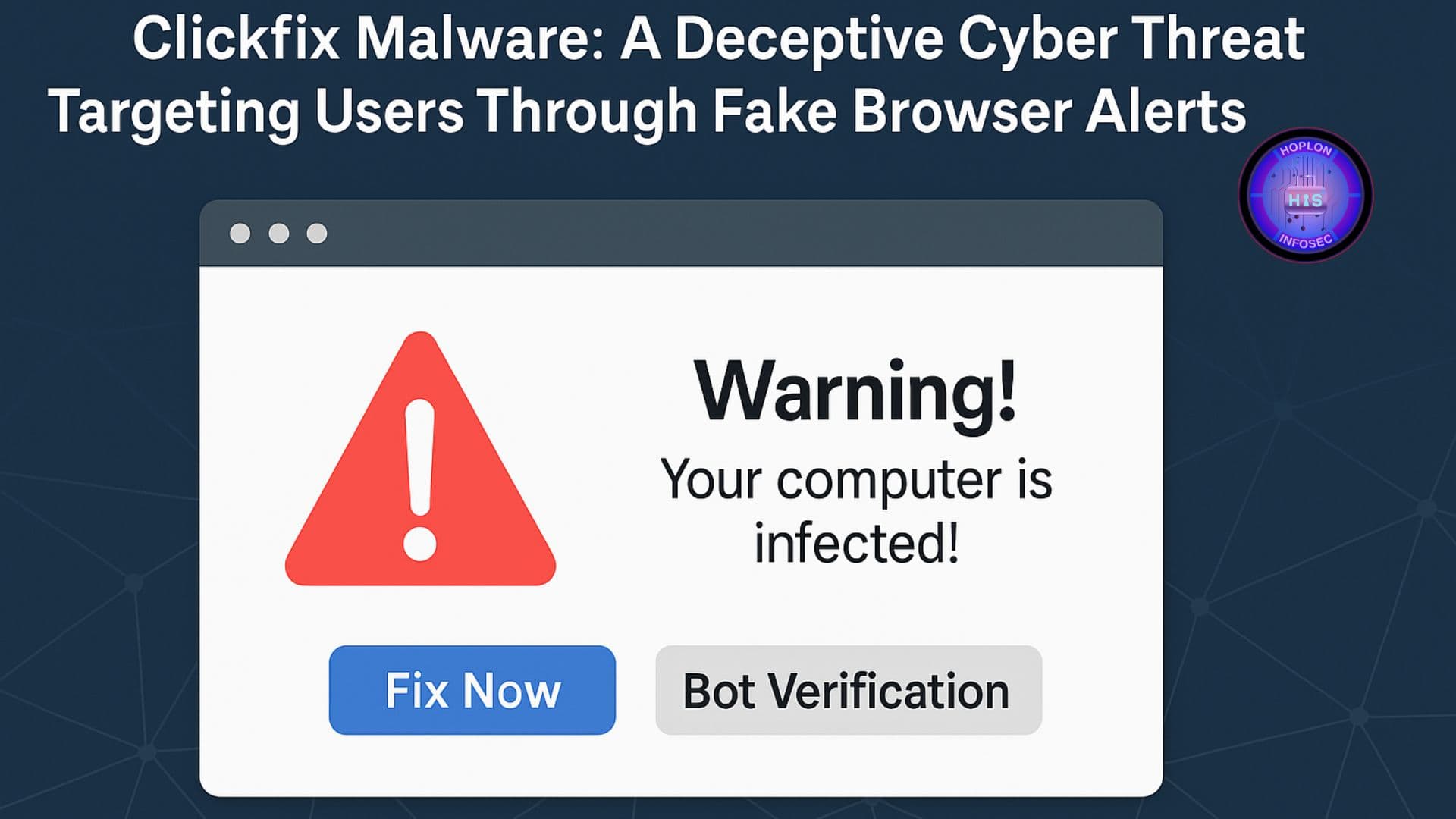
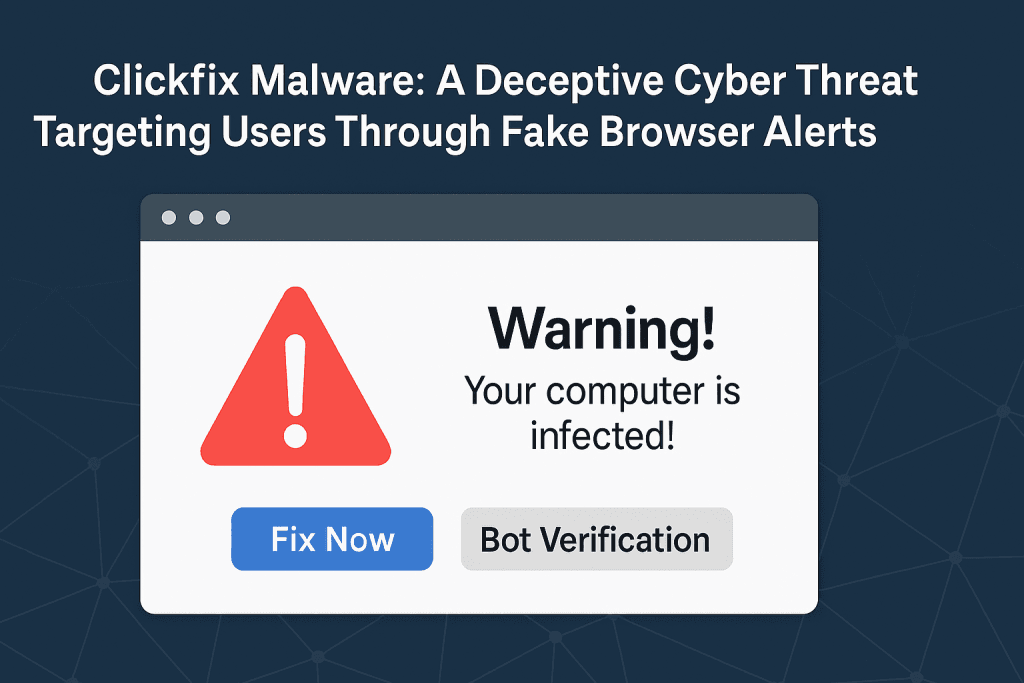
ClickFix attacks use fake CAPTCHA pages, browser errors, and verification messages to trick people into running malicious commands on their devices. The page may look like a normal security check. However, the instructions can lead to malware installation and data theft.
The dangerous part is that users may start the infection themselves without realizing what they are doing. Instead of silently exploiting a software vulnerability, attackers convince victims to follow instructions that appear harmless.
Microsoft Threat Intelligence has documented ClickFix campaigns that use phishing emails, malicious advertisements, and compromised websites to deliver malware. These campaigns have targeted both Windows and macOS users.
This guide explains how ClickFix works, what risks it creates, how to recognize suspicious prompts, and how individuals and businesses can protect their devices.
Key Takeaways
ClickFix is a social engineering technique, not a single malware family.
Attackers use fake CAPTCHA checks, browser errors, and verification messages to gain user trust.
Some campaigns ask users to copy and run commands through system utilities.
ClickFix has been used to deliver information stealers, remote access tools, and other malware.
The technique can affect Windows and macOS users.
A legitimate CAPTCHA should not ask you to run an unknown system command.
User awareness, endpoint protection, and security monitoring can help reduce the risk.
Table of Contents
What Is ClickFix Malware?
How Does the ClickFix Attack Work?
Common ClickFix Warning Signs
What Malware Can ClickFix Deliver?
Potential Impact on Individuals and Businesses
How to Detect a ClickFix Infection
How to Respond to a Suspected Infection
How to Protect Against ClickFix Attacks
Frequently Asked Questions
Final Thoughts
What Is ClickFix Malware?
ClickFix is a social engineering technique that tricks people into performing actions that can compromise their devices.
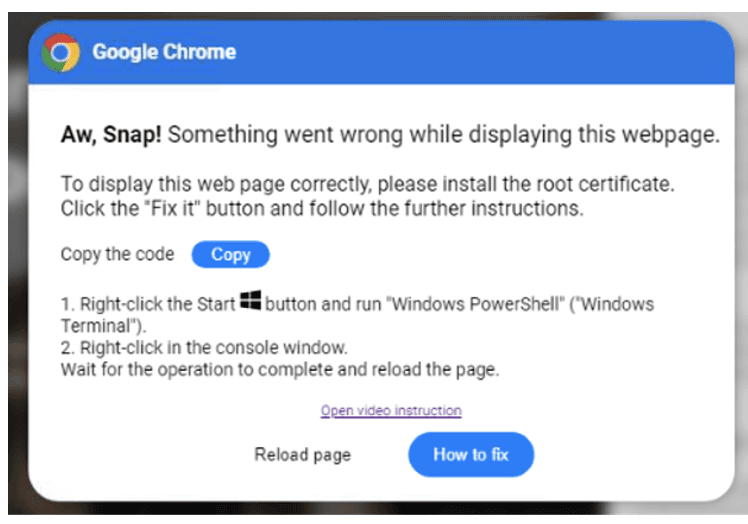
The attack often starts with a webpage that displays a fake error message or verification request. It may look like a CAPTCHA check, a browser problem, or a message from a familiar online service.
The page then asks the visitor to follow specific instructions. In some campaigns, users are told to copy content and paste it into a system utility such as Windows Run, PowerShell, or Windows Terminal.
The copied content may contain a malicious command. If the user executes it, the command can download or launch malware.
Microsoft published a detailed analysis of this technique on August 21, 2025, explaining how attackers use fake verification pages and user-level command execution to deliver malicious payloads.
Source: Microsoft Security Blog: Think before you Click(Fix)
Overview of the Clickfix Malware Campaign
Is ClickFix a Malware Family or an Attack Technique?
ClickFix is an attack technique, not one specific malware family.
Different cybercriminal groups can use the same approach to deliver different types of malware. The final payload depends on the campaign and the attacker's objectives.
| Component | Explanation |
|---|---|
| ClickFix | A social engineering technique |
| Fake CAPTCHA | A deceptive human verification page |
| Clipboard manipulation | A method used to place content on a user's clipboard |
| Command execution | A user action that may start the infection |
| Malware payload | The malicious software delivered to the device |
| Final impact | Possible data theft, unauthorized access, or further compromise |
This distinction is important. Blocking one malware sample does not automatically stop other campaigns that use ClickFix.
How Does the ClickFix Attack Work?
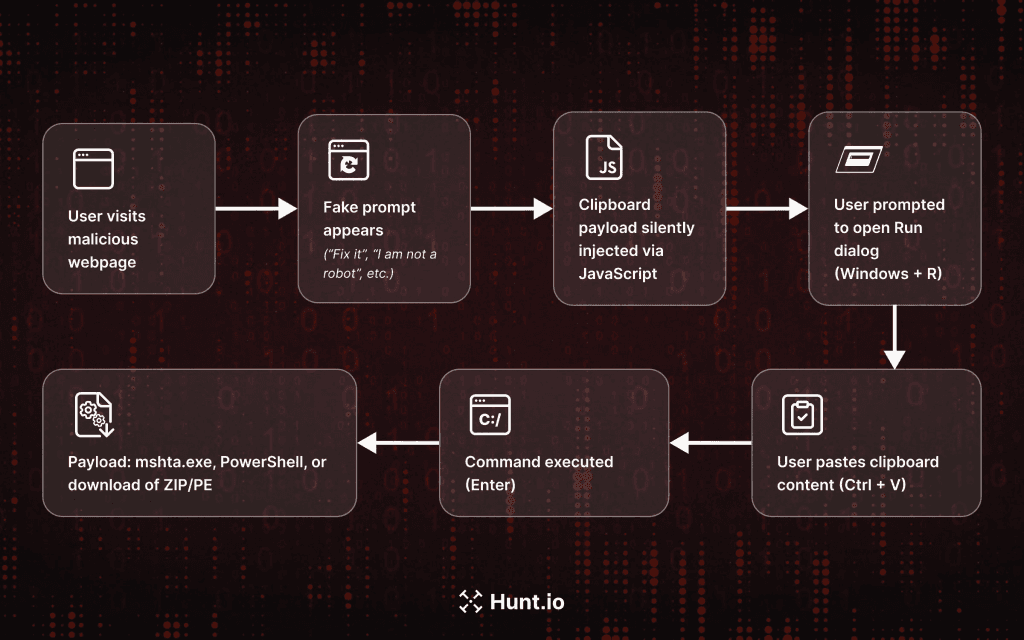
ClickFix campaigns can use different delivery methods. However, many follow a similar pattern.
1. The User Visits a Suspicious Website
The attack may begin through a phishing email, malicious advertisement, compromised website, or suspicious redirect.
The visitor may land on a page that imitates a trusted service. Some campaigns have used fake CAPTCHA pages and impersonated familiar brands to make their instructions look legitimate.
Microsoft has documented ClickFix campaigns involving phishing, malvertising, and compromised websites.
2. A Fake Verification Message Appears
The page displays a message that looks like a normal browser or security check.
For example, it may claim that:
The visitor must complete another CAPTCHA.
A browser feature is missing.
A document cannot open.
A video requires additional verification.
A technical issue needs immediate attention.
These messages create urgency. They encourage users to follow the instructions without checking whether the request is legitimate.
3. The Page Manipulates User Trust
This is the central part of ClickFix.
Instead of relying only on an automatic download, the attacker tries to make the victim perform the next action.
Some pages ask users to use a keyboard shortcut, open a system utility, and paste content from the clipboard.
The instructions may look like a simple troubleshooting process. However, the copied content can contain a malicious command.
A legitimate CAPTCHA should not require you to run an unknown command on your computer.
4. The User May Execute Harmful Content
If the victim follows the instructions, the pasted content may run through a system utility.
Depending on the campaign, this action can allow malicious code to download or launch another payload.
Microsoft has documented campaigns that use native Windows tools and obfuscated commands during this stage.
5. Malware May Establish Access
After execution, the delivered malware may attempt to collect sensitive information, communicate with external infrastructure, or maintain access to the affected device.
The exact behavior depends on the malware family.
Not every ClickFix incident has the same infection chain or outcome. Some campaigns may fail to deliver their final payload, while others may lead to a more serious compromise.
The Technical Mechanism Behind Clickfix Malware
Common ClickFix Warning Signs
Recognizing suspicious instructions can help users avoid an infection.
Watch for these warning signs:
| Warning sign | Why it is suspicious |
|---|---|
| CAPTCHA asks you to open a system utility | Normal human verification should not require command execution |
| Website asks you to paste clipboard content | The copied content may be harmful |
| Unexpected browser error demands immediate action | Attackers often use urgency to influence users |
| Verification page imitates a trusted brand | The page may be impersonating a legitimate service |
| Website asks you to disable security protection | This can expose your device to additional threats |
| Unusual instructions appear after an advertisement | The page may be part of a malicious redirect |
Fake CAPTCHA vs. Legitimate CAPTCHA
| Legitimate CAPTCHA | Suspicious ClickFix Prompt |
|---|---|
| Checks whether a visitor is human | May imitate a human verification process |
| Uses normal browser interaction | May request system-level actions |
| Does not require unknown commands | May ask users to copy and execute content |
| Does not ask users to disable security tools | May encourage unsafe security changes |
| Appears within the expected website context | May appear after suspicious redirects |
A CAPTCHA's appearance alone does not prove that it is safe. Check the website address and avoid unusual instructions.
What Malware Can ClickFix Deliver?
ClickFix is used by different threat actors. As a result, the malware delivered can vary from one campaign to another.
Microsoft has documented ClickFix campaigns involving several types of malicious software, including information stealers and remote access tools.
| Malware category | Main purpose | Possible risk |
|---|---|---|
| Information stealers | Collect sensitive information | Credential and account exposure |
| Remote access trojans | Provide unauthorized remote access | Device compromise |
| Loaders | Deliver additional malicious software | Further infection |
| Rootkits | Hide malicious activity | More difficult detection |
| Other malicious tools | Support different attack objectives | Depends on the payload |
Information Stealers
Information stealers are designed to collect sensitive information from compromised devices.
Depending on the malware, stolen information may include saved passwords, browser data, session information, and other private details.
Attackers may use this information to access accounts or attempt further fraud.
Microsoft has documented ClickFix campaigns involving Lumma Stealer and other information-stealing malware.
Remote Access Tools
Some ClickFix campaigns deliver remote access tools.
These tools can allow an attacker to interact with a compromised device. Legitimate remote administration software can also be abused for malicious purposes.
Microsoft has reported ClickFix campaigns involving tools such as Xworm, AsyncRAT, and NetSupport.
Loaders and Additional Malware
A loader is a type of malware that helps deliver or launch another malicious program.
This means the first detected component may not be the only threat present on the device.
Security teams should investigate the full incident rather than removing one suspicious file and assuming the system is clean.
Potential Impact on Individuals and Businesses
The consequences of a ClickFix attack depend on the malware delivered and the level of access it gains.
Credential and Account Theft
Information-stealing malware may collect credentials and other sensitive information.
This can put personal accounts, business applications, and financial services at risk.
Organizations should pay particular attention to accounts that have access to sensitive company information.
Unauthorized Remote Access
If a campaign installs a remote access tool, an attacker may gain unauthorized control over the affected device.
For businesses, this can create additional risks if the device connects to shared systems or internal networks.
Business Disruption
A compromised employee device can become an entry point for a wider security incident.
Potential consequences include:
Exposure of business information.
Unauthorized access to company accounts.
Additional malware infections.
Disruption to daily operations.
Investigation and recovery costs.
The actual impact depends on the incident. Not every ClickFix infection leads to a wider network compromise.
Privacy and Financial Risks
Stolen credentials and personal information may be used in further fraud attempts.
Individuals should review important accounts if they suspect their device has been compromised. Businesses should investigate whether company credentials or sensitive records were exposed.
How to Detect a ClickFix Infection
ClickFix does not have one universal detection method because it can deliver different malware families.
Security teams should investigate the actions performed by the user, suspicious processes, unexpected downloads, and unusual network activity.
Warning Signs to Investigate
Look for:
Unexpected command execution after visiting a suspicious webpage.
Unknown applications or files appearing on a device.
Unusual security alerts.
Unexpected changes to system settings.
Suspicious outbound network connections.
Unrecognized remote access software.
Unusual account activity after a suspected infection.
These are investigation indicators, not proof of a ClickFix infection.
Security Monitoring for Organizations
Organizations can improve visibility through endpoint detection and response (EDR), endpoint protection, and centralized security monitoring.
Security teams should review:
Relevant endpoint alerts.
User reports about suspicious verification pages.
Unusual process activity.
Unexpected software installations.
Network events around the suspected incident.
Account activity after the reported event.
Microsoft provides ClickFix-related detection and investigation guidance for security teams. Organizations using Microsoft security products can review its published recommendations and available detection capabilities.
How to Respond to a Suspected Infection
If someone has followed suspicious ClickFix instructions, treat the event as a potential security incident.
1. Stop Further Interaction
Do not follow additional instructions from the suspicious page.
Avoid entering passwords or sensitive information into the affected browser session.
2. Contact Your IT or Security Team
For a company-managed device, report the incident to the IT or security team immediately.
Do not attempt to investigate or remove suspicious components without following your organization's incident response process.
3. Isolate the Affected Device When Appropriate
Security teams may disconnect the affected device from the network to reduce the risk of further activity.
They should follow the organization's incident response procedures and preserve relevant evidence.
4. Investigate the Device
Review the available endpoint, process, network, and security logs.
Identify what the user interacted with, whether any commands ran, and whether additional malicious software appeared.
5. Protect Exposed Accounts
If credentials may have been exposed, use a trusted device to change affected passwords.
Review account sessions, revoke suspicious access, and enable multifactor authentication where available.
6. Restore the Device Safely
Remove malicious components through an approved security process.
If the system cannot be trusted, the security team may need to rebuild it from a known-clean source.
How to Protect Against ClickFix Attacks
Preventing ClickFix requires more than antivirus software. Users and organizations need to reduce unsafe actions and improve their ability to detect suspicious activity.
1. Never Run Unknown Commands
Do not paste commands into Windows Run, PowerShell, Terminal, or another system utility just because a website asks you to.
If a verification page requests this action, close the page and visit the service through its official website.
2. Keep Browsers and Operating Systems Updated
Install security updates for operating systems, browsers, and other applications.
Updates help reduce exposure to known vulnerabilities. However, they cannot prevent every social engineering attack.
3. Use Endpoint Protection
Endpoint protection tools can help identify suspicious activity and malicious software.
Businesses should consider solutions with behavioral monitoring, centralized alerting, and incident investigation capabilities.
4. Restrict Unnecessary Script Execution
Organizations should review which users need access to scripting tools.
Apply suitable application control and execution policies based on business requirements. Avoid broad restrictions that could disrupt legitimate work.
5. Strengthen Email and Web Security
Use email filtering, DNS protection, secure web gateways, and browser security controls where appropriate.
These measures can help reduce exposure to phishing links and malicious websites.
6. Train Employees to Recognize Fake Verification Pages
Security awareness training should explain that CAPTCHA checks should not require users to run unknown commands.
Use approved training examples and provide a clear process for reporting suspicious pages.
7. Enable Multifactor Authentication
MFA adds another layer of protection if a password is stolen.
Where possible, organizations should prioritize phishing-resistant authentication for sensitive accounts.
8. Maintain Backups and an Incident Response Plan
Keep important data backed up and test recovery procedures.
A documented response plan helps teams investigate incidents, protect accounts, and restore affected systems.
ClickFix Protection: Individual vs. Business Security
| Security measure | Individual users | Organizations |
|---|---|---|
| Avoid unknown commands | Never run website-provided commands | Train employees to report suspicious instructions |
| Software updates | Update browsers and operating systems | Apply managed patching policies |
| Endpoint security | Use reputable security protection | Deploy centrally managed endpoint protection |
| Account security | Use MFA and unique passwords | Enforce MFA and access controls |
| Incident response | Seek trusted technical support | Follow a documented response plan |
| Backups | Keep important files backed up | Maintain tested and protected backups |
Mitigation Strategies and Best Practices

Frequently Asked Questions
1. What is ClickFix malware?
ClickFix is a social engineering technique that tricks users into running harmful commands on their devices. Attackers often disguise the instructions as CAPTCHA checks, browser errors, or technical fixes.
2. Can ClickFix infect a Windows computer?
Yes. ClickFix campaigns have been used to deliver malware to Windows devices. Some campaigns rely on users running malicious commands through Windows system utilities.
3. Does ClickFix affect macOS?
Yes. Microsoft has documented ClickFix-related campaigns targeting macOS users, including campaigns attempting to deliver Atomic macOS Stealer.
4. Can a CAPTCHA install malware?
A normal CAPTCHA is a human verification tool. However, a fake CAPTCHA page can trick users into performing unsafe actions that may lead to malware installation.
5. Does antivirus stop ClickFix attacks?
Antivirus and endpoint protection can detect some malicious activity, but they cannot guarantee protection against every ClickFix campaign. User awareness and additional security controls are also important.
6. What should I do if I followed a ClickFix instruction?
Stop interacting with the page and report the incident. If you used a work device, contact your IT or security team. If sensitive information may have been exposed, secure affected accounts from a trusted device.
7. Why is ClickFix difficult to detect?
ClickFix relies on users to perform actions themselves. Some campaigns use legitimate system utilities and obfuscated content, which can make detection more challenging.
8. How can businesses reduce ClickFix risks?
Businesses should combine employee awareness training, endpoint monitoring, access controls, email and web filtering, MFA, and a tested incident response plan.
Final Thoughts
ClickFix shows how attackers can turn an ordinary online activity into a security risk. A fake CAPTCHA or browser warning may look harmless, but the instructions behind it can lead to malware installation and data theft.
The most important lesson is simple: never run an unknown command just because a website asks you to. Verify unexpected messages, keep your software updated, and report suspicious activity as soon as possible.
Businesses should also review their endpoint security, monitor unusual device activity, and prepare an incident response plan. Hoplon InfoSec helps organizations strengthen their security through Endpoint Security, Penetration Testing, and other Cybersecurity Services.
If your organization needs help reviewing its security posture, you can contact the Hoplon InfoSec security team to discuss your requirements.
Fact-Checking and Editorial Policy
This article uses publicly available cybersecurity research and guidance from Microsoft and government cybersecurity sources. It distinguishes the ClickFix technique from the different malware families that attackers may deliver through it.
ClickFix campaigns can change over time. The exact infection method, malware payload, and impact depend on the campaign being investigated. This article does not claim that every ClickFix incident uses the same process or causes the same damage.
Technical claims should be reviewed against the original research before publication. Updates should be made when credible new findings become available.
Source: Cybersecurity News, McAfee, Proofpoint