
Are you aware of the recent Amazon Gift Cards Scam? In recent months, cybercriminals have honed a new and insidious phishing campaign that preys on the widespread use of digital gift cards. By masking malicious links inside seemingly legitimate Amazon gift card notifications, these attackers have found a highly effective way to trick unsuspecting users, particularly corporate employees, into revealing their Microsoft credentials. In this post, we’ll explore the anatomy of this scam, explain why it works so well, and provide actionable guidance on how to recognise, prevent, and respond to such attacks.
What is Gift Card Phishing and the Amazon Gift Cards Scam?
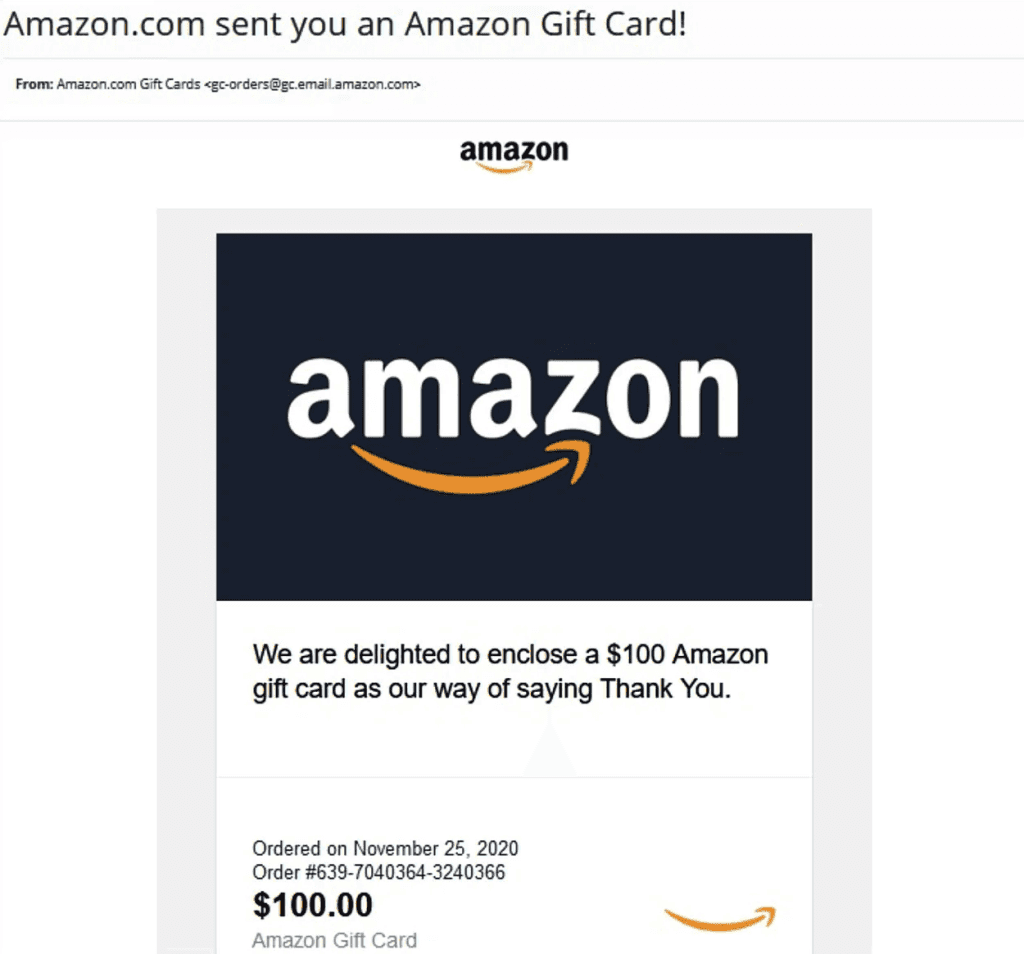
Gift card phishing is a form of social engineering that exploits the appeal of free or bonus gift cards. Rather than relying purely on fear or urgency (as many phishing attempts do), this tactic dangles a reward in front of the victim. Attackers send emails claiming the recipient has earned a digital gift card, often from a trusted brand like Amazon, and then direct them to a fake site designed to harvest their login credentials.
Why Microsoft Credentials?
Microsoft 365 accounts are a prime target for attackers for two main reasons. First, many organisations use Microsoft’s cloud services (including Exchange Online, OneDrive, and Teams) to store sensitive data and manage communications. Second, once an attacker obtains valid Microsoft credentials, they can move laterally within an organisation’s network, accessing confidential documents, hijacking email threads, or deploying malware. By combining a reward-based lure with a counterfeit Microsoft login page, attackers maximise their odds of success.
The Multi-Stage Attack Chain
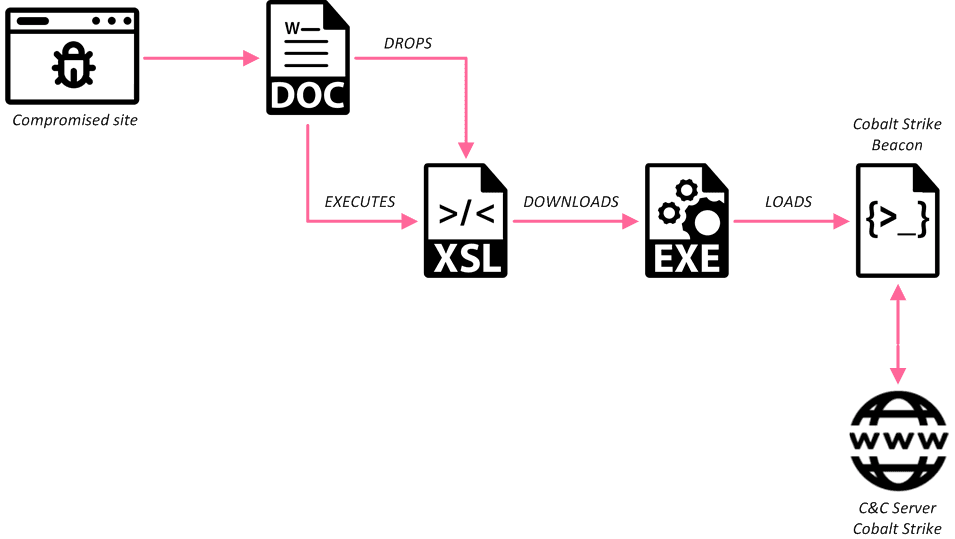
Appreciating the sophistication of this campaign helps break down each stage of the attack.
1. The Initial Email: A Perfect™ Amazon E‑Gift Card
At the outset, victims receive an email that looks nearly indistinguishable from an official Amazon notification. Key characteristics include:
- Professional Branding: The email incorporates Amazon’s logo, typography, and colour scheme.
- Emotional Appeal: Recipients are thanked for their “outstanding performance” or “dedication,” tapping into workplace recognition dynamics.
- Generous Value: A high-value gift card, often $200, creates a compelling incentive to click immediately.
Because many companies award digital gift cards for employee recognition, the email aligns with recipients’ expectations, lowering their guard.
2. Bypassing Security Gateways
Traditional email filters are tuned to flag overtly malicious content, such as attachments with known malware signatures or links to blocked domains. In this campaign, attackers use newly registered domains that mimic legitimate service domains like gifts. Activation hub.com makes it harder for security systems to recognise them as malicious. Early April 2025 reporting by Cofense researchers confirms that these emails routinely slip past standard gateways, especially in corporate environments where digital rewards are commonplace.
3. Intermediate Validation Step
When the user clicks “View My eGift Card,” they are taken to a landing page that imitates Amazon’s gift card redemption interface. Here, the user must enter their email address to “unlock” the card. This seemingly harmless step serves two purposes:
- Email Verification: Confirms the email address is active and monitored.
- Psychological Commitment: By investing effort, the victim becomes more invested in completing the process.
Once the email is submitted, the victim is redirected to the final phishing stage.
4. The Fake Microsoft Login
The landing page then seamlessly transitions to a counterfeit Microsoft sign‑in portal hosted at sso.officefilecenter.com. This page is a pixel‑perfect clone of the real Microsoft 365 login screen, complete with identical styling, input validation, and logos. The only subtle giveaway is the domain registered less than a month before the campaign, which many users overlook due to their eagerness to claim the gift card.
Why This Campaign Is Particularly Dangerous
Attention to Detail
Attackers have invested considerable effort into replicating every visual element of both Amazon and Microsoft interfaces. From exact colour palettes to button shapes and error messages, the copycat pages leave a few clues that something is amiss.
Real‑Time Credential Harvesting
Once credentials are entered, they are immediately harvested by the attackers, often in real-time. In many cases, the attackers then attempt to log in to corporate Microsoft accounts right away, accessing sensitive emails, SharePoint sites, and OneDrive repositories before victims even realise they’ve been compromised.
High Success Rate in Corporate Environments
Corporate users are more likely to receive legitimate digital rewards and have fewer restrictions on clicking external links. Plus, workplace culture often emphasises quick responsiveness to management communications, increasing the chances that employees will click without pause.
Recognising the Warning Signs
Although the scam is highly polished, several indicators can help you spot a gift card phishing attempt:
Domain Name Discrepancies
- Legitimate: amazon.com, office.com, microsoftonline.com
- Suspicious: activationshub.com, officefilecenter.com
Always inspect the full domain name in the browser’s address bar before entering credentials.
Unsolicited or Unexpected Emails
If you did not apply for or expect a reward, treat the email with suspicion. Confirm with your manager or HR department before clicking any links.
Request for Email Before Redemption
Genuine gift card systems rarely require you to re‑enter an email address to “unlock” a gift. Be wary whenever an extra step seems unnecessary.
Poor Email Grammar or Spelling
Although this campaign is well‑designed, minor language errors or awkward phrasing can sometimes slip through.
Preventing Gift Card Phishing Attacks
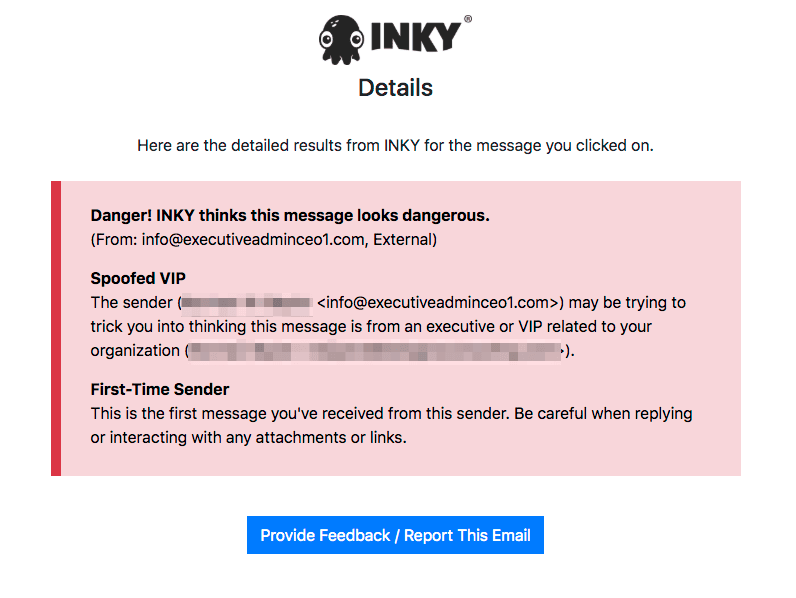
Organisations and individuals can take proactive measures to reduce the risk of falling victim to gift card phishing.
For End Users
- Hover‑Check Links
- Before clicking, hover over any link to preview the URL. If the domain looks unfamiliar, do not proceed.
- Verify with the Sender
- If an email claims to be from your employer rewarding you, confirm via a separate channel (e.g., direct Slack message or in‑person).
- Use Password Managers
- A password manager will detect when you’re on a site that doesn’t match the stored credentials for a given domain and alert you to potential phishing.
- Enable Multi‑Factor Authentication (MFA)
- Even if attackers obtain your password, MFA adds a critical second barrier to account access.
For IT and Security Teams
- Advanced Email Filtering
- Implement rules that flag emails with newly registered domains or those containing common phishing phrases (e.g., “View My eGift Card”).
- Security Awareness Training
- Regularly educate employees on the latest phishing tactics, including simulated exercises that mimic gift card scams.
- Domain Monitoring
- Monitor for look‑alike domains that resemble your organisation’s primary services or those of frequently used vendors.
- Rapid Incident Response
- Establish a protocol for employees to report suspected phishing attempts, and ensure your security team can quickly investigate and block malicious domains.
Responding to a Suspected Compromise
If you believe you’ve entered credentials on a fraudulent site, act immediately:
1. Change Your Password
- Log in to your Microsoft account from a known good device.
- Update your password and consider using a unique passphrase.
2. Revoke Active Sessions
- In your Microsoft 365 security settings, review active sign‑ins.
- Sign out of all sessions you don’t recognise.
3. Notify Your IT Department
- Provide details of the phishing email and the fake domain.
- Work with security to enforce a password reset for potentially affected accounts.
4. Scan for Malware
- Run a complete antivirus and anti‑malware scan on any device you use to access the fake site.
5. Monitor for Unusual Activity
- Keep an eye on email forwarding rules, SharePoint permissions, and large data downloads.
The Broader Implications
Gift card phishing represents a shift in attacker strategy, combining financial incentives with trusted brands to bypass both human and technical defences. As organisations increasingly adopt digital rewards for employee engagement, attackers will continue to exploit this channel. By understanding the multi‑stage nature of these scams and implementing robust preventive measures, both individuals and organisations can stay one step ahead.
Key Takeaways
- Stay Vigilant: Always verify unexpected emails, especially those promising rewards.
- Inspect URLS: Look beyond the branding; check the actual domain and SSL certificate details.
- Leverage Technology: Use password managers and enforce MFA wherever possible.
- Educate and Report: Regular training and clear reporting channels are essential defences.
- Act Fast: If you suspect compromise, change passwords immediately and involve your IT team.





