
Is it possible for a bad Chrome extension to steal wallet login information and let automated trading happen without the user knowing?
Yes, and it happens more often than most people think. Researchers in security and incident response teams have confirmed that some bad browser plugins can steal credentials, hijack sessions, steal API keys, and even let unauthorized trading bots run.
This article explains how it works, who it is aimed at, why it is so dangerous, and what you should do if your crypto wallet has been hacked.
What happened in short
A recent investigation found that a bad Chrome extension steals wallet login information and then uses that information to get into crypto accounts, start automated trading, and take money out. The extension looked real because it acted like tools for analyzing trades and managing wallets. Once it was installed, it quietly added harmful scripts to browser sessions.
The worst part is that this attack can be very hard to see. Not a phishing email. No pop-ups that look suspicious. It's just a normal-looking extension that acts like a helpful tool but is really a piece of malware that runs in your browser.
A lot of victims didn't realize something was wrong until they saw strange trades, missing money, or alerts from exchanges. At that point, the damage had already been done.
Why This Kind of Attack Is Spreading So Quickly
In the last two years, browser extensions have become a common way to attack. They are in safe places. They can get to pages, forms, sessions, and sometimes even data on the clipboard. That is a goldmine for cybercriminals.
A malicious Chrome extension can steal your wallet login information without going through many of the usual security measures. Firewalls don't see it. It often gets past antivirus software. The system thinks this is normal behavior for a browser.
This isn't just a random scam. Security teams now call this a "supply chain browser attack," in which hackers use trusted platforms like extension stores to spread malware.
How a Bad Chrome Add-On Really Steals Your Wallet Information
Using form injection to get credentials
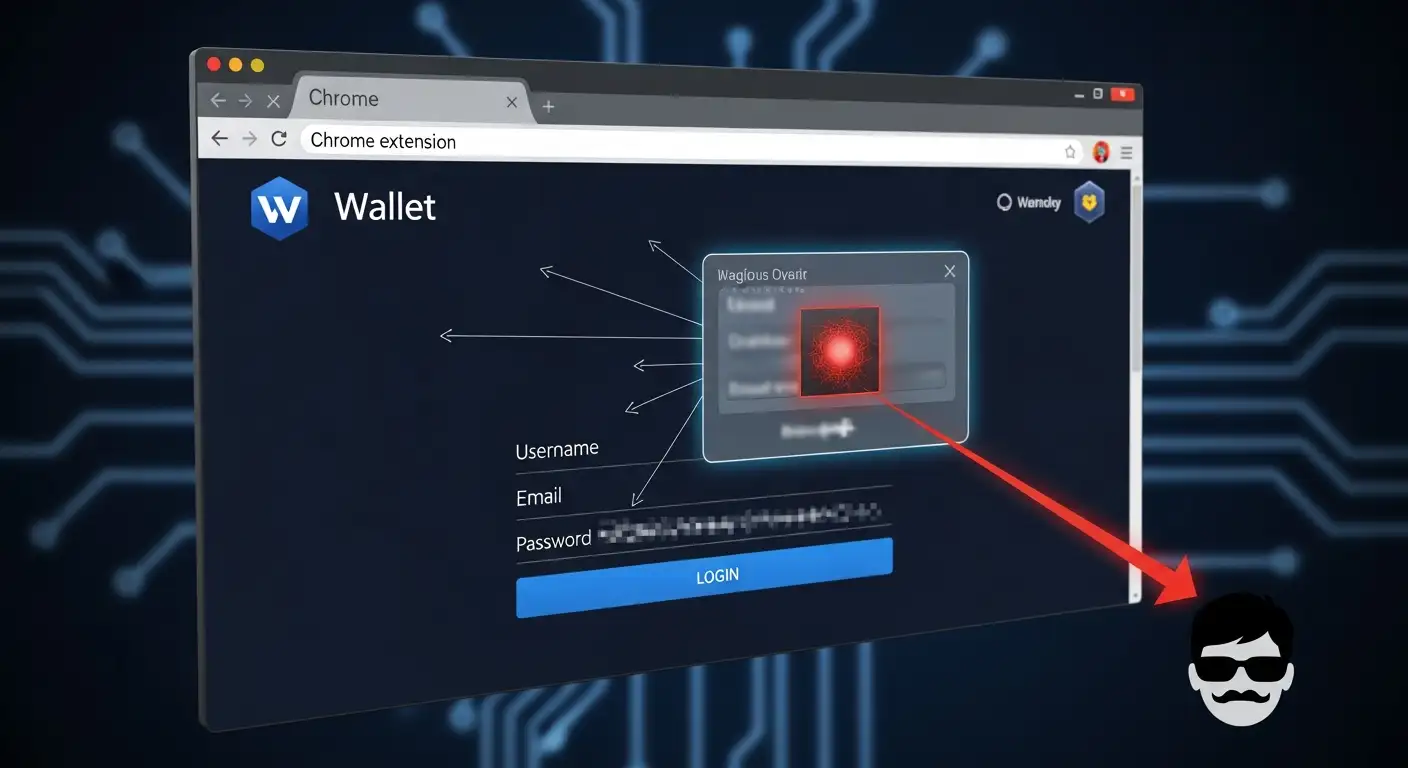
Form injection is one of the most common methods. The bad plugin adds scripts that aren't visible to the wallet login pages. The script copies your password or recovery phrase when you type it in and sends it to a server somewhere else.
This is a classic way to steal credentials, but it's done in the browser instead of through phishing.
I have seen incident logs where victims said they never clicked on a link that looked suspicious. They were correct. The theft happened while someone was using their wallet normally.
Taking Tokens and Hijacking Sessions
Session hijacking is another way. The extension will collect session cookies and authentication tokens once you log in. This lets hackers get into your wallet without having to enter your password again.
This is especially risky for exchanges and wallets that are based in the browser and use long-lived sessions.
People who have been hurt often ask, "How did they get in without my password?"
This is how.
Stealing API keys for automated trading
Sometimes, the extension looks for API keys that have already been saved. Trading bots and portfolio tools use these keys. If the attacker gets your account information, they can run an unauthorized trading bot on it.
This is the start of the automated trading scam. People trade money for assets that aren't very liquid, pump them up, and then dump them. The victim is left with losses and no clear answer.
How Victims Are Affected in Real Life
A hacked crypto wallet often looks different from a regular breach. There is no attack using brute force. No alert for logging in. Just a slow, quiet drain.
One of the victims I talked to thought the market had turned against him. He didn't realize until later that an extension he had installed weeks earlier was messing with his wallet.
Most of the money was gone by the time he called a wallet compromise recovery service.
Trading Automatically Without Permission
Another user saw that dozens of trades had been made overnight. He never made a bot. He never said yes to those orders. The extension had made it possible for trading bots to trade without permission using stolen API keys.
This isn't just stealing. It is a takeover of an account
Why attackers love to go after Chrome extensions
Extensions have a lot of power. A lot of people click "Allow" without reading. The plugin can now do the following:
• Read and change data on websites
• Access clipboard data
• Monitor keystrokes • Inject scripts into pages
For a hacker, that's the best place for a keylogger extension or a crypto phishing extension.
After you install it, it becomes a part of your daily routine. Attackers take advantage of that trust.
Why This Attack Is Hard to Find
No signs of traditional malware
No file can be run. No downloads that look suspicious. No slowing down of the system. It's just a plugin for your browser.
This is why a lot of victims wait to call a service that removes browser extension malware. They just don't know where the breach came from.
Looks like real tools
Attackers often steal the name, icon, and description of well-known extensions. This makes a fake Chrome plugin that looks real.
Even people who know what they're doing can be fooled.
Observed Technical Behavior in the Campaign
According to publicly available analysis:
• The extension added JavaScript to wallet login pages.
• It took form data and session tokens.
• It sent data to remote command servers.
• It looked for API keys in local storage.
• It lets automated trading happen through exchange APIs.
This is a classic example of using an API in a bad way and injecting a malicious script.
As of now, no CVE has been officially given out. Researchers are still looking at samples, and some details are still not known.
How a Wallet Drain Attack Works Step by Step
1. The user installs an extension that looks safe.
2. The extension asks for a lot of permissions.
3. Malicious code runs in the background; 4. Wallet credentials are stolen.;
5. Someone takes over the session.
6. People steal API keys.
7. The automated trading scam starts.
8. Many trades take money out of the account.
9. Victim sees losses.
By step 9, it gets hard to get better.
Why Victims Often Blame Themselves
A lot of people are ashamed. They think they weren't careful. These attacks are actually very misleading.
The truth is that a bad Chrome extension steals wallet login information by taking advantage of trust, not by being dumb.
Even people who work in cybersecurity have fallen for tricks like these.
What to do if a Chrome extension stole your cryptocurrency
If you think a bad extension is draining your wallet, act quickly.
1. Unplug your device from the internet.
2. Get rid of any extensions that look suspicious.
3. Change your passwords from a device that is not infected.
4. Take back API keys.
5. Put the rest of the money in a new wallet.
After that, get in touch with a digital asset theft recovery service or a cybersecurity incident response crypto team.
Time is important.
When to Call a Blockchain Forensics Service
If a lot of money is lost, a blockchain forensics service can follow the money and find the exit points. There is no guarantee that you will get better, but it does make it more likely.
A lot of people wonder, "Can crypto come back?"
Yes, sometimes. Not all the time. It depends on how fast and how the attacker acts.
What Professional Recovery Services Do
A reliable wallet hacking recovery service or automated trading scam recovery company can help you: s
• Look into the breach
• Find stolen assets
• Follow transactions
• Make legal papers
Be careful. There are also scams in space. Always check credentials.
Factors of Cost and Trust in Crypto Recovery
The price of the crypto recovery service changes. A few charge a percentage. Some charge a set amount. Prices are not set in stone.
Look for openness. Don't make promises. No honest company can promise 100% recovery.
This is a blockchain security issue, not just a browser issue
This isn't just a problem with browser extensions that have malware in them. It is a blockchain security breach that has real financial effects.
A malicious browser extension attack crosses the line between web security and financial security.
That's why regular IT support isn't always enough. You need to know a lot about crypto.
How to Find Bad Extensions Before It's Too Late
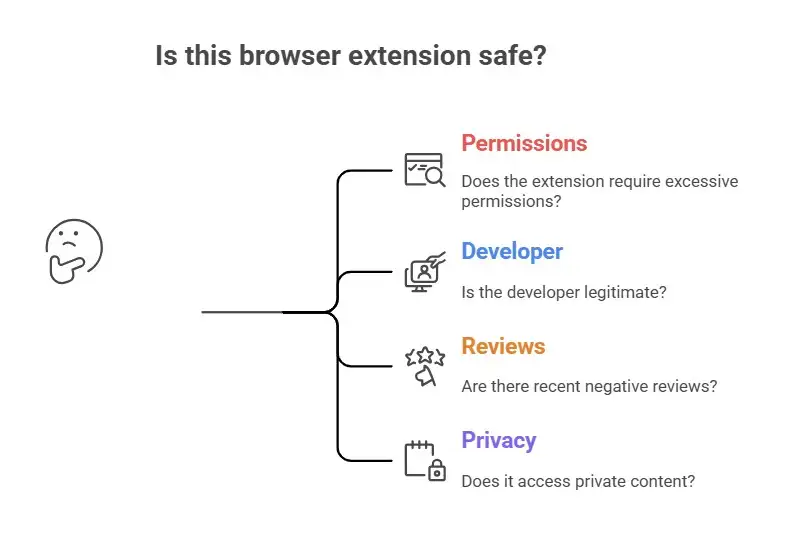
• Does this extension really need all of these permissions?
• Is the developer real?
• Have there been any bad reviews lately?
• Does it add content to private pages?
If something doesn't feel right, trust your gut.
Is Chrome Safe for My Wallet?
Chrome is not the bad guy. Trust is the problem.
The extensions you add to your wallet are what keep it safe. A single bad plugin can take over a crypto account.
I use a different browser profile without any add-ons to access my wallet. It isn't easy, but it is safe.
A real-life example from a case of incident response
A small trading company added an extension to keep track of its portfolio. Their hot wallet was empty within days. The logs showed API calls that they never made.
It turned out to be a crypto phishing extension that pretended to be a market tool.
They lost more than $80,000. The recovery efforts followed the money, but only a small amount was found.
This is not just a theory. It's happening.
Why automated trading scams are so risky
When an unauthorized trading bot is turned on, losses can happen quickly. The markets change quickly. Tokens that aren't liquid can hold money.
The value is gone by the time you notice.
This is why automated trading scam recovery is one of the most popular services requested in crypto incident response.
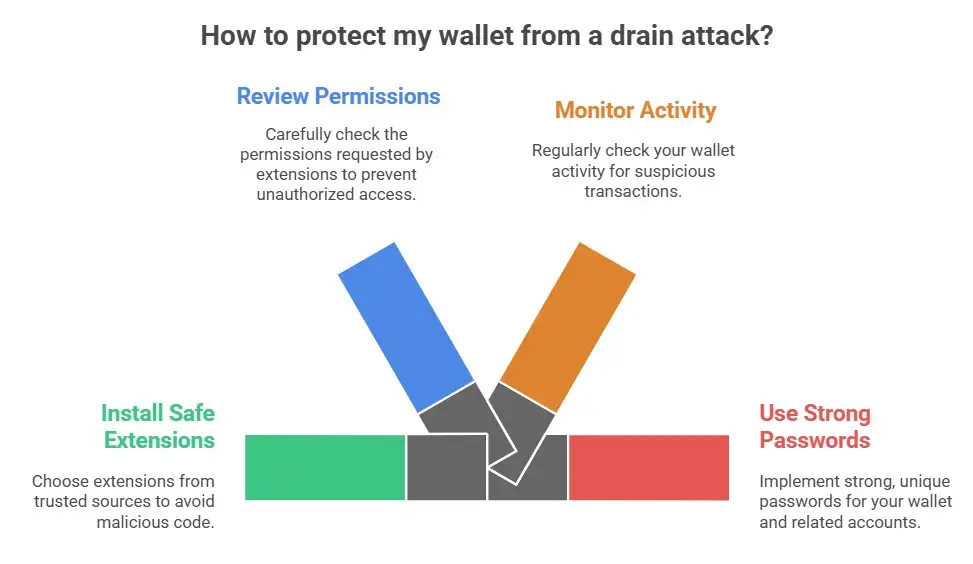
Suggestions for reducing and avoiding risks
According to best practices:
• Store your crypto in hardware wallets.
• Don't use browser wallets for large amounts of money.
• Limit extension permissions.
• Use a separate browser profile for crypto.
• Check your installed extensions regularly. Turn on withdrawal alerts.
These steps lower the risk, but they don't get rid of it completely.
FAQs
Can Chrome add-ons take your crypto wallets?
Yes. A bad Chrome extension steals your wallet login information by injecting scripts, logging your keystrokes, and taking over your session.
How do bad extensions get into wallets?
They misuse permissions, add code to wallet pages, and steal credentials or tokens.
What should I do if someone hacks my crypto wallet?
Disconnect, protect any remaining assets, and get in touch with a digital asset theft recovery service or a blockchain forensics service.
Is it possible to get crypto back after a hack?
Sometimes. It depends on how fast things happen, how the transaction goes, and what the attacker does.
How do I get rid of a harmful Chrome extension that lets it access my wallet?
Remove any extensions that look suspicious, reset your browser settings, and only access your wallet from a clean environment.
A Chrome extension stole my crypto. What should I do?
See it as a full breach. Change your passwords, cancel your API keys, and hire a crypto security audit service.
Is it safe to use trading bots?
Only if it comes from a trusted developer and is used with limited permissions.
Takeaway
Many people are still shocked by the idea that a simple plugin could cause them to lose all of their money. But the truth is clear. A bad Chrome extension doesn't steal wallet login information through magic; it does it by getting you to trust it and giving it access.
Hoplon Infosec’s Digital Forensics & Incident Response and Blockchain Forensics services provide a trusted solution for malicious extension attacks and crypto wallet compromise.
This isn't just a problem with technology. It's a human one. We trust our tools. We put them in quickly. We move on.




-20260925120840.webp&w=3840&q=75)
