

Is it true that Chrome security holes can let hackers run any code they want and crash systems right now?
Yes. As of early February 2026, security researchers have confirmed that recent versions of Google Chrome have security holes that let arbitrary code run. These flaws let attackers run bad code from a distance and, in some cases, crash the whole system without any warning. Google had to quickly release security updates after independent researchers responsibly reported the serious vulnerabilities.
This is important today because billions of people around the world use Chrome. Users can be vulnerable to silent attacks that happen just by visiting a compromised website if security updates are not applied right away.
A short summary of what happened
Researchers in computer security found several serious flaws in Google Chrome that could let hackers take advantage of memory handling bugs. These bugs let attackers run any code they want or crash the browser. Google admitted there were problems and released fixes as part of its regular Chrome security update. People who don't update their browsers are still at risk.
What is the problem with Chrome's security flaw?
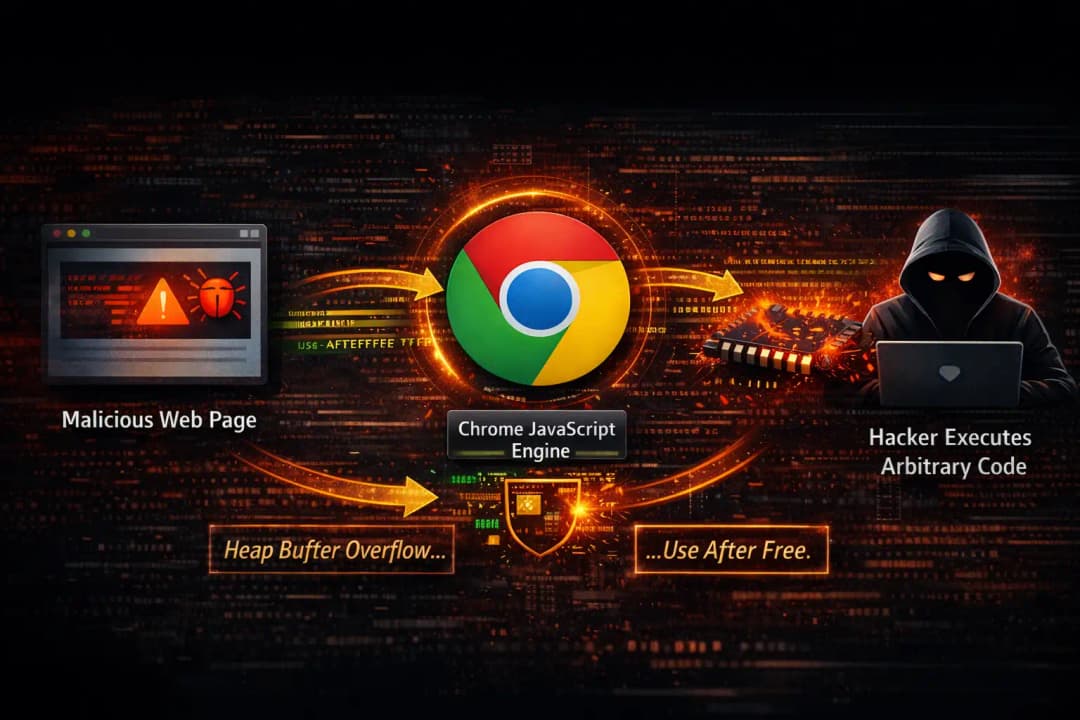
The main problem with Chrome vulnerabilities that let arbitrary code run is how the browser handles complicated web content. Chrome uses a number of internal parts, such as its JavaScript engine, to read and run code from websites. If there is a flaw in these parts, attackers can change how memory is used.
In short, Chrome sometimes trusts information that it shouldn't. When a bad webpage sends the browser specially crafted instructions, it may read memory locations wrong. That mistake can let code from other countries run inside the browser.
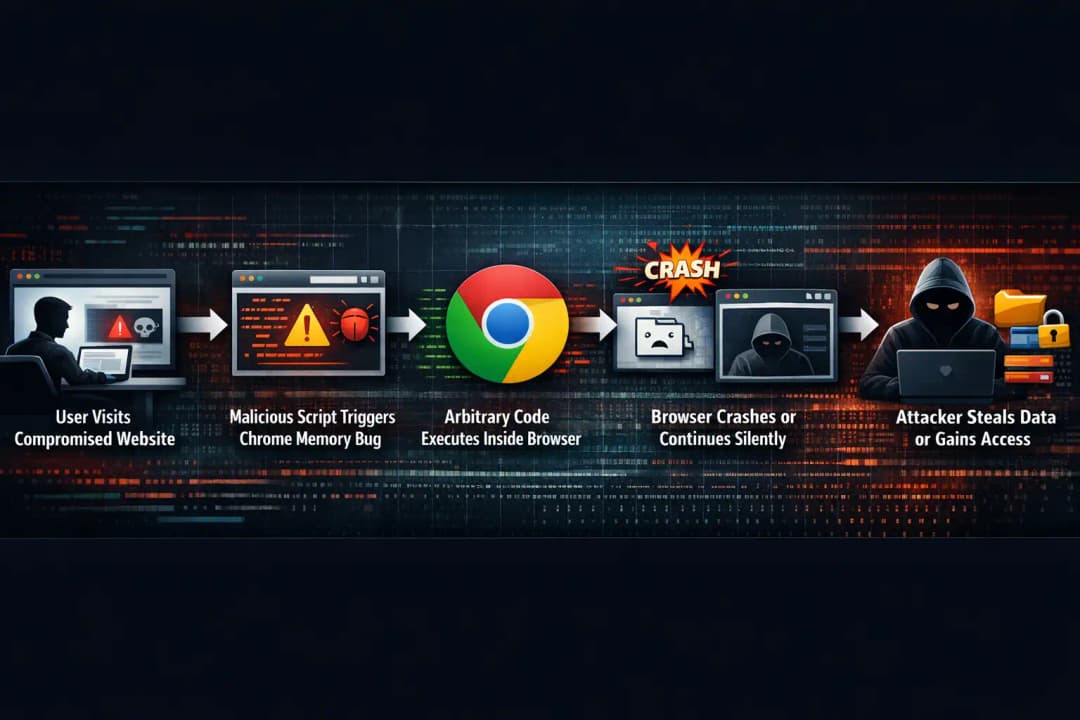
This isn't a new idea in cybersecurity, but the fact that it doesn't require much user interaction makes it very serious. In a lot of documented cases, all it takes to set off the exploit is to open a webpage. No downloads. No clicks. Just a trip.
Security organizations gave the affected vulnerabilities official CVE IDs. Google said that at least one of these problems involved memory corruption, which is a common type of attack on browsers in the real world.
Why this weakness is important right now
These discoveries are especially dangerous because of when they were made. Browsers are now a big part of work, banking, healthcare, and talking to people. It's annoying when a browser crashes, but arbitrary code execution is much worse.
When hackers can run code inside Chrome, they might use it as a way to get into other programs. That code could try to get out of the browser sandbox, install malware, or watch private activity. A single compromised browser session can put an entire internal network at risk in a business setting.
Another reason this issue is important is that attackers change quickly. When a vulnerability is made public, it usually doesn't take long for it to be turned into a weapon. Within days, exploit kits may add the flaw and go after people who haven't updated their browsers yet.
Security experts always say that browser vulnerabilities are still one of the most common ways for hackers to get in.
How hackers take advantage of Chrome's weaknesses
To get a better idea of how Chrome vulnerabilities and arbitrary code execution work in real life, think of the browser as a busy interpreter. It is always turning web code into actions. When everything goes as planned, unsafe instructions are stopped.
The security holes that have been talked about recently have to do with bugs that corrupt memory. Chrome makes mistakes when it comes to allocating and freeing up memory. Someone with bad intentions can use bad JavaScript or web content to make this happen on purpose.
Once the bug is triggered, attackers can change the memory structures to change the flow of execution. Chrome doesn't run its own safe instructions; instead, it runs instructions that attackers control.
Sometimes, the first thing that happens is that the browser crashes. In more advanced attacks, the bad code keeps running in the background, doing things without the user knowing.
This is why security updates often use terms like "heap buffer overflow" or "use after free" vulnerabilities. These technical terms explain how memory errors can be used to take advantage of a system.
A realistic example of how businesses work
Think about a medium-sized business that uses a lot of cloud-based tools that can be accessed through Chrome. An employee clicks on a link in an email that takes them to a hacked website. The page looks fine and loads without any problems.
The website activates a flaw that is linked to Chrome's ability to run arbitrary code. The browser freezes for a short time, then goes back to normal. The worker thinks it was just a temporary problem.
In reality, bad code ran in the background. That code gathered authentication tokens and session cookies. Within minutes, the attackers used those tokens to get into internal dashboards and cloud services.
Incident response investigations have shown this kind of attack over and over again. It shows why browser vulnerabilities are not just theoretical risks but real threats to operations.
Technical information that is easy to understand

The problems that Google fixed had to do with parts of Chrome that are inside the browser, like the V8 JavaScript engine. V8 runs JavaScript code very quickly. It is optimized for performance, so even small mistakes can have big effects.
One of the problems that was revealed was wrong bounds checking. This let attackers write data to memory areas that weren't meant to hold it. Another problem with managing the lifecycle of objects was that memory was accessed after it had already been freed.
These details may sound complicated, but the main point is easy to understand. The browser trusted input that wasn't safe. Attackers took advantage of that trust.
Google said that exploitation was possible in some situations. At the time of disclosure, though, the company did not publicly say whether the flaws were being actively exploited in the wild. When there is no confirmation, security experts assume the worst and move quickly.
Effects on regular users
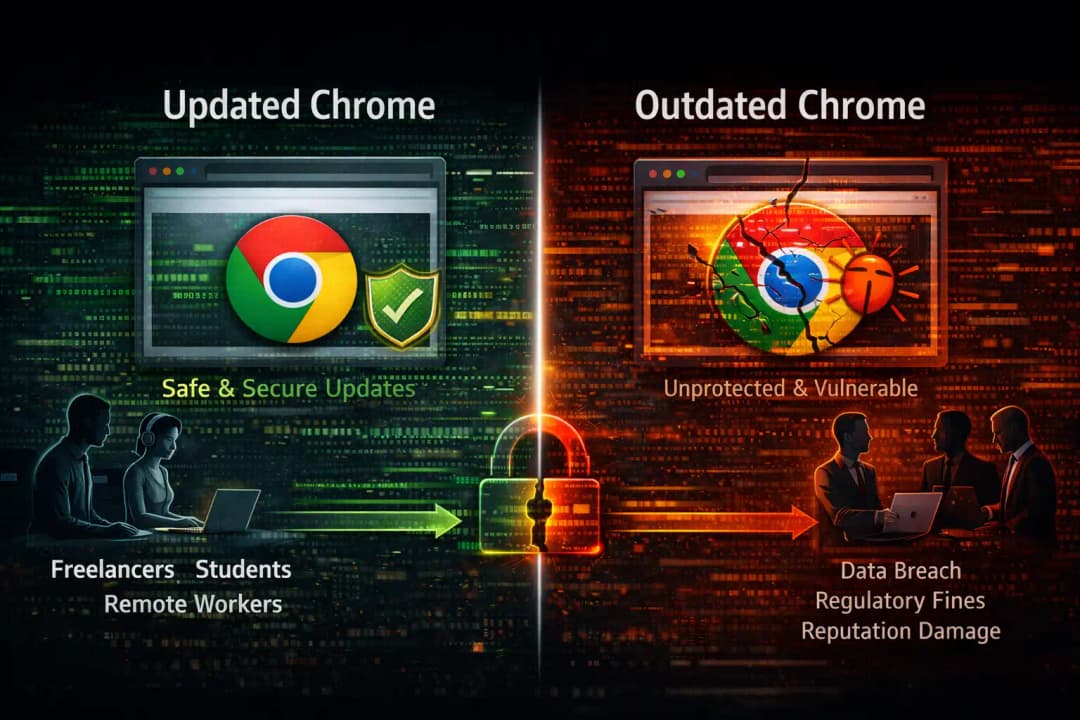
For most people, the effect of Chrome vulnerabilities that let arbitrary code run depends a lot on how often they update. Most of the time, people who automatically update Chrome are safe within a few days of a patch being released.
People who wait to update are at a higher risk. Attackers often look for old versions of browsers on the internet. When they find one, it's easy for them to use known exploits.
The effects can be as minor as crashing a browser or as serious as taking over the whole system. Some users say that after being exploited, they have problems logging in, pop-ups, or slowdowns that they can't explain.
For freelancers, students, and people who work from home, this could mean losing data or having their accounts taken over. Businesses may face fines from regulators and damage to their reputation as a result.
Effect on businesses and sectors
A single weak browser can be an entry point for hackers, which makes organizations more vulnerable. Security teams have been focusing on protecting endpoints and network firewalls for a long time, but threats at the browser level often get through.
In fields that are regulated, like healthcare and finance, browser exploitation can reveal private information. Outdated browsers are often listed as a reason for breaches in incident reports.
Fixing systems is only part of the cost of dealing with these kinds of events. Forensic investigations, legal advice, notifying customers, and rebuilding trust over time are all part of it.
This is why a lot of companies have strict rules about updating browsers and limit the use of older versions.
What users need to do right now
The most important thing users can do is to update Chrome right away. Google often releases security updates without telling anyone, but users should check for themselves to see if they have the most recent version.
It's very important to restart the browser after an update. A lot of people think the update is done when it isn't.
Even if links look like they come from trusted sources, users should be careful about clicking on them. Social engineering and browser vulnerabilities often go hand in hand.
Advanced users can lower their risk by turning on site isolation and turning off extensions that aren't needed. If not taken care of, extensions can also be targets for attacks.
Why people often don't pay attention to browser crashes
One thing that people don't think about when it comes to Chrome vulnerabilities that let arbitrary code run is how often users ignore browser crashes. Most people think of a crash as an annoyance, not a warning sign.
In reality, repeated crashes that can't be explained may be signs of someone trying to take advantage of you. Researchers in security say that many proof-of-concept exploits first cause crashes before they are turned into stable attacks.
This means that crash reporting tools are more important than most people think. When people send in crash reports, it helps developers find and fix security holes more quickly.
Not paying attention to crashes doesn't make them go away. It often gives attackers more time.
Knowing about this layered risk is important for making better security choices.
Questions that come up a lot
Is it safe to use Chrome right now?
Yes, but only if it is fully up to date. Google fixed the known security holes with security patches. Versions that haven't been patched are still at risk.
Can antivirus software stop these kinds of attacks?
Antivirus programs may help find secondary malware, but they can't always stop browser-level attacks. Updates are the best way to protect yourself.
Do other browsers have the same problem?
This report is mostly about Chrome, but all modern browsers are at risk in the same ways. Each one has its own schedule for updates and security issues.
How often do I need to check for updates?
At least once a week. Automatic updates are the best way to go, but checking them by hand gives you extra peace of mind.
What this means for the future of web browser security
The fact that Chrome vulnerabilities allow arbitrary code execution to happen again and again shows a bigger trend. Browsers are getting more complicated, not less. Risk comes with complexity.
Developers are putting a lot of money into sandboxing and memory-safe languages, but progress is slow. Attackers change their tactics faster than defenses do.
Using memory-safe programming methods is one promising way to go. Another is better separation between parts of the browser.
No system is perfect, though. Quick patching, user awareness, and open disclosure are all important for the future of browser security.
Security research gives you expert advice
Multiple independent security researchers say that browser vulnerabilities are still one of the top three ways that hackers can get into a system. Even though exact rates of exploitation are not always made public, incident response teams often find browser-based compromises.
This is in line with what trusted cybersecurity publications that keep track of vulnerability trends and exploit development have said.
Hoplon Insight Box:
Suggestions for Keeping Your Computer Safe
• Turn on automatic updates for Chrome. • Restart your browser often.
• Don't use old extensions.
• Take crashes that don't have an explanation seriously.
• Keep up with trusted cybersecurity news sources.
Final point
The fact that Chrome has security holes that let arbitrary code run is more than just a technical headline. It reminds us that everyday tools can be dangerous. Simple habits like keeping your software up to date and being careful when you browse the web can make the difference between safety and compromise.
Browser security is now a must. Both developers and users are responsible for it. Keeping yourself safe means staying informed.
When browser vulnerabilities like those in Chrome can be exploited without a single click, Hoplon Infosec’s Endpoint Security provides real-time protection at the device level, stopping malicious code before it can cause damage.





