ClickFix Malware Campaign: How Fake CAPTCHA Attacks Infect Devices
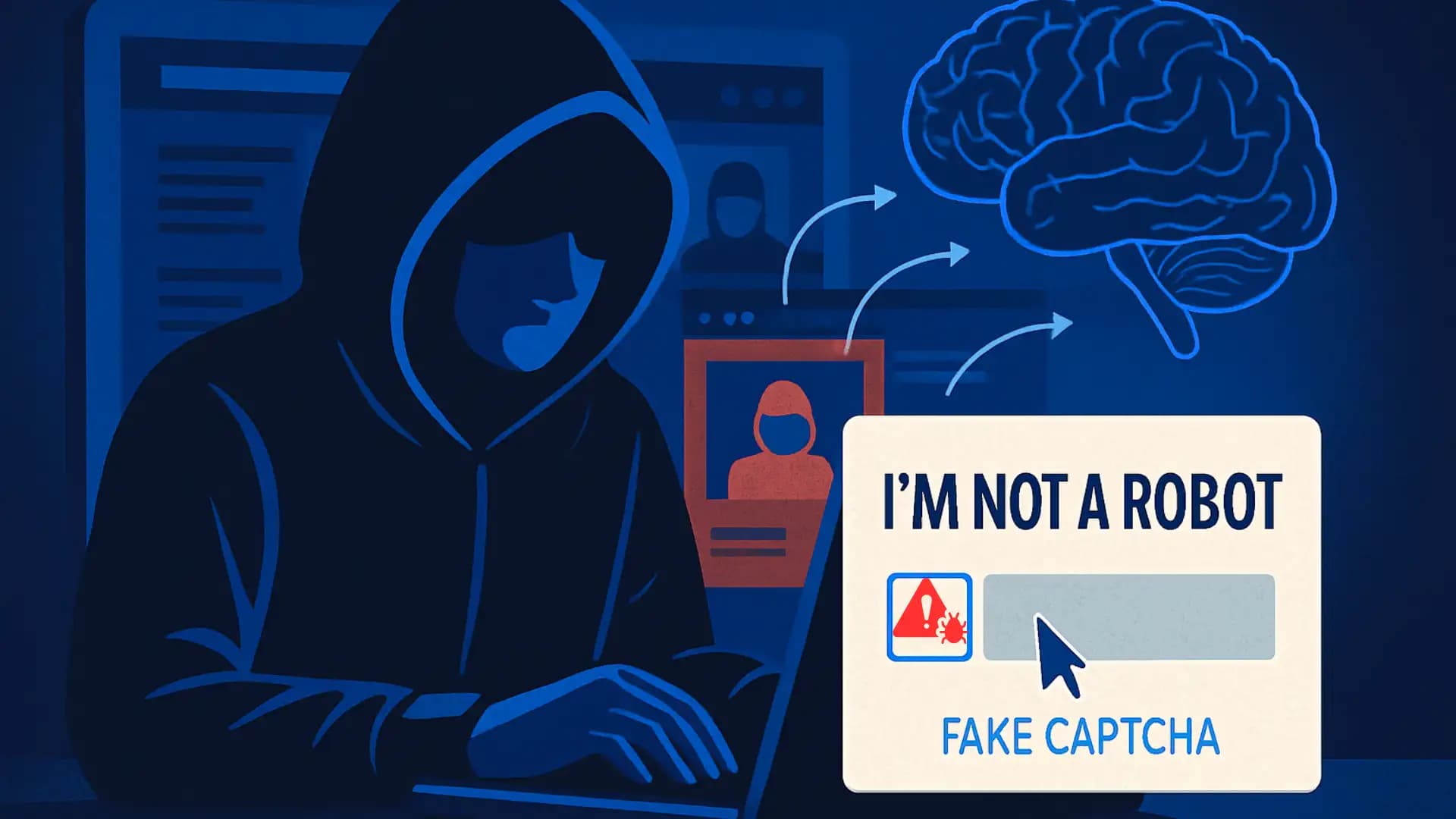
Imagine visiting a familiar website when a CAPTCHA appears. It asks you to confirm that you are not a robot. The page looks normal, so you follow the instructions.
But something is wrong.
Instead of completing a regular verification, the page asks you to open a system utility and follow additional instructions. What looks like a simple browser check may actually be an attempt to make you run malicious commands.
This is how the ClickFix malware campaign works.
ClickFix is a social engineering technique that tricks people into running harmful commands on their own devices. Attackers disguise these instructions as CAPTCHA checks, browser errors, software updates, or technical fixes.
The technique has become a serious concern for security teams because it uses familiar user actions to start an infection. Microsoft, the Center for Internet Security (CIS), and government cybersecurity agencies have documented campaigns involving information stealers, remote access tools, and other malware.
Recent research also shows that ClickFix is not limited to Windows. Microsoft has documented macOS campaigns, while Bangladesh e-GOV CIRT issued a September 2026 advisory about a ClickFix-based campaign called TerminalFix.
This article explains how the ClickFix malware campaign works, how attackers distribute it, what malware it can deliver, and how individuals and businesses can reduce the risk.
Key Takeaways
ClickFix is a social engineering technique, not a single malware family.
Fake CAPTCHA pages and browser warnings are common ways to trick users.
Attackers may ask victims to copy and run commands through trusted system utilities.
Documented payloads include information stealers, remote access tools, loaders, and other malware.
Microsoft has reported ClickFix campaigns targeting both Windows and macOS.
Bangladesh e-GOV CIRT reported a ClickFix-based campaign called TerminalFix in September 2026.
A normal CAPTCHA should never require users to run unknown system commands.
Employee awareness, endpoint security, access controls, and incident response are important defenses.
Table of Contents
What Is the ClickFix Malware Campaign?
How Does the ClickFix Attack Work?
How Attackers Distribute ClickFix
Windows and macOS: Which Devices Are at Risk?
What Malware Can ClickFix Deliver?
The Infrastructure Behind ClickFix Campaigns
Real ClickFix Campaigns and Research Findings
Why Traditional Security Tools May Miss ClickFix
Potential Impact on Individuals and Businesses
How to Detect a ClickFix Attack
How to Respond to a Suspected ClickFix Infection
How to Protect Against ClickFix Attacks
Frequently Asked Questions
Final Thoughts
What is the ClickFix Malware Campaign?
ClickFix is a social engineering technique that tricks users into executing malicious commands on their devices.
Attackers create fake website messages that look like ordinary verification checks or technical warnings. These pages may imitate CAPTCHA services, browser error messages, software update notifications, or trusted online platforms.
The page then tells the visitor to follow certain instructions. In many documented Windows campaigns, users are encouraged to copy content and paste it into a system utility such as Windows Run, PowerShell, or Windows Terminal.
On macOS, attackers may instead instruct users to open Terminal and run a command.
The copied or provided content can contain malicious instructions. If the user executes it, the process may download or launch malware.
The important difference is that ClickFix relies on user interaction. The attacker does not always need to exploit a software vulnerability or automatically install a file through a browser download.
Microsoft Threat Intelligence has documented this technique in campaigns involving phishing emails, malicious advertisements, and compromised websites.
Source: Microsoft Security Blog: Think before you Click(Fix)
Is ClickFix a Malware Family or an Attack Technique?
ClickFix is an attack technique, not one specific malware family.
Different threat actors can use similar fake verification pages to deliver different malicious programs. One campaign may install an information stealer, while another may deliver a remote access tool or a malware loader.
| Term | Meaning |
|---|---|
| ClickFix | A social engineering technique that tricks users into running harmful commands |
| Fake CAPTCHA | A deceptive verification page used to gain user trust |
| Clipboard manipulation | A method that places or changes content copied by a user |
| Malware payload | The malicious software delivered during an attack |
| Command and control (C2) | Infrastructure used by malware operators to communicate with compromised systems |
| Information stealer | Malware designed to collect sensitive information |
| Remote access tool | Software that can provide remote control of a device, sometimes abused by attackers |
This distinction matters because detecting one malware family does not automatically protect an organization from every ClickFix campaign.
How Does the ClickFix Attack Work?
ClickFix campaigns can use different techniques, but many follow a similar pattern.
1. The Victim Reaches a Malicious or Compromised Website
The attack may begin with a phishing email, malicious advertisement, search result, or compromised website.
The visitor is redirected to a page that may imitate a familiar service or display a fake verification message.
In some cases, the original website is legitimate but has been compromised. This means the website owner may also be a victim of the attack.
2. A Fake CAPTCHA or Error Message Appears
The page displays a message that looks like a normal security check.
For example, it may claim that:
The visitor needs to complete another CAPTCHA.
A browser feature is missing.
A video cannot play.
A document requires verification.
A technical problem needs an immediate fix.
These messages are designed to make users trust the page and follow its instructions.
3. The Page Encourages an Unusual Action
This is the central part of ClickFix.
Instead of asking users to download a normal installer, the page may instruct them to interact with a system utility.
Some documented campaigns ask Windows users to use the Run dialog or Windows Terminal. macOS campaigns may ask users to open Terminal.
A real CAPTCHA does not need users to run unknown system commands.
4. The User May Execute Malicious Content
If the user follows the instructions, the content may run through a trusted system utility.
The command can then retrieve or launch additional malicious software.
This approach creates a challenge for security teams because the initial action comes from the user rather than a traditional automatic exploit.
5. Malware May Run on the Device
The final payload depends on the campaign.
It may be an information stealer, remote access tool, loader, or another type of malware.
Some campaigns also attempt to collect information about the device or communicate with external infrastructure.
6. Attackers May Attempt Further Access
If the infection succeeds, attackers may try to access sensitive information, maintain unauthorized access, or move toward other systems.
However, these outcomes are not automatic. They depend on the payload, the permissions available to it, and the security controls protecting the device and network.
How Attackers Distribute ClickFix
ClickFix does not depend on one delivery method. Security researchers have documented several ways attackers bring victims to fake verification pages.
| Distribution method | How it works | What users should watch for |
|---|---|---|
| Phishing emails | Messages contain links or attachments that lead to deceptive pages | Unexpected invoices, document alerts, and account warnings |
| Malvertising | Malicious advertisements redirect visitors to fake pages | Unexpected redirects after clicking an advertisement |
| Compromised websites | Attackers inject deceptive content into a legitimate website | Unusual verification prompts on familiar websites |
| SEO poisoning | Malicious pages or links appear in search results | Unofficial download pages and suspicious search results |
| Fake software updates | A page imitates an application or browser update | Unexpected update instructions from a website |
Phishing Emails
Attackers may send emails that look like payment notices, invoices, delivery updates, or account alerts.
The message may contain a link to a fake website. Once the victim opens it, the page displays a ClickFix prompt.
Microsoft documented campaigns that used payment and invoice-related email lures to direct users toward malicious landing pages.
Malvertising
Malvertising means using online advertisements to distribute malicious content or redirect users to unsafe websites.
A visitor may encounter a deceptive page after interacting with an advertisement or a website element.
Microsoft documented a 2025 campaign in which visitors to certain free movie streaming websites were redirected to scam pages, including ClickFix lures.
This shows why users should not assume that a page is safe simply because it appears during normal browsing.
Compromised Websites
A compromised website is a legitimate website that an attacker has accessed without permission.
Attackers may inject malicious scripts or deceptive verification content into the site.
In this situation, the website owner may have no knowledge that visitors are being redirected to malicious pages.
A compromised website can therefore damage both visitor security and the owner's reputation.
SEO Poisoning
SEO poisoning involves manipulating search visibility to promote malicious or deceptive pages.
For example, an attacker may try to make a fake software download page appear when users search for a popular application.
Palo Alto Networks Unit 42 included SEO poisoning among the delivery methods observed in ClickFix-related activity.
Source: Unit 42: 2025 Global Incident Response Report, Social Engineering Edition
Windows and macOS: Which Devices Are at Risk?
ClickFix is not restricted to one operating system. However, the exact infection method differs between campaigns.
Windows Devices
Windows has been a major target in documented ClickFix campaigns.
Attackers have used fake verification pages to persuade users to execute commands through Windows system utilities.
Microsoft has documented campaigns delivering payloads such as Lumma Stealer, Xworm, AsyncRAT, NetSupport, and other malicious tools.
The presence of a legitimate Windows utility does not make the activity safe. Attackers may abuse trusted system tools to perform malicious actions.
macOS Devices
macOS users are also at risk.
Microsoft reported macOS ClickFix campaigns involving information stealers such as MacSync and Atomic Stealer, also known as AMOS.
In August 2026, Microsoft published research about a macOS campaign that used look-alike domains and browser fingerprinting to control which visitors received the fake download page.
The research shows that attackers can make malicious pages harder for automated scanners and analysis systems to observe.
Source: Microsoft: From Open Lures to Cloaked Gates
What About Android Devices?
The original claim that ClickFix infects Windows, macOS, and Android with equal efficiency is not supported by the research used for this article.
The sources cited here document Windows and macOS ClickFix campaigns. They do not establish that Android devices are targeted through the same infection process at an equivalent level.
Android users should still be cautious about fake verification pages, suspicious downloads, and untrusted applications. However, those risks should not be presented as proof of a specific Android ClickFix campaign without supporting research.
| Operating system | Documented ClickFix activity | Evidence-based explanation |
|---|---|---|
| Windows | Yes | Microsoft and other security organizations have documented campaigns involving Windows command execution |
| macOS | Yes | Microsoft and MyCERT have documented macOS ClickFix activity |
| Android | Not established by the sources used here | Do not claim equivalent ClickFix targeting without a specific verified report |
What Malware Can ClickFix Deliver?
ClickFix is a delivery technique. The malware installed after user interaction can vary between campaigns.
Security researchers have documented several categories of malicious software associated with ClickFix.
| Malware category | Purpose | Possible consequences |
|---|---|---|
| Information stealers | Collect sensitive information | Credential and account exposure |
| Remote access tools | Provide remote access to a device | Unauthorized access and control |
| Loaders | Deliver additional malicious software | Further compromise |
| Rootkits | Hide malicious activity | More difficult detection and investigation |
| Ransomware | Disrupt access to data or systems | Operational and financial damage |
Information Stealers
Information stealers collect sensitive information from compromised devices.
Depending on the malware family, stolen information may include:
Saved browser credentials.
Session information and cookies.
Personal files.
Account-related information.
Cryptocurrency wallet data.
Microsoft documented ClickFix campaigns involving Lumma Stealer. Its 2026 macOS research also discussed campaigns delivering MacSync and Atomic Stealer.
The exact information collected depends on the malware involved.
Remote Access Tools
Remote access tools can allow someone to control a computer from another location.
These tools have legitimate uses in IT support and system administration. However, attackers may abuse them to gain unauthorized access.
Microsoft documented ClickFix campaigns involving tools such as Xworm, AsyncRAT, and NetSupport.
The presence of a legitimate remote management application is not automatically evidence of an attack. Security teams need to investigate whether the installation was authorized.
Loaders
A loader is malware that helps deliver or start another malicious program.
This means the first suspicious component detected may not represent the full infection.
For example, Microsoft documented ClickFix activity involving loaders such as Latrodectus and MintsLoader.
Ransomware
ClickFix has also been connected to ransomware-related activity.
The Center for Internet Security reported tracking two campaigns involving ransomware distribution between January and October 2025. One involved an Interlock ransomware incident affecting a U.S. state, local, tribal, and territorial victim.
This is an important distinction: ransomware is a documented possible outcome of some ClickFix-related campaigns, not the default payload of every ClickFix attack.
Source: Center for Internet Security: ClickFix, an Adaptive Social Engineering Technique
The Infrastructure Behind ClickFix Campaigns
ClickFix campaigns may use several layers of infrastructure to distribute malicious content and communicate with compromised devices.
However, not every campaign uses the same infrastructure. Claims about fast-flux DNS, domain generation algorithms, bulletproof hosting, or polymorphic malware should not be applied to all ClickFix activity without campaign-specific evidence.
The following components have been documented in research.
Malicious and Compromised Domains
Attackers may use look-alike domains that imitate trusted brands or services.
They may also compromise legitimate websites and use them to redirect visitors to malicious content.
Microsoft's August 2026 macOS research documented a large cluster of look-alike domains associated with an information-stealing campaign.
Command and Control Servers
Some delivered malware communicates with command and control infrastructure.
These servers may receive information from compromised devices or provide instructions to malicious software.
The use of C2 infrastructure depends on the final payload. A fake CAPTCHA page alone does not prove that a device has established a C2 connection.
Browser Fingerprinting and Cloaking
Some attackers try to show malicious content only to visitors who match certain browser or device characteristics.
This is known as cloaking or targeted content delivery.
Microsoft's August 2026 research documented a macOS ClickFix campaign that used server-side browser fingerprinting to decide which visitors would receive the malicious lure.
This behavior can make automated analysis more difficult because security scanners and normal users may receive different page content.
Obfuscated Content
Security researchers have documented campaigns that hide or disguise parts of their malicious content.
Obfuscation can make suspicious instructions harder to recognize during analysis.
It is important to distinguish this from a universal ClickFix feature. Different threat actors use different methods, and not every campaign has the same level of technical complexity.
Real ClickFix Campaigns and Research Findings
Published research provides a clearer picture of how ClickFix has evolved.
The following examples are based on documented reports rather than assumptions about what every campaign does.
Microsoft: Lampion Campaign Targeting Organizations
Microsoft documented a Lampion malware campaign first identified in May 2025.
The campaign targeted organizations in Portugal, including government, finance, and transportation. Microsoft later observed related activity in several other countries.
The attackers used phishing emails and a fake tax authority website to present a ClickFix lure.
The intended malware was Lampion, an information stealer focused on banking information.
An important detail from Microsoft's investigation is that the final Lampion malware was not delivered in the analyzed case because the relevant download command was commented out in the code.
This illustrates why security reporting must distinguish between an attempted payload delivery and a confirmed successful infection.
Source: Microsoft Security Blog
Microsoft: macOS ClickFix Campaign in 2026
On August 5, 2026, Microsoft published research about a macOS ClickFix campaign distributing information stealers, including MacSync and Atomic Stealer.
The campaign used look-alike domains and changed how it displayed malicious content.
Rather than showing the fake download page to every visitor, it used browser fingerprinting to identify visitors who appeared to be using a genuine macOS environment.
This made the campaign harder for some automated analysis systems to observe.
The report demonstrates that ClickFix is evolving beyond the familiar fake CAPTCHA pages seen in earlier campaigns.
Source: Microsoft: From Open Lures to Cloaked Gates
Bangladesh e-GOV CIRT: TerminalFix Campaign
A particularly relevant development for Bangladeshi organizations appeared in September 2026.
Bangladesh e-GOV CIRT published an advisory about a campaign called TerminalFix, describing it as an evolution of the ClickFix social engineering technique.
According to the advisory, the campaign begins with a compromised website displaying a fraudulent Cloudflare CAPTCHA or Turnstile verification page.
The victim is instructed to copy and paste a command into Windows Terminal or PowerShell.
The advisory describes a multi-stage intrusion involving malicious payload delivery, persistence, Active Directory reconnaissance, and a reverse WebSocket tunnel.
The concern for organizations is that a compromised employee workstation may have access to internal resources such as:
Domain controllers.
File servers.
Database servers.
Internal web applications.
Administrative systems.
Backup infrastructure.
If attackers gain a foothold on a workstation with access to these resources, the incident may become more serious than an isolated endpoint infection.
This advisory is especially relevant to organizations in Bangladesh that use Windows-based enterprise environments.
Source: Bangladesh e-GOV CIRT: TerminalFix Campaign
MyCERT: macOS ClickFix Advisory
Malaysia's MyCERT published an advisory on October 4, 2026, about a ClickFix campaign targeting macOS users through compromised websites.
The advisory described a fake bot-protection page that instructed visitors to open Terminal and paste a command.
It also explained that the website owner appeared to be a victim of compromise rather than the attacker.
MyCERT noted that users who only viewed the page were at low risk in the analyzed case. The malicious installation depended on the user running the command.
The report is useful because it highlights an important point: simply visiting a suspicious page and executing its instructions are not the same event.
Source: MyCERT: Advisory on ClickFix Campaign Targeting macOS Users
Why Traditional Security Tools May Miss ClickFix
ClickFix creates a different challenge from attacks that rely entirely on automatic downloads or software vulnerabilities.
The user may be persuaded to perform the action that starts the infection.
This can reduce the effectiveness of security controls that focus mainly on blocking malicious files or suspicious downloads.
The User Starts the Execution Process
In a typical ClickFix scenario, the victim follows instructions and runs content through a trusted system utility.
This means the initial action may appear to come from a normal user rather than an automated exploit.
Attackers May Abuse Legitimate System Utilities
Tools such as PowerShell and Terminal have legitimate administrative uses.
Their presence on a device is not suspicious by itself. The concern comes from unexpected or unauthorized activity.
Security teams should consider the context, user activity, process behavior, and surrounding events.
Malicious Pages May Change What Visitors See
Some campaigns use redirects, browser fingerprinting, or other methods to serve different content to different visitors.
This can make a page appear harmless during one inspection but suspicious during another.
One Security Layer Is Not Enough
Antivirus software, web filtering, and email security can reduce exposure. However, no single tool can guarantee protection against every social engineering technique.
A stronger approach combines user awareness, endpoint monitoring, access controls, and incident response.
Potential Impact on Individuals and Businesses
The consequences of a ClickFix attack depend on the malware delivered and the access available to it.
Credential and Account Theft
Information stealers may collect saved credentials, browser information, and session data.
This can expose personal accounts and business applications to unauthorized access.
Unauthorized Device Access
A campaign that installs a remote access tool may allow an attacker to interact with the compromised device.
For organizations, this creates additional risks if the affected workstation can access internal systems.
Business Data Exposure
A compromised endpoint may contain or provide access to sensitive company information.
Depending on the incident, attackers may attempt to collect files, access business accounts, or gather information about the network.
Operational Disruption
Some ClickFix-related campaigns have been associated with ransomware distribution.
A successful ransomware incident can disrupt access to business data and affect normal operations.
Damage to Customer Trust
If an organization suffers a security incident involving customer or employee information, it may face reputational damage and additional investigation requirements.
The actual consequences depend on what information was exposed and how the organization responds.
How to Detect a ClickFix Attack
There is no single indicator that proves a device has been infected through ClickFix.
The technique can deliver different malware families, so detection requires looking at the complete sequence of events.
Warning Signs for Individual Users
Watch for:
A website asking you to run an unknown command.
An unexpected request to open PowerShell or Terminal.
A browser page asking you to disable security protection.
Unrecognized software appearing after a verification prompt.
Unexpected account activity.
Security alerts that appear after following suspicious instructions.
These signs do not confirm an infection on their own. They indicate that further investigation may be necessary.
Detection Priorities for Security Teams
Organizations should review:
| Area | What to investigate |
|---|---|
| User activity | Reports of suspicious CAPTCHA or browser instructions |
| Endpoint activity | Unexpected command execution or unknown applications |
| Process activity | Unusual use of system utilities |
| Network activity | Unexpected outbound connections |
| Identity security | Unusual login activity or suspicious account access |
| Security alerts | Endpoint and email security warnings around the reported event |
Why Endpoint Monitoring Matters
Endpoint detection and response (EDR) tools can help security teams investigate suspicious device activity.
They provide visibility into endpoint events and can help analysts connect user activity with suspicious processes or network behavior.
For organizations with centralized security monitoring, correlating endpoint, identity, and network alerts can provide a clearer view of a possible incident.
How to Respond to a Suspected ClickFix Infection
If someone has followed suspicious ClickFix instructions, treat the event as a potential security incident.
1. Stop Interacting With the Suspicious Page
Do not follow additional instructions or enter sensitive information.
If the page is still open, avoid interacting with it further.
2. Report the Incident
For a company-managed device, contact the IT or security team immediately.
Explain what happened, which website was involved, and whether any instructions were followed.
3. Isolate the Device When Appropriate
Security teams may disconnect the affected device from the network to reduce the risk of further activity.
They should follow the organization's incident response procedures and preserve evidence where necessary.
4. Investigate the Device
Review endpoint alerts, process activity, network connections, and relevant logs.
The investigation should determine whether a command ran, whether malware was delivered, and whether other systems or accounts may have been affected.
5. Secure Potentially Exposed Accounts
If credentials may have been exposed, change affected passwords from a trusted device.
Review active sessions, revoke suspicious access, and enable multifactor authentication where available.
6. Remove the Threat and Restore the Device
Use an approved security process to remove malicious components.
If the system cannot be trusted, the security team may need to rebuild it from a known-clean source.
7. Review the Wider Environment
For business incidents, investigate whether the affected device had access to shared systems, business applications, or sensitive information.
A single compromised workstation should not automatically be treated as an isolated event.
How to Protect Against ClickFix Attacks
Preventing ClickFix requires both user awareness and technical security controls.
1. Never Run Unknown Commands
Do not paste commands into Windows Run, PowerShell, Windows Terminal, or macOS Terminal just because a website asks you to.
If a CAPTCHA or verification page requests this action, stop and verify the website through its official address.
2. Keep Operating Systems and Browsers Updated
Install security updates for operating systems, browsers, and applications.
Updates help reduce exposure to known vulnerabilities. They do not prevent every social engineering attack, but they remain an important security measure.
3. Use Reputable Endpoint Protection
Endpoint protection can help detect malicious files and suspicious activity.
Businesses should consider centrally managed solutions that provide alerting, investigation, and response capabilities.
4. Apply Application and Script Controls
Organizations should review which users need access to scripting and administrative tools.
Use suitable application control and execution policies based on business requirements.
The goal is to reduce unnecessary execution without disrupting legitimate work.
5. Strengthen Email and Web Security
Use appropriate email filtering, DNS protection, and secure web controls.
These measures can help reduce exposure to phishing messages and malicious websites.
6. Train Employees to Recognize Fake CAPTCHA Pages
Security awareness training should explain that a normal CAPTCHA does not require users to run unknown commands.
Employees should also know how to report suspicious verification pages and unexpected browser warnings.
7. Enable Multifactor Authentication
MFA adds another layer of protection if a password is stolen.
Organizations should prioritize phishing-resistant authentication for sensitive accounts where possible.
8. Limit User Privileges
Employees should not have administrative privileges unless their responsibilities require them.
Limiting unnecessary privileges can reduce the impact of some security incidents.
9. Monitor Endpoint and Network Activity
Use endpoint monitoring and centralized security logging to investigate unusual behavior.
Security teams should pay attention to unexpected command execution, unfamiliar software, suspicious outbound connections, and unusual account activity.
10. Maintain Tested Backups and an Incident Response Plan
Keep important data backed up and test recovery procedures.
A documented response plan helps teams investigate incidents, protect accounts, and restore affected systems.
ClickFix Protection: Individual Users vs. Organizations
| Security measure | Individual users | Organizations |
|---|---|---|
| Avoid unknown commands | Never run commands provided by websites | Train employees to report suspicious instructions |
| Software updates | Update browsers and operating systems | Apply managed patching policies |
| Endpoint protection | Use reputable security software | Deploy centrally managed endpoint protection |
| Account security | Use unique passwords and MFA | Enforce MFA and access controls |
| User privileges | Avoid unnecessary administrator access | Apply least-privilege policies |
| Security monitoring | Review account and device alerts | Monitor endpoint, identity, and network events |
| Incident response | Seek trusted technical support | Follow a documented response plan |
| Backups | Keep important files backed up | Maintain protected and tested backups |
Frequently Asked Questions
1. What is the ClickFix malware campaign?
ClickFix is a social engineering technique that tricks users into running malicious commands on their devices. Attackers often disguise the instructions as fake CAPTCHA checks, browser errors, or technical fixes.
2. Can ClickFix infect Windows computers?
Yes. Microsoft and other cybersecurity organizations have documented ClickFix campaigns targeting Windows users. These campaigns may use trusted system utilities to execute malicious content.
3. Does ClickFix affect macOS?
Yes. Microsoft and MyCERT have documented macOS ClickFix campaigns involving fake verification pages and information stealers.
4. Does ClickFix affect Android devices?
The research cited in this article confirms Windows and macOS activity. It does not establish that Android devices are targeted through the same ClickFix process at an equivalent level.
5. Can a CAPTCHA install malware?
A normal CAPTCHA is a human verification tool. However, a fake CAPTCHA page can trick users into performing unsafe actions that may lead to malware installation.
6. What malware can ClickFix deliver?
Documented ClickFix campaigns have delivered information stealers, remote access tools, loaders, and other malicious software. Some campaigns have also been linked to ransomware distribution.
7. Can antivirus detect ClickFix?
Security software can detect some malicious files and suspicious behavior. However, no antivirus product can guarantee protection against every ClickFix campaign. User awareness and additional security controls are also important.
8. What should I do if I followed a ClickFix instruction?
Stop interacting with the page and report the incident. If you used a work device, contact your IT or security team. If sensitive information may have been exposed, secure affected accounts from a trusted device.
9. Is ClickFix a zero-day vulnerability?
No. ClickFix is a social engineering technique, not a specific software vulnerability. It tricks users into running malicious commands rather than depending on one particular zero-day exploit.
10. How can businesses reduce ClickFix risks?
Businesses should combine employee awareness training, endpoint monitoring, email and web filtering, access controls, MFA, and a tested incident response plan.
Final Thoughts
The ClickFix malware campaign shows how attackers can turn an ordinary online activity into a serious security risk. A fake CAPTCHA or browser warning may look harmless, but its instructions can lead to malware installation and data theft.
The risk is not limited to individual users. A compromised employee workstation may also create opportunities for attackers to access business information and internal systems.
The best defense starts with a simple rule: never run an unknown command just because a website asks you to. Organizations should also strengthen endpoint protection, monitor suspicious activity, and prepare a clear incident response process.
Hoplon InfoSec helps organizations improve their security posture through Endpoint Security, Penetration Testing, and other Cybersecurity Services.
If your organization needs help reviewing its security posture, you can contact the Hoplon InfoSec team to discuss your requirements.
Fact-Checking and Editorial Policy
This article uses publicly available research and advisories from Microsoft, the Center for Internet Security, Bangladesh e-GOV CIRT, MyCERT, and Palo Alto Networks Unit 42.
It distinguishes documented campaign activity from general security guidance. It does not assume that every ClickFix campaign uses the same delivery method, infrastructure, operating system, or malware payload.
Campaign behavior can change over time. Technical claims should be reviewed against the original research before publication.
Author Information
Author: [Add the actual author's name and verified cybersecurity experience]
Technical Reviewer: [Add the reviewer's name and verified credentials, if reviewed]
Published: [Add the original publication date]
Last Updated: [Add the actual date of this content update]
Only publish verified author credentials and dates. Do not add unconfirmed certifications, experience, or reviewer details.
Explore our main services
For more services, go to our homepage.
Follow us on X (Twitter) and LinkedIn for more cybersecurity news and updates. Stay connected on YouTube, Facebook, and Instagram as well.