
What is the Fortinet SSO vulnerability, and why are hackers using it right now to get around firewalls and get admin access?
In early 2025, system administrators and security experts started to notice something very bad. If Fortinet's Single Sign On system doesn't work right, hackers could get into the devices that protect business networks. Fortinet CVE 2025 59718 is the name of this flaw. People have used it in the wild to get around login protections, change settings, and even get admin-level access without valid credentials. Fortinet firewalls stop the internet from getting into a company's internal systems. If they are broken, attackers can move around networks without being seen.
This article goes into a lot of detail about theFortiNet SSOo vulnerability, how the FortiNet SSO exploit works, what risks it poses, and what network defenders need to know to keep their networks safe. We will look at real attack patterns, what the FortiGate SSO authentication bypass really means in practice, and how organizations are responding with patches, configuration changes, and mitigation strategies.
Understanding the Fortinet SSO Vulnerability and Its Effects
The FortiNet SSO vulnerability is in a part of FortiNet's firewall system that was meant to make it easier for people to sign in. Some Fortinet devices can use a Single Sign On (SSO) system that trusts verified identities from an outside source, which is usually a cloud-based SSO provider. You don't have to type in your username and password every time. Researchers found out at the end of 2025 that this trust system didn't work. The system didn't always check cryptographic signatures correctly when it was processing login assertions. This allowed an attacker to send a message that the firewall thought was real. The firewall let the attacker in and thought they were a real user who was logged in.
That is to say, an attacker could talk to a firewall as if they were already logged in, even if they never gave the right information. Once inside, an attacker could do bad things through that entry point, like exporting private settings, making new privileged accounts, or changing existing ones. These aren't just made-up exercises that remote researchers talk about. Security teams from all over the world said that the exploit was still going on.
The flaw has been given a critical severity rating, which means that the situation is very bad. The CVSS score for this bug was very high, so it wasn't a small one. This meant that a skilled hacker could use the problem on the internet without having to get into the internal network or have credentials first.
How the Fortinet SSO Exploit Works
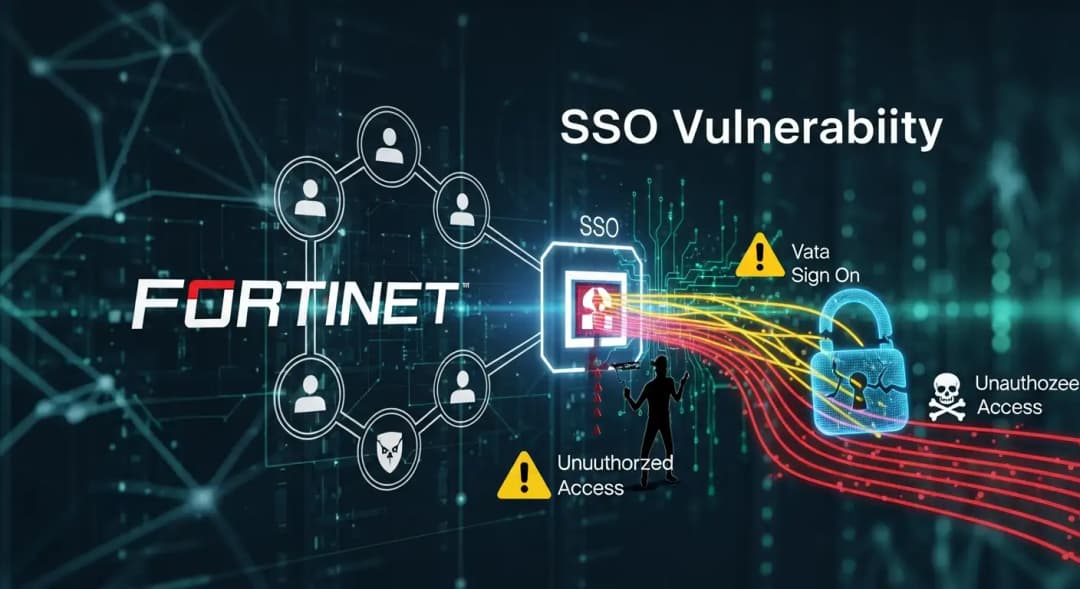
When people talk about how attackers get around authentication, they often mention the FortiNet SSO exploit. You don't have to guess a weak password or steal a user's login to use the exploit. Instead, it takes advantage of problems with how the firewall handles some digital tokens. In technical terms, it makes a fake SAML response that looks like it came from a reliable identity provider. If the firewall accepts this token, the door is open.
This method isn't a brute force attack or a way to crack a password; it's a way to get around authentication. In real attacks that happened in late 2025 and early 2026, cyber criminals and automated bots sent these fake SSO tokens over and over again to devices that had their FortiCloud Single Sign On feature turned on and could be reached from the internet. Once they were accepted, they could do things like create permanent accounts, export configuration data, or give people access from afar.
In the real world, the problem got worse because many administrators didn't know how many people had the SSO feature turned on. New devices don't have it turned on by default, but if administrators registered their device with FortiCare or turned on cloud-based management features without turning off the specific SSO login option, the vulnerability became clear without any obvious signs.
Why the FortiGate SSO Authentication Bypass Is So Dangerous
When the FortiGate SSO authentication bypass works, the attacker can get to almost all of the device's management interface. This could be a disaster because firewalls keep important systems and data safe in a business setting. Administrators rely on them to stop bad traffic, make sure security rules are followed, and look for threats. Hackers can turn off defenses, make backdoor accounts, and get more access to an organization's network if they can get into the gatekeeper.
In the past, attackers have made unauthorized admin-level users and exported whole configurations. Those exported configuration files often have hashed passwords and other sensitive settings that can be used to get into internal systems. In many cases, defenders didn't notice the first breach until they saw changes to the configuration that made them suspicious.
Cybersecurity teams stay up at night worrying about problems like this one, which lets admins who shouldn't be able to get in. This is not a small mistake in the settings. It means that an attacker can get past what many businesses think of as their border security. They don't even have to trick people into giving them passwords or doing anything else to them.
Warnings from the public and the industry
When Fortinet found out about the problem, it sent out official security alerts and told customers what to do. These warnings made it clear what the problem was and told people to act right away. They also told the administrators which products and versions were affected so they could check their own environments.
Cybersecurity agencies in the government also had something to say. For instance, the Cybersecurity and Infrastructure Security Agency in the US added FortiNet CVE 2025 59718 to its list of Known Exploited Vulnerabilities. This meant that companies, especially those in government or critical infrastructure, were told to make fixing it their top priority.
A short time after the warnings, many threat researchers saw people trying to take advantage of the weaknesses in the wild. Some reports said that automated scanning and targeting of devices that connect to the internet began just a few days after the flaw was made public. People often take advantage of serious flaws that are easy to trigger and let people in without having to prove who they are.
How to Fix Fortinet SSO Vulnerability and Make It Safer
The first and most important thing you need to do in response is to install the latest patches on all of your systems. Fortinet put out updates for FortiOS, FortiWeb, FortiProxy, and FortiSwitchManager that fixed CVE 2025 59718 and other bugs that were connected to it. These patches fix the way the SSO authentication process checks signatures and get rid of tokens that are meant to be harmful.
Many administrators put off updates for a variety of reasons, such as being afraid of breaking things or being too busy to test them. Unfortunately, that delay meant that some firewalls were still open to the FortiNet SSO exploit even after patches were made available. In the real world, attackers have even found ways to get around the first patches in some cases. This means that defenders need to keep an eye on releases and advisories even more.
Companies should not only install the FortiNet SSO patch, but they should also think about turning off FortiCloud SSO if they don't need it. This small change to the settings makes devices that need to stay online much less likely to be hacked. This option to disable works well as a temporary fix for many network teams while they test and install patches.
Limiting access to management interfaces to internal networks only and requiring multi-factor authentication for any remote login paths makes it even less likely that an attacker will be able to exploit this weakness. Another good way to protect against FortiNet exploits is to look through logs for strange authentication attempts or changes to the settings.
What we learned from a real-life example
Imagine a medium-sized business that uses FortiGate firewalls to protect its cloud services and data centers. The security team turned on FortiCloud SSO a few months ago to make things easier for admins. They signed up for FortiCare on their devices, but they never thought to check if the FortiNet SSO vulnerability was putting them in danger.
One morning, an alert told me that the settings had changed. The security team didn't know that someone had made a new admin account. When they looked at the logs, they saw that people from countries where they didn't do business were trying to log in to SSO over and over again. Attackers were able to get past the firewall's public management interface and use the FortiNet SSO vulnerability to get in without any valid credentials.
The company quickly updated to the latest firmware with the FortiNet SSO patch, turned off FortiCloud SSO, and only let management access internal VPN connections. They also changed the passwords for all privileged accounts and made all remote access services use stronger multi-factor authentication. The loud incident was a reminder that security updates and convenience features can sometimes hide risks if they aren't watched closely.
Hoplon Insight Box with Ideas
What Network Teams Need to Do
Make sure that FortiCloud SSO is turned on for all of your devices that are connected to the internet.
The most recent official updates will fix the FortiNet CVE 2025 59718 authentication bypass vulnerability.
Turn off FortiCloud SSO if your business doesn't need it.
Only allow trusted internal networks or VPN-protected access to management interfaces.
Check the logs for any unusual SSO login activity or changes to the settings.
If you think someone has broken into your system without your permission, change your admin password.
Questions That People Ask a Lot
How dangerous is the FortiNet SSO vulnerability?
It is very serious because it lets attackers get around authentication and get privileged access without having to crack passwords or talk to users. This could give them access to important firewall features.
Does Fortinet fix CVE 59718?
Yes. Fortinet released patches to fix CVE 2025 59718, and it is highly recommended that administrators update to the fixed versions.
What versions of Fortinet are affected?
Turning on the FortiCloud SSO login feature has an effect on many older versions of FortiOS, FortiProxy, and FortiSwitchManager.
Can you get admin access back after an exploit?
Yes, affected admins can reset passwords, apply patches, and regain control of devices after a known exploit by carefully watching and responding to incidents. Quick action is very important to stop more break-ins.
Last thoughts
TheFortiNet SSOo vulnerability revealed a small but serious flaw in how someFortiNett products trusted identity assertions. Any firewall connected to the internet that had FortiCloud SSO turned on was at risk because the vulnerability could be used without a password. It took coordinated warnings, emergency patches, and big changes to the way things were set up to keep attackers from getting administrative access.
This event reminds us that security features can sometimes be used to attack if they aren't set up and kept up to date properly. Keeping up with vendor advisories, quickly applying patches, and knowing how features like SSO change your attack surface can make the difference between a calm day and a big breach.
Penetration Testing directly tests the Fortinet SSO flaw, checks if the FortiGate SSO authentication bypass can be exploited, and identifies admin access risks before real attackers do.





