
-20251017151530.webp&w=3840&q=75)
People thought it was a huge deal when Microsoft started rewriting parts of the Windows kernel in Rust. The change promises to make one of the world's most sophisticated pieces of software safe for memory. But in early 2025, security researchers found something they weren't expecting: a GDI vulnerability lurking deep in the Rust-based kernel code. Hackers couldn't get into your machine or steal your data because of the weakness. Instead, it could make your computer collapse into the Blue Screen of Death, which every Windows user knows is the worst thing that can happen.
This shouldn't have happened. Rust was created to get rid of a lot of flaws that C and C++ code have. But here it was: proof that even the safest instruments can fail when they have to cope with sophisticated systems and inputs that weren't planned for.
What the GDI Does and Why It Matters
The Graphics Device Interface, or GDI, is one of the oldest aspects of Windows. It allows your computer to show text, lines, bitmaps, and typefaces on the screen. You could argue that it links the program you use to the pixels you see.
Over time, GDI got more complicated as it included more layers of system calls, drivers, and low-level rendering methods. It takes code and turns it into things you can see, such as icons, windows, animations, and even the mouse pointer. A GDI vulnerability isn't just a random fault in the OS; it's a weakness in one of Windows' oldest and most significant pieces.
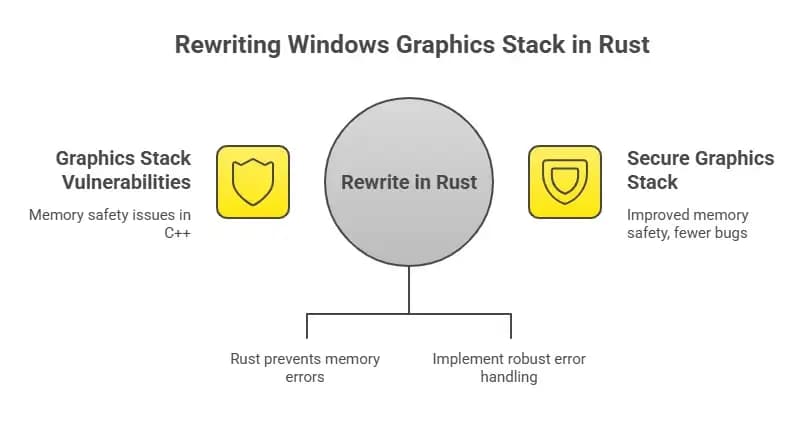
To update this ancient code, Microsoft began transferring elements of the graphics kernel to Rust. The goal was clear: make things more reliable, reduce memory corruption, and fix the security gaps that had been a problem for Windows for years. But researchers would soon find out that rewriting in Rust doesn't mean changing the past.
How Microsoft's Rust Experiment Got to the Kernel
Microsoft engineers had been testing Rust in Windows parts for years to make sure it was safe. By 2024, several portions of the graphics stack, such as the GDI area and path-handling logic, had been secretly rewritten in Rust.
Rust has stringent constraints regarding who owns memory, so developers can't easily make mistakes like dereferencing null pointers or buffer overflows. But Rust doesn't stop logic errors, which are problems in how the code works, not how it gets to memory. The essential idea of this story was that little difference.
The problem came up in a function that was supposed to turn complicated graphical routes into regions. The shapes of vector graphics, clipping regions, and windows are all based on those areas. In brief, they tell the machine where to draw and where not to. Things get out of hand if something goes wrong during that change.
The Discovery: Making the Rust Kernel Soft
In early 2025, a group of security researchers from Check Point Research began working on a project called "Denial of Fuzzing." They had a simple goal: to throw random, faulty data at the new Rust bits of Windows and see what broke.
Fuzzing is like a little kid beating on a piano, but instead of music, it delivers altered graphics files and metafiles. The kernel panicked when one test file struck a weird combination of parameters after thousands of tries. The crash was caused by the new Rust-based GDI region-handling function.
The flaw wasn't dangerous; it didn't allow hackers to run code or take information. But it created a Blue Screen of Death (BSOD) right away, which is when the kernel panics and shuts down the whole system.
The stack trace showed developers that the panic was caused by a write that went out of bounds in the region-from-path conversion mechanism. For normal users, it meant that their computer froze, the screen turned blue, and they lost all of their work that wasn't saved.
How the Vulnerability Works Behind the Scenes
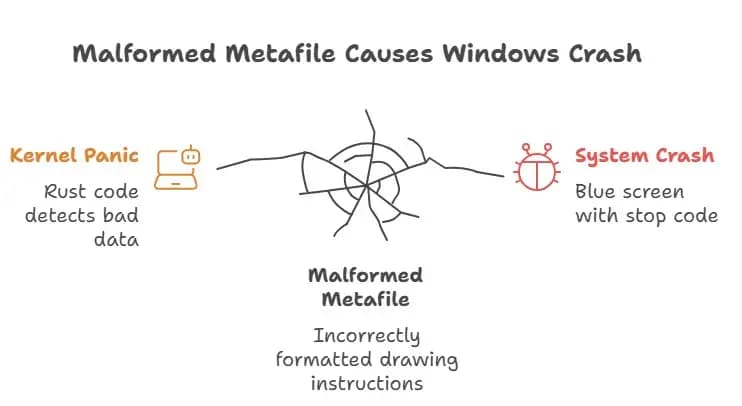
The GDI vulnerability happened when Windows tried to read metafiles that weren't formatted correctly, like enhanced metafiles (EMF) or EMF+ records. These files inform the machine how to draw. Attackers could construct one that tells GDI to make a sophisticated shape out of lousy geometry.
The Rust code inside the kernel tries to use this path data to construct an area. But the code acquired data that wasn't supposed to be there because the loop boundary was improper or a condition was missed. Rust spotted the problem right away and freaked out, which is bad in kernel mode.
This panic extended up the chain, and the whole system crashed. It wasn't a window that froze or a problem that no one saw. It was the blue screen that said "stop code," "restart," and "memory dump." In security words, it was a "denial of service," but in plain English, it was a severe crash triggered by a file that shouldn't have been there in the first place.
The Blue Screen Domino Effect
Most people don't know how delicate the balance of kernel operations is. Just one incorrect index or memory border can crash the complete operating system. There was no way to stop the panic once it started because it came from certain Rust code in the graphics kernel.
A person could open a file with a faulty metafile in it or simply glance at a picture that links to that data. The system would read the file, hit the bug, and then crash without notice, giving you no opportunity to save your work.
This kind of GDI flaw can be bad for enterprises. Think about how many computers would have to restart at the same moment during work hours because of a faulty file. It doesn't steal data, but it does hinder work from getting done. It's like cutting off the electricity to an entire network.
The patch that fixed it was KB5058499.
After Microsoft acknowledged the problem, things proceeded rapidly. The Rust-based kernel graphics bug in Windows 11 version 24H2 was fixed by Update KB5058499, which was released in late May 2025.
This upgrade did more than merely patch the GDI hole. It also resolved memory leaks, issues with GPU drivers, and other stability issues that were caused by DirectX rendering. At first, Microsoft didn't make the GDI patch very explicit in its public notes, but researchers confirmed that the code path was corrected.
Users stated that games worked better and their laptops froze less often after the update. Some folks even reported that their Explorer crashes stopped happening all the time. Some people, on the other hand, experienced problems downloading the fix and said that updates didn't work or that they only rolled back part of the way. This shows that occasionally changing one element of Windows can make another section work worse.
Why Rust Isn't the Answer
This event sparked an important conversation among developers on how this could happen if Rust is memory-safe. The solution lies in the difference between safety and rationality. Rust prevents memory corruption, but it can't prohibit developers from making mistakes in their code.
In this example, the GDI vulnerability wasn't created by unsafe memory accesses; it was caused by an overlooked edge case. Rust did what it was meant to do: it identified the out-of-bounds access and panicked instead of destroying memory without saying anything. So, it failed loudly instead of dangerously.
A kernel panic is still a failure, though. It's still a good idea for Microsoft to rewrite the kernel in Rust, but this event is a wake-up call. You need to do a lot of testing, fuzzing, and code reviews to identify bugs that logic alone can't find, even in the safest language.
What we learned from the weakness
New software ecosystems always have challenges, and this one is no different. The GDI incident indicates that the choice of language is only one element of the problem. Testing, validation, and making plans for the future are just as critical.
People who research security might also learn from this success story. The GDI flaw wasn't uncovered by a hacker who took advantage of people; it was found and corrected soon away by responsible fuzzing. It highlights how crucial it is to undertake security research ahead of time and be honest about it.
For businesses, the primary thing is easy: keep their systems up-to-date, check logs for kernel panics, and be wary of new or odd graphic files. A single faulty metafile can still cause a full workstation to crash.
The Bigger Effects on Windows Development
Microsoft has done some pretty crazy things in the previous few years, but using Rust in the kernel is one of the craziest. It reveals that the corporation is working to fix years' worth of technological debt and security problems that were produced by hazardous languages. But there is always a problem when things get new.
This GDI flaw shows that getting to safety isn't a straight line; it takes time. Windows crashes won't cease happening just because you switch to Rust. It only means that it will be easier to figure out what caused future failures, they will be less likely to harm security, and they will be more likely to be isolated.
Memory corruption attacks used to be the most common sort of cybercrime, but Windows is now safer from them. Users should anticipate seeing some blue screens while the new code routes grow better.
The vulnerability was a success story that, in some ways, seemed like a failure. Rust identified an invalid operation and caused the system to crash. This is a defensive reflex that older C-based programming would have overlooked, which could have led to quiet corruption or even running code from a distance.
That's a step in the right direction. It's better for a system to crash than for someone to hack it and not tell anyone. The GDI flaw taught Microsoft's engineers what they were incorrect about and how to make their work better. It also revealed how crucial it is for businesses and independent security laboratories to cooperate together on research.
What to Do to Stay Safe: What Users and Admins Should Do
If you're using Windows 11 version 24H2 or later, make sure you have installed KB5058499 or a newer cumulative update. You may find this under the "Update History" section of Settings.
Admins in corporate environments should think about group policies that limit unfamiliar EMF and metafile formats. You can also look for early symptoms of instability in graphics rendering by making regular backups, examining event logs, and looking at crash dumps.
This is a reminder for developers to include fuzz testing in their CI workflows. It's not just about preventing crashes; it's also important to grasp how code functions when things don't go as expected.
This is not a setback, but a wake-up call.
The Windows Rust-based kernel GDI flaw wasn't the end of the world; it was a major step forward. It showed that Rust operates the way it was designed to, even when things go wrong. It also reminded everyone that security isn't a goal; it's something that needs to be worked on all the time.
In the end, a blue screen is just a crash. The most important thing is that the incident didn't make things less safe. That is a form of advancement that should be praised.
Rust didn't lead Microsoft to collapse; it really protected it from something much worse. This won't be the last time an old operating system learns new talents as Windows keeps changing.
Follow us on X (Twitter) and LinkedIn for more cybersecurity news and updates. Stay connected on YouTube, Facebook, and Instagram as well.





