
How to Create a Strong Password That Actually Protects You
Author: Editorial Team, Hoplon Infosec
Publish Date: March, 2026
Last Updated: March, 2026
Can a strong password still protect you today?
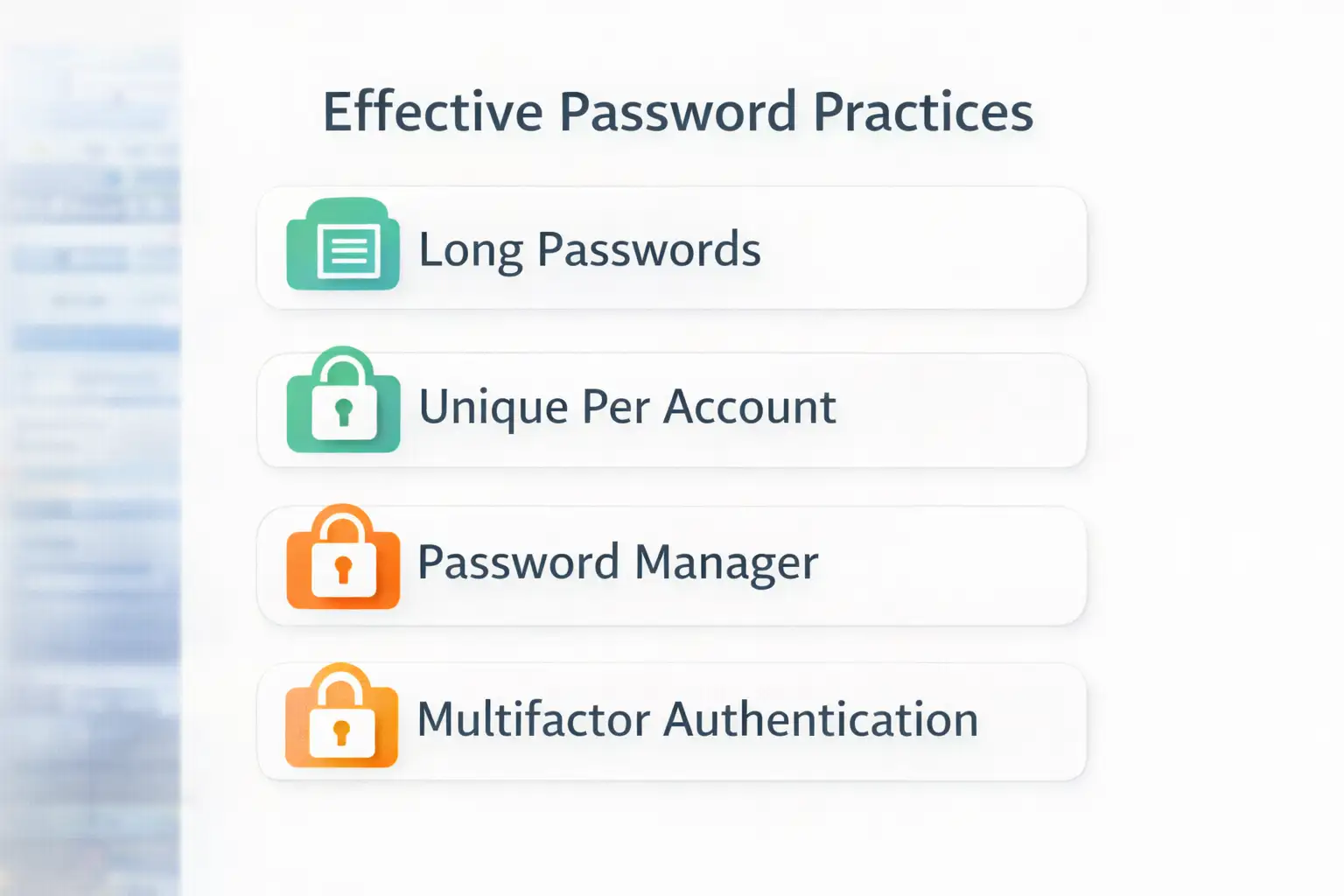
Yes, official guidance from CISA and NIST still points to the same core answer: Use long, unique passwords or passphrases for every account, store them in a password manager, and add multifactor authentication for another layer of defense.
The old way was simple but risky. People used a short password, swapped a letter for a number, and hoped that was enough. The newer and safer way is different. You use a long, unique password or passphrase for every account, let a password manager do the heavy lifting, and add MFA where it matters most. The result is not just better login hygiene. It is a real reduction in account takeover risk.
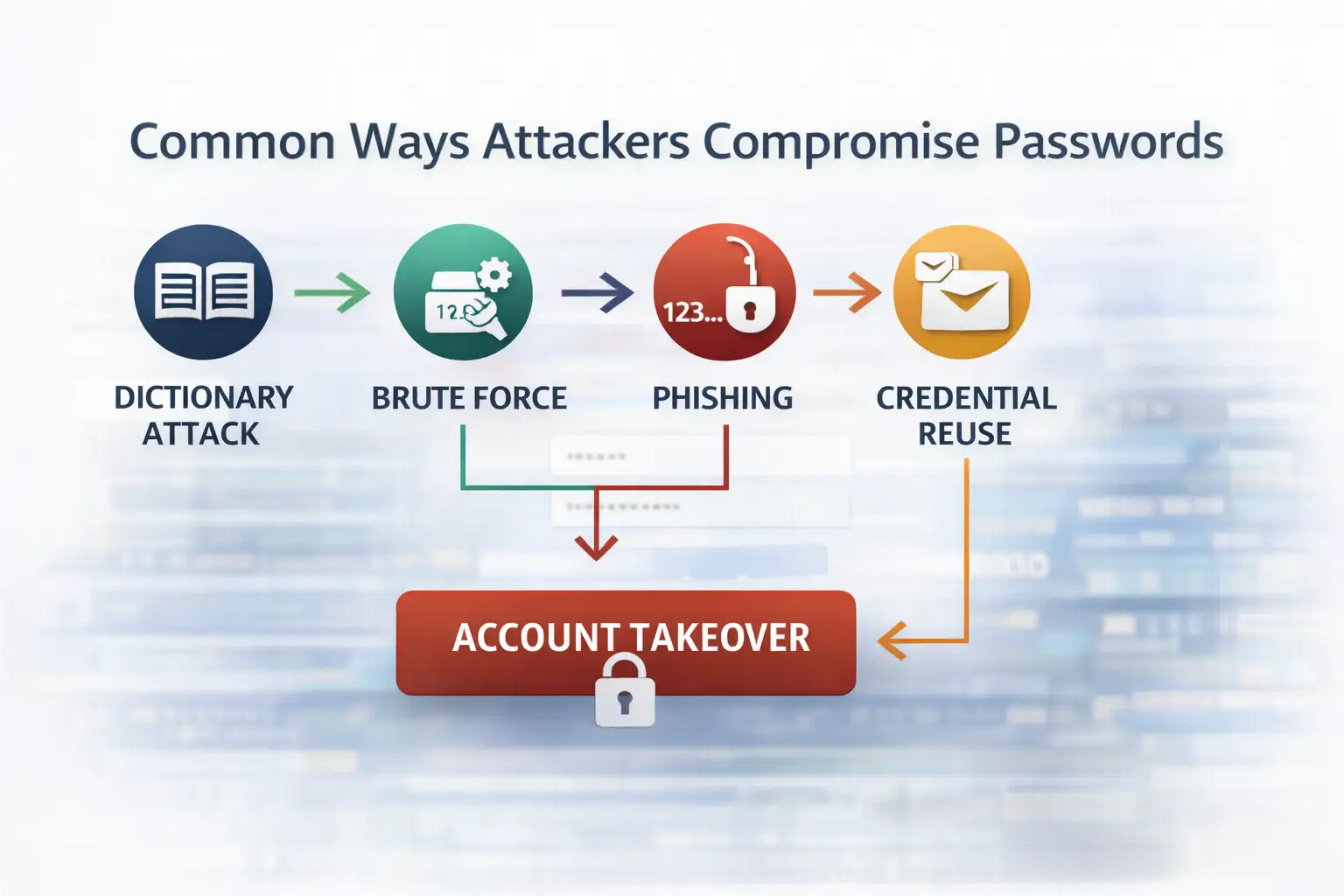
That matters more than ever. A weak password no longer fails only against a person trying to guess it. It fails against automation, credential stuffing, phishing, leaked password databases, and misconfigurations that expose identity data at scale.
Salesforce recently warned customers that threat actors were scanning publicly accessible Experience Cloud sites and exploiting overly permissive guest user settings to extract data. Salesforce said this activity was tied to customer configuration issues rather than an inherent platform flaw, and it recommended tightening guest access, API exposure, and visibility settings.
If you are trying to learn how to create a strong password, start here: longer beats clever, unique beats memorable shortcuts, and layered security beats password-only thinking. That is the practical shift most top-ranking articles still underplay.
Why strong passwords matter more than they used to
A strong password is still your first barrier against account takeover, but today it works best as part of a bigger identity defense plan that includes uniqueness, MFA, and careful handling of phishing attempts.
A lot of people still think password strength means making something look weird. A capital here, a number there, maybe an exclamation point at the end. That used to feel smart. Now it is mostly predictable.
NIST’s current guidance puts more weight on password length and passphrases than on forced complexity tricks alone, because many real-world attacks do not care whether a password looks fancy if the credential has already been stolen or phished.
This is where the topic gets more practical. If your email, banking, cloud storage, CRM, or internal admin panel shares reused credentials, one breach can open several doors. CISA specifically recommends long, random, unique passwords and the use of a password manager because most people simply cannot create and remember secure credentials for every account by memory alone.
For businesses, the risk is broader. One weak password can become a starting point for fraud, data exposure, or business email compromise. That is why the traditional advice, “just make it complicated,” feels incomplete now.
The better approach is identity hygiene by design. That is also where firms like Hoplon Infosec tend to add value, not by selling fear, but by helping teams move from scattered password habits to consistent access control practices.
What is a strong password, really?
A strong password is long, unique, hard to predict, and not reused anywhere else. A strong passphrase can be even better because it is easier to remember while still being difficult to crack when it is long and uncommon.
When people search how to create a strong password, they usually expect a formula. There is one, but it is not flashy. A secure password is built on four things:
Length
Uniqueness
Unpredictability
Safe storage
Length matters because short credentials are easier to brute-force. Uniqueness matters because reused passwords turn one breach into many breaches.
Unpredictability matters because attackers test common patterns, dictionary combinations, keyboard sequences, and personal details pulled from public profiles. Safe storage matters because even a brilliant password fails if it sits in a notes app or a plain text file on a shared device.
A useful way to think about it is this. A weak password tries to look unusual. A strong password actually is unusual.
How to create a strong password step by step
The best way to create a strong password is to make it long, unique for each account, hard to guess, and stored in a password manager. Add MFA on top for meaningful extra protection.
1. Start with length, not decoration.
Many people begin with a short word and bolt symbols onto it. That feels efficient, but it is backward. Start with length first. NIST points users toward longer passwords and passphrases because length adds resistance in a way quick substitutions often do not.
A long passphrase made from unrelated words is often easier to live with than a short “complex” password. That is one reason passphrases keep coming up in official guidance. They can be stronger in practice because people are more likely to keep using them correctly.
2. Make every password unique.
This one sounds obvious until you audit your own accounts. People often reuse the same core password across email, shopping sites, social media, and work tools. Then one breach spills into everything else. CISA repeatedly recommends unique passwords for every account for exactly this reason.
If you only change one habit after reading this article, make it this one. Reuse is where small password problems become a business problem.
3. Avoid what attackers expect.
Do not use names, birthdays, pet names, sports teams, or obvious patterns like 123456, qwerty, password123, or a season plus a year. Those patterns are common targets in guessing attacks and credential stuffing campaigns. CISA’s password guidance warns against easy-to-guess choices and encourages randomness instead.
It is also smart to avoid fake cleverness. Replacing “o” with “0” or “a” with “@” is familiar to humans and to attacker tools. That trick has been around too long to count as protection.
4. Use a password manager.
This is the part many articles mention but do not emphasize enough. NIST and CISA both recommend password managers because they help generate, store, and surface weak or reused passwords. That changes the job from “remember everything” to “protect one strong master credential and follow safer defaults.”
Real life matters here. If your process depends on memory alone, your security plan is already fragile. A password manager makes better behavior sustainable, and that is often the difference between policy and reality.
5. Add MFA for the accounts that matter most.
A strong password is important, but password-only security has limits. CISA says using MFA makes you far less likely to get hacked, and Microsoft notes that MFA can block more than 99.2% of attacks in many common scenarios, though it is not immune to phishing.
That is why the modern answer to how to create a strong password is not really about the password alone. It is about building a login process that still holds up when one layer fails.
Strong password examples that make sense
The best strong password examples are long passphrases or randomly generated strings that are unique to one account and stored securely. The point is not style. The point is resistance to guessing and reuse.
Here is a simple comparison.
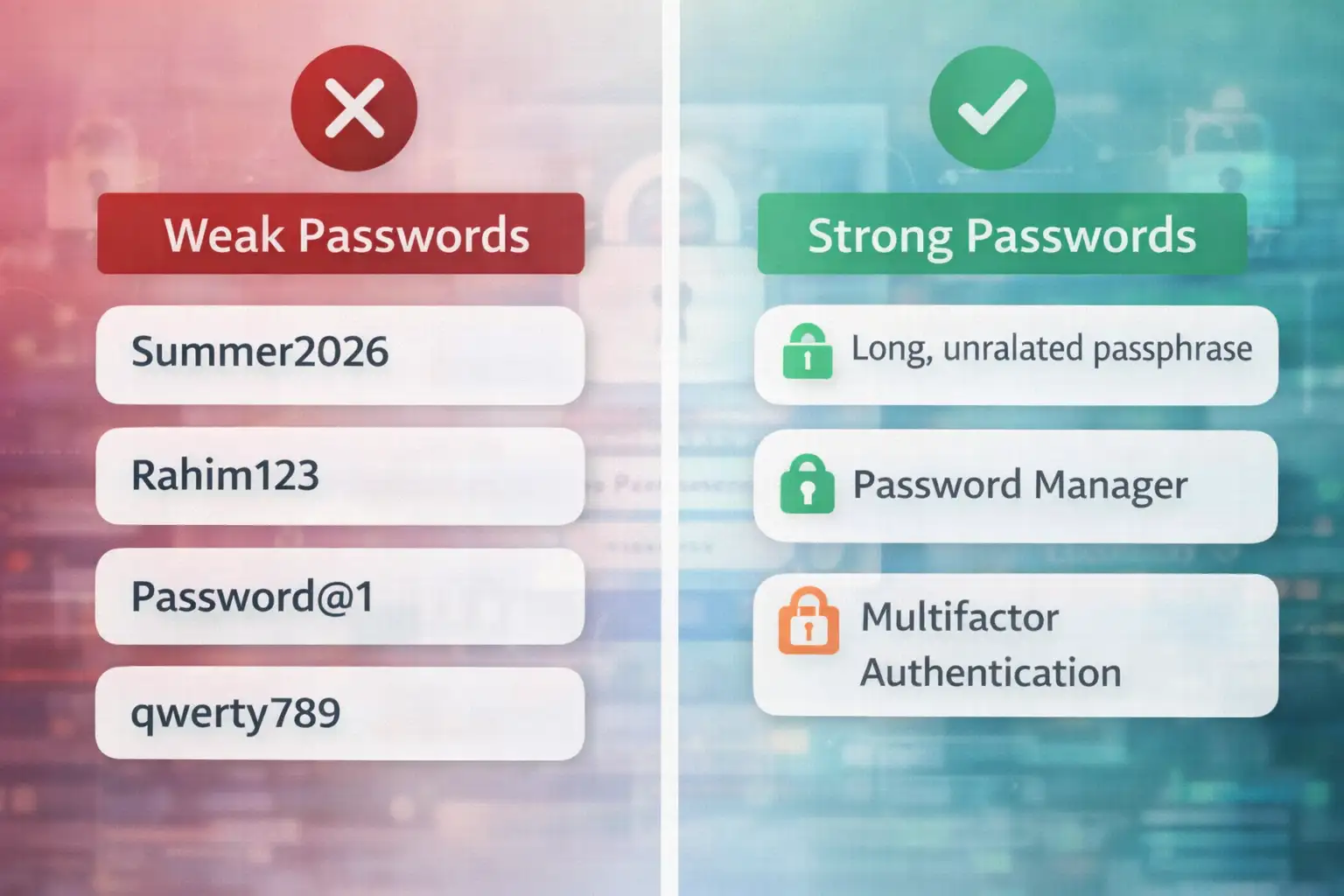
Weak examples:
Summer 2026
Rahim123
Password@1
qwerty789
Stronger examples:
LanternCoffeeRiverMintCanvas
7Pebble!Lime? OrbitGlass
A password manager generated random string such as V4!mQ7#zT2@kP9$r
Notice what changed. The better examples are longer, less tied to personal identity, and far less reusable across contexts. They are not trying to impress anyone. They are trying to survive automation.
A practical example helps. Imagine a finance manager who uses one modified password across payroll, email, and banking.
If that password appears in a third-party breach, the attacker does not need to “crack” anything. They just try the same combination across services. A unique password for each system breaks that chain.
Why phishing still beats many strong passwords
Even a very strong password can fail if a user enters it into a fake login page or gives away a one-time code. That is why password hygiene must be paired with phishing awareness and MFA.
This is where some security advice becomes a little too neat. It may suggest that a strong password is the whole answer. It is not. NIST explicitly notes that attacks such as phishing, keystroke logging, and social engineering are not solved by password complexity alone.
That point deserves more attention because it changes how you prioritize controls. A long, unique password is essential. But it does not remove the need for phishing-resistant habits, careful login verification, and access reviews. In business environments, it also supports the case for secure configuration audits, especially on public-facing systems.
The Salesforce warning is a good reminder. Threat actors were not simply “guessing passwords.” They were exploiting access exposures and gathering data that could support follow-on social engineering and phishing. That is the modern threat picture. Credentials live inside a wider identity attack chain.
Traditional password advice vs. the better approach
Traditional advice focused on making passwords look complicated. The better approach focuses on long, unique credentials, safe storage, MFA, and reducing exposure from configuration and identity mistakes.
Traditional method:
Short passwords with forced symbols
Reuse across low-risk and high-risk accounts
Manual storage in memory, notes, or browsers
Security built around one factor only
Better approach:
Long passphrases or generated passwords
Unique credentials for every account
Password manager as the default vault
MFA on priority systems
Regular reviews for account exposure and misconfiguration
That shift is the real USP in this topic. It is not a “secret trick.” It is a more complete operating model. In practice, that is where Hoplon Infosec can be positioned naturally. Not as a product pitch, but as the kind of security partner that helps turn scattered advice into repeatable controls for employees, admins, and executives.
What users and businesses should do now
Audit reused passwords, move critical accounts into a password manager, turn on MFA, and review public-facing systems for identity and access misconfigurations. Those steps have immediate defensive value.
If you are an individual user, start with your email account first. Then banking, cloud storage, work tools, and your password manager’s master password. Those are the accounts that create the biggest mess when they fall.
If you are a business decision-maker, the answer goes beyond employee awareness. You need a policy that supports unique passwords, enforced MFA where possible, secure password storage, and reviews of publicly exposed apps and guest access settings.
Salesforce’s recent guidance around Experience Cloud makes that last part especially concrete. Review guest user settings, default external access, public APIs, self-registration, and unusual query activity.
That work is not glamorous. Still, it is the kind of quiet cleanup that prevents expensive incidents.
Common mistakes people still make
Some mistakes keep showing up because they feel convenient in the moment.
Reusing one password everywhere
Saving passwords in insecure notes
Trusting browser autofill without broader account security
Using personal information in credentials
Keeping MFA off “just for now”
Changing only one character when rotating an old password
There is also a softer mistake. Treating password advice like a consumer issue only. It is not. Identity weakness travels upward. A staff member’s mailbox can affect invoices, approvals, contracts, and customer trust.
FAQ
What is the safest type of password?
A long, unique passphrase or a randomly generated password stored in a password manager is generally the safest practical choice.
How long should a strong password be?
Official guidance increasingly favors longer passwords and passphrases rather than relying mainly on forced complexity. Longer is better, especially when the password is unique.
Should I change passwords regularly?
You should immediately change passwords after a suspected compromise, a breach notification, phishing exposure, or evidence of reuse on an affected account. Broad scheduled changes may matter more for critical systems and policy-driven environments.
Are password managers safe?
Trusted password managers are recommended by both CISA and NIST because they help generate and store long, unique credentials more safely than manual methods.
Is MFA enough without a strong password?
No. MFA adds strong protection, but it should sit on top of long, unique passwords and good phishing hygiene. Microsoft and CISA both emphasize layered defense.
Summary
The most useful answer to how to create a strong password is not “add a symbol and hope.” It is this: use a long, unique password or passphrase for every account, store it in a password manager, and protect high-value accounts with MFA.
That approach improves real-world security more than the old habit of making short passwords look clever. Official guidance from CISA, NIST, Microsoft, and Salesforce all points toward the same broader lesson: identity protection works best when credentials, access settings, and user behavior are treated as one system.
At Hoplon Infosec, this is the practical view we recommend. Not fear. Not hype. Just sound identity hygiene, better access control, and fewer avoidable openings for attackers.
Trusted references
CISA password guidance and MFA guidance
Salesforce Experience Cloud security guidance and recent warning




-20260925120840.webp&w=3840&q=75)
