
Have you ever stopped to think if that handy little browser tool you just installed is actually a spy? It’s a scary thought, right? For a lot of people managing Facebook Business accounts, this isn't just a "what if" scenario anymore. It is a real problem. Lately, we have seen a surge in malicious extensions that don't just want your password. They want the keys to your entire security setup.
I’m talking about a malicious Chrome extension stealing Facebook 2FA codes. These aren't your typical virus programs. They sit right in your browser, looking like a helpful analytics tool or a productivity booster, while they quietly copy your 2FA seeds. If you are an IT pro or just someone running a business page, you need to know how this works so you don't get caught in the trap.
What is a Malicious Chrome Extension Stealing Facebook 2FA Codes?
So, what exactly are we dealing with here? At its core, a malicious Chrome extension stealing Facebook 2FA codes is a piece of software that hitches a ride on your Google Chrome browser. Its main job is to break into high-value Meta Business Suite accounts. These accounts are big targets because they are usually tied to corporate credit cards and massive ad budgets.
The real kicker is how they handle two-factor authentication. Usually, 2FA is our best defense. But these extensions are smart. They wait for you to set up or manage your 2FA settings, and then they grab the "seed" or the secret QR code data. This is the biological blueprint of your security. Once a hacker has that, they can generate the login codes on their own phone whenever they want.
These sneaky tools usually end up on the Chrome Web Store by pretending to be something else. Maybe it's an "Ad Manager Pro" or a "Cookie Cleaner." Once you give them permission to "read and change data," they start digging into your Facebook and Meta pages to find exactly what they need to lock you out.
How the Attack Actually Works
If you look under the hood, the way these attacks happen is actually pretty clever. It almost always starts with a bit of social engineering. You might see an ad or a post promising a tool that makes Facebook ads easier to manage. You think, "Hey, why not?" and hit install. That’s when the clock starts ticking.
Injected Scripts
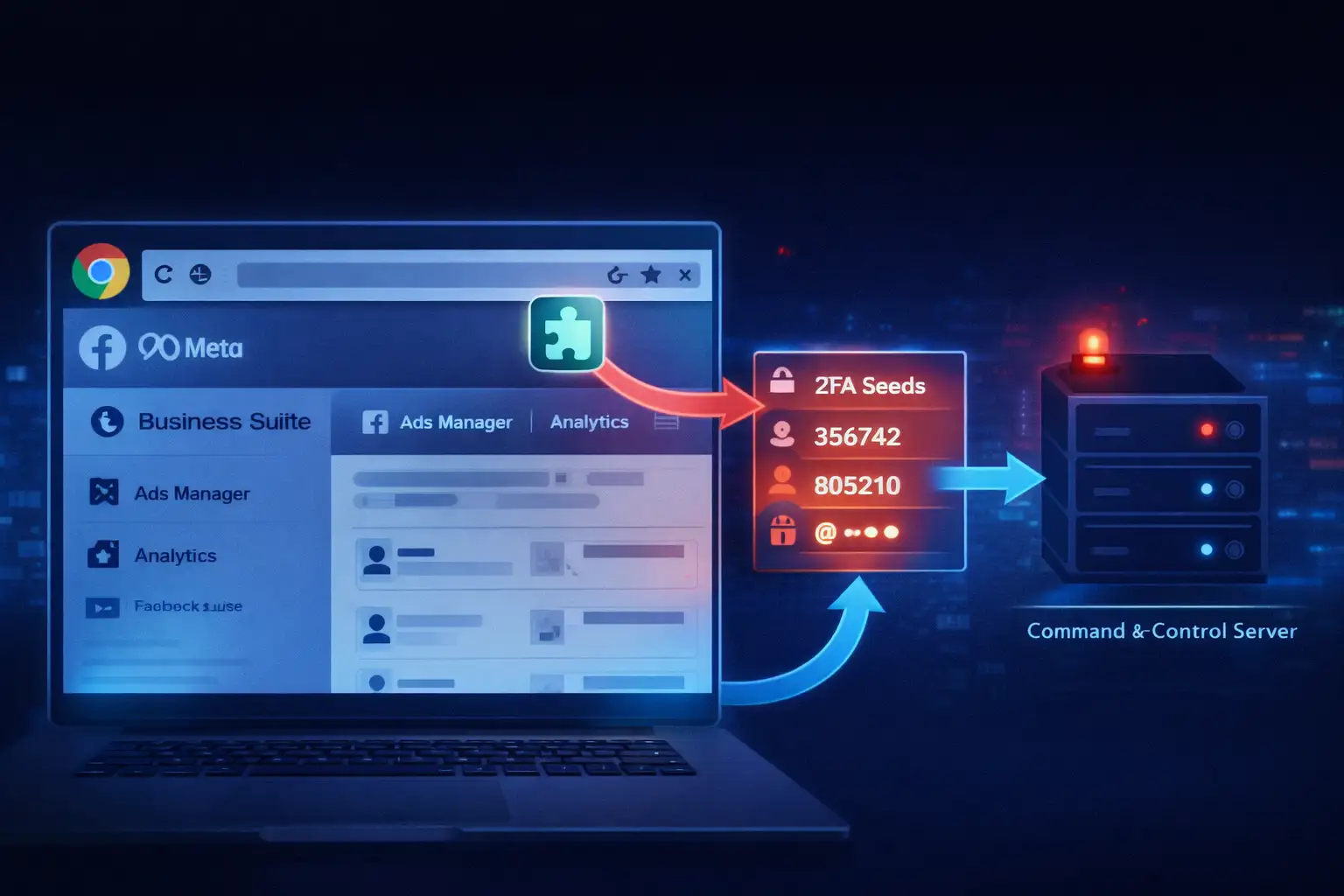
Once the extension is in, it injects a little piece of code into every Facebook page you open. It’s like a digital eavesdropper. It looks at the page structure to find your account ID, your email, and your business permissions.
The 2FA Seed Theft
This is the part that should keep you up at night. If the extension offers to "help" you generate 2FA codes directly in the browser for convenience, it asks for your secret key. You might think you're making life easier, but you're actually handing over the master key.
Sending Data Home
All that info, your 2FA keys, your business analytics, and even your list of employees, gets bundled up. The extension then sends it to a server owned by the hackers. Sometimes they even use Telegram to send the stolen data directly to their phones.
Imagine a social media manager who just wants to export a quick report. They install a "Free Analytics Exporter" extension. It works great for a few days. But while they are sleeping, that extension has already sent their 2FA seed to a hacker. By morning, the hacker has logged in, spent $5,000 on fake ads, and kicked the manager out of their own account.
Why This Matters in Modern Cybersecurity
We have to realize that a Facebook business account is basically a bank account these days. If a malicious Chrome extension stealing Facebook 2FA codes gets into your system, the financial damage can be huge. Most business accounts have high credit limits, and hackers can burn through that money in minutes by running fraudulent ads for their own scams.
But it’s not just about the money. Think about the data. These extensions often steal "People" lists from Business Manager. That means the hackers now have a list of everyone in your company, their emails, and what they do. They can use that to send even more convincing phishing emails to your coworkers. It’s a snowball effect that can take down a whole company.
Also, this threat shows us that we can't blindly trust the official stores anymore. Just because an extension is on the Chrome Web Store doesn't mean it’s safe. Hackers are getting really good at buying old, trusted extensions and then pushing out a "malicious update" to millions of users at once.
Common Misconceptions About Extension Security
One thing I hear a lot is, "I have 2FA on, so I'm safe." I wish that were true! But if the malware is living inside your browser, it’s already past the front door. It can steal your "session cookies." Think of a session cookie like a "VIP Pass" at a concert. If a hacker steals that pass, they don't need to show their ID or a ticket (your password and 2FA). They just walk right in.
Another myth is that you can tell if an extension is bad just by looking at it. The truth is, these things are designed to look professional. They have nice logos, fake reviews, and they might even work exactly like they say they will. The malicious stuff happens in the background where you can't see it. It’s like a beautiful house with a hidden tunnel in the basement.
Some people also think that if they delete the extension, the problem goes away. Unfortunately, that’s like closing the gate after the horse has already bolted. If they got your 2FA seed or your cookies, they can stay in your account even after you delete the extension from your computer. You have to take extra steps to actually kick them out.
Impact Analysis: Who is Most at Risk?
The people most in danger are the ones who live in Meta Business Suite every day. This means ad agencies, e-commerce owners, and digital marketers. These folks are always looking for ways to be more efficient, and that’s exactly what the hackers count on. They offer a "shortcut" that ends up being a trap.
When an agency gets hit, it’s a nightmare. They aren't just losing their own account; they are putting all their clients at risk. I’ve seen cases where a single bad extension led to dozens of different client pages being taken over. It ruins reputations and causes legal headaches that can last for years.
There is also a deeper technical risk. Often, these extensions are just the first step. Once they have a foothold, they might try to drop even nastier malware onto your computer, like "Ducktail." This type of malware is specifically designed to hunt for business account info across your entire system, not just the browser.
-20260217103345.webp)
What You Should Do Right Now
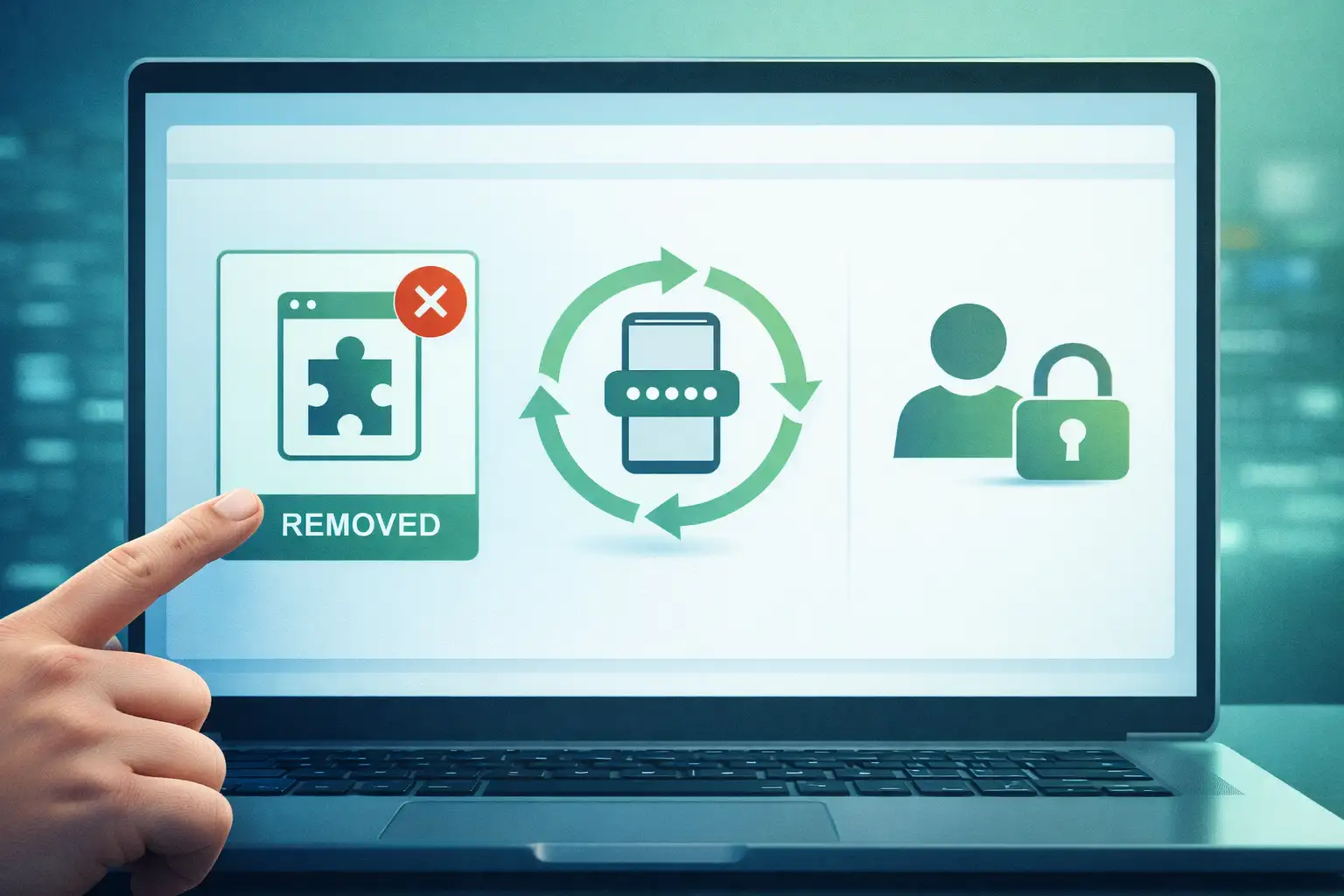
If you think you might have a malicious Chrome extension stealing Facebook 2FA codes on your machine, don't panic, but act fast. The first thing you need to do is a "clean sweep" of your extensions. If you don't recognize it or haven't used it in a month, get rid of it.
Force a Logout: Go into your Facebook security settings and choose "Log out of all sessions." This is the only way to make sure any stolen session cookies won't work anymore. It forces everyone (including the hacker) to log back in.
Reset Your 2FA: This is a big one. If you suspect an extension saw your 2FA setup, that 2FA is burnt. Turn it off and set it up again with a completely new secret key. This time, use a hardware key like a YubiKey if you can. Those are much harder to hack.
Lock Down the Browser: If you are running a business, you should use a dedicated browser profile for your work. Don't install fun little extensions for shopping or games on the same profile you use to manage thousands of dollars in ad spend.
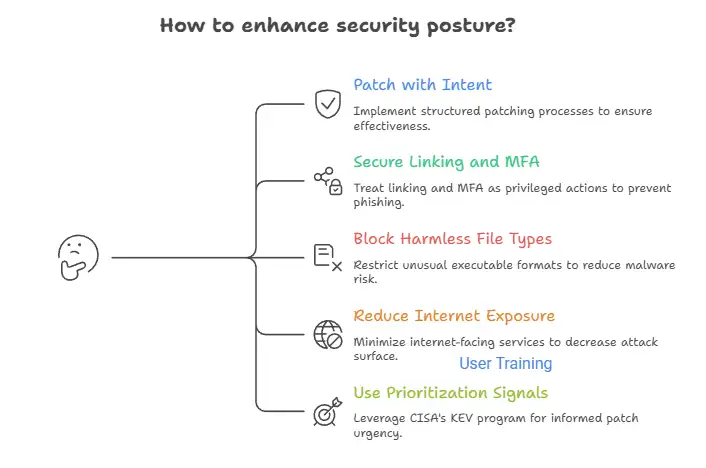
The way things are going, hackers are probably going to start using AI to make these extensions even harder to spot. They might use AI to write better fake reviews or to generate code that changes itself to avoid being caught by Google’s scanners. Staying safe is going to require us to be even more careful about what we let into our digital space.
Broader Security Lessons for the Future
The main takeaway here is that our browsers have become the most vulnerable part of our digital lives. We use them for everything, banking, working, and social media. This makes them a "high-value target." The malicious Chrome extension stealing Facebook 2FA codes is just one example of how hackers are moving away from attacking your computer and moving toward attacking your browser habits.
In the future, we might see "Zero Trust" browsing become the norm for businesses. This means you can't install anything unless it’s been pre-approved by a security team. It sounds like a hassle, but compared to losing your entire business account and thousands of dollars, it’s a very small price to pay.
At the end of the day, security is a mindset. It’s about being a little bit skeptical of everything. Before you click "Add to Chrome," ask yourself if you really need that tool. If the answer isn't a 100% yes, then it’s probably not worth the risk. Keep your browser clean, keep your 2FA seeds private, and always keep an eye on your account activity.
Frequently Asked Questions
1. Can a Chrome extension see my 2FA code while I’m typing it? Yes, it can. Since an extension has permission to "read and change data" on the page, it can see exactly what you are typing into any field. That is why browser-based security is so tricky.
2. I found a suspicious extension. How do I report it? You should go to the extension's page on the Chrome Web Store and click "Report Abuse." Also, make sure to let your IT department or security team know so they can check if anyone else in the company installed it.
3. Does Google Chrome’s "Enhanced Protection" block these? It helps! Enhanced Protection can warn you about known dangerous extensions. However, it’s not perfect. It might not know an extension is malicious if it’s brand new or if it was recently updated with bad code.
4. If I use a Mac, am I safe from these extensions? No. These bad extensions work right inside the Chrome browser. This means that the operating system itself doesn't offer much protection. If you are using Chrome as your browser, the level of exposure is about the same no matter what operating system you are using (Windows, macOS, or Linux).
The attack surface is in the browser environment, not the operating system layer. This means that just picking a platform doesn't lower the risk.
5.Do you need to stop using extensions altogether?
Not always. When chosen carefully, browser extensions can make your computer more secure and help you get more done. Selectivity is the key. Only install extensions from developers with a good reputation and a long history of making good software.
Look over the permissions they ask for and ask yourself, "Does this tool really need access to all website data or browsing activity to work?" It's better to not install it if the answer seems unclear or too much.
For more - Explore our Homepage




-20260925120840.webp&w=3840&q=75)
