
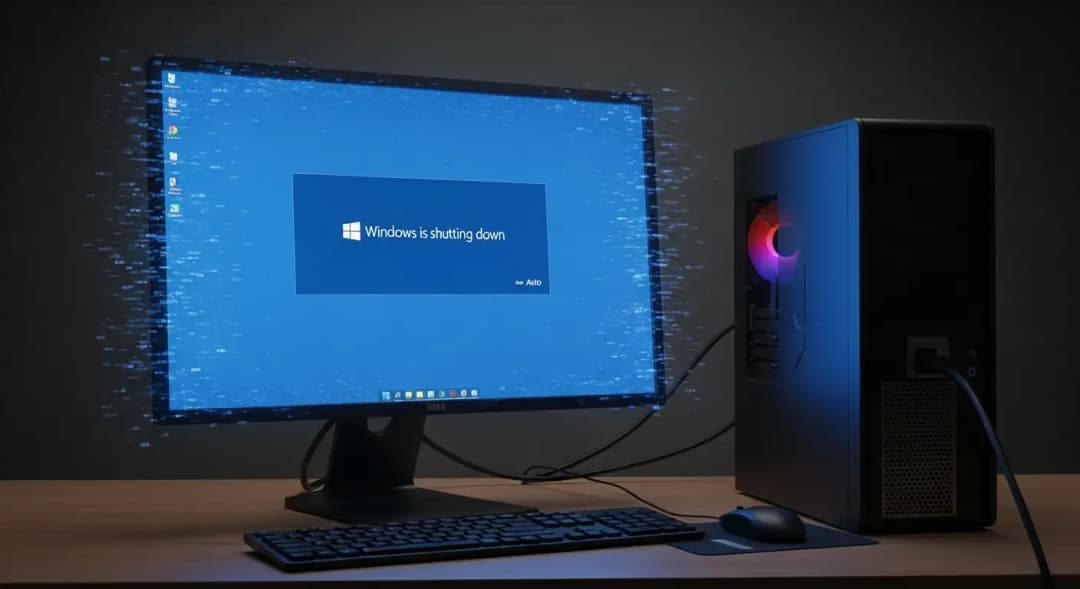
In January 2026, did Microsoft just put out an emergency Windows update to fix problems with shutting down and Cloud PC?
Yes. Microsoft released an out-of-band update on January 18, 2026, to fix a serious problem with Windows shutting down and problems with the stability of Windows 365 Cloud PC. This Microsoft OOB Windows update shutdown bug is important because it affects managed environments, enterprise desktops, and Cloud PC deployments, where stability is very important.
Why this update is more important than a regular Windows patch
Updates for Windows usually happen in a set pattern. It's Patch Tuesday, so administrators test and then deploy. This time, that beat stopped.
Microsoft doesn't send out-of-band updates for no reason. When it happens, something very bad has happened. The Microsoft OOB Windows update shutdown bug made Microsoft act because shutdown problems are more than just annoying. They make it harder for businesses to follow the rules, manage power, and keep their networks safe.
In my time working with IT teams, shutdown bugs make people panic faster than blue screens. If a system won't turn off, it can stop updates, corrupt profiles, and leave virtual machines stuck in limbo.
Microsoft Releases Updates Outside of Band
Microsoft has put out a number of out-of-band updates to fix problems with Remote Desktop connections. Most of the time, these problems happened when people tried to connect to Cloud PCs running different versions of Windows and Windows Server.
Windows Server 2025, 2022, 2019, and 10, as well as multiple versions of Windows 11, can all get the updates. Most of the updates are meant to fix problems with Remote Desktop connectivity. Windows 11 23H2 also fixes problems with shutting down when Secure Launch is turned on.
Installation by hand is needed.
Microsoft has said that you can't get these out-of-band updates through Windows Update. Administrators have to go to the Microsoft Update Catalog and download and install them by hand.
Rollback option for businesses with known issues
Microsoft offers a different solution called Known Issue Rollback for businesses that can't install updates out of band. This choice lets IT admins fix the Remote Desktop problem by putting a special Group Policy on devices that are managed by the company.
There are different Known Issue Rollback packages for different versions of Windows and Windows Server.
Setting up Group Policy
You can find the Group Policy setting you need in the Computer Configuration and Administrative Templates section. Microsoft has also released official instructions on how to properly set up and use Known Issue Rollback in business settings.
No Action Needed for Systems That Are Not Affected
If these problems don't affect your devices, you don't need to install the out-of-band updates right away. Administrators can wait for the next Patch Tuesday or the next preview update, when these fixes will be part of the regular update schedule.
What is an out-of-band? Update for Windows
Not in the ban,d Windows updates are emergency fixes that come out at times other than the normal monthly cycle.
When Microsoft confirms a serious failure that can't wait, they usually deploy them. Microsoft says that these updates are meant to quickly fix problems that affect security or business continuity.
Microsoft admitted that there were problems with how the computer shut down and how reliable Cloud PC was in this case. The Microsoft OOB Windows update shutdown bug is a serious problem that needs to be fixed right away.
The problem with shutting down that set off alarms in businesses
What users were seeing
Some computers wouldn't shut down correctly after installing a previous Windows update. Instead of turning off, machines would freeze for no reason or restart without warning.
This behavior was mostly seen in managed environments, like enterprise desktops and virtual machines. Individual home users said there were fewer incidents, but that doesn't mean they weren't affected.
Microsoft did not say exactly what percentage of devices were affected becausitey did not have enough information. It's important to recognize that uncertainty is a big deal.
Why shutdown failures are bad
Shutdown is more than just a nice-to-have feature.
Shutdown sequences start cleanup processes, security resets, encryption states, and patch readiness checks on corporate networks. When shutdown doesn't work, systems stay in a half-active state, which raises the risk.
In the past, shutdown bugs have caused backups to fail, patches to be delayed, and even violations of audits.
That's why the Microsoft OOB Windows update shutdown bug quickly went from a technical problem to a business risk.
Why Cloud PC and Windows 365 are unstable
What people who use Cloud PC said
After the same update that caused shutdown problems, Windows 365 users said that Cloud PCs stopped responding or became unstable.
Cloud PCs depend on the OS acting in a predictable way. When the logic for shutting down or restarting breaks, virtual environments are hurt more than real machines.
BleepingComputer says that Microsoft confirmed problems with Cloud PC and included fixes in the out-of-band update.
Why do Cloud PC problems get worse faster?r
People who work from home, contractors, and teams that work around the world often use cloud PCs. When Cloud PCs break down, all of the work stops.
From a business point of view, cloud PC downtime is worse than local desktop failures. There is no way to get around it, like switching machines.
Microsoft put the Cloud PC fixes in with the Microsoft OOB Windows update shutdown bug fix for this reason.
Which versions of Windows are affected?
Microsoft said that the problem only affects certain supported versions of Windows that are used in businesses.
At the time of writing, Microsoft has not yet released a full public list of all the affected SKUs. Based on how often updates happen, it's likely that Windows 11 and supported Windows 10 enterprise builds were involved.
You shouldn't assume something if you can't get confirmation from Microsoft. That uncertainty is important for administrators who are planning deployments.
How Microsoft sent the emergency fix
The official Microsoft update channels released the out-of-band update.
This includes Windows Update, the Microsoft Update Catalog, and business management tools like Intune and WSUS.
Microsoft didn't suggest doing a manual installation unless it was necessary. This is in line with what Microsoft usually says about emergency patches.
A step-by-step guide for businesses to follow before installing the update
Step one: Find the systems that are affected.
Find out which devices had problems with shutting down or Cloud PC instability. Don't deploy without thinking.
Step two: Read the Microsoft advisory notes.
Microsoft gives information about known problems and how to fix them. If you skip this step, you take a risk.
Step three: Test in a test environment.
Even updates that are needed right away can have side effects. You have to take the test.
Step four: Keep an eye on behavior after deployment.
For at least 48 hours, keep an eye on shutdown logs, reboot cycles, and how well the Cloud PC works.
This method lowers risk while responsibly fixing the Microsoft OOB Windows update shutdown bug.
Why do some Microsoft updates break important features?
After every emergency patch, this question comes up.
Windows can work with millions of different hardware setups, drivers, and business settings. No testing lab can make every environment the same.
In my experience, shutdown bugs often happen when updates and drivers or virtualization layers that are specific to a device interact with each other.
This doesn't make mistakes, okay, but it does explain why there are emergency updates.
What Microsoft did well in this case
Instead of staying quiet, Microsoft spoke up about the problem.
They quickly released an out-of-band update that fixed both the shutdown and Cloud PC issues in one go.
When things go wrong, like the Microsoft OOB Windows update shutdown bug, it's important to be open.
What Microsoft could do better
At first, Microsoft didn't give a detailed technical root cause analysis.
A lot of enterprise admins would like to know more about why the shutdown logic didn't work and what changed inside the company.
Better communication would help people not guess or panic during future events.
Effects on businesses in the real world
One IT manager I talked to said that dozens of machines wouldn't turn off at night, which broke the energy policy.
Another Cloud PC administrator said that remote workers were locked out for hours.
These risks are not just ideas. They have an effect on productivity, trust, and the stability of operations.
Common lies that are going around online
Some blogs said that ransomware was involved. There is no proof for this.
Some people said that Cloud PC outages had nothing to do with Windows updates. Microsoft said the link was real.
It's important to tell the difference between fact and rumor during events like the Microsoft OOB Windows update shutdown bug.
How does this stack up against previous Windows emergency updates
In the past, Microsoft has released out-of-band updates to fix problems with printing,
authentication, and boot loops.
Emergency updates related to shutdowns happen less often, which means they are more serious.
This makes the update in January 2026 stand out even more.
What users need to do right now
People who use their computers at home should wait unless they are having problems.
Enterprise administrators should evaluate the effect, test the update, and deploy it when necessary.
Installing something without checking it first raises the risk.
Hoplon Insight Box: What this event can teach businesses
Important Point: Emergency updates are not optional. They are signs of systemic risk.
Suggestions:
• Keep fast testing pipelines going.
• Keep an eye on shutdown and reboot metrics.
• Check the authenticity of updates.
• Make incident response playbooks for when updates don't work.
Hoplon Infosec helps businesses create strong Windows update strategies and incident responseframeworks regularly.
Questions that are often asked
What does "out of band" mean? Update for Windows
This is an emergency Windows update that came out outside of the normal Patch Tuesday schedule.
Can updates to Windows cause problems with shutting down?
Yes. Updates can change how a computer shuts down, but this is rare, especially in business settings.
Do Windows updates affect Windows 365 Cloud PC?
Yes. Cloud PCs run on Windows and can be affected by bugs that come up after updates.
How can I check the Microsoft emergency updates?
Always look at the Microsoft Update Catalog and reliable news sites.
Last thing to remember
The Microsoft OOB Windows update shutdown bug shows that even platforms we trust can have problems. The most important thing is how quickly problems are recognized, fixed, and talked about.
Microsoft moved quickly, but businesses still need to be careful, check updates, and keep up a strong testing routine.





