

Is macOS still safe? What does Microsoft mean when it says to be careful?
Microsoft says that Python infostealers are quietly going after macOS users through fake online ads and software installers that don't work, according to a security report from early February 2026. The warning talks about a growing campaign in which hackers use people's trust, search ads, and familiar installation flows to steal private information from macOS systems without raising immediate alarms.
The main problem is a new wave of Python infostealers that look safe but are actually stealing passwords, browser data, and system information without anyone knowing.
Microsoft security researchers say these attacks are no longer experimental. They are active, scalable, and increasingly effective, especially against everyday Mac users who believe macOS is naturally protected from malware.
This matters right now because the attack method relies on behavior most people repeat daily. Searching for apps, clicking ads, and installing updates quickly. The threat does not depend on rare vulnerabilities or advanced exploits. It depends on human habits, and that makes it harder to stop.
What Microsoft actually discovered about this macOS malware campaign
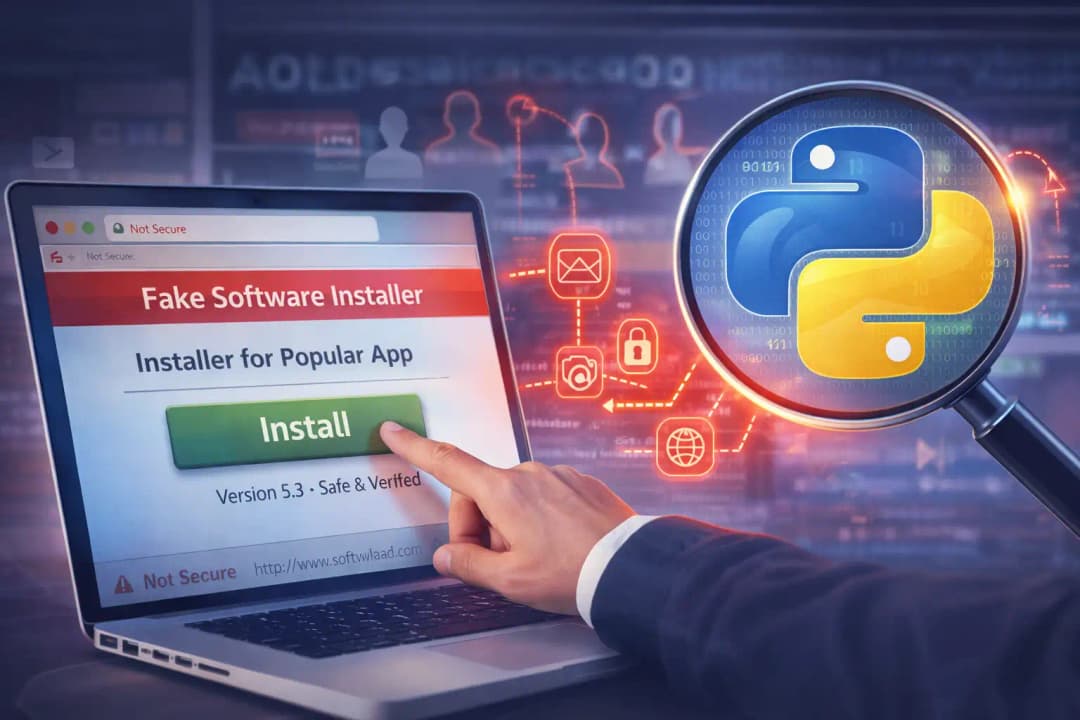
Microsoft security teams observed a pattern that stood out quickly. Multiple macOS infections traced back to Python-based malware delivered through fake ads and installers. These weren't obvious phishing emails or downloads from forums that weren't well-known.In a lot of cases, people thought they were installing real software.
Python, a programming language that many developers use and that security tools often trust, was used to write the malware. That choice let attackers blend in with what was going on. Once executed, the Python infostealer quietly began harvesting data without triggering obvious warnings.
Microsoft says that macOS users who use Python infostealers are at a higher risk here. When installing software on a Mac, users often give it permission without thinking twice, especially if the software looks familiar. The attackers used this gap in trust to their advantage by using branding, filenames, and interfaces that looked real enough to fool a casual observer.
What made this campaign notable is how little friction it required. No exploits. No zero days. Just convincing delivery.
Why attackers are focusing on macOS now
For years, macOS carried a reputation for being safer than other operating systems. That reputation still influences user behavior today. Many Mac users assume malware is rare or obvious, which reduces skepticism during downloads.
Attackers noticed this shift long ago. As macOS adoption grew in business, education, and creative industries, so did its value as a target. Credentials stored on Macs often unlock cloud services, developer platforms, internal dashboards, and financial tools.
The Python infostealers macOS threat fits perfectly into this environment. Python runs easily on macOS. It is flexible, lightweight, and capable of handling complex tasks quietly. Attackers can update their code quickly and reuse it across campaigns.
Microsoft security alert macOS reports suggest that attackers are no longer experimenting. They are refining techniques that work consistently, especially against users who rely heavily on search engines and online ads.
How fake ads became the delivery weapon of choice
One of the most concerning aspects of this campaign is how the malware is distributed. The attackers are using fake ads that appear in search results. These ads often promote popular tools, utilities, or installers users already recognize.
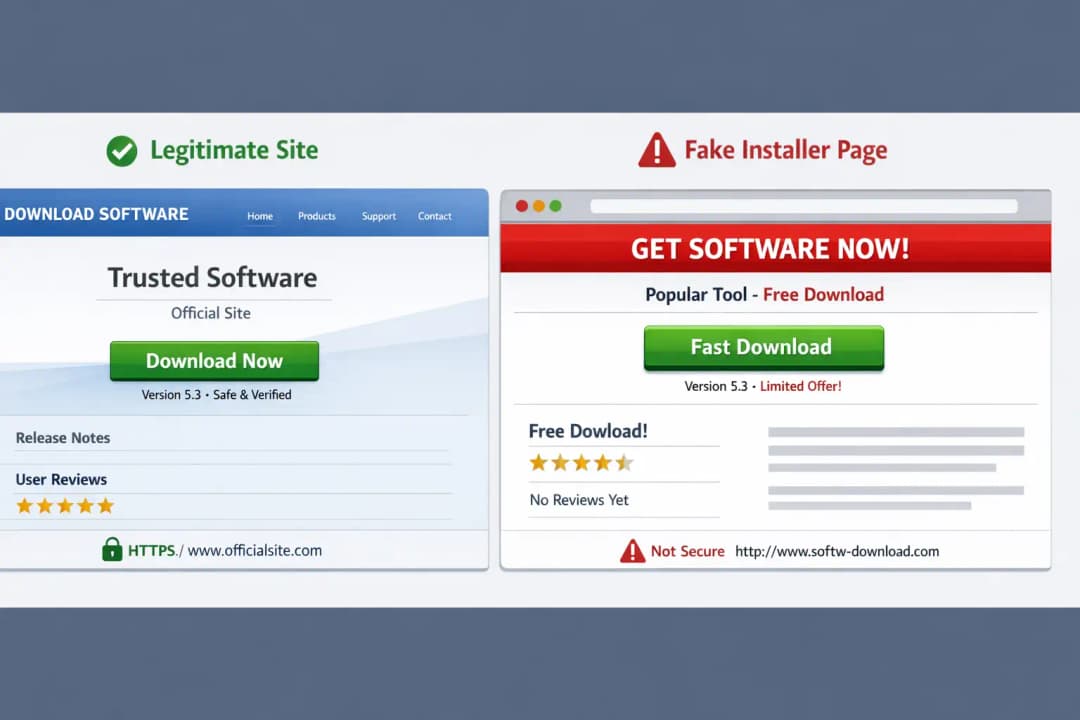
A user searches for a common app. The first result looks official. The site looks polished. The installer looks normal. That is the trap.
Once the installer runs, the Python malware is executed in the background. There is no dramatic system slowdown. No obvious pop-up. The system continues working as usual while data is quietly exfiltrated.
This malware distribution through fake ads is effective because it bypasses traditional skepticism. Users trust search results. They trust ads from known platforms. Attackers understand that trust better than most defenders.
Microsoft warns Python infostealers' macOS campaigns increasingly rely on this method because it scales well and blends into normal online behavior.
What the infostealer for Python does after it is set up
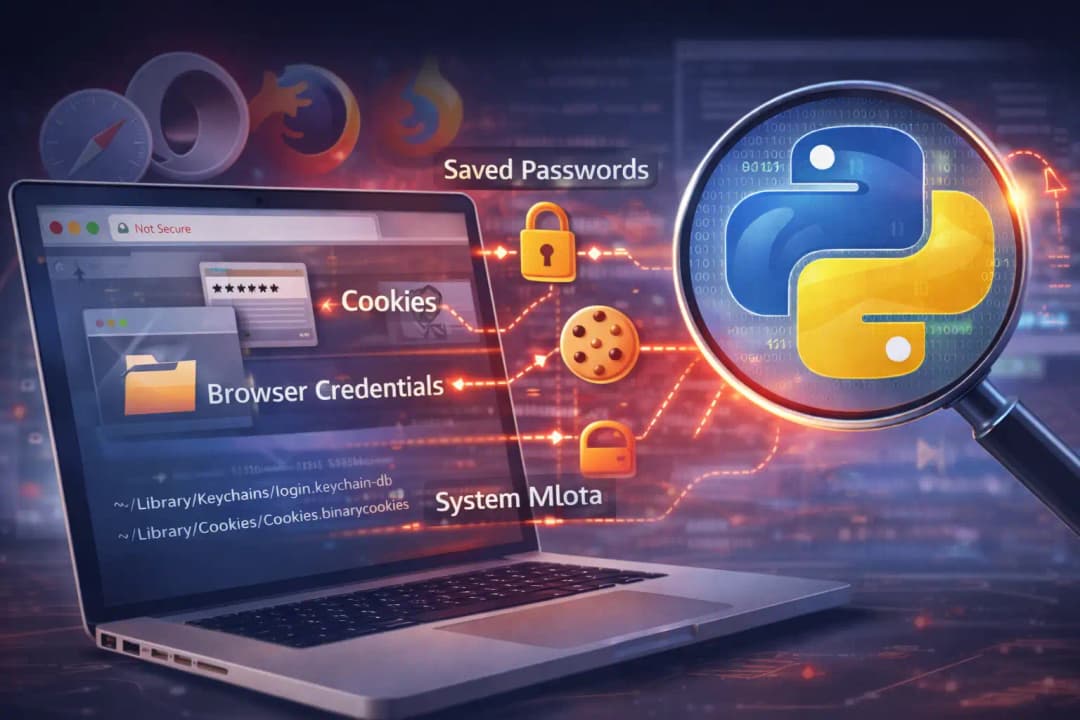
The main thing the malware does after it is installed is collect information. Microsoft security researchers saw attempts to get saved passwords, cookies, autofill data, browser credentials, and system metadata.
Some versions went after specific browsers that people often use on macOS.
Others focused on key directories where authentication tokens or session data might be stored. The malware did not immediately destroy files or lock systems. Its goal was stealth and persistence.
Python infostealer threat actors prefer silent success over loud disruption. The longer the malware stays hidden, the more valuable the stolen data becomes.
In some cases, the malware also attempted to establish persistence mechanisms so it could survive reboots. While not every sample showed the same behavior, the pattern suggests active development and testing.
A realistic example of how a user gets infected
Imagine a freelance designer working late. They search for a popular design utility to convert file formats. The first result is an ad that looks legitimate. The website branding matches what they expect.
They download the installer. macOS asks for permission. They approve it without much thought. The app opens. It works. Nothing seems wrong.
Behind the scenes, the Python malware has already started. Browser sessions are copied. Stored credentials are accessed. The attacker now has potential access to email, cloud storage, and client platforms.
This is not a rare scenario. It is an everyday workflow. That is why macOS malware fake ad installers are so dangerous. They do not rely on panic or urgency. They rely on normal life.
Why Microsoft Defender plays a critical role on macOS
Microsoft Defender macOS alert systems were instrumental in detecting this campaign. While macOS includes built-in security features, third-party telemetry helped reveal patterns across multiple infections.
Microsoft security teams used behavioral signals rather than signatures alone. Python scripts accessing sensitive directories, unusual network activity, and installer behavior raised red flags.
This highlights an important shift. macOS security vulnerabilities are not always technical flaws. Sometimes there are gaps in visibility. Defender provided broader insight into how these infections spread and evolved.
Microsoft warns Python infostealers' macOS activity reinforces the need for layered security, even on platforms traditionally seen as safer.
The broader impact on users and organizations
The immediate impact is data theft. Credentials stolen today can be used weeks or months later. That delay makes incidents harder to trace.
For businesses, a single infected Mac can become an entry point into internal systems. Developers, marketers, designers, and executives all use Macs. Their accounts often have wide access.
There is also a trust impact. As fake installer malware risk grows, users become unsure which downloads are safe. That uncertainty hurts productivity and confidence.
Cyber threat Python malware campaigns also lower the barrier for future attacks. Once a technique proves effective, it spreads quickly across criminal groups.
What users can realistically do to protect themselves
macOS malware protection tips often sound repetitive, but in this case they matter. Avoid clicking sponsored ads for software downloads whenever possible. Go directly to official websites.
Pay attention during installation prompts. If an installer asks for unexpected permissions, pause. Legitimate apps rarely need broad access immediately.
Make sure your browsers and macOS are up to date. This attack didn't use a known CVE, but updates make it less likely that other attacks will happen.
Extra protection comes from security tools that keep an eye on files and behavior.
What the Python infostealer actually does after installation
After installation, the malware focuses on data collection. Microsoft security researchers observed attempts to gather browser credentials, saved passwords, cookies, autofill data, and system metadata.
Some variants targeted specific browsers commonly used on macOS.
What this means for the future of macOS security
This campaign signals a clear shift. Attackers are no longer testing macOS defenses. They are taking advantage of the trust users have in the ecosystem and the way it works.
Malware that targets macOS and is written in Python will probably keep changing. Expect installers that look better, better branding, and tighter integration with workflows that look real.
Search engines might respond by making ad verification stricter, but history shows that attackers are quick to change their tactics. Users and security teams are more and more responsible for being careful.
Microsoft security news about Python malware says that future defenses will focus more on teaching users and analyzing their behavior than on blocking specific files.
Key takeaways
macOS is not immune. It never was. The difference now is scale and sophistication.
Fake ads and installers are not a side issue. They are a primary attack vector.
Microsoft warns Python infostealers macOS users should rethink old assumptions about safety.
Trust should be deliberate, not automatic.
Frequently Asked Questions
How do Python infostealers target macOS via fake ads?
They use sponsored search ads that lead to fake websites offering legitimate-looking installers. Once installed, Python scripts run silently and steal data.
Is this related to a known CVE?
No publicly documented CVE has been confirmed. The attacks rely on social engineering and user permissions rather than system vulnerabilities.
Can Apple security tools stop this?
macOS includes protections, but behavioral monitoring and user awareness are critical. No single layer is sufficient.
Should macOS users avoid Python apps?
No. Python itself is not the problem. The issue is untrusted installers and deceptive delivery methods.
The Hoplon Insight Box
Observation: Malware for macOS is moving away from technical attacks and toward attacks that mess with your mind.
Tip: Don't rely too much on search ads to get people to download your app. Show people how to check sources by hand.
Risk Outlook: For people, it's medium to high.
Final thought
Security rarely fails because of one big mistake. It fails through small habits repeated every day. This campaign proves that attackers understand human behavior as well as technology. The safest users are not the most technical ones. They are the most deliberate.
Hoplon's Endpoint Security service is especially useful for this problem because it can find and stop suspicious processes, Python-based malware behavior, and attempts to steal data on macOS devices before they do any real damage.





