

Are mobile apps really safe in 2026?
Mobile apps will be able to handle banking transactions, keep health records, manage cryptocurrency wallets, and control access to businesses by February 2026. OWASP and NIST SP 800-163 say that insecure mobile apps are still a major target for attacks around the world. That makes me think of a very important question. Are companies doing enough to check their mobile security?
This is when mobile application penetration testing becomes very important.
Mobile application penetration testing is used by businesses in finance, healthcare, SaaS, and government to simulate real-world attacks before criminals can take advantage of weaknesses. Structured testing helps lower real risk, whether it's android application security testing for a fintech app or broader penetration testing for mobile apps that connect to cloud backends.
This in-depth guide will teach you what mobile application penetration testing is, how it works, how it differs from web application penetration testing, common vulnerabilities, real-world examples, and useful security lessons.
What Does Mobile Application Penetration Testing Mean?
Mobile application penetration testing is a planned security check that mimics what real attackers would do to a mobile app, its storage on the device, its communication channels, and its backend APIs.
Mobile testing is different from regular application penetration testing because it looks for threats that are only present in Android and iOS ecosystems. Attackers can download the same app, break it down, intercept traffic, change local storage, or try to get around authentication.
Why It Exists
Companies don't have control over the environments that mobile apps work in. Devices can be:
Rooted or broken into
Using old versions of operating systems
Connected to networks that aren't safe
Infected with spyware
That fact makes mobile application pen testing very different from web application pen testing. Both are similar, but mobile environments have more ways for attackers to get in, like binary reverse engineering and certificate pinning bypass.
Where It is Used
People often do mobile application penetration testing for:
Digital payment systems and banks
Mobile systems in healthcare that deal with private data
Government apps for helping citizens
Apps for businesses inside
Apps for stores and online shopping
A web application penetration test often runs at the same time as a mobile app penetration testing engagement because mobile apps depend heavily on backend APIs.
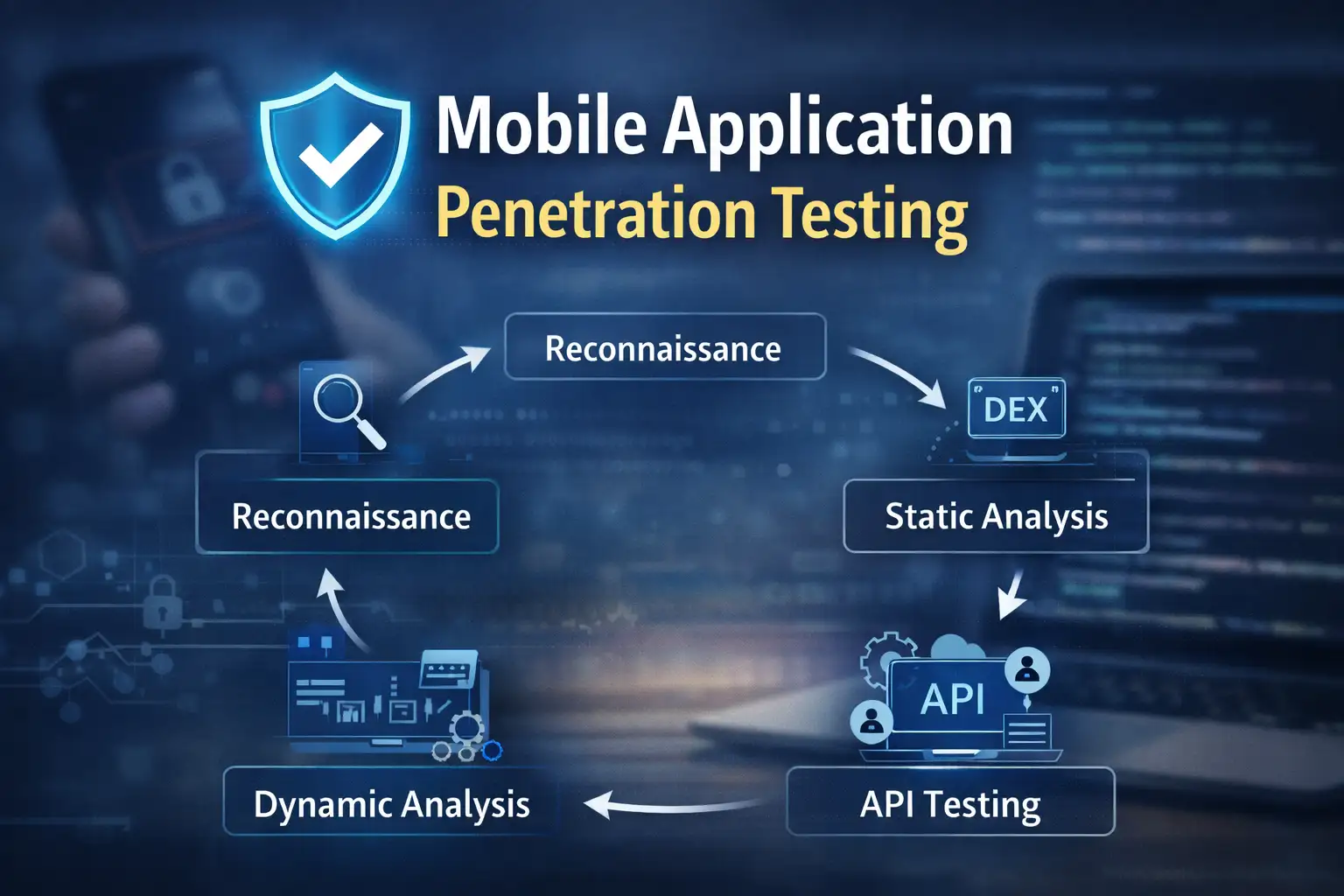
How Mobile Application Penetration Testing Works
To understand how mobile application penetration testing works, you need to look at security on both the device and the server.
1. Scope Definition and Reconnaissance
The first step in the engagement is to define the scope. Are testers only looking at the mobile app, or are they also looking at the backend APIs and cloud services?
At this point, analysts gather:
Versions of the application
Public API endpoints
Information about third-party SDKs
History of updates
Testers download the APK file for Android apps. During android application security testing, this file is often decompiled with tools like JADX or APKTool to look at how the code is set up.
2. Static Analysis
Static analysis looks at application code without running it.
During mobile app penetration testing, analysts look for:
Credentials that are hardcoded
API keys built in
Weak implementations of cryptography
Configurations for debugging
Bad ways to store data locally
For instance, if an app saves authentication tokens in plain text in SharedPreferences, hackers with root access can easily get to them.
This stage often shows big problems before dynamic testing even starts.
3. Dynamic Analysis
Dynamic analysis means running the program in a safe place.
Testers see:
Traffic on the network
Authentication flows
Responses from the API
Managing sessions
This is similar to web application penetration testing and techniques used in a web application pen test. People use tools like Burp Suite to stop traffic.
However, mobile apps may use SSL certificate pinning, which needs to be checked for security holes that let people get around it.
If certificate validation isn't done right, attackers can use man-in-the-middle attacks to get sensitive information.
4. Backend and API Testing
Most mobile apps are front ends for backend systems. So, penetration testing for mobile apps must also include testing on the server side.
This is where the methods for application pen testing and web application pen testing meet.
Some common API weaknesses are:
Authorization at the object level is broken
Direct object references that aren't safe
Not setting the right rate limit
Problems with mass assignment
Too much data exposure
Weak backend validation can put millions of users at risk, even if the mobile interface is safe.
5. Reverse Engineering and Changing
Reverse engineering is an important part of mobile application penetration testing.
People who test try to:
Change the binary of the app
Turn off security checks
Get around root detection
Change the logic for in-app purchases
Attackers often break down apps to figure out how they work. Business logic can often be changed if it is only enforced on the client side.
There must always be strong validation on the server side.
Why Mobile Application Penetration Testing is Important
Mobile apps are now the main way for businesses to get to their services. That change makes the risk higher.
Risk to Money
Picture a banking app that doesn't have strong API authorization. An attacker changes account identifiers and gets the balance of another customer's account.
Mobile application penetration testing often finds these kinds of weaknesses. If not dealt with, they can lead to fines from regulators and damage to the brand.
Data Privacy Breach
A lot of healthcare and education apps keep private information on their own servers.
During android application security testing, analysts often find SQLite databases or log files with user data that aren't properly encrypted. This information can be taken from devices that have been hacked.
Compliance frameworks like HIPAA and GDPR require businesses to do the right kind of application penetration testing to lower these kinds of risks.
Trust and Reputation
Brand identity is shown by mobile apps. A public data breach caused by insecure mobile architecture can hurt customer trust for a long time.
Regular mobile application pen testing shows that you are taking steps to protect your security.
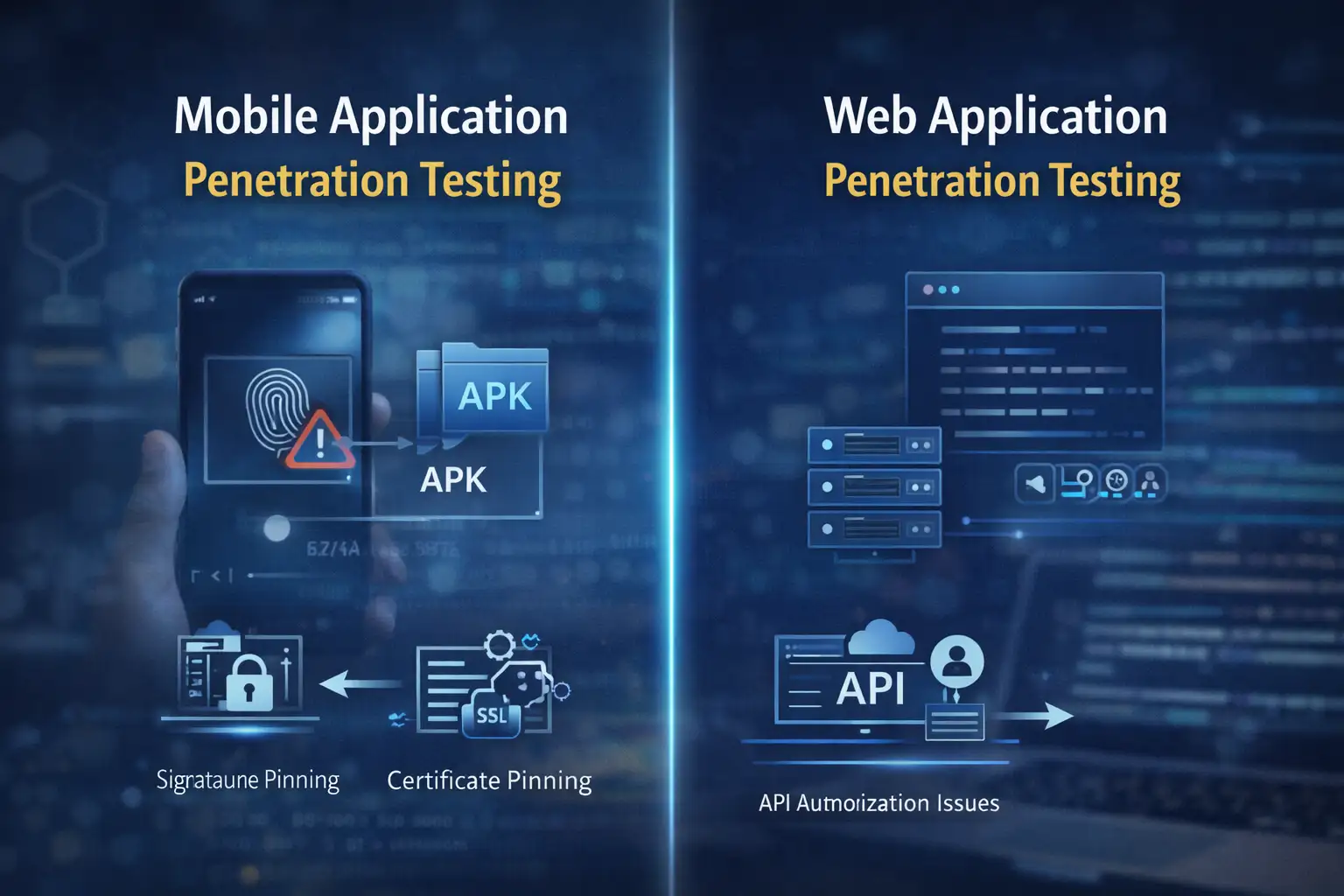
Mobile vs Web Security Testing
A lot of professionals want to know what is web application penetration testing and how it is different from mobile testing.
Web application penetration testing looks at server-side logic and applications that run in a web browser. It looks at backend security, session management, and input validation.
Mobile application penetration testing includes all of those things and more:
Checking the storage on the device
Reverse engineering binary
Validating certificate pinning
Analysis of OS permissions
Attempts to jailbreak or bypass root
In practice, secure organizations do both web application pen testing and mobile app penetration testing at the same time.
Common Weaknesses Found
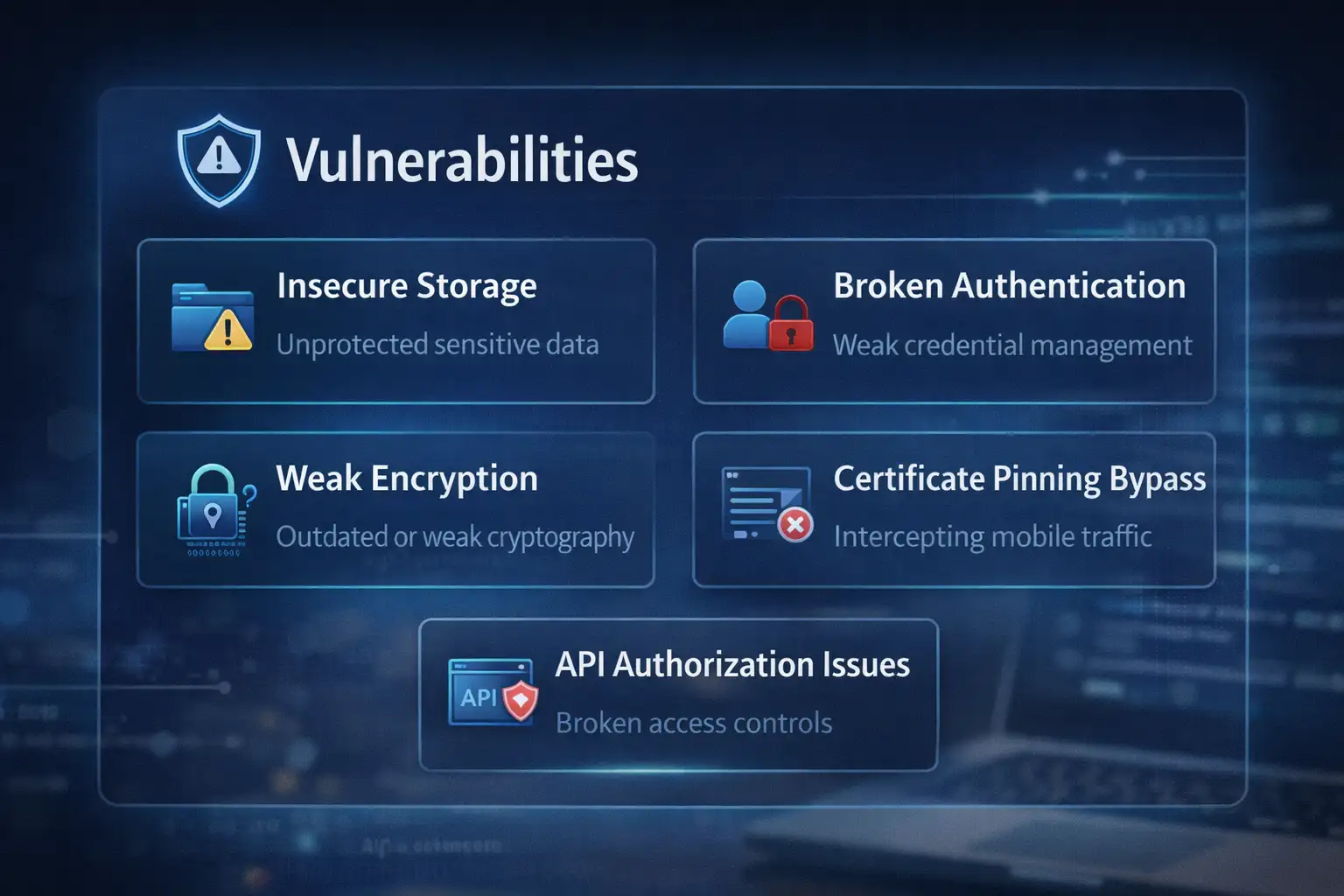
Testers often find the following things in different fields:
Secrets that are hardcoded
Keys for weak encryption
Bad certificate pinning
Local storage that isn't protected
Debugging information leaks
Authorization for APIs that aren't secure
Enforcing business logic on the client side
These problems are very similar to those on the OWASP Mobile Top 10 list.
It's interesting that a lot of companies spend a lot of money on web application penetration testing services but don't think about the risks that come with mobile devices.
Common Misunderstandings
"App Store Review Means Safe"
App stores check to see if policies are being followed. They do not do full-scale mobile application penetration testing.
The organization is still in charge of security validation.
"We Already Do Application Testing"
Binary analysis and root bypass testing may not be part of generic application penetration testing. Dedicated mobile application penetration testing is necessary.
"Automated Tools Are Enough"
Automated scanners help find things. But logic flaws and authentication bypasses usually need to be looked at by hand.
Human-driven penetration testing for mobile apps gives more detailed insight.
What Businesses Should Do Now
Security leaders should include mobile application penetration testing in the process of making software.
Testing should happen:
Before big releases
After making big changes to features
At least once a year
Also:
Follow the OWASP Mobile Top 10
Follow the advice in NIST SP 800-163
Put together static, dynamic, and backend testing
Use server-side validation for all business logic
Mobile apps should always be ready for hostile situations.
Lessons and Future Outlook
Mobile ecosystems are always changing. Super apps now let you do banking, messaging, identity verification, and investing all in one place.
That concentration makes attacks more powerful.
Improvements that may come in the future are:
Better protection while running
Better sandboxing for the OS
Key storage backed by hardware
Frameworks for advanced threat detection
Still, none of these can take the place of disciplined mobile application penetration testing.
Security is not a product. It is a process.
Hoplon Insight Box
Advice from Experts for 2026
Assume attackers can reverse engineer your app
Make server-side validation very strict
Encrypt all sensitive local storage
Test certificate pinning very carefully
Do both web application penetration testing and mobile testing
Perform regular mobile app penetration testing
When mobile security is tested regularly, it becomes much stronger.
Frequently Asked Questions
1. What does it mean to do penetration testing on a mobile app?
It is a structured security test that mimics real-world attacks on mobile apps and the systems that support them.
2. What makes testing Android apps different from testing iOS apps?
APK decompilation and a wider range of devices are often part of Android testing. Testing on iOS is more about validating the sandbox and permissions.
3. Do web application pen tests also test mobile apps?
Partially. Web application pen testing looks at the logic on the backend, but it doesn't check device-level storage or binary manipulation.
4. How often should businesses test their mobile apps for security holes?
At least once a year and after big updates.
5. What does it mean to do penetration testing on a web application?
It is a security test that looks for weaknesses in web applications that run in a browser and backend systems.




-20260925120840.webp&w=3840&q=75)
