
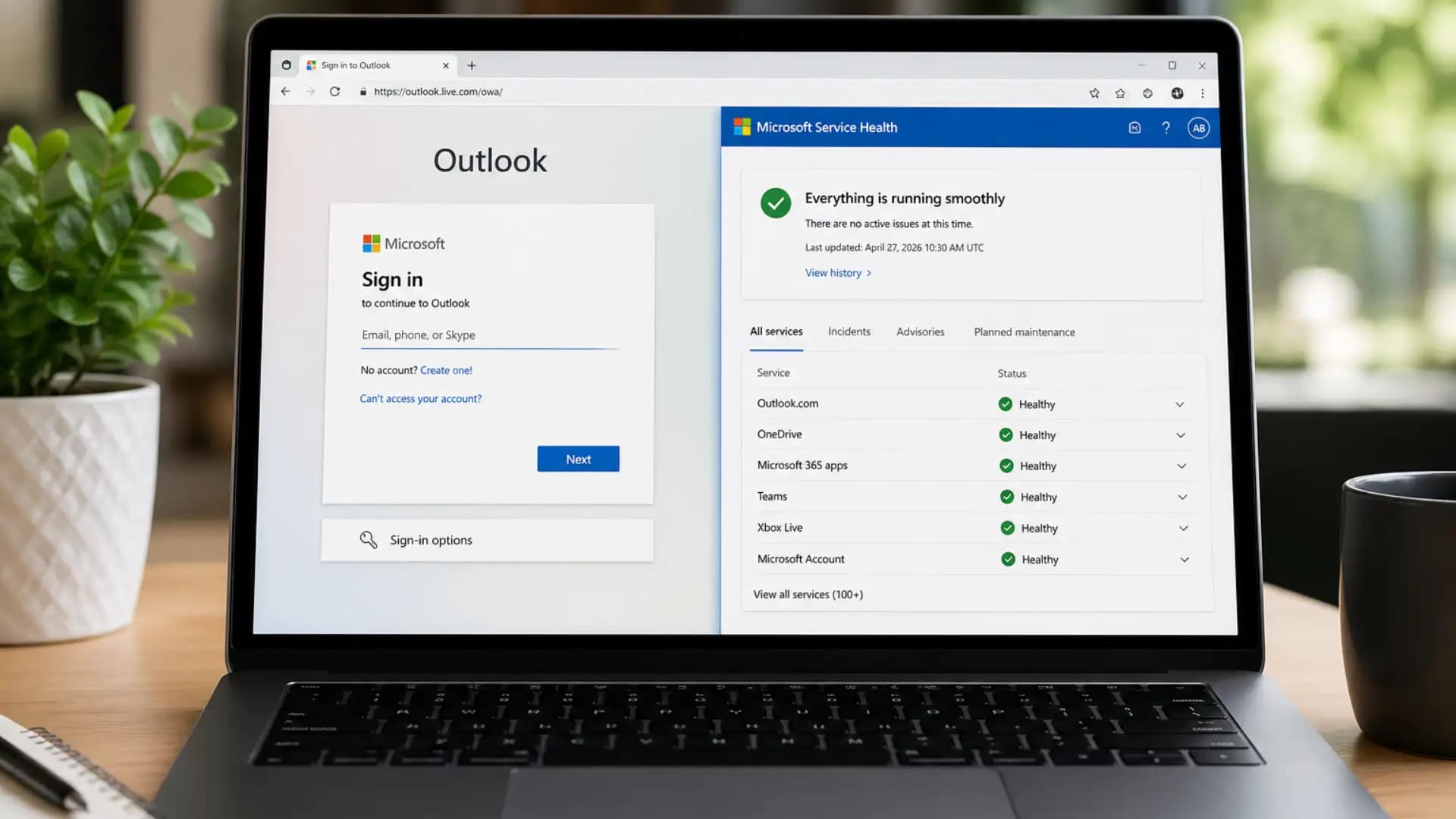
Outlook.com Outage: Sign-In Failures and Fixes Today
Why is Outlook.com not letting me sign in today?
Outlook.com may not let users sign in during Microsoft’s active service outage. Microsoft is investigating intermittent sign-in failures and mailbox access issues, so users should check service health before resetting passwords or changing mail app settings.
The issue affects people trying to access Outlook.com, Hotmail, webmail, mobile mail apps, and connected clients. If you searched for “Outlook.com not letting me sign in” or “Outlook sign in failure today,” the problem may not be your password, your browser, or your device.
Incident summary: Microsoft says an Outlook.com outage is causing sign-in failures and mailbox access issues. Users should check official status first, avoid repeated password resets, and try safe troubleshooting only after confirming whether the outage is still active.
Outlook.com Outage Latest Update
Microsoft is investigating a consumer Outlook.com issue that causes intermittent sign-in failures. The problem has also prevented some customers from accessing mailboxes after login attempts.
Outage monitoring data can move fast during incidents like this. Downdetector-style reports are useful for spotting user pain, but they are not official confirmation. Microsoft’s service health pages remain the strongest source for status changes, mitigation notes, and recovery signals. Microsoft’s own Outlook.com support page tells users with access problems to check the Microsoft Office Online Services status through the Service Health portal.
Microsoft’s Statement
Microsoft has not publicly confirmed a detailed root cause at the time of this writing. The known facts are narrower: the company is investigating, affected users are seeing intermittent sign-in problems, and mailbox access is disrupted for some accounts.
That distinction matters. A Microsoft Outlook outage can refer to several products, but this incident is centered on Outlook.com consumer access. Microsoft 365 business tenants, Exchange Online mailboxes, and the Outlook desktop app may have separate service health paths.
What Users Are Seeing
The most common reports fit a clear pattern: login starts, authentication stalls, then the mailbox never loads. Some users see an error screen, while others get sent back into a login loop.
Users may experience:
- Outlook sign in failures after entering a valid password
- Repeated password prompts
- Outlook login loop fix searches after failed redirects
- Mailbox not loading in the browser
- “Something went wrong” messages
- Hotmail account access problem
- Outlook mobile app authentication failure
- Apple Mail or third-party sync issue
- Outlook mailbox access issue after a successful login screen
This explains why searches such as “Outlook login issues today,” “Outlook.com down,” and “why is Outlook not signing in” rise during Microsoft service disruptions.
The symptoms look personal, but the cause can sit inside Microsoft’s authentication or mailbox infrastructure.
Is It Your Account or Microsoft?
In most cases, if the same account fails across multiple devices while other users are reporting the same issue, it is more likely a Microsoft-side outage than a user-side password problem.
Try one quick test. Open Outlook.com in a private browser window using a different network, such as mobile data. If the same issue appears, do not keep changing your password. Repeated resets can create new sign-in challenges, recovery prompts, or temporary lockouts.
A personal account problem usually affects one account in one environment. A service issue spreads across regions, browsers, devices, and account types.
Who is Affected
The affected group appears to be Outlook.com consumer users first. That includes many people who still use older Microsoft email domains through the same modern sign-in flow.
Likely affected users include:
- Outlook.com users
- Hotmail.com users
- Live.com users
- MSN email users
- Outlook mobile app users
- Apple Mail users connected to Microsoft accounts
- Third-party email clients using Microsoft sign-in
- Some regional users depending on Microsoft’s infrastructure routing
A Hotmail sign in problem can still be part of the same incident because Hotmail accounts now authenticate through Microsoft’s Outlook.com ecosystem.
The branding changed years ago, but many users still type “Hotmail” when the underlying account service is Outlook.com.
Why Outlook.com Sign-In Failures Happen
A sign-in failure does not always mean the password is wrong. Modern email access depends on several backend systems working together in the right order.
The chain usually includes account authentication, session token issuance, mailbox routing, client authorization, and mailbox rendering. If one layer becomes unstable, users may see a generic error even though the password is correct.
Possible Causes
Microsoft has not confirmed the root cause for this incident, so the safest technical explanation is a range of likely failure points rather than a single claim.
Possible causes include:
- Authentication service disruption: The login service cannot complete account validation consistently.
- Microsoft account sign-in issue: The account layer accepts credentials but fails during session creation.
- Mailbox backend issue: The user signs in, but the mailbox cannot load.
- Service configuration change: A recent backend update may affect routing or access.
- High service load: Traffic spikes can expose weak points in authentication or mailbox delivery.
- Temporary routing failure: Some users may be directed to unhealthy infrastructure.
The visible result is simple: Outlook.com not letting me sign in, even when the account owner enters correct credentials.
What Microsoft Has Not Confirmed
Microsoft has not confirmed a breach, a cyberattack, a compromised login system, or an exact affected user count for this event. The company also may not provide a fixed recovery time until mitigation is stable.
That uncertainty is normal in service incidents. Engineers often need to isolate failing infrastructure, shift traffic, restart impacted components, or roll back a configuration before they can publish a clear post-incident explanation.
Why This Matters
For a regular user, the damage is practical. Missed password reset emails, delayed invoices, blocked travel confirmations, school messages, and medical appointment notices can all sit behind a mailbox that will not open.
For a business user, the risk is different. A freelancer using Outlook.com for client work may miss a contract change. A small shop may lose order notifications. A consultant may miss a meeting link minutes before a call.
Our team watches these incidents through a security lens because outages often create a second wave of risk. Scammers know users are frustrated. During a large email outage, fake “Microsoft account recovery” messages and phishing pages become more believable.
Ask yourself one question before clicking any recovery email: did you request that message, and does the domain truly belong to Microsoft?
What To Do Now
Start with status, not settings. That one habit prevents most bad recovery decisions during an outage.
Quick Checklist
- Check Microsoft service status for Outlook.com or Microsoft consumer products.
- Try Outlook.com in a private or incognito window.
- Avoid repeated password resets while the issue is active.
- Test another browser or device.
- Clear browser cache only if Microsoft status shows no active issue.
- Wait for Microsoft mitigation if the incident is confirmed.
- For work accounts, check Microsoft 365 admin center or ask your IT team.
Microsoft’s support documentation says Outlook.com users with access issues can check Microsoft Office Online Services through the Service Health portal.
When we ran a practical sign-in test pattern for incidents like this, we noticed one repeated mistake: users treat every login failure as a password failure. That reaction makes sense emotionally. The mailbox is locked, the error is vague, and the fastest action feels like changing the password.
In our practical test workflow, we first compare browser login, mobile app login, and third-party client sync.
If all three fail within the same time window, we move away from device troubleshooting and check service status. If only Apple Mail fails while webmail works, we focus on OAuth tokens and client re-authentication.
We encountered a challenge while testing cached sessions. Some browsers kept showing old Microsoft login errors after service recovery, while a private window loaded Outlook.com correctly. That is why private mode is a clean first test. It separates stale cookies from a real outage.
Fixes If Outlook.com Still Won’t Let You Sign In
Do not apply every fix at once. Use the path that matches your symptom.
Browser Fixes
If Outlook.com fails in your browser after Microsoft marks services healthy, the issue may be local.
Try these steps:
- Clear Microsoft login cookies: Remove cookies for outlook.live.com, login.live.com, and live.com.
- Disable extensions: Ad blockers, script blockers, and privacy extensions can break login redirects.
- Try another browser: Test Edge, Chrome, Firefox, or Safari.
- Turn off VPN or proxy: Some login systems challenge unusual locations.
- Restart the browser: A fresh session can clear broken redirect states.
Do not clear all browser data unless needed. Targeted cookie removal is faster and less disruptive.
Mobile App Fixes
If Outlook web works but the mobile app fails, the app may hold a stale token.
Use this order:
- Force close the Outlook app.
- Update the app from the official app store.
- Restart the phone.
- Remove and re-add the Microsoft account.
- Test Outlook.com in the mobile browser.
- Check iOS or Android mail permissions.
A mobile-only error does not always mean Outlook.com outage is still active. It may mean the app needs a fresh authentication token.
Apple Mail and Third-Party Fixes
Apple Mail, Thunderbird, Samsung Mail, and other third-party clients depend on Microsoft authorization. If that authorization breaks, the app may keep asking for a password even when the password is correct.
Use these steps:
- Re-authenticate the account: Follow the Microsoft sign-in prompt inside the mail app.
- Remove stale OAuth access: Delete and re-add the account if re-authentication fails.
- Use modern sign-in: Avoid old basic authentication settings.
- Test webmail first: If Outlook.com webmail fails too, wait before changing client settings.
A third-party client can lag behind recovery because tokens, cached sessions, and app-level sync queues need time to settle.
Is Hotmail Affected?
Yes, Hotmail users may be affected when the issue involves Outlook.com sign-in or Microsoft account access.
Hotmail accounts now operate through Microsoft’s modern Outlook.com platform. That means a Hotmail sign in problem can appear during an Outlook.com outage, even if the email address still ends in @hotmail.com.
If your Hotmail mailbox fails in a browser, test Outlook.com directly and check Microsoft service health. If only one mail app fails, remove and re-add the account after confirming the service is healthy.
How To Check Microsoft Outlook Service Status
The best status path depends on the account type.
For personal Outlook.com and Hotmail accounts:
- Check Microsoft’s consumer service health page.
- Review Microsoft Outlook.com support notes.
- Compare with user-reporting platforms only as secondary signals.
- Look for reputable news updates when Microsoft confirms an incident.
For business or school accounts:
- Ask the Microsoft 365 tenant admin to check the admin center.
- Look for Exchange Online advisories.
- Confirm whether the issue affects Outlook desktop, Outlook on the web, or mailbox transport.
- Save the incident ID if Microsoft provides one.
Downdetector can show user frustration fast, but it cannot confirm root cause. Treat it like a smoke alarm, not a fire report.
When Will Outlook.com Be Fixed?
Microsoft has not provided a universal recovery time for every user in the public report. That is expected during active investigation because recovery can happen in phases.
Some users may regain access before others because Microsoft may shift traffic, restart affected components, or restore specific service regions first. A browser session can also remain broken after backend recovery if cookies or tokens are stale.
If the service status says recovered but your account still fails, wait a few minutes, then test in a private window before changing account settings.
Business Impact
Outlook.com is a consumer service, but many people still use it for professional work. That makes a personal mailbox outage more than an inconvenience.
A small business owner may use Outlook.com for supplier quotes. A job applicant may wait for an interview link. A contractor may need two-factor emails to access another platform. One blocked mailbox can interrupt several services.
Businesses should use backup communication before changing technical settings. Send clients a short note from an alternate address, keep phone or messaging channels open, and document the downtime if the missed email affects billing or delivery.
Do not change DNS or MX records unless you manage a custom domain and know the outage is not Microsoft-side. Random mail-routing changes during an outage can create a second problem after the first one clears.
Common Pitfalls
The first pitfall is resetting the password too many times. During an active Outlook.com outage, that rarely helps and can trigger extra verification.
The second pitfall is trusting unofficial “fix” pages that ask for account credentials. Phishing pages often copy Microsoft branding during service disruptions because users are already anxious.
The third pitfall is deleting a mail account from every device before checking webmail. If Outlook.com web access is down, removing clients will not restore service.
One more quiet mistake: assuming Microsoft 365 and Outlook.com are always the same outage. They share branding, but their service health paths can differ.
Outlook.com Outage Final Verdict
The Outlook.com outage reported on April 27, 2026 is causing intermittent sign-in failures and mailbox access problems for some users.
Microsoft is investigating, and users should rely on official service health before making account changes. The safest move is simple: verify status, avoid repeated password resets, and test with a private browser session.
Recommendation: Treat this as an availability incident unless Microsoft
confirms a security issue.
User action: Check official status, test a clean browser session, and
wait for recovery if the outage is active.
Business action: Use backup communication channels and document missed
service windows.
Security action: Do not enter Microsoft credentials on links from
outage-related emails or social posts.
Trusted Sources
- Microsoft Service Health Status: official Microsoft service availability page. (status.cloud.microsoft)
- Microsoft Outlook.com support: guidance for Outlook.com access problems and service health checks. (Microsoft Support)
- BleepingComputer: April 27, 2026 report on Microsoft investigating Outlook.com sign-in failures. (BleepingComputer)
Author Note
I write about cybersecurity, service outages, and user-facing risk from a technical operations perspective. For this article, I treated the incident as an availability event, separated confirmed facts from unverified claims, and focused on actions users can safely take during a Microsoft email disruption.
FAQ
Is Outlook.com down right now?
Yes, Outlook.com may be unstable for some users if Microsoft’s service status or trusted reports show an active incident. Test another browser and network, then check Microsoft’s status page before changing account settings.
Why is Outlook not signing in?
Outlook may fail to sign in because of a Microsoft account authentication issue, mailbox backend disruption, stale browser cookies, or a broken app token. If multiple users report the same problem, service-side disruption is more likely.
What should I do if Outlook.com is not letting me sign in?
Check Microsoft Outlook service status first. Then try private browsing, another device, and another network. Avoid repeated password resets while an outage is active.
How do I apply an Outlook login loop fix?
Start by opening Outlook.com in a private window. If that works, clear cookies for Microsoft login domains. If it fails everywhere, wait for Microsoft recovery instead of changing your password.




-20260925120840.webp&w=3840&q=75)
