
Have you ever thought about how many people are trying to break into your phone right now?
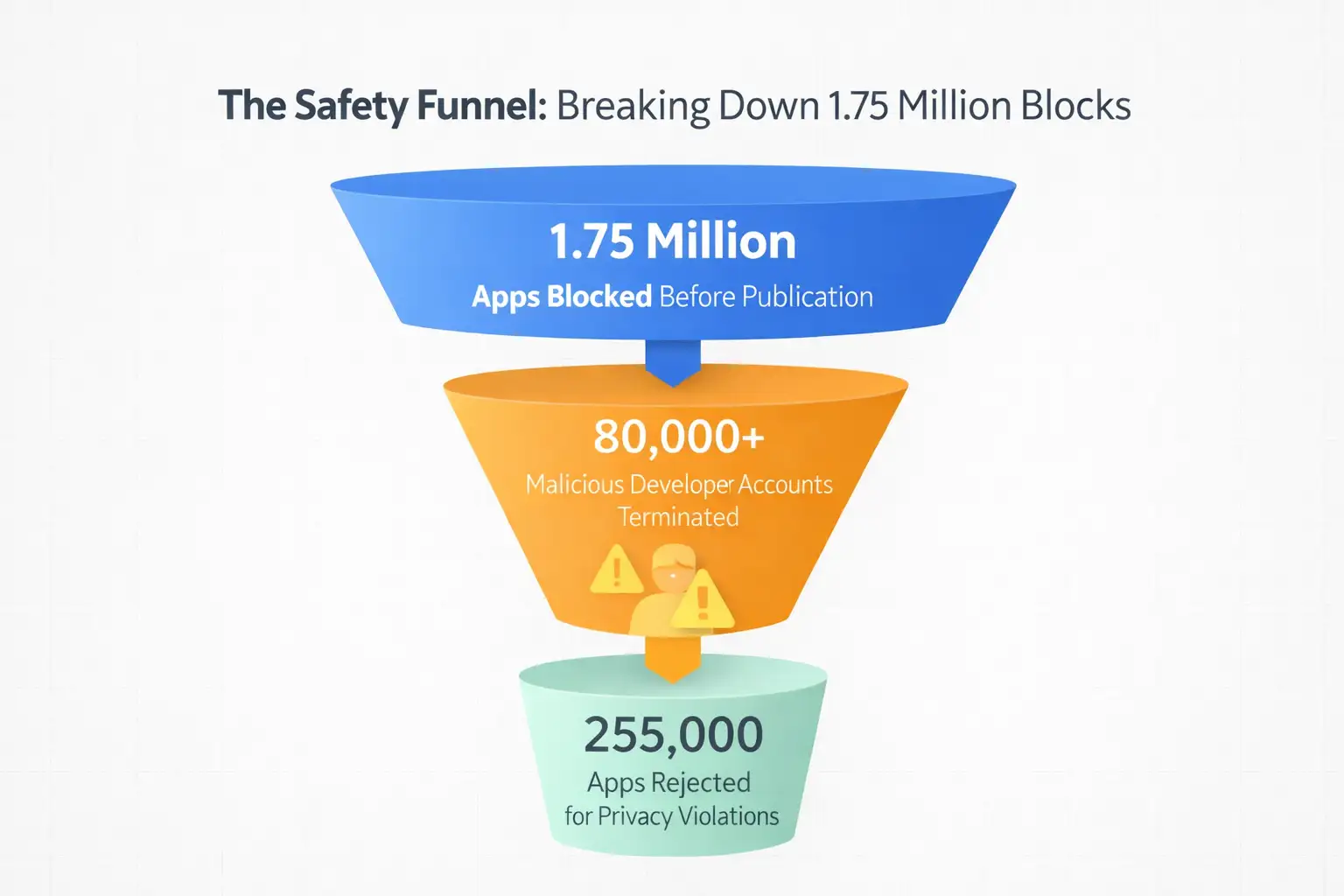
According to new data from February 2026, Google was able to stop 1.75 million harmful apps from ever being released on the Play Store.
They were able to stop these threats at the front door by using a combination of advanced AI and much stricter rules for developers.
This is important because it shows that hackers are getting smarter, but the walls that protect our digital lives are getting higher and harder to get over.
The Big Shift: From Cleaning Up Messes to Stopping Them Early
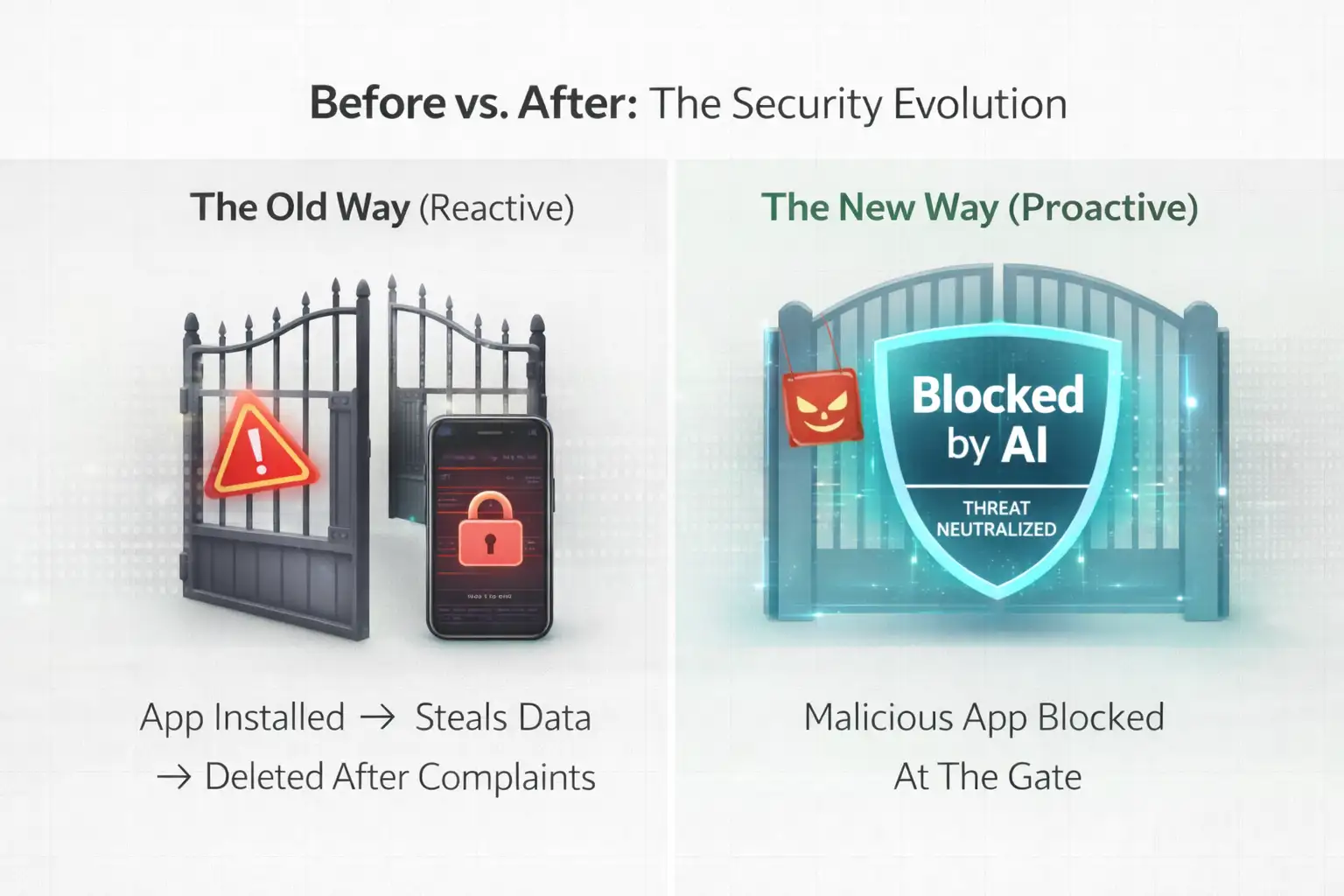
Think back to how things used to work. You would download an app, it would act weird, and then a week later, Google would delete it from the store. That was the old way. It was reactive, slow, and often left users dealing with the fallout of a hacked account or a drained battery.
The new way is different. It is a proactive, multilayered defense. Instead of waiting for an app to do something bad, Google now uses AI to predict if an app is "shady" before it ever goes live. The result? 1.75 million potential disasters were avoided entirely.
When we look at traditional security, it usually just scans for known viruses. Our modern approach, much like what we believe in at Hoplon Infosec, looks at behavior. It asks: why does this calculator app need to read your text messages?
By asking those tough questions early, the system protects you before you even hit the download button.
What Actually Happened?
When Google says they blocked 1.75 million apps, they aren't just talking about apps with a few bugs. We are talking about serious digital weapons.
These were apps designed to sit quietly on your phone and record your screen while you typed in your bank password or apps that would secretly sign you up for expensive subscriptions without you knowing.
The technical side of this is pretty fascinating. Google didn't just look at the app name. They used machine learning to pull apart the code of every single submission.
They found that a huge chunk of these apps were actually "repackaged" versions of old malware. Basically, hackers were taking a popular game, stuffing it with a virus, and trying to pass it off as something new.
This massive block also included about 255,000 apps that were rejected purely for asking for too much data. If an app doesn't need your location to function but insists on tracking you anyway, it is now much more likely to be kicked out of the store.
Why Was This New System Needed?
The truth is that the old system was being overwhelmed. Hackers started using AI to write code, which meant they could churn out thousands of slightly different versions of the same virus in minutes. Manual review by human beings just couldn't keep up with that kind of volume.
There was also a major issue with "serial offenders." A developer would get banned on Monday and be back with a new name and the same bad app on Tuesday.
To stop this, Google changed the rules. Now, if you want to be a developer, you have to provide a real ID and go through a 14-day testing phase. This "friction" makes it too expensive and annoying for most scammers to keep trying.
How the Security Shield Actually Works
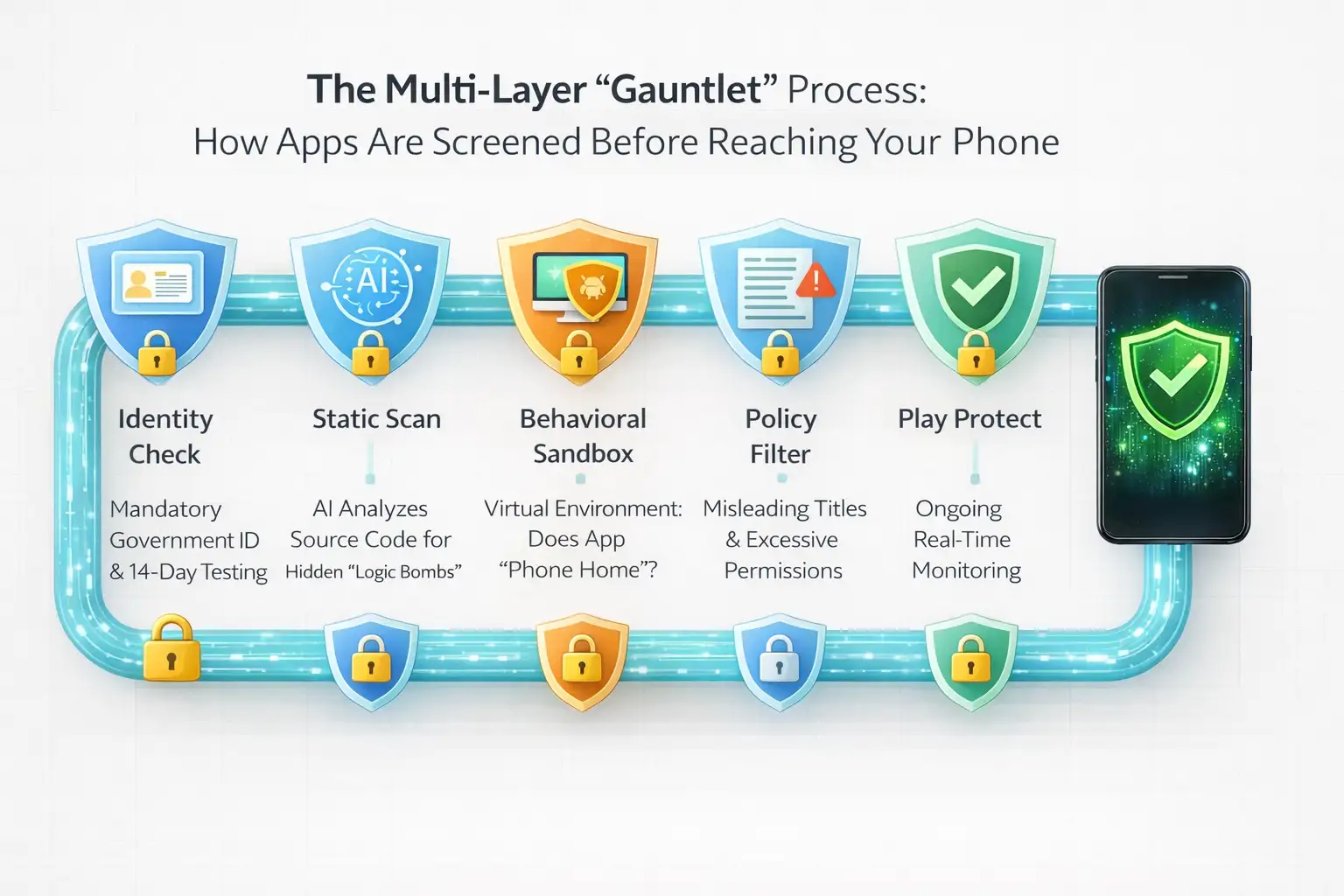
The process is like going through several layers of airport security before you can get on a plane. It is structured to catch different types of threats at different stages.
The AI Gauntlet: Every app goes through an automated scan that checks for hidden code. If the code looks like it is trying to hide its true purpose, the AI flags it.
Identity Verification: This is a big one. Google now requires developers to verify their accounts with government IDs. It is much harder to be a ghost in the system now.
Behavioral Analysis: The system doesn't just read the code; it "runs" the app in a safe, virtual environment to see what it actually does. If the app starts trying to send data to a random server in the middle of the night, it gets blocked.
Continuous Scanning: Even after an app is on your phone, Google Play Protect is still working. It scans billions of apps every single day to make sure a "good" app hasn't turned "bad" through a sneaky update.
Real-World Example: Then vs. Now
Imagine you wanted a simple app to change your wallpaper.
The Before Scenario: You would download the app, and it would ask for permission to access your files and your camera. You’d say yes because you just wanted the wallpaper. Two days later, the app would start showing you full-screen ads every time you unlocked your phone, and your battery would die in three hours.
The After Scenario: Today, that same app wouldn't even make it to the store. The AI would see that a wallpaper app has no business asking for camera access. It would flag the app for "permission abuse" and block it. You never even see the app, so your phone stays fast and your data stays private.
Who is Affected by These Changes?
This isn't just about tech geeks; it affects everyone who carries a smartphone.
Regular Users: You get a much cleaner experience. There are fewer "junk" apps and significantly less risk of accidentally downloading something that will steal your identity.
Business Owners: If your employees use Android phones for work, you can breathe a little easier. The chances of a company data leak happening through a random app are much lower now.
The Developers: For the "good guys," this is actually a win. While the signup process is more annoying, there is less competition from scammy apps that use fake reviews to get to the top of the charts.
The Good and the Not So Good
It is important to be honest: no system is perfect. The main benefit here is obvious: a much safer phone.
Google has effectively cleaned up the neighborhood. By blocking 1.75 million threats, they have made the Play Store one of the safest places on the internet to get software.
However, there are limitations. Sometimes, the AI is a bit too aggressive. We have seen cases where small, legitimate developers have their apps blocked by mistake because the AI misunderstood their code. This "false positive" issue is something Google is still trying to fix.
Also, while the Play Store is safe, the rest of the web is still dangerous. If you "sideload" an app from a random website, all these protections go out the window.
What You Should Do Right Now
Google is doing a lot of the heavy lifting, but you shouldn't leave your door unlocked just because you live in a gated community. Here is some real-world advice:
Check Your Settings: Open the Play Store, tap your profile icon, and go to Play Protect. Make sure it is turned on and run a scan manually just for peace of mind.
Be Stingy with Permissions: If an app asks for your microphone or contacts and it doesn't seem necessary, say no. Most apps will still work just fine without them.
Delete Ghost Apps: We all have those apps we downloaded once and never used again. Delete them. Every app on your phone is a potential doorway for a bug, so keep your "attack surface" small.
Stay on the Path: Try to avoid downloading apps from links in text messages or random ads. Stick to the official store.
FAQ
1. Does this mean the Play Store is 100% safe now?
Nothing is 100% safe. While 1.75 million apps were blocked, a few clever ones always try to slip through. It is much safer than it was, but you still need to use common sense.
2. Why do I still see apps with weird names and bad grammar?
Google focuses on "malicious" intent first. An app can be poorly made or annoying without being a virus. They are working on cleaning up "low quality" apps too, but it takes time.
3. Will these security checks slow down my phone?
Actually, it is the opposite. By blocking apps that run heavy background processes to steal data, your phone actually stays faster and your battery lasts longer.
4. What happens to the developers who got blocked?
Most of them are banned for life. Because Google now checks IDs, it is very hard for them to just create a new account and start over.
Final Thoughts: A Safer Digital Future
The fact that Google had to block nearly two million apps shows just how much effort hackers are putting into attacking us. But it also shows that the defense is winning. We are moving toward a world where you don't have to be a computer expert just to keep your photos and money safe.
Looking ahead, we expect to see even more "invisible" security features. Things like AI that can spot a scam phone call or an app that tries to trick you into clicking a link. The takeaway is that while the threats are evolving, so is the protection.
At Hoplon Infosec, we know that automation is great, but human insight is what closes the final gap. Whether you are a business leader or just someone trying to protect your family's data, staying informed is your best defense. We are here to help you navigate these changes and keep your digital life secure.
Hoplon Insight Box: Even with 1.75 million apps blocked, the biggest threat is still "human error."
Always double-check before giving an app permission to access your bank details or private messages. Technology provides the shield, but you provide the strategy.
For more latest updates like this, visit our homepage.




-20260925120840.webp&w=3840&q=75)
