
Social engineering scams targeting employees have quietly become one of the most reliable entry points for cybercriminals. Not because workers are careless, but because modern scams are designed to feel routine, urgent, and familiar.
I have seen organizations invest heavily in firewalls, endpoint tools, and cloud security, only to lose control of critical systems after one convincing email or phone call. The attacker did not hack anything. An employee simply tried to help.
This article explains how these scams work, why employees share login details without realizing the risk, and what organizations can do to stop them before the next incident happens.
Understanding Social Engineering Scams Targeting Employees
At its core, a social engineering scam is not technical. It is psychological. The attacker studies how employees communicate, what they trust, and when they feel pressure.
When social engineering scams targeting employees succeed, it is usually because the message fits perfectly into a normal workday. A fake IT request arrives during a system upgrade. A finance email lands right before payroll. A voice call sounds rushed but authoritative.
Most employees do not think they are being attacked. They believe they are solving a problem.
What Is a Social Engineering Scam in the Workplace?
A workplace social engineering scam is a deceptive interaction designed to manipulate an employee into taking an action that benefits an attacker. That action is often sharing login credentials, approving a request, or clicking a link that captures authentication data.
Unlike traditional hacking, there is no exploit code involved. The attacker exploits trust, routine, and authority. This is why antivirus software and firewalls often see nothing wrong.
In real-world social engineering examples, attackers impersonate IT support, HR, vendors, or executives. The message tone is calm, professional, and believable. Nothing looks obviously malicious.
Why Employees Are the Primary Target
Employees sit at the intersection of systems and decisions. They have access, context, and authority, even if limited. One compromised employee account can open doors to email systems, internal documents, and cloud platforms.
Social engineering scams targeting employees focus on staff because credentials are reusable. Once stolen, they can be tested across VPNs, email, SaaS tools, and internal portals. This is known as a credential harvesting attack, and it remains one of the most common breach starting points.
How Social Engineering Attacks Convince Employees to Share Login Details
This is where many security discussions stay too high-level. The reality is more subtle. Employees rarely think they are sharing credentials with criminals.
Below are the most effective methods used today, based on recurring patterns in incident response cases.
Phishing Attacks on Employees
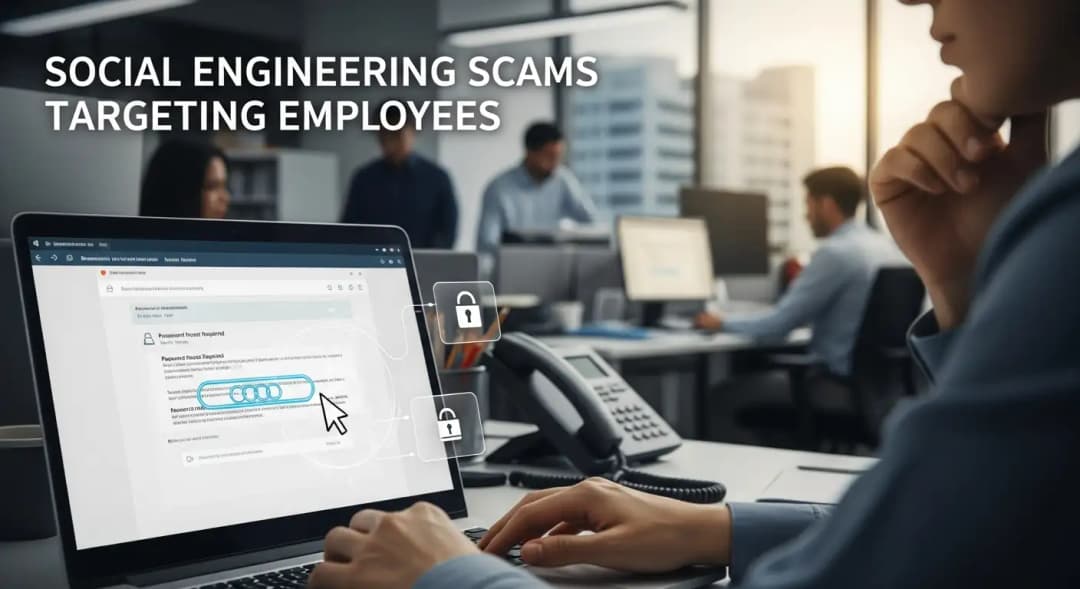
Phishing attacks on employees remain the most common technique. These emails look routine. Password reset notices. Shared document alerts. Security warnings.
Modern phishing emails often reference internal tools like Microsoft 365 or Google Workspace. They use clean formatting and correct grammar. Some are written using AI tools, making them harder to detect through language alone.
The goal is simple. Redirect the employee to a fake login page and capture credentials in real time.
Fake IT Support Scams Employees Fall For
One of the most effective techniques is the fake IT support scam that employees experience during busy work hours. The attacker claims there is an issue with the employee’s account. They sound helpful, not threatening.
I have personally reviewed cases where employees willingly provided login details over the phone because the caller knew internal system names and ticketing terms. That information often comes from LinkedIn or previous data breaches.
Business Email Compromise Scam
A business email compromise scam usually targets finance or executive assistants. The attacker impersonates a senior leader or vendor and requests urgent action.
Sometimes credentials are requested directly. Other times, the employee is guided to a fake login portal under the excuse of verifying access. Either way, the result is employee credential theft.
Vishing and Smishing Attacks on Employees
Voice phishing and SMS scams are growing rapidly. Vishing attacks on employees often involve deepfake voice technology or spoofed phone numbers. Smishing scams workplace teams receive may include fake delivery notices or MFA prompts.
These methods bypass email security entirely and rely on speed and confusion.

What Happens After Employees Share Login Details
Once credentials are stolen, the attack rarely stops there. The initial compromise is just the beginning.
Attackers test credentials across multiple systems.
Email accounts are searched for sensitive data.
MFA fatigue attacks may be launched
Internal phishing emails are sent from trusted accounts.
This leads to compromised employee accounts spreading the attack laterally across the organization.
The Real Risk of a Stolen Login Credentials Breach
A stolen login credentials breach often goes undetected for weeks. Attackers move slowly to avoid suspicion. They learn internal processes and identify high-value targets.
This is how a simple social engineering scam incident of employees sharing login details becomes a full social engineering data breach.
Real-World Example From Incident Response
In one mid-sized organization I worked with, an HR employee received a message that appeared to come from internal IT. It referenced a legitimate system migration happening that week.
The employee followed instructions and logged into a fake portal. Within hours, attackers accessed payroll records, employee tax data, and internal email threads.
No malware was used. No firewall alerts fired. The breach began and expanded quietly.
This is not an isolated case. It reflects a common pattern seen in enterprise security risk assessments.
Why Traditional Security Tools Fail Against Social Engineering
Many organizations ask the same question after an incident. Why did our tools not stop this?
The answer is uncomfortable but important. Tools detect technical anomalies. Social engineering attacks are human interactions.
Email security can reduce volume. Endpoint protection can block malware. But neither can fully prevent an employee from trusting a convincing message.
This is why access control failure and identity misuse remain central issues in modern breaches.
How to Prevent Social Engineering Attacks on Employees
Prevention requires more than awareness posters or annual training videos. It requires layered defenses that assume humans will be targeted.
Employee Security Awareness Training That Feels Real
Employee security awareness training must reflect real scenarios employees face daily. Generic examples do not work.
Training should include real-world social engineering examples, internal context, and interactive discussions. Employees need to understand why a message feels legitimate.
Phishing Simulation Services
Phishing simulation services help measure risk in a controlled way. When done correctly, they create learning moments rather than punishment.
The goal is to build instinct, not fear.
Identity Access Management Services
Strong identity access management services reduce the damage when credentials are exposed. Least privilege access and conditional controls matter.
Even if credentials are stolen, attackers should hit barriers quickly.
Zero Trust Security for Enterprises
Zero-trust security for enterprises assumes no login is automatically trusted. Context matters. Device health, location, and behavior are evaluated continuously.
This limits the blast radius of compromised employee accounts.
Incident Response After Phishing
Incident response after phishing must be fast and decisive. Reset credentials. Revoke sessions. Review logs. Communicate clearly with staff.
Silence and delay increase damage.
Addressing the Human Side Without Blame
One of the biggest mistakes organizations make is blaming employees. This destroys trust and discourages reporting.
Employees who report mistakes early reduce damage. A culture of safety, not shame, is critical.
Preventing social engineering scams Targeting employees is as much about leadership and communication as it is about technology.
FAQs
How do social engineering scams trick employees?
They use trust, urgency, and familiarity. Messages feel routine and authoritative, not suspicious.
What happens if an employee shares login details?
Attackers can access systems, steal data, and move laterally. The risk escalates quickly without detection.
Can MFA stop social engineering attacks?
MFA helps but is not foolproof. MFA fatigue attacks and fake approval prompts can still succeed.
How can companies prevent employee phishing?
Through realistic training, phishing simulations, strong identity controls, and clear reporting processes.
A Practical Way Forward
Social engineering scams targeting employees are not going away. They are evolving alongside workplace tools and communication habits.
The organizations that reduce risk are not the ones with the most tools, but the ones that understand how humans actually work. They train realistically, respond quickly, and treat employees as partners in defense.
If your organization has not reviewed its exposure to employee social engineering attacks recently, now is the right time. Prevention costs far less than recovery.
Actionable takeaway: Invest in people-focused security controls with the same seriousness you invest in technology. That balance is where real resilience begins.





