
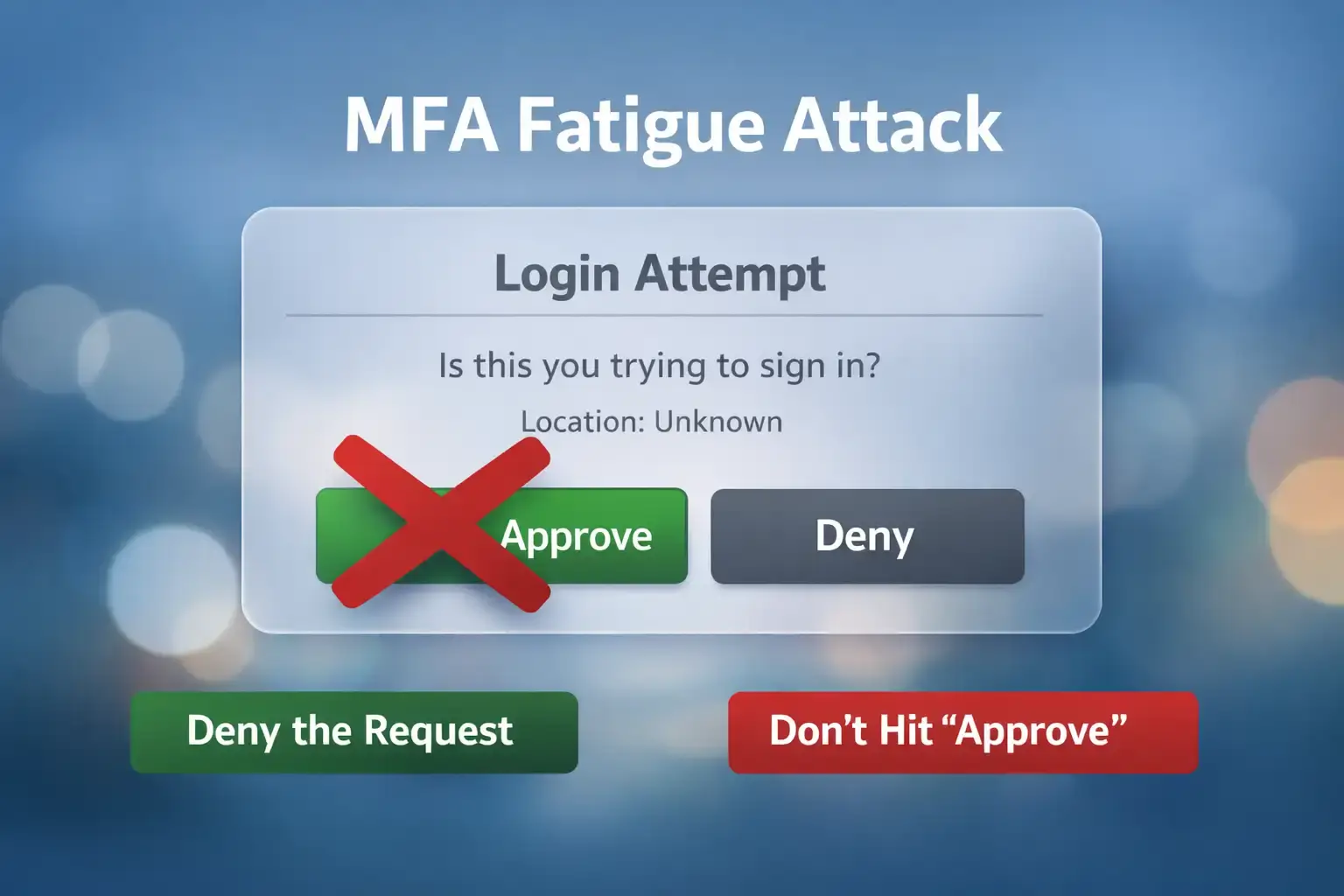
Repeated login approval alerts should not automatically be dismissed as an app problem. If you did not initiate the sign-in, a burst of MFA prompts can mean someone is trying to authenticate to your account and wants you to approve the attempt.
An MFA fatigue attack is a social engineering technique in which an attacker repeatedly triggers multi-factor authentication requests, usually push notifications, hoping the legitimate user eventually presses Approve, Allow, or Yes through confusion, frustration, distraction, or habit.
The technique is also called MFA bombing, MFA push bombing, push fatigue, MFA spam, prompt bombing, or push harassment.
The attacker may not need to break the MFA system itself. Instead, they manipulate the person responsible for approving the authentication request. Microsoft's guidance on MFA fatigue attacks describes how repeated approval requests can exploit authentication methods that provide users with limited sign-in context.
If you receive an MFA request for a login you did not start:
Do not approve it.
Then investigate why the request appeared.
Key Findings
- MFA fatigue commonly occurs after an attacker can successfully trigger the victim's MFA challenge.
- Simple Approve/Deny push authentication is more exposed to prompt bombing because one approval may authorize the attempted login.
- Repeated unexpected MFA prompts should be treated as a security signal.
- Number matching makes blind approval more difficult because the authentication must correspond to information shown during the real login.
- CISA recommends moving toward phishing-resistant MFA and identifies number matching as a stronger alternative to basic push approval where phishing-resistant methods are not yet available.
- Manually entered OTP methods are not considered phishing-resistant under NIST's authentication guidance.
- Employee awareness is useful, but organizations should also use technical controls that reduce dependence on user judgment.
Why Repeated Login Alerts Are Dangerous
One unexpected authentication prompt may have an innocent explanation. Repeated prompts deserve investigation.
In a common MFA fatigue scenario, the attacker already has a valid username and password. MFA becomes the remaining obstacle.
Instead of directly defeating that second factor, the attacker tries to persuade the legitimate user to approve it.
That places MFA fatigue within the broader category of social engineering attacks, where attackers exploit human behavior such as routine, distraction, urgency, trust, and frustration.
If the victim approves the fraudulent request, the identity provider may create an authenticated session for the attacker.
The system has received a valid approval, but the person requesting access is still unauthorized.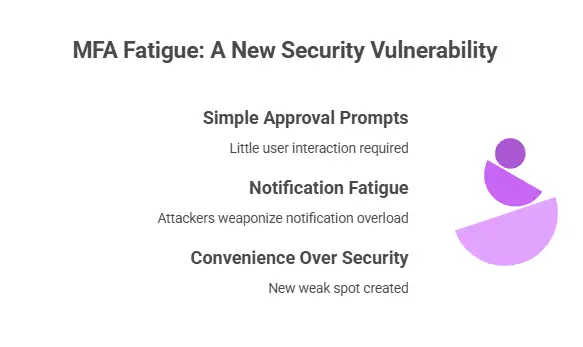
How an MFA Fatigue Attack Works
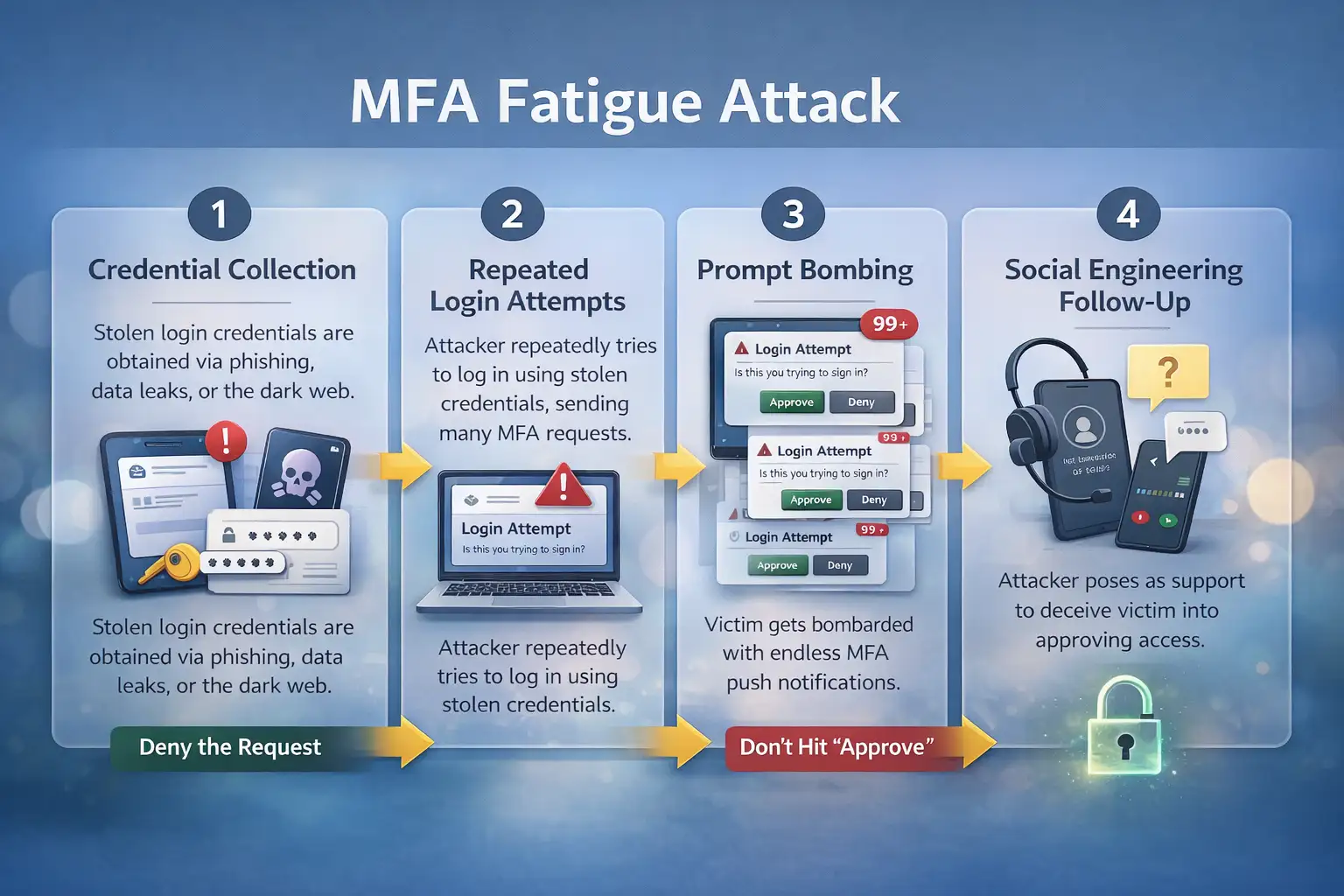
1. The Attacker Obtains or Validates Credentials
The MFA notification is usually not the beginning of the incident.
Attackers may obtain credentials through:
- phishing
- password reuse
- credential stuffing
- password spraying
- infostealer malware
- compromised devices
- social engineering
- previously exposed credentials
Understanding common phishing attack types helps explain how attackers may steal the first authentication factor.
Hoplon Infosec's guide to how hackers guess and obtain passwords also covers techniques attackers can use to discover, steal, or test credentials.
Once a valid password is available, MFA may become the attacker's next obstacle.
2. Repeated Sign-In Attempts Trigger MFA
The attacker enters the credentials into the legitimate login service.
If the account uses push-based authentication, the victim's registered device may receive an approval request.
The attacker repeats the login process, generating more prompts.
The victim may notice:
- repeated authenticator notifications
- back-to-back approval requests
- alerts from unfamiliar devices or locations
- prompts arriving at unusual times
- another request appearing immediately after one is denied
Classic MFA fatigue is most closely associated with push-based approval systems.
3. Prompt Bombing Creates Pressure
The attacker keeps generating authentication requests.
The repeated interruptions are designed to make the user stop carefully evaluating each notification.
The victim may eventually think:
- the app is malfunctioning
- one approval might stop the alerts
- the request might be legitimate
- IT may be testing something
That confusion is part of the attack.
4. Attackers May Add Impersonation
Prompt bombing can be combined with social engineering.
An attacker might pretend to be:
- IT support
- a help-desk employee
- a system administrator
- a service provider
- an identity-verification team
They may tell the victim that approving the next request is necessary for maintenance, troubleshooting, an account reset, or a security update.
The phone call or message gives the repeated prompts a false explanation.
5. One Approval Can Be Enough
If the victim approves the attacker's authentication request, the attacker may receive access allowed by that identity and session.
The impact depends on the account.
A personal account could expose email, files, messages, or account-recovery options.
A business identity may connect to:
- company email
- cloud applications
- document storage
- VPN services
- internal applications
- administrative systems
MFA fatigue therefore fits within a wider range of identity attacks that target authentication, credentials, recovery systems, and user trust.
Why MFA Can Still Be Valuable
An MFA fatigue attack does not mean MFA is ineffective.
MFA remains valuable because a password alone should not automatically provide account access.
The important distinction is that not every MFA method provides the same level of protection.
A simple one-tap approval request depends heavily on the user making the correct decision.
A phishing-resistant cryptographic authenticator provides stronger protection because the authentication protocol itself helps prevent fraudulent approval or credential relay.
Hoplon Infosec's comparison of 2FA vs MFA provides additional context on authentication layers and terminology.
CISA's MFA guidance recommends using the strongest practical authentication option and prioritizing phishing-resistant MFA where possible.
How Multi-Factor Authentication Works
A typical MFA login may involve:
- The user provides a username and password.
- The service verifies those credentials.
- A second authentication factor is requested.
- The user completes the additional verification.
- Access is granted when the required factors are successfully validated.
The second factor might involve an authenticator app, security key, biometric-assisted authenticator, one-time code, or another approved method.
MFA is therefore not one specific technology. It is an authentication approach that can be implemented in different ways.
Common Authentication Factor Categories
Knowledge Factors
Something the user knows, such as:
- a password
- a PIN
- a passphrase
These factors can be stolen, guessed, phished, reused, or exposed.
Possession Factors
Something the user has, such as:
- a registered smartphone
- a hardware security key
- a cryptographic token
- an authenticator device
The strength depends heavily on how the possession factor is implemented.
Inherence Factors
Something related to the user's physical characteristics, such as:
- fingerprint recognition
- facial recognition
- iris recognition
Biometrics should not automatically be treated as stronger than every other authentication option. Their security depends on the surrounding implementation.
NIST SP 800-63B-4 provides detailed technical requirements for authentication, authenticator assurance, and phishing resistance.
MFA Method Comparison
| MFA Method | Exposure to MFA Fatigue | Phishing Resistance | Practical Note |
|---|---|---|---|
| Simple Approve/Deny push | Higher relative exposure | No | Repeated prompts can pressure users into approving |
| Number-matching push | Lower fatigue exposure | No | Requires context from the login session |
| Authenticator OTP/TOTP | Not classic push fatigue | No | Codes may still be phished or relayed |
| SMS/email codes | Not classic push fatigue | No | Stronger options should be preferred when available |
| FIDO/WebAuthn security key | Strong protection against this attack path | Yes when correctly implemented | Suitable for high-value accounts |
| Phishing-resistant cryptographic authentication | Strong | Yes when correctly implemented | Reduces dependence on user recognition of fraudulent prompts |
Why Number Matching Helps
With basic push MFA, the user may see only:
Approve or Deny.
Number matching connects the authenticator request to information displayed in the active login session.
For example, the login screen may display a number that the user must select or enter in the authenticator application.
An attacker generating requests remotely cannot rely only on blind one-tap approval.
Number matching is therefore stronger than basic push approval against prompt bombing.
It should not, however, be treated as equivalent to phishing-resistant cryptographic authentication.
Warning Signs of MFA Fatigue
Investigate situations such as:
- MFA requests you did not initiate
- multiple prompts within a short period
- repeated requests after a denial
- unfamiliar devices or locations
- unexpected password-reset messages
- unexpected account-recovery alerts
- someone calling and asking you to approve an MFA request
- successful authentication after several denied requests
- new authentication or recovery methods appearing on the account
No individual sign proves compromise.
The pattern and surrounding context matter.
Who is Most at Risk?
Individual Users
Personal accounts can be targeted when an attacker has the credentials needed to trigger push authentication.
Users may mistake repeated prompts for a system error and approve one simply to stop the interruptions.
Businesses
One employee identity may connect to:
- document storage
- SaaS applications
- VPN access
- customer information
- internal systems
- financial applications
- administrative tools
The potential damage depends on permissions and the organization's other controls.
Strong network security can help restrict access, segment resources, monitor suspicious activity, and limit how far an attacker can move after an identity compromise.
IT and Security Teams
Security teams need visibility into authentication activity so they can detect abnormal behavior before one successful approval becomes a larger incident.
Example: How a Normal Login Becomes an MFA Fatigue Incident
A remote employee normally signs into company applications and approves a familiar MFA request.
One afternoon, authentication requests begin appearing even though the employee is not logging in.
The employee rejects several prompts.
The notifications continue.
Then someone claiming to be from IT contacts the employee and says the next approval is required to resolve an account problem.
If the employee approves the request, the attacker may obtain the authenticated session they were trying to create.
The important lesson is not simply “employees should be more careful.”
A secure authentication design should reduce the attacker's ability to repeatedly pressure users into making security decisions.
What to Do If You Receive Unexpected MFA Prompts
1. Do Not Approve Them
Never approve a login you did not initiate.
2. Deny or Report the Request
If the authentication app provides a reporting option, use it.
3. Contact the Real IT or Security Team
For business accounts, use your organization's known support channel.
Do not use contact details supplied by the suspicious caller or message.
4. Change a Suspected Compromised Password
Use the legitimate service from a trusted device.
Choose a new password that is not reused elsewhere.
5. Review Active Sessions
Check for unfamiliar devices or sessions.
Terminate suspicious sessions if the platform allows it.
6. Check Authentication and Recovery Settings
Look for unauthorized changes such as:
- newly enrolled authenticators
- added phone numbers
- modified recovery email addresses
- newly generated backup codes
- unfamiliar security keys
7. Review Recent Account Activity
Check for:
- unfamiliar logins
- unexpected forwarding rules
- password changes
- permission changes
- unfamiliar applications
- security-setting changes
- unusual file access
For organizational accounts, follow the established incident-response process.
How Organizations Can Prevent MFA Fatigue
Replace Basic One-Tap Approval Where Possible
Organizations should reduce reliance on simple Approve/Deny push authentication, particularly for privileged and high-impact identities.
Enable Number Matching
If push authentication must remain in use, number matching can make blind prompt approval significantly harder.
Prioritize Phishing-Resistant MFA
Start with accounts where compromise would create the highest risk:
- administrators
- privileged users
- finance staff
- remote-access users
- identity administrators
- security personnel
- employees with access to sensitive information
Then expand stronger authentication more broadly.
Reduce Unnecessary MFA Prompts
Users who receive legitimate prompts constantly may become less attentive.
Authentication policies should balance security requirements with unnecessary notification noise.
Restrict Excessive Authentication Requests
Where identity platforms support it, organizations can rate-limit, block, or alert on excessive authentication challenges.
Thresholds should be based on normal organizational behavior rather than arbitrary numbers.
Provide Better Login Context
Authentication prompts can be more useful when they include relevant information such as:
- application
- device
- location
- sign-in context
- number matching
Context does not automatically make push MFA phishing-resistant, but it can help users identify suspicious requests.
Apply Conditional Access
Sensitive resources may require additional controls based on:
- managed device status
- user risk
- application sensitivity
- authentication strength
- network context
- user role
A successful MFA approval should not necessarily provide unrestricted access.
Enforce Least Privilege
A compromised identity should have only the permissions necessary for that user's legitimate responsibilities.
Privileged access should be tightly controlled and separated where appropriate.
Use Zero Trust Principles
A Zero Trust architecture does not assume that authentication alone makes every later action trustworthy.
Access decisions can also consider identity, device state, policy, requested resources, and other relevant context.
Zero Trust does not replace MFA. It helps reduce the amount of trust granted after authentication.
Train Users and Help-Desk Staff
Employees should know:
- never approve a login they did not initiate
- repeated prompts may indicate an attack
- attackers may impersonate support staff
- denied prompts should still be reported
- authentication codes should not be shared with unexpected callers
- the organization's legitimate reporting channel
Help-desk teams should also be trained to recognize social engineering involving MFA resets and account recovery.
Detection Playbook for IT and SOC Teams
| Signal | Why It Matters | Suggested Action |
|---|---|---|
| Burst of MFA challenges for one user | Possible prompt bombing | Review sign-in history, source IPs and device context |
| Several denies followed by success | Victim may have eventually approved | Verify the successful session |
| New device/location after repeated prompts | Possible attacker session | Investigate and contain if necessary |
| New MFA factor or recovery method | Possible persistence | Verify with the user and remove unauthorized changes |
| Help-desk reset followed by unusual access | Potential social engineering | Review support and identity logs |
| Authentication from unmanaged devices | May violate access policy | Apply device and conditional-access controls |
| Similar MFA bursts across multiple users | Possible campaign | Correlate users, source infrastructure and applications |
These signals should trigger investigation rather than being treated as automatic proof of compromise.
Common Mistakes That Help MFA Fatigue Succeed
- Approving a prompt without initiating the login
- Assuming repeated prompts are only a technical bug
- Trusting someone who calls and claims to be IT
- Changing the password but ignoring active sessions
- Leaving weak push approval on privileged accounts
- Failing to monitor authentication patterns
- Relying entirely on employee awareness
A stronger security design makes fraudulent approval harder instead of depending only on users recognizing every attack.
MFA Fatigue Prevention Checklist
For Users
- Never approve an MFA request you did not initiate.
- Report repeated prompts.
- Use unique passwords.
- Review suspicious account activity.
- Use stronger MFA methods when available.
- Never share authentication codes with unexpected callers.
For Businesses
- Identify accounts using basic push approval.
- Prioritize phishing-resistant MFA for privileged users.
- Enable number matching where appropriate.
- Monitor authentication logs.
- Alert on abnormal MFA bursts.
- Review account recovery procedures.
- Protect help-desk workflows from social engineering.
- Apply least privilege.
- Restrict risky or unmanaged access where appropriate.
- Maintain an identity incident-response process.
Where a Security Assessment Can Help
MFA fatigue can reveal broader weaknesses involving:
- password security
- authentication design
- identity monitoring
- account recovery
- privileged access
- conditional access
- employee awareness
- incident response
A cyber security assessment can help organizations identify gaps across identity, networks, endpoints, cloud environments, security policies, and people.
The purpose is not to promise complete prevention. It is to identify weak controls and prioritize practical improvements.
Frequently Asked Questions
What does MFA fatigue mean?
MFA fatigue is a social engineering attack in which repeated authentication requests are used to pressure a legitimate user into approving a login they did not initiate.
Is MFA fatigue the same as MFA bombing?
The terms MFA fatigue, MFA bombing, push bombing, prompt bombing, and MFA spam are commonly used for closely related attacks involving repeated authentication requests.
Does an MFA fatigue attack mean my password was stolen?
It may indicate that an attacker can successfully trigger your MFA challenge, which often happens after the first authentication factor has been compromised.
The exact cause depends on the authentication system, so the activity should be investigated rather than automatically attributed to password theft.
Is MFA still safe?
MFA remains valuable, but different MFA methods provide different levels of protection.
Basic push approval is more exposed to MFA fatigue than number matching or properly implemented phishing-resistant authentication.
What should I do if I receive an MFA request I did not initiate?
Do not approve it.
Report the request, investigate recent account activity, review active sessions, and contact your organization's security team if it is a work account.
Can MFA fatigue affect personal accounts?
Yes.
Personal accounts using approval-based push authentication can potentially be targeted if an attacker can trigger the authentication process.
Does number matching prevent MFA fatigue?
It makes blind prompt bombing substantially harder because the approval must correspond to information shown in the active login session.
Is number matching phishing-resistant?
No. It should not be treated as equivalent to phishing-resistant cryptographic authentication.
Can authenticator codes still be phished?
Yes. OTP and authenticator codes can still be captured or relayed in some phishing scenarios.
Does Zero Trust stop MFA fatigue?
Not by itself.
Zero Trust can reduce implicit trust and limit what a compromised identity can access, but strong authentication, monitoring, least privilege, device controls, and incident response are still necessary.
In Short
An MFA fatigue attack turns repeated authentication requests into a social engineering tool.
The attack becomes particularly dangerous when:
- an attacker can trigger MFA prompts,
- approval requires very little user interaction,
- the victim can be pressured into accepting a request they did not initiate.
For users, the rule is straightforward:
If you did not start the login, do not approve the authentication request.
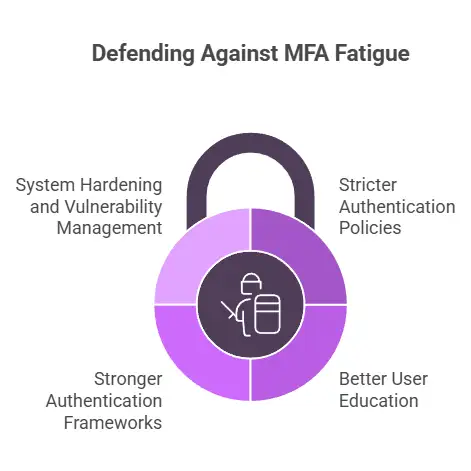
For organizations, prevention should go further. Reduce weak push authentication, use number matching where appropriate, monitor abnormal authentication behavior, and move high-value accounts toward phishing-resistant MFA.
To learn more, visit our blog page.
Sources




-20260925120840.webp&w=3840&q=75)
