
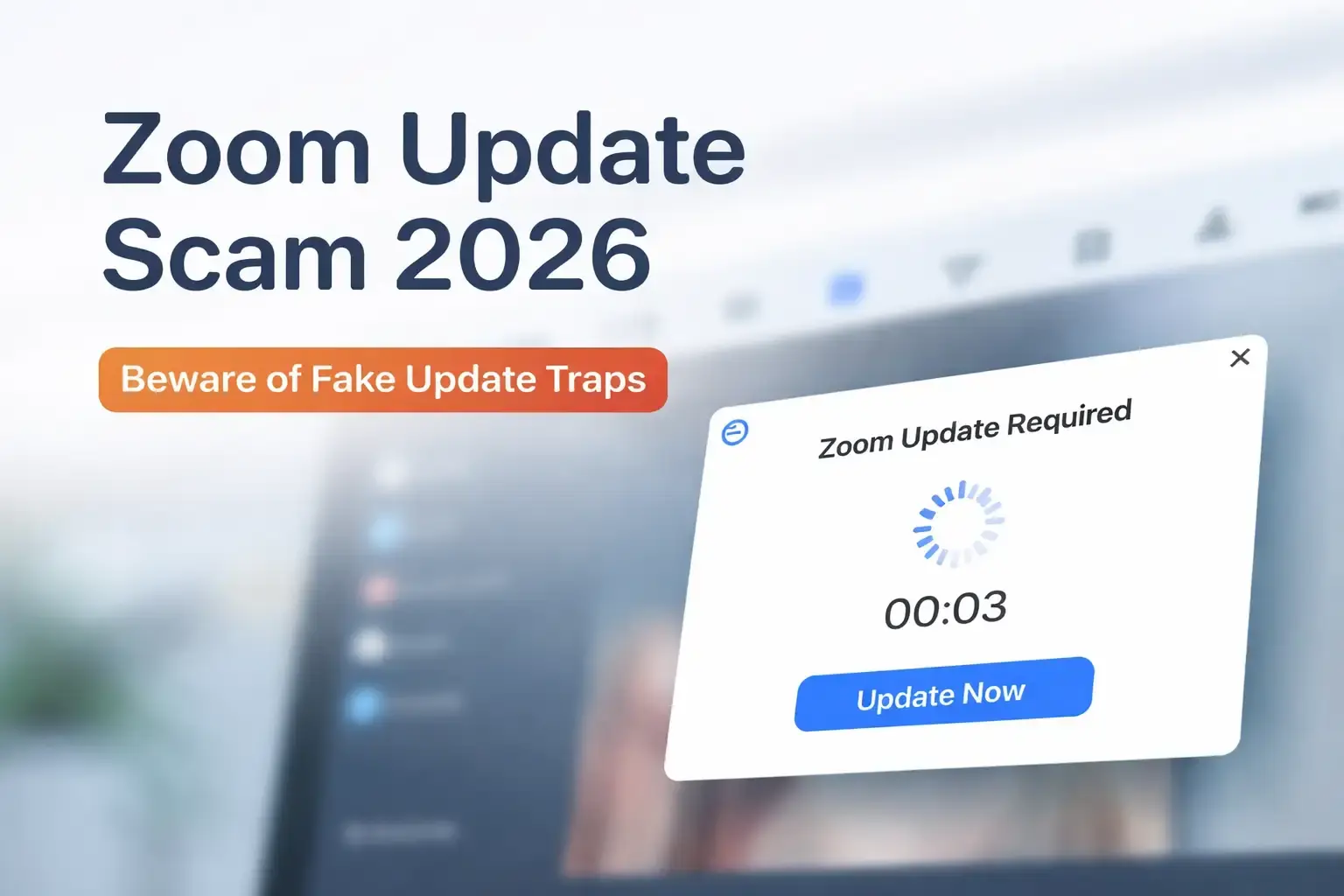
Imagine that you're in the middle of a busy day and you click on what you think is just another Zoom meeting. The link was sent to you by a client email or a chat message from a coworker. You get comfortable, but things feel off right away. The waiting room is taking a long time, and strange names like Matthew Karlsson and Sarah Chen keep coming up. In the background, some audio keeps playing.
A pop-up with a ticking countdown will ask for an update before you know it. You give it the green light to get things going. That's how the Zoom Update Scam 2026 works. It caught 1,437 people over the course of 12 days, putting spyware on their devices without them knowing it. This is a wake-up call for anyone who depends on remote tools like this. A single choice can let someone keep an eye on everything you do.
I've talked to people who have been through the same thing. Once, a friend in Chattogram rushed through a meeting link for a project bid. At first, everything seemed fine, but then he saw strange things happening with his account. Nothing terrible happened, thank goodness, but it was enough to make him think about his habits. These scams take advantage of the trust we have in apps we use every day. They don't need fancy tricks. They just need a break from what they're doing.
This breakdown shows the exact 30-second infection chain that attackers used, from a fake meeting room to full access to surveillance. It's not just another phishing headline. By the end, you will know exactly how the scam works and what to look for on your own device right now.
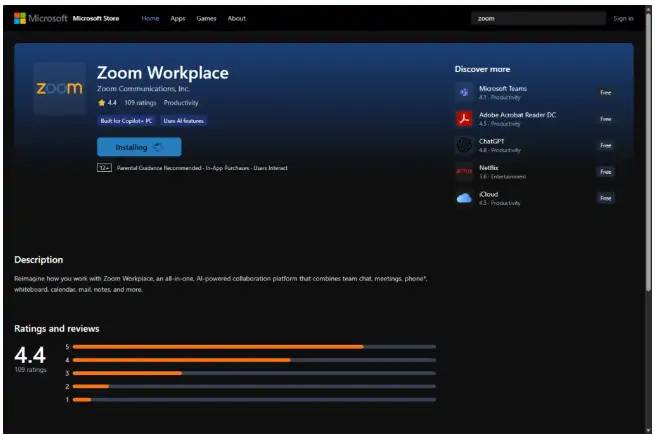
(Image source- helpnetsecurity )
What Really Happened With This Zoom Update Scam?
You get to a page that looks almost exactly like the real Zoom waiting room. The domain name is uswebzoomus[.]com, which is close enough to fool most people at first glance. Some fake people join in with names that sound completely normal. There is background noise that is quiet enough to sound real. You sit there, maybe looking over your notes, and get a little impatient.
Then the screen skips. The sound cuts in and out. It's annoying, but it's something we've all dealt with before with tech problems. The pop-up comes up: it's a notice about an update. It talks about a new version that is ready to download and has a progress spinner and a five-second countdown. Before you can second-guess it, your browser downloads a file called zoom-update.dmg.zip. A lot of people go ahead because they want the meeting to start.
The ZIP file opens up a disk image. After that, a PKG installer takes over. It runs in the background most of the time without making any noise. The end result is a hacked version of Teramind, which is a tool that is usually used to keep an eye on what employees are doing in the office. But here, it helps attackers by taking screenshots, recording keystrokes, and sometimes even webcam feeds. Researchers counted 1,437 unique visitors to the site over the course of those 12 days, and hundreds of them actually finished the downloads.
The spread went to more than one area. The US had the most cases, with more than 1,000. Brazil had about 134. Germany said 47. It affected more than 30 countries in all. Windows devices were hit the hardest, but macOS setups were also at risk because of the installer format.
The most interesting thing about the site was how it seemed to keep track of visits in real time and maybe even change the bait based on who clicked in.
There was real thought put into this kind of setup. They wait until people are really angry before they push the update. Over the years, I've seen a lot of phishing attempts, but this one seems to be especially good at how people act when they're on the phone. You can almost see how the timing was set up to catch you off guard.
Why are scams like the Zoom update scam happening more often?
When everything went remote, tools like Zoom became a part of everyday life. Every year, people spend billions of minutes on it. Because it is so well-known, it is an easy target. Scammers don't have to come up with new ways to trick people. Instead, they use social tricks.
Look back a little. At first, there were problems like uninvited guests crashing meetings. Later, fake download pages stole people's login information. This update trick fits the pattern: it turns trust into a weapon. It also makes sense to choose Teramind.
Businesses use the real version to keep track of how productive their employees are, for example by taking screenshots or noting when people are not working. Attackers copy that feature but turn it around to steal sensitive data instead.
Patterns that are bigger come into play. Studies from companies like Verizon show that most security problems start with people making mistakes. Everyone now gets more links from email, Slack, or texts because hybrid schedules are the norm. Slips for verification. And in places like Chattogram, where freelancers and call centers handle calls from all over the world, the stress builds. If you miss one small detail, information starts going the wrong way.
It might not even come from smart groups. More likely, teams that take advantage of opportunities are getting quick results. A success like 1,400 infections in less than two weeks makes other people want to do the same thing. That cycle keeps these threats changing, almost like they get stronger when they win.
Breaking It Down How the Zoom Update Scam Works
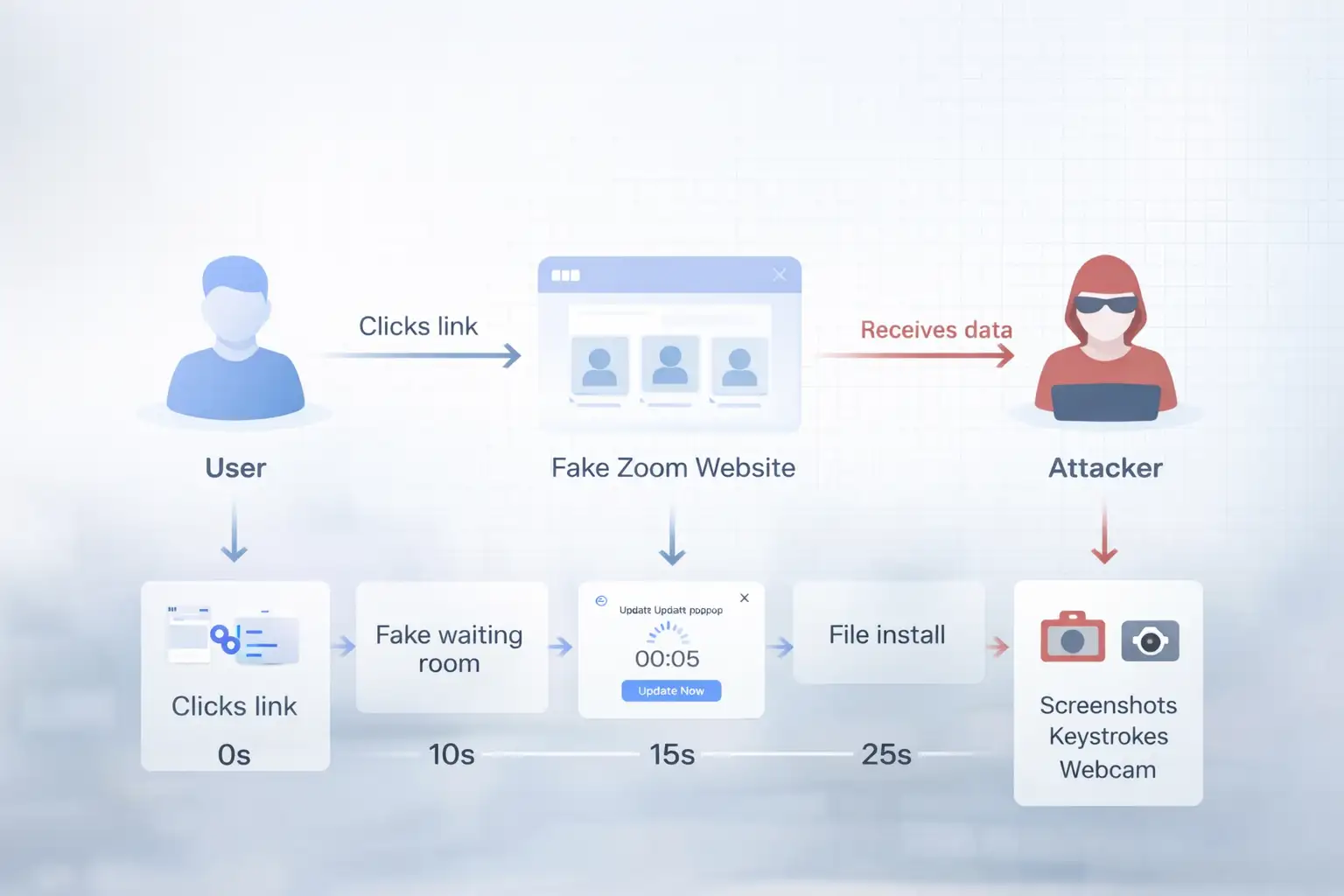
The first step is easy. A link that looks like a meeting invite is sent to someone. When you click, the fake page shows the waiting room scene.
After that, it makes things more real. Those fake users show up. There are soft sounds. You wait, maybe typing a message or drinking your drink.
The glitch phase makes things more tense. The screen flashes. Then the update prompt shows up, pushing but not too hard. The ZIP file downloads by itself.
When you unpack the DMG file, it mounts like any other software disk. The rest is taken care of by the PKG. A script drops the fake Teramind agent. It is set up to run on its own and connect to your inputs and screen.
To stay hidden, it uses things like code signing, which can make it look like trusted developers. Scanners often miss it the first time. It might hide in LaunchAgents on Macs to stay open after a restart. Windows gets tasks that are set to run at certain times.
Think about this flow:
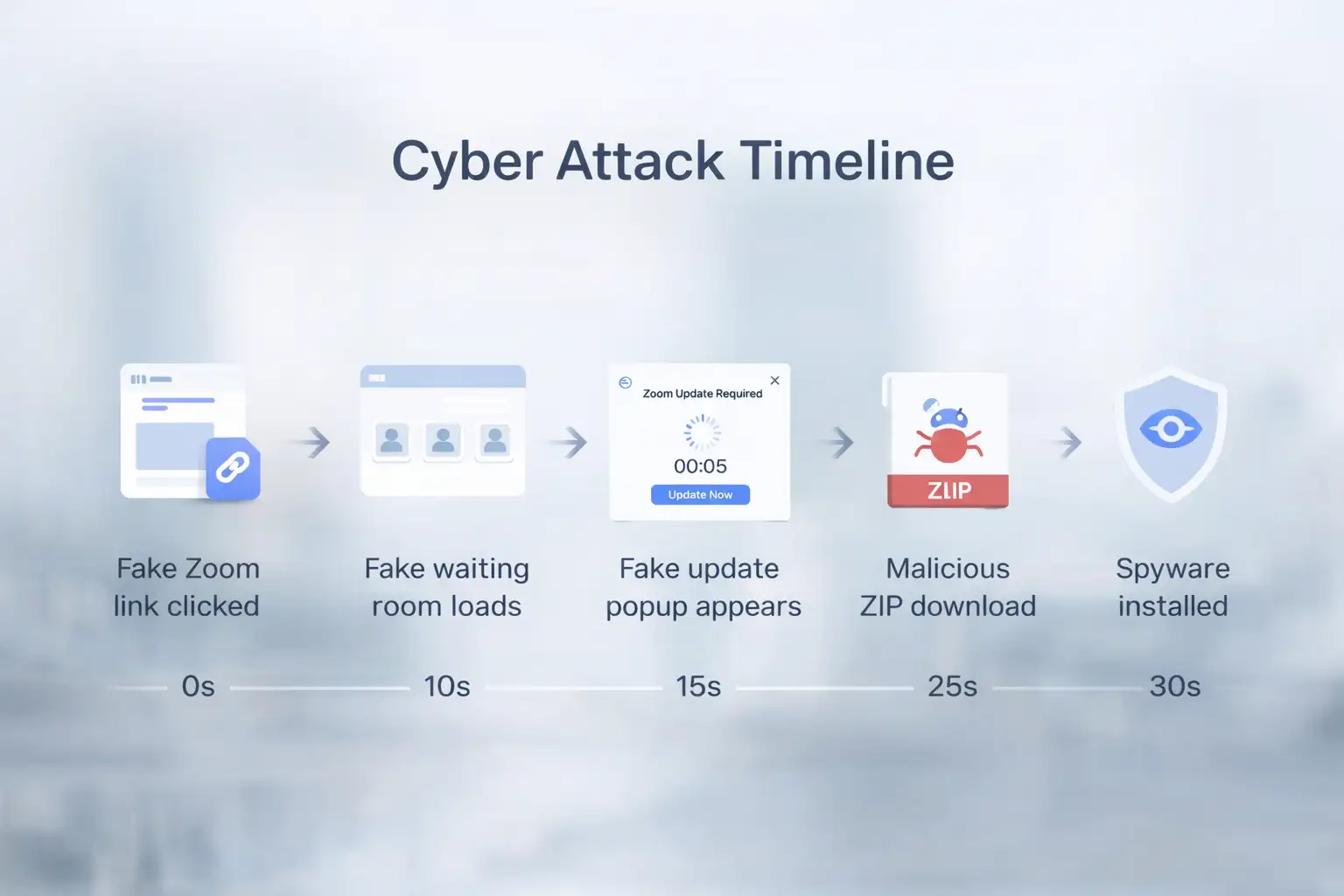
Attackers could watch the process from a distance. They change things if something gets in the way. It works quickly, like a surgeon. Users don't notice right away very often. Afterward, the meeting seems to go more smoothly. But the work in the background goes on quietly. The delay is what makes it hard to clean up later.
A Close Look at the Real Effects of the Zoom Update Scam
Think about a salesperson getting ready for an important demo. In the middle of the morning rush, she clicks the link. The update pops up, and she agrees. The meeting goes off without a hitch. Later, her customer database shows exports that don't make sense. Emails to partners are sent to other places. A competitor cuts her pitch. It takes days to find the problem and weeks to clean it up.
That change from routine to fallout happens quickly. What used to be a productive setup is now a race to get resets and audits done. Teams spend hours chasing shadows, wondering what else got away.
Or think about a small business owner in Brazil, where there are a lot of infections. He falls for it during an update for investors. Slides for the presentation end up being seen. Stakeholders lose faith. Recovery takes time that could be better spent growing. Not only is data lost, but progress is also stalled.
Freelancers also have to deal with similar problems. One of them stopped in the middle, saw a verification screen, and then kept going. Soon after, personal finances took a hit. These cases show why it's important to respond quickly. You have to act quickly, or the damage will get worse.
Who is Most Likely to Get Hurt by These Zoom Update Scams?
Individuals are at the top of the list, especially those who do quick jobs online. They take care of the links that are the least known. A single bad click could show your bank or personal email information.
Sales and hiring teams click under pressure of a deadline. One mistake by each person makes things worse for everyone.
Some fields hurt more than others. Finance takes care of important credentials. Project files go missing at creative agencies. Developers run the risk of exposing code.
Tech users on macOS should also watch, since the package style is similar. Businesses with jobs that require a lot of travel see more of the world.
Geography plays a role. A lot of people in the US means that there are a lot of dense, remote areas. Small and medium-sized businesses (SMBs) that don't have advanced tools find problems late. In places like Chattogram, remote workers are just as vulnerable.
Groups that are rough:
Individual users are at risk of identity theft.
Small businesses fight damage to their reputations.
Bigger companies keep trade secrets safe.
No one is completely safe. Habits decide how much you see. It all depends on how carefully you handle each invitation.
Attackers get what they want, but those who are hit have to deal with problems.
People who are behind it get full views. Passwords typed in come out. Plans are shown in document captures. Camera feeds give you more power.
Made money through sales or direct grabs. Wallets run out before you know it. The payoff goes up with the number of victims.
Defenses are having a hard time. Basic antivirus doesn't look at signed files. People are aware of different things. Some people get caught by free tools, but not all.
It won't last forever. Restarts can be annoying. The first harm stays. By that time, the attackers have what they need.
People follow success. A lot of work pays off. That is the hard math behind these businesses.
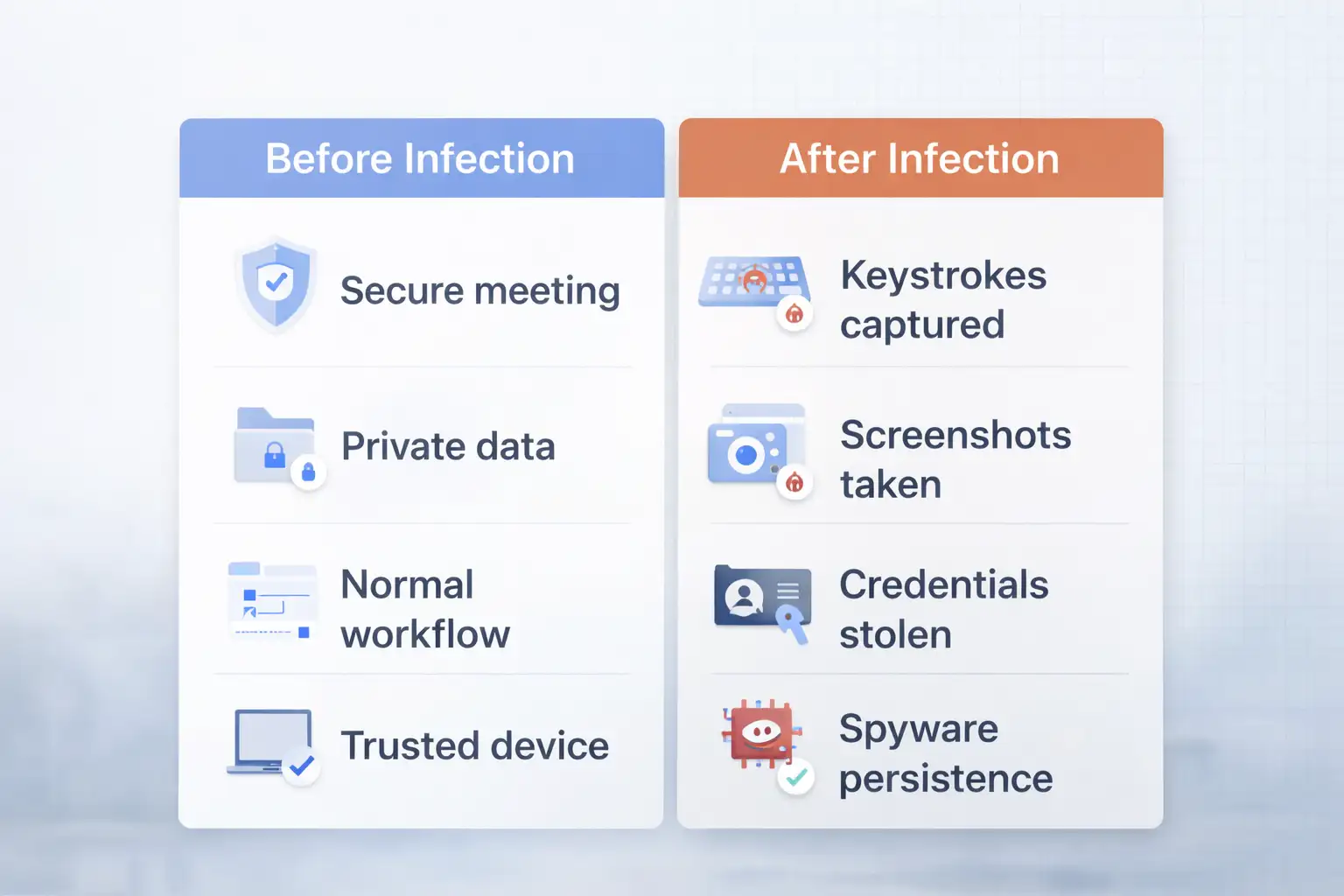
What to do right away about Zoom update scam threats
Check links again before anything else. When you can, type in zoom.us by hand. Don't rush approvals.
Run a scan that looks for strange agents, like Teramind processes. Take away what you find.
Get support right away on company devices. Assume that there is a compromise until you can prove otherwise.
Get the latest version of Zoom from the official site. Add two-factor authentication when you can.
Make routines like checking the sender and going straight to the app. Make them a part of your life.
If you think you might have an infection, the first thing you should do is unplug the network.
Start over in safe mode.
Sweep well.
Update credentials on all boards.
Keep a close eye on money moves.
This is how I've helped teams find problems early. Every time, prevention is better than repair. A picture of that update screen would really drive it home. The timer makes things more stressful, which is why waiting saves trouble.
Frequently Asked Questions
What do people do to start a typical Zoom update scam?
Links take you to fake rooms. Updates are needed because of glitches. Files download without full permission.
How many people fell for the recent Zoom update scam?
Over the course of 12 days, about 1,437 visitors were tracked. Many people then downloaded it.
Can regular tools find Zoom Update Scam malware?
Not always. Signatures help avoid. Advanced behavior checks are more effective.
In Zoom update scams, does it go after certain systems?
Mostly Windows. There are also packages that work with Mac.
How do you get rid of the leftover parts of the Zoom Update Scam?
Scan in a specific way. Clear out startup items. Reinstall without any problems.
Final Thoughts on Patterns of Zoom Update Scams
These events show that there are problems with how we do things when we work from home. A lot of people are already affected. More likely to come. Checks that are easy to do make a difference. Better habits and defenses can change the balance.
Tools get better, and people become more aware. Security teams often suggest monitoring endpoints and running phishing simulations to protect against threats like this. Organizations like Hoplon Infosec offer useful tools for these defenses."Full compromise in seconds" is what research labs say.
Malwarebytes report gives you a deep dive.
Published: February 27, 2026; Last Updated: February 27, 2026



-20260925120840.webp&w=3840&q=75)

-20260918120903.webp&w=3840&q=75)