
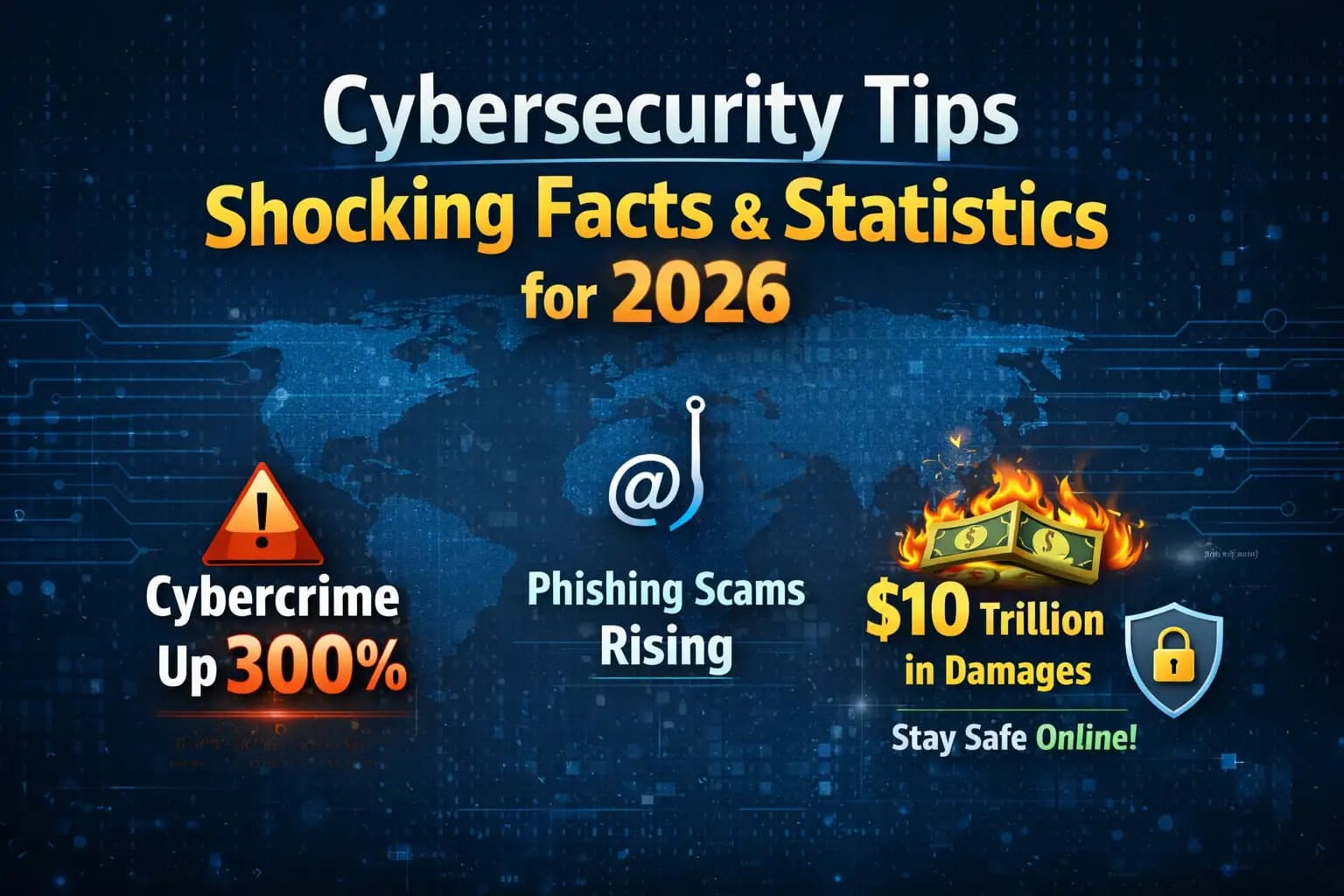
Cyber security Tips
In this modern world, we connect almost everything we do to the internet. We talk on the phone, keep information, and use different online services on our smartphones, laptops, tablets, and other smart devices.
There are different gadgets we use for different things, like applying for jobs, shopping online, studying, and banking. We keep our personal data, pictures, documents, and financial information on these devices. Cybersecurity is very important because of this.
Key Takeaways
Cybersecurity tips help protect personal information online from hackers, scammers, and cybercriminals.
Password security and strong password tips are essential for preventing unauthorized account access.
Phishing attacks and social engineering attacks remain the most common cyber threats.
Two factor authentication (2FA) and multi factor authentication (MFA) greatly improve account security.
VPN security and public WiFi security practices protect your data on open networks.
Software security updates and antivirus software protect devices from malware and ransomware.
Identity theft protection and credit monitoring help detect fraud early.
Employee cybersecurity training and network monitoring are essential for business security.
Quick Answer
Cybersecurity tips are practical strategies that protect devices, networks, and personal data from cyber threats.
Key practices include:
Using strong passwords and password managers
Enabling two factor authentication (2FA)
Installing software security updates
Avoiding phishing scams
Using VPN security on public WiFi
Protecting personally identifiable information (PII)
Installing antivirus software and firewall protection
These cybersecurity best practices dramatically reduce the risk of cyber attacks and data breaches.
Why it's important to keep personal information safe
There are different ways hackers try to get people's personal information, such as
• Scam calls
• Malware
• Bad passwords
• Networks that aren't safe
People can lose their identities, money, and privacy if their personal information is stolen.
Why Cybersecurity Tips Are Useful
People can keep their gadgets, personal information, and online accounts safe by following these cybersecurity tips. People can greatly lower their chance of cyberattacks by following simple security rules.
Simple Cybersecurity Tips
Updates for software
Why security patches are important
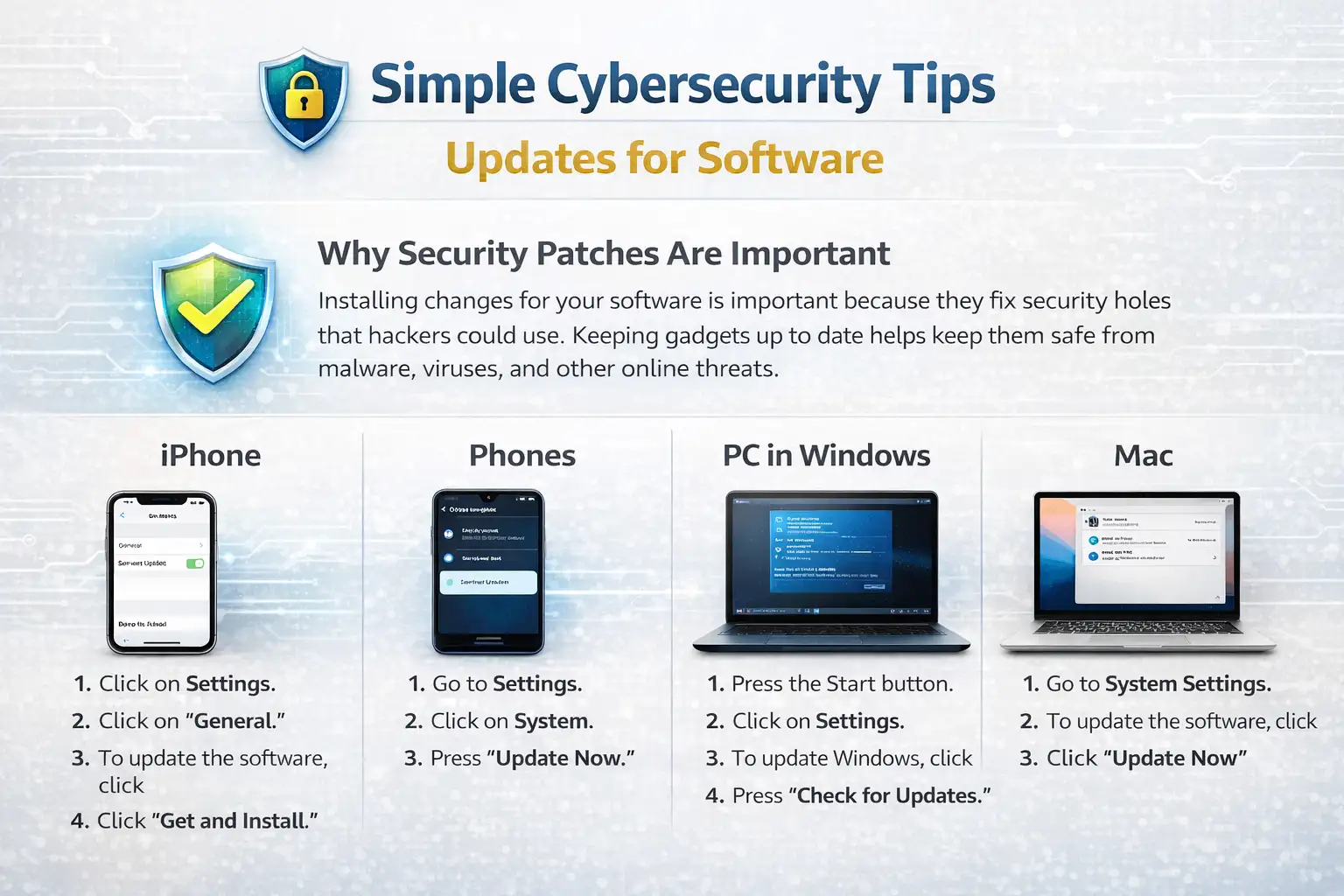
Installing changes for your software is important because they fix security holes that hackers could use. Keeping gadgets up to date helps keep them safe from malware, viruses, and other online threats.
How to Keep iPhone Software Up to Date
Click on Settings.
Click on "General."
To update the software, click
Click "Get and Install."
Phones
Go to Settings.
Click on System.
Press "Update Now."
PC in Windows
Press the Start button.
Click on Settings.
To update Windows, click
Press "Check for Updates."
Mac
Go to System Settings.
To update the software, click
Click "Update Now."
It's antivirus software
Why you need antivirus software
Devices are safe from viruses, malware, spyware, and ransomware when they have antivirus software installed. Regular scans of devices by a good antivirus tool find files that look fishy.
Things that need antivirus software
These things should have antivirus software installed:
• Computers with Windows
• Devices with Android
• Laptops used for work
• Computers for work
Security defense is also good for Mac and iPhone devices.
Firewall and protection against malware
Antivirus programs also protect you from malware and block unwanted access to networks with firewalls.
Well-known antivirus software
• Norton
• Bitdefender
• McAfee
• Avast
Good password habits and why strong passwords are important
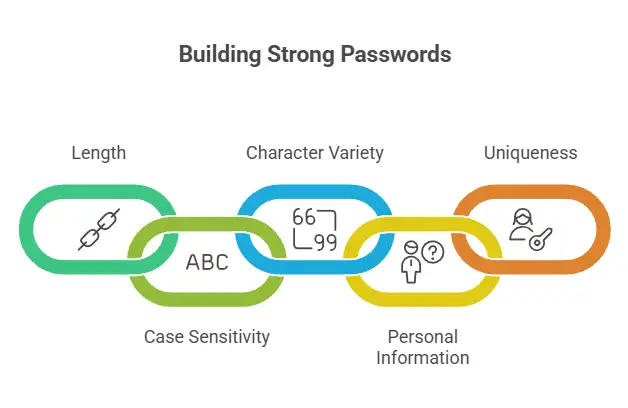
It is very important to use strong passwords to keep your account safe online. One major reason accounts are broken into is weak passwords.
Strong Rules for Passwords
• Type 12 to 16 letters.
• Use both capital and small letters.
• Use letters, numbers, and signs.
• Do not write down personal details.
• Don't use the same text twice.
An example of a strong password:
T7@kP92!xL5
Making use of password managers
Password tools keep passwords safe and help you make strong passwords for all of your accounts.
Some examples are
• LastPass
• Bitwarden
• One Password
Proof of identity
Authentication with two factors (2FA)
Two-factor authentication makes things even safer. To log in this way, you need both a password and an extra code.
Example (Google Account)
Sign in to Google.
Click on Safety.
Click "Verification in Two Steps."
Click on Start.
Multi-factor authentication
A better security system called multi-factor authentication needs at least two ways to prove who you are, like
• Password
• SMS code
• Authentication app
• Fingerprint verification
Scams and Phishing
Know What Phishing Is
Hackers use fake emails or websites to get people to give them their login information. This is called phishing.
Common Ways to Phish
• Fake emails that look like they are from banks
• Fake pages to log in
• Requests for fake payments
• Fake texts for customer service
How to Keep Phishing Attacks Away
• Don't click on links in emails you don't know.
• Don't open files that look sketchy.
• Check the URLs of websites.
Keeping personally identifiable information (PII) safe
What Does PII Mean?
Information that can be used to find out who someone is is called personally identifiable information (PII).
Some examples of private data
• Full name
• Address
• Phone number
• National ID number
• Bank account data
• Credit card numbers
How Identity Theft Can Happen
If someone steals your PII, they can open bank accounts, commit scams, or pretend to be someone else online.
Mobile Device Safety
Putting in Passcodes
Strong passcodes help keep smartphones safe from people who shouldn't have access to them.
Turning off public Wi-Fi
Wi-Fi in public places can be dangerous. Many public Wi-Fi networks are not safe.
Turning off sharing of location
Sharing your location can let apps and websites know where you are right now.
Getting rid of Bluetooth
Attackers may be able to get into devices through Bluetooth flaws if you leave Bluetooth on.
How to Protect Your Data
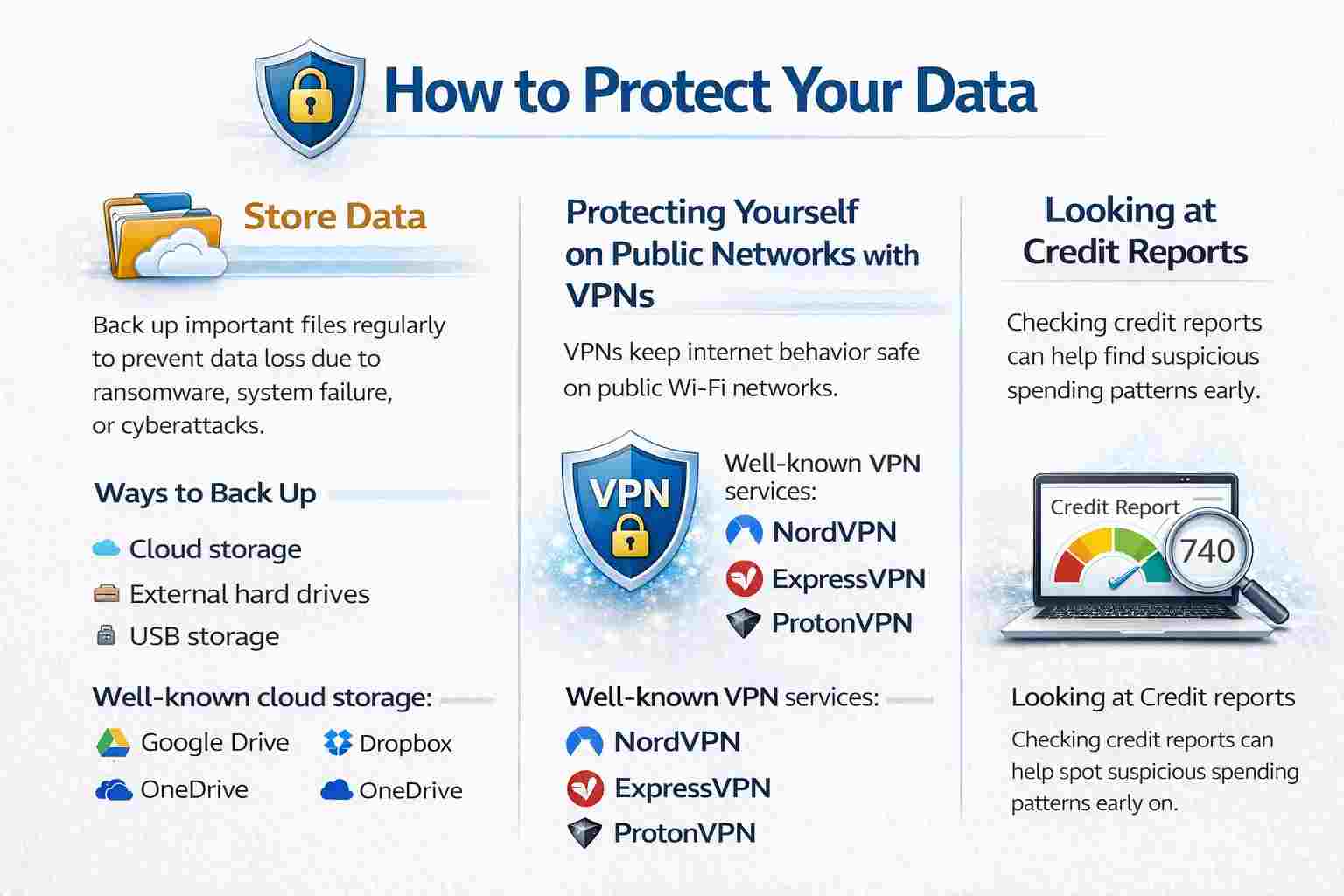
Store Data
If you back up your important files regularly, you won't lose them because of ransomware, system failure, or cyberattacks.
Ways to Back Up
• Cloud storage
• External hard drives
• USB storage
Well-known cloud storage
• Google Drive
• Dropbox
• OneDrive
Protecting Yourself on Public Networks with VPNs
VPNs keep your internet behavior safe when you're on a public Wi-Fi network.
Well-known VPN services
• NordVPN
• ExpressVPN
• ProtonVPN
Looking at credit reports
Keeping an eye on credit reports can help find suspicious spending patterns early on.
How Businesses Protect Their Cyberspace
The plans, rules, and tools that businesses use to keep their systems, networks, and data safe from online threats are called business cybersecurity practices.
Control of Access
Access control is a way to keep an organization safe by making sure that only people who are allowed to can get to certain gadgets, systems, or information.
Watching the network
Network tracking means keeping an eye on a business's network all the time to spot strange activity, system issues, or cyber threats.
Training for Employees
Employees are very important to safety.
Keeping servers safe
Servers need to be properly protected because they often hold important business data.
More Threats to Cybersecurity
Cyberbullying
Cyberbullying is when someone bothers someone else online.
Attacks by DDoS
A Distributed Denial of Service (DDoS) attack sends a lot of traffic to a server and crashes it.
Safety for Devices and Networks
Getting Rid of Electronic Items
All data should be deleted from old devices before they are sold or thrown away.
Keeping IoT devices safe
To keep smart gadgets safe, you should use strong passwords and update them often.
Online Safety for Kids
Parents should use parental control tools.
Safe Use of the Internet
Charging stations for the public
Public charging stations can lead to juice jacking.
Shop Online Without Fear
Make sure the website is safe before you shop online.
Keeping remote workers safe
• Connect to a VPN
• Use secure Wi-Fi
• Enable device encryption
Safety for Browsers and Websites
Getting rid of autofill
Turning off autofill prevents browsers from filling private information automatically.
Staying away from pop-ups and adware
Pop-ups may indicate malware.
Making sure URLs are safe
Safe example
https://www.google.com
Unsafe example
https://google-login-security.xyz
Having HTTPS
Websites that use HTTPS secure data and keep login information safe.
Why safety online is important
Failures in cybersecurity can lead to identity theft, account takeover, financial loss, reputation damage, and privacy violations.
Review
Cybersecurity is an ongoing process.
Important habits include:
• Software updates
• Password changes
• Data backups
• Security checks
FAQs
What does cybersecurity mean?
Cybersecurity protects computers, networks, and data from hackers.
Why is it important to have security?
It protects personal information and devices.
Why is phishing bad?
Phishing uses fake emails or websites to steal personal information.
How do I make a strong password?
Use 12–16 characters with letters, numbers, and symbols.
What is a VPN?
A VPN encrypts internet data and hides IP addresses.
What's the point of updating software?
Updates add security patches that fix vulnerabilities.
Tips That Work
• Use strong passwords all the time.
• When you use public Wi-Fi, use a VPN.
• Don't click suspicious links.
• Back up your data often.
• Use computer security software.
• Reset old devices before disposal.
References





