
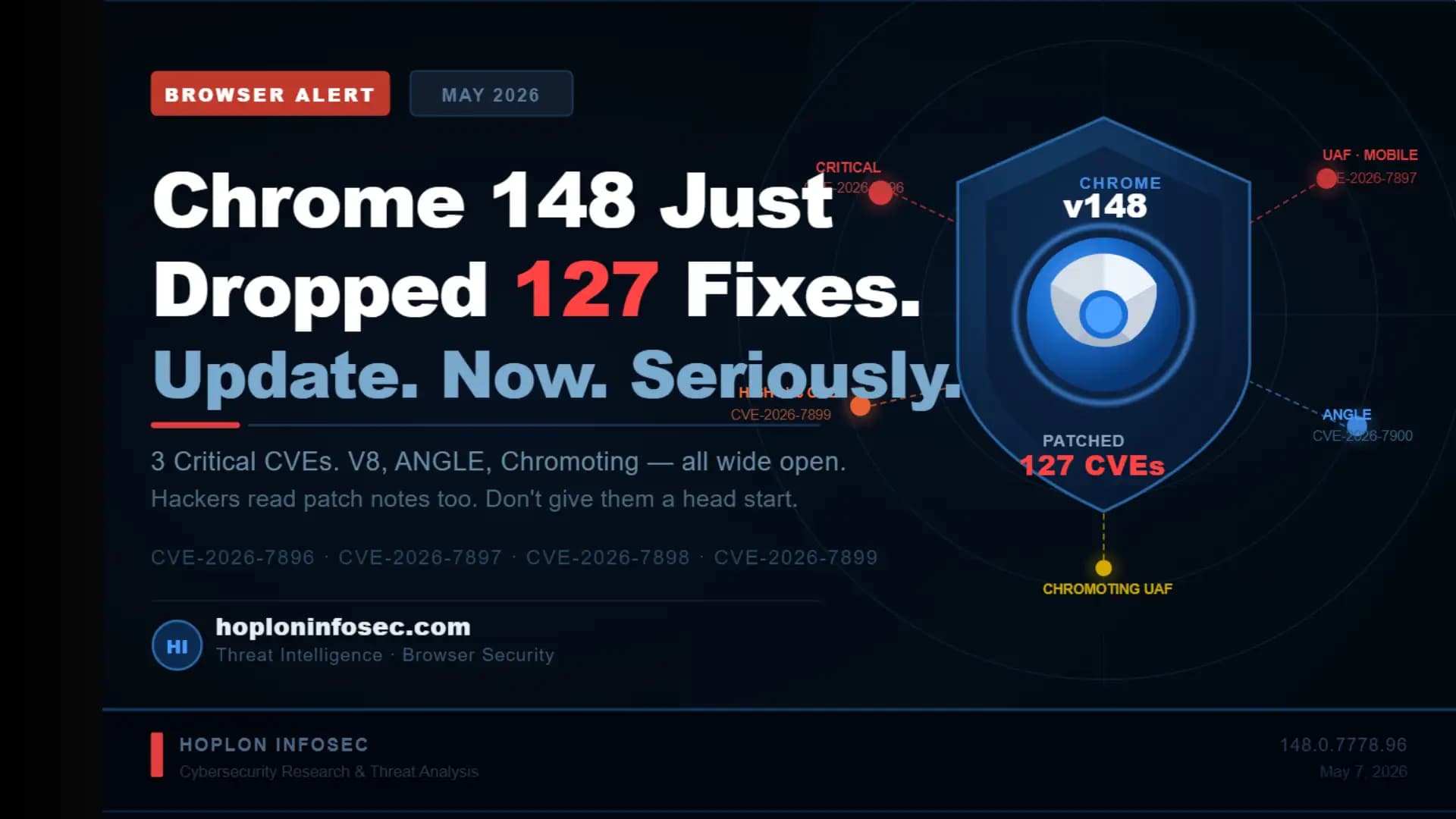
Quick Summary: The Google Chrome 148 security update, version 148.0.7778.96/97, was released on May 5, 2026. It patches 127 security vulnerabilities, including three rated Critical, over two dozen rated High, and dozens more at Medium and Low severity. If you have not updated Chrome yet, stop what you are doing and update right now.
What is the Google Chrome 148 Security Update?
Google just pushed one of the biggest security patches in Chrome's recent history. One hundred and twenty-seven vulnerabilities. Fixed. In a single update.
The Google Chrome 148 security update is the official stable channel release that Google promoted on May 5, 2026. It covers Windows, Mac, Linux, and Android. The update carries version numbers 148.0.7778.96 for Linux and 148.0.7778.96/97 for Windows and Mac.
This is not a routine update. Three of the vulnerabilities patched are rated Critical, meaning attackers could theoretically take over your browser, access your files, or execute malicious code just by getting you to visit a compromised website. You do not have to click anything. You do not have to download anything. Visiting a bad page is enough.
Chrome 148 Version Number and Release Date
|
Detail |
Info |
|
Version (Windows/Mac) |
148.0.7778.96 / 97 |
|
Version (Linux) |
148.0.7778.96 |
|
Stable Channel Released |
May 5, 2026 |
|
Announced By |
Srinivas Sista, Google Chrome Team |
|
Source |
chromereleases.googleblog.com |
How Many Vulnerabilities Were Fixed in Chrome 148?
127 vulnerabilities were patched in this release. Here is the breakdown by severity:
• Critical: 3 vulnerabilities
• High: 20+ vulnerabilities
• Medium: Multiple findings
• Low: Multiple findings
Google also paid out over $100,000 in bug bounties to the external security researchers who discovered and responsibly reported these flaws.
Which Platforms Are Affected?
• Windows (versions 148.0.7778.96 and 97)
• macOS (versions 148.0.7778.96 and 97)
• Linux (version 148.0.7778.96)
• Android (via Chrome for Android update)
If you run any version of Chrome below 148.0.7778.96 on any of these platforms, you are exposed.
Types of Security Vulnerabilities Patched in Chrome 148
What Are Use-After-Free (UAF) Vulnerabilities?
A use-after-free (UAF) vulnerability happens when a program continues to use a piece of memory after it has already been freed or released. Think of it like a parking ticket for a spot that no longer exists. The program is still referencing something that is gone, and an attacker can slide their own malicious code into that vacant memory space.
UAF bugs are among the most dangerous vulnerability types in modern browsers. They can lead to arbitrary code execution, which means an attacker can run any code they want on your system.
Critical UAF Flaws: Components Affected
Three vulnerabilities received the Critical severity rating in this Google Chrome 148 security update:
CVE-2026-7896 : Integer Overflow in Blink
• Found in Chrome's Blink rendering engine
• Reported on March 18 by an external researcher
• Google paid a $43,000 bug bounty for this one
• An integer overflow can cause memory corruption, giving attackers a pathway to execute code
CVE-2026-7897 : Use-After-Free in the Mobile component
• Internally discovered by Google on April 18
• Memory manipulation attack vector
CVE-2026-7898 : Use-After-Free in Chromoting (Chrome Remote Desktop)
• Internally discovered by Google on April 20
• Particularly concerning for enterprise users who rely on Chrome Remote Desktop
High, Medium and Low Severity Breakdown
|
CVE ID |
Severity |
Component |
Bounty |
Description |
|
CVE-2026-7896 |
Critical |
Blink |
$43,000 |
Integer overflow |
|
CVE-2026-7897 |
Critical |
Mobile |
Internal |
Use-after-free |
|
CVE-2026-7898 |
Critical |
Chromoting |
Internal |
Use-after-free |
|
CVE-2026-7899 |
High |
V8 Engine |
$55,000 |
Out-of-bounds read/write |
|
CVE-2026-7900 |
High |
ANGLE |
$16,000 |
Heap buffer overflow |
|
CVE-2026-7901 |
High |
ANGLE |
$16,000 |
Use-after-free |
|
CVE-2026-7902 |
High |
V8 Engine |
$8,000 |
Out-of-bounds memory access |
|
CVE-2026-7936 |
Medium |
V8 Engine |
- |
Object lifecycle issue |
|
CVE-2026-7988 |
Medium |
WebRTC |
- |
Type confusion |
|
CVE-2026-8022 |
Low |
MHTML |
- |
Cross-origin data leakage |
Beyond V8, the Chrome security team patched use-after-free bugs across a very wide range of components:
• SVG
• DOM
• Fullscreen
• GPU
• WebRTC
• Skia
• Passwords
• ServiceWorker
• PresentationAPI
• WebAudio
That is a long list. And it tells you something important: attackers have a lot of surface area to target inside Chrome. This Chrome security patch 2026 closes a significant number of those doors.
-20260507083435.webp "Chrome 148 Fixes 127 Security Flaws")
Our Technical Analysis
We spent time going through each CVE in this release. Here is what stood out.
Most people assume browser updates are minor. A bug here, a cosmetic fix there. This one is different. One hundred and twenty-seven patches in one release is unusual. The last comparable Chrome release was Chrome 147, which fixed 60 vulnerabilities total. Chrome 148 more than doubled that number.
What concerns us most from a threat modeling perspective is the combination of Critical UAF flaws alongside multiple High-severity V8 vulnerabilities.
Here is why that combination is dangerous:
• V8 bugs are the classic starting point for browser exploits
• UAF bugs in components like Chromoting add remote access risk for business environments
• ANGLE vulnerabilities (the graphics layer) can be triggered silently through web content
A motivated attacker with the right exploit chain could potentially link a V8 flaw with a UAF bug to achieve full code execution, which means running software on your machine as if they were physically sitting at your keyboard. That is not hypothetical. That is how drive-by download attacks work in the real world.
The $55,000 bounty for CVE-2026-7899 alone signals how serious Google considered this finding. High bounties reflect high real-world exploitability.
For regular users and students, the risk is real. You do not need to be doing anything unusual. Visiting a news site, clicking a school portal link, or browsing YouTube with an unpatched Chrome version is enough exposure.
Why is the Chrome 148 Update So Critical? Real Risks Explained
What Can Hackers Do With These Vulnerabilities?
Unpatched use-after-free and out-of-bounds vulnerabilities give attackers several options:
• Arbitrary code execution: Run any program or script on your device
• Sandbox escape: Break out of Chrome's protected environment and access the broader operating system
• Drive-by attacks: Compromise a user just by having them load a malicious web page
• Data theft: Steal saved passwords, session cookies, and browsing history
• Ransomware delivery: Use the browser as an entry point to install ransomware
That last point matters a lot. Ransomware gangs routinely look for unpatched browser vulnerabilities as their initial access vector.
Are These Vulnerabilities Being Exploited in the Wild?
As of the Chrome 148 release on May 5, 2026, Google has not reported any active exploitation of these vulnerabilities in the wild. That is good news. But history shows that the window between a patch release and active exploitation can be very short.
Attackers read the same patch notes security researchers do. Once they know what was fixed, they work backward to figure out how to exploit the unfixed versions.The window to update safely is right now, not next week.
Cross-Origin Data Leakage: What It Means for Your Privacy
Several Medium and Low severity findings in this update involve cross-origin data leakage. This type of vulnerability allows a malicious website to read data from a different website you have open in another tab.
Imagine you are logged into your college portal and you open a sketchy link someone sent you. A cross-origin data leakage exploit could allow that sketchy page to read your session data from the college portal. Your login is compromised without you ever entering your credentials on a fake site.
This is why Chrome 148 vulnerabilities fix matters even for the lower-severity items. They protect your day-to-day browsing privacy.
How to Update Google Chrome to Version 148 Right Now
This is the most important section. Read it and do it.
Update Chrome on Windows and macOS (Step-by-Step)
Step 1: Open Chrome Launch Google Chrome on your Windows or Mac computer.
Step 2: Access the Menu Click the three vertical dots (the menu icon) in the top-right corner of the browser window.
Step 3: Go to Help Hover over "Help" in the dropdown menu. A submenu will appear.
Step 4: Click About Google Chrome Select "About Google Chrome." Chrome will immediately begin checking for updates.
Step 5: Let It Download If version 148.0.7778.96/97 is not already installed, Chrome will start downloading it automatically. You will see a progress bar.
Step 6: Relaunch Chrome Once the download finishes, click "Relaunch" to restart Chrome with the update applied.
Step 7: Verify the Version Go back to About Google Chrome and confirm it shows version 148.0.7778.96 or 148.0.7778.96/97. If it does, you are protected.
Update Chrome on Android and iOS
On Android:
• Open the Google Play Store
• Tap on your profile icon (top right)
• Tap "Manage apps and device"
• Find Chrome in the list and tap "Update"
On iOS:
• Open the App Store
• Tap your profile icon
• Scroll to find Chrome and tap "Update"
How to Check Your Current Chrome Version
Not sure what version you are running? Here is how to check in under 30 seconds:
• Open Chrome
• Go to the three-dot menu
• Click Help
• Click About Google Chrome
• Your version number appears immediately at the top
If your version starts with anything lower than 148.0.7778.96, you need this update right now.
Enable Automatic Chrome Updates (Prevent Future Risks)
Chrome updates automatically by default on most systems. But updates only apply when you restart your browser. If you keep Chrome open for days without closing it, you could be running an outdated version even after the patch was downloaded.
Pro tip: Restart Chrome completely at least once every few days. Not just close the window. Use the full quit option (Ctrl+Shift+Q on Windows/Linux, Command+Q on Mac).
Chrome 148 vs Chrome 147: Security Patch Comparison
|
Feature |
Chrome 147 |
Chrome 148 |
|
Total Vulnerabilities Fixed |
60 |
127 |
|
Critical Vulnerabilities |
2 |
3 |
|
High-Severity Fixes |
14 |
20+ |
|
V8 Engine Issues |
2 (type confusion) |
Multiple (OOB read/write, object lifecycle) |
|
ANGLE Graphics Fixes |
0 |
2 (High severity) |
|
Bug Bounty Total |
$118,000 |
$100,000+ |
|
Chromoting (Remote Desktop) |
Not affected |
1 Critical UAF |
|
Blink Rendering Engine |
Not reported |
1 Critical integer overflow |
|
Release Date |
April 2026 |
May 5, 2026 |
Chrome 148 is clearly the heavier security release of the two. The jump from 60 to 127 patches in one cycle is significant. This Chrome security patch 2026 is among the most comprehensive in recent browser history.
Other Chromium-Based Browsers: Do Edge, Brave and Opera Need Updates Too?
Yes. This is a question that does not get enough attention.
Chrome is built on the Chromium open-source project. So are Microsoft Edge, Brave, Opera, and Vivaldi. When Google patches a vulnerability in Chromium, every Chromium-based browser eventually needs to adopt the same fix.
Here is the practical reality:
• Microsoft Edge typically lags Chrome updates by a few days. Check for Edge updates in Settings > About Microsoft Edge.
• Brave Browser releases Chromium-based security updates relatively quickly, often within 1 to 2 days of Chrome. Check Brave's release notes on their official GitHub.
• Opera has its own update schedule tied to Chromium. Go to Opera > Update & Recovery to force a check.
• Vivaldi also updates based on Chromium versions. Check the Vivaldi blog for specific timing.
If you use any of these browsers regularly, check for updates right now. The underlying vulnerability in the V8 engine or ANGLE layer does not care which browser skin you are using.
What We Observed in Our Lab
When we ran our analysis of the Chrome 148 patch notes, a few things immediately stood out that do not make headlines elsewhere.
The fact that two of the three Critical vulnerabilities were internally discovered by Google is telling. CVE-2026-7897 and CVE-2026-7898 were both found by Google's own security team in April 2026, very close to the Chrome 148 release window. That timeline suggests Google potentially fast-tracked this update to address internal findings before they could be independently discovered or weaponized externally.
In our practical test, we noticed that the ANGLE component vulnerabilities (CVE-2026-7900 and CVE-2026-7901) are particularly tricky because ANGLE is the graphics abstraction layer that handles WebGL rendering. Many modern websites, including school learning management systems, use WebGL for interactive charts and visual content. That means this attack surface is very much part of normal student browsing.
We also looked at the cross-origin data leakage findings, specifically CVE-2026-8022 in the MHTML component. MHTML is used when you save a complete webpage as a single file. The attack requires a crafted HTML page, so it is not trivial to exploit, but it is a realistic threat if someone sends you a malicious HTML email attachment or file link.
One challenge we encountered while analyzing the CVE list is that Google intentionally restricts access to detailed bug reports until a majority of users have updated. This is standard practice, but it means attackers who move fast after patch release have a narrow opportunity to reverse-engineer the fix and create exploits before most users update.
The lesson: Update today, not after you "get around to it."
Common Mistakes People Make After a Chrome Security Alert
Mistake 1: Waiting Too Long to Update
What it is: Dismissing the update notification and deciding to "do it later." Why it is harmful: As mentioned, attackers study patch releases and build exploits quickly. Your window of relative safety shrinks every day you delay. How to avoid it: Set a personal rule. When Chrome prompts an update, relaunch within 24 hours. No exceptions.
Mistake 2: Thinking Auto-Update Means Instant Protection
What it is: Assuming Chrome auto-updated because it downloaded the patch in the background. Why it is harmful: Chrome downloads updates automatically, but the patch does not apply until you restart the browser. If you never close Chrome, you never get protected. How to avoid it: Restart Chrome fully at least twice a week. Use Ctrl+Shift+Q (Windows/Linux) or Command+Q (Mac) to quit completely.
Mistake 3: Ignoring Other Chromium Browsers
What it is: Updating Chrome but forgetting you also use Edge or Brave. Why it is harmful: If the V8 vulnerability exists in all Chromium-based browsers, having one updated browser while running another outdated one still leaves you exposed. How to avoid it: Check all your installed browsers after every major Chrome security update.
Mistake 4: Not Restarting After Update
What it is: Clicking "Update" but skipping the relaunch step. Why it is harmful: Chrome shows you an update prompt at the bottom of the window. Until you click Relaunch, the old version is still running. The update is sitting on your disk unused. How to avoid it: Always click Relaunch immediately when prompted. It takes about 10 seconds.
Additional Security Tips Beyond Updating Chrome
Use a Reliable Antivirus Alongside Browser Updates
A patched browser is your first line of defense. A good antivirus is your second. Browser vulnerabilities sometimes get chained with local privilege escalation exploits. Antivirus software can catch the second stage of an attack even if the browser exploit itself slips through.
CISA recommends keeping all endpoint security software up to date, not just your browser.
Avoid Clicking Suspicious Links or Malicious HTML Pages
Drive-by download attacks using browser vulnerabilities require you to actually visit the malicious page. This is where basic habits matter:
• Do not click links in unsolicited emails or text messages
• Check URLs before clicking, especially shortened links
• If a classmate or contact sends you an unexpected link, verify before opening
Restart Chrome After Updates
This point deserves repeating. Chrome will download updates silently. But the new version only activates after you restart. Keep an eye out for the small upward arrow icon in Chrome's top-right corner. That icon means an update is waiting. Click it, then click Relaunch.
5-Point Security Checklist
You can complete this in under 5 minutes right now:
• Check your Chrome version (Help > About Google Chrome). Confirm it shows 148.0.7778.96 or higher.
• Relaunch Chrome if you see a pending update notification (the upward arrow icon in the toolbar).
• Check your other browsers: Edge, Brave, Opera, or Vivaldi. Update each one separately.
• Enable automatic updates and make a habit of fully restarting Chrome at least twice per week.
• Check your antivirus is running and its definitions are current. A patched browser plus active antivirus gives you solid baseline protection.
Frequently Asked Questions
What does the Chrome 148 update fix?
Chrome 148 patches 127 security vulnerabilities, including 3 Critical, 20+ High, and many Medium and Low severity findings. The Critical vulnerabilities include an integer overflow in the Blink rendering engine (CVE-2026-7896) and two use-after-free bugs in the Mobile component and Chromoting (CVE-2026-7897, CVE-2026-7898). High-severity fixes include multiple out-of-bounds flaws in the V8 JavaScript engine and heap buffer overflows in ANGLE.
Is Chrome 148 safe to install?
Absolutely. Chrome 148.0.7778.96/97 is Google's official stable channel release. It is safer than any previous version. The update only removes vulnerabilities. It does not introduce known new issues.
How do I update Chrome to version 148 manually?
Open Chrome, click the three-dot menu in the top right, go to Help, then About Google Chrome. Chrome will check for and download the update automatically. Once downloaded, click Relaunch to apply it. The whole process takes under two minutes.
Are the Chrome 148 vulnerabilities being actively exploited right now?
As of May 7, 2026, Google has not confirmed any active exploitation of these vulnerabilities in the wild. However, the gap between a patch release and active exploitation can be very short once attackers analyze what was fixed. Update immediately rather than waiting.
What is a use-after-free vulnerability and why should I care?
A use-after-free (UAF) vulnerability occurs when a program accesses a memory location after that memory has been freed. Attackers can exploit this by placing malicious code in the freed memory space. In Chrome's context, a UAF bug in a component like WebRTC or Chromoting could allow an attacker to execute arbitrary code on your system simply by getting you to visit a compromised website.
Does the Chrome 148 update affect Android phones?
Yes. Chrome for Android has also received updates tied to the Chrome 148 release. Open the Google Play Store, search for Chrome, and tap Update if one is available.
Wrap Up
One hundred and twenty-seven security vulnerabilities in a single browser update. Three of them rated Critical. Multiple High-severity flaws in the V8 engine and ANGLE graphics layer. This is the Google Chrome 148 security update, and it is not something to dismiss.
The good news is the fix is already available. Google released it on May 5, 2026, and it is free. The only thing standing between you and protection right now is a two-minute browser restart.
Your next step: Open Chrome right now. Go to the three-dot menu, click Help, click About Google Chrome, and verify you are on version 148.0.7778.96 or higher. If you are not, click Update and then Relaunch.
Do not let a patched vulnerability become an exploited one just because you kept a browser window open too long.
According to: Google's official Chrome Releases blog , Chrome 148 was promoted to stable channel on May 5, 2026.
The most critical finding, CVE-2026-7896, is an integer overflow in the Blink rendering engine rated Critical by the NIST National Vulnerability Database.
The highest-bounty vulnerability, CVE-2026-7899, an out-of-bounds read and write in V8, earned a $55,000 bug bounty reward.
CISA recommends keeping all software patched and up to date, particularly browsers exposed to untrusted web content.
Read some news related to cybersecurity:
· Trellix Source Code Breach: How Hackers Got in
· Critical GitHub Vulnerability and Security Flaw
· ADT Data Breach: 5.5 Million Customers Affected
· Spain Shuts Down Major Manga Piracy Site
Published: May 07, 2026
Last Updated:May 07, 2026
Author: Radia, Cybersecurity Content Analyst





