
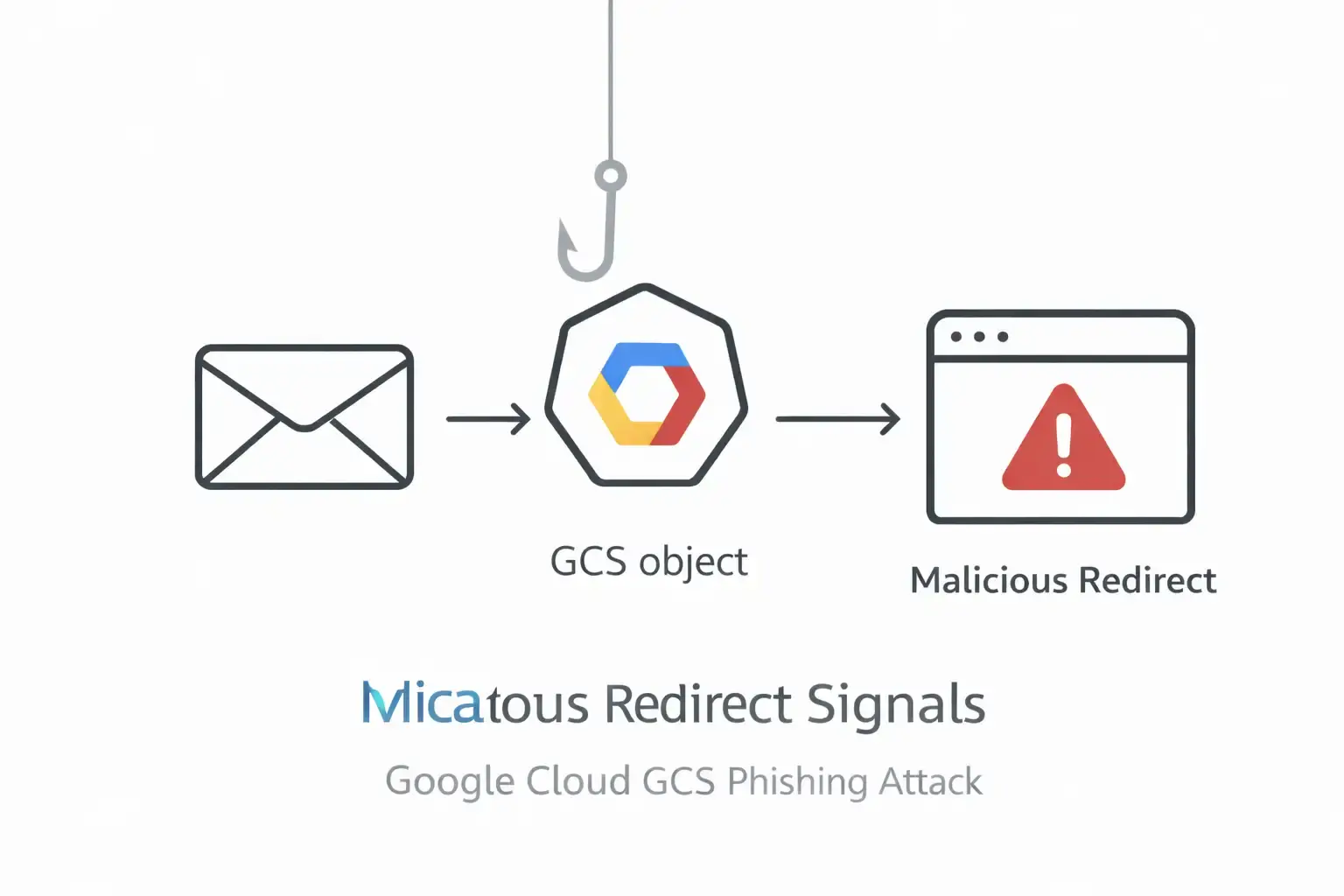
What exactly happened in the phishing campaign that abused Google Cloud, and why should business leaders care today?
In March 2026, reporting described a coordinated operation where attackers used a public Google Cloud Storage (GCS) bucket to host a malicious HTML redirector on storage.googleapis.com, helping phishing emails look trustworthy and slip past basic filters. The practical risk is simple: a “safe-looking” Google-owned domain becomes the first hop to fraud sites that capture payment details or credentials.
In the incident described by investigators, a single victim mailbox received 25+ distinct phishing emails that all led to the same Google Cloud Storage path. The campaign wasn’t “a breach of Google"; it was abuse of an allowed hosting feature: a bucket file was made publicly reachable and used as a redirect step.
If you run a business, this matters because most organizations still train people to look for weird domains. Here, the first domain looks like Google. That changes the psychology of the click, and it changes how some automated defenses score the message.
Old way, attackers used sketchy domains. → New way, they start on trusted Google infrastructure. → Result: more clicks, fewer blocks, and faster financial loss. That pattern sits at the center of the Google Cloud GCS phishing redirect attack.
legacy filtering vs. the reality of trusted-cloud phishing
Traditional email protection has a comfort zone. It’s strong when an attacker spoofs your domain, fails authentication, or uses a newly registered link that looks suspicious. But this campaign leans on a different advantage: a legitimate Google-owned domain hosting the first-stage page.
A practical USP for a modern defense program is this shift:
Traditional approach: “Block obvious bad domains and fail messages on spoof signals.”
A better approach: “Treat trusted-cloud links as inspectable paths, trace redirects, and make decisions on the full chain, not the first hop.”
That difference is where teams often win or lose.
What is the Google Cloud GCS phishing redirect attack?
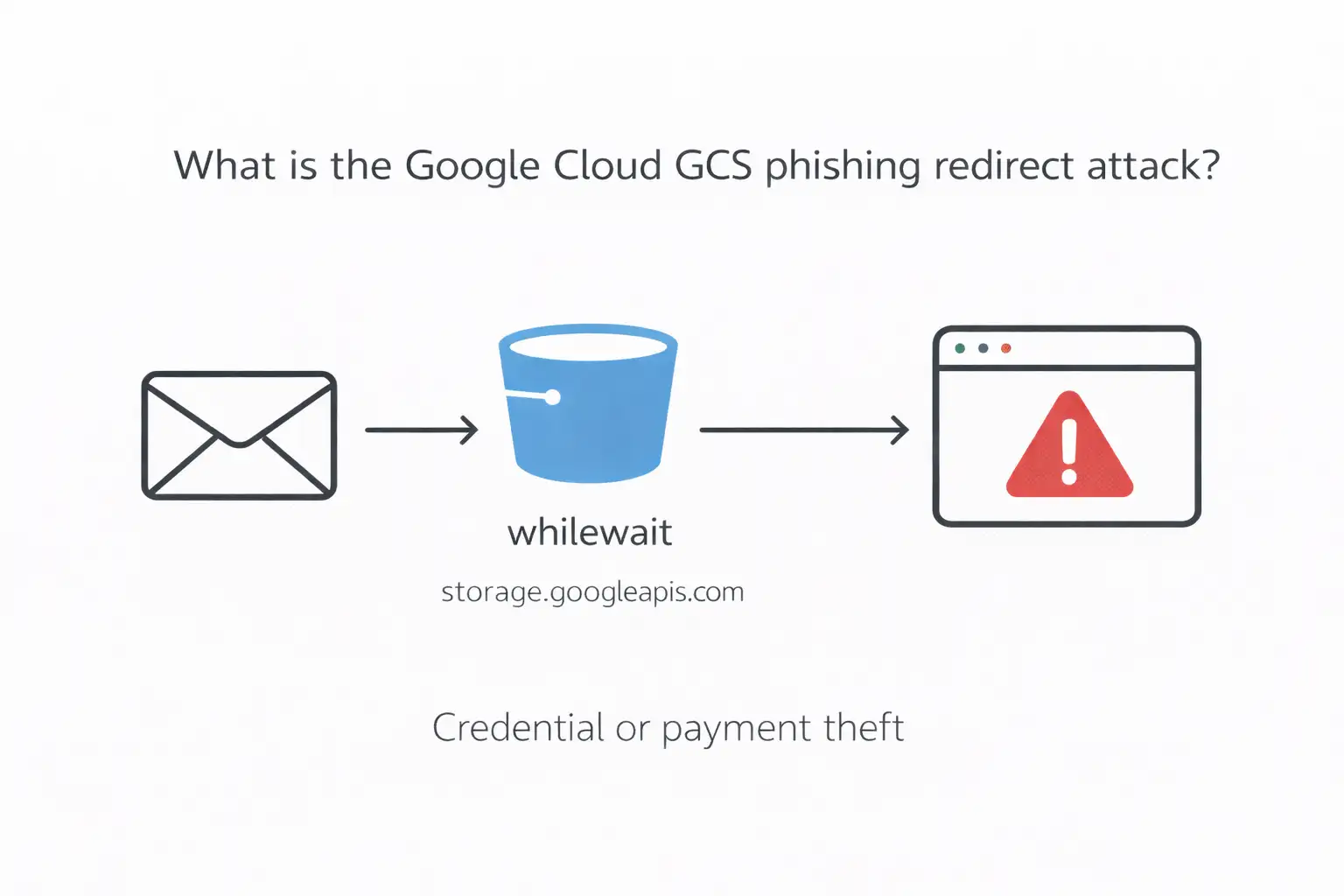
A Google Cloud GCS phishing redirect attack is a phishing technique where attackers host a public HTML file inside a Google Cloud Storage bucket and distribute a storage.googleapis.com link in emails. When clicked, that hosted file immediately redirects victims to an external malicious site for credential theft or payment fraud.
Now the deeper part. In the reported campaign, the redirector lived in a bucket named “whilewait” and pointed victims onward using script-driven redirection. The emails used many different lures, but the infrastructure stayed consistent, which is exactly why this style scales.
This is the heart of the Google Cloud GCS phishing redirect attack: it doesn’t need a fancy exploit. It just needs trust, automation, and a moment of distraction.
How attackers used Google Cloud Storage to run the campaign
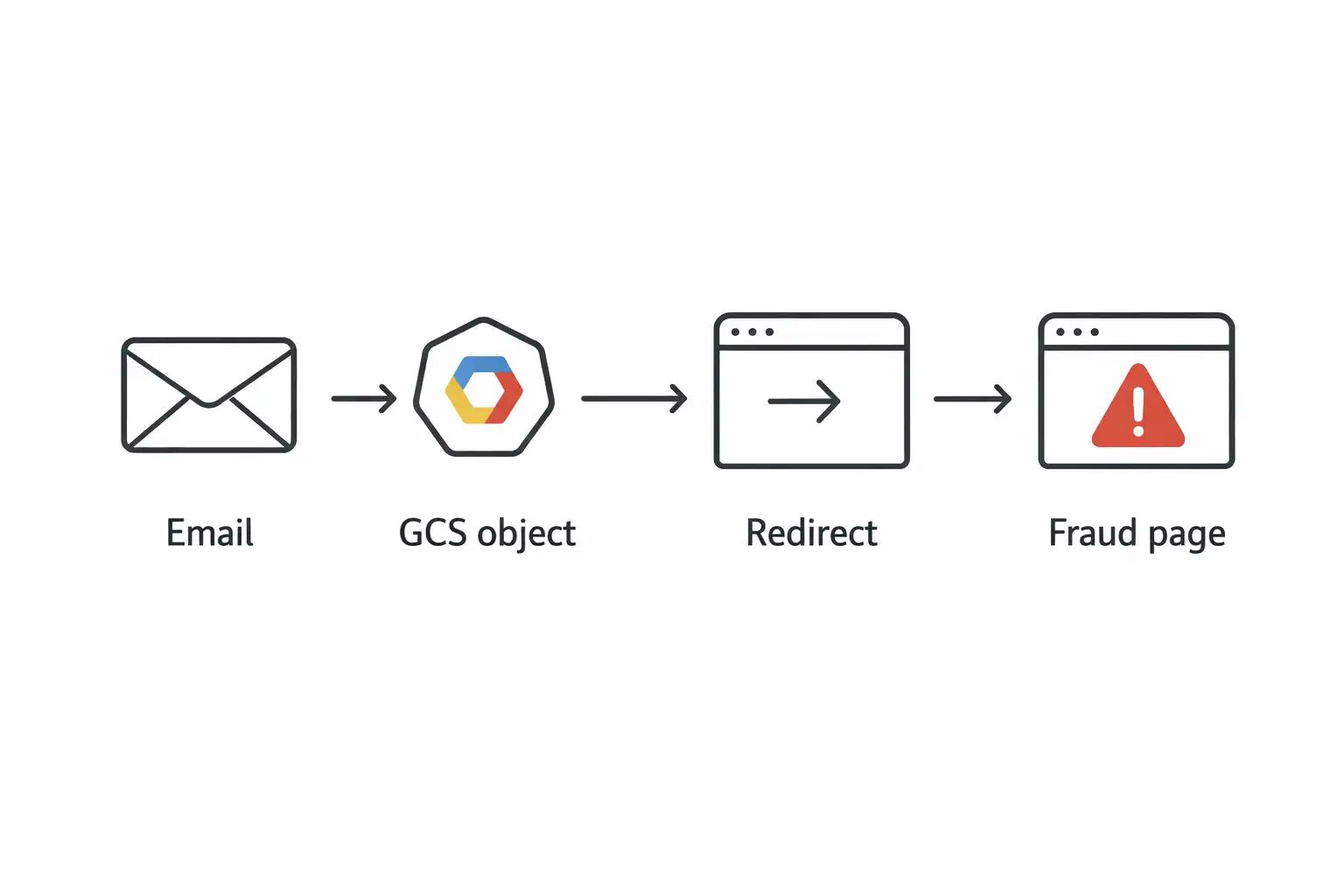
Attackers create a GCS bucket, upload an HTML redirector file, make it publicly accessible, and then send phishing emails containing the storage.googleapis.com link. The victim lands on Google-hosted content first, then gets bounced to a third-party fraud page quickly enough that many users don’t notice the transition.
Step 1: The email lure
The observed emails didn’t stick to one story. Some claimed cloud storage problems or subscription issues. Others used recognizable retail or telecom brands to trigger impulse clicks. That variety is a clue: attackers were A/B testing psychology, not just sending one template.
From a business angle, the “diversity of hooks” is the point. It increases hit rate across different departments. Finance might click a “payment failure” message. An employee at home might click “storage full.” Different bait, same trap.
Step 2: The GCS redirector as a quiet first hop
Investigators traced the first-stage URL to storage.googleapis.com/whilewait/comessuccess. html. The domain is legitimate, and that’s why it works.
This is where the Google Cloud GCS phishing redirect attack becomes hard for humans: the link looks “familiar enough” to reduce skepticism.
Step 3: Rapid redirect to the real fraud page
The reporting describes the redirect completing very quickly, moving users off Google infrastructure before they can process what happened.
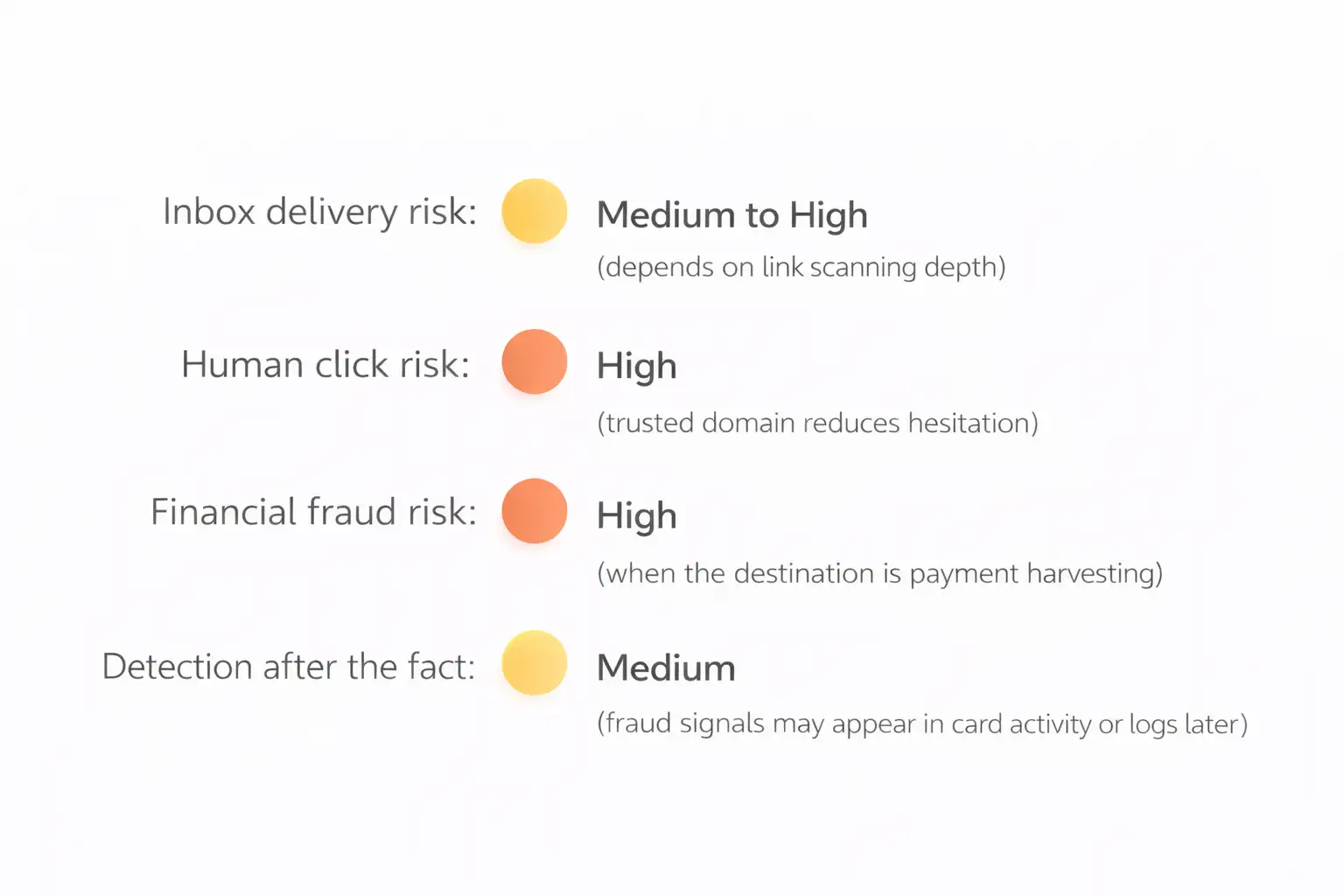
The end destination, in the described campaign, was often a payment-focused fraud step, including small charges framed as shipping or service fees, designed to harvest credit card data.
Anatomy of the redirect script
The redirector is usually a simple HTML page that triggers a browser jump using JavaScript or HTML refresh behavior. It may also include basic evasion to behave differently for scanners. The user sees a Google-hosted URL first, but the page’s only job is forwarding the browser elsewhere.
Here’s the important part: you don’t need to memorize code patterns to defend against this. You need a process.
If your gateway or web proxy only checks the first URL and doesn’t follow the chain, it’s judging the least dangerous part of the journey. The redirector is essentially a “trust wrapper.” That’s why the Google Cloud GCS phishing redirect attack is more about workflow than about malware sophistication.
Confirmed measurable outcomes and what they imply
Let’s stay strict: only numbers that are explicitly reported.
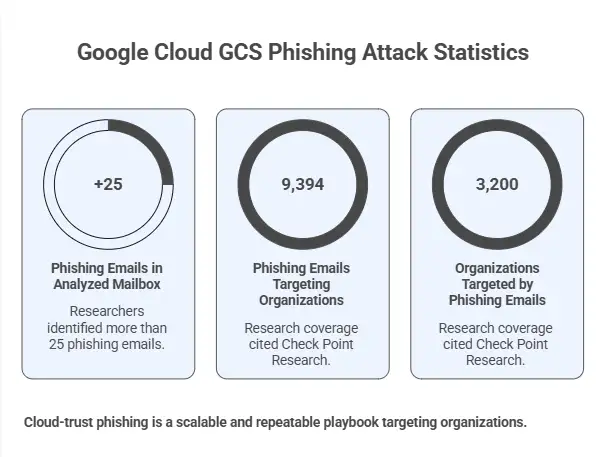
In the analyzed mailbox, researchers identified more than 25 phishing emails pointing to the same GCS-hosted path.
A related, separately reported Google Cloud abuse pattern described 9,394 phishing emails targeting 3,200 organizations, based on research coverage citing Check Point Research.
What this suggests, without overclaiming, is that cloud-trust phishing is not “one weird incident.” It appears to be a repeatable playbook that scales when attackers can operate inside legitimate SaaS workflows.
For business leaders, the performance impact is straightforward:
Higher probability that phishing hits the inbox
More employee clicks because the domain feels safe
More time for SOC teams spent chasing “gray” links instead of obviously malicious ones
That’s the operational tax of the Google Cloud GCS phishing redirect attack model.
Case study
Before, an employee saw a random domain and hesitated. After, the link starts with a Google-owned domain, so the click feels lower-risk. The employee lands on a page that looks like a routine payment or login step and enters details. That one decision can trigger charge fraud or account takeover.
Imagine your AP manager, late afternoon, trying to clear notifications. A message says a “service renewal” failed. In the old world, the link might be “pay-now-verification.xyz.” That gets ignored.
Now switch to this campaign style. The link begins with storage.googleapis.com. It reads like a normal cloud asset. One click later, the browser is on a convincing payment page asking for a small fee. That’s the credit card harvesting stage described in the analysis.
And yes, it’s a little unfair. People were taught, for years, to judge links by the domain. This attack punishes that habit. That’s why the Google Cloud GCS phishing redirect attack is so effective.
Who is affected, and how the risk differs by group
Regular users
People who manage personal cloud accounts are often targeted with “storage full” language. A U.S. government consumer alert warns that “out of cloud storage” messages can be scams and encourages verification rather than panic-clicking.
The risk here is mostly financial loss or credential theft, depending on the final page.
Businesses and business decision-makers
Companies get hit in a messier way:
Finance and procurement are susceptible to payment lures.
IT and security teams deal with “legitimate domain, malicious intent."
Executives may be targeted with brand-themed rewards or “account urgency” messages.
Security teams and IT admins
The workload shifts. Your team may spend extra cycles analyzing links that look “clean” at first glance. Any strategy that doesn’t follow redirect chains is going to miss some portion of this.
Why security tools miss this, even when you “did everything right."
Many controls score risk at the first hop. With GCS redirects, the first hop is a legitimate Google domain, and the email can still pass SPF/DKIM. The malicious behavior happens after the click, when the hosted HTML redirects to an external site. That’s where gaps show up.
The reporting specifically notes that messages can pass authentication checks like SPF and DKIM, reducing obvious email red flags.
Also, email gateways differ. Some follow redirects deeply. Some do shallow checks. Attackers only need your stack to be average.
This is why I treat the Google Cloud GCS phishing redirect attack as a governance problem as much as a technical one. Your policy should assume trusted platforms can be abused.
Indicators of compromise and practical detection ideas
I’ll keep this tight and usable.
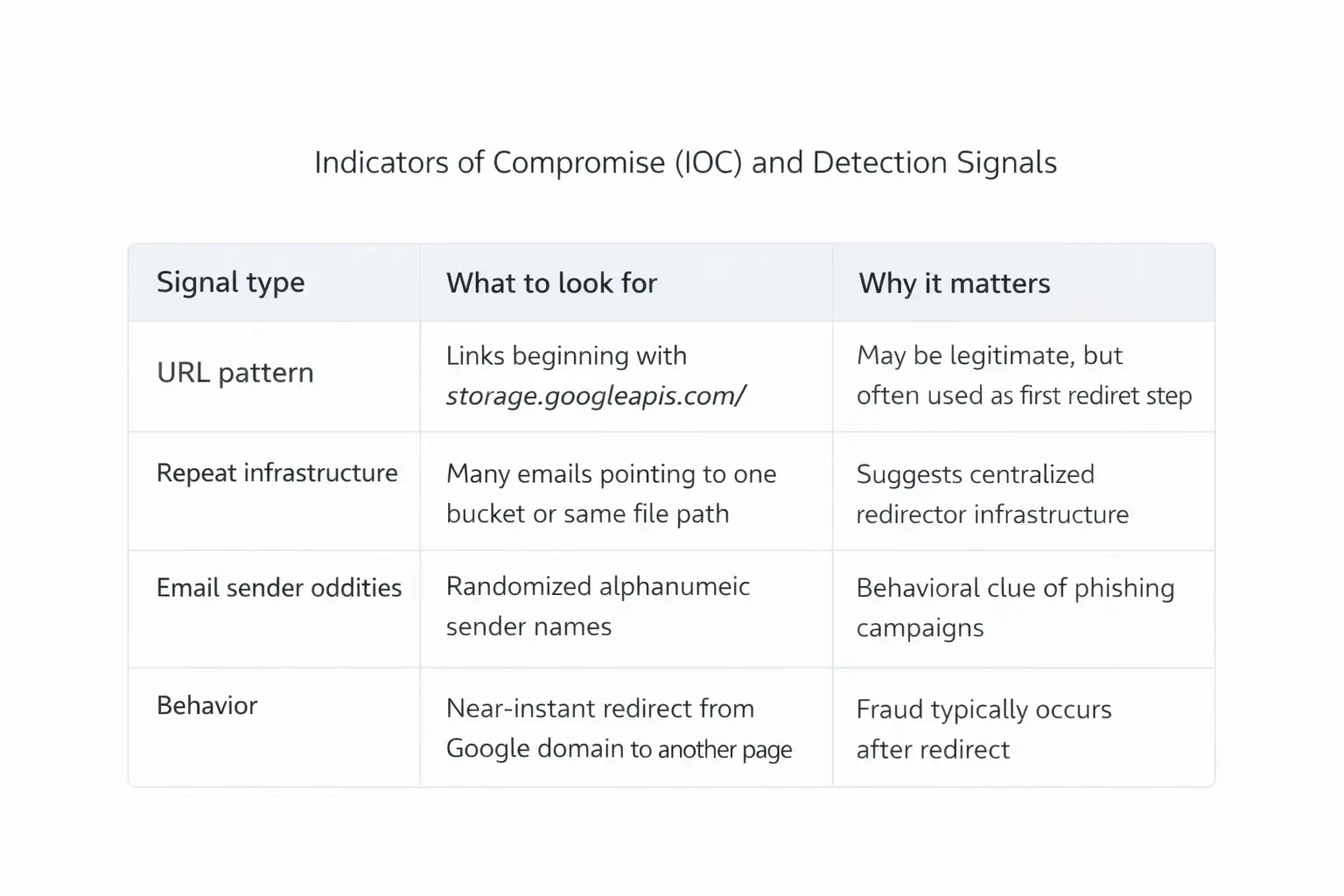
IOC signals you can actually hunt.
A quick caution: not every storage.googleapis.com link is malicious. Plenty of real vendors host content there. The point is to treat it as “inspect further,” not “auto-trust.”
That mindset shift is central to defending against the Google Cloud GCS phishing redirect attack.
MITRE ATT&CK mapping, kept business-friendly
This campaign aligns with common ATT&CK patterns such as phishing delivery, user execution, and web-based redirection to credential or payment collection pages. Mapping matters because it helps you assign controls to behaviors, not brands, and measure coverage across email, browser, and identity layers.
I’m not going to over-specify technique IDs unless a primary source documents them for this exact campaign. The safer approach is behavior mapping:
Delivery through phishing emails
Victim-initiated click
Web redirect chain
Data collection at destination
That’s a clean blueprint for tabletop exercises.
What users should do now
Treat unexpected “storage full,” “subscription,” or “reward” emails as suspicious even if the link starts with a trusted cloud domain. Verify the sender, avoid clicking directly, and report suspected abuse quickly. Security teams should follow redirect chains, monitor repeated bucket paths, and submit abuse reports for takedown.
Here are practical actions, without turning this into a 40-point checklist.
For business leaders:
Ask whether your email security stack follows redirects and scores the final destination, not just the first URL.
Confirm whether your awareness training includes “trusted domain does not equal safe.”
For security teams:
Add detections for repeated storage.googleapis.com paths across multiple messages in a short window.
Consider controlled browser isolation or safe link detonation for cloud-hosted assets.
For employees:
If a message pressures urgency, slow down. That one tiny pause is often the best control you have.
How to report malicious GCS buckets to Google
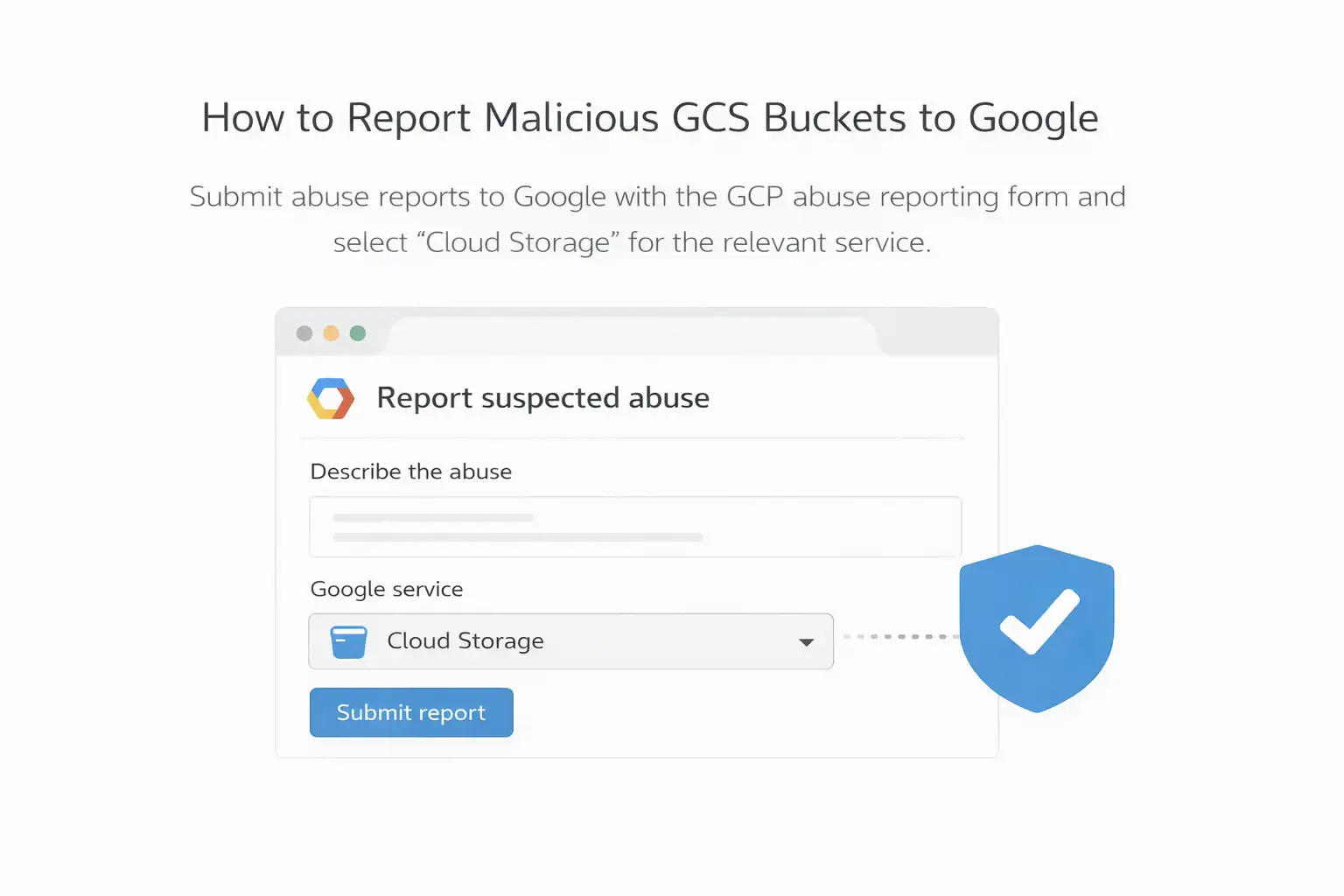
Google provides an official form to report suspected abuse across Google Cloud services, including Cloud Storage. Reports are more useful when they include URLs, timestamps, and any relevant request headers or logs. Submitting a specific bucket or object path can support takedown efforts.
Use Google’s “Report suspected abuse on Google Cloud Platform” channel and select Cloud Storage where applicable.
This reporting path matters because the described campaign relied heavily on one bucket location. If the infrastructure disappears, the whole chain breaks.
Common mistakes organizations make with trusted-cloud phishing
Some of these are uncomfortable because they sound reasonable on paper.
First mistake: treating authentication passes as “safe.” SPF/DKIM passing reduces spoofing risk, but it does not validate intent. The campaign analysis explicitly notes authentication checks can pass while the attack still succeeds.
Second mistake: training people to judge only by domain reputation. That advice worked for a long time. Today, attackers rent trust by abusing legitimate platforms. It’s not anyone’s fault, but it does mean training needs a refresh.
Third mistake: failing to measure time-to-takedown. If your team can identify repeated infrastructure but can’t act fast with reporting and blocking, the attacker gets more hours of runway.
These missteps show up repeatedly in the Google Cloud GCS phishing redirect attack pattern.
FAQs
Is a storage.googleapis.com link always safe?
No. It’s a legitimate Google domain, but it can host third-party content. Reporting described attackers using it as a redirect step to malicious sites.
How can we protect users from cloud-hosted phishing links?
Use defenses that follow redirect chains, educate users that trusted domains can still be abused, and report suspicious cloud assets via official channels.
What makes these phishing emails harder to block?
The first hop is on a trusted domain, and the emails can pass authentication checks. Many filters focus on first-hop reputation, so they may miss the final destination.
What should we tell employees to look for?
Unexpected urgency around storage, subscriptions, or rewards; odd sender identities; and any link that tries to rush them into payment or login steps. Government guidance on “cloud storage” scam messages supports verification over panic-clicking.
How do we report a malicious GCS bucket?
Use Google’s official “Report suspected abuse on Google Cloud Platform” form and include URLs, dates, and any relevant logs.
The real takeaway for leaders
This campaign is a reminder that “trusted platform” and “trusted intent” are different things. Attackers didn’t need to invent a new exploit. They used normal cloud hosting behavior to make harmful links look ordinary, then redirected victims to fraud pages fast.
If you take one action this week, make it this: ask your team whether your controls evaluate the full link journey. If the answer is “we mostly score the first URL,” you’ve found a concrete gap.
The Google Cloud GCS phishing redirect attack is likely to keep showing up in new forms because the economics work.
practical recommendations
If your organization wants a realistic, low-drama plan, start here:
Update your phishing training: "Trusted domain does not equal safe.”
Add redirect-chain inspection for cloud-hosted URLs.
Create a fast abuse-report workflow using Google’s official channel. (Google Help)
Track one metric executives understand: phishing clicks that reached payment or login pages.
Hoplon Infosec can help turn those steps into a documented program with measurable controls, the kind you can explain in a board update without hand-waving.
Moving from first-hop trust to full-chain inspection and response, so legitimate cloud links don’t get a free pass.
Fewer successful clicks that reach fraud pages, because detection focuses on behavior, not brand reputation.
Hoplon Infosec helps organizations operationalize protections against trusted-cloud phishing patterns, including escalation, evidence handling, and abuse reporting.
If your team is seeing suspicious trusted-cloud links and you want a tighter process that catches redirect chains early,
Hoplon Infosec can help you review your current controls, tune investigation playbooks, and build a clean reporting workflow. That’s often the difference between “we saw it” and “we stopped it” in a Google Cloud GCS phishing redirect attack scenario.




-20260925120840.webp&w=3840&q=75)
