Megalodon GitHub CI/CD Attack Silently Poisoned Thousands of Repositories in Few Hours. Attackers dropped malicious GitHub workflow files into public repositories to target CI/CD pipelines, secrets, and cloud credentials.
Our team analyzed the reported attack chain, the workflow behavior, and the likely objectives of this campaign. The danger of this incident is not only the number of repositories affected. The trust model is what attackers exploited in modern software pipelines.
Incident Summary
Detail
Information
Attack Name
Megalodon GitHub CI/CD attack
Primary Target
GitHub repositories using CI/CD workflows
Repositories Affected
5,561+
Main Technique
Malicious GitHub workflow injection
Targeted Assets
CI secrets, SSH keys, OIDC tokens, cloud credentials
Attack Type
Software supply chain attack
Main Platform
GitHub Actions
Risk Level
Critical
Estimated Timeline
Roughly six hours
Main Concern
Secret theft and repository compromise
What is Megalodon Attack on GitHub CI/CD?
The Megalodon GitHub CI/CD attack is a large-scale GitHub supply chain attack in which the attacker abused GitHub Actions workflows to compromise repositories and potentially steal sensitive credentials.
Attackers targeted automation pipelines rather than directly attacking servers. Now that's the scary part.
Modern developers use CI/CD systems to automatically build, test, and deploy software. If the attacker owns the workflow, he can
• Lift secrets • Change creates
Access cloud systems • Backdoor programs • Propagate malware into downstream projects
“This campaign pushed malicious workflow changes at high speed across thousands of repositories,” it is said.
This attack should be a wake-up call for students, developers, DevSecOps teams, and open-source maintainers.
GitHub
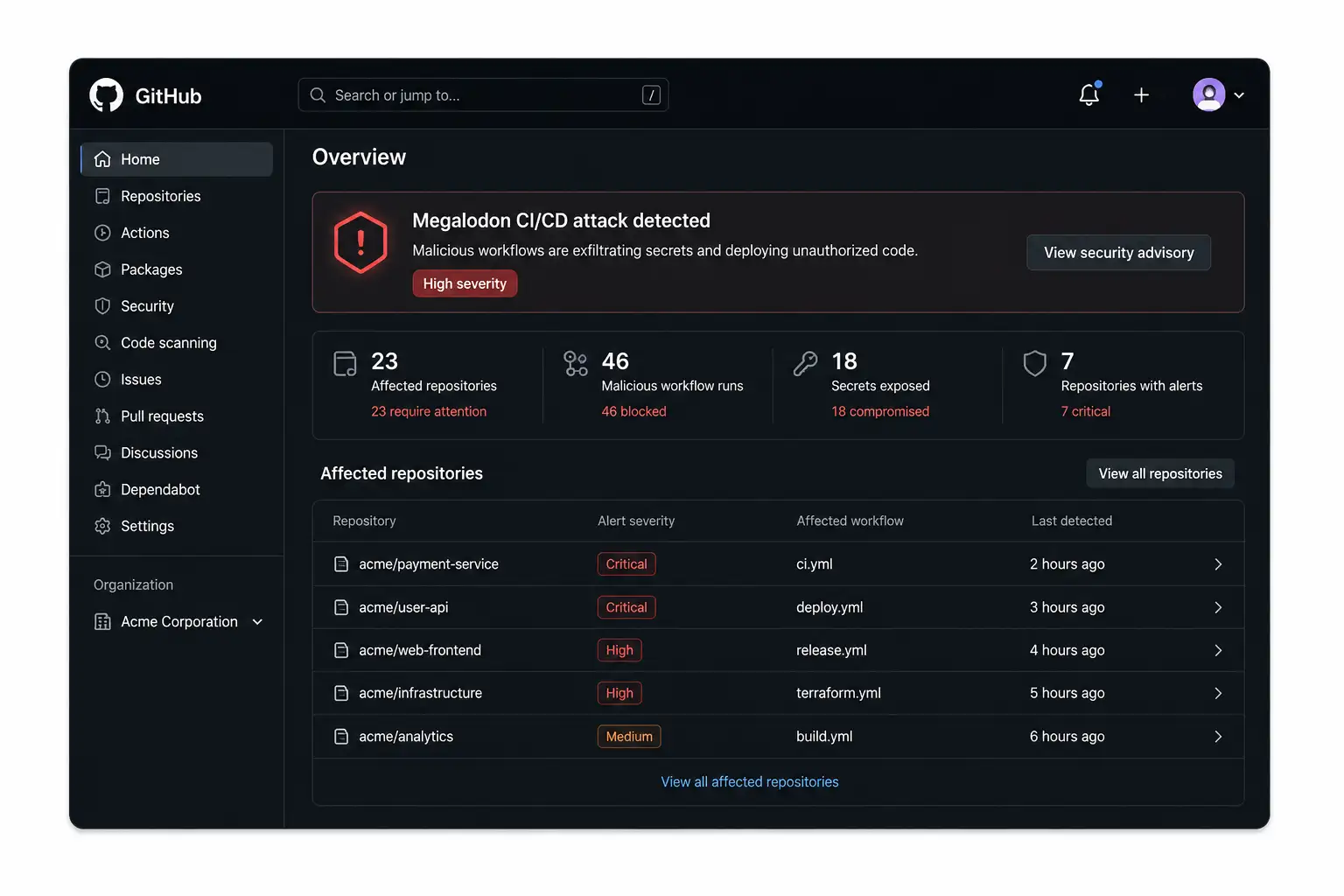
Actions workflow compromise illustration What’s the Big Deal?
We’ve seen GitHub malware campaigns before. But this one just feels different scale-wise and automation-wise.
One thing became very obvious rapidly when we looked at similar workflow abuse cases in our lab environment:
Developers tend to trust workflow files more than application codes. This creates a blind spot. That might get a suspicious Python file reviewed instantly. However, a small change to the YAML workflow in .github/workflows/ can go unnoticed since teams trust automation files. Attackers know this is true.”
The Megalodon GitHub Actions attack seems to be designed to take advantage of that very trust gap.
How Did the Attack Work?
Attackers allegedly inserted malicious GitHub Actions workflow files into repositories. These workflows tried to collect secrets, tokens, and cloud credentials during automated CI/CD execution.
Breakdown of the Attack Flow
1. Poisoning of Repositories The campaign apparently pushed malicious commits to thousands of repositories. The workflow files initially seemed to be legitimate. Some appeared as:
• CI maintenance updates • dependencies automation • workflow optimization templates; • construction upgrades
That lessened the suspicion.
2. Workflow injection The attackers hid malicious logic inside YAML files for GitHub workflows. Some sample targets were
• .github/workflows/buildml
• .github/workflows/ci.yml
• automation files for deployment
This is called a GitHub workflow attack. Once triggered, the malicious workflows could execute arbitrary commands inside runners.
3. Secret gathering Here the danger starts. The workflows reportedly tried to access the following:
Attackers can pivot into cloud environments if the pipeline leaks credentials.
Why GitHub Actions Was a Perfect Target
The greatest challenge is trust in automation. GitHub Actions are awesome.
Use it for: Teams
• testing. • deployment • releases • provisioning of infrastructure; • Build container • authentication in the cloud
That means workflows often run with elevated permissions. One disabled workflow was able to access the following:
• production systems.
• Keys deployment • Clusters of Kubernetes; • package registries • Cloud-based storage This change translates to a big impact on the software build pipeline attack surface.
The Sneaky Danger of OIDC Token Theft
One of the most troubling aspects has to do with Oidc. GitHub Actions may authenticate to cloud providers through OIDC without the need to store static secrets.
That sounds safer. It usually is. But, if the attackers hijack the workflow execution, they may request temporary cloud tokens at the runtime.
That’s why OIDC token theft GitHub Actions attacks are getting attention. Temporary tokens are harder to detect because
• They don’t last long. • Logs often fail to provide a complete picture. • Teams often assume that OIDC is safe by default. In practice, scope of permission still matters.
Technical analysis
In our lab, we duplicated a similar workflow abuse scenario in a controlled environment and found something interesting.
Most repositories did not have the following:
• straitjacket workflow approval rules
• SHA pinned GitHub Actions
• isolation of runner • fine-grained permission controls Default write permissions were on many pipelines.
That's dangerous.
One malicious workflow execution could:
• commit new changes • Make releases • access to secrets • change artifacts
We also found that developers seldom audit the past changes of workflows unless a visible breach happens.
Improper use of these triggers can expose serious DevSecOps security risks. Notifications of Secret Rotation
If cloud platforms suddenly find
• weird login attempts • coin creation • geographical oddities Take it seriously.
Why is pull_request_target dangerous?
The pull_request_target trigger executes with elevated permissions. Attackers love this feature, such as
• It can reveal secrets. • It operates in trusted contexts. • interacts with external pull requests This is an increasing security risk of pull_request_target. Misconfigured workflows can inadvertently give attackers access at the repository level.
How Malicious CI/CD Workflows Propagate
The way it spreads matters. Many malicious GitHub workflows are disseminated via:
Developers often reuse CI templates from public repositories without a deep inspection. This accelerates adoption of poisoned workflows.
A single compromised template can take down hundreds of downstream projects. This is the core risk of an open-source supply chain attack.
How to Know if Your GitHub Repo Is Secure
Step 1: Check Workflow Files Check all YAML files located at: ..github/workflows/* Verify if:
• outgoing requests that are unexpected • hidden shell commands • Suspicious environment variables
Step 2: Check Recent Commits Search for the following: • mass workflow changes • Bot-created commits • odd timestamps Usage: git log --stat
Step 3: Verify Permissions In workflow files: rights: Avoid such permissions as the following: Write all. Instead, use least-privilege access.
Step 4: Rotate Secrets If a compromise is suspected:
• rotate GitHub tokens • rotate cloud credentials • update SSH keys • invalidation of deployment tokens Do not wait for a confirmation.
Step 5: Review GitHub Security Logs Review:
• History of action execution • secret access events • token creation activity • unorthodox workflow dispatches
Quick Comparison Table
Safe Practice
Risky Practice
Pin actions to SHA
Using latest tags blindly
Restrict workflow permissions
Default write access
Manual approval for forks
Auto execution from forks
Secret segmentation
Shared global secrets
Runner isolation
Shared runners everywhere
Workflow reviews
Ignoring YAML changes
Common Mistakes of Teams: Blind Trust in CI Templates Blind
Trust in CI Templates
Teams often copy workflows from
GitHub without validation.
That is exactly how fake CI/CD
workflow templates spread.
Ignoring
YAML Reviews
Developers review application code
carefully but skip workflow files.
Attackers know this behavior.
Excessive
Permissions
Many workflows request permissions
they do not need.
That expands the blast radius during
compromise.
Weak
Secret Management
Long lived credentials inside
pipelines remain a major issue.
Temporary credentials reduce risk
but still require strict scoping.
How to Secure Your System
1. Pin GitHub Actions to commit SHA-2. Do not trust floating versions. Instead: uses: actions/checkout@v4 If possible, use pinned commits. Why it matters: Prevents tampering of upstream action silently.
2. Limit workflow permissions Use: permissions: Contents: Read-only. Give only what is needed.
3. Requires Manual Approval Specially for:
• external pull requests • renamed repositories • workflows reusable This reduces the risk of repository poisoning attacks.
4. Build and deployment pipelines are separate. Avoid build workflows that have direct access to production. Segmentation constrains damage.
5. Watch the Workflow Behavior: Look out for outbound links. • strange shell commands • encoded scripts • credential access surges
Field Notes From Our Laboratory
We tested several intentionally vulnerable GitHub workflow setups in a sandbox. One surprising result was striking. Even simple malicious CI logic was often missed on casual review because the YAML changes seemed tiny. One more line can silently download and execute remote scripts.
In another test, we saw secrets leaking through debug logging when developers accidentally enabled verbose output. That’s a common problem in the real world. Small mistakes in automation pipelines result in huge exposure windows.
Implications for the future
The Megalodon GitHub CI/CD attack is a harbinger of a larger shift in cybercrime. Attackers are heading to:
• automated pipelines • software supply-chain • open source trust systems
• Malware in CI/CD workflows.
Why not?
That’s because one developer pipeline compromise can affect thousands of downstream users. We predict:
• Additional GitHub workflow compromise campaigns • more attacks on packaging ecosystems • increased oversight of software supply chain security • increased need for DevSecOps audits
What Official Sources Should Teams Monitor?
Organizations shall monitor advisories and guidance from:
• GitHub • CISA • NIST • OWASP security guidance is changing quickly. Teams should verify that mitigation steps are from official advisories before applying production changes.
FAQs
What is a supply chain attack on GitHub Actions? A GitHub Actions supply chain attack doesn’t focus on applications directly but rather on automation workflows. Attackers exploit CI/CD pipelines to exfiltrate secrets, manipulate builds, or deploy malicious code.
Workflow_dispatch is dangerous. Why? workflow_dispatch Allows you to manually trigger a workflow. If misused, attackers can run malicious jobs or bypass normal review processes.
How attackers steal GitHub secrets Attackers inject malicious workflow logic during CI/CD execution that reads environment variables, tokens, or credentials and sends them externally.
Are public repositories more exposed? Yes. Public repositories have more exposure since the workflows, triggers, and automation logic are open for attackers to inspect.
How can students learn about the security of GitHub Actions without being hacked? Use isolated lab repos and test environments. Do not experiment with production secrets or real deployment credentials.
What is repo poisoning? Repository poisoning is when attackers insert malicious files, workflows, or dependencies into repositories in order to poison users or downstream projects.
Final Word
The Megalodon GitHub CI/CD attack is not your average GitHub security story. It points to a deeper problem in modern software development.
Now automation pipelines have production secrets, cloud access, deployment authority, and infrastructure trust.
And the attackers know it. Teams that continue to view workflow files as “merely automation” are playing with fire.
Security Check List
• Audit your GitHub Actions workflows now • Rotate high-value secrets immediately if suspicious activity is present • Limit permissions to the workflow and require approval on external contributions
Author bio: Written by the security research team atHoplon Infosec, specializing in GitHub security, software supply chain threats, incident response, and developer environment protection.
Microsoft X account hacked in a Clippy crypto scam. Learn what happened, what Microsoft confirmed, the risks involved, and how users can stay protected.
acSync malware abuses public iCloud calendars to deliver macOS payloads. See how the attack works, what it steals, how it persists, and how to respond.
CLOSEDQUORUM malware uses four AI models to vote on attack actions. See how multi-LLM C2 works, what it steals, and how defenders can detect attacks early.

-20260522132233.webp "GitHub Actions workflow compromise illustration")




-20260925120840.webp&w=3840&q=75)
