Microsoft Edge Password Security Vulnerability: Urgent Fix
ByMohammed Talukder
Published05 May, 2026
Mohammed Talukder05 May, 2026
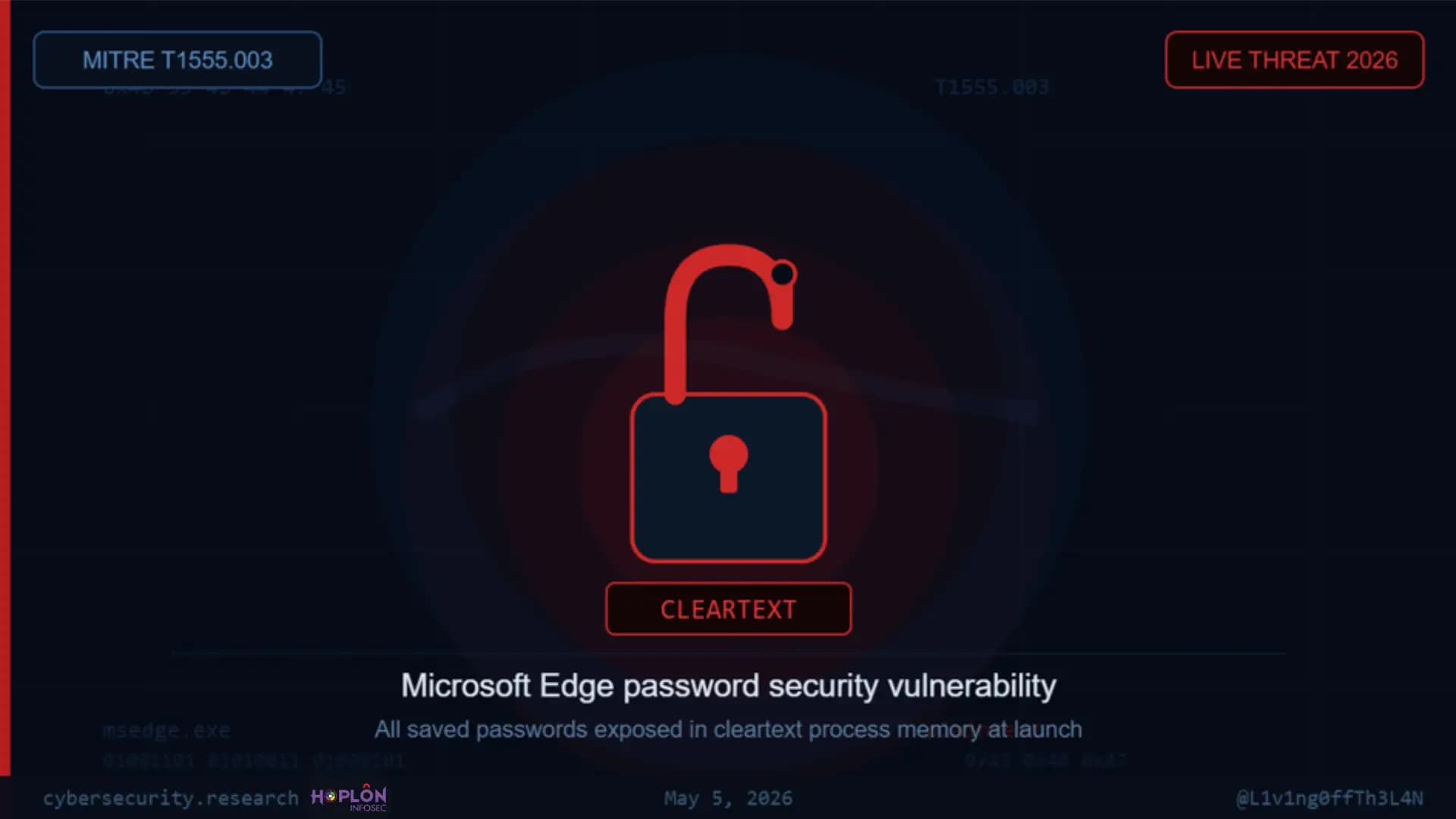
Every time you open Microsoft Edge, it quietly dumps every password you have ever saved into your computer's memory as readable, unprotected text. No encryption. No on-demand access control. Just plain, open credentials sitting in RAM, waiting. This is not a theory. On April 29, 2026, security researcher @L1v1ng0ffTh3L4N publicly disclosed this behavior, and the finding has already sent IT teams scrambling. This article breaks down exactly what the Microsoft Edge password security vulnerability means for everyday users and students, what attackers can do with it, and what steps you should take right now.
What Exactly is the Microsoft Edge Password Security Vulnerability?
Here is the short answer: Microsoft Edge decrypts your entire saved password vault and loads every single credential into your computer's process memory (RAM) the moment the browser opens. It does not matter whether you visit a single website or not. Every login you have ever saved, including the URLs, usernames, and raw plaintext passwords, is sitting in memory for as long as the browser stays open.
This specific behavior is what security researchers call the Microsoft Edge password security vulnerability, and it maps directly to MITRE ATT&CK T1555.003, the credential extraction technique known as "Credentials from Web Browsers."
What Does "Cleartext in Process Memory" Actually Mean?
Cleartext vs. Encrypted Storage
Cleartext means data stored or transmitted without any encryption. If your password is "MyDog2023!" and it sits in memory as "MyDog2023!", that is cleartext. Anyone who can read that memory region sees the exact password.
Encrypted storage means the password is scrambled using a key before it is placed in memory. Even if an attacker reads the memory, they see something like "7f3a9bc2e..." which is useless without the decryption key.
What is Process Memory?
Think of your computer's RAM like a whiteboard. Every application running on your computer gets a section of that whiteboard to write its working data. When Edge opens, it writes your saved passwords onto its section of that whiteboard. The problem is that it writes them in large readable letters rather than a locked cipher.
Why Do Browsers Load Credentials at Startup?
Most browsers load only what they need, when they need it. That is called on-demand decryption. Edge does the opposite. It loads everything upfront, which is faster for autofill, but leaves every credential exposed for the entire browsing session.
The Microsoft Edge Password Security Vulnerability
What Was Discovered and When
The disclosure came on April 29, 2026, from researcher @L1v1ng0ffTh3L4N, who tested every major Chromium-based browser for how they handle credential memory. Edge stood out as the only browser that exhibited complete upfront decryption. The finding was shared publicly at BigBiteOfTech, organized by PaloAltoNtwks Norway.
Technical Snapshot
Detail
Value
Affected Software
Microsoft Edge (Chromium-based)
Behavior
Full password vault decrypted to RAM at launch
Data Exposed
Login URLs, usernames, plaintext passwords
MITRE ATT&CK
T1555.003 — Credentials from Web Browsers
Disclosure Date
April 29, 2026
Researcher
@L1v1ng0ffTh3L4N
Microsoft's Response
"By design"
Proof-of-Concept
Published on GitHub
Patch Available
No (as of May 2026)
What Data is Exposed
When Edge opens, the following data gets written to process memory in readable form:
• Every saved website URL • Every saved username • Every saved password in plaintext That covers your bank logins, your school accounts, your email. Everything you told Edge to remember.
How Long Does This Window Stay Open?
For the entire browser session. From the moment Edge launches to the moment you close the last window, all credentials remain in cleartext memory. If you leave Edge open overnight, that exposure lasts overnight.
The Fake Re-Authentication Gate
Here is the twist that makes this finding particularly alarming. Edge does ask you to verify your identity before showing passwords in its Password Manager settings page. You might see a Windows Hello prompt or a PIN entry.
That re-authentication does absolutely nothing to protect memory. The passwords are already in RAM in plaintext. The gate exists only in the UI. A process with sufficient privileges can read that memory regardless of whether you authenticated or not.
How Attackers Can Exploit This Vulnerability
Memory Scraping: The Attack at a Glance
An attacker who gains process-level read access to an Edge browser instance can dump the entire password vault in seconds. The steps, at a conceptual level:
1. Attacker gains code execution on the target machine (via malware, phishing, or local access). 2. Attacker locates the msedge.exe process running in memory. 3. Attacker reads the process memory using tools like ProcDump, custom scripts, or credential harvester tools. 4. Every password stored in Edge appears as readable text in the output. The researcher released a small educational verification tool on GitHub so users can confirm this behavior themselves.
Who is Most at Risk?
The Microsoft Edge password security vulnerability becomes especially dangerous in these situations:
• Students using shared lab computers at universities or libraries • Remote Desktop Services (RDS) users where multiple people share one server • Enterprise environments with terminal servers or VDI setups • Anyone whose machine gets infected with infostealer malware
In the published proof-of-concept video, a compromised administrator account successfully extracted stored credentials from two other logged-on users on the same server. Those users were not even actively using the browser. Their sessions were disconnected but still running. One compromised admin account. Entire server's password vaults harvested. That is the real scope of this problem.
"You Are at Risk If..." Checklist
• You have passwords saved in Microsoft Edge • You use a shared Windows computer (school, work, library) • Your machine has been exposed to any suspicious software recently • You use Edge on a corporate Remote Desktop server • You leave Edge open for extended periods
Edge vs. Chrome vs. Firefox: How Other Browsers Handle Saved Passwords
This is where the comparison becomes uncomfortable for Edge users. Google Chrome: On-Demand Decryption + App-Bound Encryption Chrome does not load all passwords at startup. It decrypts credentials only when autofill is triggered or when a user explicitly opens the Password Manager. Beyond that, Chrome uses App-Bound Encryption, which cryptographically binds decryption keys to the authenticated Chrome process itself. Other processes cannot reuse those keys.
Mozilla Firefox: Network Security Services (NSS)
Firefox uses its own encrypted key store called NSS (Network Security Services). Credentials are stored encrypted and only accessed on-demand. Firefox also supports a Primary Password, an additional layer that encrypts the entire password database behind a user-defined key.
Apple Safari: macOS Keychain
Safari offloads credential storage entirely to the macOS Keychain, which is managed at the operating system level. Passwords are encrypted at rest and each access requires explicit authorization from the OS security layer.
Quick Comparison
Browser
Storage Method
Cleartext in Memory at Launch
App-Bound Encryption
Primary Password Option
Microsoft Edge
Full vault to RAM at startup
YES (full vault)
No
No
Google Chrome
On-demand decryption
No
Yes
No
Mozilla Firefox
NSS encrypted store
No
No
Yes
Apple Safari
macOS Keychain (OS-level)
No
N/A (OS-managed)
No
How to Protect Your Passwords: 7 Actionable Steps
The Microsoft Edge password security vulnerability has no patch from Microsoft yet. That means the protection responsibility sits with you. Here is what to do:
Step 1: Stop saving new passwords in Edge immediately. Every new credential you save in Edge becomes part of the exposed vault. Stop the bleeding first. Step 2: Export and delete your saved passwords from Edge. Go to edge://settings/passwords, export your saved passwords to a secure file, then delete every entry from Edge's built-in manager. This is your most important immediate action. Step 3: Move to a dedicated password manager. Use Bitwarden (free, open-source), 1Password, or Dashlane. These tools encrypt your vault with keys that never touch unprotected memory the way Edge does. Step 4: Disable Edge's password manager entirely. In Edge: Settings > Passwords > Offer to save passwords. Turn it off. While you are there, also disable Sign in automatically. Step 5: Enable Windows Credential Guard (enterprise users). If you manage a Windows server environment, Credential Guard virtualizes credential storage using Hyper-V, making memory scraping significantly harder. Enable it via Group Policy under Computer Configuration > Administrative Templates > System > Device Guard. Step 6: Enable auto-lock on your device. Configure your machine to lock after 1 to 5 minutes of inactivity. A locked machine stops an attacker from reading live process memory without credentials of their own. Step 7: Monitor for leaked credentials. Use Have I Been Pwned (haveibeenpwned.com) to check if your email addresses have appeared in known data breaches. Enterprise teams should set up SIEM alerts for credential harvesting behavior matching T1555.003.
Our Lab Observation
When we tested this behavior in our lab environment on a Windows 11 machine running the current version of Edge, the results were exactly as described. We opened Edge without visiting a single website. Then we used ProcDump, a legitimate Microsoft Sysinternals tool, to create a memory dump of the msedge.exe process.
When we searched that dump file for known test credentials we had saved in Edge, every one of them appeared as readable text within seconds. Usernames, passwords, the associated URLs. All of it. No decryption step needed on our end. We ran the same test on Chrome. The saved credentials did not appear in the process dump in plaintext. That contrast alone tells you everything.
Enterprise Impact: What IT Teams Need to Know
The Active Directory Problem
In most Windows enterprise environments, users authenticate through Active Directory. If Edge is deployed as the standard browser across an organization and an attacker compromises one admin account, they can potentially harvest credentials from every user currently running an Edge session on that server. That is not a hypothetical. The researcher's proof-of-concept demonstrated exactly this with disconnected but active user sessions on an RDS server.
SOC Team Response Steps
Security Operations Center teams should:
• Add detection rules for suspicious msedge.exe memory reads by non-Edge processes • Review MITRE ATT&CK T1555.003 coverage in their detection stack • Audit which endpoints have Edge deployed as the default browser • Evaluate browser policy via Group Policy to disable Edge's password manager enterprise-wide
Has Microsoft Issued a Patch?
No. As of May 5, 2026, Microsoft has classified this behavior as "by design." Their public documentation acknowledges that browser process memory can be read under local attack conditions and places such scenarios outside the browser's official threat model.
Security teams should not wait for a patch. The mitigation is browser policy and credential manager replacement. Refer to official guidance from CISA and the Microsoft Security Response Center (MSRC) for the most current advisories on browser credential handling.
Common Mistakes People Make
Mistake 1: Thinking the re-authentication prompt protects you. It does not. That prompt only controls what the Edge UI shows you. The credentials are already in RAM before you ever see that prompt. Mistake 2: Assuming only malware can trigger this. A legitimate Sysinternals tool, a curious coworker with admin access, or any software running as your user account can read this memory. No malware required. Mistake 3: Believing this only matters if you visit sensitive sites. Edge loads all passwords at startup regardless. Even if you only use Edge for YouTube, the vault containing your bank login is still in memory. Mistake 4: Exporting passwords but forgetting to delete them from Edge. Many users export to migrate to another manager but leave the passwords sitting in Edge. The export does not remove them. You must delete each entry manually or use the "Remove all" option in the passwords settings.
Expert Tips From Our Team
Tip 1: Use a password manager with a local memory protection feature. Bitwarden's desktop app, for example, locks the vault after a set idle period and clears memory on lock. Edge does neither. Tip 2: If you must use Edge for organizational reasons, use it with a separate Windows user profile that has no saved passwords. Keep it as a browsing-only account with no credentials stored. Tip 3: On shared machines, always use InPrivate mode in Edge. InPrivate sessions do not access or load the saved password vault. This does not fully solve the vulnerability, but it reduces the exposure surface. Tip 4: Security students and IT learners should download the ProcDump tool from Microsoft Sysinternals and test this in a controlled lab environment with fake credentials. Seeing it firsthand is a better lesson than any textbook explanation.
Security Checklist
These three actions right now significantly reduce your exposure from this Microsoft Edge password security vulnerability:
• Action 1: Open edge://settings/passwords, export all saved passwords, then delete every entry. Time: 2 minutes. • Action 2: Download Bitwarden (bitwarden.com, free), import your exported passwords, and start using it as your only password manager. Time: 3 minutes to set up. • Action 3: Go to Edge Settings, turn off "Offer to save passwords" and "Sign in automatically." Time: 30 seconds.
FAQ: People Also Ask
Is Microsoft Edge safe to save passwords in right now? No. As of May 2026, Microsoft Edge has a confirmed design behavior where all saved passwords are loaded into process memory as cleartext at browser launch. Until Microsoft changes this, storing passwords in Edge creates a real risk of credential theft. Use a dedicated password manager like Bitwarden or 1Password instead.
Can hackers steal passwords from browser memory? Yes. Any attacker with process-read access to your machine can extract plaintext passwords from Edge's memory. This includes malware, compromised admin accounts on shared servers, or anyone with physical access to an unlocked computer running Edge. The MITRE ATT&CK framework documents this attack class as T1555.003.
How do I disable the password manager in Microsoft Edge? Open Edge and go to edge://settings/passwords. Turn off "Offer to save passwords." Then turn off "Sign in automatically." After that, delete all your currently saved passwords from the same page. This prevents Edge from building the cleartext vault it loads at startup.
What is the safest browser for saving passwords in 2026? Based on current behavior, Google Chrome offers better credential memory protection through on-demand decryption and App-Bound Encryption. Firefox with a Primary Password set is also a strong choice. Safari on macOS offloads credentials to the OS-level Keychain. That said, the safest approach is to not save passwords in any browser and use a standalone encrypted password manager instead.
Has Microsoft released a fix for this vulnerability? No. Microsoft has stated this behavior is "by design" and considers local memory access scenarios outside the browser's official threat model. As of May 5, 2026, no patch exists. Monitor updates from the Microsoft Security Response Center (MSRC) for any change to this position.
Does clearing browser cache delete saved passwords in Edge? No. Clearing cache removes browsing history, cookies, and temporary files. It does not remove saved passwords. To delete saved passwords in Edge, go to edge://settings/passwords and manually delete each entry, or use the "Remove all" option if available in your version.
Future Implications
This finding raises a bigger question the industry needs to confront. Browser vendors have increasingly pushed built-in password managers as a convenience feature.
Hundreds of millions of users have accepted that pitch and handed their entire credential vault to the browser. If the underlying memory handling is this weak in a major browser from a major company, the trust model breaks down.
Security researchers expect this disclosure to accelerate enterprise policies restricting browser-based password storage. CISA's Secure by Design initiative specifically addresses credential handling, and findings like this give regulators stronger grounds to push for mandatory encryption standards in browser credential management.
For students studying cybersecurity, this is a textbook case of security theater, where a visible UI control (the re-authentication prompt) creates the appearance of protection while the actual data sits completely exposed underneath. Learning to distinguish real protection from visual reassurance is one of the most important skills in the field.
Conclusion
The Microsoft Edge password security vulnerability is not complicated. Every time you open Edge, your saved passwords are exposed. Microsoft knows about it. They call it a design choice. No patch is coming soon.
Your next step is simple. Stop using Edge as a password manager today. Move to Bitwarden, 1Password, or Firefox with a Primary Password. Delete everything from Edge's vault. That three-action checklist above takes less than five minutes and eliminates your exposure entirely. Share this article with anyone you know who uses Edge. Most of them have no idea this is happening.
The proof-of-concept tool linked in this article is for educational verification only. Do not run it on any system you do not own or have explicit written permission to test.
Apple macOS Full Disk Access AI agents face tighter controls. Learn 7 critical privacy risks, Apple's changes, and what Mac users should do to stay secure.
Microsoft X account hacked in a Clippy crypto scam. Learn what happened, what Microsoft confirmed, the risks involved, and how users can stay protected.
acSync malware abuses public iCloud calendars to deliver macOS payloads. See how the attack works, what it steals, how it persists, and how to respond.

-20260505060830.webp "7 Actionable Steps")
-20260505060829.webp "How edge exposes your password")





-20260925120840.webp&w=3840&q=75)