
Some Microsoft 365 users suddenly found themselves unable to access their Exchange Online mailboxes. Outlook on the web, Outlook desktop, Exchange ActiveSync, and other Exchange Online connection methods were affected for some users.
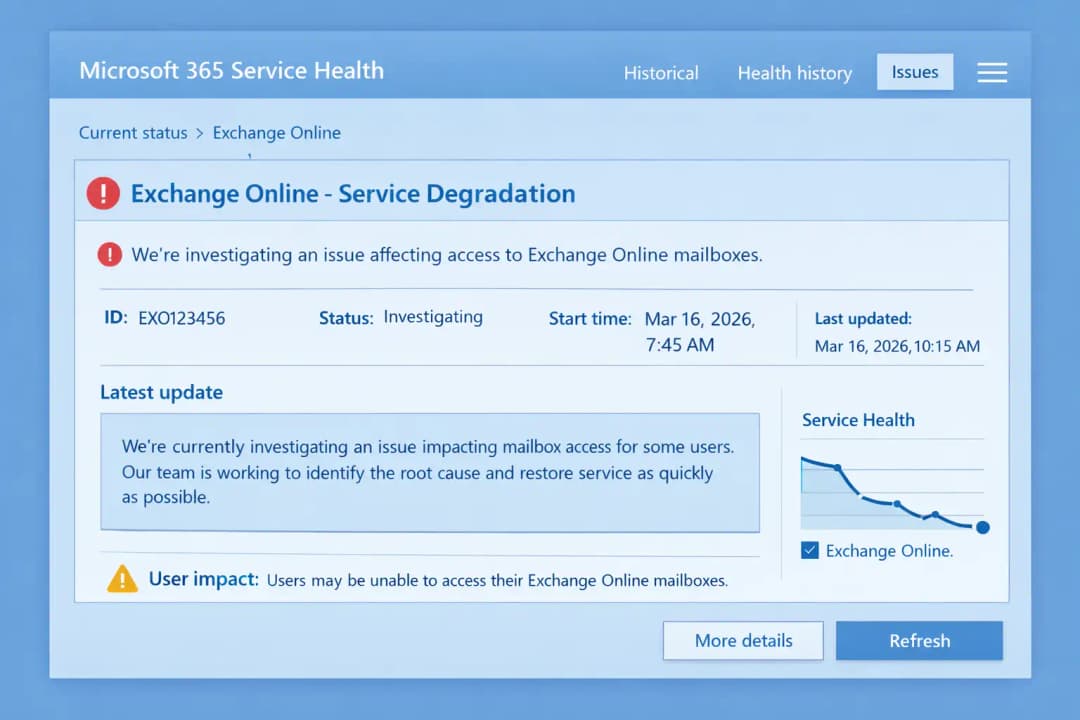
Microsoft tracked the incident as EX1253275 and initially described it as a service degradation affecting mailbox access. The company said it was investigating errors and failures occurring through one or more Exchange Online connection methods.
The incident was not simply an Outlook desktop problem. Because several ways of reaching Exchange Online were affected, the disruption pointed toward Microsoft's cloud service infrastructure rather than a single user's device or local network.
The outage was eventually resolved, and Microsoft later reported that the service had remained healthy while engineers monitored recovery. Subsequent reporting based on Microsoft's updates said the underlying issue involved supporting network infrastructure.
For businesses that depend heavily on Microsoft 365, the incident offered a useful reminder: cloud services can remove much of the infrastructure burden from IT teams, but they do not eliminate availability risk.
Why the Exchange Online Mailbox Access Outage Matters
Email remains deeply connected to everyday business operations.
Companies use Exchange Online for customer communication, internal coordination, approvals, scheduling, document exchange, alerts, and many automated workflows. When mailbox access becomes unreliable, the impact can spread quickly even if the underlying messages and data remain intact.
The March 16 incident showed the difference between data availability and access availability.
An organization can have its mailboxes hosted safely in Microsoft's cloud and still experience disruption if users cannot reliably reach those mailboxes.
This distinction matters when organizations build business continuity plans.
For example, a company may have:
- Microsoft 365 backups
- Multi-factor authentication
- Email security controls
- Endpoint protection
- Strong identity policies
Yet employees may still be unable to communicate normally during a provider-side service incident.
Organizations reviewing their broader email protection should also consider email security best practices, particularly where email remains a critical business channel.
What Happened on March 16?
Microsoft's initial service-health notification identified the affected service as Exchange Online and assigned the incident ID EX1253275.
The company said some users could experience errors or failures when accessing their mailboxes through one or more connection methods. The initial notification specifically identified Outlook on the web among the affected paths.
Later reporting based on Microsoft's administrator updates indicated that the impact also included:
- Outlook on the web
- Outlook desktop
- Exchange ActiveSync
- Other Exchange Online connection protocols
The important point is that the incident did not affect every Microsoft 365 user in the same way. Microsoft described the impact as affecting some users and specific connection methods.
That distinction is important because outage reports can quickly become exaggerated on social media. A large number of user reports can indicate a genuine service problem, but they do not automatically establish that every region, tenant, or Microsoft 365 service was unavailable.
Exchange Online Outage Timeline
|
Date and stage |
What happened |
|
March 16, 2026 |
Microsoft identified issues affecting some users attempting to access Exchange Online mailboxes. |
|
Initial investigation |
Microsoft investigated backend behavior and mailbox access failures across affected connection methods. |
|
Recovery period |
Microsoft's telemetry indicated that the issue was no longer occurring for affected users, although engineers continued monitoring. |
|
Resolution |
Microsoft confirmed service health after monitoring the environment. |
|
Post-incident review |
A post-incident report was published for EX1253275. |
The exact timing and scope matter when documenting an outage internally. IT teams should record the incident ID, affected services, observed symptoms, and the provider's final explanation rather than relying only on screenshots or employee reports.
What Users Experienced During the Outage
The symptoms varied depending on how users accessed Exchange Online.
Some users reported Outlook remaining stuck while trying to connect or update folders. A Microsoft moderator confirmed that a known service incident was affecting Exchange Online mailbox access on March 16.
Other users experienced problems accessing mailboxes through Outlook on the web or other connection methods.
Typical symptoms included:
- Outlook repeatedly attempting to connect
- Mailboxes failing to load
- Delayed mailbox access
- Connection errors
- Problems synchronizing Outlook
- Mobile access failures
- Webmail access problems
These symptoms can look very similar to local Outlook or network problems.
That is why checking Microsoft's service health information should be one of the first steps when multiple users suddenly report similar failures.
Microsoft's documentation explains that the Microsoft 365 admin center Service Health page provides information about issues affecting services such as Exchange Online, Teams, and Office on the web.
Was This a Cyberattack?
There is no evidence in the sources reviewed for this article that the March 16 Exchange Online incident was caused by a cyberattack.
Microsoft's incident information described a service-side infrastructure problem rather than a confirmed security breach. Later reporting cited Microsoft's update that the underlying issue involved supporting network infrastructure.
That distinction is important.
An email outage can look alarming, especially when users suddenly lose access to mailboxes. But service availability problems and security incidents are different categories of events.
A security incident could involve:
- Unauthorized access
- Data theft
- Malware
- Account compromise
- Credential abuse
An availability incident, on the other hand, can result from:
- Infrastructure failures
- Network problems
- Configuration changes
- Backend service failures
- Capacity or dependency issues
The March 16 incident should therefore be treated as a Microsoft service availability event based on the available evidence, not as a confirmed breach.
What Caused the Exchange Online Outage?
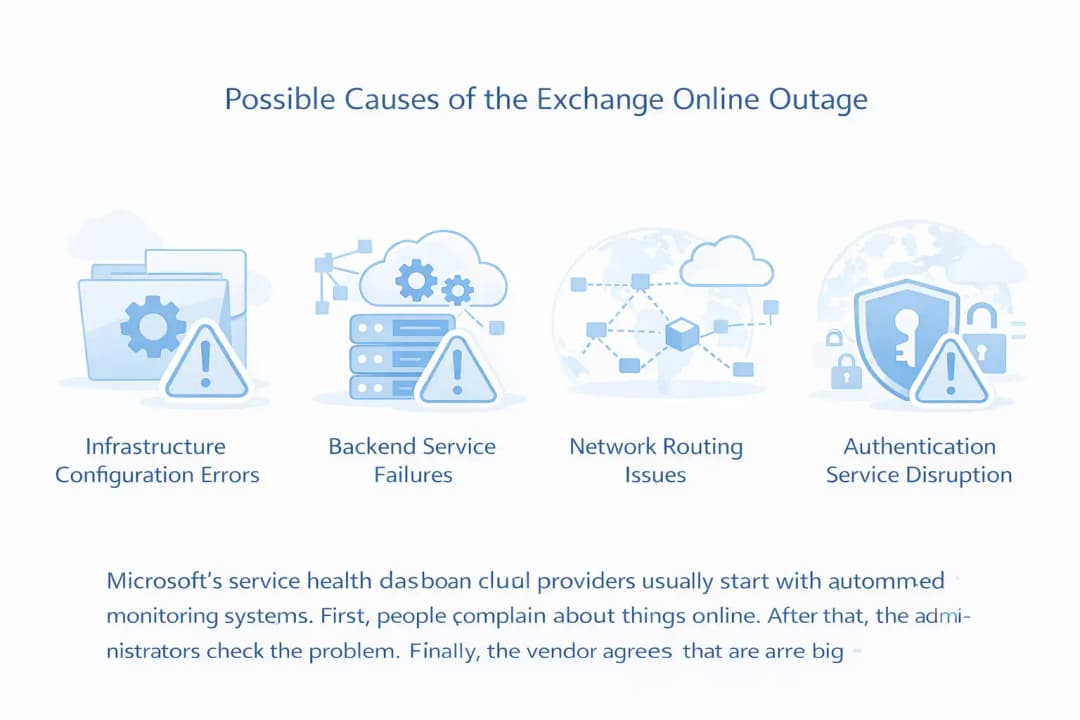
The initial Microsoft notification said engineers had identified a backend issue that was preventing some services from responding as expected. Microsoft said it was investigating the behavior across regions while monitoring signs of recovery.
Later reporting quoted Microsoft's resolution update as identifying an underlying issue involving supporting network infrastructure that resulted in service degradation.
That gives us a more reliable explanation than the speculation that circulated during the outage.
Infrastructure and Network Dependencies
Large cloud services depend on multiple layers working together.
Exchange Online does not operate as one isolated server. Mailbox access depends on multiple services and infrastructure components that work together to authenticate users, route requests, process mailbox operations, and return results to clients.
If a supporting infrastructure layer becomes unhealthy, users may experience failures even when the mailbox data itself remains intact.
Why the Symptoms Can Be Confusing
One user may see an Outlook connection error.
Another may see a mailbox that fails to load.
Someone else may experience mobile synchronization problems.
Those symptoms can look unrelated even when they originate from the same cloud-side incident.
This is one reason service-health monitoring is so important for Microsoft 365 administrators.
Why Cloud Outages Can Be Difficult to Diagnose
Cloud platforms are built from interconnected services.
That architecture provides scale and redundancy, but it also creates dependencies. A problem in one supporting layer can affect applications that appear unrelated from the user's perspective.
For IT teams, this creates an important diagnostic question:
Is the problem inside our environment, or is the provider experiencing an incident?
If dozens or hundreds of users begin experiencing the same symptoms at approximately the same time, administrators should check the provider's service-health information before changing local configurations.
Microsoft specifically recommends using the Microsoft 365 Service Health page to determine whether a known service issue is already under investigation.
Exchange Online Outage vs. Local Outlook Problem
These incidents can be difficult because the symptoms overlap.
|
Symptom |
Possible local issue |
Possible service-side issue |
|
One user cannot connect |
Yes |
Possible |
|
Many users cannot connect simultaneously |
Less likely |
More likely |
|
Outlook repeatedly tries to connect |
Yes |
Yes |
|
Outlook on the web also fails |
Possible |
Stronger indicator |
|
Mobile access also fails |
Possible |
Stronger indicator |
|
Microsoft reports an active incident |
No |
Yes |
|
Service Health shows Exchange degradation |
No |
Yes |
This is not a diagnostic rule by itself. It is a practical way to structure the first few minutes of investigation

How IT Teams Should Respond to an Exchange Online Outage
When a cloud email service becomes unavailable, the first goal should be to determine whether the problem is local or provider-side.
1. Check Microsoft 365 Service Health
Administrators should start with the Microsoft 365 admin center and review the Service Health section.
Microsoft provides service-health information for Exchange Online and other Microsoft 365 services. If administrators cannot access the admin center, Microsoft also provides a service status page for broader availability information.
2. Identify the Scope
Ask a few simple questions:
- Is only one user affected?
- Are multiple users affected?
- Are all users in one location affected?
- Are Outlook desktop and web access both failing?
- Are mobile users experiencing the same problem?
- Did the issue begin at roughly the same time?
The answers can help distinguish a local configuration issue from a broader service incident.
3. Avoid Unnecessary Configuration Changes
During a confirmed provider-side incident, repeatedly rebuilding Outlook profiles, changing DNS settings, or modifying authentication configurations may create additional problems without restoring the service.
Local troubleshooting makes sense when the issue is isolated.
It makes less sense when Microsoft has already confirmed a cloud-side incident affecting multiple customers.
4. Communicate Clearly With Employees
Employees do not need a highly technical explanation.
A simple internal message can explain:
- Microsoft has identified an Exchange Online service issue.
- IT is monitoring the incident.
- Users do not need to repeatedly change their Outlook configuration.
- Alternative communication channels should be used if email access remains unavailable.
- IT will provide another update when Microsoft reports recovery.
Clear communication can prevent dozens of employees from independently attempting different fixes.
What Businesses Should Do During an Email Outage
An outage is easier to manage when an organization has already planned for it.
Businesses should maintain alternative communication channels for situations where primary email is temporarily unavailable.
Depending on the organization's security requirements, alternatives may include:
- Internal collaboration platforms
- Approved messaging systems
- Telephone communication
- Emergency contact procedures
- Business continuity communication trees
The important part is not having every possible tool.
It is knowing which approved channel employees should use when the primary communication system is unavailable.
Email Security Still Matters During Availability Incidents
An availability outage and a cybersecurity incident are different, but they can overlap operationally.
Employees who suddenly lose access to their normal email may become more willing to trust unusual messages or unofficial workarounds.
For example, an attacker could take advantage of confusion around an outage by sending fake "Microsoft recovery" messages or fraudulent support instructions.
That makes email security particularly important during high-profile service incidents.
Organizations should maintain layered protection around phishing, account compromise, malicious attachments, and business email compromise.
Hoplon InfoSec's email security and anti-phishing solutions provide additional context on layered email defenses.
The Bigger Lesson From the Exchange Online Outage
The March 16 incident was not just an Outlook problem.
It highlighted a broader reality of cloud computing: businesses increasingly depend on infrastructure they do not directly operate.
That brings major advantages.
Organizations do not have to maintain their own Exchange servers, storage systems, networking infrastructure, or large-scale redundancy.
But the trade-off is dependency.
When a cloud provider experiences an incident, customers may have limited ability to fix the underlying problem themselves.
This is why business continuity planning remains important even for organizations that have moved most of their infrastructure to the cloud.
How to Build Better Microsoft 365 Resilience
A resilient Microsoft 365 environment should not rely on one assumption:
"Microsoft will always be available."
Instead, organizations should consider several layers.
Communication Continuity
Employees should know how to communicate when corporate email is unavailable.
Identity Resilience
Organizations should understand how authentication dependencies affect access to Microsoft 365.
Data Protection
Critical business data should have an appropriate backup and recovery strategy.
Monitoring
IT teams should have visibility into Microsoft 365 service health and their own environment.
Incident Communication
Employees should know where official outage information will be posted.
Vendor Dependency Planning
Critical business processes should identify which ones depend directly on Microsoft 365 availability.
Organizations that want broader visibility across cloud, endpoint, network, and email telemetry can also explore XDR and threat detection.
What This Incident Did Not Prove
It is just as important to discuss what the outage did not establish.
Based on the sources reviewed:
- It did not establish that Microsoft 365 was completely unavailable worldwide.
- It did not establish that all Microsoft 365 tenants were affected.
- It did not establish a data breach.
- It did not establish that attackers caused the outage.
- It did not establish permanent loss of mailbox data.
- It did not mean every Outlook problem on March 16 came from the same incident.
The official incident language was narrower: some users experienced problems accessing Exchange Online mailboxes through one or more connection methods.
That distinction is important for accurate cybersecurity reporting.
Frequently Asked Questions
What happened to Exchange Online on March 16, 2026?
Microsoft investigated an Exchange Online service incident tracked as EX1253275. Some users experienced errors or failures when accessing their mailboxes through one or more connection methods.
Was Microsoft Exchange Online completely down?
No. Microsoft's wording described an issue affecting some users and connection methods rather than a complete outage affecting every Exchange Online customer.
Which Exchange Online services were affected?
Reporting based on Microsoft's incident updates identified Outlook on the web, Outlook desktop, Exchange ActiveSync, and other Exchange Online connection protocols among the affected access methods.
Was the Exchange Online outage caused by hackers?
There is no evidence in the reviewed sources that the March 16 incident was caused by hackers. Microsoft's resolution update attributed the service degradation to an underlying issue involving supporting network infrastructure.
How can I check if Microsoft 365 is down?
Microsoft 365 administrators can check the Service Health section in the Microsoft 365 admin center. Microsoft also provides a service status page for broader availability information.
What should IT teams do during an Exchange Online outage?
First, verify the provider's service status. Then determine which users and connection methods are affected, communicate the situation internally, avoid unnecessary configuration changes, and use approved alternative communication channels if necessary.
Key Takeaways
The March 16, 2026 Exchange Online incident offers several practical lessons for IT and security teams:
- EX1253275 affected some Exchange Online users and connection methods.
- Outlook on the web, Outlook desktop, Exchange ActiveSync, and other access methods were reported as affected.
- Microsoft investigated the issue as a service-side incident.
- Microsoft's later update identified supporting network infrastructure as the underlying issue.
- The incident was not established as a cyberattack or data breach.
- Microsoft 365 administrators should use Service Health as the first source for confirmed incident information.
- Businesses should maintain communication and continuity plans for cloud-service disruptions.
- Cloud adoption reduces infrastructure management but does not eliminate availability risk.
Sources and Methodology
This article was reviewed against Microsoft's service-health information and Microsoft documentation available for the March 16, 2026 incident. The incident was tracked under EX1253275.
Microsoft's initial incident notification described errors or failures affecting some users attempting to access Exchange Online mailboxes. Later updates indicated service recovery, while reporting on Microsoft's resolution message identified supporting network infrastructure as the underlying issue.
For general troubleshooting and service-health guidance, Microsoft documentation was also reviewed.
External reporting was used only to corroborate the scope and user-facing impact of the incident.
Official References
Related Hoplon InfoSec Resources
- Email Security Best Practices
- Email Security and Anti-Phishing Solutions
- Microsoft Exchange Online EWS Shutdown
- Exchange 2016/2019 ESU End of Life Guide
- Microsoft Exchange Server CVE-2026-42897
- XDR and Threat Detection
- Microsoft 365 Service Degradation and Driver Update Risks
To learn more, visit our blog page.





