
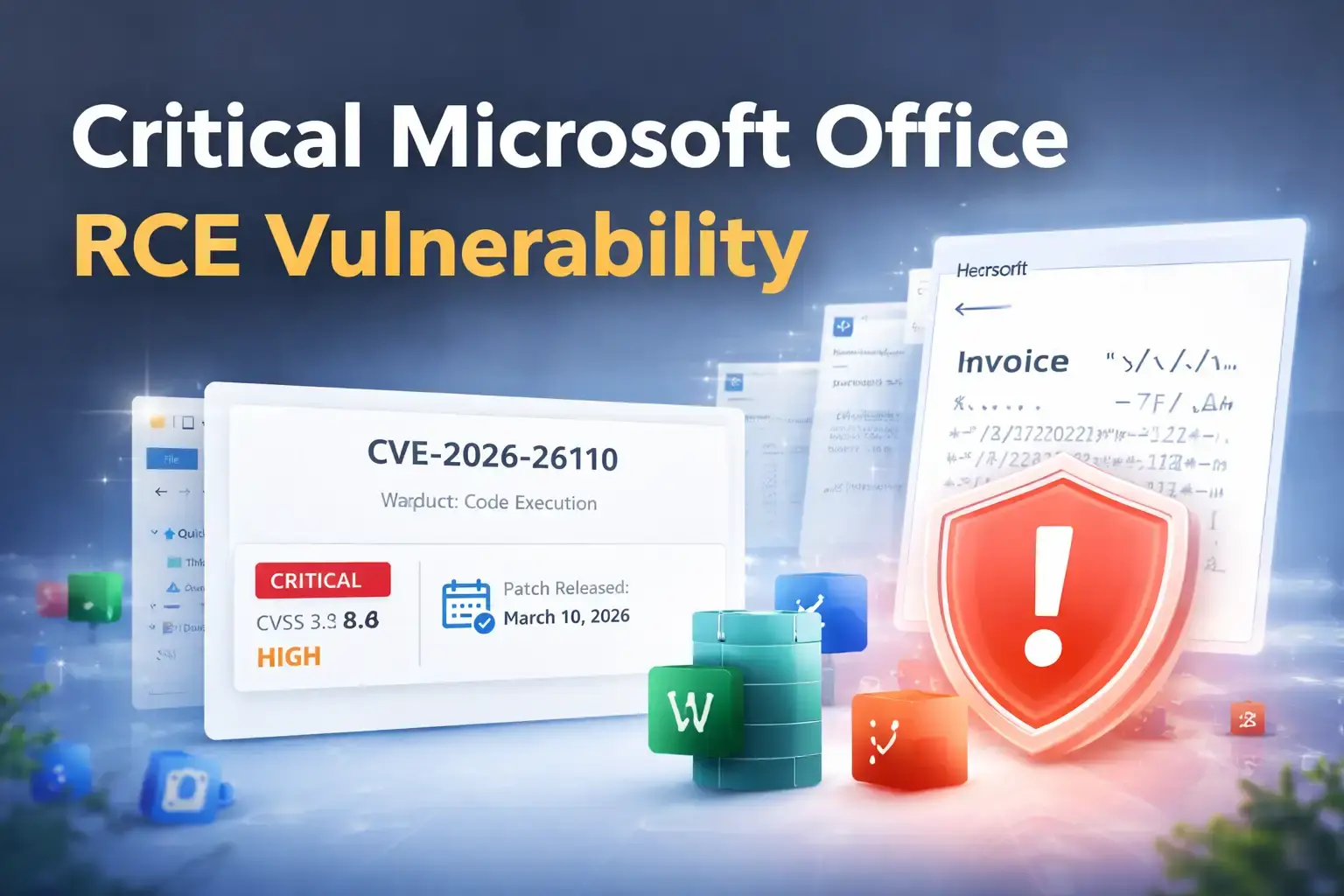
It often starts in the most ordinary way. Someone is cleaning up downloads, checking an email attachment, or just moving through files before lunch.
Then comes the detail that turns a normal workday into a security emergency: a Microsoft Office Remote Code Execution Vulnerability tied to document handling, preview behavior, and code execution risk inside one of the world’s most widely used software suites.
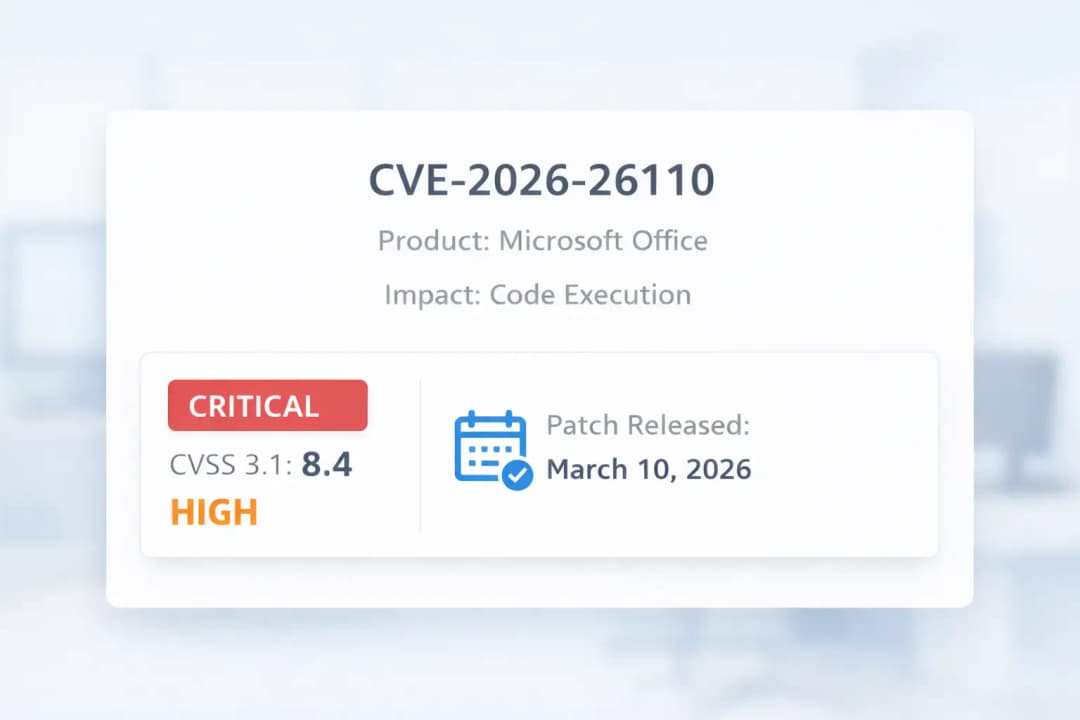
Microsoft addressed this flaw on March 10, 2026, and it is tracked as CVE-2026-26110. Public records describe it as a type confusion vulnerability in Microsoft Office with a CVSS 3.x base score of 8.4 (High).
This article breaks down what happened, why this Microsoft Office security flaw matters, how the Office Preview Pane exploit risk changes the threat picture, which products are affected, and what users and IT teams should do next.
It is written to be practical, readable, and complete so a reader can go from “What is this?” to “What should I do right now?” without bouncing to three other pages
What Is CVE-2026-26110?
At its core, CVE-2026-26110 is a flaw in Microsoft Office that can let an unauthorized attacker get code to run on a target machine.
Microsoft’s public vulnerability description says the problem involves accessing a resource with an incompatible type, which is why it is categorized as a type confusion vulnerability. NVD mirrors that description and notes that the issue can allow an attacker to execute code locally.
That wording matters. Many readers see “remote code execution” and imagine a hacker typing commands from miles away with no file, no lure, and no local trigger.
In this case, the label reflects the impact category, but the execution path still involves the victim system handling the malicious content locally. That nuance is one reason this vulnerability deserves a full explanation instead of a one-line news summary.
What makes CVE-2026-26110 critical?
This is considered a critical Microsoft Office vulnerability because it touches software people trust and use every day. Office documents move through email inboxes, downloads folders, chat apps, shared drives, and enterprise workflows all day long.
When a flaw sits inside that kind of routine activity, the real-world exposure becomes much bigger than the CVE label alone suggests. Microsoft’s March 2026 update cycle listed CVE-2026-26110 as one of the month’s critical Office issues.
Quick facts at a glance
CVE: CVE-2026-26110
Product family: Microsoft Office
Impact: Code execution
Weakness type: Type confusion
Severity: High / Critical coverage in March 2026 reporting
CVSS 3.x base score: 8.4
Patch release date: March 10, 2026
Why This Microsoft Office Security Flaw Matters
The danger here is not only the vulnerability itself. It is also the setting in which the vulnerability lives. Office files are normal. Familiar. Routine. People open them at work, at home, on mobile, in meetings, and while multitasking. That everyday trust is exactly why a Microsoft Office RCE vulnerability can become such a serious operational problem.
March 2026 security reporting also highlighted something that raises the urgency even more: Preview Pane exposure.
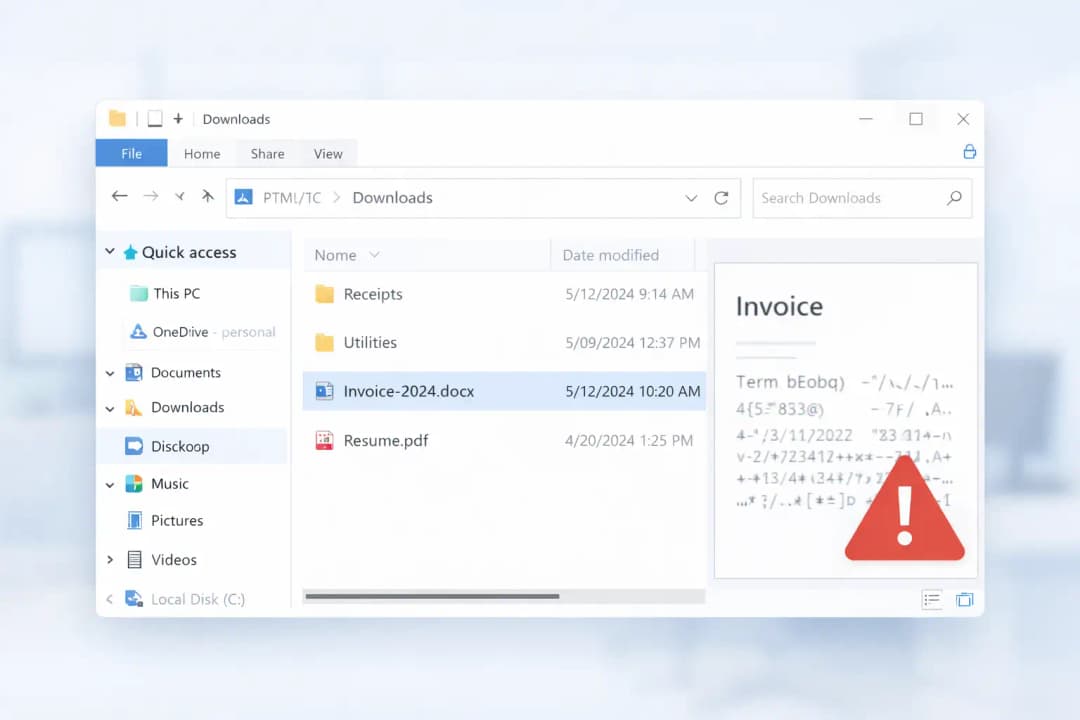
Multiple reports on the March Patch Tuesday cycle said the Office flaws CVE-2026-26110 and CVE-2026-26113 could be exploited through the Preview Pane, meaning the risk is not limited to fully opening a malicious document. In plain language, sometimes “just looking at the file” can be a meaningful part of the attack path.
Why security teams should care immediately
The flaw affects a software family used across organizations of every size.
It was included in Microsoft’s March 10, 2026 security releases.
Security reporting flagged the Preview Pane as a high-priority exposure point.
A document-based flaw is easier to fit into phishing or file-delivery campaigns than many server-side vulnerabilities.
The story this vulnerability tells is simple: the less effort an attacker needs from the user, the more dangerous the workflow becomes. When risk moves closer to “viewing” instead of “opening and enabling something obvious,” defenders lose one of their most reliable safety buffers.
Type Confusion Explained
“Type confusion” sounds abstract until you picture it as a mislabeled key ring. Imagine software puts one key on a hook labeled for the server room, but later tries to use that same key like it belongs to the finance vault. The label and the reality do not match. In software, that mismatch can create logic errors and unsafe memory behavior.
NVD’s description for CVE-2026-26110 specifically identifies the issue as access of a resource using an incompatible type.
That means Office may treat a resource like one kind of object at one point and then interact with it as though it were a different kind later. When those assumptions break, the program can behave in ways developers never intended.
Why out-of-bounds memory access matters
When type handling goes wrong, memory safety can go wrong with it. That can create abnormal access patterns, crashes, or in more serious cases, controllable execution paths that attackers try to abuse. A flaw like this is not just about a document misbehaving. It is about whether crafted input can push software into unsafe territory.
Why this can lead to code execution
A type confusion vulnerability becomes especially dangerous when it gives an attacker a way to influence how the application reads, writes, or interprets memory. That is the bridge from “bug” to “security issue.” Once that bridge exists, the attacker’s goal is no longer to break the document. It is to make the application do something the user never intended.
Is This Really Remote Code Execution or Local Code Execution?
This is one of the most important sections in the article because many competitors either skip it or explain it poorly.
The vulnerability is publicly categorized as a Microsoft Office Remote Code Execution Vulnerability, but the official public description says it allows an unauthorized attacker to execute code locally. Those two ideas are not as contradictory as they seem. The attacker can still be remote in a practical campaign, but the malicious file or payload ultimately has to be processed on the victim machine.
Why the term can confuse readers
In everyday language, “remote” sounds like a purely over-the-network attack with no local touchpoint. In vulnerability classification, the label often reflects the impact and attack scenario at a higher level.
What matters for readers is the practical takeaway: this flaw is dangerous in file-handling workflows, especially where malicious content can be delivered and then previewed or processed on the target endpoint.
Arbitrary code execution vs remote code execution
Some defenders would describe this sort of behavior as closer to arbitrary code execution on the local system, even though it is cataloged under the RCE umbrella.
The distinction is useful because it helps explain why patching, attachment hygiene, and preview controls matter so much. The attack may begin remotely, but the dangerous moment happens when the local device handles the crafted file.
How the Preview Pane Can Trigger the Risk
Here is the part that makes people sit up straight.
March 2026 Patch Tuesday reporting said CVE-2026-26110 and CVE-2026-26113 in Microsoft Office could be exploited through the Preview Pane. TechRepublic described the risk as code execution that can happen by having the user view a rigged document in the Preview Pane, and BleepingComputer also singled out these two Office vulnerabilities as preview-pane exploitable issues that users should prioritize patching.
That changes the emotional feel of the vulnerability. This is no longer just a story about a risky attachment someone deliberately opens. It becomes a story about ordinary behavior: browsing files, checking content, moving fast, trusting what looks normal.
Can a user be compromised without opening the file?
Based on March 2026 reporting, the Preview Pane can be enough to create exposure. That means the full double-click-open workflow is not the only risk path. For defenders, this matters because it lowers the amount of user action an attacker may need.
Why Preview Pane raises the severity in practice
A vulnerability becomes more operationally dangerous when it removes friction. If the risky moment happens earlier in the user journey, there is less time for suspicion, warning signs, or second thoughts. The Office Preview Pane exploit angle is what turns this from “serious” into “patch this first.”
Likely document delivery paths
No credible public reporting I reviewed says CVE-2026-26110 is already being used in a specific live campaign. Still, the most realistic delivery routes are familiar:
phishing attachments
downloaded files from untrusted sources
shared folders or synced storage
chat-delivered documents
files moved around locally and previewed by habit
That is exactly why this vulnerability feels so real. It slides into habits people already have.
Affected Microsoft Office Versions and Platforms
Microsoft’s March 10, 2026 Office security update notes show CVE-2026-26110 under the Office suite fixes released that day.
The Microsoft Learn release notes page for Office security updates lists March 10, 2026 builds across Microsoft 365 Apps, Office 2024 Retail, Office 2021 Retail, Office LTSC 2024, Office LTSC 2021, and Office 2019 Volume Licensed.
Using Microsoft’s Office release notes together with the reference details you provided, the affected coverage for this content can be presented like this:
Windows-focused coverage
Microsoft 365 Apps for enterprise
Office 2019
Office LTSC 2021
Office LTSC 2024
related March 10, 2026 Office suite security builds listed by Microsoft
Additional platform coverage from your reference brief
Microsoft Office 2016 and 2019, 32-bit and 64-bit editions
Microsoft 365 Apps for Enterprise, 32-bit and 64-bit editions
Microsoft Office LTSC 2021 and 2024 for Windows and Mac
Microsoft Office for Android
Those platform details came from the reference content you supplied for expansion, so they are included here to make the article more complete and useful.
A quick note on Office 2019
Microsoft’s Office security release notes also remind users that support for Office 2019 ended on October 14, 2025, while noting Microsoft may still choose to issue one or more updates at its discretion.
That is an important strategic point for SEO readers because it means patching the current issue is only part of the larger risk story; staying on older Office lines creates ongoing security debt.
Severity, CVSS Score, and Exploitability
On NVD, CVE-2026-26110 shows a Microsoft CNA CVSS 3.x base score of 8.4 High. That score does not automatically make it the most dangerous flaw of the year, but it absolutely places it in the group of vulnerabilities that should move quickly through patch queues, especially because it affects Office and is linked to preview-based exploitation reporting.
What does a CVSS 8.4 score mean?
For most readers, 8.4 means this is not the sort of bug to “get to next week.” It signals strong potential impact and real operational relevance. The score also matters in prioritization conversations, where IT teams have to decide what gets patched first when dozens of fixes arrive at once.
Why exploitability still deserves attention
BleepingComputer reported that none of the publicly disclosed zero-days in Microsoft’s March 2026 Patch Tuesday were known to be exploited in attacks, but it separately emphasized that the Office critical bugs CVE-2026-26110 and CVE-2026-26113 should be prioritized because of the Preview Pane angle. In other words, “not confirmed exploited” is not the same as “safe to delay.”
Why “not exploited yet” is not a reason to wait
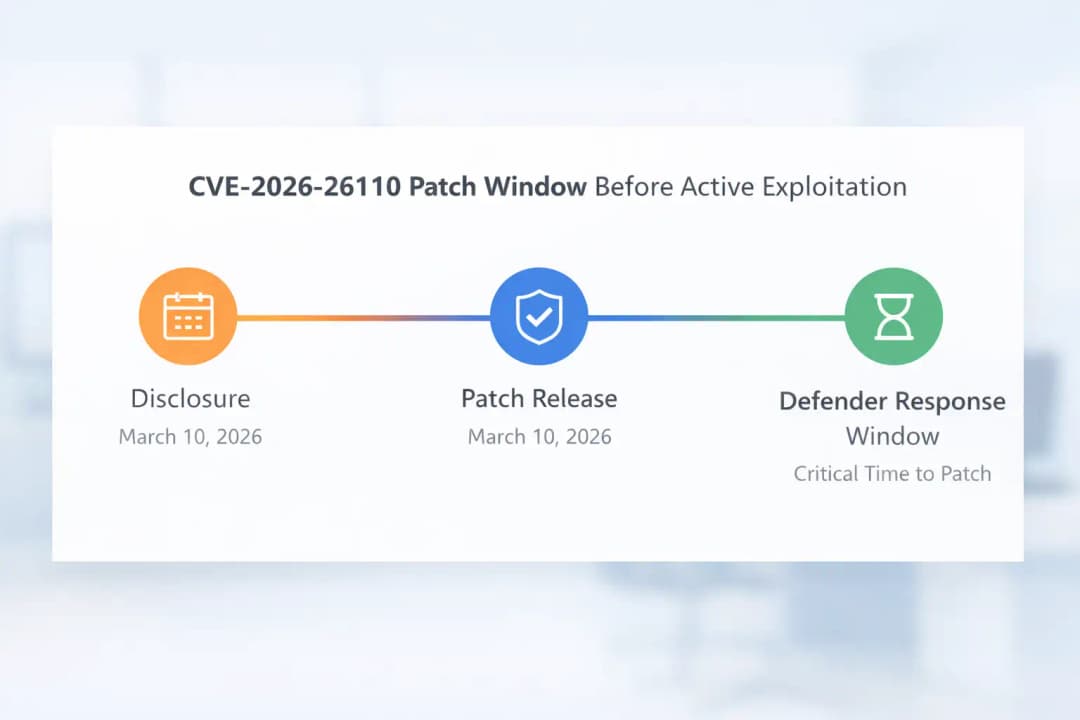
Attackers do not need years to notice a patch note. Once a flaw is documented and fixed, reverse engineering often becomes part of the race. The real defender advantage is the short window between patch release and broad attacker weaponization. Smart teams use that window.
Has CVE-2026-26110 Been Exploited in the Wild?
Based on the March 2026 sources reviewed here, there was no confirmed in-the-wild exploitation reported for this issue at the time of release coverage.
Security researcher said none of the publicly disclosed zero-days in that Patch Tuesday set were known to be exploited in attacks, while still urging users to prioritize the Office preview-pane-related bugs.
That matters because it gives defenders something rare: breathing room. Not comfort, not safety, but a little breathing room. A patch that arrives before mass exploitation is one of the best outcomes security teams can hope for. The mistake is assuming that window stays open for long.
What this means for users and organizations
Do not panic, but do not postpone.
Treat patching as urgent because the vulnerability is public and understandable.
Expect attacker interest because Office remains a popular target surface.
Use temporary mitigations only as a bridge to full patching.
How to Patch and Mitigate the Vulnerability
If this article had to reduce everything to one sentence, it would be this: apply the March 10, 2026 Microsoft Office security updates as quickly as possible. Microsoft’s Office security release notes show that CVE-2026-26110 was addressed in the March 10, 2026 Office suite updates, and industry reporting stressed that these preview-pane-related Office flaws should be prioritized.
What organizations should do first
Identify every Office deployment that falls inside the affected coverage.
Roll out the March 10, 2026 security updates to Office endpoints first.
Prioritize machines used for email-heavy, document-heavy, or high-risk workflows.
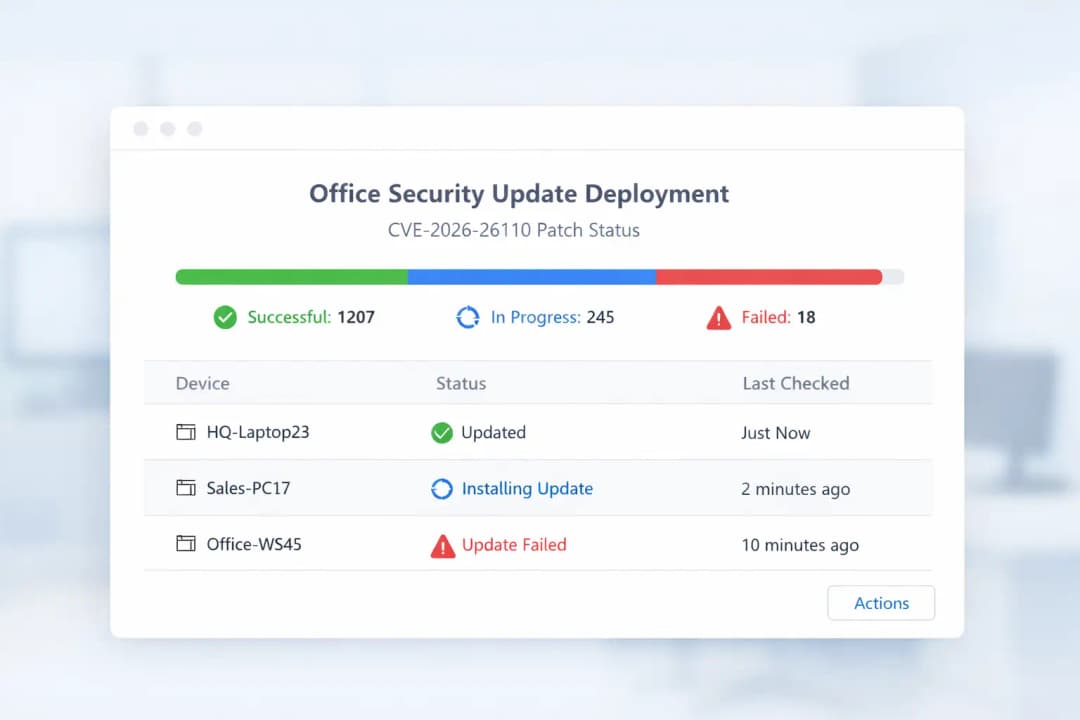
Confirm successful installation instead of assuming patch deployment completed cleanly.
Document which systems still need remediation.
Those steps go beyond the CVE description, but they are the practical bridge between “we know about it” and “we reduced the risk.”
Temporary mitigation if immediate patching is not possible
Your reference content included one especially useful defensive step: disable the Windows File Explorer Preview Pane as a temporary measure when you cannot patch immediately. That is logical because public reporting identified the Preview Pane as an attack vector for these Office flaws. It is not a replacement for patching, but it can reduce exposure while update rollout catches up.
Recommended mitigation checklist
Apply official March 10, 2026 Office security updates
Update Microsoft Office on Android where applicable
Disable Preview Pane temporarily if patching is delayed
Restrict interaction with untrusted attachments and downloads
Alert staff that document preview behavior can be risky
Validate update success across all affected endpoints
Best practices after patching
After the patches are installed, do not stop at “green check mark received.” Review your document-handling policies, attachment controls, endpoint visibility, and user guidance. Vulnerabilities like this are reminders that security is rarely only about one bug. They reveal where habits, workflows, and trust assumptions need tightening too.
Practical Buying-Guide Style Checklist for IT and Security Teams
Even though this is not a product review topic, readers still love a quick “what to look for” list. For this vulnerability, the equivalent is a response guide.
Features of a strong response
Fast patch cadence: critical Office fixes should not sit for long
Version visibility: you should know which Office builds exist in your environment
Attachment controls: document delivery remains a major attack path
User guidance: staff should know that previewing files can carry risk
Endpoint monitoring: suspicious document-triggered behavior should be visible
Platform awareness: desktop, Mac, and mobile update coverage should all be accounted for
This section helps the article feel complete because readers do not only want the CVE story. They want a smarter security routine after reading it.
FAQ
What is CVE-2026-26110 in Microsoft Office?
CVE-2026-26110 is a Microsoft Office vulnerability described publicly as a type confusion issue that can allow unauthorized code execution on the target system.
Microsoft addressed it in the March 10, 2026 Office security updates, and NVD lists a CVSS 3.x base score of 8.4 High.
How does the Microsoft Office Preview Pane exploit work?
March 2026 reporting said CVE-2026-26110 and CVE-2026-26113 could be exploited through the Preview Pane, meaning a malicious document may create exposure even before a user fully opens it. That is why security coverage described the flaw as high priority.
Which Office versions are affected by CVE-2026-26110?
Microsoft’s March 10, 2026 Office security release notes show the Office suite fix in builds covering Microsoft 365 Apps, Office 2024, Office 2021, Office LTSC 2024, Office LTSC 2021, and Office 2019 update lines.
Your supplied reference also extends the affected picture to Office 2016, Mac editions of LTSC 2021 and 2024, and Office for Android.
Is CVE-2026-26110 being exploited in the wild?
The sources reviewed here did not report confirmed active exploitation at release time. Security researcher said the publicly disclosed zero-days in Microsoft’s March 2026 Patch Tuesday were not known to be exploited in attacks, but it still advised prioritizing the Office preview-pane bugs.
Is this really remote code execution if the code runs locally?
Yes, the public classification can still fall under the Microsoft Office Remote Code Execution Vulnerability label even though NVD’s description says the attacker can execute code locally.
In practice, the file may be delivered remotely, while the dangerous processing happens on the victim machine.
What should organizations do first?
Patch first, validate second, mitigate third. Install the March 10, 2026 Office security updates, verify they deployed correctly, and disable the Preview Pane temporarily where patching cannot happen right away.
Conclusion
The real lesson of this Microsoft Office Remote Code Execution Vulnerability is not just that another CVE appeared on another Patch Tuesday. It is that small, ordinary actions inside trusted software can still open the door to serious risk.
CVE-2026-26110 combines a type confusion vulnerability, a high 8.4 CVSS score, and public concern around Preview Pane exposure into the kind of issue that deserves immediate attention.
For readers, the takeaway is simple. Update fast. Treat document previews with more caution than before. Make exploit mitigation part of the workflow, not an afterthought. When organizations respond quickly to a flaw like this, they are not only patching a bug. They are closing a story before it turns into an incident.
To learn more, visit our blog page.





