
Beginning
Video calls are now a normal part of life. Video conferencing is now used for work meetings, online classes, business talks, and even family get-togethers. Online video call security is more important than ever as more people communicate from afar.
Tools like Zoom, Google Meet, Microsoft Teams, and Skype make it easy to talk to people, but they also give hackers new ways to steal information. Hackers might try to get into meetings without permission, steal private information, or send out harmful files.
The good news is that most of these risks can be lowered if users know how video conferencing works and follow some basic safety rules. This guide will teach you about the most common security risks in video calls and how to protect your video calls from hackers, keep your meeting links safe, and keep your conversations private.
Why It's More Important Than Ever to Keep Online Video Calls Safe
Video conferencing was already popular before 2020, but the rise of remote work and online education made it even more popular. Every day, millions of people rely on video calls.
Cybercriminals have started to go after video conferencing platforms because they are becoming so popular so quickly. Online meetings may have private information like:
• Plans for the business
• Talking to each other in private
• Talks in the classroom
• Money matters
• Private papers
If a meeting isn't set up correctly, people who aren't supposed to be there might be able to join or listen without anyone noticing. This is why both hosts and attendees need to take online meeting security seriously.
If you make a small mistake, like sharing a meeting link with everyone or using a weak password, people who shouldn't be able to get into the meeting can.
Are Online Video Calls Over the Internet Really Safe?
Most modern video conferencing tools come with a number of security features that keep users safe. But the level of protection depends on how the platform is set up and how users run their meetings.
Some of the most important security features are
• Encryption from start to finish to keep communication safe
• Accounts are protected by multi-factor authentication.
• Controls for participants by the host
• Settings for privacy that limit access
• Safe meeting invites
Encryption makes it hard for anyone to listen to or watch a call while it is being sent over the internet. Multi-factor authentication adds another layer of security by requiring you to verify your identity in a different way when you log in.
But encryption alone doesn't make things completely safe. If meeting links are shared with the public or passwords are weak, people who aren't supposed to be there may still be able to join. This means that both the platform and the user's behavior affect security.
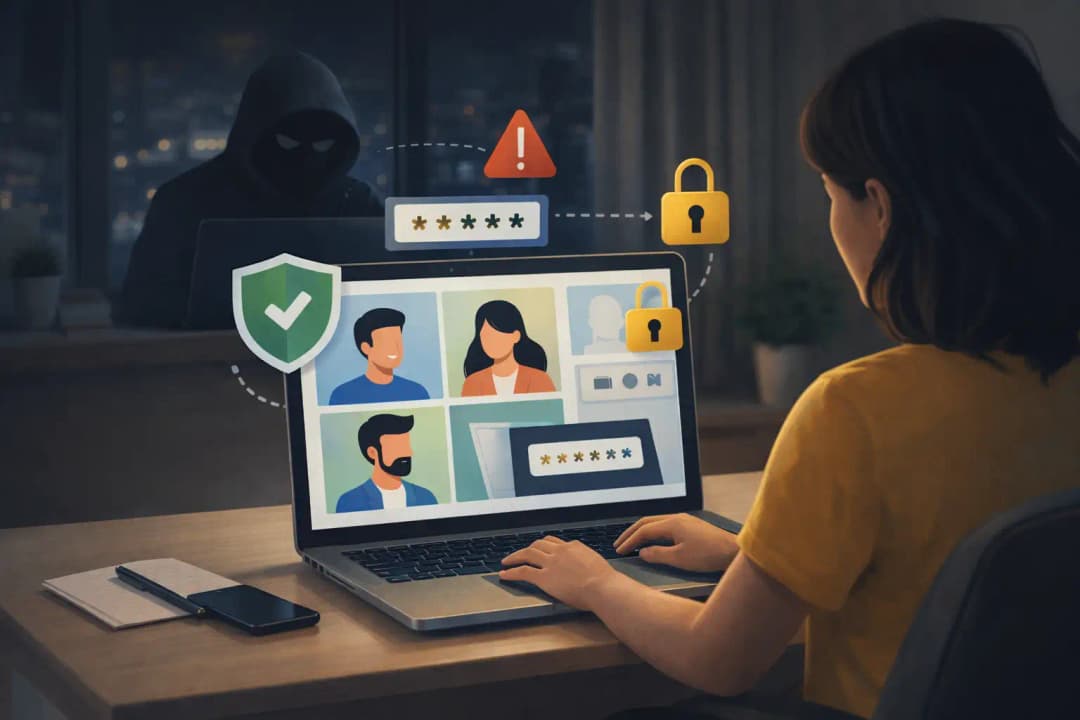
The Most Dangerous Security Risks of Video Conferencing
Users can avoid problems before they happen by knowing what the most common threats are.
Weak Passwords and Using the Same Credentials Over and Over
A lot of people use simple passwords because they are easy to remember. Sadly, attackers can easily guess weak passwords.
People also have problems when they use the same password for more than one service. Hackers may try the same password on video conferencing accounts if it gets out on another site.
One of the most important things you can do to keep your video conferencing secure is to use strong, unique passwords for each account.
Links to Public Meetings
People sometimes post links to meetings on social media or send them out in big group emails. Anyone who sees the link may try to join the meeting at this point.
It's even easier for people who aren't part of the meeting to get in if they don't need a password or authentication.
Not Having Multi-Factor Authentication
Users have to confirm their identity in more than one way, like by entering a code that is sent to their phone. If this extra layer isn't there, all an attacker needs is the password to get into the account.
Bad Data Management
Some video conferencing tools save chat messages, meeting recordings, and files that everyone can see. If these files aren't handled correctly, private information could get out.
It is important to know how your platform stores and deletes data in order to keep private conversations safe.
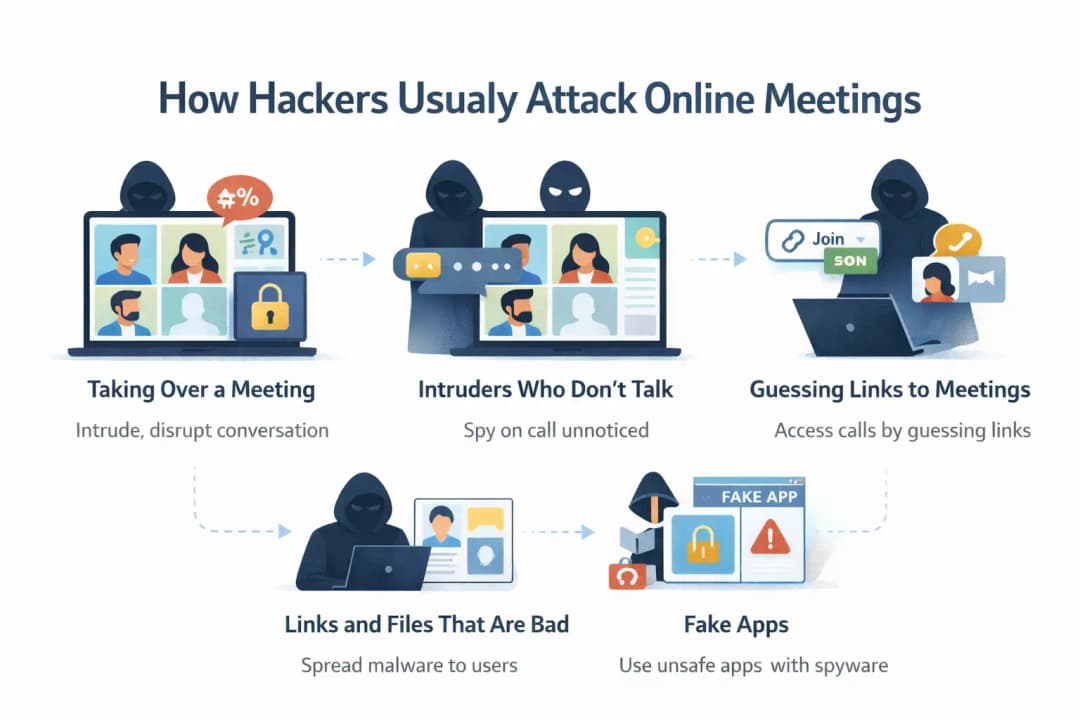
How Hackers Usually Attack Online Meetings
There are a number of ways that cybercriminals can spy on or mess up video calls.
Taking Over a Meeting
When someone who isn't supposed to be there joins a meeting and causes problems, that's called meeting hijacking. They might post rude messages, share inappropriate content, or break up the conversation.
This problem became known as "meeting bombing," which is when people break into a video call without permission.
Intruders Who Don't Talk
Not all attackers cause problems that are easy to see. Some people join without saying anything and stay quiet during the meeting.
These quiet intruders might listen in on conversations, gather information, or watch sensitive presentations.
Guessing Links to Meetings
Some video meeting systems make links using patterns that are easy to guess. If a meeting doesn't need authentication, attackers might be able to guess these links and try to join random sessions.
Links and Files That Are Bad
Video conferencing platforms with chat features let people send links and files. If users click on files that look suspicious, malware could be installed on their device.
Malware can get to the microphone, webcam, or personal files once it is installed.
Fake Apps
It can be risky to download conferencing apps from websites that aren't official. Some fake apps may have spyware in them that can steal your personal information.
Always get software from trusted websites or official app stores.
Privacy Risks Most People Ignore During Video Calls
A lot of people only think about hackers getting into meetings, but there are other privacy risks that people often miss.
Exposure in the Background
Anything you can see behind you during a video call can give away information. There may be personal photos, papers, or even clues about where you are in the background.
Some video apps let you blur the background or use a virtual background to keep your privacy.
Common Mistakes When Sharing Screens
If users forget to close other tabs or apps, screen sharing can accidentally show private information. You might see emails, financial information, and private messages on the screen.
Check to see that only the information you need is visible before sharing your screen.
Recordings and Chat Logs
Some platforms automatically save chat logs and recordings of meetings. These logs may contain private messages that participants sent to each other.
You should carefully look over the recording settings if the meeting content is sensitive.
Features for Keeping Track of Attention
Some conferencing tools have features that keep track of how engaged users are. These tools are meant to track participation, but they could be a privacy issue if users don't know about them.
If you know how to change the settings on the platform, you can stop unwanted monitoring.
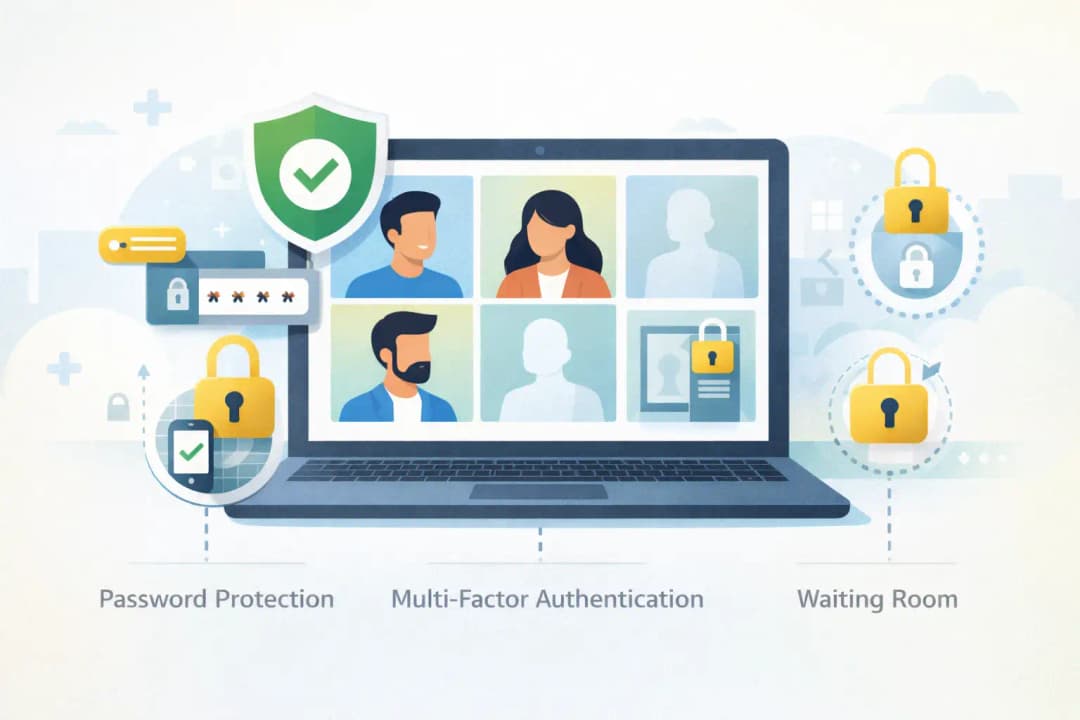
Important Tips for Keeping Your Online Video Calls Safe
If you follow basic security rules, the chances of getting hacked or having your privacy violated go way down.
Make Sure Your Passwords Are Strong
Always use passwords to keep meetings safe. Pick long passwords that have letters, numbers, and symbols in them.
Don't use passwords that are easy to guess, like your birthday or a simple word.
Allow Multi-Factor Authentication
Adding multi-factor authentication to your account adds another layer of security. If someone learns your password, they will still need the extra code to prove it.
Use Waiting Rooms or Lobbies
Many video conferencing platforms have waiting rooms where people have to wait until the host lets them into the meeting.
This feature helps hosts check that participants are who they say they are before letting them in.
Lock Meetings After People Join
The host can lock the session once everyone has joined to keep more people from joining.
The meeting can be temporarily unlocked and then locked again if someone accidentally disconnects.
Limit Screen Sharing
Only the host or users you trust should be able to share their screen. This stops people from showing content that isn't wanted or isn't right.
Manage Recording Permissions
Only the meeting host or certain presenters should be able to record. This stops people from recording private conversations without permission.
Don't Post Links to Meetings in Public
Only people who are supposed to be at the meeting should get the links. Putting them online makes it more likely that someone will get to them without permission.
Check Links and Files
Make sure that links shared in a meeting chat come from a trusted participant before you click on them. Stay away from links that look fishy.
Update Your Software
Updates to software often fix security holes. Using old apps could put devices at risk of known security holes.
Look Over Your Privacy Settings
Many apps have privacy features that you can turn on or off, but they aren't turned on by default. Looking over these settings can make video calls more private and keep your data safer.
How to Keep Zoom, Google Meet, Teams, and Other Platforms Safe
The basic ideas behind video conferencing tools are the same, but they all have different security settings.
Tips for Zoom Security
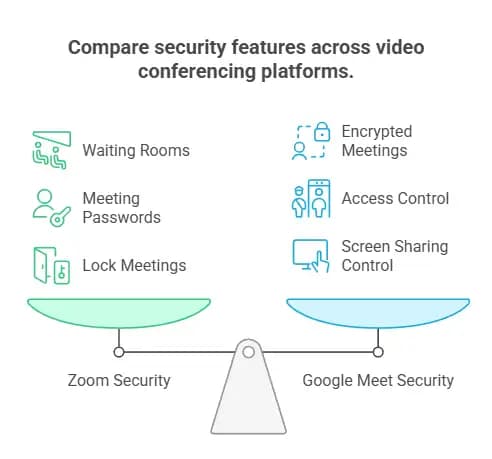
Zoom has a lot of helpful security features, like waiting rooms, meeting passwords, and tools for managing participants. Hosts can also lock meetings and kick out people who are being rude.
It's easier to change most advanced settings from the app's desktop version.
Features of Google Meet Security
Google Meet works with Google accounts and has security features like encrypted meetings and access control.
Hosts can decide who can join the meeting and who can share their screens.
Safety in Microsoft Teams Meetings
With Microsoft Teams, hosts can give participants different roles, like presenter or viewer. This helps you decide who can share content or run the meeting.
Settings for Desktop vs. Mobile
Desktop apps often have more security options than mobile apps do. Hosts might want to set up meetings from a desktop computer for more control.
How to Keep Video Meetings Safe for Work, School, and Family
Meetings for Business
There is often private information at corporate meetings. Companies should use safe meeting platforms, strong authentication, and strict rules for who can join.
It is also a good idea to limit permissions for sharing files and recording.
Classes on the Internet
Schools should make sure that only students who are allowed to do so can join classes. Teachers need to keep an eye on the lists of people who are taking part and kick out anyone they don't know right away.
In online learning environments, it's especially important to protect students' privacy.
Video Calls with Family
Even casual calls with family can give away private information. Don't answer calls from people you don't know, and be careful about sharing private information.
Big Events
If you have a lot of people in the room, a webcast may be safer than a regular meeting. In webcasts, only the people who are presenting can talk or share content. This makes it less likely that things will go wrong.
Safe Video Calls on Public Wi-Fi and Mobile Devices
Risks of Public Wi-Fi
Public Wi-Fi networks are useful, but they aren't always safe. Hackers who are on the same network might try to steal data or get into devices that are easy to break into.
Safer Options
If you can, use a private home network or mobile data connection to join important meetings.
When using public networks, a VPN can also help keep your internet traffic safe.
Security for Devices
Don't let people you don't know use your phone or laptop. Someone who had physical access could put malware on your computer that watches video calls.
Option for Audio Only
If you don't need video, switching to audio-only mode can help protect your privacy. It also stops other people from seeing where you are during the call.
Video Call Security Checklist Before Every Meeting
Checklist for Hosts
• The password for the meeting is on
• Waiting room turned on
• Multi-factor authentication is turned on.
• Sharing screens is not allowed.
• Limited recording permissions
• Link to the meeting shared in private
• The app has been updated to the most recent version.
• Closed sensitive files before sharing the screen
Checklist for Participants
• Using official conference software
• Software has been updated.
• Joining through a link you can trust
• Not opening files or links that look suspicious
• Connecting to the internet safely
• Checking background before turning on camera
Frequently Asked Questions About Online Video Call Security
Is it safe to make video calls online?
Yes, video calls can be safe if the right security settings are in place. Encryption, passwords, and waiting rooms are some of the ways that meetings are kept safe from people who shouldn't be there.
Can hackers get into video calls?
If links to video meetings are made public, passwords are weak, or accounts are hacked, hackers can get in. Following security best practices makes these risks much lower.
How do I make a Zoom meeting safe?
To make sure a Zoom meeting is safe, you should use passwords, waiting rooms, limit screen sharing, and lock the meeting after everyone has joined.
What is the safest way to get into a video call?
Use official apps, up-to-date software, and safe networks to join meetings. Don't click on links or accept invitations from people you don't know.
Is it safe to have video meetings over public Wi-Fi?
It's not a good idea to have sensitive conversations over public Wi-Fi. Using a private network or mobile data connection is safer.
Final Thoughts
Video conferencing has changed the way people talk to each other, learn, and work together. But as these tools become more common, the need for online video call security grows.
To keep video meetings safe, you need both safe technology and responsible behavior from users. End-to-end encryption, multi-factor authentication, and strong privacy settings are some of the features that lower the risk of unauthorized access.
Users can greatly improve the safety of their video calls by using strong passwords, controlling who can join meetings, keeping their software up to date, and being careful about what they share.
Video calls can still be a safe and reliable way to talk to friends, family, and coworkers all over the world if you take a few simple steps.
References





