Author: Security Editorial Desk
Published: Verified cybersecurity reporting based on public threat intelligence findings
Source Reference: Microsoft Threat Intelligence
What Is the Storm-2561 VPN Malware Campaign and Why Should You Care?
The Storm-2561 VPN Malware campaign is a way to steal people's credentials by tricking them into downloading fake VPN software through search results that have been changed. Security researchers saw hackers sending users to fake downloads that look like real enterprise VPN clients.
Instead of installing real software, victims unknowingly install malware that steals their VPN login information. Once attackers get their hands on those credentials, they may be able to get into corporate networks, sensitive systems, or internal accounts.
This is important because VPN access is often the way into a company's infrastructure. When credentials are stolen, attackers may be able to get deeper into business systems without setting off alarms right away.
Storm-2561 VPN Malware: How Search Results Became a Cyber Trap
It used to be normal to download software from search results. You typed in the name of the program, clicked on the first link, and installed the tool. That way used to work.
Things are different now.
People behind the Storm-2561 VPN Malware campaign are actively changing the results of search engines. Users are sent to attacker-controlled sites that give out fake VPN installers instead of legitimate software pages.
It's clear that the change is happening:
Old habit: Get VPN software from search results.
New reality: Those search results might have malware in them.
Result: stolen login information and a possible breach of the network.
This change is a big security risk for businesses that need VPN access to keep their remote workspaces safe.
How Storm-2561 VPN Malware Uses SEO Poisoning
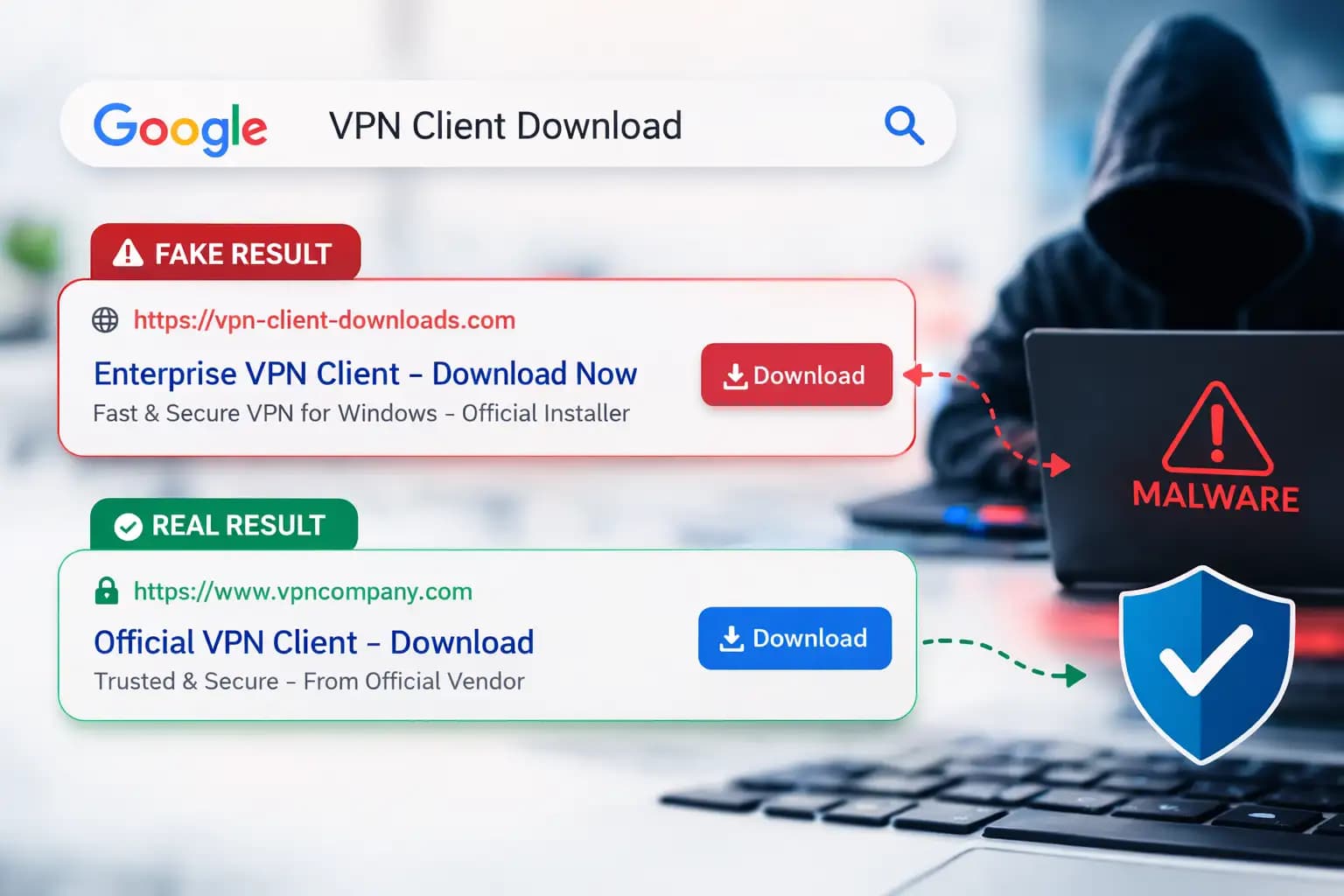
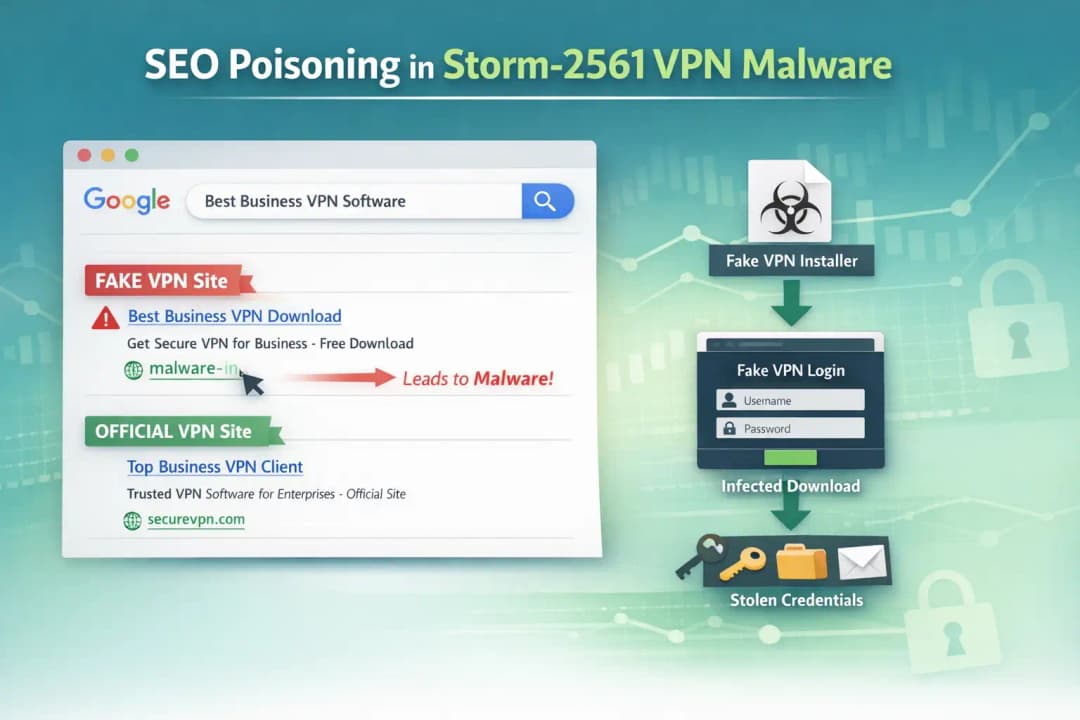
Storm-2561 VPN Malware uses SEO poisoning to make bad websites show up in search results. When people look for real VPN software, they are sent to fake download pages that give them malware that looks like safe apps.
Usually, search engine optimization helps websites show up higher in search results. Attackers use that same idea in a bad way.
The Storm-2561 group changes search results so that their fake websites come up when someone searches for business VPN software. People think they are going to real download pages.
When the user clicks the link, they get a file that looks like a real VPN installer. In reality, it has harmful parts that are meant to steal login information.
People trust search engines, which is why this method works. A result that is near the top of the page often seems trustworthy.
What Happens During the Attack
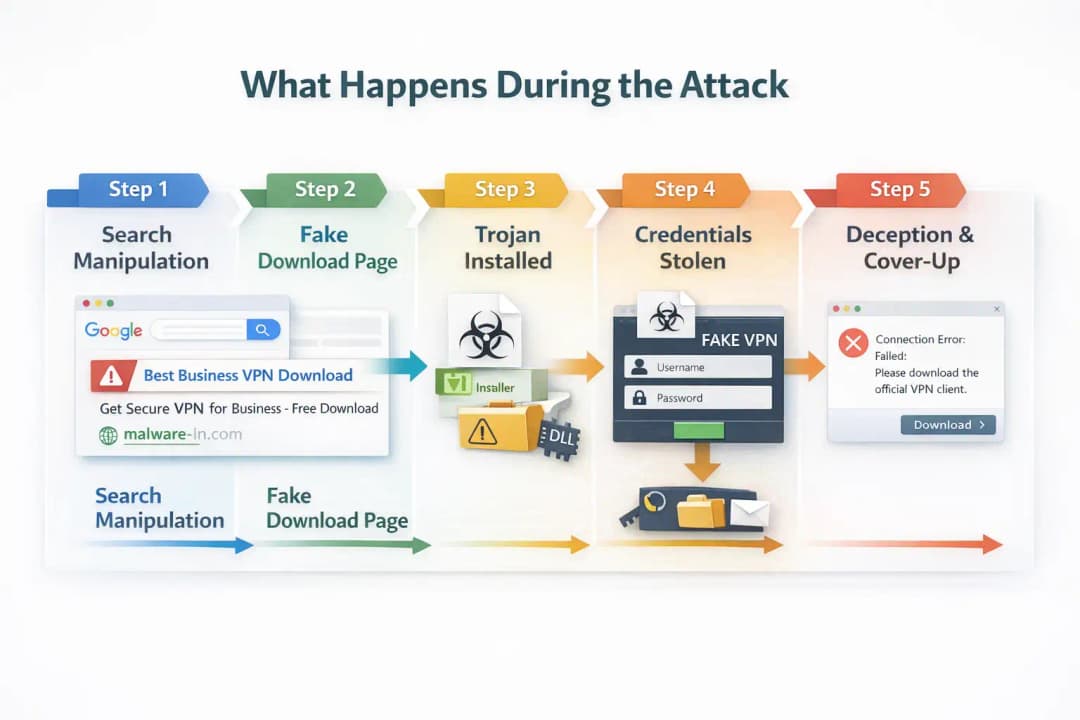
Knowing the attack chain makes it easier to spot the Storm-2561 VPN Malware campaign.
The operation goes through a number of carefully planned steps.
Step 1: Search for Manipulation
People look for business software like VPN clients. Attackers change search results so that bad pages show up with good ones.
These pages often look like they were made by professionals and are very similar to official vendor websites.
Step 2: A Fake Download Page
The bad website lets you download an archive file. Victims think they are putting in real VPN software.
There is an installer file in the archive that looks real.
Step 3: Install the Trojan
During installation, bad files are quietly loaded with the installer.
The malware pretends to be a real VPN client so that it can work without raising suspicion right away.
Step 4: Stealing Credentials
After it is installed, the malware shows a fake VPN login screen.
The attackers get the information when the user types in their credentials.
Step 5: Lying After Being Caught
The program may show an error message and tell the user to download the real VPN software after it has collected their credentials. Sometimes, the user is sent to the real VPN website.
This last step makes people less suspicious and keeps the attack from being noticed.
How the Storm-2561 VPN Malware Works Technically
Security researchers saw a number of technical behaviors that were linked to the campaign.
Some of the most well-known methods are:
• Using malware that is digitally signed to look safe
• DLL files that are harmful are loaded during installation
• Staying alive through Windows RunOnce entries in the registry
• Using a type of malware that steals information to get credentials
The malware makes sure it runs automatically after the computer restarts by adding entries to the Windows registry. This technique makes it stay active long enough to gather information.
Another strange thing is that malware files are hosted on trusted platforms. Attackers put installer packages in repositories that look real to people who don't know better.
The Malware That Made It Possible: Hyrax Variant
The Storm-2561 VPN Malware campaign uses a type of information stealer called Hyrax.
Information stealers are made to get private information from computers that have been infected. In this case, the malware is looking for VPN login information.
Attackers really want that information because VPN logins often let them directly access corporate networks.
Once attackers get those login details, they might try to log into business systems as if they were real users.
Why Attackers Go After VPN Passwords
Cybercriminals like to go after VPN credentials.
A lot of companies use VPN connections to let employees work from home in a safe way. If attackers get those credentials, they might be able to get around regular security measures.
The possible outcomes are:
• Getting into company networks without permission
• Data exposure or a breach of the internal system
• Damage to finances and problems with operations
For businesses that depend on remote work infrastructure, stolen VPN credentials can lead to major security problems.
How a User Could Get Infected
Picture an employee who works from home.
To connect to their company's network, they need to install a VPN client. The worker opens a search engine and types in the name of the VPN program.
One of the top results looks real.
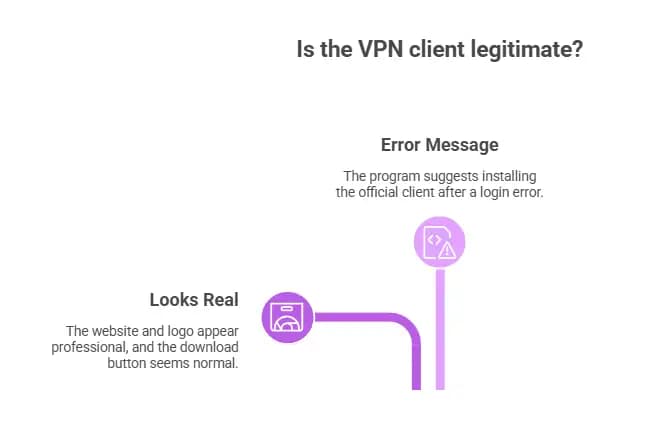
The layout of the site looks professional. The logo looks right. The button to download looks normal.
The worker downloads the installer.
A few minutes later, a login screen pops up asking for your VPN information. The worker types in their username and password.
The program gives an error message and suggests that you install the official client instead.
Everything looks normal.
But the Storm-2561 VPN Malware has already stolen the credentials in the background.
Who is Most Likely to Be Affected
A few groups are especially vulnerable to this kind of attack.
Regular Users
People who download software directly from search results are at risk. A lot of people think the first result is reliable.
They might accidentally install malware if they don't check the official vendor website first.
Companies and Remote Workers
Companies that let people work from home through VPNs are more at risk.
Attackers may be able to get into internal networks if employees download fake clients.
IT Teams
IT admins may also be at risk if they look for tools or updates online and accidentally download harmful installers.
Pros and Cons of Current Security Measures
Cybersecurity tools can help lessen the damage done by campaigns like Storm-2561 VPN Malware, but they aren't always perfect.
Pros
• Security software might be able to find installer behavior that looks suspicious
• Multi-factor authentication can stop hackers from using stolen login information
• Warnings about browser security can sometimes keep you from going to bad sites
Limitations
• Links that are harmful may still show up in search engine results
• Malware with a digital signature can get around basic security checks
• If the page looks real, users might not pay attention to warning messages
Technology that helps with security is useful, but user awareness is still an important layer of defense.
What Users and Organizations Should Do Now
Installing software carefully is the best way to protect yourself.
Security teams suggest a number of steps to lower risk.
• Only get software from the official websites of the vendors
• Don't download programs from third-party sites
• Turn on multi-factor authentication for all VPN accounts
• Check the URLs of websites carefully before downloading files
• Keep endpoint protection on and up to date
Companies should also teach their workers about the dangers of downloading software.
Even one compromised credential can cause a big security problem.
Signs That a VPN Download Might Be Fake
You can avoid getting infected by spotting suspicious software downloads.
Keep an eye out for these warning signs:
• Domain names that are a little different
• Get files from domains you don't know
• Unwanted archive files instead of official installers
• Login prompts that show up right after installation
If something seems off during installation, it's a good idea to stop and check the source.
Questions and Answers
What Is the Storm-2561 VPN Malware?
Storm-2561 VPN Malware is a campaign to steal credentials that spreads fake VPN clients by changing search results. Victims download bad installers that steal their VPN login information.
How Does SEO Poisoning Help Hackers?
SEO poisoning lets hackers get bad websites to show up higher in search engine results. People looking for software might accidentally go to those sites and download malware.
What Kinds of Information Does the Malware Take?
The main thing the malware does is steal VPN login information that people enter into fake login prompts. Attackers can use these credentials to get into corporate networks.
What Can Businesses Do to Keep Themselves Safe?
Companies should require multi-factor authentication, teach their employees how to safely download things, and make sure that endpoint protection tools are turned on.
Important Security Tips
Three defensive priorities are always brought up by security analysts:
1. Check the sources of software before downloading it.
2. Turn on multi-factor authentication for VPN accounts.
3. Look at the network access logs for strange login activity.
These steps make credential-based attacks much less likely to happen.
In Short
The Storm-2561 VPN Malware campaign shows how hackers take advantage of people's trust in software brands and search engines. Threat actors spread fake VPN clients that steal login information by changing search results.
The main benefit of knowing about this attack is being aware of it. Users can avoid malicious downloads and keep their sensitive accounts safe if they know what to look for.
Companies that teach their employees about security and have strong authentication controls are much better at stopping credential theft campaigns.
Last Thought
The most important thing to learn from the Storm-2561 VPN Malware operation is simple.
You can't trust search results automatically anymore.
It might be possible to avoid a big security problem by taking a few extra seconds to check where a download comes from. Installing software carefully is now a part of everyday cybersecurity hygiene for both people and businesses.
To learn more, visit our blog page.