
WhatsApp Testing New Password Feature in Android Beta (Version 2.26.7.8)
WhatsApp is testing a new feature for Android beta that lets you set a password for your account.
What Is This New Feature?
WABetaInfo has leaked some technical information about the WhatsApp Android beta (version 2.26.7.8) that says the platform is currently testing an optional password for accounts. This means that we might soon be able to make unique alphanumeric passwords that use both letters and numbers. This would be a much safer option than the standard six-digit SMS verification system.
A Big Change in How We Sign In
For a long time, the only way to get into a WhatsApp account was to enter an SMS verification code. This method is easy to use, but it is becoming more and more vulnerable to advanced hacks like SIM swapping, in which a hacker takes over your phone number to steal your login codes.
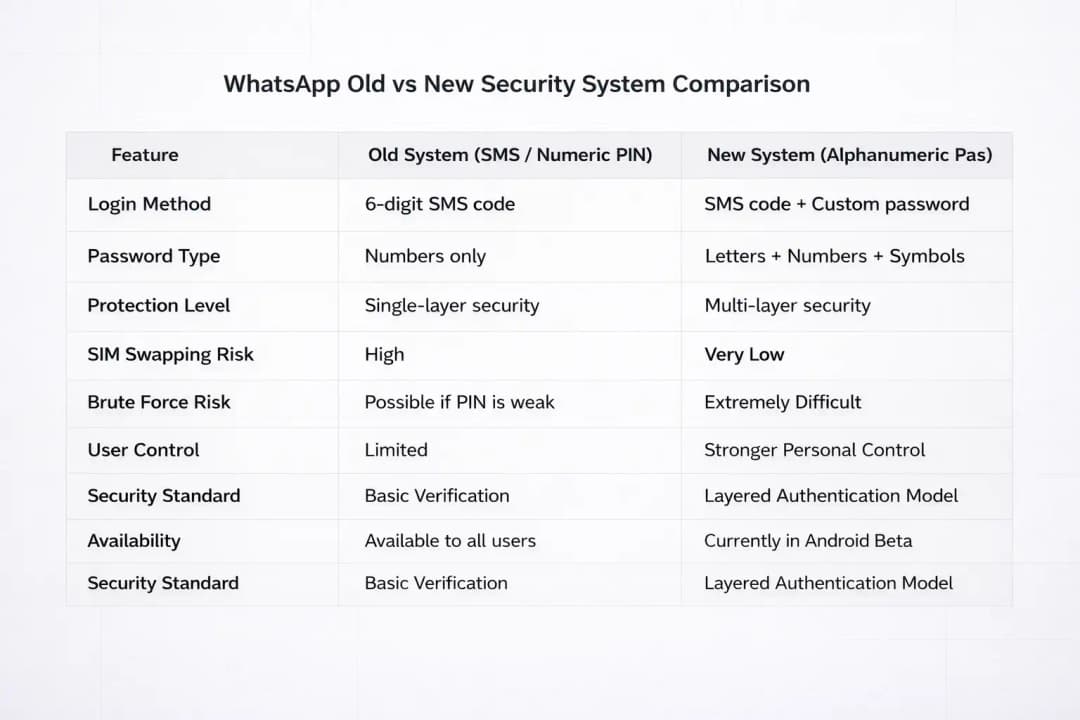
The Old Way: Using a six-digit SMS code or a simple numeric PIN, both of which can be hacked through social engineering or SIM hijacking.
The New Way: Testing a password security feature for a dedicated WhatsApp account that adds a second layer of protection that the user can set up.
The Result: If a hacker gets your SMS code, they will run into a wall. Without the specific password that only you know, they won't be able to access your account.
WhatsApp is stepping up its game to make it much harder for people to take over other people's accounts without permission. This is important because our personal and professional lives are now all in our chats.
More Secure Than Just Simple PINs
The ability to use alphanumeric passwords is what really changes the game. Right now, WhatsApp's Two-Step Verification only lets you use a number PIN, which hackers can sometimes guess or brute force if it's too simple.
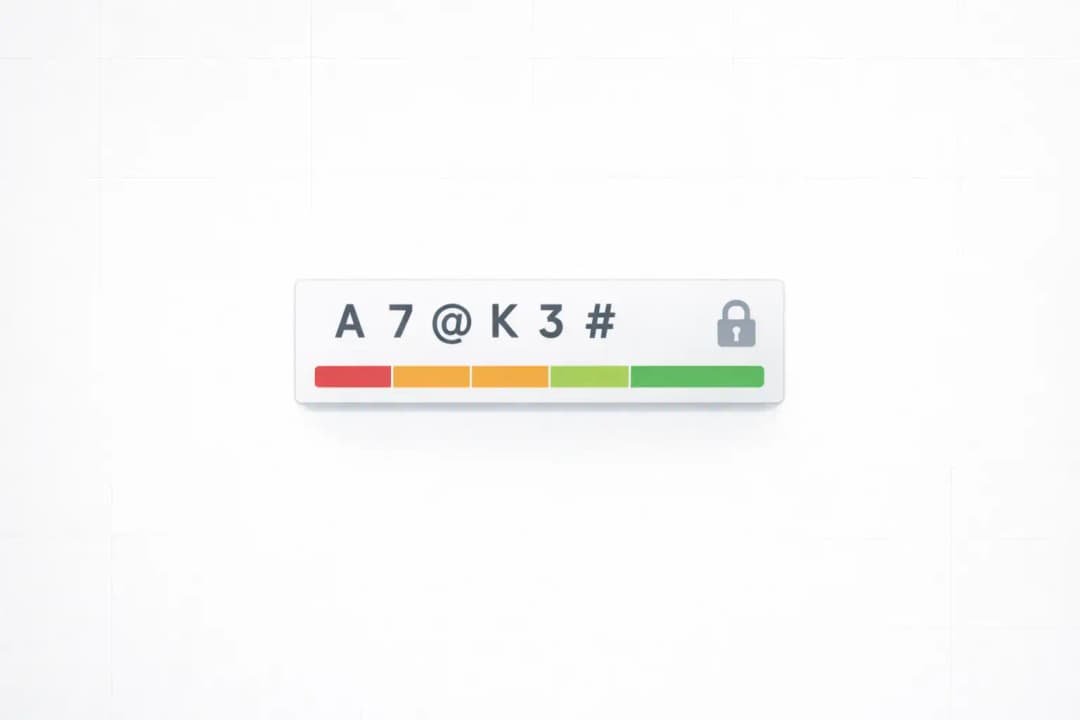
You can now mix letters, numbers, and special characters (like @, #, or $) with this new feature. This extra difficulty makes it almost impossible for automated software to break your code. Also, this password is stored in your head, so even if your SIM card is stolen, your account stays locked.
From a Cybersecurity Point of View: Defense in Layers
It is no longer enough to protect your data with just one key from a technical point of view. Defense in depth is what cybersecurity experts say is the best way to protect yourself. In short, the more obstacles you put in a hacker's way, the safer you are.
The best security is when you use something you have (like your phone) and something you know (like your password). Security experts, including teams at companies like Hoplon Infosec, have been pushing for these kinds of layered authentication models for a long time to stop account takeovers.
WhatsApp's decision to look into this feature shows that they are following global security standards to protect user privacy as digital threats become more specific.
What We Know About the Feature Up to This Point
The feature is still being worked on right now. Not everyone can get it yet, not even all beta testers. But some test versions of the app have shown it as an optional setting in the account verification menu.
Some technical details that were seen:
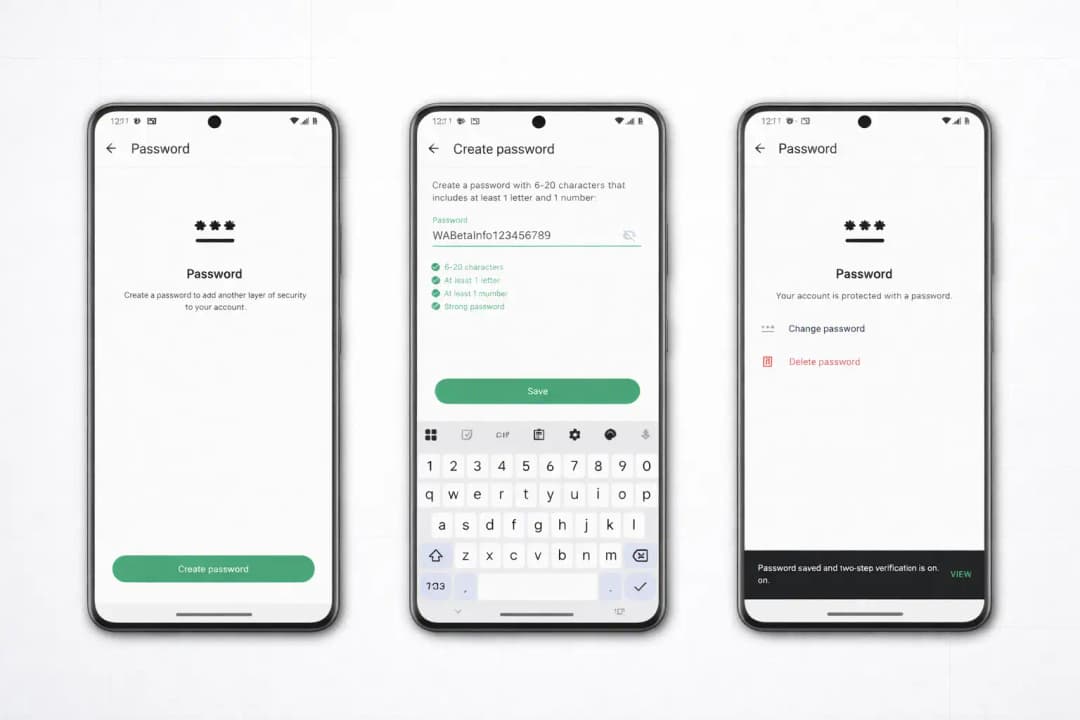
Alphanumeric Support: You can use a mix of characters (6 to 20 characters), which is a big improvement over the old 6-digit PIN.
Optional Status: This isn't required, but it's a nice extra for people who want more security than usual.
Registration Trigger: You will probably need this password when you first set up WhatsApp on a new phone.
Why is This Being Made?
This is a direct response to the rise in SIM swapping and social engineering scams. Hackers are getting better at getting people to give them their SMS codes. But if you have a password set up, a stolen SMS code is useless on its own.
The best thing about this layer is that it doesn't depend on your SIM card or mobile carrier. So, even if the security of your phone company is broken, you still have control over your WhatsApp account.
How It Should Work
The early interface isn't officially live yet, but it looks like a pretty simple setup:
Settings: Go to the Account section of your WhatsApp settings.
Make a Password: You will see a new option for "Account Password."
Set It Up: The system will ask you to make a strong password that is a mix of letters and numbers.
Confirm: You will type it again to make sure there are no mistakes.
Recovery: It's not 100% certain, but there will probably be a way to link an email address so you don't get locked out if you forget it.
The Multi-Step Approach and Its Effects in the Real World
Think about what would happen if someone could copy your SIM card.
Current System: The attacker asks for a login, gets the SMS code on their phone, and may be able to see all of your private messages right away.
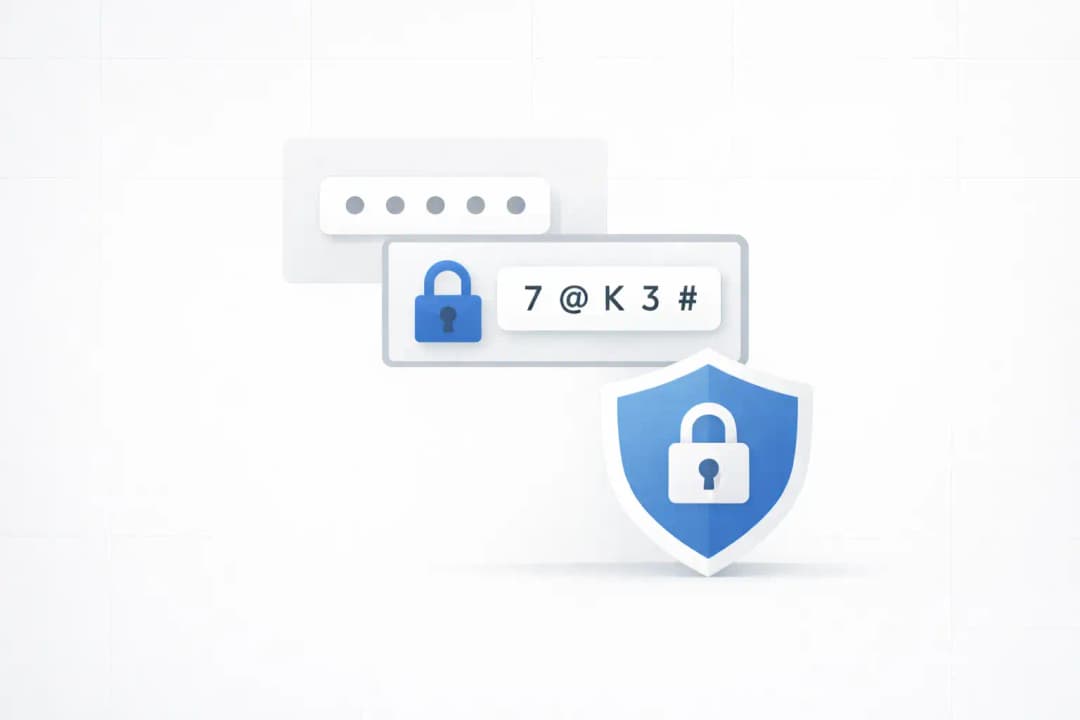
The New System: The hacker gets the SMS code, but then a screen pops up asking for your WhatsApp account password. They can't get in without that secret password, so your data is safe.
This makes your security less likely to fail at one point and more likely to pass a stronger identity check.
Who Gets the Most Out of It?
Everyday Users: Anyone who wants to keep their private conversations and photos safe from snoopers.
Business Professionals: People who use WhatsApp to talk to clients or share private work information.
People at High Risk: Journalists, activists, or anyone else who hackers might want to get to will find this alphanumeric complexity life-saving.
Good and Bad
There are a few things to think about, just like with any other security tool.
The Good Things:
A lot harder to hack from a distance than a regular PIN.
Works as a backup if your biometrics (Face ID or fingerprint) don't work.
Lets you make a password that is both hard to remember and hard to guess.
The Bad Things:
You can't use it yet because it's still being tested.
It will be very hard to get back into your account if you forget both your password and your recovery email.
Meta hasn't officially released the specifics on encryption or recovery protocols yet.
What You Need to Do Right Now
Since the feature isn't available to everyone yet, here are some ways to stay safe in the meantime:
Turn on Two-Step Verification: Go to your settings and turn on the current Two-Step Verification PIN.
Link Your Email: Check that your account is linked to a working email address.
Stay Up to Date: Make sure your app is always up to date so you can get this new feature as soon as it comes out.
Update: What’s New and What You Should Do Next
While WhatsApp continues to test this feature in beta, the broader rollout is expected to bring a few extra enhancements. Understanding how to prepare for this change will help you transition smoothly once the update hits your device.
Key Technical Takeaways at a Glance
To help you digest the updates, here is a quick breakdown of how the upcoming password system compares to current options:
| Security Feature | Traditional SMS Code | Current 6-Digit PIN | Upcoming Alphanumeric Password |
| Complexity Level | Low | Medium | High (Letters, Numbers & Symbols) |
| SIM Swap Protection | None | Partial | Strong |
| Brute-Force Resistance | Weak | Moderate | Maximum |
| User Control | Carrier Dependent | Local App Setting | Independent & Encrypted |
How to Prepare Your Account Today
You do not need to wait for the beta to roll out globally to safeguard your data. Here are immediate steps you can take:
Audit Your Recovery Email: Ensure the email attached to your WhatsApp account is active and uses two-factor authentication itself.
Avoid Predictable Patterns: When the password feature becomes active, avoid using standard phrases, birthdates, or repeated character sequences.
Keep Your App Updated: Turn on automatic updates in the Google Play Store so you receive the security patch as soon as it goes live in your region.
WhatsApp moving toward alphanumeric passwords is a major win for user privacy. As cyber threats become more sophisticated, having a defense system that relies on what you know rather than just your SIM card provides real peace of mind. Keep an eye on your app settings over the coming weeks, as Meta typically rolls out these features in phases before making them permanent for everyone.
Frequently Asked Questions
Q1: Is the new password feature ready to use?
No, it is still being worked on and is only available in the Android beta right now.
Q2: Do I still need a code for SMS?
Yes. The password is an extra layer, not a replacement for the SMS code, as far as we can tell.
Q3: What makes this different from the current PIN?
The current PIN is only numbers. You can use letters and symbols in the new password, which makes it much harder to hack.
In Conclusion
This new security feature shows that WhatsApp is serious about protecting its users from modern digital threats. Our defenses need to change as hackers get better. This is a big step toward making our private conversations truly private, even though we are still waiting for the official rollout.
Summary of the Executive
The main change is going from simple numeric PINs to more complicated alphanumeric passwords.
Main benefit: It protects you from SIM swapping and account takeovers very well.
Platform Evolution: WhatsApp is making a big change to make its platform more stable for its billions of users.
For more latest updates like this, visit our homepage.
Read More Articles:
- Agentic Ransomware Explained: Inside the JadePuffer Attack
- AI-Powered Cyber Attacks: Stealing Logins in 6 Hours
- AI Assistants as Malware C2 Proxies: Copilot and Grok Abuse
- AI-Powered Enterprise Security Defense
- Claude AI Linked to Massive Govt Hack and Data Theft
- AI Supply Chain Attacks: How Plugins & Extensions Steal Keys





