
Should You Be Worried About the Latest Chrome Zero-Day Vulnerability?
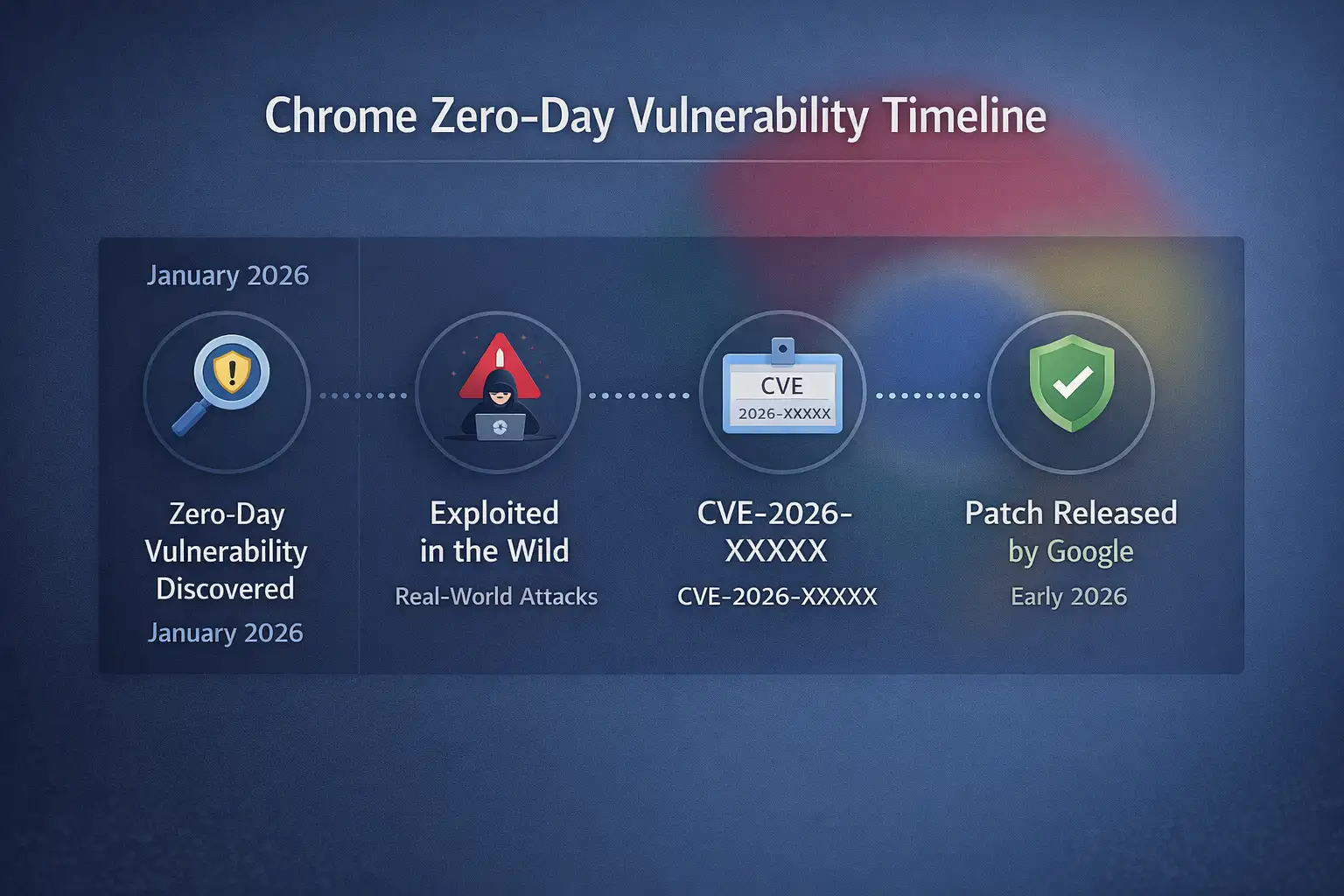
Yes, but not in a way that makes you panic. Google confirmed and fixed a Chrome zero-day vulnerability that was being actively used in the wild in early 2026, as reported on the official Chrome Releases blog.
That phrase "exploited in the wild" is important. It means that attackers had already taken advantage of the flaw before most people even knew it was there.
You could be affected if you use Chrome for work, cloud apps, banking, or internal dashboards. That means almost everyone in today's businesses.
You can't just use browsers to read websites anymore. They run business platforms, host sessions for enterprise authentication, handle payment workflows, and keep access tokens safe. A Chrome zero-day vulnerability is more than just a problem with the browser. It becomes a risk for the business.
In this guide, I'll explain what it really means, how these exploits work behind the scenes, why they matter in the real world, and what you can do to lower the risk.
What Went Wrong
Before a patch was widely available, Google revealed a security flaw in Chrome that hackers were already using. The official system for keeping track of vulnerabilities gave the problem a CVE number. As is common in cases of active exploitation, Google kept detailed technical information to a minimum so that attackers wouldn't learn more.
The flaw affected Chrome versions that were released before the patch on Windows, macOS, and Linux, which are all major operating systems. When browser updates are tightly controlled or put off for compatibility testing, the time between when a problem is found and when a patch is released becomes very important.
In the past, a lot of Chrome zero-day vulnerability cases have been caused by memory corruption bugs in parts like the V8 JavaScript engine or the Blink rendering engine. Every second, these areas handle complicated and untrusted web content. That level of complexity is both strong and dangerous.
Why This Is More Important Than It Seems
People often think of small problems when they hear the word "browser bug." Maybe a crash. It could be a strange problem with the layout. But a Chrome zero-day flaw can let something much worse happen, like running code from a distance.
That means a bad website could use the browser process to run code on your computer. In some cases, attackers try to get around Chrome's sandbox protections and get deeper into the operating system.
Think about how much your browser can do right now. Open tabs could have:
· Email for businesses
· Platforms for storing data in the cloud
· Money systems
· Dashboards for administrators
If an attacker takes over that session, they won't have to start over. They are going straight into your world of authentication.
What is a Chrome Zero-Day Vulnerability?
A Chrome zero-day vulnerability is a flaw in the Chrome browser that hackers can use before Google has fully fixed and released a patch for it.
"Zero-day" means that developers had no time to fix the security hole before it was used in real attacks.
There are many complicated parts that make up Chrome:
· The V8 engine runs JavaScript.
· The Blink engine makes web pages look good.
· WebAssembly modules for fast browser apps
· Layers for processing multimedia and GPUs
· Frameworks for extensions
These layers all deal with input from the internet that isn't trusted. Scripts run, memory is allocated, and content is displayed dynamically every time you open a page.
Attackers can make harmful input that makes the system behave in ways that are not expected if memory is not handled correctly, type validation fails, or boundary checks are not performed.
That strange behavior turns into the flaw.
How a Chrome Zero-Day Vulnerability Works
Let's make this more understandable.
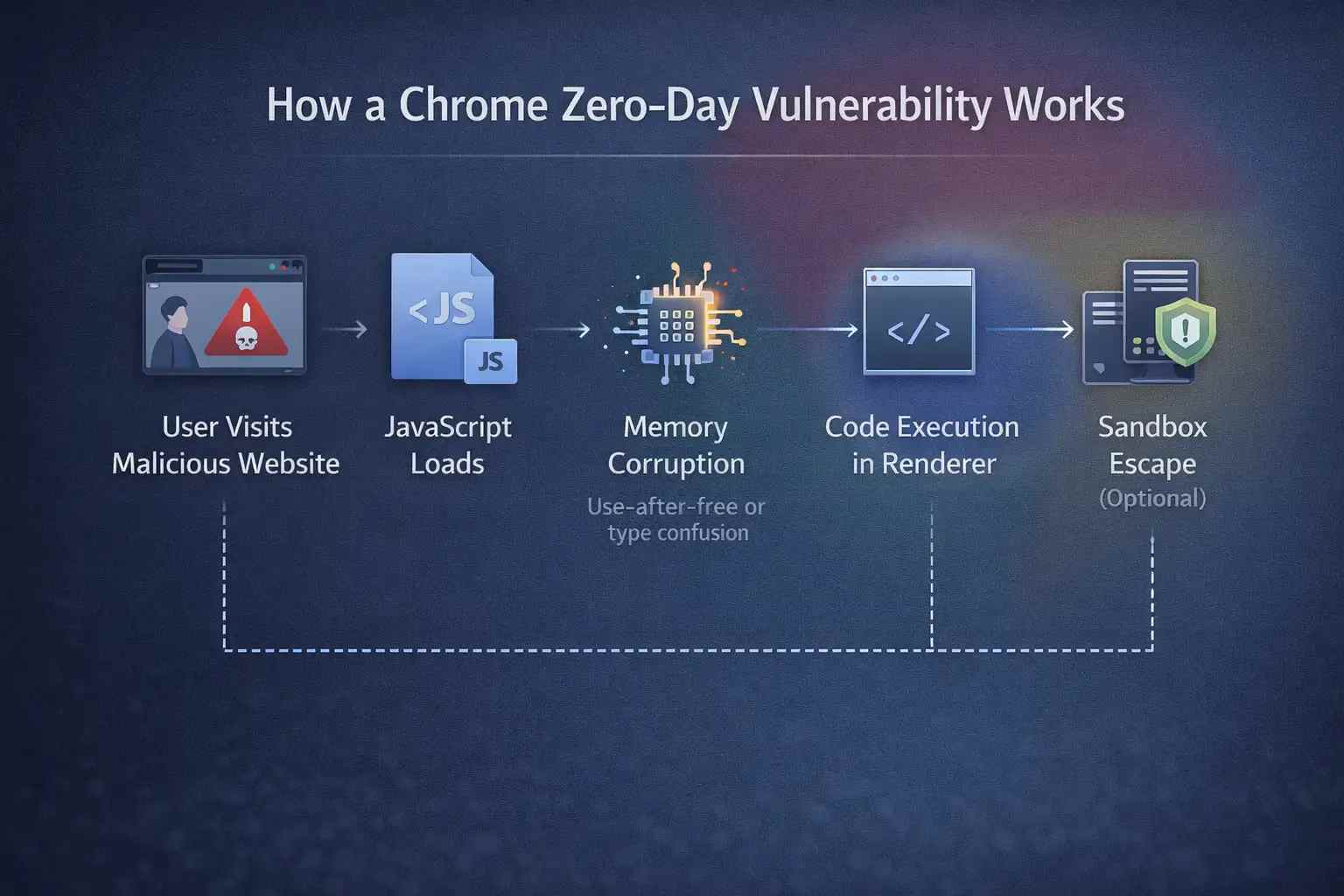
Chrome does a number of things when you go to a website:
1. It downloads JavaScript, CSS, and HTML.
2. It parses and processes that content.
3. Gives objects and scripts memory.
4. Runs JavaScript with the V8 engine.
5. Makes content look good.
Memory corruption is the cause of many zero-day vulnerabilities. One common example is a "use-after-free" situation. When memory is freed but still used later, this happens. If an attacker can change what goes into that memory space next, they might be able to change the flow of execution.
Another example is mixing up types. This happens when the browser thinks one type of data is another by mistake. Attackers take advantage of this confusion to get access or control that they didn't mean to.
In more complicated situations, attackers link together several flaws. One weakness could let code run in the browser's renderer process. A second flaw could let someone escape from the sandbox. That chain, when put together, can have a huge effect.
This is what makes a Chrome zero-day vulnerability so dangerous. It is often just one part of a bigger plan to exploit.
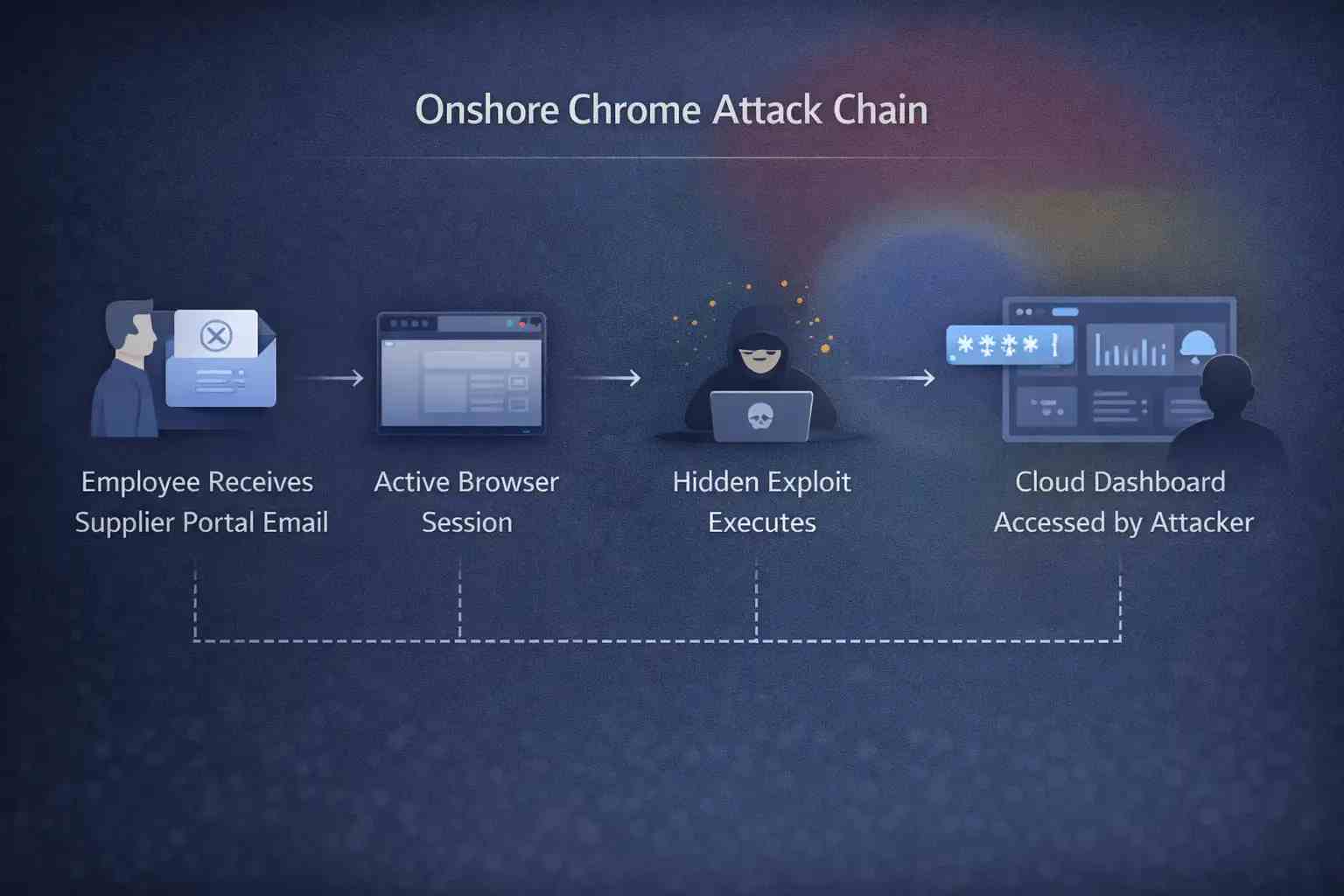
Let me describe a situation that seems normal, because that's how these attacks usually happen
A logistics company employee gets a link that looks like an update to the supplier portal. The domain seems to be real. The page loads like it should. No pop-ups. No alerts.
In the background, bad JavaScript activates a zero-day security hole in Chrome's rendering engine.
The exploit runs without making any noise.
The attacker gets the authentication tokens that are saved in the browser session. They use those tokens to get to the company's internal cloud storage.
No installer for malware. No downloading of files that look suspicious. A browser session just turned against its owner.
That is what makes exploiting browsers so dangerous.
Effect on Different Environments
Users in General
· Login information that was stolen
· Taking over a banking session
· Putting malware on computers without them knowing
Businesses of All Sizes
· Cloud accounts that have been hacked
· Fraudulent invoices sent through email
· Data leaks that affect client records
Big Businesses
· Moving sideways within corporate networks
· Compromise of privileged accounts
· Ransomware setting up before encryption
Compliance requirements and the risk of sensitive data being exposed make the consequences worse for highly regulated industries like finance, healthcare, and government.
Things People Get Wrong
It's important to set the record straight on a few myths.
First, not every Chrome zero-day flaw is caused by a nation-state actor. Advanced threat groups do use zero-days, but so do criminal groups that get or make them.
Second, antivirus software alone does not guarantee safety. By definition, zero-days take advantage of flaws that are not known. Behavioral detection and quick patching are more important.
Third, automatic updates don't get rid of risk right away. Enterprise systems often put off updates so they can test for compatibility. That delay can make the exposure window longer.
What Should Companies Do Right Away?
Speed is important when active exploitation is confirmed.
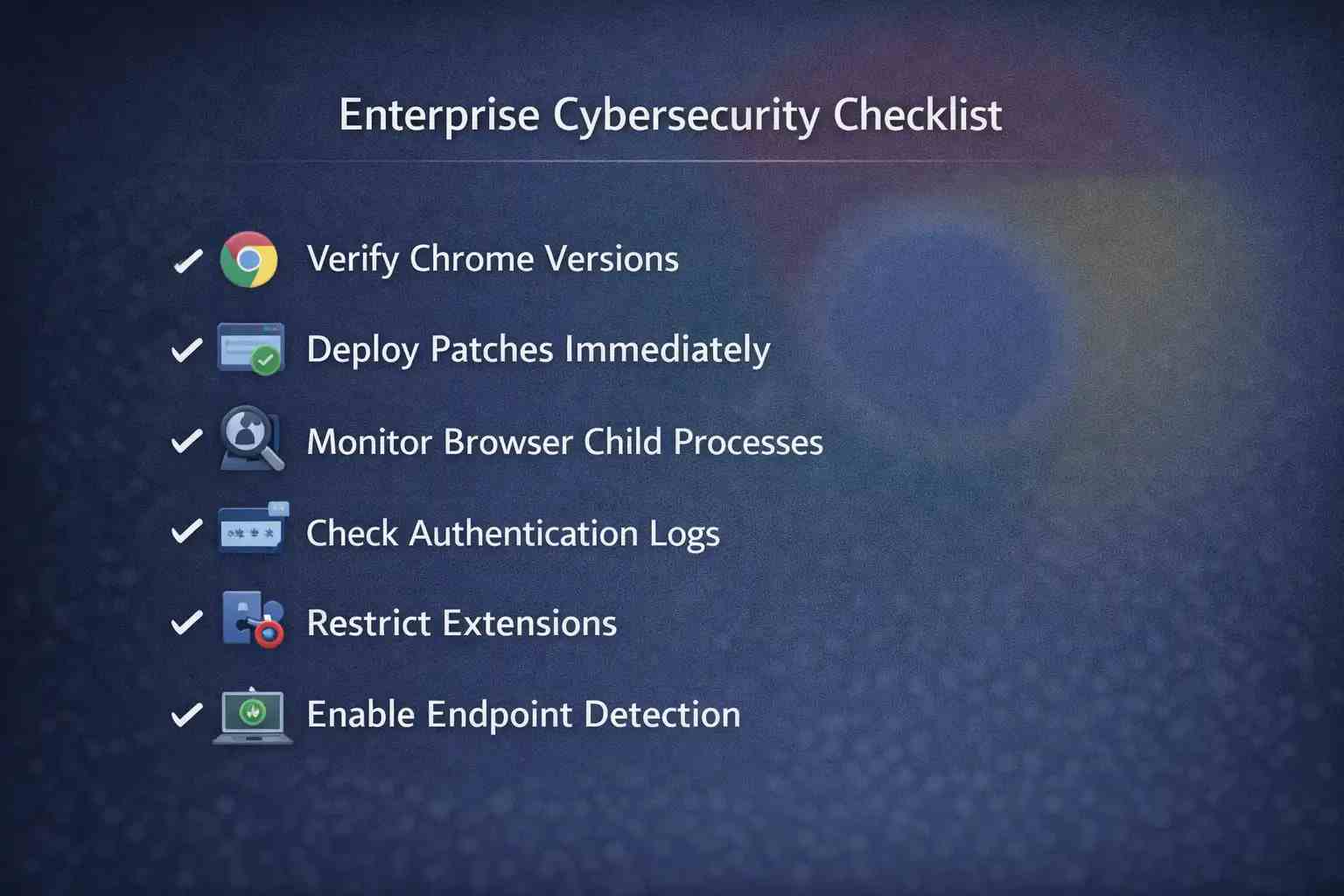
Check the versions of Chrome on all endpoints first. Many IT teams think that auto-update works for everyone, but policy restrictions often turn it off.
Then put patch deployment at the top of your list. Speed up the testing if it has to be done. The risk of a delay may be worse than the problems with compatibility.
Security teams should also:
· Keep an eye on strange browser child processes.
· Look out for strange outgoing network traffic.
· Check authentication logs for strange behavior.
Layered security controls make things less risky. Browser hardening policies, limited extensions, endpoint detection tools, and network segmentation all help make things more resilient.
More General Lessons for Security Leaders
Every time a new Chrome zero-day vulnerability comes out, it reminds us of something that is true but not very pleasant. Many employees now use the browser as their main way to work.
It is not an application that runs in the background. It is a main access platform.
Web apps today work like desktop programs. They run complicated scripts, work with APIs, and handle sensitive workflows. That makes the attack surface bigger.
Security leaders should think of browser security as part of infrastructure security.
Hoplon Insight Box
Advice from Experts
· Make sure that all browsers in the organization update automatically.
· Keep track of the different versions of browsers on all endpoints.
· Use policy control to limit unnecessary extensions.
· Use tools to find behavioral endpoints.
· Teach your employees to be careful with links that come up out of the blue, even if they look real.
You can't get rid of zero-day risk, but you can make it less likely to happen.
What to Expect in the Future
Google's security teams, like Project Zero and the Chrome security group, are still putting a lot of money into research on vulnerabilities. Bug bounty programs encourage responsible reporting and often find problems before bad actors do.
Still, attackers change. People in underground communities are still making exploits. There will always be security holes in browsers.
The best way to win is to get ready, not guess.
Final Thoughts
A Chrome zero-day vulnerability is more than just a patch note. It shows a time when attackers can take advantage of a vulnerability before defenses are fully in place.
Companies that put a lot of emphasis on quick updates, keeping an eye on endpoints, and enforcing layered controls greatly reduce their risk.
The browser is the front door in today's world. You have to protect it. It is fundamental.
Frequently Asked Questions (FAQs)
1. How is a Chrome zero-day vulnerability different from other types of vulnerabilities?
It is used before a patch is widely available, which makes the risk higher right away.
2. How often do zero-day problems happen with Chrome?
Google fixes a few zero-days every year, but the number of times it does so changes.
3. Can turning off extensions lower the risk?
Yes. Uncontrolled extensions make the attack surface bigger, so they should be limited.
4. Is sandboxing enough to keep browser exploits from happening?
Sandboxing is helpful, but more advanced exploit chains might try to get around it.
5. How soon should patches be put on?
As soon as it is operationally feasible upon confirmation of active exploitation.




-20260925120840.webp&w=3840&q=75)
