

What is the AI chat privacy breach involving a Featured Chrome extension, and how did it expose millions of user conversations on December 15, 2025? Verified reports show that a popular browser extension that millions of people trusted and installed was secretly intercepting AI chats and sending sensitive prompts and responses to servers outside of the browser without users' clear consent. This case shows a serious privacy risk with Chrome extensions that has made people and businesses lose trust.
What Happened and What You Need to Know About the AI Chat Privacy Breach
People trusted a Chrome extension that turned out to be untrustworthy.
In the middle of December 2025, cybersecurity researchers found out that a Google Chrome extension called "Featured" was secretly reading AI chats from millions of users. More than six million people had downloaded this extension, called Urban VPN Proxy, from the Chrome Web Store.

Another 1.3 million people had installed it from the Microsoft Edge Add-ons marketplace.
Millions of people thought the extension was safe and respected their privacy because it was featured and got good reviews. Instead, a recent update added code that recorded all of the prompts and AI responses that people typed into popular AI chatbots.
Urban VPN specifically went after AI tools like ChatGPT, Claude, Gemini, and Copilot, stopping conversations as people used these services in their browsers.
This breach is one of the biggest AI privacy breaches involving browser extensions that have been found in the last few months. It has raised concerns about extensions that can read, record, and send private AI chats without the user knowing
How the Chrome extension got into AI chats
When someone used an AI chatbot in their browser, the bad extension added hidden scripts to pages that were linked to those services. These scripts are connected to the basic network request functions that web apps use to send and receive data. The extension first captured the information from the prompts that were going back and forth between the AI and the browser. Then it let the data continue on its way.
This method is like a man-in-the-middle attack, but it happens in the browser using a Chrome extension data interception technique. This means that users didn't know that what they typed and what the AI said were being copied and sent to other places.
The data gathered included the users' original prompts, the AI's responses, session IDs, timestamps, and model information. This type of information can include both personal conversations and conversations between companies that could be sensitive. This makes people worry about AI prompt leaks and corporate data leaks.
Why a "Featured" Badge Doesn't Mean You're Safe
The false sense of security that comes with featured extensions
A Featured badge on the Chrome Web Store means that an extension meets certain standards for quality and user experience. This badge, on the other hand, does not mean that the product has been fully certified for privacy or security. Urban VPN and a number of related extensions had this badge, which made people think they could trust them.
The badge didn't stop the extension from recording private conversations or selling the data to other people. The extension's new privacy policy even said that AI chats were collected for marketing analytics, but it downplayed how sensitive that data was.
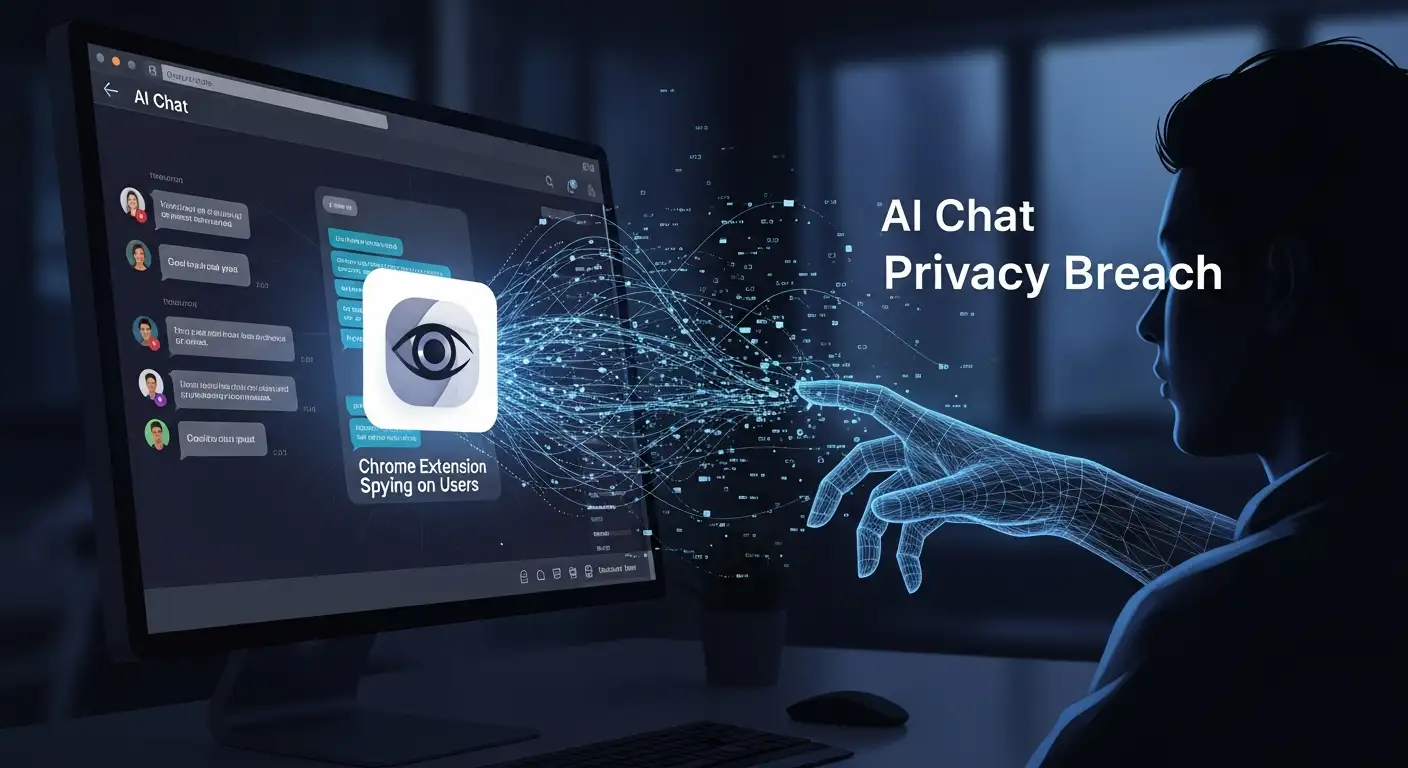
How common extensions can put your privacy at risk
Researchers in the field of technology have been warning for a long time that browser extensions can be very dangerous because they have a lot of access rights. Even harmless-looking extensions can see and change information on the websites you visit. Researchers have found that attackers often use these permissions to steal data or send traffic to other sites.
Chrome extensions that spy on ChatGPT or other AI services can either be made with bad intentions from the start or updated later to include hidden data collection. For Urban VPN Proxy, this privacy risk for Chrome extensions grew when an update added code that collected data after users had already installed it.
Which Data and Extensions Are Affected
Urban VPN and its related extensions
Urban VPN Proxy was the main extension that caused the AI chat privacy breach. At least three other extensions from the same publisher had similar hidden AI chat collection features. Some of these were:
• 1ClickVPN Proxy
• Urban Browser Guard
• Urban Ad Blocker
All but one had the Featured badge, and together they had more than eight million installs on Chrome and Edge.
The raw AI prompt data was sent to servers run by the extension's publisher or third parties that work with it on analytics and advertising. A lot of this information could be used to make detailed behavioral profiles or training data sets.
What information was collected
This extension was set up to record full AI chat conversations, which is different from how most browsing data is collected.
• All user prompts sent to the AI chatbot
• All AI responses
• Session IDs and timestamps
• Metadata about the chat session
• The AI model that was used
AI chats often have personal thoughts, work details, and sensitive questions, so even metadata can give away a lot.
This is the main reason why this has been called a serious AI chat data leak and not just a problem with the privacy of a browser extension.
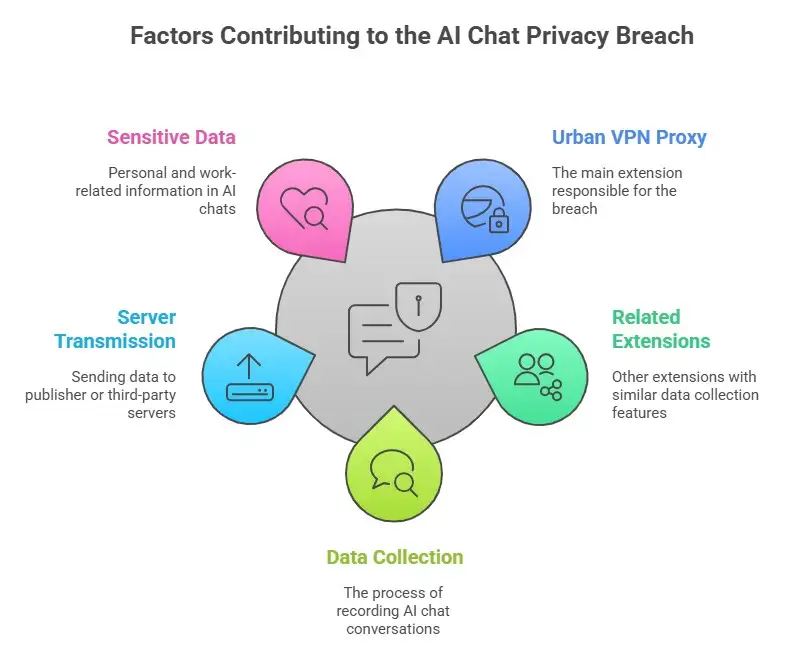
How Extensions Intercept Data: Chrome extensions work with different levels of permission.
An extension can see or change data when it has access to web page content or network requests. It's okay for developers to make an extension that does useful things like block ads or help people get more done. Privacy violations happen when code is hidden or used in the wrong way.
Some ways that extensions can get data are:
• Script Injection
Extensions can add extra code to web pages to keep track of changes or get user input.
• Hooking into a network
Extensions can copy data that is going through the browser by overriding network functions like fetch or XMLHttpRequest.
• Scripts for content
Code that runs on the pages you visit can see or read what you type. In this case, that meant every question typed into an AI chatbot.
This means that a bad or hacked extension can see and copy data from HTTPS pages that are secure if the user gives it the right permissions.
How to Tell if Your Chrome Extension is Watching AI Chats
Signs to check your browser one at a time
If you're worried that your extension might be spying on ChatGPT or other AI services, here are some things you can do to find out:
1. Look over the permissions for the extension
Launch Chrome and click on Extensions. See if an extension can read and change information on the sites you visit. Access to all websites is one of the high-risk permissions.
2. Look for updates or secret features
Some extensions act differently after they are updated. It might be a problem if an extension description doesn't include new features.
3. Find out about the developer and their privacy policies.
Real developers tell you what data they collect and how they use it. Be careful if the wording is unclear.
4. Look for cybersecurity reports
Trusted security news sites often send out warnings about dangerous or malicious extensions.
If you see something strange, take off the extension right away and reset your browser to get rid of any access that may still be there.
Keeping Your AI Conversations Safe
To keep your AI chats private, you need a mix of better tools and good habits.
First, only use extensions that you trust and that clearly say they don't collect your data and don't need access to anything other than the basic functions. Some tools are made to protect AI chats and stop sensitive information from being sent to any server.
Second, limit the permissions of extensions. Don't let people access all websites; only let them access certain ones. This makes it harder for an extension to see.
Third, think about using tools that are available in your area. You can keep your prompts and results safe by using tools that work right in your browser and don't send any data anywhere.
Lastly, keep an eye on security updates for your extensions and get rid of anything you don't use.
These steps make your AI chats safer and lower the chance of unexpected privacy breaches in AI chats.
Frequently Asked Questions about AI Chat Privacy and Chrome Extensions
Do Chrome extensions have access to my ChatGPT chats?
Yes, if they have permission to access the web pages that host ChatGPT, Claude, Gemini, or other AI chat services. Some extensions can see that data and send it to servers outside of the browser. Researchers confirmed that this happened in the Urban VPN case that just happened.
How do extensions stop web traffic?
They can use browser APIs to watch data flows or add code to their browser to watch network requests directly. Malicious code can use these functions to copy data before it gets to its destination.
Is it safe to use ChatGPT in Chrome?
ChatGPT itself uses secure connections, but third-party extensions can make that privacy less secure. Taking away or limiting extensions lowers the risk a lot.
What permissions should Chrome extensions not have?
The biggest privacy risk comes from giving an extension permission to read and change data on all websites, especially those that are connected to AI services.
Final Thoughts
The recent AI chat privacy breach that affected a Featured Chrome browser extension has made millions of user conversations open to being intercepted and collected by outside parties. Having trusted badges and high ratings doesn't mean you're safe. A lot of extensions with wide permissions can see and copy your AI chats.
Be careful, check the permissions of your extensions, and use tools that protect your privacy. You should keep your conversations private. If you're worried that your data was leaked, check your extensions, get rid of any that look suspicious, and think about using tools to keep future chats safe.
Do Something Today: Look through your browser's extensions and remove any that you don't trust. Choose extensions that put privacy and openness first. Your AI chats have private and sensitive information in them that needs real protection.
You can also read these important cybersecurity news articles on our website.
· Apple Update,
· Windows Fix,




-20260925120840.webp&w=3840&q=75)
