
Is Claude Code Security the Best Way to Fix Broken Software?
As we move into 2026, the tech world is buzzing about a big change in how we keep our digital lives safe. Anthropic has changed the game by doing more than just writing text or simple scripts.
With the release of Claude Code Security AI Vulnerability Scanning, we now have an AI that can understand the "intent" behind code for the first time. It doesn't just look for typos; it also finds the deep logic flaws that hackers love to use. This isn't just a tool; it's a big change in how we make technology safe from the ground up.
The Day the Codebase Began to Fight Back
Think of yourself as a developer. You are about to send a big update to your app at 2:00 AM. You have used regular scanners, and they all said it was okay. But there is a small, hidden flaw in your logic.
It could be a race condition or a strange way your database talks to your login screen. These are the things that let someone you don't know download all of your user data while you sleep.
This is where the Claude Code Security AI Vulnerability Scanning comes in. This isn't just a checklist like the rigid tools we used to use. It's more like having a smart, hardworking friend next to you.
Your friend looks at your screen and says, "Hey, I see what you're doing with that API call, but if a user sends a certain kind of request, they might be able to get around your login." "Let's fix that right now."
This technology's introduction is a turning point. We are moving away from reactive security, which means fixing things after they break, to AI security that stops problems before they happen.
This isn't just a luxury in a world where cyberattacks cost trillions of dollars every year. It is necessary for survival in the digital world.
What is the Exact Meaning of Claude Code Security?
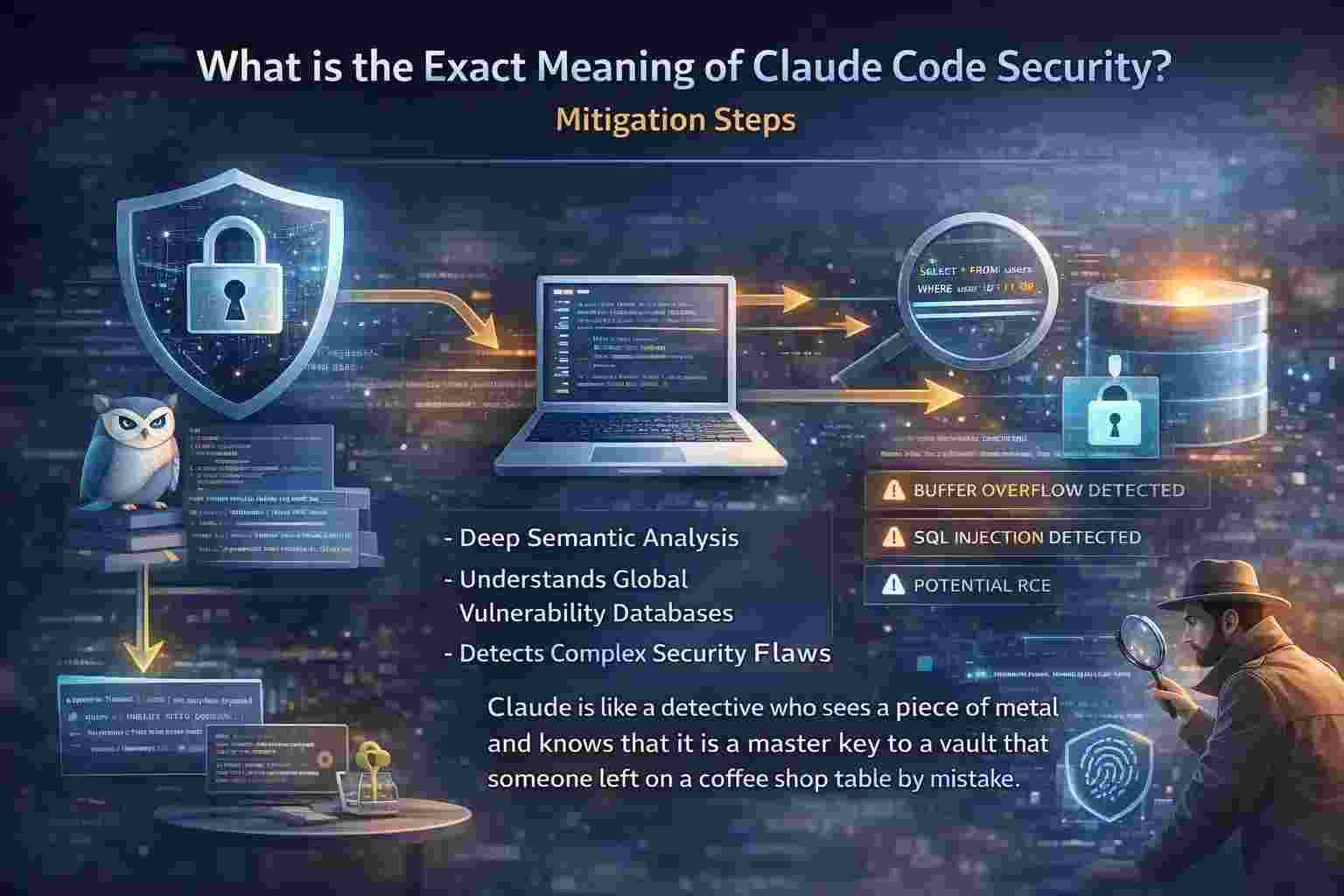
In short, it is a specific use of Anthropic's most advanced models. It is specifically designed to find security holes in source code. It doesn't just look for "bad" words in your code. It knows what you mean. It shows how data moves from a user's keyboard to your hidden database tables.
It uses a huge context window and a better understanding of the global vulnerability databases, to be exact. It does something we call Deep Semantic Analysis.
A lot of scanners work like metal detectors. When they hit something that looks like a gun, they beep. But Claude is like a detective who sees a piece of metal and knows that it is a master key to a vault that someone left on a coffee shop table by mistake.
In just a few minutes, the system can scan through millions of lines of code.
It looks for buffer overflows, SQL injections, and even complicated architectural flaws that could take a human auditor weeks to find. It combines the ability to think like a person with the speed of a computer.
Why Was This Brought Up Now?
It's not a coincidence that the timing is right. Recently, there has been a huge rise in malware that uses AI. We need an even better AI to fix the holes in our fences before the bad guys can find them if they are using AI to do so. False positives are a common problem with traditional security tools.
They cry wolf when there is no danger, which makes people tired of being on guard. Because the tools are wrong half the time, developers stop paying attention to the warnings.
Anthropic noticed this annoyance. They figured out that they could cut down on false positives a lot by using the better reasoning of their models. The goal was to make a tool that developers would trust and want to use every day.
Hackers are also going after the software supply chain more than ever. A small bug in a library that everyone uses can hurt thousands of businesses. Claude helps protect the whole internet's infrastructure, not just one app, by giving each developer the tools they need to scan their dependencies properly.
How the Scanning Mechanism Works
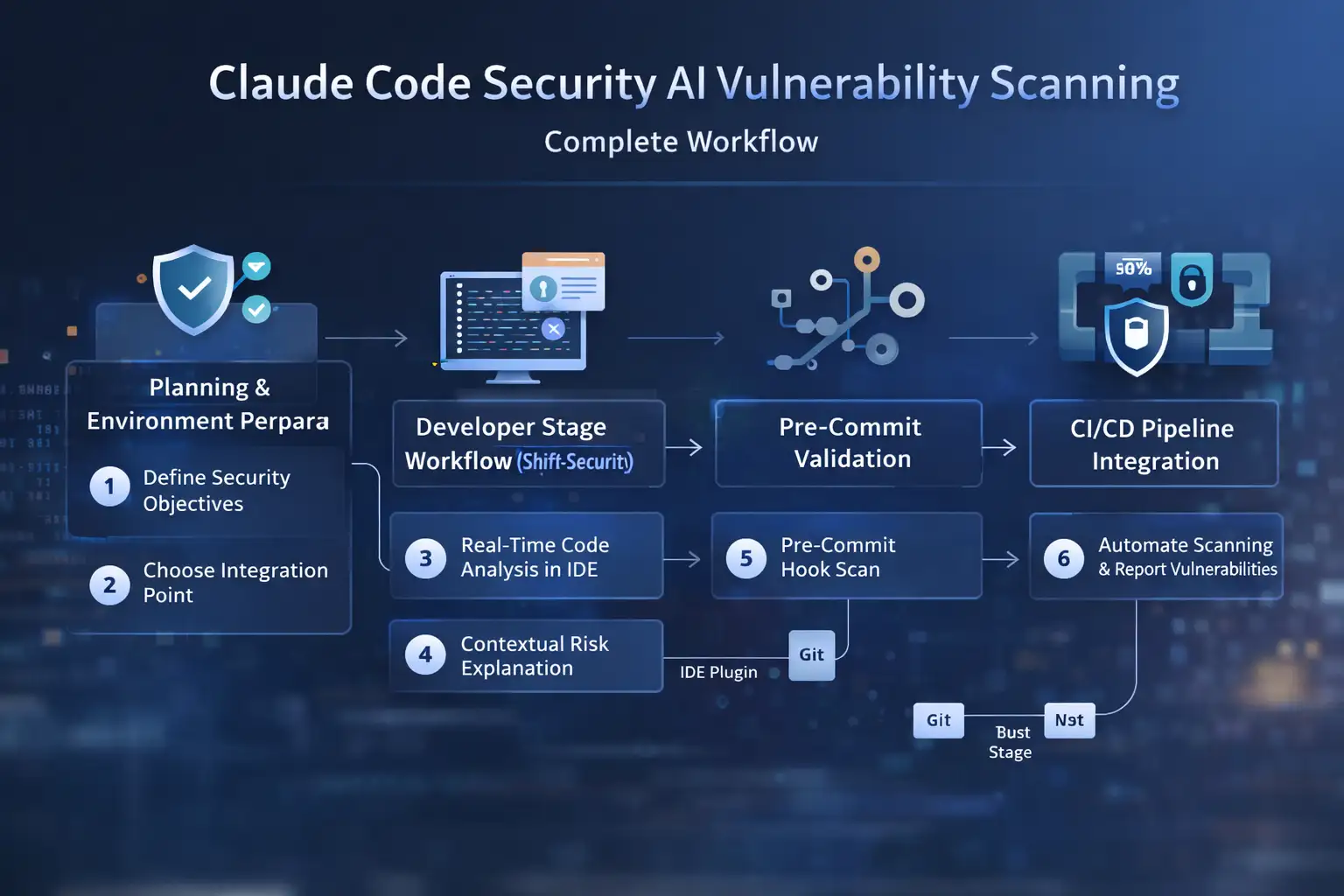
The process is interesting because it works like the way people think. This is how the Claude Code Security AI Vulnerability Scanning works in the real world:
Mapping in Context
The AI doesn't only look at one file. It looks at the whole thing. It knows how your frontend and backend talk to each other. It connects the dots if your backend is safe but your frontend is leaking. Most older tools can't do this global view because they don't have the "memory" to see the big picture.
Simulation of Behavior
Claude doesn't just read the code; he also runs it to see what happens. It asks things like, "What if I put a huge string of text in this username field?" or "What if I try to get to this URL without a token?" It runs these attack scenarios through its "mind" to see if the defenses can stand up to the stress.
Explanation and Fixing
This is my favorite part. It doesn't just say, "Found a bug." It explains why it's a bug and gives you the exact lines of code you need to fix it. It teaches you something. Over time, a junior developer who uses this tool will become a better coder who cares more about security. It feels like having a senior architect watch over your work.
The Before and After: Case Insights
Let's read a story about a small company called SecurePay.
Before Claude Code Security: Sarah, the lead developer at Claude Code Security SecurePay, used to spend 10 hours a week going through code by hand to look for security holes. They still missed a small bug in how permissions were set up. A hacker found it, and for three hours, the history of user transactions was public. They had to pay a lot of money for a forensic team, and they lost a lot of customer trust.
After Claude Code Security: Sarah starts using Claude in her work. Claude scans code every time a developer pushes it now. Last week, a new intern made a mistake and left a debugging port open in the code. Claude flagged it right away. It talked about the risk of a backdoor entry and gave the code to close it. The bug never even got to the server that runs the program.
It's not just the technology that makes a difference. It's in the calmness. Sarah can now spend less time playing security guard and more time making new features.
Who is Affected by This?
Claude Code Security AI Vulnerability Scanning has effects on many different groups of people:
· Developers on their own: They get a free or cheap security coach. It makes things fair for people who want to make high-quality apps but aren't security experts.
· Big businesses: They can save millions on bug bounties and disaster recovery. It lets them go faster without breaking things. In the business world, speed usually means less security, but this tool changes that.
· Professionals in Security: Their work is changing. They are going from finding simple bugs to managing the AI that finds them. It is a change from doing boring manual work to doing high-level strategy.
· People who use it: This is you and me. Our information is safer. When the apps we use have AI-verified security, the chances of our personal information ending up on the dark web go down a lot.
A Balanced View of Pros and Cons
I love this tech, but we need to be honest. It's not a magic wand that fixes everything.
The Great Things
· Speed: Scans that used to take days now only take seconds.
· Educational: It teaches developers about security while they work.
· Context Aware: It knows why the code is there.
· Easy to integrate: It works with the tools we already use every day.
The Problems
· Too Much Dependence: Developers might stop thinking for themselves. We can't just say that the code is 100% safe because Claude didn't find it.
· New Attacks: An AI might still miss a brand new attack that it has never seen before because it learns from patterns that already exist.
· Privacy Issues: Some businesses are still worried about letting an AI read their private code.
What You Need to Do Right Now
Don't wait for a data breach to take action if you are building or managing software.
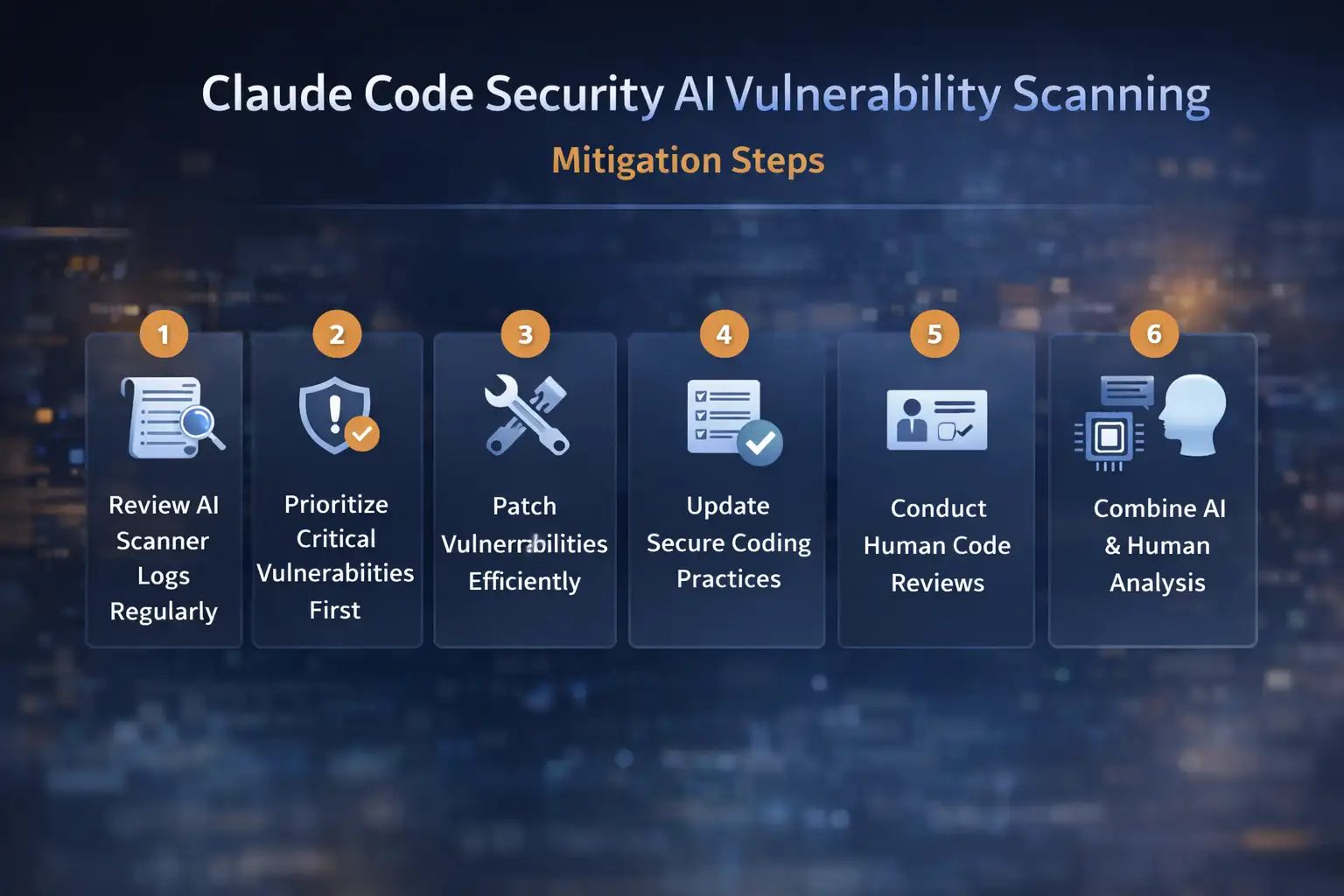
1.Check your pipeline: To begin, check the security pipeline you already have. Are you still using tools from five years ago? If so, you are probably weak.
2. Trial the software: Second, try using Claude to review code. Start with a small, non-essential project to see how it works and how it fits your style.
3. Team Training: Third, teach your team. Tell them that AI is a co-pilot, not the pilot. They still need to learn the basics of security.
4. Legal Review: Last but not least, pay attention to the legal side. As AI security becomes more common, laws may soon require this level of automated scanning.
Frequently Asked Questions
1. Is Claude Code Security better than older tools like Snyk? Old-fashioned tools are good for finding known security holes in libraries you use. But Claude is usually much better at finding logical mistakes in the custom code you write because it knows how your app works. When used together, they work best.
2. Is it possible for Claude to fix the bugs it finds on its own? Yes, it can suggest a fix. But you should always check and test that patch before you put it into use. Sometimes, AI can suggest something that could break another part of your app.
3. Does this mean we don't need human security experts anymore? Not at all. A human security researcher is more creative and malicious than AI is right now. For 95% of common bugs, use Claude. For the really hard ones, use people.
4. How much does it cost to use this? The prices are usually based on how much you use Anthropic's API or on certain business plans. For a lot of people, the cost of using the tool is much lower than the cost of even one small security breach.
Is There a Future Without Breaches?
The release of Claude Code Security AI Vulnerability Scanning is a huge step toward making the internet safer. We're entering a time when software can be secure by design because the tools we use won't let us be careless or forgetful.
I think this will make the digital world a lot more trustworthy in the long run. Being a creator right now is exciting. We have access to a very smart security team. Let's use it wisely to make things that last and keep people safe.
The Hoplon Insight Box
· Suggestion 1: Give the AI tool "least privilege" access. Let it read only the code it needs to scan.
· Suggestion 2: "Red Team" your AI on a regular basis. Write code that fools the AI to find out where it can't see.
· Recommendation 3 says that you should always check the AI's suggestions against official security standards like OWASP.
Contact Hoplon Infosec
Is your business ready for the AI revolution? We at Hoplon Infosec know how to add the newest AI security tools to your work. We can help you stay ahead of the threats. Call us today for a security audit that is tailored to your needs, and let's work together to keep your code safe!
For more latest updates like this, visit our homepage.



-20260925120840.webp&w=3840&q=75)

-20260918120903.webp&w=3840&q=75)