
A new fake ChatGPT Android malware campaign is going after mobile users with fake phishing emails that look like they're offering early access to AI tools. What seems like a real chance to test a beta version could actually lead to the installation of a malicious APK that steals Facebook login information and takes over accounts.
Cybercriminals are using the rise of artificial intelligence platforms to trick people into downloading malware more and more often. Attackers try to get around suspicion by hiding harmful software as ChatGPT apps or advertising tools. They then install malware directly on Android devices.
This article talks about the fake ChatGPT invite malware campaign, why hackers are going after Android users, and what people and businesses can do to protect themselves from becoming victims.
Fake ChatGPT Android Malware Attack
The fake ChatGPT Android malware attack is a phishing scheme that tries to get people to install harmful apps that look like AI tools.
Victims get messages asking them to take part in beta testing for ChatGPT or Meta advertising apps as part of this campaign. The invitation looks real and often looks like a normal request for developer testing.
But the software that is being shared is not real. Instead, it's a bad Android app that steals your login information and puts your online accounts at risk.
The main goal of this attack is to take over accounts, especially Facebook accounts that are linked to business or advertising services.
How Fake ChatGPT Invites Spread Malware
Phishing Emails That Look Real
Usually, the attack starts with a message that asks users to try out a new mobile app. These emails look like real developer invitations that are sent out to people who want to test out early versions of software.
Recipients may think they were chosen for a real testing program because the message format looks normal.
A lot of people test apps on a regular basis, so getting an invitation to try out new software doesn't always raise red flags.
Malicious APK Installation
When users click on the invitation link, they are asked to download and install an application package file.
The official Play Store does not send out this file. Instead, it's an APK file that was downloaded from an outside source, which lets the malware get around the usual security checks that happen in the marketplace.
When the app is installed, it seems to work normally, which makes people even less suspicious.
Firebase App Distribution Used for Malware
Using Firebase App Distribution as a delivery method is one of the more unusual parts of this campaign.
Firebase App Distribution is a service for developers that lets them send testers prerelease versions of their apps before they are released to the public.
Usually, developers use this system to:
• give out test builds
• get feedback
• Check how well the app works.
Attackers are using this process to spread harmful apps.
Users may think the message is real because invitations can come from real system addresses linked to the platform.
By using this channel, attackers can avoid common warning signs like
• addresses of senders that look suspicious
• file hosts that are not known
• download links that are clearly harmful
This strategy makes it more likely that people will install the malware.
How Fake ChatGPT Malware Works
The attack moves through several steps after the bad app is installed.
Fake Login Pages for Credential Theft
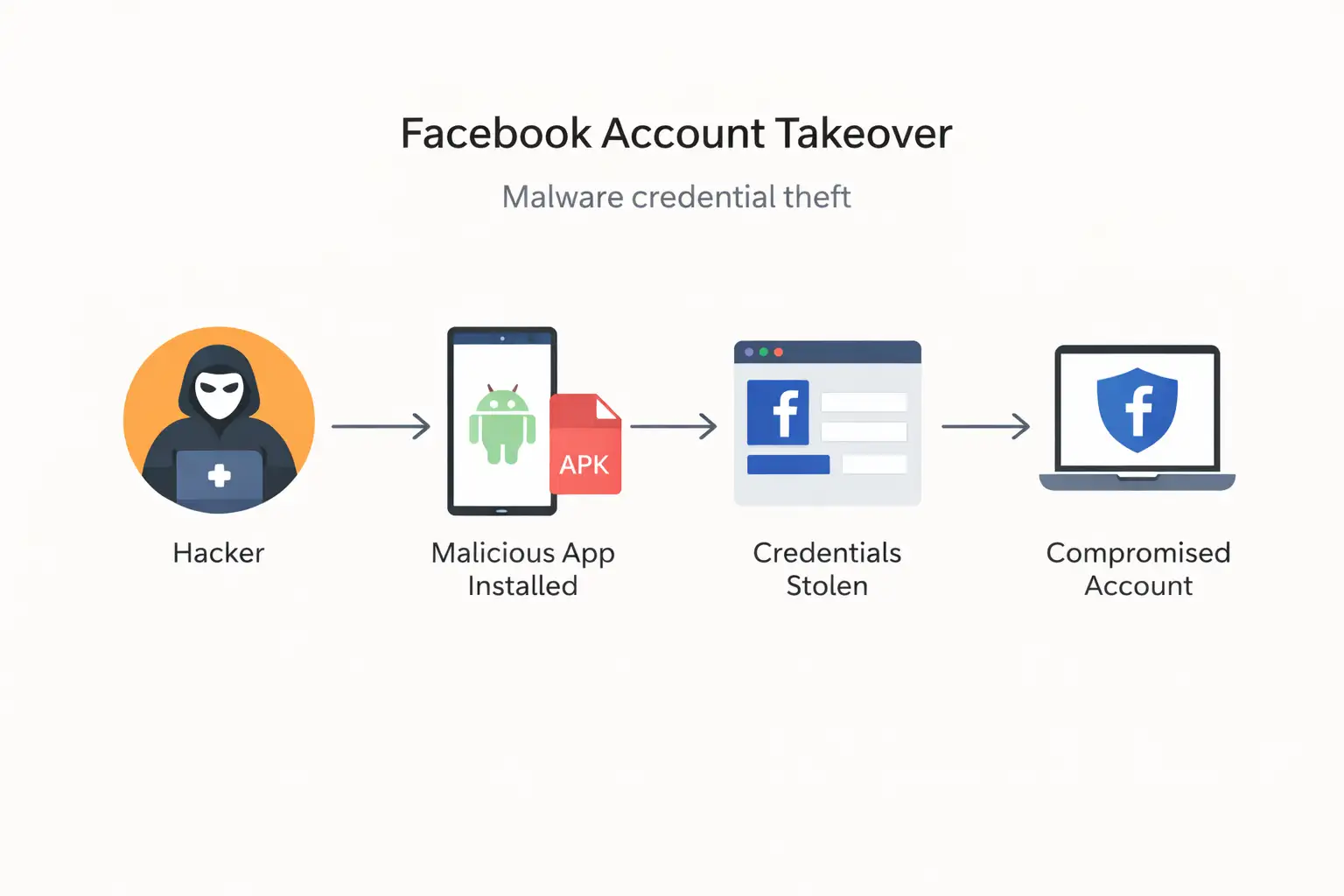
The app shows what looks like a Facebook login page. The page looks almost exactly like the real login screen.
Users who think they are logging in to use features can enter their login information.
At this point, the attackers get the credentials and send them to themselves.
Bypassing Google Play Store Security
The app skips the automated security checks that usually happen before apps are published because it is installed outside of the official app store.
This lets the malware work without going through normal security checks.
Facebook Account Takeover Risk
The malware campaign's main goal is to take control of accounts.
Attackers can get into Facebook accounts completely after they get the login information. If the account is linked to business tools or advertising dashboards, the effects could be big.
Possible effects include:
• advertising campaigns that weren't allowed
• using ad budgets for personal gain
• stealing marketing information
• access to business contacts
• damage to reputation
Cybercriminals really like Facebook business accounts because they can use them to steal money.
Why Hackers Use ChatGPT for Phishing
AI platforms have quickly become well-known tools.
Every day, millions of people use AI services to do things like write, code, do research, and be more productive.
This trust is something that cybercriminals use.
Phishing campaigns often use well-known tech brands as bait because people are more likely to respond to messages that mention services they already use.
AI tools also make people want to know more. Users may be more likely to install software quickly if they get an invitation that promises early access to new features.
Malicious APK Packages in the Campaign
The bad apps that were part of the campaign use package names that look like real AI or advertising tools.
These identifiers are meant to look real when you see them during installation.
Package structures that suggest things are one example.
• Tools for AI advertising
• Marketing platforms based on GPT
• apps for managing mobile advertising
By using names that sound real, attackers make it less likely that users will question the installation.
Signs of Fake ChatGPT Apps
Even though the phishing campaign looks real, there are a number of warning signs that users should be on the lookout for.
Some common signs are:
• invitations to test software that you didn't expect
• requests to download apps from places other than the Play Store
• login pages showing up in apps you don't know
• apps that ask for too many permissions
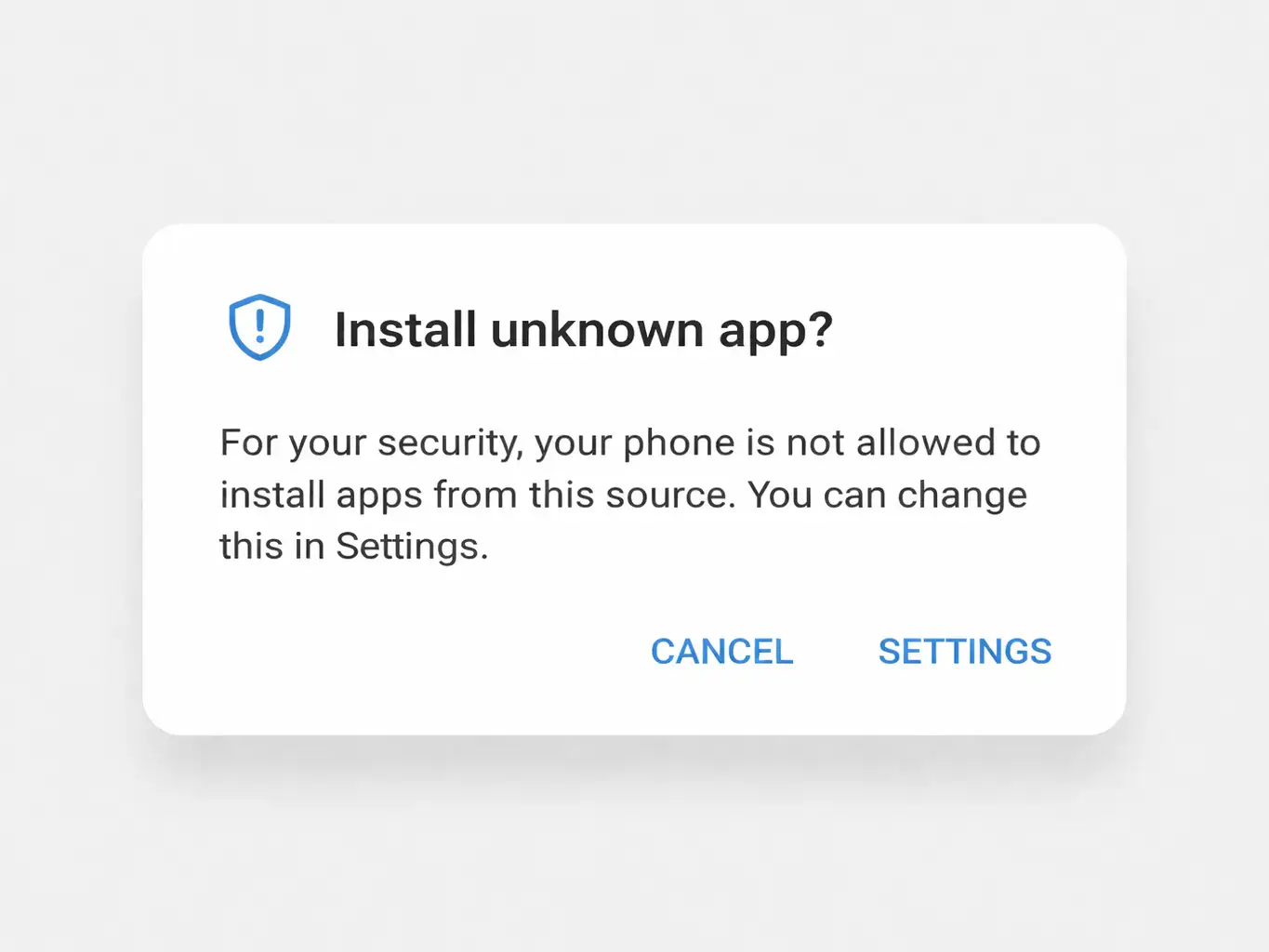
• prompts to install from unknown sources
If you know how to spot these signs, you can stop malware from being installed.
How to Protect Android Devices from Malware
To keep Android malware at bay, you need to be aware of it and follow security best practices.
People should do the following:
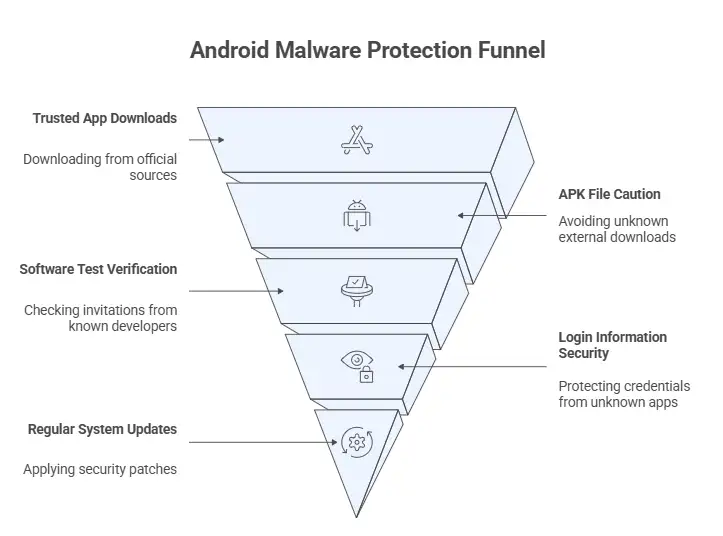
Only download apps from sites you trust.
Apps that are downloaded from the official marketplace are checked for bad behavior.
Don't install APK files from links you don't know.
External downloads don't go through the usual security checks.
Check invitations to test software.
You should only get real testing invitations from developers you know or programs you signed up for on purpose.
Don't put your login information into apps you don't know.
If you see login prompts that you didn't expect, it could be phishing.
Update your Android devices regularly.
Security patches that protect against new threats are often included in system updates.
What to Do If You Installed a Fake ChatGPT App
If you think a bad app has already been installed, you need to act right away.
Some steps that are recommended are:
1. Get rid of the app that looks suspicious right away.
2. Do a mobile security scan with a trusted tool.
3. Change the passwords for all accounts that were affected.
4. Look over account activity for any actions that weren't allowed.
5. Turn on two-factor authentication.
Organizations should also tell their security teams if sensitive business accounts are involved.
Why Android Devices Are Targeted by Malware
Android is one of the most popular mobile operating systems in the world, which makes it a good target for hackers.
There are a number of reasons for this:
• the ability to install apps from sources other than the app store
• A lot of people around the world use it.
• different levels of security awareness among users
These traits give attackers a chance to spread harmful apps on a large scale.
AI-Themed Phishing Attacks Are Growing
Phishing operations are likely to use more AI-related branding in the future.
As AI platforms become more important in our daily digital lives, hackers will keep using them to trick people.
Future campaigns might include:
• fake AI helpers
• fake tools for getting things done
• harmful browser add-ons
• fake AI login portals that look like phishing sites
Both people and businesses need to know these tactics in order to keep their mobile devices safe.
FAQ
How does the fake ChatGPT malware get onto Android devices?
Usually, the attack starts with a phishing email that invites people to try out a testing version of an AI app. The link takes you to a bad APK installation that installs malware once it's installed.
Is there a fake ChatGPT app that spreads malware?
Yes. Some phishing campaigns send out fake ChatGPT apps or other AI tools that are actually malware to trick people into installing them.
What happens if you download a fake ChatGPT app?
The app might show fake login pages to steal your credentials or try to get sensitive data stored on the device.
How can people who use Android protect themselves from ChatGPT phishing attacks?
Users should not install apps from unknown sources, check invitations before downloading software, and only get apps from stores they trust.
Why are hackers using ChatGPT to trick people into giving them their personal information?
Attackers use the name ChatGPT to make malware look like it comes from a trusted source because it is well-known and trusted.
Conclusion
The fake ChatGPT Android malware campaign shows how cybercriminals use trusted technologies to steal credentials and carry out phishing attacks. Attackers try to trick people into trusting and being curious about fake AI tools so they can get into valuable accounts.
To stop these attacks from happening, you need to know how they work. Users should be careful about unsolicited testing invitations, not install APK files from unknown sources, and be wary of unexpected login prompts.
Maintaining good digital safety habits is still one of the best ways to protect yourself from malware campaigns, even as mobile cybersecurity threats, social engineering attacks, and Android security risks change.




-20260925120840.webp&w=3840&q=75)
