
---copy-20260211175834.webp&w=3840&q=75)
Windows 11 Cumulative Update: Security Risks, Patch Tuesday Insights & Enterprise Impact
Why do security experts care so much about every Windows 11 cumulative update? What risks come up when businesses put off installing them?
As part of its regular Microsoft Patch Tuesday update cycle, Microsoft has released new cumulative updates for Windows 11 versions 25H2, 24H2, and 23H2. These updates include Windows 11 security updates, fixes for critical vulnerabilities, and improvements to reliability that have a direct impact on the security of businesses. These Windows 11 update fixes and improvements are essential for maintaining enterprise security posture.
IT managers, SOC teams, compliance managers, and cybersecurity students all need to know how a Windows 11 cumulative update works. These updates don't just fix bugs. They close off real attack paths that threat actors actively study and use.
This guide tells you what the Windows 11 cumulative update is, how it works on a technical level, what's new in Windows 11 update releases for supported versions, what’s new in Windows 11 update packages, how to safely install Windows 11 cumulative update packages, and why timely deployment is so important for modern cyber defense.
What is the Windows 11 Cumulative Update?
A Windows 11 cumulative update is a monthly package that includes all the fixes that have been released so far, as well as new patches and improvements. Organizations only need the most recent Windows 11 KB update to bring all of their systems up to date. They don't need to install dozens of individual patches.
Microsoft used the cumulative model to make it easier to manage patches. In older versions of Windows, it was hard for administrators to keep track of missing patches. The cumulative approach makes sure that there is less version fragmentation and that all enterprise environments are the same.
---copy-20260211175834.webp)
Most of the time, Windows 11 cumulative updates fix security holes, include Windows 11 critical security patches, make the system run better, make it more stable, and improve the servicing stack. The servicing stack is the part that makes sure updates are installed and processed correctly. Without it, patch deployment would either fail or become unstable.
These updates are for business workstations, devices used by remote employees, virtual desktop environments, and important enterprise systems that are running 25H2, 24H2, or 23H2.
Windows 11 Cumulative Update: Important Changes in 25H2, 24H2, and 23H2
Microsoft released cumulative update packages for Windows 11 for supported versions as part of the most recent Microsoft Patch Tuesday update cycle. These updates fix newly found security holes and problems with the reliability of the system as a whole.
Every month, the exact CVEs change, but cumulative updates usually fix problems with memory corruption, authentication bypass, remote code execution, and elevation of privilege.
When reviewing what’s new in Windows 11 update releases, security teams often see patches addressing actively exploited vulnerabilities. When these kinds of flaws are made public, attackers often look at the patched code to figure out how they were able to take advantage of it.
This is why Windows 11 critical security patches need to be put in place right away. After Microsoft releases fixes, both researchers and hackers look at them. There isn't much time between the release of a patch and the development of an exploit.
Windows 11 25H2 Update: Security Hardening and Architecture Improvements
The Windows 11 25H2 update branch is the most recent release channel that is still supported. It Being the most recent version means that it usually gets updates to its security architecture and new ways to make it stronger.
The most recent cumulative updates for Windows 11 25H2 focus on making the kernel more secure, improving virtualization-based security, updating cryptographic libraries, and making the system more stable. These fixes and improvements in the Windows 11 update make memory protection and privilege enforcement stronger.
After deploying 25H2, security teams should keep an eye on official Windows 11 update known issues in Microsoft documentation. Sometimes, newer builds make it harder for old drivers or endpoint security tools to work together.
Windows 11 24H2 Update: Security and Stability for Businesses
The Windows 11 24H2 update track is still widely used in business settings. A lot of businesses think it's stable enough for long-term use because it's been around for a while.
The most recent cumulative update packages for Windows 11 24H2 focus on fixing security holes and making authentication better. In many situations, these updates include Windows 11 security update releases that fix publicly known CVEs that could let attackers get higher privileges or run code from a distance.
In a business setting, putting off a Windows 11 security update makes things more dangerous. Once attackers know the details of the vulnerability, they can reverse engineer the patch and make working exploits. This is known as "patch diffing."
Before businesses download the Windows 11 update to their production systems, they should test it out in staging environments first. Testing lowers the chance of problems with operations while still meeting security deadlines.
Windows 11 23H2 Update: Still Important and Supported
The Windows 11 23H2 update branch is older than the 25H2 and 24H2 branches, but it is still supported. It still gets important security patches and Windows 11 cumulative updates that fix security holes and make the system more stable.
Many small and medium-sized businesses still use 23H2 because their hardware works with it or their upgrade cycles are taking too long.
But being supported doesn't lower the risk. When attackers go after known vulnerabilities, they don't care which version they are.
Businesses that use 23H2 need to keep a close eye on their lifecycle timelines. Windows 11 stops getting important security updates when the end of service date for a version passes. This makes systems open to attacks.
How the Windows 11 Cumulative Update Works on a Technical Level
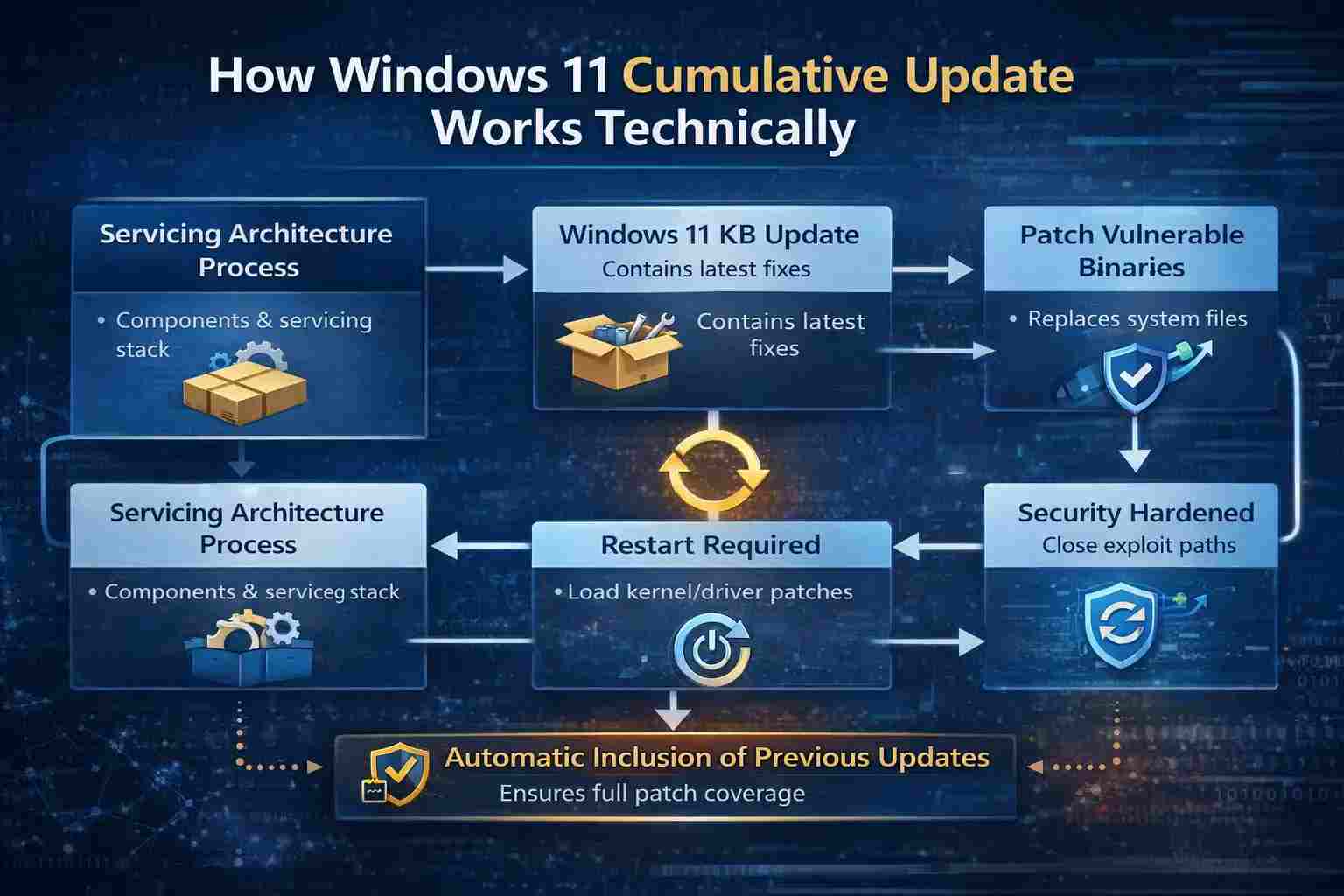
If you know how a Windows 11 cumulative update works on the inside, it's easier to see why reboots and validation steps are necessary.
There are parts that make up Windows' servicing architecture. The servicing stack runs the commands for updates, and packages store system files. When you install a Windows 11 KB update, it replaces old system binaries that are broken with new ones that work.
Some files, like memory management components and kernel-level drivers, can't be replaced while they're running, so many updates need a restart. When you restart, the new security controls will load correctly and keep you safe.
Because updates build on each other, installing the newest package automatically includes any fixes that came before it. This design fills in the gaps in patches and makes it easier to report compliance.
Why the Windows 11 Cumulative Update is Important for Keeping Your Computer Safe
Attackers watch every Microsoft Patch Tuesday update very closely.
When a vulnerability is made public, exploit developers often look at the differences between the vulnerable code and the patched code to figure out what went wrong.
Consider a bug in the Windows kernel that gives someone with local access more power. Before the Windows 11 cumulative update and Windows 11 security update were installed, a user account with low privileges could use the flaw to get SYSTEM-level access. After the update, that path is no longer open.
Ransomware groups often take advantage of systems that haven't been patched, especially in places where services are open, like Remote Desktop Protocol, or where authentication is weak. A Windows 11 cumulative update that is late raises the risk of measurable exposure.
To stay in compliance, businesses in fields like finance and healthcare must show that they are patching their software on time. You could be fined or audited if you don't install important security updates for Windows 11.
Windows 11 Update Known Issues and Deployment Challenges
Cumulative updates make security better, but they can also cause temporary problems with compatibility. Some of the problems with the Windows 11 update are that printers won't connect, VPNs are unstable, or drivers are conflicting.
The official release notes from Microsoft talk about these problems. Before they are put into use, security and IT teams should look them over and make a plan for how to roll them back if something goes wrong.
Before finishing the Windows 11 update download process in production, it is still best to test it in a controlled environment.
How to Install the Windows 11 Cumulative Update Without Risk
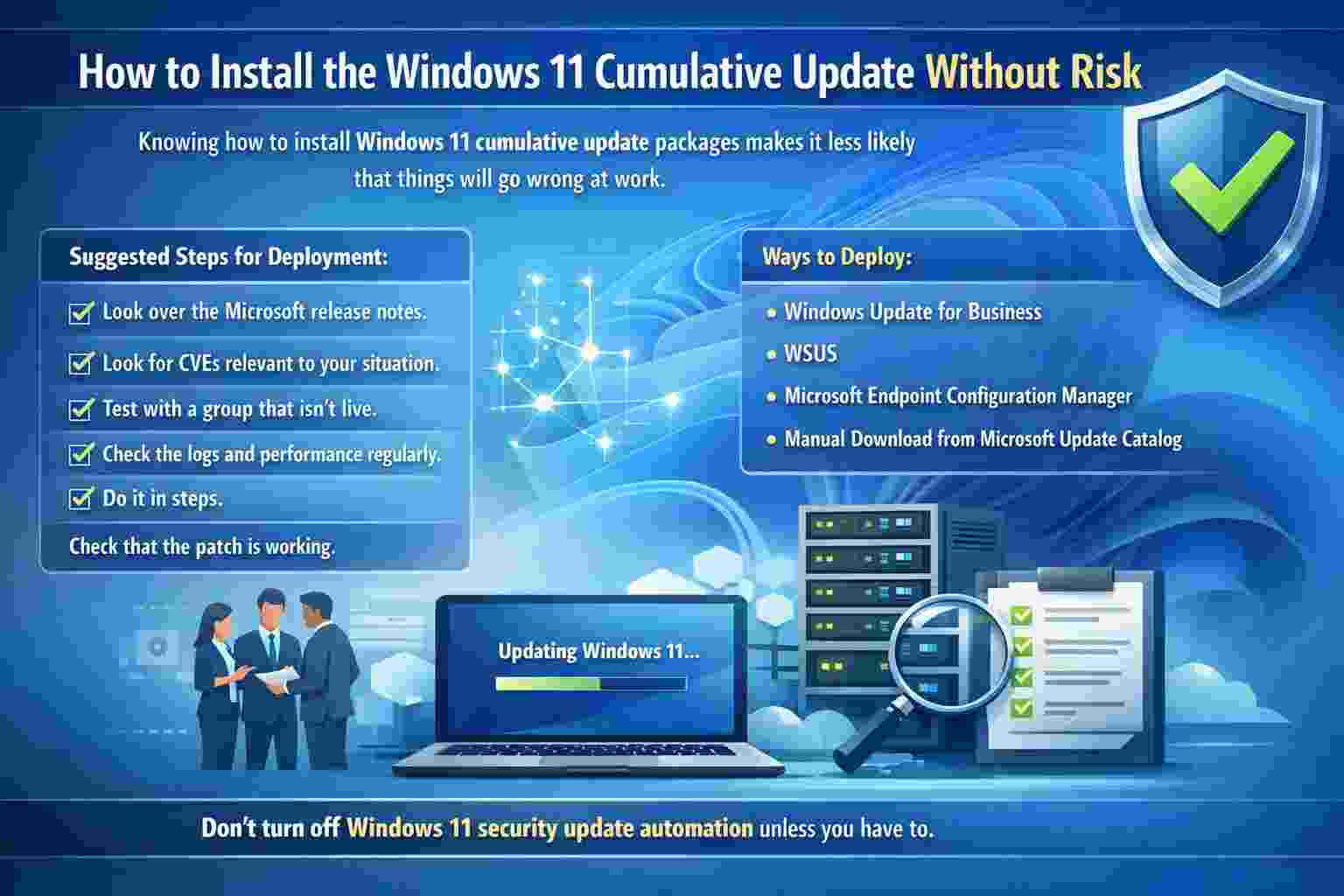
Knowing how to install Windows 11 cumulative update packages makes it less likely that things will go wrong at work.
Suggested steps for deployment:
1. Look over the Microsoft release notes.
2. Look for CVEs that are relevant to your situation.
3. Test with a group that isn't live.
4. Check the logs and performance regularly.
5. Do it in steps.
Check that the patch is working.
Ways to deploy:
• Windows Update for Business
• WSUS
• Microsoft Endpoint Configuration Manager
• Downloading Windows 11 updates by hand from the Microsoft Update Catalog
Don't turn off Windows 11 security update automation unless you have to.
Hoplon Infosec Insight on Windows 11 Cumulative Update
Professional Advice
Hoplon Infosec Cybersecurity Services advises security leaders to think of every Windows 11 cumulative update as a planned security event. Keep accurate lists of your assets that are linked to the right OS versions. Make sure that the times for deploying patches match the severity ratings for vulnerabilities. Add patch compliance to SOC dashboards so that it is easy to see.
A well-thought-out patch governance strategy makes it less likely that a breach will happen and that the law will be broken.
Last Thoughts on the Windows 11 Cumulative Update Plan
The Windows 11 cumulative update is more than just an update to the system every month. It is a good way to keep systems running versions 25H2, 24H2, and 23H2 safe from new threats.
These updates include fixes and improvements for Windows 11, as well as critical security patches for Windows 11, all in one package. Putting off deployment makes things riskier, especially after each Microsoft Patch Tuesday update.
It's clear what the main point is for IT and security experts. You should carefully install, test, finish the Windows 11 update download process, and install every Windows 11 cumulative update on time to keep your security strong.



-20260925120840.webp&w=3840&q=75)

-20260918120903.webp&w=3840&q=75)