
3AM Ransomware Attack Hits UK Schools in Suspected Human-AI Hybrid Operation: What Security Teams Need to Know
What happened in the 3AM ransomware attack against UK schools?
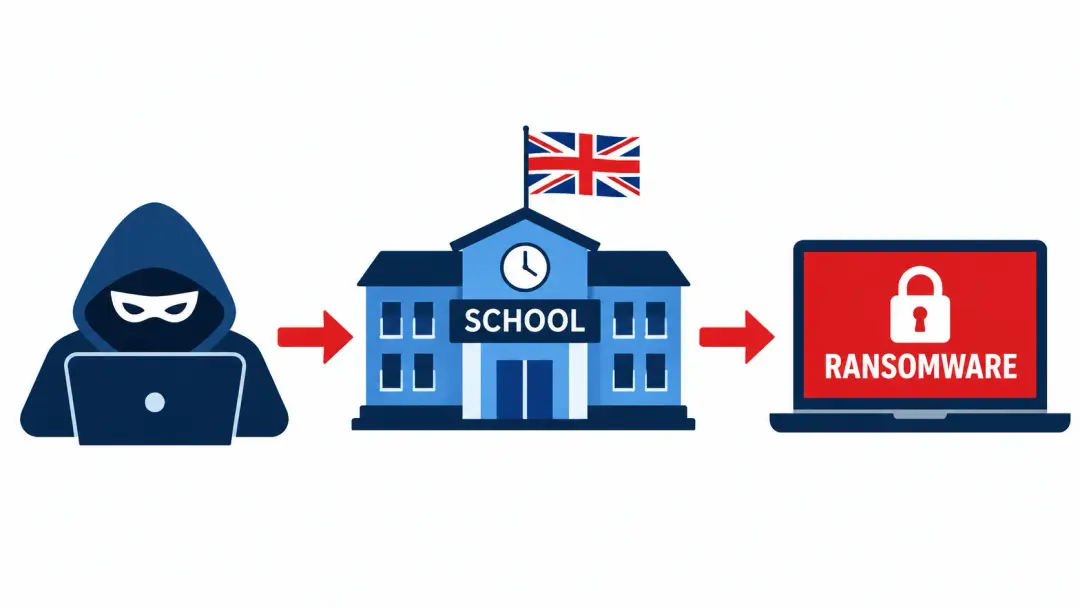
On November 3, 2026, Bitdefender disclosed a ransomware incident involving a UK school network. A 3AM ransomware affiliate compromised the school estate between September 10 and September 19, 2026. The attackers reached around 50 machines and encrypted approximately 37 systems.
Researchers also identified behavior that suggested possible AI involvement. Some commands appeared to follow an automated process that read results and tried revised commands. Other activity showed signs of human decision-making.
However, Bitdefender could not confirm which AI model, if any, powered the process. The researchers also could not rule out manual interaction between a person and an AI assistant.
The incident raises an important concern for schools and businesses. Attackers may use AI to speed up familiar ransomware techniques without creating entirely new malware.
TL;DR: Quick Summary
- Victim: A UK school estate with several separate Active Directory domains.
- Impact: Attackers encrypted approximately 37 systems after reaching around 50 machines.
- Attack method: Credential theft, domain trust changes, lateral movement, data theft, and ransomware deployment.
- AI involvement: Researchers identified behavior consistent with an AI-assisted or agentic workflow, but could not establish the exact mechanism.
Background: Why the UK Schools Ransomware Attack Matters
Schools depend on connected systems for daily operations. Teachers need access to learning platforms, student records, shared documents, and communication tools.
Administrative teams also manage finance records, staff accounts, attendance systems, and sensitive student information.
A ransomware incident can disrupt several of these services at once. It can also expose personal information and create serious recovery costs.
The recent UK schools ransomware attack shows how attackers can exploit connections between separate organizations. One compromised environment may provide a route into other parts of a wider school network.
What the latest UK government statistics reveal
The UK Department for Science, Innovation and Technology published its 2025/2026 Cyber Security Breaches Survey on April 30, 2026.
Its education-sector findings show that cyber incidents remain a major concern.
|
Education sector |
Organizations reporting breaches or attacks |
|
Primary schools |
49% |
|
Secondary schools |
73% |
|
Further education colleges |
88% |
|
Higher education institutions |
98% |
These figures cover identified breaches and attacks during the previous 12 months. They do not represent ransomware incidents alone.
The survey also found that phishing remained a major threat.
Among institutions that identified incidents:
- 90% of primary schools reported phishing attacks.
- 96% of secondary schools reported phishing attacks.
- 96% of further and higher education institutions reported phishing attacks.
The government also reported ransomware incidents among educational institutions.
The reported ransomware figures included 6% of secondary schools and 14% of combined further and higher education institutions. These percentages use the subset of organizations that identified a breach or attack.
The takeaway: Schools face a broad range of cyber threats. Ransomware is only one part of that risk.
Source: UK Government Cyber Security Breaches Survey 2025/2026.
Why schools can face complex security challenges
School networks often support many different users and devices.
For example, one institution may operate:
- Staff laptops and desktop computers.
- Student learning devices.
- Administrative servers.
- Finance and HR applications.
- Backup infrastructure.
- Shared file servers.
- Remote access services.
- Separate networks for multiple campuses.
Each system creates another area that security teams must manage.
The problem becomes more serious when several schools share identity systems or administrative infrastructure. A compromised account may then have access beyond its original organization.
The incident discussed in this article demonstrates why network boundaries and identity permissions deserve close attention.
What is 3AM ransomware?
3AM, also called ThreeAM, is a ransomware family that became publicly known in 2023.
Security researchers have linked its early activity to a failed LockBit deployment. In that incident, an affiliate reportedly attempted to deploy LockBit before using ThreeAM ransomware instead.
ThreeAM operates through a ransomware-as-a-service model.
This model separates the people who maintain the ransomware operation from affiliates who conduct intrusions against victims.
The affiliates carry out attacks and may share ransom proceeds with the operators.
WatchGuard's ransomware tracker lists ThreeAM as an active ransomware operation. It also records its first known appearance in February 2023.
Source: WatchGuard ThreeAM Ransomware Tracker.
What made this particular incident different?
The ransomware itself was not the most unusual part.
Bitdefender found that the attacker relied heavily on standard Windows administration tools and publicly available utilities.
The unusual behavior appeared in the way some commands were created, tested, and revised.
Researchers observed repeated attempts at regular intervals. Some commands changed only slightly between attempts. Others were rewritten after errors.
This pattern suggested that a language model might have been helping with repetitive technical tasks.
The important distinction is that the attacker did not need entirely new malware to make use of AI.
Existing tools, compromised credentials, and excessive permissions remained central to the operation.
Human-AI Hybrid Ransomware: What Did Researchers Actually Find?
The term human-AI hybrid ransomware describes an operation where a human directs the broader activity while AI may help with specific tasks.
In this incident, Bitdefender identified behavior that appeared consistent with this arrangement.
Understanding the evidence requires separating three different forms of AI involvement.
1. AI-generated malware
An AI model may help create or modify malicious software.
This does not automatically mean that the model controls the attack itself.
The attacker may still operate the software manually.
2. AI-assisted operations
A human attacker may use an AI assistant to write scripts, understand errors, or revise commands.
The human remains responsible for choosing the next action.
This approach can reduce the time needed for routine technical work.
3. AI-operated or agentic activity
An AI agent can receive a task, inspect an output, and select a follow-up action.
An agentic loop connects these steps:
- A task enters the system.
- A model suggests an action.
- The system receives the result.
- The model reviews that result.
- The process repeats when necessary.
The UK investigation showed behavior that resembled this pattern.
However, the researchers could not establish the exact automation mechanism.
What evidence supported the AI assessment?
Bitdefender highlighted several unusual patterns.
Repeated command attempts
On September 13, one command ran again after approximately 41 seconds. A revised attempt followed around 49 seconds later.
Another tool replaced the earlier approach shortly afterward.
Consistent retry timing
Across nine observed retries, the intervals ranged from approximately 40 to 101 seconds.
The relatively consistent timing suggested a possible automated process.
Repeated script revisions
Researchers found several versions of related scripts.
Examples included numbered revisions of scripts used for different operational tasks.
Errors that suggested generated commands
Some commands contained technical mistakes.
One example involved an incorrect connection setup for a backup product's web interface. The researchers considered these errors consistent with commands generated from incomplete technical knowledge.
However, a human operator could also make similar mistakes.

What remains unconfirmed?
This is the most important part of the investigation.
|
Question |
Evidence status |
|
Did a 3AM affiliate conduct the intrusion? |
Confirmed by Bitdefender's investigation |
|
Were approximately 37 systems encrypted? |
Reported by Bitdefender |
|
Did the attacker use built-in Windows tools? |
Confirmed |
|
Did some command patterns resemble AI-generated output? |
Strongly supported by the researchers' analysis |
|
Did an automated agentic loop control retries? |
Suspected, not established |
|
Which AI model was involved? |
Unknown |
|
Did a human manually copy AI-generated commands? |
Cannot be ruled out |
|
Was the initial access method phishing? |
Not established |
Bitdefender could not inspect the machine from which the attacker worked.
That machine also lacked the company's endpoint security agent. This limited the researchers' visibility into the attacker's workflow.
The distinction matters because an AI-generated command and an autonomous AI operation are two different claims.
Calling this a confirmed fully autonomous AI ransomware attack would go beyond the available evidence.
Source: Bitdefender's original investigation.
Inside the Attack: How the 3AM Ransomware Operation Unfolded
The intrusion followed a familiar ransomware pattern. The attacker collected credentials, expanded access, targeted sensitive information, and prepared systems for encryption.
The activity took place between September 10 and September 19, 2026.
Stage 1: Credential theft from backup infrastructure
The attacker first targeted three backup servers.
Bitdefender found evidence that a modified public PowerShell tool accessed credentials stored within backup software databases.
The attacker also accessed a Chrome browser database containing saved credentials.
This created a serious security problem.
Backup systems often hold access to critical infrastructure. If attackers obtain privileged backup credentials, they may gain control over recovery resources.
That can make a later ransomware incident much harder to recover from.
Security lesson: Backup servers need separate identities, restricted access, and independent protection.
Stage 2: Windows tools and internal reconnaissance
The attacker used legitimate Windows utilities during the intrusion.
These included PowerShell, Windows Management Instrumentation, and other built-in administration tools.
Security teams call this approach Living off the Land.
It means attackers misuse software that administrators already trust and use.
This can make detection harder because the tools themselves are not inherently malicious.
The attacker also examined accounts, service permissions, and domain relationships.
This helped identify systems and accounts that could support further access.
Stage 3: Access expansion across school domains
This was one of the most important parts of the incident.
The affected school environment contained several separate Active Directory domains.
Active Directory manages user identities, computers, authentication, and access across Windows networks.
The attacker examined trust relationships between those domains.
Bitdefender reported that the affiliate created two-way trusts between three previously separate domains.
A domain trust allows authentication relationships between domains. It does not automatically grant every user access to every resource.
However, excessive privileges and weak access controls can make these relationships dangerous.
The attacker also created unauthorized domain administrator accounts.
Their names included library and svc_bkpmon.
These names appeared designed to resemble ordinary school or service accounts.
MITRE ATT&CK classifies malicious changes to domain trust relationships under T1484.002: Trust Modification.
Source: MITRE ATT&CK T1484.002.
Stage 4: Data collection and exfiltration
The attacker also accessed finance-related files.
Bitdefender reported that the attacker collected files and moved data through an internal system before sending it to an attacker-controlled endpoint.
This suggests that the incident involved data theft as well as encryption.
Data theft creates an additional risk.
Even if an organization restores its files, stolen information may still expose students, employees, or business partners.
Organizations should therefore investigate possible data exposure separately from system encryption.
Stage 5: Security tool removal attempts
Before encryption, the attacker attempted to remove endpoint security products.
Bitdefender reported that the attempts targeted Sophos and Bitdefender protection.
Anti-tampering controls blocked those attempts.
This detail offers a useful defensive lesson.
Endpoint protection should prevent unauthorized users and processes from disabling its core security functions.
Security teams should also alert on unexpected service changes, agent removal attempts, and unexplained protection gaps.
Stage 6: Ransomware deployment
On September 19, the attacker deployed the ThreeAM encryptor.
The analyzed sample used Rust.
The researchers reported that approximately 37 systems were encrypted.
The attacker also attempted to delete system-state backups.
This behavior matches the MITRE ATT&CK techniques:
- T1486: Data Encrypted for Impact.
- T1490: Inhibit System Recovery.
- T1562.001: Impair Defenses.
These techniques explain the final stages of the operation.
The attacker aimed to reduce security visibility and make recovery more difficult.
Source: MITRE ATT&CK Data Encrypted for Impact.
Key Facts: Confirmed Findings vs. Unconfirmed Claims
The following table separates the reported evidence from interpretations.
|
Finding |
Status |
Why it matters |
|
September 2026 intrusion |
Confirmed |
Establishes the incident timeline |
|
3AM ransomware attribution |
Confirmed by Bitdefender |
Identifies the ransomware affiliate |
|
Approximately 37 encrypted systems |
Confirmed by investigation |
Shows the operational impact |
|
Three backup servers targeted |
Confirmed |
Highlights backup exposure |
|
Unauthorized administrator accounts |
Confirmed |
Shows identity compromise |
|
New domain trusts |
Confirmed |
Explains cross-domain access |
|
Attempted endpoint protection removal |
Confirmed |
Shows defense impairment |
|
AI-generated commands |
Strongly supported assessment |
Indicates possible AI assistance |
|
Automated agentic loop |
Suspected |
The underlying mechanism remains unknown |
|
Specific AI model |
Unknown |
No model attribution is available |
|
Initial access vector |
Unknown |
No confirmed entry method exists |
This distinction helps prevent misleading reporting.
The incident is real. The AI interpretation has meaningful evidence behind it, but it remains an interpretation.
MITRE ATT&CK Mapping: Understanding the Attack Techniques
Security teams can use MITRE ATT&CK to organize their detection and response plans.
The following techniques relate to behaviors documented in the investigation.
|
MITRE ID |
Technique |
Observed behavior |
|
T1555 |
Credentials from Password Stores |
Backup credential collection |
|
T1555.003 |
Credentials from Web Browsers |
Chrome credential database access |
|
T1047 |
Windows Management Instrumentation |
Remote administration activity |
|
T1021.002 |
SMB/Windows Admin Shares |
Remote execution |
|
T1482 |
Domain Trust Discovery |
Examination of domain relationships |
|
T1484.002 |
Trust Modification |
Changes to domain trust relationships |
|
T1078.002 |
Valid Accounts: Domain Accounts |
Use of compromised domain accounts |
|
T1562.001 |
Impair Defenses |
Attempted endpoint security removal |
|
T1053.005 |
Scheduled Task |
Deployment and execution of scheduled tasks |
|
T1074 |
Data Staged |
Preparation of collected information |
|
T1041 |
Exfiltration Over C2 Channel |
Transfer of stolen data |
|
T1486 |
Data Encrypted for Impact |
Ransomware encryption |
|
T1490 |
Inhibit System Recovery |
Deletion of recovery data |
These mappings help security teams build detection coverage around the behaviors rather than relying only on known malware signatures.
Reference: MITRE ATT&CK Enterprise Matrix.
How Security Teams Can Detect Similar Ransomware Activity
The incident offers several useful detection opportunities.
One important lesson is that defenders should not wait for a ransomware note or a sudden wave of encrypted files.
Several warning signs may appear earlier.
1. Monitor Active Directory trust changes
Unexpected domain trust modifications deserve immediate investigation.
Security teams should monitor:
- Changes to trusted domain objects.
- Unexpected trust relationships.
- New domain administrator accounts.
- Changes to privileged group membership.
- Unusual administrative activity across separate domains.
Microsoft documents Event ID 5136 for Active Directory object modifications.
This event can help identify changes to important directory objects when the required auditing and SACL settings exist.
Reference: Microsoft Event ID 5136.
2. Watch for unusual PowerShell activity
PowerShell is a normal administration tool.
Blocking every PowerShell process would disrupt many legitimate tasks.
Instead, monitor its context.
Useful indicators include:
- PowerShell launched by an unusual parent process.
- Scripts running from unexpected temporary folders.
- Unusual command-line parameters.
- Unexpected access to backup infrastructure.
- Repeated script revisions.
- Attempts to change endpoint security settings.
A single event may not indicate an attack.
Several related events involving the same account or host deserve closer review.
3. Monitor remote administration tools
WMI and SMB are common in managed Windows environments.
However, attackers may abuse these tools to move between systems.
Watch for:
- Remote execution from unmanaged hosts.
- Administrative share access outside normal working patterns.
- Unexpected WMI activity.
- Scheduled task creation across multiple machines.
- Remote access using newly created privileged accounts.
Restrict administrative activity to approved management systems.
4. Detect unusual backup access
Backup infrastructure deserves special monitoring.
Alert on:
- Unexpected access to backup databases.
- Changes to backup service accounts.
- Failed authentication across backup servers.
- Unusual backup configuration changes.
- Attempts to delete recovery points.
- Unexpected changes to backup retention.
The goal is to detect an attack before it reaches the recovery layer.
5. Look for suspicious file activity
Ransomware can create large volumes of file changes.
Useful signals include:
- Sudden increases in file write activity.
- Unexpected changes to shared folders.
- Repeated file renaming.
- Unusual access across multiple file servers.
- Unexpected deletion of recovery data.
Correlate these events with account activity and process telemetry.
Example: Defensive SIEM detection logic
The following is a conceptual detection pattern. It does not represent a confirmed IOC or a tested production rule.
ALERT: Possible Active Directory Trust Abuse
WHEN:
Event ID = 5136
AND:
Object class = trustedDomain
AND:
Change is not linked to an approved change request
THEN:
Raise high-priority alert
ENRICH WITH:
Initiating account
Source workstation
Process information
Previous trust configuration
New trust configuration
Related privileged account changes
Operational limitation: Event 5136 requires suitable directory auditing and object-level SACL configuration. It can also produce significant event volume on busy domain controllers.
Security teams should test their audit policy before enabling broad collection.

Actionable Prevention: How to Protect Against a 3AM Ransomware Attack
The incident highlights several areas where organizations can reduce ransomware risk.
The following steps apply to schools, small businesses, and larger enterprise networks.
Step 1: Separate backup infrastructure
Do not treat backup servers as ordinary application servers.
Give backup services separate administrative identities.
Avoid reusing domain administrator credentials for backup operations.
Use immutable backup storage where supported. This prevents unauthorized changes during a defined protection period.
The UK NCSC recommends ransomware-resistant backup controls for both on-premises and cloud environments.
Reference: NCSC Ransomware-Resistant Backups.
Step 2: Review Active Directory permissions
Review privileged accounts across every domain.
Pay close attention to:
- Domain administrators.
- Enterprise administrators.
- Backup service accounts.
- Service accounts with broad access.
- Unused administrative identities.
- Cross-domain trust permissions.
Remove unnecessary privileges.
Use separate administrative accounts for routine work and sensitive infrastructure.
Review trust relationships at regular intervals.
Step 3: Protect every endpoint
Maintain endpoint security coverage across servers and workstations.
Investigate systems without an active security agent.
The unmanaged host in this incident created an important visibility gap.
An organization cannot reliably monitor activity on devices outside its security coverage.
Use tamper protection where supported. Alert when agents stop reporting or lose protection.
Step 4: Restrict remote administration
Limit remote management to approved devices and accounts.
Review access to:
- WMI.
- SMB administrative shares.
- Windows Remote Management.
- Remote Registry.
- Scheduled task services.
Do not disable required administration tools without testing their business impact.
Instead, restrict who can use them and where they can connect.
Step 5: Improve identity protection
Use multi-factor authentication for remote access and privileged accounts.
Prefer phishing-resistant authentication where practical.
Remove stale accounts and rotate credentials after suspected exposure.
Monitor unusual login patterns and unexpected privilege changes.
Step 6: Patch unsupported systems
The affected environment included older Windows systems.
Bitdefender identified Windows 10 workstations and a Windows Server 2012 R2 domain controller.
Windows 10 reached the end of standard support on October 14, 2025. Windows Server 2012 R2 reached the end of extended support on October 10, 2023.
Organizations should assess unsupported devices and plan migration or applicable extended security coverage.
Unsupported systems can create additional exposure when they remain connected to important networks.
Step 7: Test recovery plans
A backup that has never been restored is not a proven recovery solution.
Run scheduled recovery exercises.
Test whether the organization can restore:
- Domain controllers.
- Critical application servers.
- Student and employee records.
- Finance systems.
- File shares.
- Network configurations.
- Backup management services.
Also maintain recovery documentation outside the production network.
Step 8: Prepare an incident response plan
Every organization should know what happens after a ransomware alert.
Assign clear responsibilities to:
- IT administrators.
- Security teams.
- Senior management.
- Legal advisers.
- External incident responders.
- Relevant regulators and authorities.
During a confirmed incident, isolate affected systems through an approved response process.
Preserve relevant logs and forensic evidence.
Do not immediately rebuild affected systems before collecting evidence and understanding the scope.
The NCSC provides detailed guidance on responding to malware and ransomware incidents.
Reference: NCSC Mitigating Malware and Ransomware Attacks.
Comparing Ransomware Defense Strategies
Different controls address different parts of the attack.
A layered approach offers better protection than relying on a single security product.
|
Defense strategy |
Performance impact |
Complexity |
Security value |
|
Immutable backups |
Low during normal use |
Medium |
Very high for recovery |
|
MFA for privileged accounts |
Low to moderate |
Low to medium |
Very high |
|
Network segmentation |
Possible routing overhead |
High |
Very high |
|
EDR monitoring |
Small resource overhead |
Medium |
High |
|
Active Directory auditing |
Increased log volume |
Medium |
High |
|
Least privilege |
Minimal direct overhead |
Medium |
Very high |
|
Patch management |
Possible restart downtime |
Medium |
High |
|
SIEM monitoring |
Storage and processing costs |
Medium to high |
High |
These ratings are qualitative. Actual overhead depends on system size, configuration, and implementation.
A Practical Security Priority List for Schools
Schools may not have the same budgets or staffing levels as large enterprises.
That does not mean they must accept unnecessary exposure.
A sensible starting plan would prioritize the following areas.
|
Priority |
Security action |
Suggested timeframe |
|
Critical |
Verify backup recovery and isolation |
Immediately |
|
Critical |
Review privileged accounts |
Immediately |
|
High |
Check endpoint protection coverage |
Within 7 days |
|
High |
Review domain trust relationships |
Within 7 days |
|
High |
Audit remote administration access |
Within 14 days |
|
Medium |
Improve SIEM alert coverage |
Within 30 days |
|
Medium |
Run a recovery exercise |
Within 30 days |
|
Medium |
Review unsupported systems |
Within 30 days |
These are suggested planning targets, not official regulatory deadlines.
The most urgent work should focus on identity security, backup protection, and visibility across all connected devices.
What This Incident Means for AI-Powered Cyberattacks
The most useful lesson from this incident concerns the changing role of AI.
AI does not need to create a new ransomware family to help an attacker.
It may help with routine tasks such as interpreting errors, reviewing command output, or preparing revised scripts.
That can reduce the effort needed for parts of an intrusion.
Google Threat Intelligence Group also reported growing use of agentic AI workflows in adversarial activity during 2026.
Its September 8 report described threat actors using AI-enabled automation in credential harvesting and other operations.
However, this does not mean every AI-assisted cyberattack operates without human involvement.
Human oversight, operational mistakes, and incomplete automation remain relevant.
For defenders, the practical response is straightforward.
Monitor behavior rather than relying only on known malware names.
A trusted Windows tool can still become part of a malicious process when an unauthorized account uses it.
Security teams should also treat repeated failed attempts as useful signals. A process that repeatedly adjusts its behavior may deserve investigation even when each individual command looks harmless.
Hoplon Insight: Five Defensive Lessons From the Incident
The incident offers five useful lessons for organizations reviewing their ransomware readiness.
1. Protect identity before focusing only on malware.
Compromised credentials can give attackers access to systems that traditional endpoint controls cannot fully protect.
2. Keep backup administration separate.
A backup account should not provide unrestricted access to the entire Windows domain.
3. Monitor domain trust changes.
Unexpected trust relationships can expand an incident beyond its original network.
4. Remove visibility gaps.
Every server, workstation, and management host needs an appropriate security monitoring plan.
5. Prepare for behavior-based detection.
Security teams should monitor unusual combinations of legitimate tools, repeated retries, privilege changes, and data movement.
These measures also align with the broader risk management approach in NIST IR 8374 Revision 1, published in June 2026.
The publication maps ransomware risk management to the NIST Cybersecurity Framework 2.0.
Source: NIST IR 8374 Revision 1.
Conclusion: The Real Lesson Behind the 3AM Ransomware Attack
The 3AM ransomware attack against a UK school estate demonstrates how familiar ransomware techniques can cause serious damage across connected networks.
The affiliate targeted backup credentials, expanded access through Active Directory, collected sensitive files, and encrypted approximately 37 systems.
The suspected AI involvement adds another concern. It suggests that attackers may use language models to support repetitive technical work during an intrusion.
Still, the available evidence does not prove that an autonomous AI system controlled the attack.
Organizations should focus on the behaviors that made the intrusion effective. Strong identity controls, protected backups, network segmentation, endpoint visibility, and reliable recovery plans remain essential.
For schools and businesses, the next step should be a practical review of their current security posture.
A qualified cybersecurity team can help assess privileged access, backup resilience, domain trust relationships, and ransomware detection coverage before an incident occurs.
The goal is simple: make sure one compromised account or unmanaged device cannot put an entire organization at risk.
Frequently Asked Questions
1. What is the 3AM ransomware attack?
The 3AM ransomware attack involved an affiliate compromising a UK school estate during September 2026. Bitdefender reported that approximately 37 systems were encrypted.
2. Did hackers use AI in the UK schools ransomware attack?
Bitdefender identified command patterns consistent with AI-generated output and possible automated retries. However, researchers could not confirm the AI model or establish whether an automated agent controlled the entire process.
3. How did 3AM ransomware spread across school systems?
The attacker used compromised credentials, Windows administration tools, and Active Directory trust relationships to expand access. Bitdefender reported that the attacker connected three previously separate domains.
4. How can organizations protect against 3AM ransomware?
Organizations should secure backup infrastructure, enforce MFA, restrict privileged access, monitor domain trust changes, and maintain endpoint security coverage. Regular recovery tests also help reduce the impact of ransomware.
Author Bio and Review
Author: Mohammed Talukder is the Co-Founder and CEO of Hoplon InfoSec, with over 16 years of experience in cybersecurity and technology. His expertise includes offensive security, vulnerability management, cyber risk management, and incident response. His professional credentials include CISM, CISA, CEH, and CompTIA PenTest+. He has also received Infosys recognition awards for his professional contributions. He shares practical cybersecurity insights to help organizations strengthen their security posture.
Technical reviewer: Gazi Mahmud, Co-Founder and CIO of Hoplon InfoSec LLC, cybersecurity leader, and CISM & CISA certified professional with expertise in cyber risk management, security governance, compliance, and incident response.
Expert Research Contributors
The original Bitdefender investigation credits the following contributors:
- Marius Baciu: Research author.
- Adrian Schipor: Research contribution.
- Martin Zugec: Research contribution.
Fact-checking policy: We prioritize primary research, government publications, official technical documentation, and established threat intelligence sources. We update the article when credible new evidence changes the incident assessment.
Publisher Contact Information
Hoplon InfoSec
Official website: https://hoploninfosec.com/
United States headquarters:
1415 West 22nd Street, Tower Floor, Oak Brook, IL 60523, USA.
Bangladesh office:
House 83, Road 6, Block-C, Banani, Dhaka, Bangladesh.
Disclaimer:This article examines a publicly documented ransomware incident for cybersecurity awareness and defense. All technical recommendations are intended for authorized security teams and system administrators. Do not use them against systems without permission.