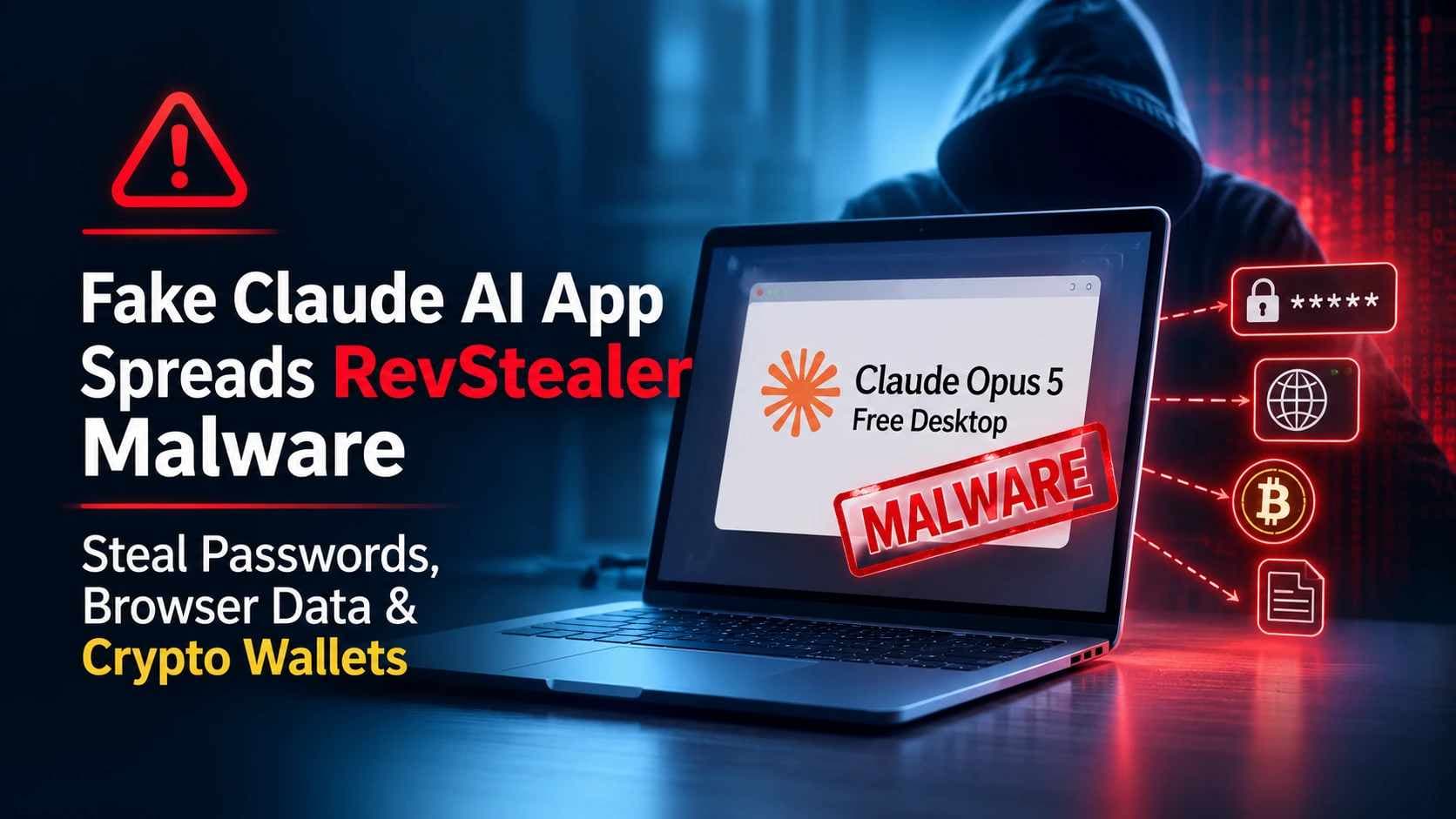
Fake Claude AI Desktop App Spreads RevStealer Malware to Steal Passwords and Crypto Wallets
A fake Claude AI desktop application is being used to distribute RevStealer, a Windows information-stealing malware designed to collect passwords, browser sessions, cryptocurrency wallet data, and other sensitive information.
The counterfeit application advertises itself as “Claude Opus 5 Free Desktop.” It promises free access to an AI tool, but the download does not provide a working Claude interface. Instead, its executable launches a hidden malware loader.
The package, named ClaudeOpus5-desktop.zip, is approximately 101 MB. Researchers found it being distributed through GitHub repositories and websites themed around game cheats. Both channels use the promise of free software to encourage people to download and run an unofficial application.
The campaign is a reminder that familiar software branding does not make a download trustworthy. Attackers can copy a company's name, interface, and product descriptions to make a malicious file look legitimate.
Researchers have not attributed the RevStealer campaign to a named threat actor. The reported activity involves impersonation of Anthropic's software. It does not establish that Anthropic's systems were breached or that its official Claude installer was compromised.
TL;DR
- A fake application called “Claude Opus 5 Free Desktop” distributes RevStealer, a Windows infostealer.
- The malicious archive is approximately 101 MB and is distributed through GitHub repositories and game-cheat-themed websites.
- Its Electron-based loader runs without displaying a normal application window.
- RevStealer targets saved passwords, browser cookies, session data, cryptocurrency wallets, VPN credentials, and other sensitive information.
- The malware attempts to avoid security analysis and can try to add the AppData directory to Microsoft Defender exclusions.
- It sends stolen information to attacker-controlled infrastructure and can retrieve a backup server address through a Polygon smart contract.
- Users who ran the fake application should treat the device as potentially compromised and secure their accounts from a separate trusted device.
Key Details of the RevStealer Campaign
|
Category |
Reported details |
|
Malware |
RevStealer |
|
Malware type |
Windows information stealer |
|
Fake application |
Claude Opus 5 Free Desktop |
|
Archive name |
ClaudeOpus5-desktop.zip |
|
Archive size |
Approximately 101 MB |
|
Application framework |
Electron |
|
Distribution channels |
GitHub repositories and game-cheat-themed websites |
|
Main targets |
Browser data, passwords, session cookies, wallet information, VPN credentials, and documents |
|
Evasion methods |
System checks, encrypted strings, indirect system calls, and attempted Defender exclusions |
|
Command and control |
Attacker-controlled server with a Polygon smart contract fallback |
|
Attribution |
No named threat actor identified in the cited reporting |
How Hackers Use a Fake Claude AI App to Distribute RevStealer
The attackers use Claude's branding to make the malicious download appear connected to a legitimate AI product.
The GitHub repository identified in the research is named Claude-Opus-5-Free-Desktop. It advertises a free desktop application and offers an archive named ClaudeOpus5-desktop.zip.
The repository uses product-style presentation, including screenshots and model comparison material, to make the download look more convincing. The same campaign also uses game-cheat-themed websites to reach people searching for unofficial tools.
This approach relies on social engineering rather than exploiting a confirmed vulnerability in Claude.
People may trust the download because it appears on a familiar platform or uses a recognizable brand. However, a GitHub repository is not automatically an official software distribution channel. Anyone can create a repository and upload files under a misleading name.
The promise of free access also creates urgency. Someone looking for a desktop version of an AI product may focus on the advertised features and overlook the source of the installer.
Once the user runs the executable, the application does not open a normal chat window. It begins executing the hidden loader instead.
How the RevStealer Infection Process Works
The fake Claude application uses Electron, a framework that legitimate developers also use to build desktop software. In this campaign, however, the Electron application acts as a loader for the malicious payload.
Morphisec's analysis describes several stages in the execution process.
1. The user downloads and runs the fake application
The process begins when a user downloads the archive and launches the executable inside it.
The application does not display a normal Claude interface. This lack of a visible window may make someone think that the program failed to start.
In reality, the executable is designed to continue its activity in the background.
2. The loader checks the computer
Before deploying the main payload, the loader examines characteristics of the Windows system.
Reported checks include:
- Available physical memory
- Number of logical processor cores
- Hostname and username
- Graphics hardware
- Indicators associated with virtual machines or malware-analysis environments
These checks help the malware identify systems that may belong to security researchers or automated analysis environments. It may stop running when the system does not meet its conditions.
3. The malware prepares its hidden payload
After the system checks, the loader decrypts an embedded component and writes the resulting payload to a randomly named directory under Windows AppData.
It then launches the component in the background.
The use of a user-writable directory can make investigation more difficult, especially when the process does not appear as a normal installed application.
4. RevStealer collects sensitive information
Once active, RevStealer searches for information stored in browsers, password managers, cryptocurrency applications, and other software.
The collected information can include credentials, session data, wallet-related files, and selected documents.
5. The malware sends the stolen information
Morphisec reported that RevStealer sends stolen data in encrypted records instead of first creating one large archive on the computer.
This approach reduces the amount of temporary data that may be available for investigators to examine after an incident.
6. The malware attempts to remove evidence
The malware attempts to delete its staging files and does not rely on conventional persistence mechanisms such as scheduled tasks or Windows startup entries in the analyzed behavior.
This does not mean every trace disappears. Endpoint alerts, network records, account activity, and other forensic evidence may still help investigators understand what happened.
What Information Does RevStealer Steal?
RevStealer is designed to collect several categories of sensitive information from an infected Windows computer.
Its broad collection scope makes the malware relevant to both individual users and organizations.
|
Target |
Information at risk |
|
Web browsers |
Saved credentials, browser databases, cookies, and encryption-related data |
|
Password managers |
Stored authentication information and password-manager artifacts |
|
Windows Credential Manager |
Saved Windows credentials |
|
Cryptocurrency wallets |
Wallet-related files and sensitive stored information |
|
VPN software |
VPN credentials and configuration data |
|
Remote-access tools |
Login credentials and related data |
|
Messaging applications |
Application data and account-related information |
|
Gaming applications |
Gaming profiles and stored account data |
|
Clipboard |
Copied information |
|
Screenshots |
Images of the user's desktop |
|
Documents |
Selected files stored in user directories and supported cloud storage locations |
Morphisec also reported collection targets involving browser extensions, OBS streaming profiles, and files from multiple password-manager and cryptocurrency wallet applications.
Why Stolen Session Cookies Are a Serious Risk
Password theft is not the only concern. RevStealer also targets browser session information.
A session cookie helps a website recognize a user after a successful login. If an attacker obtains a valid session cookie, they may be able to reuse that authenticated session without entering the password again.
The outcome depends on the service's security controls, session settings, and whether the stolen session remains valid.
This creates an important response challenge. Changing a password does not necessarily invalidate every active session or authentication token.
After a suspected infection, users and security teams should review active sessions, revoke unfamiliar sessions, and reset exposed authentication credentials where possible.
How RevStealer Attempts to Avoid Detection
RevStealer is designed to make analysis and detection more difficult. Its techniques target both automated security environments and the tools used to inspect suspicious software.
System and environment checks
The loader examines hardware and system information before deploying its payload. These checks can help it avoid running in environments that appear to belong to security researchers.
Encrypted strings and configuration
The malware keeps some strings and configuration information encrypted until they are needed. This makes static inspection more difficult because analysts may not see all relevant information immediately.
Indirect system calls
Morphisec documented indirect system calls in the analyzed malware. This technique can make certain monitoring approaches more difficult by avoiding some commonly monitored user-mode API entry points.
It is one part of a wider evasion strategy, not a guarantee that security software cannot detect the malware.
Attempted Microsoft Defender exclusion
The loader attempts to add the AppData directory to Microsoft Defender's exclusion list.
An exclusion tells the security product not to scan the specified location in the usual way. If the change succeeds, it may reduce visibility into files stored there.
However, an attempted exclusion should not be described as proof that Microsoft Defender protection was successfully disabled. Security teams should verify whether the setting changed and whether the change was authorized.
Data collection without a large archive
RevStealer sends stolen information in encrypted records rather than relying on one large archive stored on disk.
This can reduce the opportunity to detect a single obvious archive containing all stolen data. It also means investigators should consider network telemetry and process activity, not only files left behind.
SC Media+1
RevStealer Uses Polygon Smart Contracts for Backup Command and Control
One notable feature of RevStealer is its reported use of a Polygon smart contract to obtain a replacement command-and-control server address.
Command and control, often shortened to C2, refers to the communication channel between malware and the attacker's infrastructure.
If the primary server becomes unavailable, RevStealer can query information stored in a smart contract to obtain a backup address. This gives the operators another way to change the server used by the malware without rebuilding the entire application.
The use of blockchain infrastructure does not mean that the malware is operating as a cryptocurrency application. In this case, the smart contract serves as a source of backup C2 information.
For defenders, this creates an additional investigation challenge. Blocking one known server may not be enough if the malware can obtain another address.
Security teams should combine network monitoring with endpoint investigation and account protection.
Why the RevStealer Campaign Matters to Businesses
An infected workstation can expose more than one person's personal accounts.
Employees often use the same computer to access company email, cloud platforms, internal applications, VPN services, and business documents. If an infostealer collects credentials or session information from that device, the exposure may extend into the organization's environment.
Corporate account exposure
Stolen passwords and session cookies may create a path to unauthorized access to business accounts.
Email accounts deserve particular attention because they can contain sensitive communications and links to other company services.
VPN and remote-access risks
RevStealer targets VPN and remote-access credentials. If an exposed credential remains active, an attacker may attempt to use it to access organizational resources.
The risk depends on the account's permissions, authentication requirements, and network controls.
Confidential information exposure
Screenshots, clipboard contents, and selected documents may contain business information.
This could include internal communications, project details, customer information, or other sensitive material stored on the infected computer.
Financial and cryptocurrency risks
The malware's wallet-related collection capabilities may put users' cryptocurrency assets at risk when sensitive wallet material is stored on the affected device.
Organizations should also consider whether infected devices were used to access financial platforms or business payment systems.
Potential follow-on activity
Morphisec reported that RevStealer can receive additional tasking from its command-and-control infrastructure, including instructions to download and run files or execute operator-supplied commands.
This means defenders should not assume that credential theft is necessarily the only activity that could follow an infection.
How to Identify a Possible RevStealer Infection
Security teams should investigate multiple signals together. A single unusual file or Defender setting does not automatically confirm a RevStealer infection.
The following areas can help guide a defensive investigation.
|
Investigation area |
What to review |
|
Download history |
Unofficial Claude desktop archives and suspicious software downloads |
|
AppData directory |
Unexpected executable files or randomly named folders |
|
Microsoft Defender |
Unrecognized exclusions involving AppData |
|
Process activity |
Unusual background processes launched from user-writable directories |
|
Browser activity |
Unexpected account sessions or unfamiliar authentication activity |
|
Identity logs |
Unusual sign-ins and access to sensitive accounts |
|
Network activity |
Connections associated with verified campaign indicators |
|
Endpoint records |
Process creation, file activity, and security alerts |
Because the malware attempts to remove some of its files, investigators should not depend only on finding the original executable.
They should review available endpoint detection records, Windows event logs, network telemetry, and identity-provider records.
What to Do If You Ran the Fake Claude AI App
If someone launched the suspicious executable, the safest approach is to treat the Windows computer as potentially compromised.
The response should focus on limiting further exposure and protecting accounts.
1. Disconnect the affected computer
Disconnect the device from the network and avoid using it for sensitive account activity.
If it belongs to an organization, contact the IT or security team. They can decide how to preserve evidence and investigate the incident.
2. Use a separate trusted device
Do not use the potentially infected computer to change passwords or access important accounts.
Use a separate, trusted device to secure email, cloud, financial, and other sensitive accounts.
3. Change exposed passwords
Prioritize accounts that were saved in browsers or password managers on the affected computer.
Use unique passwords for important accounts. If the same password was reused elsewhere, change it on those services too.
4. Revoke active sessions
Review account security settings and sign out unfamiliar sessions.
Where supported, revoke active sessions and refresh exposed authentication tokens. This matters because a password change may not invalidate every existing session.
5. Review business account activity
Organizations should examine recent activity involving:
- Email accounts
- Administrator accounts
- VPN services
- Remote-access tools
- Cloud platforms
- Sensitive internal applications
Investigate unfamiliar sign-ins, unexpected permission changes, and suspicious account activity.
6. Review Microsoft Defender settings
Check whether an unexpected exclusion was added to Microsoft Defender, especially one involving the AppData directory.
Do not assume that every exclusion is malicious. Confirm whether it was authorized and identify which process or user made the change.
7. Preserve evidence and investigate the device
Security teams should preserve relevant endpoint and network records before taking actions that could destroy useful evidence.
The affected computer should be examined by qualified support or security personnel before it is returned to normal use.
8. Protect cryptocurrency wallets
If wallet credentials, private keys, or recovery material may have been exposed, use a clean device to seek trusted wallet-security guidance.
Where exposure is confirmed or reasonably suspected, protect remaining assets by moving them to a newly secured wallet. Never share a recovery phrase with anyone offering to investigate the incident.

How Users Can Avoid Fake Claude Desktop Applications
How Users Can Avoid Fake Claude Desktop Applications
The campaign uses a familiar brand and the promise of free access to attract downloads. Users can reduce this risk by checking the source before installing desktop software.
Download from the official source. Anthropic provides Claude desktop downloads through its official website: Claude Desktop Download.
Avoid unofficial archives. Do not trust third-party ZIP files that claim to provide free access to paid AI features.
Check the publisher. A familiar product name, logo, screenshot, or GitHub repository description does not prove that the software comes from the real vendor.
Be cautious with game-cheat websites. Unofficial tools and modified applications can carry security risks, especially when they require users to run unknown executables.
Keep Windows security protections active. Do not approve unexpected requests to change antivirus settings or add exclusions.
Use multifactor authentication. MFA adds another layer of account protection. However, it should not be treated as complete protection against stolen active sessions.
Monitor account activity. Review login history and security notifications, especially after installing software from an unfamiliar source.
RevStealer is Separate From Other Fake Claude Download Campaigns
RevStealer is not the only malware operation to misuse Claude branding.
Other campaigns have also used fake AI applications or installation guides to distribute different malicious software. However, similar branding does not mean the campaigns share the same malware, infrastructure, or operators.
The RevStealer activity discussed here involves a trojanized Electron application that loads an information stealer. Any separate campaign should be assessed using its own technical evidence.
This distinction matters because combining unrelated campaigns can lead to inaccurate reporting and misleading indicators of compromise.
The available RevStealer research does not establish that Anthropic's official application or infrastructure was breached. The fake application impersonates the company to make the malicious download appear legitimate.
Indicators of Compromise (IoCs)
The following indicators were published in Cyberint's RevStealer research. They include SHA-256 file hashes and domains associated with the reported activity.
Security teams can use these indicators as investigation leads, but should verify them against trusted threat intelligence and their own telemetry.
|
Type |
Date added |
Indicator |
|
SHA-256 |
2026-10-18 |
11c69405e0cf8856d144338d77adda188bf455ee3a7f7fd9a1b3178d606ef763 |
|
SHA-256 |
2026-10-17 |
9cca874f2ebcbb16b45345463e80bdd4e00e3095ab9b6f38b597d909e2980288 |
|
SHA-256 |
2026-10-16 |
36a454aaab124458e46152f0d590b0bb97f8d704950de4dc001902b382e68f51 |
|
SHA-256 |
2026-10-16 |
c531aeae347d7316d50f815c598d192a1415d95df9783df05aa9c6a490e629a0 |
|
SHA-256 |
2026-10-13 |
30f1a88560497fdfe4058b60f4c1109f3f470c76b774a718c34e6c1a080219fd |
|
SHA-256 |
2026-10-11 |
af75f43a0311eda6a3aa5da8adfd80fdb61b343a90694563d439a28b1cc68d9f |
|
SHA-256 |
2026-10-08 |
69dafc3b40a5b0e5eddc7cba6ec32ca7316b7e5405d8c6d5adfbccc4c06620c0 |
|
Domain |
2026-10-07 |
mail0[.]runport23[.]lat |
|
Domain |
2026-10-07 |
content[.]brightplaza[.]lat |
|
SHA-256 |
2026-10-06 |
b025d3a95f71cfb81f4d4e0162ab1f9a1d821c098bbf1fe5de7fdef73f1ea67e |
|
SHA-256 |
2026-10-06 |
acabede7ef8b0c5ed4a49ef82c58329ed97825e6d9a1d0c6d6425f3bb754cf5a |
|
SHA-256 |
2026-09-24 |
c66d2b77b9e85c53391891212413ad9a99eb66f4b11c6a431e78884a5b2651e5 |
|
Domain |
2026-09-22 |
status[.]creek-place[.]one |
|
Domain |
2026-09-16 |
board[.]go-frame89[.]one |
|
Domain |
2026-09-12 |
check[.]mentor-square80[.]click |
|
Domain |
2026-09-07 |
monitor5[.]roast-core85[.]click |
|
Domain |
2026-09-07 |
static4[.]livelab[.]one |
|
Domain |
2026-09-07 |
polygon[.]mnyhgxda[.]xyz |
|
Domain |
2026-09-07 |
polygon[.]iwmukj[.]xyz |
|
Domain |
2026-09-07 |
resight-cheats[.]net |
|
Domain |
2026-09-07 |
elitecheatsx[.]live |
|
SHA-256 |
2026-09-07 |
adc4aa652965396b52e79435ca54987ae9eb21bf5e67de5e9461b09655165ee4 |
|
SHA-256 |
2026-09-07 |
4c897108e8e793d6904110928c996815c302d6975c9bc61162149e855a963d50 |
|
SHA-256 |
2026-09-07 |
1617552169df805405b1bb70f742d6eac5af342f31c6e39ff6b9613bd2392354 |
|
SHA-256 |
2026-09-07 |
bd97d5cab2d09b001d1b9e08890bce1a2b2cf8542a4b31c86b2def59328cafb2 |
|
SHA-256 |
2026-09-07 |
8b33e0f32c42a317e3d9cd67d5a6dc68e91a6cf9dd44742162858e7d83cf2073 |
|
SHA-256 |
2026-09-07 |
14b2ac356ed75d10ef40bbaaa48e7dd9fff7de9719c2a43ad123fe843dd4e4e2 |
|
SHA-256 |
2026-09-07 |
7c08cf409194056a8517865e5d3433d1499bb8262263b55b49b8b07d9d182fcb |
|
SHA-256 |
2026-09-07 |
13d7237d7289e67c2d806a65d52580b453ce4987acbe2c4c4d04833f55ebccfa |
|
Domain |
2026-09-07 |
metric[.]gardenpark[.]click |
|
Domain |
2026-09-07 |
health[.]journal-metric[.]lol |
|
Domain |
2026-09-07 |
config[.]hubdisplay[.]lol |
Frequently Asked Questions
What is RevStealer malware?
RevStealer is a Windows information-stealing malware. It collects sensitive information such as browser credentials, session cookies, password-manager data, cryptocurrency wallet information, and selected files.
Is the Claude Opus 5 Free Desktop app legitimate?
The application identified in this campaign is a fake download that impersonates Anthropic's branding. It distributes RevStealer rather than providing a legitimate Claude desktop experience.
How does the fake Claude AI app infect Windows computers?
The campaign uses a malicious Electron-based application. When a user runs the executable, its hidden loader performs system checks, deploys the RevStealer payload, and starts the malware in the background.
What information can RevStealer steal?
Reported targets include browser databases, saved credentials, session cookies, password-manager artifacts, Windows Credential Manager entries, cryptocurrency wallet data, VPN credentials, messaging and gaming application data, clipboard contents, screenshots, and selected documents.
Can RevStealer steal browser sessions?
Yes. Researchers reported that the malware targets browser session cookies. If a valid session is stolen and remains active, an attacker may be able to reuse it without completing a fresh login.
Does RevStealer disable Microsoft Defender?
The loader attempts to add the AppData directory to Microsoft Defender's exclusion list. This is not the same as confirming that Defender was completely disabled.
Does the RevStealer campaign mean Claude was hacked?
No such conclusion is supported by the cited research. The campaign involves a fake application impersonating Anthropic. The available reporting does not establish a breach of Anthropic's systems or compromise of its official installer.
What should I do if I downloaded the fake Claude app?
If you only downloaded the archive and did not run it, do not open it. If you executed the application, treat the computer as potentially compromised. Disconnect it from the network, use a separate trusted device to secure accounts, revoke active sessions, and contact your organization's security team if applicable.
Conclusion
The fake Claude AI desktop campaign shows how attackers can turn interest in popular AI tools into an opportunity for credential theft. By using Anthropic's branding and promising free access, the operators make an unofficial download appear more attractive to unsuspecting users.
RevStealer makes the incident more serious because it targets several types of sensitive information in one operation. Saved passwords, browser sessions, wallet data, VPN credentials, and business documents can all create risks after a successful infection.
For individuals, the safest approach is to download software only from trusted vendor sources and avoid unofficial applications that promise free access to paid features. For organizations, the incident highlights the need for endpoint monitoring, identity protection, session management, and a clear response process for suspected infostealer infections.
The most important lesson is simple: verify the source before running a desktop application. A familiar logo or product name is not proof that a download is safe.
For legitimate Claude desktop installations, use Anthropic's official Claude download page.
Hoplon InfoSec helps organizations reduce the risks associated with infostealer malware through a range of cybersecurity services:
Endpoint Security: Detects suspicious activity and helps contain malware on affected devices.
Incident Response & Recovery: Supports malware containment, investigation, remediation, and system recovery.
Digital Forensics: Examines available evidence to understand the infection and identify potential data exposure.
Dark Web Monitoring: Helps identify exposed corporate credentials and sensitive information.
Cyber Threat Intelligence: Provides threat insights and indicators that support proactive security measures.
By combining endpoint protection, incident response, and threat intelligence, organizations can strengthen their defenses against malware campaigns targeting employees and business credentials.
Official service pages: Endpoint Security | Incident Response | Dark Web Monitoring
Author Bio and Review
Author: Mohammed Talukder is the Co-Founder and CEO of Hoplon InfoSec, with over 16 years of experience in cybersecurity and technology. His expertise includes offensive security, vulnerability management, cyber risk management, and incident response. His professional credentials include CISM, CISA, CEH, and CompTIA PenTest+. He has also received Infosys recognition awards for his professional contributions. He shares practical cybersecurity insights to help organizations strengthen their security posture.
Technical reviewer: Gazi Mahmud, Co-Founder and CIO of Hoplon InfoSec LLC, cybersecurity leader, and CISM & CISA certified professional with expertise in cyber risk management, security governance, compliance, and incident response.
IoC handling note: Domains are intentionally defanged using [.] to prevent accidental resolution or hyperlinking. Keep them defanged in public content. Security teams should validate indicators in their approved threat intelligence platforms before using them in detection rules. A hash or domain match is an investigation lead, not standalone proof of compromise.