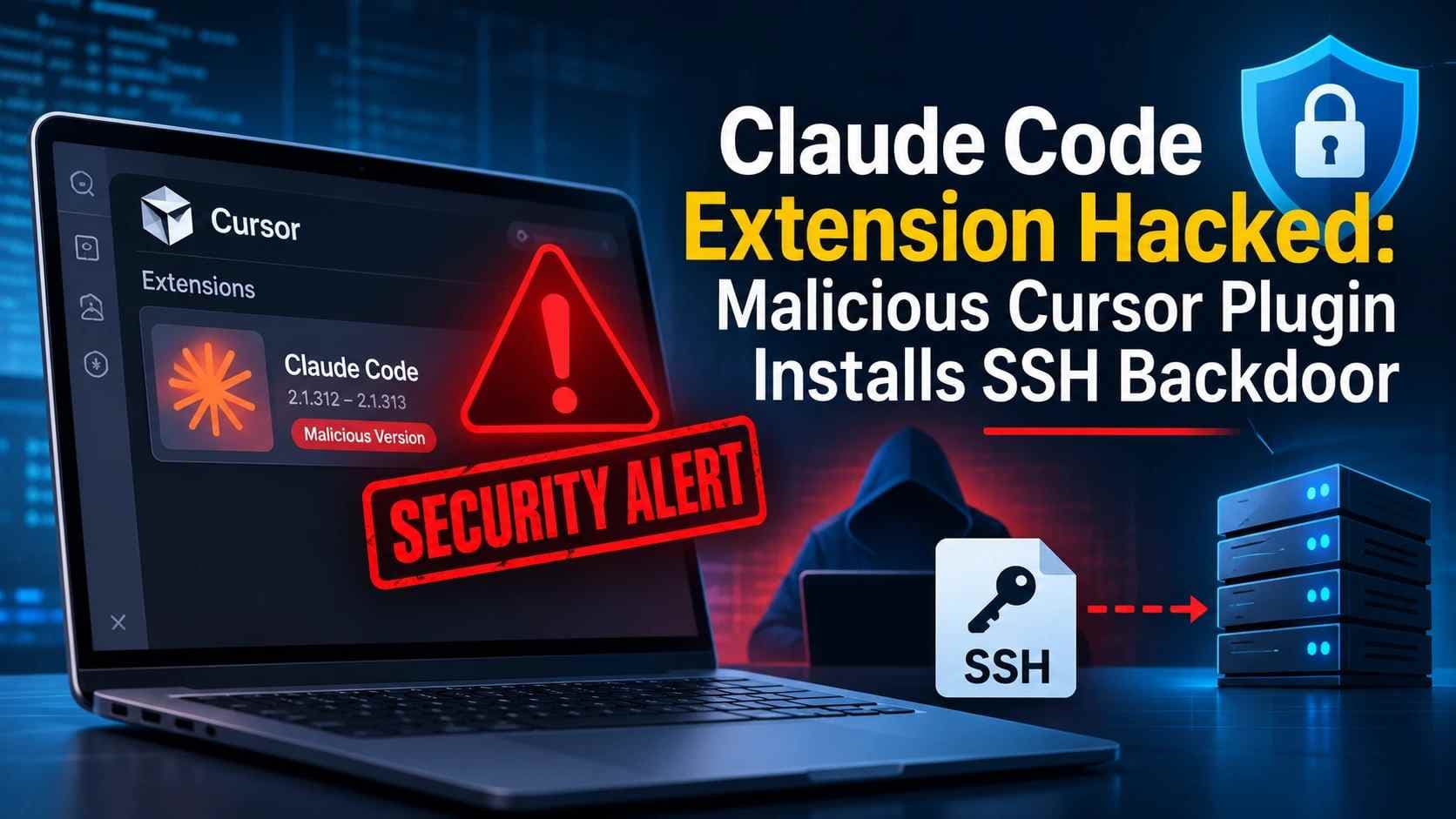
Claude Code Extension Hacked: Malicious Cursor Plugin Installs SSH Backdoor
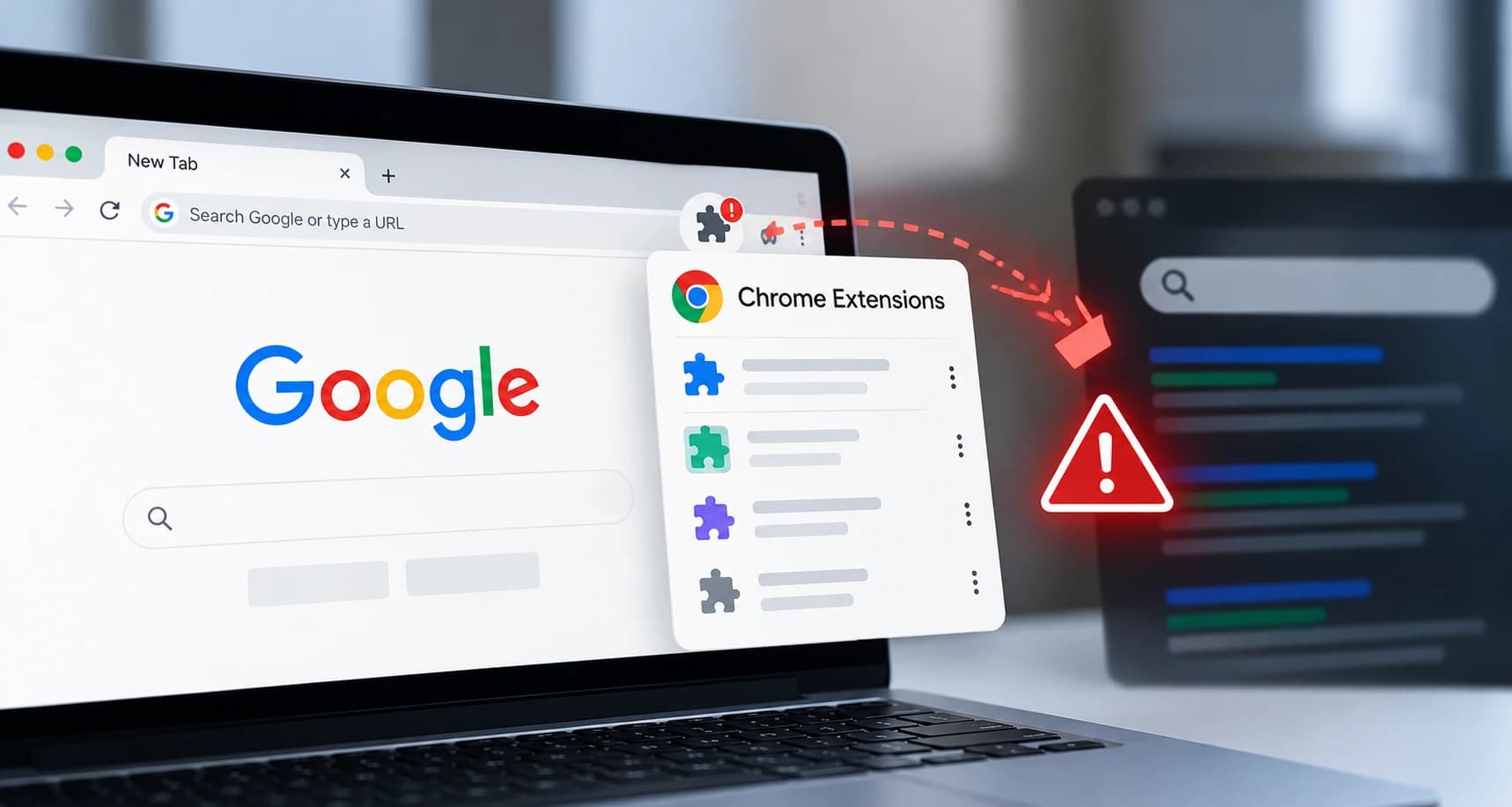
A malicious copy of Anthropic's Claude Code extension appeared in the Cursor VS Code Extension Marketplace on October 29, 2026.
The affected packages were labeled Anthropic.claude-code versions 2.1.312 and 2.1.313. They targeted Windows and macOS users.
The modified extension attempted to collect device information, add an attacker-controlled SSH key, and establish a persistent reverse SSH tunnel.
It also attempted to create startup persistence outside the extension folder. This means uninstalling the extension alone may not remove every malicious component.
Cursor removed the affected packages and took the attacker's server offline. However, organizations that installed the modified packages should still investigate their systems.
Key points:
- The incident involved modified packages distributed through Cursor's marketplace.
- Anthropic did not develop the malicious packages.
- Microsoft confirmed that its Visual Studio Marketplace and the official npm package were not affected.
- Four malicious VSIX package hashes and one injected JavaScript hash are publicly documented.
- The attacker-controlled SSH key used the comment svc-telemetry.
- The reported attacker infrastructure used 134.209.82[.]225.
- Cursor says SSH access failed on most affected systems because of permission requirements and errors in the malicious code.
- The attacker server was taken offline, but local persistence could remain.
- Organizations should check extension installation records, SSH authorization files, startup entries, and endpoint telemetry.
Table of Contents
- What Happened in the Cursor Marketplace Incident?
- Which Claude Code Extension Versions Were Affected?
- How the Malicious Extension Worked
- What Information Did the Malware Collect?
- How the SSH Backdoor Attempt Worked
- Persistence Mechanisms Across Operating Systems
- Indicators of Compromise
- How to Check for Claude Code Extension Malware
- How to Remove the Malicious Extension and Its Persistence
- What Organizations Should Do Next
- MITRE ATT&CK and Security Framework Mapping
- What This Incident Means for Software Supply Chain Security
- Competitor Coverage and Remaining Information Gaps
- Frequently Asked Questions
- References
What Happened in the Cursor Marketplace Incident?
On October 29, 2026, Cursor identified malicious versions of Anthropic's Claude Code extension in its VS Code Extension Marketplace.
The packages appeared under the familiar extension identifier Anthropic.claude-code. However, the affected packages were modified versions. Anthropic did not develop them.
According to Cursor, the malicious packages were available between approximately 2:27 AM and 1:35 PM Pacific Time on October 29.
The modified extension attempted to install a persistent SSH backdoor on developer systems. It also collected information about the affected device and user.
Microsoft Threat Intelligence later analyzed the injected JavaScript. Its investigation confirmed that the malicious packages were distributed through Cursor's marketplace.
Microsoft also confirmed that the malicious packages were not published through the Microsoft Visual Studio Marketplace or the official @anthropic-ai/claude-code npm package.
This distinction matters. The incident does not mean that every Claude Code installation was compromised.
The available evidence points to specific modified packages served through Cursor's marketplace.
How Cursor Responded
Cursor removed the malicious packages after identifying the incident. It also blocked further distribution and temporarily shut down its marketplace as a precaution.
The company reported that it audited marketplace access and found no evidence that other extensions had been modified.
Cursor also rotated its keys, rebuilt the marketplace, and worked with the hosting provider to take the attacker's server offline.
However, taking down the server did not automatically remove files already written to affected computers.
Cursor advised affected users to check for unauthorized SSH keys, persistence mechanisms, and running tunnel processes. It also recommended reviewing credentials and sessions accessible from affected systems.
Important: Uninstalling the extension does not guarantee that the device is clean.
Sources: Cursor Security Notice, Microsoft Security Research.
Which Claude Code Extension Versions Were Affected?
Cursor identified two modified extension versions:
- Anthropic.claude-code version 2.1.312
- Anthropic.claude-code version 2.1.313
The affected packages were served through Cursor's marketplace for Windows and macOS.
A common mistake is to assume that every installation carrying one of these version numbers is malicious.
That is not supported by the available evidence.
Version 2.1.312 was also a genuine Anthropic release distributed through other registries. The malicious copies identified in this incident were modified builds served through Cursor.
Microsoft confirmed that its Visual Studio Marketplace and the official npm package were not affected.
Therefore, investigators must establish the package source and installation history. A version number alone cannot confirm compromise.
Affected Package Summary
|
Detail |
Confirmed information |
|
Extension identifier |
Anthropic.claude-code |
|
Modified versions |
2.1.312 and 2.1.313 |
|
Reported marketplace |
Cursor VS Code Extension Marketplace |
|
Exposure date |
October 29, 2026 |
|
Reported exposure window |
2:27 AM to 1:35 PM Pacific Time |
|
Identified operating systems |
Windows and macOS |
|
Main behavior |
SSH key installation attempt, reverse SSH tunneling, persistence, and host information collection |
|
Developer of malicious packages |
Not Anthropic |
|
Attacker identity |
Not publicly confirmed |
|
CVE |
No CVE identified in the cited incident reporting |
The exposure window is useful for investigation. However, security teams should not use it as the only time filter.
Expel reported four customer incidents involving the malicious extension. Three began within Cursor's stated exposure window. One showed its first malicious activity about eight hours after that window ended.
This is a limited incident sample, not a measurement of all affected users. Still, it shows why teams should review activity beyond the marketplace exposure period.
Source: Expel's Incident Analysis.
How the Malicious Claude Code Extension Worked
The Claude Code extension malware used injected JavaScript to perform malicious actions when the extension module loaded.
Microsoft's analysis describes a sequence of attempted actions. These included host reconnaissance, SSH key modification, reverse tunneling, persistence, and information reporting.
The sequence does not prove that every action succeeded on every device.
Attack Chain Overview
|
Stage |
Activity |
Security impact |
|
1. Extension loading |
Injected JavaScript ran during module loading |
Malicious code could execute through the extension |
|
2. Host reconnaissance |
Collected device and user information |
Exposed system details |
|
3. SSH key modification |
Attempted to add an attacker-controlled public key |
Could create an unauthorized access path |
|
4. SSH service activation |
Attempted to enable local SSH access |
Required suitable permissions and configuration |
|
5. Reverse SSH tunnel |
Attempted an outbound SSH connection |
Could provide remote access if the required conditions were met |
|
6. Persistence |
Created platform-specific startup artifacts |
Could keep attempting connections after extension removal |
|
7. Information reporting |
Attempted to send collected host details |
Could expose information about affected systems |
The extension did not need to download a separate executable to attempt these actions.
Microsoft found that the injected code used built-in system capabilities and operating system tools.
The extension could also continue performing its expected functions. That behavior could make the modification less noticeable to users.

How the Malicious Claude Code Extension Worked
Why This Attack Was Serious
Developer machines often have access to valuable resources.
These may include source code, internal repositories, cloud credentials, deployment tools, development environments, and administrative sessions.
A successful compromise of a developer workstation can therefore create risks beyond one endpoint.
However, the available investigation does not prove that the attackers accessed every resource available to affected users.
The confirmed concern is the attempted installation of unauthorized SSH access, persistence, and host information collection.
What Information Did the Malware Collect?
Cursor and Microsoft documented several categories of collected information.
The malware attempted to gather:
- Device hostname
- Username
- Operating system
- CPU architecture
- Home directory path
- Working directories
- Configured Git email address
- Public IP address
- Names of selected environment variables
Microsoft explained that the code searched for environment variable names containing terms such as:
- KEY
- TOKEN
- SECRET
- PASS
- AWS
- GCP
It retained up to 40 matching names.
There is an important distinction here.
Microsoft reported that the callback sent the matching environment variable names, not their stored values.
This does not establish that the malware directly transmitted every API key, password, or token stored in those variables.
However, it also does not prove that credentials were safe.
Cursor warned that limited environment variable collection does not rule out later credential access through the attempted backdoor.
Organizations should therefore review whether sensitive credentials or active sessions were accessible from any affected device.
How the Claude Code SSH Backdoor Attempt Worked
The malicious extension attempted to create unauthorized SSH access.
SSH, or Secure Shell, is commonly used to manage remote systems securely. Administrators and developers use it to connect to servers, manage infrastructure, and access development environments.
SSH normally relies on authentication controls. One common method uses public and private key pairs.
The attacker attempted to abuse this trust mechanism.
The Unauthorized SSH Key
The malicious extension attempted to add an attacker-controlled Ed25519 public key to the user's authorized_keys file.
The key used this comment:
svc-telemetry
The comment helped identify the unauthorized entry.
The affected authorization file could be located at:
~/.ssh/authorized_keys
On Windows, the investigation should also consider:
%USERPROFILE%\.ssh\authorized_keys
and, where present:
C:\ProgramData\ssh\administrators_authorized_keys
The public key and its fingerprint are documented in Cursor's security notice.
SSH key fingerprint:
SHA256:0Z6R+DF64Do2nwQic8a7kkfDLNNk4IiK+2U2Rci4htk
The fingerprint provides a stronger comparison point than the comment alone. A file comment can be changed, while the fingerprint identifies the public key material.
The Reverse SSH Tunnel
The extension also attempted to establish a reverse SSH tunnel to attacker-controlled infrastructure.
Cursor identified the following endpoint:
134[.]209[.]82[.]225
The reported network activity included:
|
Activity |
Indicator |
|
Reverse SSH connection |
TCP port 22 |
|
External information beacon |
TCP port 8099 |
|
Beacon path |
/beacon |
|
Reported endpoint |
134[.]209[.]82[.]225 |
A reverse SSH tunnel can allow an external system to reach a service through an outbound connection initiated by the affected device.
This matters because outbound connections may pass through network environments that restrict unsolicited inbound traffic.
However, successful remote access was not guaranteed in this incident.
Cursor reported that enabling the local SSH service required administrator privileges. Errors in the malicious code also prevented the SSH access step from working on most Windows and macOS systems.
That limitation reduced the likelihood of successful remote login on many affected devices.
It did not remove the risk from unauthorized keys, persistence files, or information reporting.
Persistence Mechanisms Across Operating Systems
One of the most important findings was the extension's attempt to create persistence outside its installation folder.
Persistence allows malicious code to run again after a user logs out, restarts a device, or removes the original application.
Microsoft identified different persistence methods for macOS, Windows, and Linux.
macOS Persistence
The malware attempted to create a LaunchAgent named:
com.apple.sysmond.plist
The reported location was:
~/Library/LaunchAgents/com.apple.sysmond.plist
It also used files under:
~/.config/
The reported artifacts included:
- .smt
- .smtk
The LaunchAgent used startup behavior intended to run the associated script again.
The name resembles an Apple system component. This could make a quick visual review less reliable.
Security teams should inspect the file's configured actions and process history rather than judging it by its name alone.
Windows Persistence
The malicious extension attempted to create a scheduled task named:
SysMon
It also attempted to create a Startup-folder fallback.
The reported artifacts included:
- %USERPROFILE%\.config\smt.cmd
- %USERPROFILE%\.config\smtk
- %APPDATA%\Microsoft\Windows\Start Menu\Programs\Startup\sysmon.cmd
The scheduled task attempted to run with SYSTEM privileges.
The code also attempted to use a Startup-folder script as a fallback.
The presence of a task or file with a similar name is not enough to prove compromise. Investigators should inspect its configured action, creation time, parent process, and related files.
Linux Persistence
Cursor's revised indicators included Linux artifacts.
The reported files were:
- ~/.config/.smt
- ~/.config/.smtk
- /tmp/.stk_<10 hex>
The extension attempted to create a user-level cron entry that would run the .smt script at startup.
Microsoft also described this behavior in its technical analysis.
Persistence Summary
|
Operating system |
Reported persistence |
Related artifacts |
|
macOS |
User LaunchAgent |
com.apple.sysmond.plist, .smt, .smtk |
|
Windows |
Scheduled task and Startup-folder fallback |
SysMon, smt.cmd, smtk, sysmon.cmd |
|
Linux |
User crontab entry |
.smt, .smtk, temporary .stk_ file |
The extension's persistence attempts explain why simply uninstalling it may not be enough.
Organizations should investigate the related startup entries, SSH authorization files, scripts, and processes.
Indicators of Compromise
Cursor published package hashes, network indicators, SSH information, and file paths.
These indicators can support an investigation. They should be used with installation records and endpoint telemetry.
Malicious VSIX Package Hashes
|
Version |
Platform |
SHA-256 |
|
2.1.312 |
macOS ARM64 |
fcbb327e38e61c4fec795e0d0591f52cd1014b813d20a5912104953c3a17c364 |
|
2.1.312 |
Windows x64 |
3de1722901165769893bef57c72594e9a54459faa23f3091b136b79966edd081 |
|
2.1.313 |
macOS ARM64 |
80402fdcad8799285fd93044976973ca000da7995fb93363f819bb8e4f84ee6c |
|
2.1.313 |
Windows x64 |
6786ec90cbd45949695bd7805c9fbb26cfc91bc5fc897de0183d9bcb9cb21731 |
Injected JavaScript Hash
The malicious extension.js file had this SHA-256 value:
ecb58cb29078d9646ad1dcdbe51526f2d9cfea06be5fb2ab183e8ecc3ab6bf15
Network Indicators
|
Indicator type |
Value |
|
Attacker IP |
134[.]209[.]82[.]225 |
|
Reverse SSH port |
TCP 22 |
|
Beacon port |
TCP 8099 |
|
Beacon path |
/beacon |
|
SSH key comment |
svc-telemetry |
|
SSH key fingerprint |
SHA256:0Z6R+DF64Do2nwQic8a7kkfDLNNk4IiK+2U2Rci4htk |
Additional File Indicators
|
Platform |
Indicator |
|
macOS |
~/Library/LaunchAgents/com.apple.sysmond.plist |
|
macOS and Linux |
~/.config/.smt |
|
macOS and Linux |
~/.config/.smtk |
|
Linux |
/tmp/.stk_<10 hex> |
|
Windows |
%USERPROFILE%\.config\smt.cmd |
|
Windows |
%USERPROFILE%\.config\smtk |
|
Windows |
sysmon.cmd in the Startup folder |
Important Notes About Indicators
A single indicator does not always prove that a device is compromised.
For example, an IP address can appear in unrelated security records. A filename can also be created by legitimate software.
The strongest investigation combines:
- Package source and installation records.
- Package or file hash matches.
- SSH key fingerprints.
- Persistence file contents and creation times.
- Process execution history.
- Network activity.
- User and authentication records.
Cursor also listed public IP lookup services such as ifconfig.me and api.ipify.org. Access to these services alone is not proof of malicious activity.
How to Check for Claude Code Extension Malware
Organizations should begin by identifying which developers installed or updated Claude Code through Cursor during the reported exposure period.
Do not rely only on the currently installed extension version.
A developer may have removed or updated the extension after installation. Persistence files could still remain.
Step 1: Review Extension Installation Records
Check:
- Which developers used Cursor on October 29, 2026.
- Whether they installed or updated Anthropic.claude-code.
- Whether versions 2.1.312 or 2.1.313 came from Cursor's marketplace.
- Whether the extension was automatically updated.
- Whether endpoint telemetry shows extension execution.
Preserve relevant logs before making changes.
Step 2: Check the SSH Key Marker on macOS
Cursor documented this check:
grep -qs svc-telemetry ~/.ssh/authorized_keys && echo "svc-telemetry key found" || echo "No key marker found"
A matching marker is a strong reason to investigate the device.
However, a missing comment does not prove the device is clean. The comment can be changed, and other artifacts may remain.
Step 3: Check the SSH Key Marker on Windows
Cursor also published a PowerShell check:
$files = "$HOME\.ssh\authorized_keys", "C:\ProgramData\ssh\administrators_authorized_keys" | Where-Object { Test-Path $_ }
if ($files -and (Select-String svc-telemetry $files)) {
"svc-telemetry key found"
} else {
"No key marker found"
}
This checks the reported comment in the listed authorization files.
It is an initial check, not a complete forensic assessment.
Step 4: Compare the SSH Fingerprint
The published attacker-controlled key fingerprint is:
SHA256:0Z6R+DF64Do2nwQic8a7kkfDLNNk4IiK+2U2Rci4htk
Security teams should compare the actual public key against this fingerprint.
This is more reliable than relying only on the svc-telemetry comment.
Do not remove unrelated SSH keys. Preserve evidence and confirm which entry is unauthorized before making changes.
Step 5: Review Persistence Artifacts
Check the relevant operating system locations listed in the IOC section.
Review:
- macOS LaunchAgent configuration.
- Windows scheduled task actions.
- Windows Startup-folder entries.
- Linux user crontab entries.
- Related .smt, .smtk, and temporary .stk_ files.
File names should be correlated with their contents, timestamps, and execution history.
Step 6: Review Network and Process Telemetry
Look for connections to the reported IP address.
Review outbound SSH activity and unusual connections to TCP port 8099.
Also check for suspicious SSH processes and their parent processes.
A connection attempt does not automatically prove that remote access succeeded.
The investigation should establish whether the connection was made, whether the tunnel became active, and whether any remote session followed.
Defensive Hunting Example for Microsoft Defender XDR
Microsoft published Advanced Hunting examples for this incident.
The following sample checks network events involving the reported attacker IP. It is an investigative query, not a complete detection rule.
DeviceNetworkEvents
| where Timestamp > ago(30d)
| where RemoteIP == "134.209.82.225"
or RemoteUrl has "134.209.82.225"
| project Timestamp,
DeviceName,
InitiatingProcessFileName,
InitiatingProcessCommandLine,
RemoteIP,
RemotePort,
RemoteUrl
A second query can help locate reported persistence filenames and the injected JavaScript hash.
DeviceFileEvents
| where Timestamp > ago(30d)
| where SHA256 == "ecb58cb29078d9646ad1dcdbe51526f2d9cfea06be5fb2ab183e8ecc3ab6bf15"
or FileName in~ (
".smt",
".smtk",
"smt.cmd",
"smtk",
"sysmon.cmd",
"com.apple.sysmond.plist"
)
or FileName startswith ".stk_"
| project Timestamp,
DeviceName,
ActionType,
FolderPath,
FileName,
SHA256,
InitiatingProcessFileName,
InitiatingProcessCommandLine
Microsoft notes that SHA-256 values may not be available for every file event.
Filename matches should therefore be treated as investigative leads. They need validation against other evidence.
Organizations using different endpoint or SIEM platforms should translate the indicators into their own data schemas.
Source: Microsoft Advanced Hunting Guidance.
How to Remove the Malicious Extension and Its Persistence
Removing the extension is only one part of remediation.
The malicious code attempted to create files and startup entries outside the extension directory. Those components may remain after uninstalling the package.
Cursor published remediation scripts for Windows and macOS.
Organizations should review Cursor's official instructions and scripts before running them.
Recommended Remediation Order
|
Step |
Action |
Why it matters |
|
1 |
Preserve relevant logs and evidence |
Supports investigation and incident reporting |
|
2 |
Isolate confirmed affected devices |
Limits possible unauthorized access |
|
3 |
Remove the malicious extension |
Stops the original extension from loading again |
|
4 |
Validate SSH authorization files |
Identifies unauthorized public keys |
|
5 |
Review persistence mechanisms |
Finds startup entries outside the extension folder |
|
6 |
Remove confirmed malicious artifacts |
Stops known persistence attempts |
|
7 |
Review credentials and sessions |
Addresses possible exposure |
|
8 |
Rebuild when investigation requires it |
Restores trust when cleanup cannot be validated |
|
9 |
Monitor after recovery |
Helps identify recurring suspicious activity |
macOS Remediation
Review the following reported locations:
- ~/Library/LaunchAgents/com.apple.sysmond.plist
- ~/.config/.smt
- ~/.config/.smtk
- The affected user's ~/.ssh/authorized_keys
Inspect the LaunchAgent configuration and confirm whether it references the reported script.
Remove only confirmed malicious entries.
Cursor provides a macOS remediation script through its official security notice. Its instructions specify running the script as the affected user, not as root.
Windows Remediation
Review:
- The reported SysMon scheduled task.
- The Startup-folder sysmon.cmd file.
- %USERPROFILE%\.config\smt.cmd
- %USERPROFILE%\.config\smtk
- The relevant SSH authorization files.
Inspect the scheduled task's configured action before removing it.
Cursor provides a Windows remediation script through its official notice. Its instructions require an elevated PowerShell session.
Linux Remediation
Cursor's revised indicators and Microsoft's analysis describe Linux persistence through a user crontab entry.
Review the affected user's crontab for an unauthorized startup entry referencing .config/.smt.
Also inspect the reported .smt, .smtk, and temporary .stk_ artifacts.
Preserve unrelated cron entries and legitimate SSH configuration.
Should Organizations Rebuild Affected Devices?
Not every device automatically requires a rebuild.
The decision should depend on the evidence and the organization's ability to restore trust.
A rebuild may be appropriate when:
- The device shows evidence of successful unauthorized access.
- The investigation cannot establish the full scope of activity.
- Persistence cannot be confidently removed.
- Privileged credentials or sensitive development resources may have been exposed.
- The device handles critical production or administrative access.
Organizations should document the decision and validate the system before returning it to normal use.
Credential and Session Review
Review credentials that were accessible from affected devices.
Prioritize:
- Source code repository access.
- Cloud administration accounts.
- Deployment credentials.
- SSH identities.
- Developer platform sessions.
- API tokens and service credentials.
- Privileged accounts.
Rotate credentials from a trusted device.
Revoke active sessions when the investigation indicates possible exposure.
The available evidence does not prove that every listed credential type was stolen. These are review priorities because they may have been accessible from a compromised developer workstation.
What Organizations Should Do Next
The Cursor incident offers a practical lesson for organizations that rely on developer extensions.
An extension can have access to sensitive files, development tools, and local system resources. That makes extension governance part of endpoint and software supply chain security.
1. Maintain an Extension Inventory
Keep a record of approved extensions, publishers, versions, and installation sources.
Review this inventory regularly.
Organizations should know which extensions run on developer endpoints and who approved them.
2. Use Publisher Allowlisting
Restrict extension installation to approved publishers or extension identifiers.
This does not eliminate every supply chain risk. However, it reduces uncontrolled installation across company devices.
Cursor's enterprise guidance includes extension restrictions and installation controls.
3. Introduce an Installation Cooldown
A short delay before newly published extensions become available can give security teams time to identify suspicious releases.
Cursor documents a marketplace installation cooldown for enterprise teams.
This control can reduce exposure to short-lived malicious uploads. It should work alongside publisher restrictions and other security checks.
4. Verify Package Integrity
Use available package signature and integrity checks.
Where supported, compare package hashes against trusted publisher information.
Do not assume that a familiar extension name guarantees that the package contents are authentic.
5. Limit Developer Endpoint Privileges
Developer systems should not run with unnecessary administrative permissions.
Use least privilege and separate administrative accounts where appropriate.
This can limit the impact of malicious extensions that attempt privileged system changes.
6. Monitor SSH Configuration Changes
Monitor changes to SSH authorization files.
Alert on unexpected additions, especially when they originate from code editors or extension processes.
Also monitor new LaunchAgents, scheduled tasks, cron entries, and unusual outbound SSH activity.
7. Protect Development Secrets
Avoid storing long-lived credentials in locations that are broadly accessible to development tools.
Use managed secret storage where practical.
Review access permissions and rotate exposed credentials when required.
8. Include Extensions in Incident Response Plans
Incident response plans should cover developer tools and extension marketplaces.
Teams should know how to identify affected users, preserve package evidence, investigate persistence, and restore trusted devices.
A response plan should also define who can approve emergency credential rotation and device rebuilds.
MITRE ATT&CK and Security Framework Mapping
The behaviors documented in this incident align with several MITRE ATT&CK techniques.
These mappings describe observed or attempted behavior in the analyzed code. They do not prove that every technique succeeded on every affected system.
|
MITRE ATT&CK technique |
Relevance to this incident |
|
T1098.004: SSH Authorized Keys |
Attempted addition of an unauthorized SSH public key |
|
T1572: Protocol Tunneling |
Attempted reverse SSH forwarding |
|
T1053.003: Cron |
Linux startup persistence attempt |
|
T1053.005: Scheduled Task |
Windows scheduled task persistence attempt |
|
T1543.001: Launch Agent |
macOS LaunchAgent persistence attempt |
NIST Cybersecurity Framework Considerations
Organizations can use the incident to review several defensive activities:
- Govern: Define who can approve developer tools and extensions.
- Identify: Maintain an inventory of endpoints, extensions, and software sources.
- Protect: Apply least privilege, publisher restrictions, and credential controls.
- Detect: Monitor suspicious extension behavior, SSH changes, and persistence.
- Respond: Preserve evidence, isolate affected devices, and investigate exposure.
- Recover: Rebuild or validate devices and restore trusted access.
This is a practical mapping of the incident to the NIST Cybersecurity Framework functions. It is not a formal compliance assessment.
OWASP Software Supply Chain Security
The incident also illustrates the risks covered by OWASP's Software Supply Chain Security guidance.
Developer extensions are part of the software ecosystem. They should be included in software inventories, supplier reviews, and security monitoring.
Organizations should not limit supply chain controls to production dependencies and build pipelines.
What This Incident Means for Software Supply Chain Security
The Claude Code extension malware incident highlights a problem that can affect any software marketplace.
Users often trust a familiar extension name, publisher label, or version number. But those details do not independently prove that a downloaded package is authentic.
A marketplace can become a distribution point for modified software if its package delivery or publishing controls are compromised.
This is why software supply chain security needs more than a simple installation approval.
Organizations should verify the source, publisher, package integrity, and behavior of software used in sensitive environments.
The Entry Point Remains Unconfirmed
The public reporting reviewed for this article does not establish how the malicious packages first entered Cursor's marketplace.
Cursor has described its response and the affected packages. Microsoft has analyzed the injected code.
However, the initial compromise method and the responsible threat actor have not been publicly confirmed in the sources reviewed.
It would be inaccurate to attribute the incident to a specific group or claim a particular account or publishing system was compromised without additional evidence.
No Confirmed CVE or CVSS Score
The cited incident reporting does not identify an assigned CVE or CVSS score for this malicious package distribution event.
This should not be confused with a software vulnerability that has an assigned CVE.
The incident concerns modified extension packages and attempted malicious behavior. A CVE is not automatically assigned to every supply chain compromise.
Frequently Asked Questions
1. Was Claude Code hacked?
The incident involved maliciously modified Claude Code extension packages served through Cursor's VS Code Extension Marketplace.
Anthropic did not develop the malicious packages. Microsoft confirmed that the official npm package and Microsoft Visual Studio Marketplace were not affected by this incident.
2. Which Claude Code extension versions were affected?
Cursor identified modified packages labeled Anthropic.claude-code versions 2.1.312 and 2.1.313.
The relevant distinction is the package source. A version number alone does not prove that an installation came from the affected Cursor marketplace distribution.
3. What does the Claude Code extension malware do?
The malicious code attempted to collect host information, add an unauthorized SSH key, enable local SSH access, establish a reverse SSH tunnel, and create persistence.
The success of these actions depended on system permissions and configuration.
4. Can uninstalling the extension remove the SSH backdoor?
Not necessarily.
The malicious extension attempted to write scripts, SSH keys, and startup entries outside its installation folder.
Organizations should investigate and remove confirmed malicious artifacts separately.
5. How can I check whether my device is affected?
Start by reviewing the extension's installation source and history.
Then check SSH authorization files for the svc-telemetry marker and compare any suspicious key against the published fingerprint.
Also review the reported persistence files, process activity, and network indicators.
A single negative check does not prove that the device is clean.
6. Was the official Anthropic Claude Code extension compromised?
The available evidence does not support that conclusion.
Microsoft confirmed that the malicious packages were not distributed through the official npm package or Microsoft Visual Studio Marketplace.
The identified modified packages were served through Cursor's marketplace.
7. Did the attackers successfully access every affected computer?
No.
Cursor reported that errors and administrator permission requirements prevented the SSH access step on most Windows and macOS systems.
However, the extension still attempted to add the SSH key, create persistence, and report host details.
8. Is the attacker's server still active?
Cursor reported that it worked with the hosting provider to take the attacker's server offline.
That action disrupted the reported connection and information-reporting infrastructure. It did not automatically remove local files or persistence mechanisms.
9. Should organizations rotate developer credentials?
Organizations should review credentials and sessions accessible from affected devices.
Rotate credentials from a trusted system when the investigation indicates exposure or when device trust cannot be established.
10. How can businesses reduce the risk of malicious extensions?
Maintain an approved extension inventory, restrict publishers, introduce installation cooldowns, verify package integrity where supported, limit endpoint privileges, and monitor changes to SSH and startup configuration.
Ask a Security Expert
If your organization uses AI coding assistants or third-party developer extensions, consider asking your security team:
- Do we know which extensions are installed across developer endpoints?
- Can we identify the source of each installed package?
- Do we monitor unexpected SSH key changes?
- Can we detect new startup entries created by code editors?
- Are developer credentials separated from production privileges?
- Can we investigate a compromised developer endpoint without losing evidence?
These questions can help teams identify gaps in extension governance and endpoint monitoring.
Hoplon InfoSec Insight
Developer extensions should be treated as software dependencies, not harmless productivity add-ons.
They can execute code and interact with local development environments. This can create risks when an extension or its distribution channel is compromised.
Organizations should include extension inventories, publisher restrictions, endpoint monitoring, and incident response procedures in their security programs.
For organizations that need support reviewing suspicious endpoint activity, Hoplon InfoSec's Incident Readiness, Response and Recovery services provide a starting point for discussing incident investigation and recovery requirements.
The appropriate response depends on the evidence collected from the affected environment.
Editorial Note
This article is based on Cursor's official security notice, Microsoft's technical analysis, and independent incident reporting from Expel and Rescana.
The article does not claim that Hoplon InfoSec independently reproduced the malware, tested the malicious packages, or investigated affected customer systems.
Technical actions described in the article are attributed to their published sources. Behaviors that were attempted but not confirmed as successful are identified as such.
Information about the attacker's identity, the initial marketplace entry point, and the total number of affected installations remains unconfirmed in the sources reviewed.
Author Bio and Review
Author: Mohammed Talukder is the Co-Founder and CEO of Hoplon InfoSec, with over 16 years of experience in cybersecurity and technology. His expertise includes offensive security, vulnerability management, cyber risk management, and incident response. His professional credentials include CISM, CISA, CEH, and CompTIA PenTest+. He has also received Infosys recognition awards for his professional contributions. He shares practical cybersecurity insights to help organizations strengthen their security posture.
Technical reviewer: Gazi Mahmud, Co-Founder and CIO of Hoplon InfoSec LLC, cybersecurity leader, and CISM & CISA certified professional with expertise in cyber risk management, security governance, compliance, and incident response.
Published: November 5, 2026
Last Updated: November 5, 2026
About Hoplon InfoSec
Hoplon InfoSec is a cybersecurity company headquartered in Oak Brook, Illinois.
Headquarters:
1415 West 22nd Street, Tower Floor
Oak Brook, IL 60523, United States
Email: info@hoploninfosec.com
Phone: +1 (773) 904-3136
Website: https://hoploninfosec.com/
For more information, visit Hoplon InfoSec.