
Code security workflows are now using GitHub AI bug detection to find weaknesses that other tools often miss. The old way mostly used static analysis tools, which is easy to understand. The new method uses those tools along with AI. The end result is that security insights are more reliable, cover more ground, and are found faster in everyday development workflows.
This is important right now because codebases these days are messy. It's harder to do manual reviews or traditional scans because there are more languages, faster releases, and more dependencies. GitHub AI bug detection tries to fill that gap by looking at areas that were hard to understand before. GitHub's official updates and documentation, which you can find at github.blog, are a good source for this change.
From Scanning the Old Way to Security With AI Help
Not too long ago, developers relied heavily on static analysis tools such as CodeQL. These tools are still very useful. They know a lot about code, but only in languages and patterns that are supported.
Things are changing now.
Old way: Static analysis only works
in certain ecosystems.
New way: a hybrid model that combines AI with static analysis.
Result: More coverage for detection and finding vulnerabilities sooner.
This change is not just for looks. It has to do with how code is looked at before it is merged. This will probably affect you directly if you use repositories every day.
What Does GitHub AI Bug Detection Do?
Using machine learning to scan GitHub code security for bugs in a wider range of languages and frameworks is what GitHub AI bug detection is all about.
At first glance, it sounds like other tools that are already out there. But there is one big difference.
CodeQL and other traditional systems depend on rules that have already been set and deep semantic analysis. They are exact, but they don't cover everything. AI code analysis on GitHub adds a layer that can find patterns and strange things that aren't covered by strict rules.
GitHub code security AI doesn't replace existing tools. It works with them. One takes care of depth. The other one takes care of breadth. This update is important because of that combination.
Why GitHub Added AI to Find Bugs
This move makes sense in the real world.
Development environments today are not all the same. You might use PHP for backend code, Terraform to set up infrastructure, Bash for automation scripts, and Dockerfiles to set up containers. Static tools have a hard time consistently covering all of these.
GitHub AI security features are meant to fill that gap.
There is also a different problem. A lot of weaknesses show up in places that are hard to model with traditional logic. It's common for misconfigurations, weak setups, or strange patterns to get past. Adding AI is not the only thing that GitHub AI bug detection does. It's about making things visible that weren't before.
How GitHub AI Finds Bugs
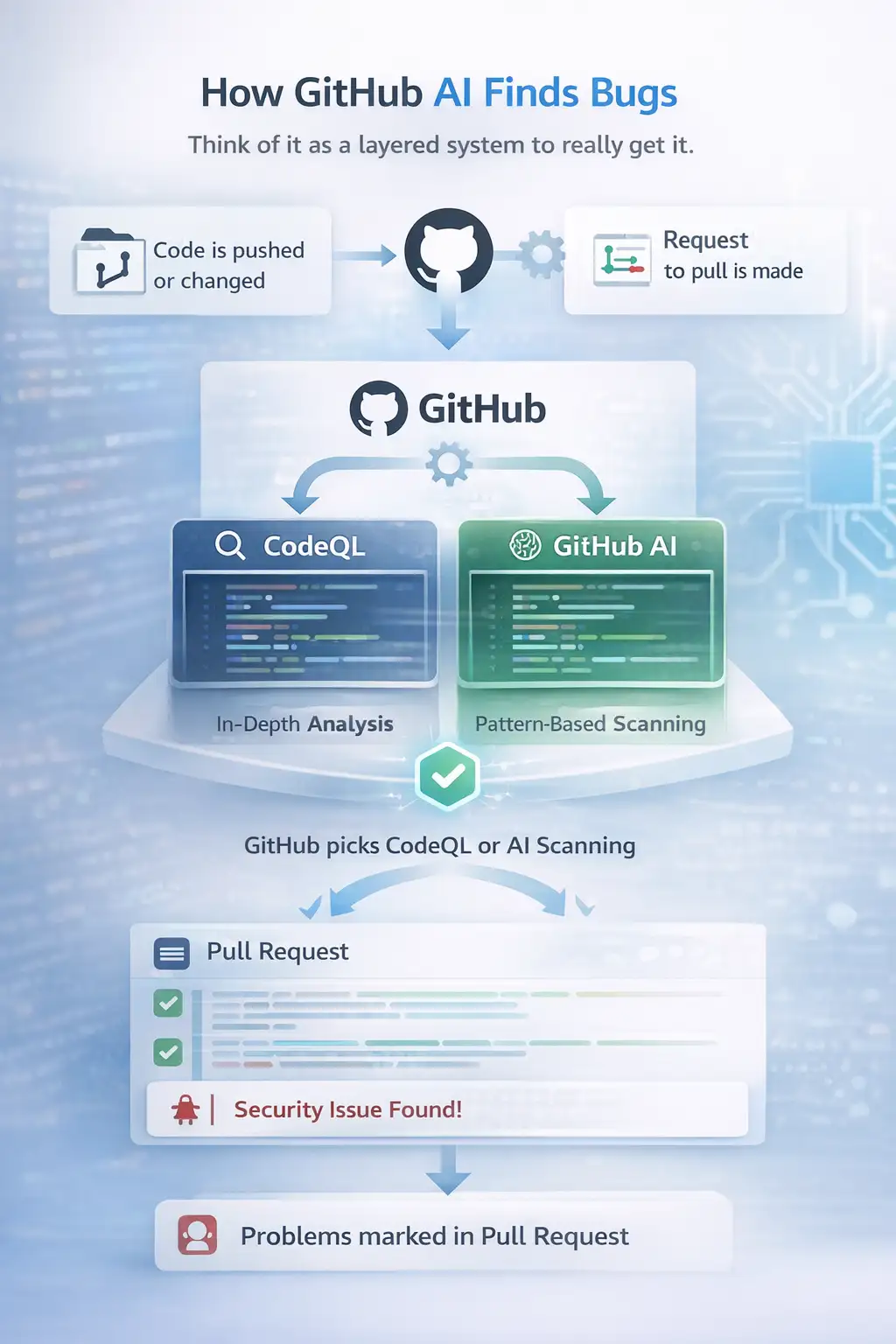
Think of it as a layered system to really get it.
At its core, GitHub still uses CodeQL for in-depth analysis. It looks at the structure of the code, the logic, and known patterns of vulnerabilities.
GitHub's AI-powered bug detection also adds pattern-based scanning. It sees code in a different way. Not just rules, but also behavior and similarities across big datasets.
This is how it usually works in a workflow:
- Code is pushed or changed in a repository
- A request to pull is made
- GitHub picks the right scanning method for you automatically
- Depending on the situation, either CodeQL or AI scanning runs
- Problems are marked right in the pull request
This is very important. Developers don't have to stop what they're doing. Everything takes place in the same place.
And when problems come up, they aren't vague warnings. They include things like using weak cryptography or making insecure queries.
Important Parts of GitHub Code Security AI
GitHub's tools for finding vulnerabilities now have both traditional and AI-powered features. They cover a bigger area when they are together.
Some of the main features are the following:
- Scanning code for known weaknesses
- Scanning dependencies to find libraries that aren't safe
- Scanning for secrets to find credentials that are open
- AI-based detection for a wider range of languages
- Suggestions from Copilot to fix problems
One interesting thing is how suggestions work. Copilot Autofix doesn't just point out problems. It suggests solutions right in the middle of the work.
And that has a measurable effect.
Results and Performance Data That Can Be Measured
GitHub's internal testing gives us some useful information.
The system looked at more than 170,000 findings over the course of about a month. That is a lot of work, and what stands out is how developers reacted.
About 80% of the feedback said that the problems that were brought up were real. That means the system isn't just sending out loud alerts. It is finding real problems.
There is also data about performance that is linked to remediation.
When people used Copilot Autofix, problems were fixed in about 0.66 hours on average. It took about 1.29 hours to fix without it.
At first glance, that difference might not seem very big. But when you get thousands of alerts, it adds up quickly.
Let's put this into action.
Imagine a group of people working on a cloud-based app before GitHub AI bug detection. They use tools that scan static files. These tools find known vulnerabilities and SQL injection risks. Good, but not all the way there.
Now think about a Terraform setup that has a small problem with its settings. It might not be clear to traditional tools.
GitHub's AI-powered bug detection system finds unusual configuration patterns after it has been set up. It brings up the problem during a pull request.
The warning shows up right away for the developer. There is a suggested fix. The problem is fixed before the merge. That little change makes the whole security situation different.
Who Will Be Affected by This Change
This update affects different groups in slightly different ways.
For developers, it means fewer places where they can't see. You get feedback sooner, often before the code goes live.
It lowers the risk for businesses, especially those that run big repositories. Instead of being a separate process, security is now part of the development cycle.
It changes the order of things for security teams. They can work on making policies and workflows better instead of chasing problems after deployment.
In short, GitHub AI bug detection moves security to the left. Earlier in the process. Closer to the person who made it.
Pros and Cons
There is no perfect system. It is best to look at this in a realistic way.
Advantages
- More languages and frameworks are covered
- Pull requests that are found earlier
- AI suggestions help you fix problems faster
- Better fit with current workflows
Limitations
- AI models might still give false positives
- The coverage is wider, but not full
- The quality of training affects some detections
- Not all advanced features are available in free tiers
It would be a mistake to think that AI can fix everything. It makes the system better, but it doesn't take the place of human judgment.
What Users Should Do Next
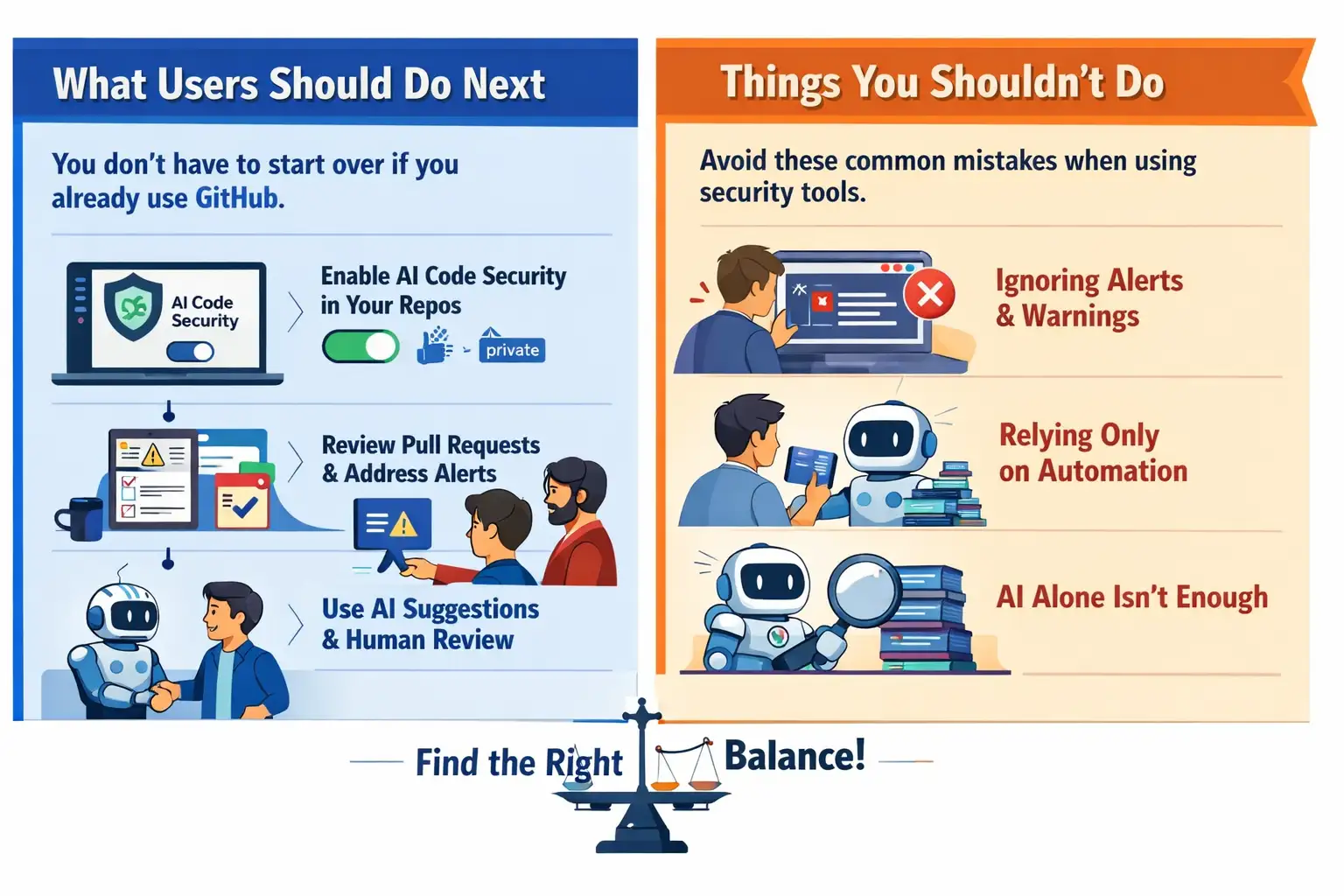
You don't have to start over if you already use GitHub.
To begin, turn on GitHub's AI code security features in your repositories. Some features are available for public repositories, but only to a certain extent. GitHub Advanced Security is usually how people get into private repositories.
Then pay attention to how the workflow fits together.
Check to see if pull request checks are turned on. Tell your team to take flagged problems seriously and not just ignore them.
And one more thing. Use both AI suggestions and human review. That balance usually leads to the best results.
Things You Shouldn't Do
When teams start using new security tools, they often make small but expensive mistakes.
Some people ignore alerts because they think AI is wrong. Some people only use automation and don't do manual checks.
A better way to do things is to be in the middle.
Don't use GitHub AI bug detection as a replacement. Use it as a support system. Use it to find problems early, and then check them out carefully.
Frequently Asked Questions
In simple terms, what is GitHub AI bug detection?
It is a system that uses AI and regular tools to find security problems in code written in a wider range of languages and frameworks.
Is it possible to get GitHub AI security for free?
Some features are only available for public repositories. Advanced security plans usually include full features for private projects.
How good is GitHub's AI-powered bug detection?
Internal testing shows that a lot of the results are correct, but like any system, it may still give some false positives.
Is this a replacement for CodeQL?
No. People still use CodeQL for in-depth analysis. AI adds more coverage, not replacement.
Conclusion
GitHub AI bug detection is more than just a new feature. It shows a bigger change in how security is handled during the development process.
You go from fixing things after they happen to finding them before they happen. From tools that work alone to workflows that work together.
It is not perfect. There are still some problems, and it's not clear how well it will work in the long term. But the path is clear.
Coding is now including security as part of the process.
In Short
The method uses both traditional analysis and AI to cover more languages and environments. The biggest benefit is that it finds weaknesses earlier and in more places right in the development process.
GitHub shows that it is very capable by easily adding these tools to repositories, which have led to measurable improvements in speed of detection and resolution.
Suggestions
- Turn on GitHub AI security features early in your process
- Look over AI suggestions, but make sure they are correct
- Use AI and static analysis at the same time
- Keep an eye on how long it takes to resolve issues over time
Now is a good time to check your
security setup if you are in charge of code at any level. To start, try adding GitHub
AI bug detection to a test repository. Watch how it acts. Taking small
steps now can stop bigger problems later.





