
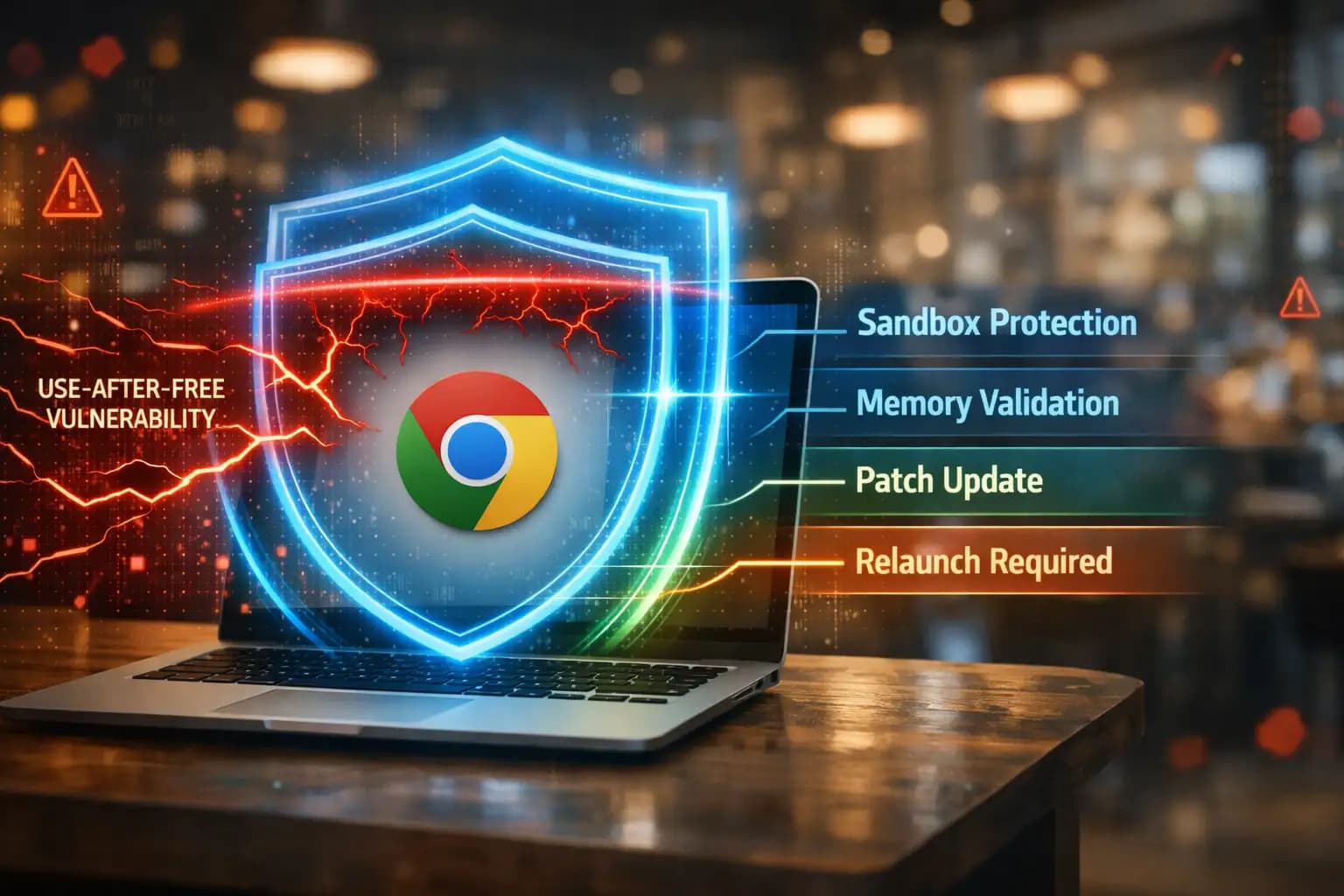
Why did Google suddenly push an emergency security patch for Chrome, and is it mandatory for every user to install it immediately?
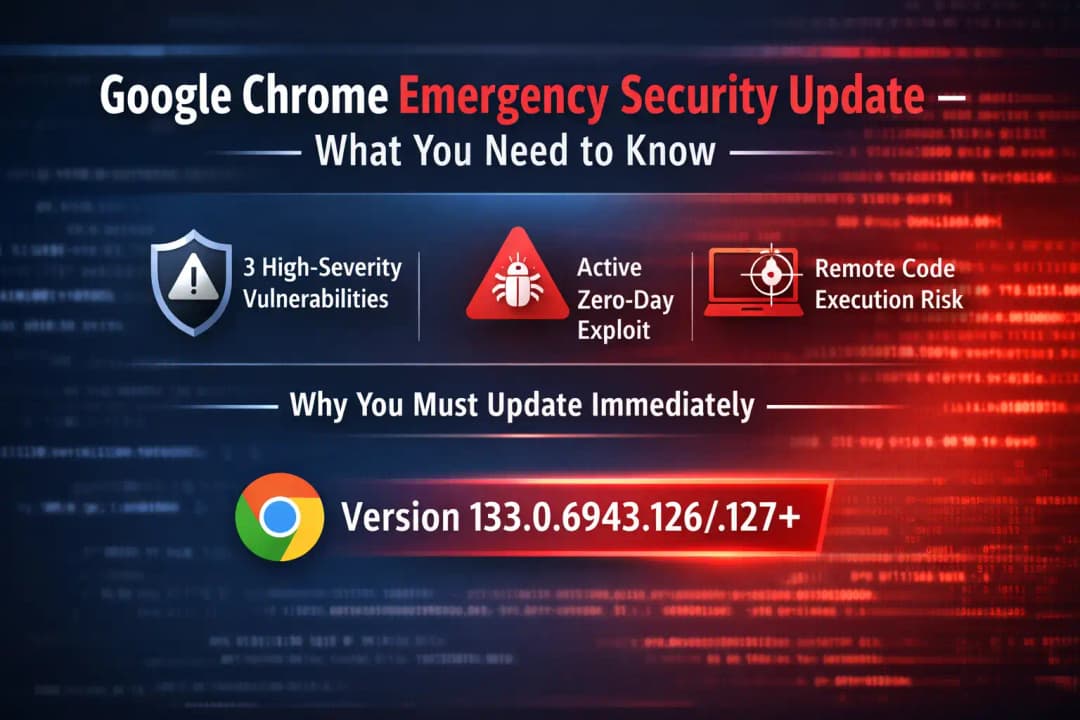
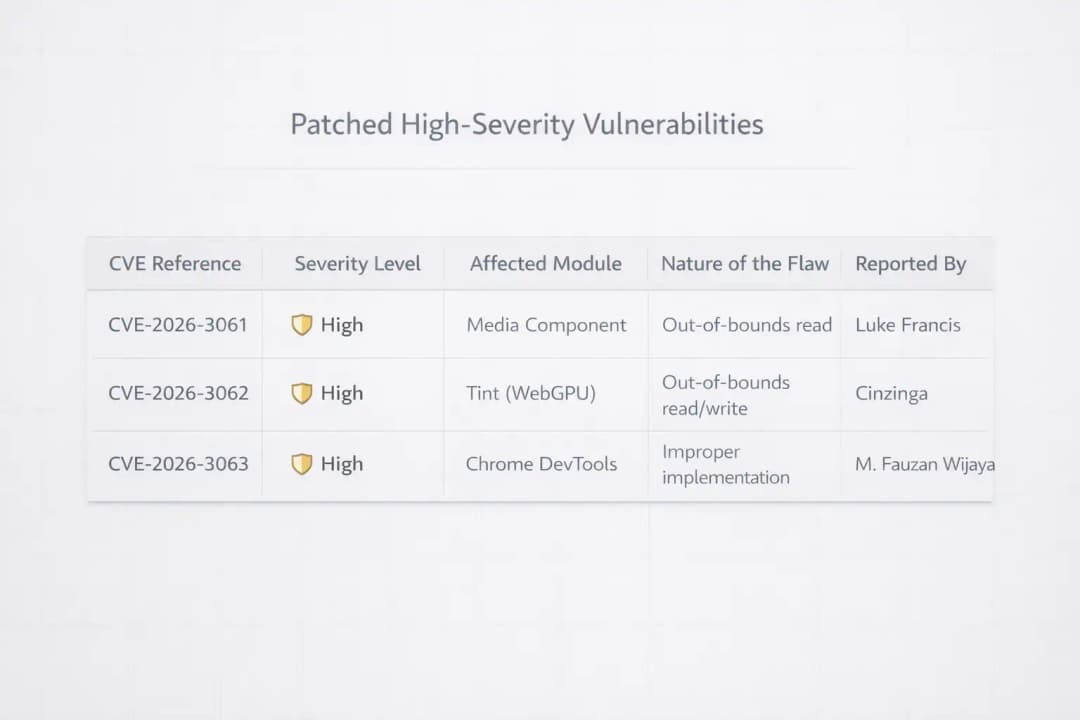
Google recently fast-tracked an emergency update because researchers discovered three high-severity vulnerabilities that bypass Chrome's internal defenses. Most importantly, one of these flaws is a "zero-day."
This means hackers were already using it to attack people before Google could fix it. Because these bugs allow for remote code execution (essentially giving a stranger control over your computer), The update is strongly recommended, especially due to the active zero-day exploit.
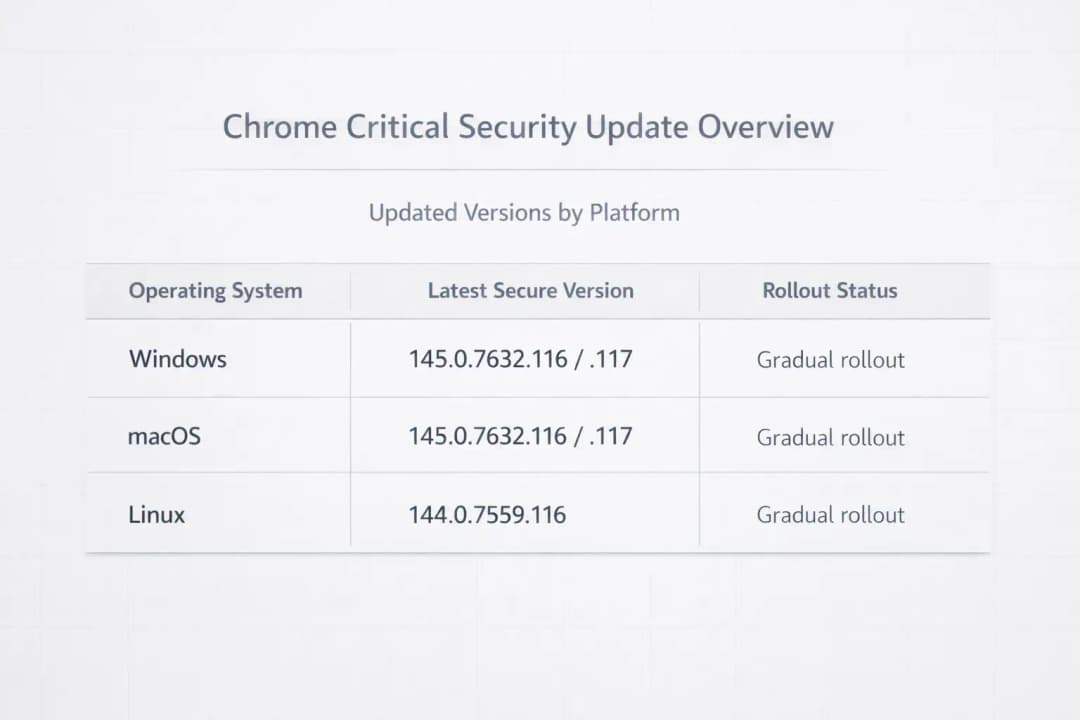
According to official security advisories, you must relaunch your browser to version 133.0.6943.126/.127 or higher to be safe.
The Wake-Up Call: Why Your Browser Is Asking for a Relaunch
Listen, I get it. We all have fifty tabs open. The last thing we want to do is click "Update" and wait for the browser to restart. But this week, the Google Chrome Emergency Security Update isn't just another routine tweak. It is a digital fire drill. Google does not use the word "emergency" lightly. They found three massive holes in the ship, and one of them is already leaking water.
The Transformation of Browsing Safety:
The Old Way: Waiting for the update bubble to turn red over several weeks. This assumed small patches did not matter.
The New Way: Understanding that "zero-day" means the threat is active right now. This requires updating within minutes of the alert.
The Result: Total peace of mind. You know your banking sessions and private passwords are not being mirrored to a server halfway across the world.
While traditional security advice often focuses on antivirus software, the modern reality is that your browser is your most vulnerable entry point. This is where Hoplon Infosec steps in. They advocate for a proactive patch-first culture. Instead of reacting after a breach, staying ahead of these Chrome updates is the single most effective thing you can do for your digital hygiene.
What Actually Broke? The Technical Deep Dive
When we talk about high-severity vulnerabilities, we are not talking about a glitch that changes your font color. We are talking about memory corruption. Specifically, the stars of this update are Use-After-Free (UAF) vulnerabilities.
Imagine your computer's memory is like a hotel. When a guest (a piece of data) checks out, the room (memory space) should be locked and cleaned. A UAF flaw is like the hotel failing to change the locks. A hacker can sneak into that freed room and start operating from within the hotel's infrastructure. In the context of Chrome, this allows an attacker to execute arbitrary code without your permission.
Why This Matters Right This Second
The reason this specific update made headlines is the zero-day factor. Most bugs are found by white hat hackers (the good guys) who tell Google privately. But in this case, the vulnerability was spotted being exploited in the wild. This means someone was already using this trick to steal data or install ransomware.
Google’s Vulnerability Reward Program is great, but it is a constant arms race. By the time a patch reaches your screen, the hackers have already had a head start. This is why the Google Chrome Emergency Security Update exists. It closes the gap before you become the next statistic in a data breach report.
How the Protection Layers Work
Detection and Reporting: Security researchers identify a way to make the browser crash or behave unexpectedly.
The Sandbox Tightening: Chrome uses a sandbox to keep websites away from your actual operating system. These bugs were designed to break that sandbox. The update adds new checks to the code to ensure memory is properly cleared.
The Final Handshake: When you click Relaunch, Chrome replaces the old files with new, hardened versions.
Validation: The browser verifies the integrity of the new patch to ensure no corruption occurred during the download.
A Real-World Scenario: The Coffee Shop Incident
Let's look at a hypothetical user named Sarah. She is a small business owner who does her accounting in Chrome while sitting at a local cafe.
Before the Update: Sarah visits a perfectly normal-looking website that has been compromised by a malicious ad. Because her Chrome version is outdated, the ad triggers a memory leak. Without her clicking anything, a keylogger is installed on her laptop. Her bank login is gone within an hour.
After the Update: Sarah has installed the Google Chrome Emergency Security Update. She visits the same compromised site. The malicious script tries to find that memory room to hide in, but the door is deadbolted. Chrome might flicker or show an error message, but her system remains untouched.
This is the power of a patch. It turns a catastrophic theft into a minor browser glitch. We emphasize that human error is the leading cause of breaches.Forgetting to update is the most common human error of all.
Who is in the crosshairs?
It is not just tech people who need to worry. If you use the internet, you are a target.
People who use it casually:
You might think you have nothing to hide. But identity thieves love your saved credit cards and social media logins.
In business settings, a single unpatched laptop can let a hacker move through the whole office network.
People who work from home: If you use your own laptop for work, one unpatched browser could put your whole company's database at risk.
Public Institutions: Schools and government offices are often the targets of attacks that start with software that isn't up to date.
Pros and Cons: Is There a Catch?
The benefits are obvious. You get security, stability, and a browser that follows the latest web standards. The downsides? Occasionally, a security patch might break a very old or poorly coded browser extension. You might also find that Chrome uses a tiny bit more CPU power as it runs more rigorous security checks. But in the grand scheme of things, a slightly slower extension is a small price to pay for not having your bank account emptied.
What You Need to Do Now
Do not just take my word for it. Check your status now:
1. Open Chrome and look at the top right corner.
2. If you see a colored bubble (green, orange, or red), it means an update is waiting. Click it.
3. If not, click the three dots, go to Help, and select About Google Chrome.
4. Chrome will automatically check for the Google Chrome Emergency Security Update.
5. You must click Relaunch for the fix to actually work.
FAQ: Questions You Might Be Too Afraid to Ask
1. Will I lose my open tabs if I relaunch? Chrome is actually pretty good at this. It will reopen your tabs exactly where you left off. However, it is always a good idea to save any work in progress just in case.
2. Can I just wait for the automatic update? Chrome does update automatically eventually. But it can take days or even weeks to roll out to everyone. With a zero-day threat, you do not have days. You have minutes.
3. Does this update affect my phone? Yes. While the use-after-free bugs are often targeted at desktops, the underlying engine is used in Android too. Check your Play Store or App Store for a Chrome update.
4. Is Chrome the only browser with these problems? No. Because Microsoft Edge, Brave, and Opera all use the Chromium engine, they usually have the same vulnerabilities. If you use those, check for updates there too.
5. How can I tell if someone already hacked me? Without professional tools, it's hard to tell. Check your Google account for any suspicious login activity and run a full system scan with your security software.
Why We Cannot Relax
The Google Chrome Emergency Security Update is a reminder that the internet is a living environment. It is not a static tool. It is a battlefield where the walls are constantly being tested. We can expect more AI-powered attacks in the future that find these bugs faster than people can. Our only defense is a combination of fast updates and a security-first mindset.
Hoplon Insight Box: We recommend that businesses disable the "Continue where you left off" feature for sensitive sessions. They should also enforce a 24-hour mandatory update policy across all employee devices. Security is only as strong as the oldest version of Chrome in your network.
Source: Verified through Google's Official Chrome Release Blog and CISA (Cybersecurity and Infrastructure Security Agency) alerts.
Is your browser leaving you exposed? Hackers move fast, but you can move faster. To track the latest vulnerabilities and see how Google is defending your data, check the official Chromium Dashboard. Do not wait for a red warning. Update your Chrome browser now to lock out intruders.
While others react to breaches, Hoplon Infosec prevents them by enforcing mandatory browser and software updates before attackers can exploit known vulnerabilities.
For business-grade protection and effective vulnerability management, adopt a proactive approach to securing your digital perimeter. Staying ahead of threats is essential.
Read more about the Chrome vulnerability update:
Chrome WebView Vulnerability Explained: CVE-2026-0628 Security Risk
Chrome vulnerabilities arbitrary code execution risks explained





