
-20260325112059.webp&w=3840&q=75)
Last Updated: September 3, 2026
Kali Linux 2026.1 was more than a routine tools release. Published on March 24, 2026, it added eight security tools to Kali's network repositories, moved the distribution to Linux kernel 6.18, introduced the annual visual refresh, added a BackTrack mode to kali-undercover, changed hundreds of packages, and delivered several Kali NetHunter improvements.
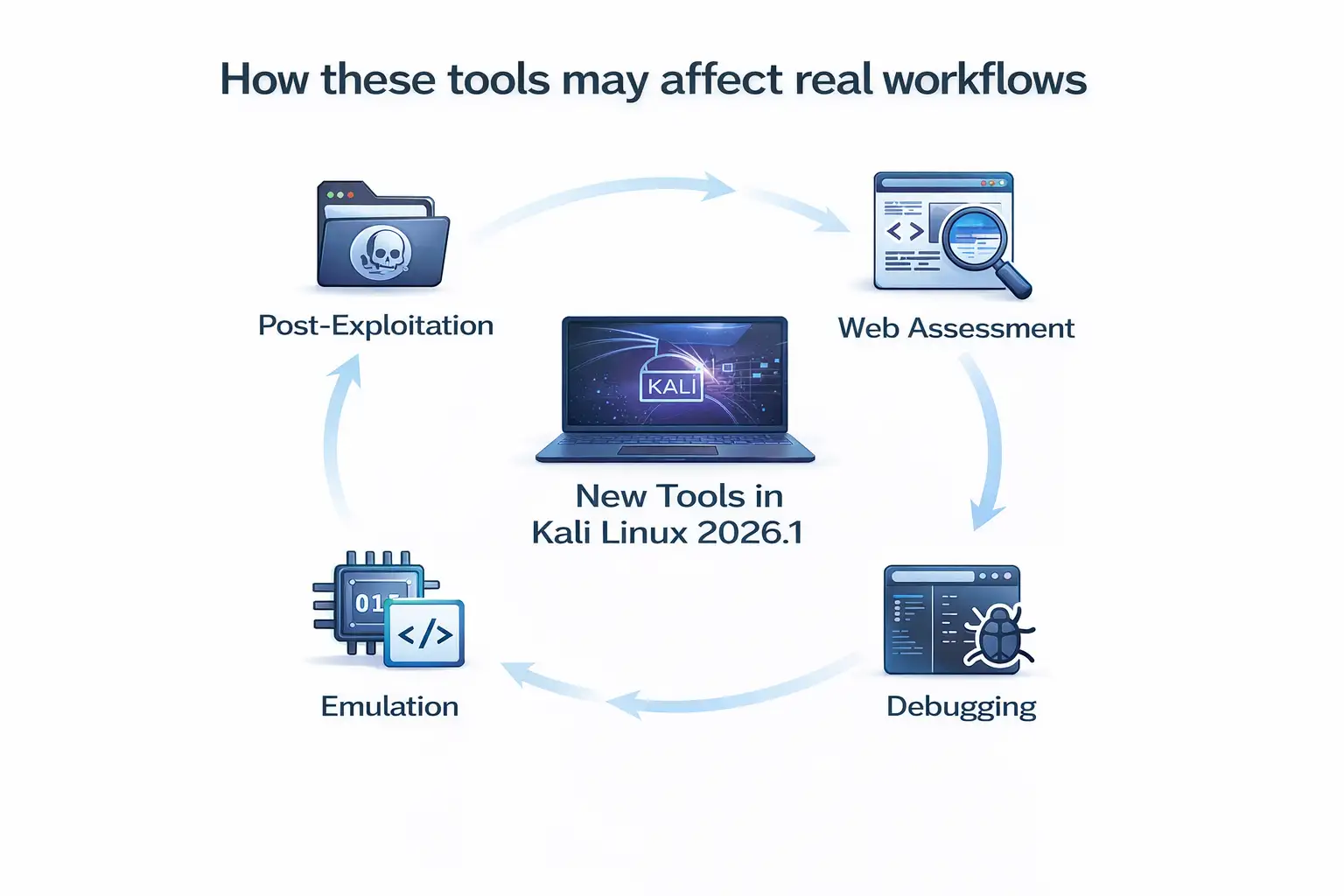
For penetration testers and security teams, the headline is the eight new tools. The more useful story is how widely those additions are spread: adversary emulation, detection testing, wireless assessment, debugging, AI-connected Metasploit workflows, server-side template injection testing, WordPress enumeration, and cross-site scripting detection.
There is also an important freshness point. Kali Linux 2026.1 is no longer the latest Kali point release. Kali's official release history lists Kali 2026.2, released June 29, 2026, with kernel 6.19. So this article explains what made 2026.1 important while also separating historical 2026.1 guidance from what a Kali user should do today.
Key Findings
|
Kali Linux 2026.1 change |
Confirmed detail |
|
Release date |
March 24, 2026 |
|
New tools |
8 |
|
New packages |
25 |
|
Removed packages |
9 |
|
Updated packages |
183 |
|
Linux kernel |
6.18 |
|
Major visual change |
Full 2026 theme refresh |
|
BackTrack feature |
BackTrack mode in kali-undercover |
|
Mobile testing |
Multiple NetHunter fixes and device updates |
|
Known issue |
Problems in the GNU Radio/SDR ecosystem |
The numbers above come from Kali's official 2026.1 release announcement.They make one point clear: this was not simply a release with eight extra utilities. Package maintenance, desktop changes, mobile testing work, and kernel updates happened at the same time.
For readers newer to the subject, it helps to first understand what penetration testing actually does. Kali is a testing platform; installing more tools does not automatically make an assessment complete or reliable.
The 8 New Kali Linux 2026.1 Tools
Kali Linux 2026.1 added these eight programs to its network repositories:
|
Tool |
Official purpose |
Where it fits |
|
AdaptixC2 |
Extensible post-exploitation and adversarial emulation framework |
Red teaming and adversary emulation |
|
Atomic-Operator |
Executes Atomic Red Team tests across multiple operating systems |
Security-control and detection validation |
|
Fluxion |
Security auditing and social-engineering research tool |
Wireless security testing |
|
GEF |
Modern GDB experience with advanced debugging capabilities |
Debugging, binary research and exploit analysis |
|
MetasploitMCP |
MCP server for Metasploit |
MCP-connected Metasploit workflows |
|
SSTImap |
Automatic SSTI detection with an interactive interface |
Web application testing |
|
WPProbe |
Fast WordPress plugin enumeration |
WordPress attack-surface discovery |
|
XSStrike |
Advanced XSS scanner |
Web application security testing |
One detail is easy to miss: Kali says these tools were added to the network repositories. That wording should not be interpreted as meaning every Kali installation or image automatically contains all eight tools. Kali installations vary depending on the selected image, packages, and metapackages.
For teams evaluating these additions, Hoplon's guide to web application penetration testing tools provides broader context on why individual scanners and testing utilities work best as part of a larger methodology.
AdaptixC2 Expands Adversary-Emulation Options
AdaptixC2 is described by Kali as an extensible post-exploitation and adversarial emulation framework.
Its place in Kali is relevant primarily to authorized red-team and adversary-simulation work. A tool in this category can help a security team reproduce selected attacker behaviors inside an approved scope and then observe how defenses respond.
That does not make the tool appropriate for unrestricted use. Command-and-control and post-exploitation frameworks should only be used against systems the tester owns or has explicit permission to assess.
For organizations deciding whether simulated exploitation is appropriate, the distinction between penetration testing and vulnerability assessment matters. Finding a weakness and proving what an attacker could do with it are different security activities.
Atomic-Operator Connects Offensive Testing With Detection Validation
Atomic-Operator executes Atomic Red Team tests across multiple operating-system environments.
That gives Kali another tool aimed at controlled adversary emulation rather than simple vulnerability discovery.
The practical value is in validation. A security team can reproduce approved test behaviors and then ask whether logging, endpoint controls, alerting, and response processes behaved as expected.
The presence of Atomic-Operator also shows that Kali 2026.1 was not focused only on finding web vulnerabilities. Part of the release supports testing how defensive controls respond to known attack behaviors.
Fluxion Adds Another Wireless Security Option
Fluxion is listed as a security auditing and social-engineering research tool.
Wireless testing has different requirements from normal web or server scanning. Hardware compatibility, wireless adapters, drivers, network configuration, physical proximity, and authorization can all affect an assessment.
This is why a wireless tool should not be viewed as a complete network test by itself. It is one part of a wider assessment process.
For more context on how reconnaissance, enumeration, validation, and exploitation fit together, see Hoplon's network penetration testing guide.
GEF Improves the GDB Debugging Workflow
GEF provides a modern experience for GDB with advanced debugging capabilities.
Its audience is different from users mainly interested in scanners. GEF is relevant to people working with binaries, crashes, program state, memory behavior, exploit research, and debugging.
That variety is important when evaluating the Kali Linux 2026.1 new tools. The eight additions do not belong to a single security category. Kali expanded several different technical workflows in one release.
MetasploitMCP Brings MCP Into the Metasploit Workflow
MetasploitMCP is officially described as an MCP server for Metasploit.
MCP stands for Model Context Protocol. In practical terms, an MCP server can expose tools or capabilities through a standardized interface that compatible clients can use.
The important point is not that AI suddenly performs a complete penetration test. Human authorization, scope control, technical validation, and judgment remain essential.
Hoplon's AI penetration testing guide explores the broader relationship between AI-assisted tooling and human-led security testing.
SSTImap, WPProbe, and XSStrike Strengthen Web Testing Coverage
Three of Kali 2026.1's eight additions are directly relevant to common web-security workflows.
SSTImap focuses on detecting server-side template injection, commonly shortened to SSTI.
WPProbe focuses on WordPress plugin enumeration.
XSStrike focuses on cross-site scripting, or XSS, scanning.
They solve different problems.
A WordPress enumeration result can reveal which plugins appear to be exposed, but that result still needs context such as versions, configuration, known weaknesses, reachability, and actual exploitability.
An XSS scanner can help discover potential injection paths, but it cannot replace testing for broken access control, authentication weaknesses, business-logic flaws, session problems, insecure APIs, or other application risks.
The same principle applies to SSTI detection. Automated identification is useful, but important findings should be validated before being reported as confirmed vulnerabilities.
A mature web application security testing process combines automated discovery with manual analysis and validation rather than relying on one scanner.
Why the Package Changes Matter
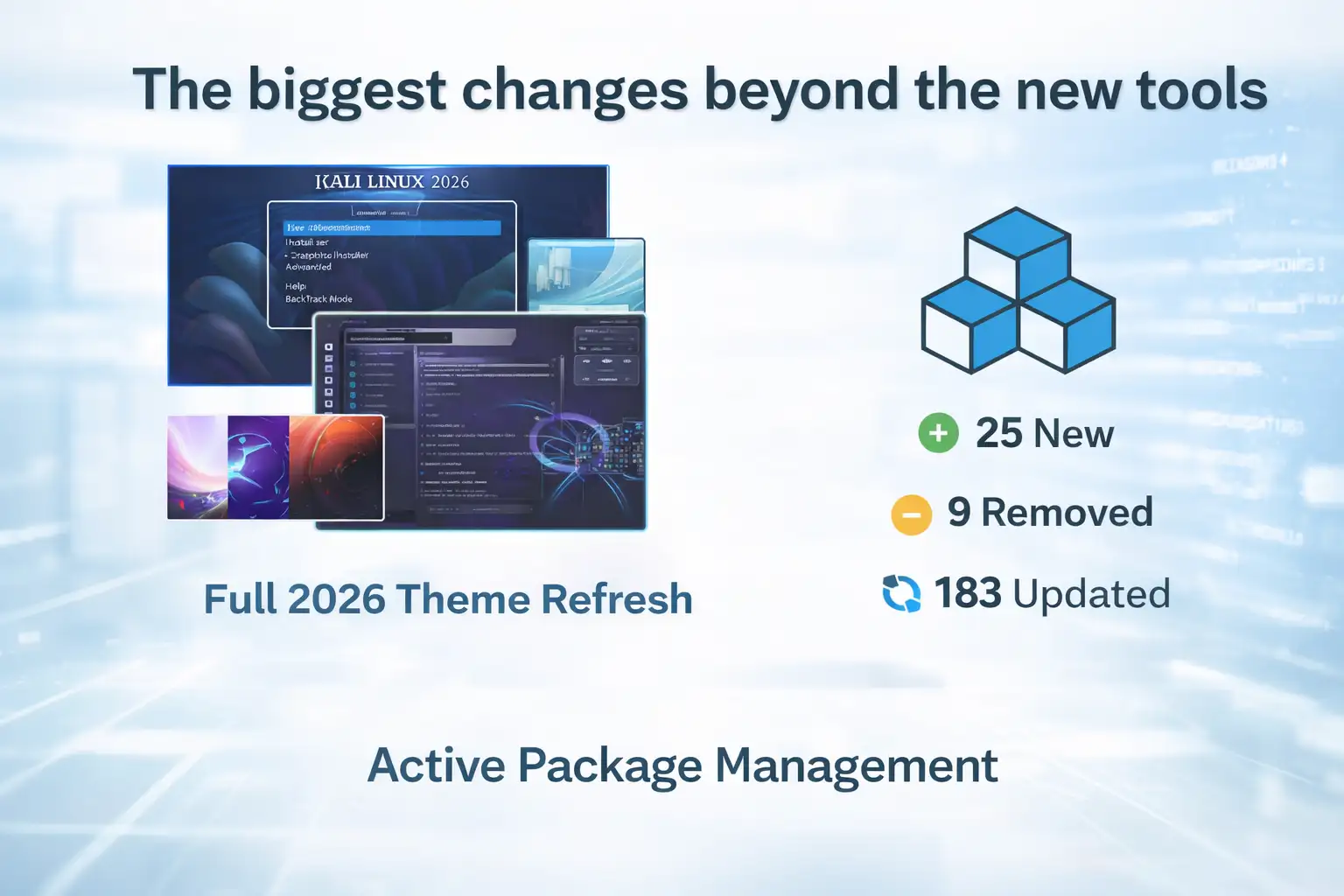
The release added 25 packages, removed 9, and updated 183, alongside the eight newly highlighted tools.
Those numbers do not prove that Kali became a specific percentage faster, safer, or more productive. Kali did not publish performance benchmarks supporting claims like that.
What the numbers do show is maintenance activity across the distribution.
That matters in a rolling security platform because individual tools are only one layer of the environment. Packages, libraries, kernel versions, dependencies, hardware support, and desktop components all affect how the platform behaves.
Security teams should also separate tool availability from vulnerability management. A scanner may identify an issue, but an organization still needs a process to validate, prioritize, remediate, and retest it. Hoplon's vulnerability management overview explains that broader lifecycle.
Kernel 6.18 Was Part of the Platform Update
Kali Linux 2026.1 moved to Linux kernel 6.18.
This is another reason the release should not be reduced to a list of eight tools. The operating-system layer changed as well.
Kali's current release history shows the progression clearly:
|
Release |
Date |
Kernel |
|
Kali 2026.1 |
March 24, 2026 |
6.18 |
|
Kali 2026.2 |
June 29, 2026 |
6.19 |
As of September 3, 2026, 2026.2 is the newest point release listed on Kali's official release-history page.
That distinction matters if you land on an older March 2026 article that still describes 2026.1 as the latest release.
The 2026 Theme Refresh Changed More Than the Wallpaper
Kali's annual theme update touched the boot menu, graphical installer, login display, desktop environment, Kali Purple desktop, and wallpapers.
The live-image boot animation also received a small functional improvement. Kali said the animation previously became stuck near the beginning on live images. In 2026.1, it plays correctly and loops again when booting takes longer.
A visual refresh does not improve penetration-testing accuracy by itself. Still, interface consistency and clear system feedback can reduce unnecessary friction in labs, demonstrations, training environments, and portable testing setups.
BackTrack Mode Recreates a Piece of Kali History
Kali 2026.1 introduced a BackTrack mode inside kali-undercover to mark the 20th anniversary of BackTrack Linux, which Kali describes as its predecessor.
The mode recreates the appearance of BackTrack 5 with its wallpaper, colors, and window themes.
It can be enabled with:
kali-undercover --backtrack
Running the mode again returns the desktop to the normal Kali appearance.
The distinction is important: BackTrack mode is primarily a visual feature. It does not turn modern Kali into an old BackTrack installation or provide a separate security-testing engine.
For long-time security practitioners, it is a deliberate historical reference. For newer users, it also highlights how today's Kali platform evolved from an earlier generation of security-focused Linux distributions.
NetHunter Was One of the Most Important Technical Areas
The Kali NetHunter changes received less attention than the eight new tools, but they are significant for users who perform mobile and wireless security testing.
Kali reported fixes for:
- a WPS scanning bug
- HID permission checking
- the application's back-button behavior
The Redmi Note 8 also received a new kernel for Android 16.
For the Samsung S10 series, a libnexmonkali patch fixed the use of internal wireless firmware from the Kali chroot. Kali specifically said this allowed Reaver, Bully, and Kismet to work in that setup.
The release also marked progress on wireless injection for QCACLD-3.0. Kali described the first working injection patch as having landed and said it could potentially make it possible to port the patch to more phones using Qualcomm chipsets.
The word potentially matters. The announcement did not say every Qualcomm-based Android phone immediately gained packet-injection support.
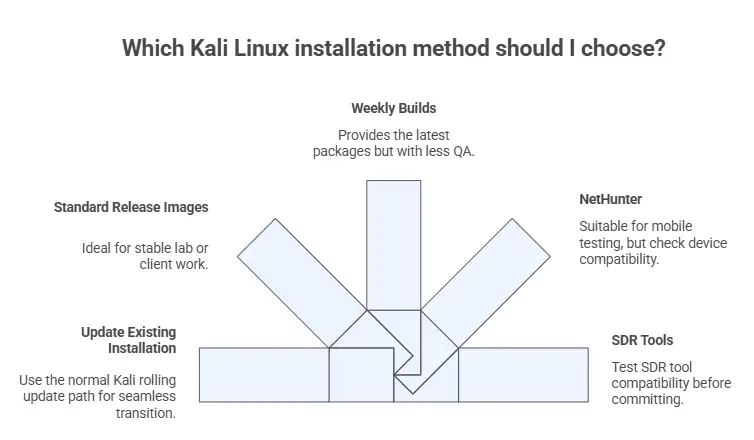
Teams performing mobile, wireless, server, and network assessments should therefore validate support for the actual hardware they intend to use rather than assuming a platform-wide capability.
That same principle applies to wider infrastructure penetration testing: tools are useful only when they are matched to the target environment and a defined testing scope.
Kali 2026.1 Had a Known SDR Problem
One limitation deserves to remain prominent.
Kali said the GNU Radio ecosystem was in poor shape in 2026.1 for users of the kali-tools-sdr metapackage. It specifically identified gr-air-modes and gqrx-sdr as known broken tools and warned that other related utilities could also be affected.
That is especially relevant for anyone using Kali for software-defined radio work.
A release can introduce useful improvements and still contain regressions. Security professionals should therefore test the parts of the platform they actually depend on instead of assuming that a newer snapshot is automatically better for every workflow.
Which Kali Linux 2026.1 Tools Matter to Your Team?
The answer depends on what you test.
Web application and WordPress teams
The most directly relevant additions are:
- SSTImap
- WPProbe
- XSStrike
These tools cover useful discovery areas, but they should sit alongside authentication testing, access-control review, session testing, API analysis, manual validation, and business-logic testing.
Red teams and adversary-emulation teams
The main additions to review are:
- AdaptixC2
- Atomic-Operator
- MetasploitMCP
These tools serve different roles, so choosing one should start with the test objective rather than the tool name.
Wireless and mobile testers
Pay attention to:
- Fluxion
- NetHunter fixes
- Redmi Note 8 Android 16 kernel work
- Samsung S10 wireless changes
- QCACLD-3.0 injection progress
Hardware and driver support can be decisive in this area.
Exploit researchers and low-level analysts
GEF is the standout addition for people whose workflow depends on GDB and detailed program debugging.
Scanner Results Still Need Validation
One of the easiest mistakes with a tool-heavy distribution is equating more scanners with more security.
They are not the same thing.
A security tool can identify a possible weakness. A professional assessment still needs to determine whether the result is accurate, reachable, exploitable, relevant to the tested environment, and important enough to prioritize.
This is why penetration testing and vulnerability assessment should not be treated as interchangeable processes.
False positives, incomplete context, access restrictions, business logic, chained weaknesses, and defensive controls can all change the real-world meaning of a tool's output.
Should Security Teams Adopt the New Tools Immediately?
Not automatically.
A better approach is to evaluate each tool against an actual use case.
Practical adoption checklist
1. Confirm authorization
Use offensive-security tools only inside environments you own or are explicitly authorized to test.
2. Define the objective
Do not install a tool simply because it appeared in a Kali release. Decide what problem it is expected to solve.
3. Check your installed environment
A package being available in Kali's network repositories does not prove it is already installed on your machine.
4. Test before an engagement
Confirm that required tools, dependencies, network adapters, drivers, kernels, and workflows behave correctly in a controlled environment.
5. Record the environment
For repeatable testing, document important package versions and system details.
6. Validate important findings
Do not send a scanner result directly to a client or development team without checking whether the issue is genuine.
7. Plan remediation
Discovery is only the first step. Decide who owns the fix, how risk will be prioritized, and whether retesting is required.
8. Avoid unnecessary changes during active testing
Current Kali documentation specifically recommends making sure tools work before an engagement and avoiding updates during the engagement because rolling-release changes can occasionally break required tools.
How Updating Kali Works Now
This section needs current context because Kali's update guidance has changed since the original 2026.1 release article was published.
Kali is a rolling distribution. Current official documentation says the normal update process upgrades a rolling installation toward the latest available Kali version, not specifically back to 2026.1.
For a current default rolling installation, Kali documents:
sudo apt update
followed by:
sudo apt full-upgrade -y
Current Kali documentation also uses /etc/apt/sources.list.d/kali.sources for the repository configuration.
That means an old tutorial saying “run these commands to move to Kali 2026.1” should be interpreted historically. Running today's normal rolling update process is intended to bring a supported rolling system toward the current package state.
Kali also recommends checking for updates periodically, but testing required tools before an engagement and avoiding unnecessary system upgrades while an active engagement is underway.
Standard Release Images vs Weekly Builds
Kali 2026.1 was available through the normal release-image options, while Kali also continued providing weekly builds.
The difference matters.
Standard release images go through Kali's release process. Weekly builds are automated and are intended for users who want newer packages or fixes before the next normal release image.
Kali explicitly noted that weekly images do not receive the same QA process as standard release images.
For a professional lab or client environment, the safest choice depends on what matters more:
- a standard point-release image with its release QA
- or newer packages from a weekly build
Neither choice eliminates the need to test the environment before relying on it.
A Practical Before-and-After Scenario
Consider a small security team that handles web applications, WordPress deployments, adversary simulation, debugging, and occasional mobile testing.
Before Kali 2026.1, the team might already have used tools for those purposes, but some utilities could have required separate installation or maintenance outside the team's normal Kali package workflow.
With 2026.1, eight additional programs became available through Kali's network repositories across several of those categories.
The practical benefit is not a guaranteed percentage of time saved. Kali published no benchmark proving one.
The useful change is coverage and availability. Security teams gained more options inside the Kali ecosystem for:
- adversary emulation
- detection validation
- wireless assessment
- binary debugging
- MCP-connected Metasploit workflows
- SSTI detection
- WordPress enumeration
- XSS scanning
Whether that reduces work depends on the team's existing stack, methodology, and environment.
Kali 2026.1 vs the Current Kali Release
As of September 3, 2026:
Kali 2026.1
- Released March 24, 2026
- Kernel 6.18
- Added 8 tools
- Introduced BackTrack mode
- Delivered the 2026 theme refresh
- Included major NetHunter work
Kali 2026.2
- Released June 29, 2026
- Kernel 6.19
- Is the newest release currently listed in Kali's official release history
This does not make a 2026.1 article irrelevant.
People still search for release-specific tool lists, historical changes, NetHunter additions, BackTrack mode, known issues, and compatibility details. The important editorial difference is simply that 2026.1 should no longer be described as the latest Kali release.
FAQ
When was Kali Linux 2026.1 released?
Kali Linux 2026.1 was officially released on March 24, 2026.
How many new tools were added in Kali Linux 2026.1?
Kali added eight tools to its network repositories: AdaptixC2, Atomic-Operator, Fluxion, GEF, MetasploitMCP, SSTImap, WPProbe, and XSStrike.
What kernel does Kali Linux 2026.1 use?
The 2026.1 release moved Kali to Linux kernel 6.18.
Is Kali Linux 2026.1 still the latest release?
No. As of September 3, 2026, Kali's official release history lists Kali 2026.2, released June 29, 2026, as the newest point release.
What is Kali BackTrack mode?
BackTrack mode is a feature in kali-undercover that recreates the appearance of BackTrack 5 using its wallpaper, colors, and window themes.
It can be toggled using:
kali-undercover --backtrack
Were there known problems in Kali Linux 2026.1?
Yes. Kali reported problems with the GNU Radio ecosystem affecting the kali-tools-sdr metapackage and specifically identified gr-air-modes and gqrx-sdr as broken in the 2026.1 release.
Are the eight new tools automatically installed?
The official announcement says the tools were added to Kali's network repositories. That does not mean every Kali image or installation necessarily has all eight installed. Check the packages present on the system you actually use.
Should I update a Kali machine immediately before a penetration test?
Kali's current guidance recommends ensuring required tools work before an engagement and avoiding updates during the engagement because changes in a rolling distribution can occasionally break a required tool.
Does updating Kali today take me to version 2026.1?
Not on a normal current rolling installation. Kali's current update documentation says the standard rolling update process upgrades the system toward the latest Kali version.
What Kali Linux 2026.1 Really Changed
The Kali Linux 2026.1 new tools were the obvious headline, but they were not the whole release.
Kali added eight programs covering adversary emulation, security-control testing, wireless auditing, debugging, MCP-connected Metasploit workflows, SSTI detection, WordPress enumeration, and XSS scanning.
At the same time, Kali:
- moved to kernel 6.18
- added 25 packages
- removed 9 packages
- updated 183 packages
- refreshed the 2026 interface
- improved the live-image boot animation
- introduced BackTrack mode
- fixed several NetHunter problems
- expanded mobile and wireless hardware work
- documented a real SDR limitation
That combination is why 2026.1 mattered.
The release did not make professional security assessment automatic. Tools still need authorization, correct configuration, validation, and expert interpretation.
For businesses, the more important question is not “How many Kali tools do we have?” It is whether the organization's systems are being tested against realistic risks, whether findings are verified, and whether weaknesses are actually fixed.
When deeper validation is needed across networks, servers, and other infrastructure, a structured penetration-testing engagement can connect individual tool findings to a broader assessment of real exposure.





-20260925120840.webp&w=3840&q=75)