

Are macOS security threats now a serious SOC problem?
Yes. Apple’s own security documentation shows macOS relies on layered defenses such as Gatekeeper, Notarization, and XProtect, which means protection is built in, but not absolute. At the same time, Microsoft has documented Mac-focused infostealer campaigns that use fake installers, social engineering, AppleScript, and native tools to steal credentials and sensitive data. In plain English, Macs are no longer a side issue for security teams. They are part of the main battlefield now.
A lot of teams still work the old way. A suspicious file arrives, an alert fires, then analysts jump across separate tools, separate VMs, and separate assumptions depending on the operating system. That model creates friction. The newer approach is much simpler and much more practical: investigate suspicious files and URLs early, inside a controlled environment, and collect behavioral evidence before the case turns into a broader incident. The result is faster triage, better confidence, and fewer blind spots around macOS security threats.
That is the real transformation
here.
Old way: fragmented investigation and delayed validation.
New way: early, interactive, cross-platform analysis.
Result: faster decisions, stronger containment, and less exposure to credential
theft, data loss, and business disruption.
Why macOS security threats matter more in business environments
macOS security threats matter more because Macs are widely used by engineering, product, and leadership teams, the exact users who often hold privileged access, source code access, cloud credentials, and sensitive business information. A compromise on one of these devices can quickly become a wider business problem.
Mac adoption in the enterprise has grown, and Jamf says Mac devices now make up 27% of all devices in the enterprise in its adoption research. That changes the risk picture. A platform that holds a bigger share of work devices naturally becomes more attractive to attackers, especially when those devices belong to people with access to code repositories, internal dashboards, finance tools, and cloud consoles.
This is where many articles stop too early. They say “Macs are being targeted more” and move on. But the more important point is operational, not just statistical. When one high-access Mac is compromised, the fallout can extend beyond that single endpoint. Stolen browser sessions, Keychain secrets, SSH keys, cloud tokens, and business app credentials can open doors to lateral movement, internal data access, and follow-on attacks. Microsoft’s recent research on infostealers targeting macOS makes that risk very clear.
Why many SOC teams still have a macOS blind spot
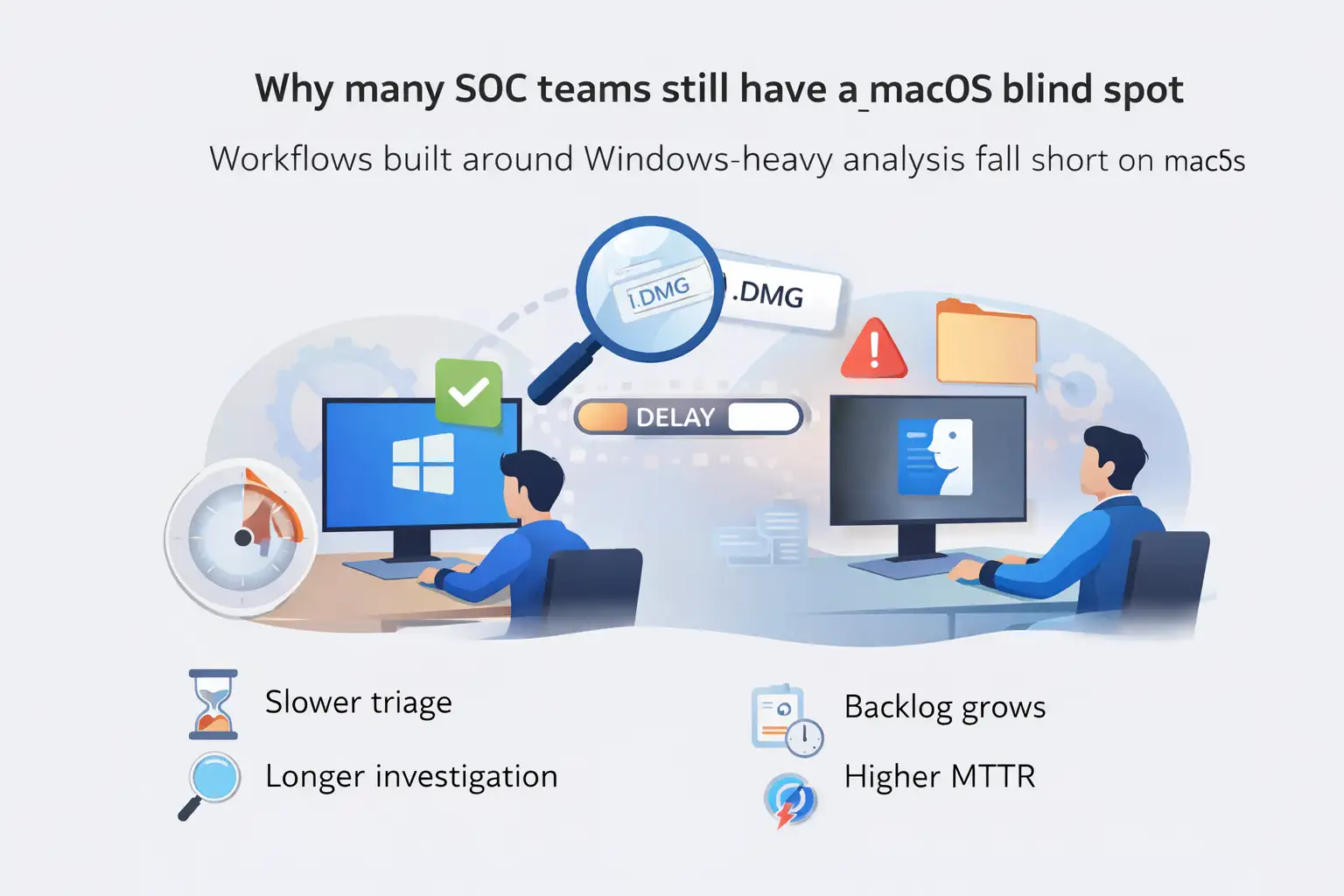
many SOC teams still have a macOS blind spot because their workflows were built around Windows-heavy analysis, not around cross-platform behavior. That creates slower validation, more manual effort, and less confidence when suspicious Mac files or URLs appear in the queue.
On paper, a SOC may say it covers all endpoints. In practice, coverage is often uneven. The alert comes in, but validating what actually happened on macOS may take longer. Analysts may need different environments, different tools, or extra manual checks before they can say whether the activity is harmless, suspicious, or malicious. That delay is not just annoying. It directly affects response speed.
The operational cost shows up in familiar ways:
- slower alert triage
- longer investigation cycles
- more alert backlog
- higher MTTR
- more friction for Tier 1 teams
- greater chance of late or missed detections
And there is a second problem. A lot of Mac attacks are designed to look normal at first glance. Fake authentication prompts, unsigned DMGs, terminal copy-paste tricks, AppleScript activity, and native utility abuse do not always look dramatic. They look routine. That is exactly why they slip through shallow workflows.
What macOS security threats look like now
current macOS security threats often center on credential theft, social engineering, fake software, malicious DMG installers, AppleScript abuse, and data exfiltration using native tools. The pattern is less about loud malware and more about believable behavior that tricks users and blends into normal workflows.
Microsoft has documented macOS-targeted infostealer campaigns using ClickFix-style prompts, deceptive websites, and malicious DMG installers to deploy threats such as DigitStealer, MacSync, and Atomic macOS Stealer.
Those campaigns focus on browser credentials, saved passwords, cryptocurrency data, cloud access, and developer secrets. The delivery methods matter because they show attackers are not relying on one path. They are mixing social engineering with trusted platforms, fake apps, and native execution chains.
That makes the issue broader than “Mac malware.” It is really about business access. If an attacker gets browser sessions, Keychain content, developer credentials, or cloud tokens, they may not need noisy persistence or ransomware at the first step. Quiet access can be enough. In some environments, that is the more dangerous outcome because it gives the attacker time.
Apple’s built-in protections still matter here. Apple says macOS malware defenses are structured in three layers: preventing execution, blocking known malware, and remediating malware that has executed. That is an important baseline, and it should not be dismissed. But built-in controls do not remove the need for strong SOC workflows, because attackers keep adapting delivery methods and user-interaction tricks around them.
Why traditional investigation methods fall short
Traditional methods are often too static for modern macOS security threats. An automated detonation may not trigger the malicious path if the sample waits for a password prompt, a click, or a fake system dialog response. That means the analyst sees only part of the story, then has to guess the rest. That is bad security work, honestly. It is slow, and it creates false confidence.
There is also the platform-silo problem. One tool for Windows, another for Android, another for Mac. Every handoff adds time, and every environment switch adds mental overhead. Security teams do not usually lose because they lack effort. They lose because their workflow asks for too much effort in the wrong place.
A stronger approach compares like this:
- Traditional path: fragmented tooling, partial evidence, slower escalation decisions
- Cross-platform interactive path: one workflow, direct behavioral evidence, clearer escalation logic
- Business effect: lower analyst strain, faster case closure, better protection for high-value users and systems
That is the real USP here. It is not “more features.” It is less uncertainty during the part of the process where uncertainty is most expensive.
How early interactive analysis changes the game
early interactive analysis helps security teams see what a suspicious file or URL actually does on macOS, especially when the threat needs user interaction to reveal itself. That shortens triage time and gives analysts stronger evidence for response decisions.
ANY.RUN says its macOS-capable sandbox is designed to let teams investigate suspicious files and URLs in the same workflow they already use for Windows, Linux, and Android. The practical value is simple. Analysts can observe behavior instead of relying only on static indicators or incomplete telemetry. That matters a lot when the threat hides behind fake dialogs, staged execution, or delayed exfiltration.
A practical example makes this easier to picture. ANY.RUN’s published Miolab Stealer analysis shows a macOS sample that first displays a fake authentication prompt, validates the entered password through dscl -authonly, then gathers system information with system_profiler, uses AppleScript to collect files from user folders, compresses the data with ditto, and sends it out with curl through an HTTP POST request. That is a full business-risk chain, not just a malware label.
And that is exactly why early analysis matters. It turns a vague alert into observable intent.
How it works in a modern SOC workflow
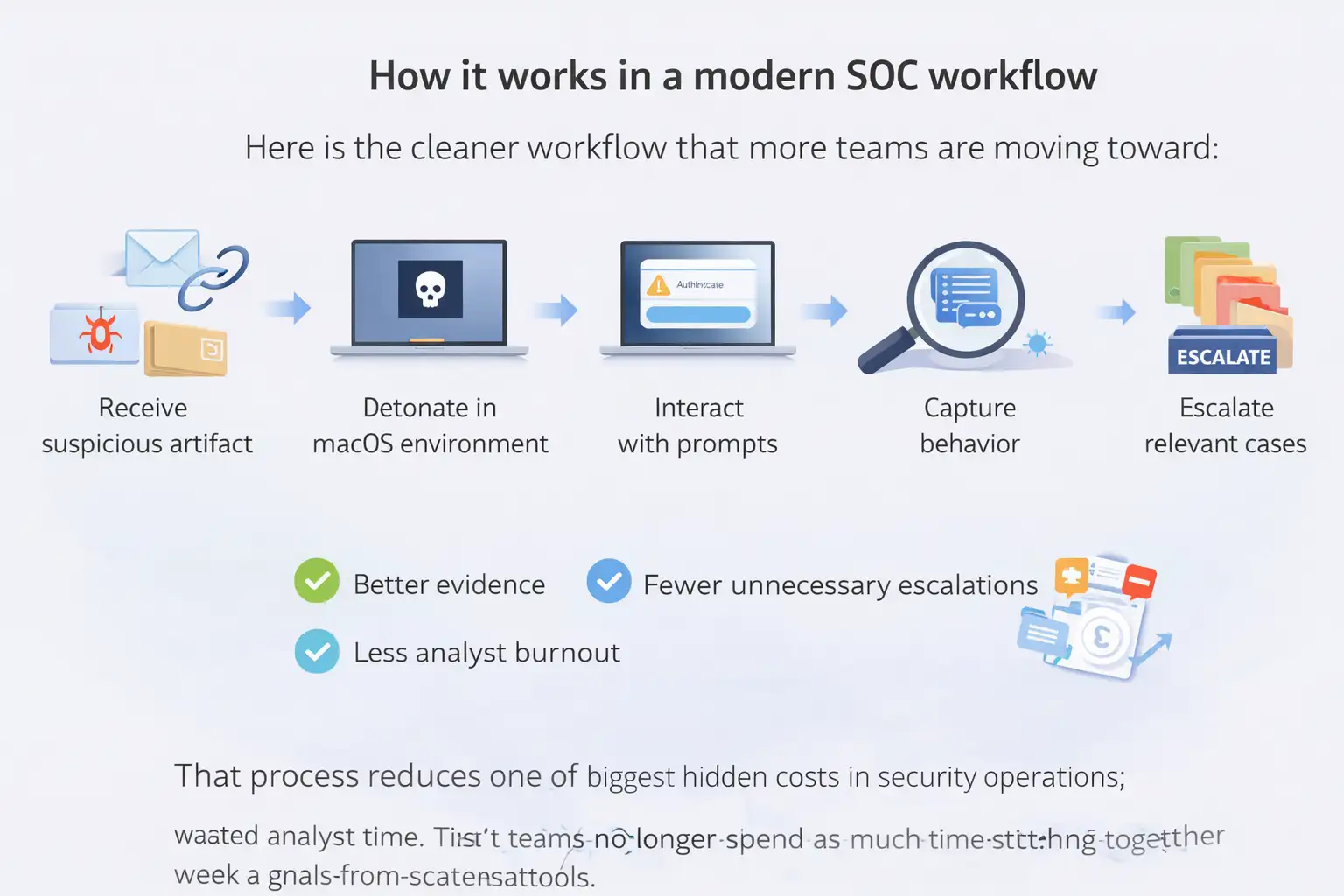
Here is the cleaner workflow that more teams are moving toward:
- receive a suspicious file, link, or email-derived artifact
- detonate it in a controlled macOS-capable environment
- interact with prompts and execution paths if needed
- capture process, script, file, and network behavior
- extract indicators and escalation context
- hand off only the cases that really need deeper review
That process reduces one of the biggest hidden costs in security operations: wasted analyst time. Tier 1 teams no longer spend as much time stitching together weak signals from scattered tools. Tier 2 teams receive cleaner evidence. Incident response starts from a stronger factual base.
There is a nice side effect too. Better evidence often means fewer unnecessary escalations. And fewer unnecessary escalations mean less burnout. That is not a soft HR point. It is a performance issue inside busy SOC environments.
Before this style of workflow, a suspicious DMG or URL involving macOS might bounce between teams. Tier 1 sees a weak signal. A senior analyst spins up a separate test environment. The team waits. Meanwhile, the user may already have entered a password into a fake prompt or launched the second-stage payload. That is the expensive version of the story.
After early interactive analysis is in place, the path changes. The suspicious item is detonated quickly. The analyst sees the fake dialog, watches the file collection logic, observes outbound traffic, and documents the behavior. Now the SOC is working with evidence, not guesswork. That leads to faster containment steps such as blocking infrastructure, isolating the device, resetting credentials, and reviewing related access paths.
Vendor-reported results around this workflow are notable, though they should be read as vendor claims rather than neutral industry benchmarks. Reported outcomes include a 3x efficiency boost, 94% of users reporting faster phishing and malware triage, a 21-minute average MTTR reduction, a 50%+ reduction in malware investigation and IOC extraction time, and Tier 1 closure rates rising from about 20% to around 70% in some environments.
Who is most affected by macOS security threats
Not every Mac user carries the same business risk. Some groups are simply more exposed.
Business leaders and executives
These users often hold privileged access, sensitive communications, and
strategic documents. A compromise here can lead to reputational damage and
high-value fraud scenarios.
Engineering and developer teams
Developer environments may contain SSH keys, cloud credentials, Kubernetes
configs, and source code access. Microsoft specifically warns defenders to
watch for access to those artifacts.
Finance and operations teams
Browser sessions, saved credentials, and app tokens can open paths into
internal finance tools, procurement systems, and business communications. That
can quickly turn into account takeover or payment fraud exposure.
SOC and MSSP teams themselves
When workflows are fragmented, the strain lands on analysts first. Slower
triage and ambiguous evidence increase operational pressure and make the whole
response chain weaker.
Benefits and limitations of the newer approach
The benefits are fairly clear.
- faster validation of suspicious files and URLs
- better visibility into real behavior on macOS
- stronger cross-platform consistency
- less manual work during triage
- fewer avoidable escalations
- better support for protecting high-value systems and users
There are limits too, and pretending otherwise does not help anyone. A sandbox does not replace endpoint hardening, patch management, user education, or identity controls. It also does not eliminate the need for good telemetry and disciplined incident response. It improves one critical stage of the process, early evidence collection, but it is still one part of a broader defense model. Apple’s own guidance makes that layered-security point clear.
What security teams should do now
First, stop treating macOS as a special-case endpoint that gets handled later. If Macs are part of your business environment, they should be part of your primary investigation workflow.
Second, focus on the behavior patterns that keep appearing in documented campaigns:
- fake authentication dialogs
- unsigned or suspicious DMG installers
- AppleScript and osascript abuse
- suspicious use of curl, Base64 decoding, and archive creation
- access to Keychain, browser stores, cloud tokens, and developer secrets
- outbound POST requests to suspicious or newly registered domains
Third, keep patching discipline tight. Apple publishes security releases and background security improvements for macOS, and CISA continues to maintain a Known Exploited Vulnerabilities catalog because active exploitation remains a recurring reality in modern environments.
Finally, give analysts one place to investigate across operating systems where possible. It sounds almost too obvious, but this is often the missing operational fix behind better outcomes.
Insight box: practical recommendations
Use this as a quick operating checklist:
- put macOS into the same triage priority model as Windows
- review detections for fake dialogs, AppleScript, curl, ditto, and archive staging
- monitor access to browser stores, Keychain, SSH keys, and cloud credentials
- isolate suspicious DMGs and URLs early, before waiting for more damage signals
- pair Apple’s built-in protections with behavior-based investigation and response
FAQ
Are Macs secure by default?
Yes, macOS includes built-in protections such as Gatekeeper, Notarization, and XProtect. But Apple presents these as layers of defense, not a guarantee that threats cannot run or that SOC teams can ignore Mac-specific monitoring.
What are the biggest macOS endpoint security gaps?
The biggest gaps usually appear in visibility, validation speed, and analyst workflow. Teams may have endpoint coverage on paper but still lack fast, confident investigation paths for suspicious Mac files and URLs.
Why are infostealers a major issue on macOS?
Because they target what businesses value most: credentials, session data, wallet data, developer secrets, and cloud access. Microsoft’s research shows these campaigns increasingly use social engineering and native macOS behavior to collect and exfiltrate that data.
How can SOC teams improve macOS threat response?
Start earlier. Analyze suspicious files and URLs before escalation delays pile up. Combine built-in Apple protections with behavior-based investigation, detection rules for native tool abuse, and consistent cross-platform triage workflows.
Summary
macOS security threats are now a practical SOC challenge, not a niche one. The main benefit of a better approach is straightforward: you move from fragmented, slow validation to evidence-driven triage that helps analysts respond faster and with more confidence. The broader capability here is cross-platform threat analysis that gives teams a cleaner way to investigate suspicious Mac files and URLs before small signals become expensive incidents.





