
Windows 11 24H2 Bug Blocks C Drive
Microsoft has admitted that there is a serious problem with Windows 11 24H2 that prevents some users from accessing the C Drive after installing recent updates.
Drive C, also known as the system drive, is where Windows keeps important files, programs, and system settings. Users may have trouble installing programs, changing files, or even booting certain tools when access to that drive is limited.
Reports have been popping up on tech forums and cybersecurity sites in the past few weeks. Trusted security sources say that the problem seems to be linked to changes made in the Windows 11 24H2 and 25H2 update cycle.
Microsoft has confirmed that the bug is real, but the company is still looking into what caused it and how many systems it affected.
What Happened Inside Windows 11 After the Latest Update?
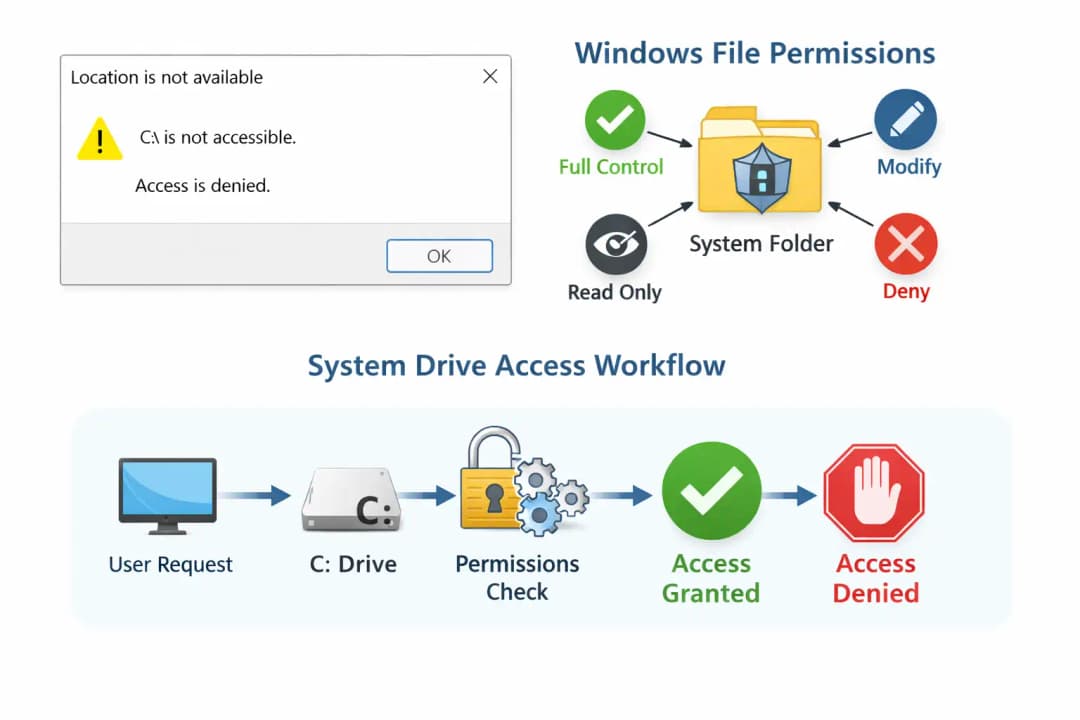
The short version is easy to understand. The most recent Windows update changed how the operating system gives permissions to the system drive.
Windows usually has strict rules about who can access the main drive to keep core files safe from malware and accidental changes. But in this case, it looks like a problem with the update process messed up those permissions.
Because of this, the Windows 11 24H2 Bug Blocks C Drive for some users. When the problem happens, Windows treats the system drive like a place that isn't allowed.
That means:
• Some programs can't write files
• The processes for installing may not work
• Administrative commands might give you errors.
The operating system is still running. But things that are usually easy to do can become very hard.
Why the Windows System Drive (C Drive) Is So Important
For a lot of people who don't use computers a lot, the idea of Drive C might sound like a technical detail. In fact, it is the operating system's core.
This drive is used by every Windows computer to store:
• The Windows OS itself
• Files for programs and apps that are already installed
• Profiles and settings for users
• Security components and logs
When the Windows 11 24H2 Bug Blocks C Drive, these systems act in strange ways. Software installers might just stop working. Backup tools might not work. Even simple things like updating drivers can cause problems.
This is more than just a hassle from a cybersecurity point of view. Permission errors can sometimes leave security holes or cause problems with how things work.
When Did Users First Notice the Windows 11 24H2 C Drive Issue?
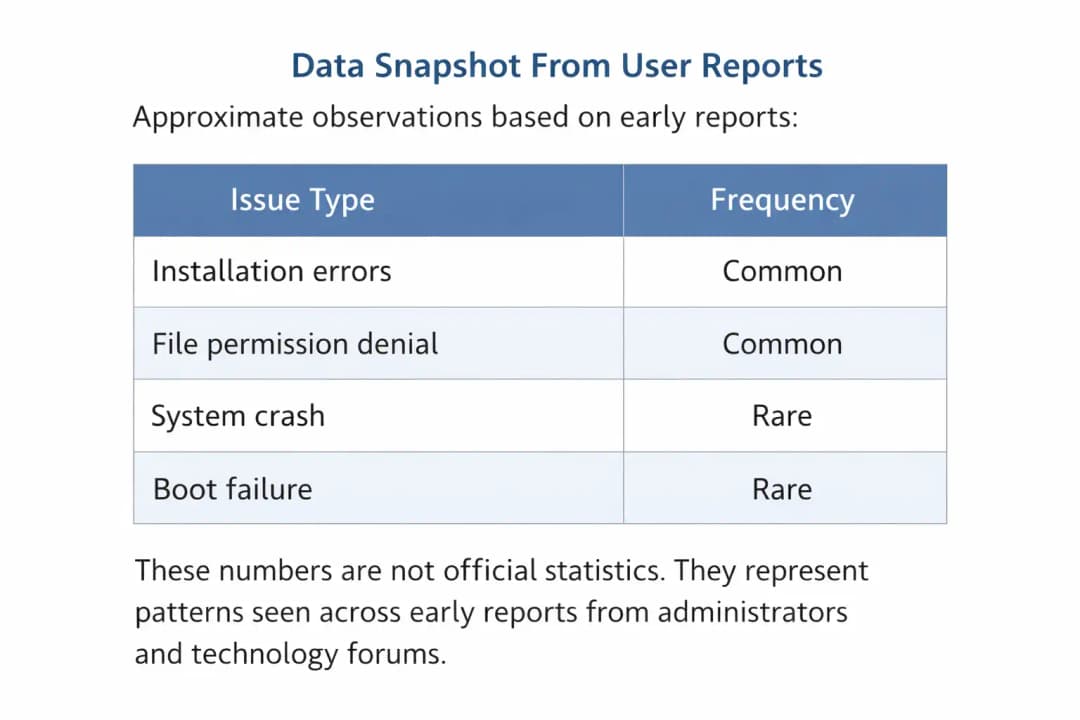
The first reports came in soon after people installed preview builds and early rollout updates for Windows 11 24H2.
At first, the problem seemed to be just one thing. Some posts on the forum talked about problems with permission. But the pattern became clearer over time.
A few system administrators saw that the Windows 11 24H2 Bug Blocks C Drive after certain updates or when administrative tools accessed certain system folders.
Once more users confirmed similar behavior, security researchers and technology journalists began documenting the issue.
Later, Microsoft publicly admitted that there was a problem.
Microsoft Confirms the Windows 11 24H2 System Drive Bug
Microsoft hasn't given a full technical explanation yet, but the company did say that a bug in recent Windows builds could make it hard to get to the system drive.
In simple terms, the problem seems to be caused by handling permissions incorrectly.
To keep system files safe, Windows' security features sometimes change the rules for who can access them. In this case, it looks like the process gave out permissions that were too strict.
Because of this, the Windows 11 24H2 Bug stops C Drive operations that usually need administrator access.
Microsoft has said that engineers are looking into it right now.
As of now, there is no confirmed proof that hackers are using this bug in real-world cyberattacks.
Which Systems Are Most Likely to Be Affected?
Users and IT administrators say that the problem mostly happens in:
• Devices that have the Windows 11 24H2 preview or newer builds
• Systems that were upgraded from older versions of Windows
• Computers that use certain scripts or administrative tools
But not every computer that installs the update has the problem. That means the bug might only happen when certain system settings and update sequences are used together.
As more information comes in, security analysts keep an eye on the situation.
Still, a lot of reports say that the Windows 11 24H2 Bug Blocks C Drive in places where advanced system permissions are often changed.
Common Signs Users Are Reporting After the Update
People who have this problem usually notice something strange pretty quickly.
These are some of the symptoms that come up a lot in reports.
File Access Errors
When users try to change files in system folders, they get a message saying they don't have permission.
Software Installation Failures
Installers that need administrator rights suddenly stop in the middle.
Script Execution Problems
Sometimes, IT automation scripts don't work because the system can't make temporary files.
When the Windows 11 24H2 Bug Blocks C Drive, the computer may still seem to work at first. But one by one, small tasks start to fail.
That pattern is often the first sign that something is wrong.
Is the Windows 11 24H2 C Drive Bug a Security Vulnerability?
Right now, security researchers say that the problem is a functional bug, not a confirmed vulnerability.
No one has publicly confirmed that hackers can use the bug to take over systems.
Cybersecurity experts are still worried about any unexpected change in system permissions.
The Windows 11 24H2 Bug could stop the C Drive from working, which could break security tools that need to access files normally. Stable system permissions are important for antivirus software, monitoring agents, and logging systems.
Researchers are keeping a close eye on the situation for that reason.
Why Bugs Like This Happen in Modern Operating Systems
Today's operating systems are very complicated. Windows has millions of lines of code that work with thousands of different hardware combinations.
Every major update changes a lot of the parts inside. Changes that seem small can have effects that are not expected.
It's like fixing up a house. You might only want to change the door. But when you start building, you see that the door frame is connected to the wall.
The same goes for software.
Changing one permission in the Windows kernel can affect many processes on the system. That's probably why the Windows 11 24H2 Bug Blocks C Drive in some setups.
What Users Should Do If They Face This Issue
It's easy to follow the most important advice. Don't panic.
If your system is working normally, you don't need to do anything drastic.
But if you see problems with permissions after installing updates, you might want to be careful.
Steps to Take
Update Windows regularly. Microsoft usually fixes problems quickly after they are confirmed.
Don't change system permissions by hand unless you know what will happen.
Make a copy of important files.
Keep an eye on Microsoft's official update channels for patches.
The Windows 11 24H2 bug blocks the C drive on some systems, but most computers work fine.
How Microsoft Typically Fixes Windows Update Bugs
When there are problems with Windows updates, Microsoft follows a set process.
First, engineers get diagnostic reports from the devices that are having problems. These reports help them see patterns.
Next, they recreate the problem in their own testing environments.
Microsoft releases a patch through Windows Update once it knows what the problem is.
From what I've seen in the past, cumulative updates usually fix bugs like the Windows 11 24H2 Bug Blocks C Drive.
Real World Example From IT Administrators
A system administrator from a medium-sized business recently talked about the problem on a technical forum.
Their automated deployment system started to fail during software installation after they installed the most recent Windows update. At first, they thought there was a problem with the network.
Later, they found out that the installer couldn't write temporary files to the system drive.
The installation worked again once they fixed the permissions.
Researchers were able to figure out that the Windows 11 24H2 Bug Blocks C Drive under certain conditions thanks to stories like this.
Understanding Windows File Permissions
NTFS permissions are a way for Windows to control who can access files and folders.
These permissions decide:
• Who can read files
• Who can change them
• What processes can run them
When updates change these rules in the wrong way, the software may not work as expected.
The Windows 11 24H2 Bug stops the C Drive from working because the permission settings are too strict.
For most people, this might just look like a simple error message. It can mess up whole deployment systems for IT teams.
Frequently Asked Questions About the Windows 11 C Drive Bug
Why does the Windows 11 24H2 bug stop the C drive?
It looks like the problem is caused by changes to system permissions that were made incorrectly during updates. Microsoft has confirmed the bug, but they are still looking into what caused it.
Is the bug affecting everyone who uses Windows 11?
No. A lot of people have installed the update without any problems. It looks like the problem only happens with some system setups.
Is this bug something that hackers can use?
There is currently no confirmed evidence of exploitation in the real world. Security researchers are still keeping an eye on things.
Is Microsoft going to fix it?
Yes. Microsoft usually fixes problems like this with Windows Update patches once they know what the problem is.
Hoplon Insight Box
Cybersecurity Information
Bugs in operating systems often show how closely modern software parts work together. A small mistake in the configuration can affect many parts of the system.
Suggestions
• Don't turn off automatic updates
• Keep an eye on Microsoft's official security alerts
• Keep backups of important data on a regular basis
• Test updates for business systems in controlled settings
Final Thought
Technology changes quickly. Every major update to an operating system makes things better, but sometimes something goes wrong during testing.
The Windows 11 24H2 Bug Blocks C Drive case is a good example of how complicated computers have become.
For most people, the best thing to do is wait. Microsoft usually acts quickly once they know there is a problem.
If your computer is working properly, keep it up to date and follow the rules set by the government.
If you do have the problem, simple troubleshooting steps and upcoming patches will probably fix it.
To learn more, visit our blog page.
Sources
A reliable source:
News about cybersecurity
Microsoft documentation and Windows update advisory channels.





