
What did the March 2026 update for Windows 11 change?
The March 2026 update for Windows 11 includes a mix of security fixes, new features, improvements to reliability, and more in-depth changes to the operating system's infrastructure. A lot of monthly updates are mostly about security patches, but this one adds a number of new features that users can see and use.
To put it simply, Microsoft is slowly changing how Windows updates work. Before, updates were mostly about fixing bugs or security holes in the system. The company is now slowly adding new features, system tools, and long-term platform improvements to these monthly releases.
Old way: updates mostly fixed security problems.
New approach: updates make the system more reliable, add new tools, and get the operating system ready for changes that will happen in the future.
The end result is an operating system that gets a little better every month without needing users to install a big update.
This way of thinking is very similar to the Windows 11 March 2026 update. It makes the system more stable, adds new features for businesses, adds new interface elements, and gets Windows devices ready for changes to security infrastructure that are coming up.
What is the Windows 11 Update for March 2026?
The March 2026 update for Windows 11 is a normal Patch Tuesday release that you can get through Windows Update. Microsoft's monthly Patch Tuesday updates are meant to keep Windows systems safe and stable.
This update is for Windows 11 versions that are still supported. It installs a newer version of the system that has security patches, system fixes, reliability improvements, and new features.
Users can check to see if the update is installed by going to:
Go to Settings, then System, and then About.
The system build number in this section will tell you if the update has already been installed.
Microsoft now rolls out many Windows features in two stages. Most of the time, security fixes and reliability improvements are released all at once. New features, on the other hand, are often released slowly over time through a controlled rollout process.
That means that some people who install the Windows 11 March 2026 update might not see all of the new features right away, as described in the release notes. This is normal behavior and part of Microsoft's plan to roll out updates slowly.
Why Microsoft Made These Changes
Most of the time, an update to an operating system doesn't change it very much. Instead, companies like Microsoft improve them little by little over time.
There seem to be three main goals for the Windows 11 March 2026 update.
First, making Windows' internal structure stronger. Some changes in this update make the operating system ready for new security needs, like updates to the Secure Boot certificate.
Second, making sure that the core system components are more reliable. A lot of small changes fix small problems with things like login screens, file sharing, device detection, and printing services.
Third, adding more built-in features so that users don't have to rely on third-party tools as much. Windows now comes with tools that used to need to be installed by hand.
This plan lets Microsoft keep improving the platform without having to make big changes to the interface or force users to upgrade.
The March 2026 Update for Windows 11 Adds New Features
The Windows 11 March 2026 update adds a number of new features, from better interface to more in-depth system monitoring tools.
At first glance, some of these changes may not seem like much. But when you put them all together, they slowly make the operating system better and more stable.
Windows now supports Emoji 16
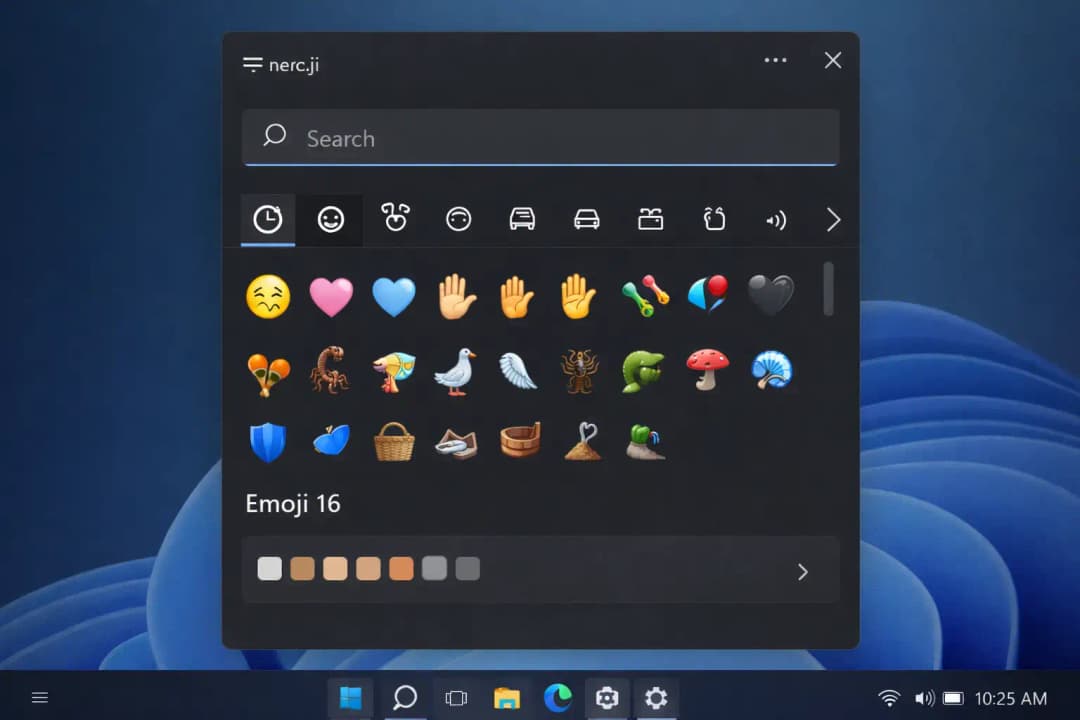
The Windows 11 March 2026 update adds support for the newer Emoji 16 standard, which is a big deal.
For a few months, Windows could show these emojis when they showed up in apps like browsers or messaging tools. But users couldn't put them in directly using the Windows emoji picker.
That problem has been fixed.
Users can now open the emoji panel and add the new emoji characters directly to messages, documents, or apps.
These new features include a number of new emoji designs that are in line with how people talk to each other these days.
However, the Windows emoji picker still doesn't support some types of emoji. Microsoft might add more options to these in future updates.
Emoji updates may seem like they don't do much, but they make sure that your emojis work with messaging apps, social networks, and productivity tools that already support newer emoji standards.
Windows Now Has a Built-In System Monitoring Tool
The Windows 11 March 2026 update adds a powerful system monitoring service right into the operating system, which is another big change.
Advanced users and security experts often use special tools to keep an eye on what's going on with their systems. These tools keep track of running processes, network connections, and detailed system events.
Before, users had to go to Microsoft's website and download these tools by hand.
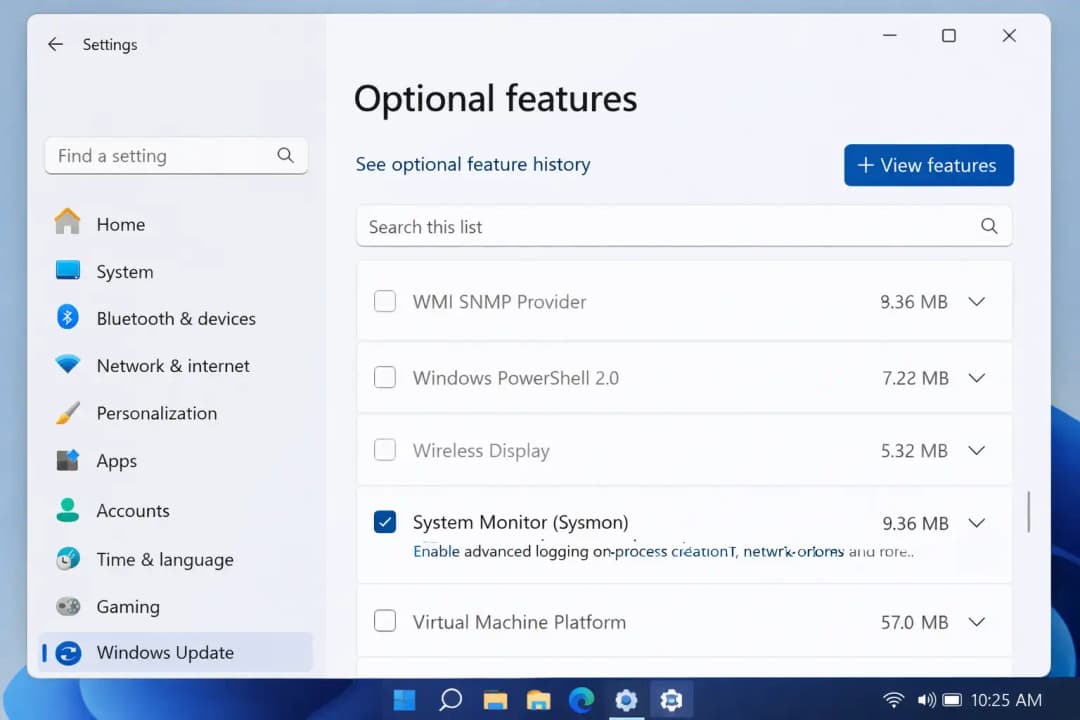
This update makes the monitoring part a built-in Windows feature that can be turned on or off through system settings.
The tool keeps detailed logs of system activity. Security teams can look through these logs to find processes that seem strange, network activity that seems strange, or activity that could be harmful.
The monitoring feature does not turn on by itself. Users must turn it on themselves in the Windows features panel if they want to use it.
Having this feature built right into Windows makes it much easier for IT administrators and cybersecurity professionals to keep an eye on systems.
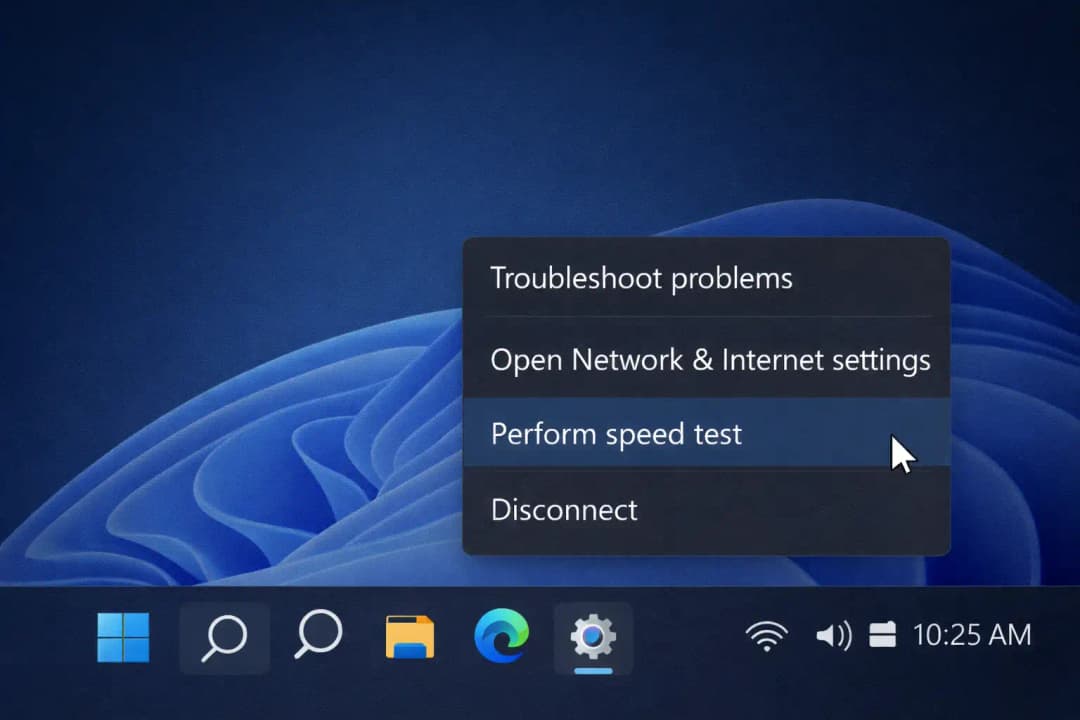
The taskbar has an internet speed test built in
The March 2026 update for Windows 11 also adds a cool new feature: the ability to quickly test your internet speed.
To use this feature, users need to right-click on the network icon on the Windows taskbar.
When the feature is turned on, it uses an online service to test the speed of the internet. This lets users quickly check how well their connection is working without having to look for speed test websites or install third-party tools.
For instance, picture this: your video call suddenly starts to lag. You can check the connection speed right from the taskbar instead of opening a browser and looking for a speed test tool.
The test process is still easy and quick, which makes it useful for everyday problems.
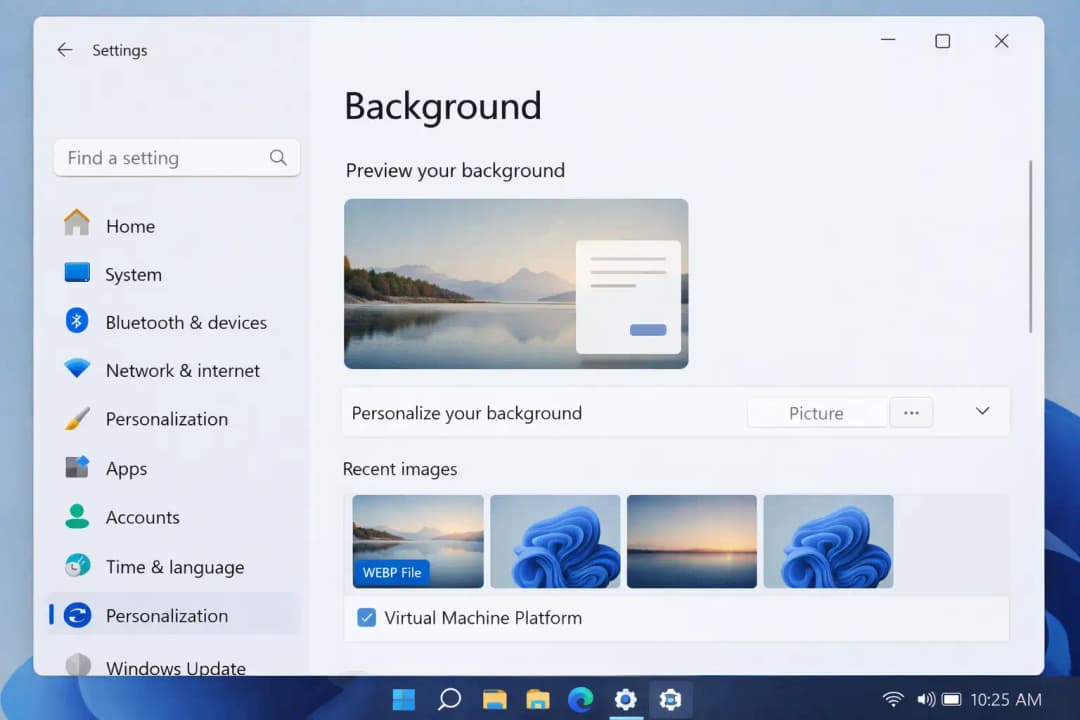
You Can Now Use WebP Images as Wallpapers on Your Desktop
The March 2026 update for Windows 11 also makes it easier to customize your desktop by letting you use WebP images as wallpapers.
WebP is a new image format that keeps the quality of the image while making the file smaller.
Files with smaller images take up less space and can load faster on some systems.
You can now use WebP images as desktop backgrounds by going to the standard personalization settings or by right-clicking on an image file and choosing the option to set it as the wallpaper.
Even though this change may seem small, it makes it easier to work with modern image formats that are used on websites and in apps.
Windows Settings Now Has Controls for Camera Pan and Tilt
A lot of modern webcams let you move them around, like by tilting or panning them. Before, these controls often needed software that came from the manufacturer.
The March 2026 update for Windows 11 adds these controls directly to the system settings.
People with cameras that work with this can open:
Settings > Bluetooth and devices > Cameras
Supported webcams now let you change the viewing angles on the camera settings page.
This makes it easier to manage cameras and, in many cases, means you don't need any extra camera software.
Improvements for Businesses and Professionals
The Windows 11 March 2026 update has a lot of new features for businesses and IT professionals, in addition to the ones for regular users.
Companies that run large fleets of devices often need special tools and infrastructure.
This update adds to some of those features.
Tools for managing remote servers on Arm devices
More and more Windows devices are using Arm processors, especially laptops that are made to use less power.
The Windows 11 March 2026 update makes it easier for businesses to use by adding Remote Server Administration Tools for Arm-based systems.
These tools let administrators control the server infrastructure right from their computers.
Administrators can do things like:
• Running Active Directory environments
• Setting up DNS server settings
• Taking care of the DHCP infrastructure
• Controlling the settings for Group Policy
• Using Server Manager to keep an eye on server environments
Now that Arm devices can support these features, businesses have more options when it comes to choosing energy-efficient Windows hardware.
Support for restoring backups in business settings
Another change in the Windows 11 March 2026 update that is good for businesses is the ability to restore Windows Backup.
Companies often give employees new computers and expect their familiar settings and apps to show up right away.
This update lets some environments restore user settings and Microsoft Store apps during the first time a user signs in.
This lets workers quickly get back to work without having to reinstall apps or change system settings by hand.
This feature makes it easier for IT departments to set up devices and cuts down on setup time.
Expanded Quick Machine Recovery
The March 2026 update for Windows 11 also adds to a recovery feature that keeps systems safe from updates that cause problems.
When a major problem happens after an update, Quick Machine Recovery lets Windows bring the system back to a working state.
For instance, think about how an update could cause your computer to crash or stop Windows from starting up properly. You can use the recovery feature to get back to the way things were before.
This update makes Quick Machine Recovery work on more devices automatically.
But some enterprise-managed devices may still be able to control the feature through company policies.
This growth lowers the chance of major problems caused by broken updates.
Windows 11's reliability has gotten better all over the place
The long list of reliability improvements across the operating system is one of the most important things about the Windows 11 March 2026 update.
You might not see these changes right away, but they do change how the system works every day.
Several areas get better stability.
• When you check for updates, the Windows Update settings now work faster.
• The login and lock screens are more reliable when you log in.
• When you send larger files, Nearby Sharing works better.
• Switching between multiple monitors using Windows projection shortcuts works more reliably.
• Printing services get better performance when they have a lot of work to do.
Also, in some situations, systems wake up from sleep faster. This change is most noticeable on laptops or other devices that often go into sleep mode.
All of these little changes together make the system feel more stable when you use it every day.
Changes to File Explorer
The Windows 11 March 2026 update makes many improvements to File Explorer.
It's now easier to open a new File Explorer window using taskbar shortcuts.
Users can also get certain archived files straight from the File Explorer command bar, which cuts down on the number of steps needed to get to compressed content.
The network section of File Explorer can now find devices more easily. Devices that are connected should now show up more often.
These changes make the experience better for people who often move files between devices or networks.
Changes to Storage and the Interface
The update also makes a number of small changes to the Windows interface.
The storage management page in system settings has been changed to have new dialog layouts.
Scanning temporary files is now faster, which helps users quickly find files that are taking up space but aren't needed.
Also, there are small changes that make the interface more consistent in different system dialogs, like printing windows and prompts for security credentials.
These changes help keep the look of different Windows parts the same.
Changes to Windows 11's security in the March 2026 update
The main goal of monthly system updates is still security.
The March 2026 update for Windows 11 makes changes to the infrastructure that get systems ready for future security needs.
Updating the Secure Boot certificate is one of the most important things to do to get ready.
During the startup process, Secure Boot makes sure that only trusted software can run.
Some of the certificates that Windows systems use right now will run out of time in the future. The update adds infrastructure that gets devices ready to get new certificates through Windows Update.
This slow change helps keep problems from happening when older certificates run out.
Improving the reliability of BitLocker
The Windows 11 March 2026 update also fixes a problem with the reliability of BitLocker encryption.
Some devices would stop working after entering a BitLocker recovery key during the boot process.
The update fixes this problem, making disk encryption recovery work more reliably.
This change makes the system more reliable for people and businesses that depend on encrypted drives.
Updates to AI Components
The Windows 11 March 2026 update also updates some of the internal parts that are used for Windows intelligence features.
These parts help with things like system search, smart suggestions, and content analysis that different Windows features use.
There isn't a lot of publicly available information about these internal updates, but keeping these parts up to date makes sure that the system's intelligence features keep working properly.
Improvements to the Windows Update Infrastructure
The Windows 11 March 2026 update also makes the Windows Update installation process better, which is another technical change.
This release comes with an update to the servicing stack.
The servicing stack controls how Windows installs updates to the system.
Making this part better makes sure that future updates install more reliably and lowers the risk of updates failing on different types of hardware.
How These Changes Affect Daily Life
Think about a work laptop that is used all day.
Before the March 2026 update for Windows 11, the user might have had small problems from time to time.
It might not be possible to open a new File Explorer window. It might take longer than you think for a system to wake up from sleep. When you look through shared folders, a network device might not show up right away.
After you install the update, those little problems happen less often.
The changes may seem small at first, but they make the experience much smoother over time.
This is how most updates to modern operating systems work. They quietly make everyday tasks easier.
Who Will Be Affected by the March 2026 Update for Windows 11
The update affects different groups in different ways.
Regular home users will notice small changes, like new emoji support, changes to how wallpapers work, and a more stable system.
IT administrators get more enterprise tools and better ways to manage devices.
Security experts can keep a closer eye on systems and rely on encryption more.
The March 2026 update for Windows 11 affects almost all types of Windows users in some way.
Pros and Cons
The March 2026 update for Windows 11 has a lot of benefits.
The reliability of the system gets better in many parts. The security infrastructure gets devices ready for certificate changes that are coming up. Enterprise management tools get better, and some system tools are easier to find.
But some new features might not show up right away after installation because Microsoft rolls them out slowly.
This staged rollout helps keep things stable while Microsoft keeps an eye on any problems that might come up before making features available to all devices.
What Users Should Do Now
Most people should install the Windows 11 March 2026 update.
Security updates help keep systems safe from new weaknesses that come up. Improvements in reliability also make it less likely that you'll have problems with the system while doing everyday tasks.
To see if there is an update, users can open:
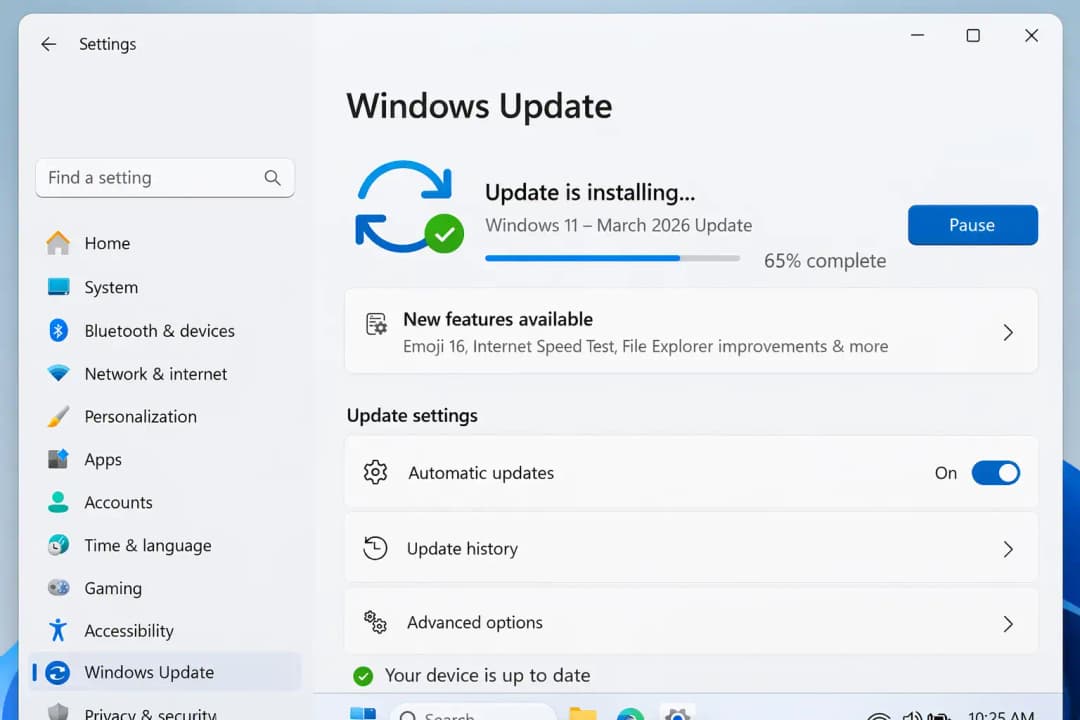
Go to Settings, then Windows Update, and then Check for updates.
Companies that run big environments may want to test the update on their own systems before rolling it out to everyone.
Questions that are often asked
What will the March 2026 update for Windows 11 bring?
The update adds new emoji support, security patches, improvements to system reliability, system monitoring capabilities, and changes to the infrastructure that make Secure Boot and encryption more reliable.
Is the March 2026 update for Windows 11 safe?
The most recent official information says that there are no major problems that have been widely reported with this update.
Will the update make the system work better?
Some changes affect the reliability of file management, the speed of sleep recovery, the responsiveness of Windows Update, and the quality of printing services.
Why don't some features show up right away?
Microsoft often rolls out new features slowly and in a controlled way.
Last Thoughts
The March 2026 update for Windows 11 doesn't have any big changes to the interface. Instead, it focuses on making the operating system's base stronger.
A more stable Windows experience comes from improvements in reliability, security, enterprise capabilities, and small usability improvements.
Not all users will notice every change right away.
But over time, these updates make Windows work better every day without you even noticing.
Trusted source:
microsoft





