
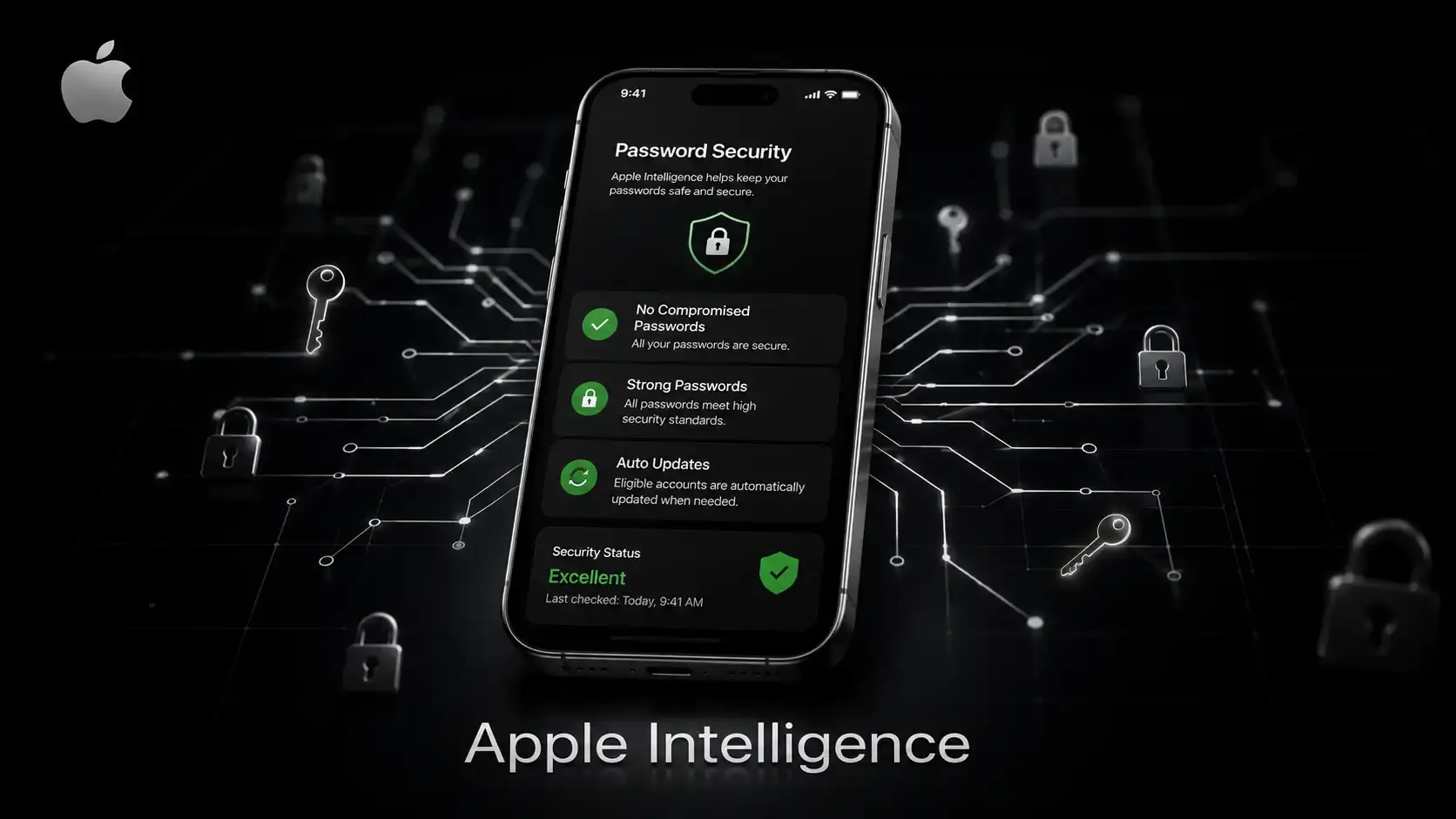
Can Apple automatically change compromised passwords for you? Yes, and as of WWDC 2026, that is precisely what it does. Apple announced on June 8, 2026, that its Passwords app will use Apple Intelligence and Safari to automatically detect weak or compromised credentials and replace them with strong ones without you lifting a finger beyond a single tap. This is not a password strength suggestion. It is a fully automated, multi-step AI process that navigates websites, signs into your accounts, and generates new credentials on your behalf.
Many of us have experienced this situation before. You get that notification: "This password appeared in a data breach." "You tell yourself you will fix it later. Later never comes. Weeks pass. The compromised login sits there, quietly waiting to become someone else's entry point into your life. Apple, apparently, got tired of waiting for humans to do what humans will not do.
This feature, launching with iOS 27 later in 2026, represents one of the most significant shifts in consumer password security in years. It touches real cybersecurity problems, credential stuffing, password reuse, and breach fatigue and tries to solve them with AI-driven automation. Whether it works cleanly, and whether users can trust it, are the real questions worth exploring here.
What Apple Announced at WWDC 2026
Key Highlights of the New Password Feature
Apple's existing Passwords app, introduced in 2024 as a standalone app built on top of iCloud Keychain, already does a reasonable job of flagging security problems. It tells you when a password is weak. It warns you when credentials show up in a known data breach. It highlights reused passwords across accounts. The gap has always been the next step, actually resolving the problem.
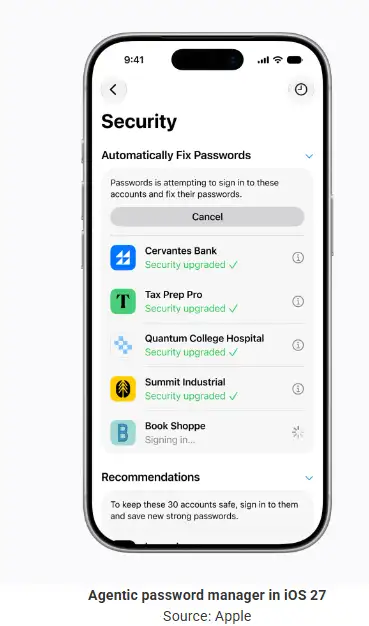
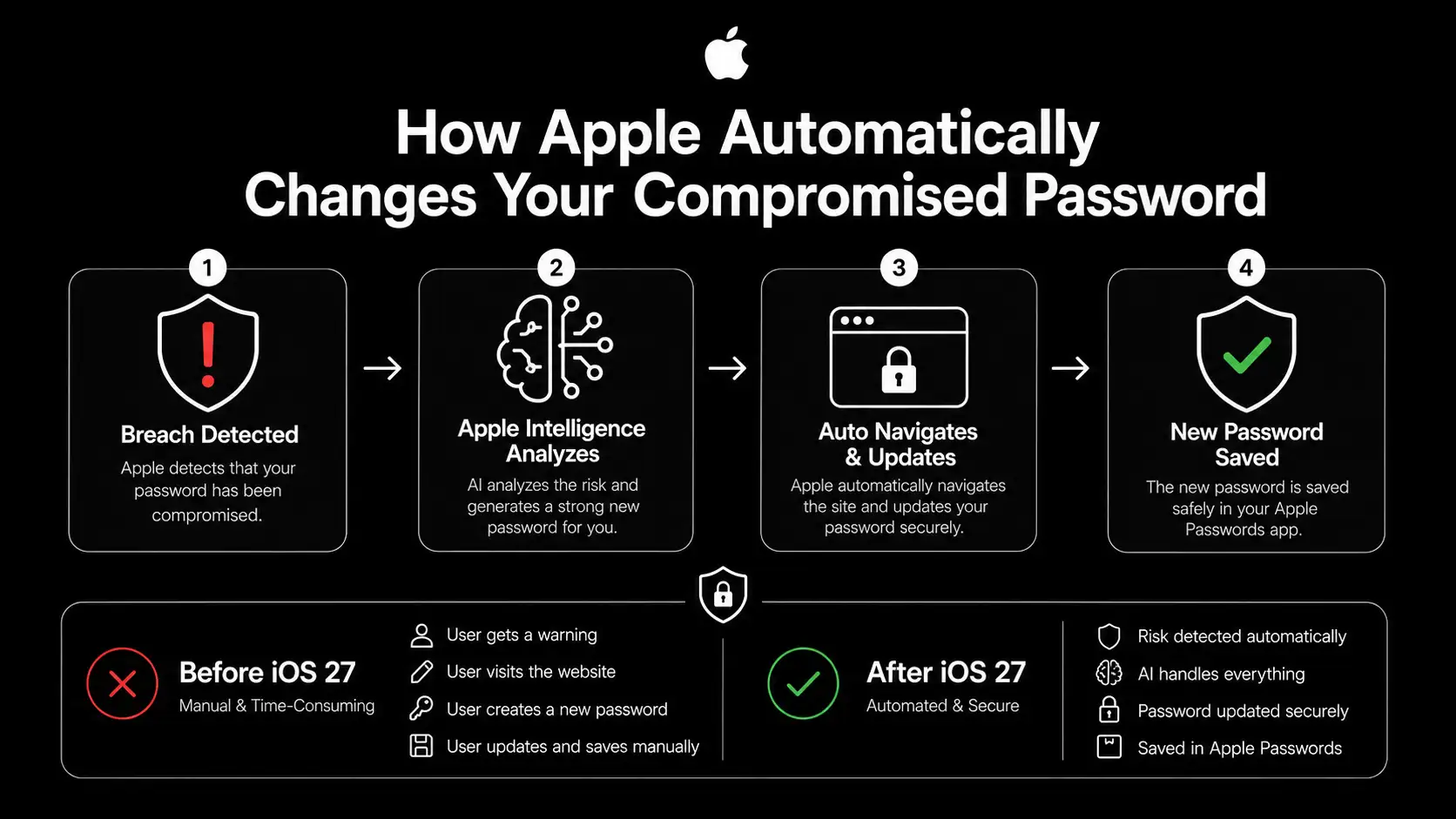
That gap is closing. At WWDC 2026, Apple demonstrated that in iOS 27, the Passwords app will go beyond flagging issues and start resolving them automatically. When a compromised or weak password is detected, the system uses Apple Intelligence and Safari to navigate to the affected website, sign in with your saved credentials, generate a new strong password, update the account, and save the result back into your Passwords app. A live activity indicator appears on your iPhone while the process runs, so you always know what is happening.
Apple describes this as "agentic" behavior, meaning the software completes an autonomous, multi-step task on your behalf rather than just offering suggestions. You approve the action with a single tap, and then the AI handles everything else in the background.
The feature is arriving with iOS 27, iPadOS 27, and macOS 27, and developer betas are already available for testing.
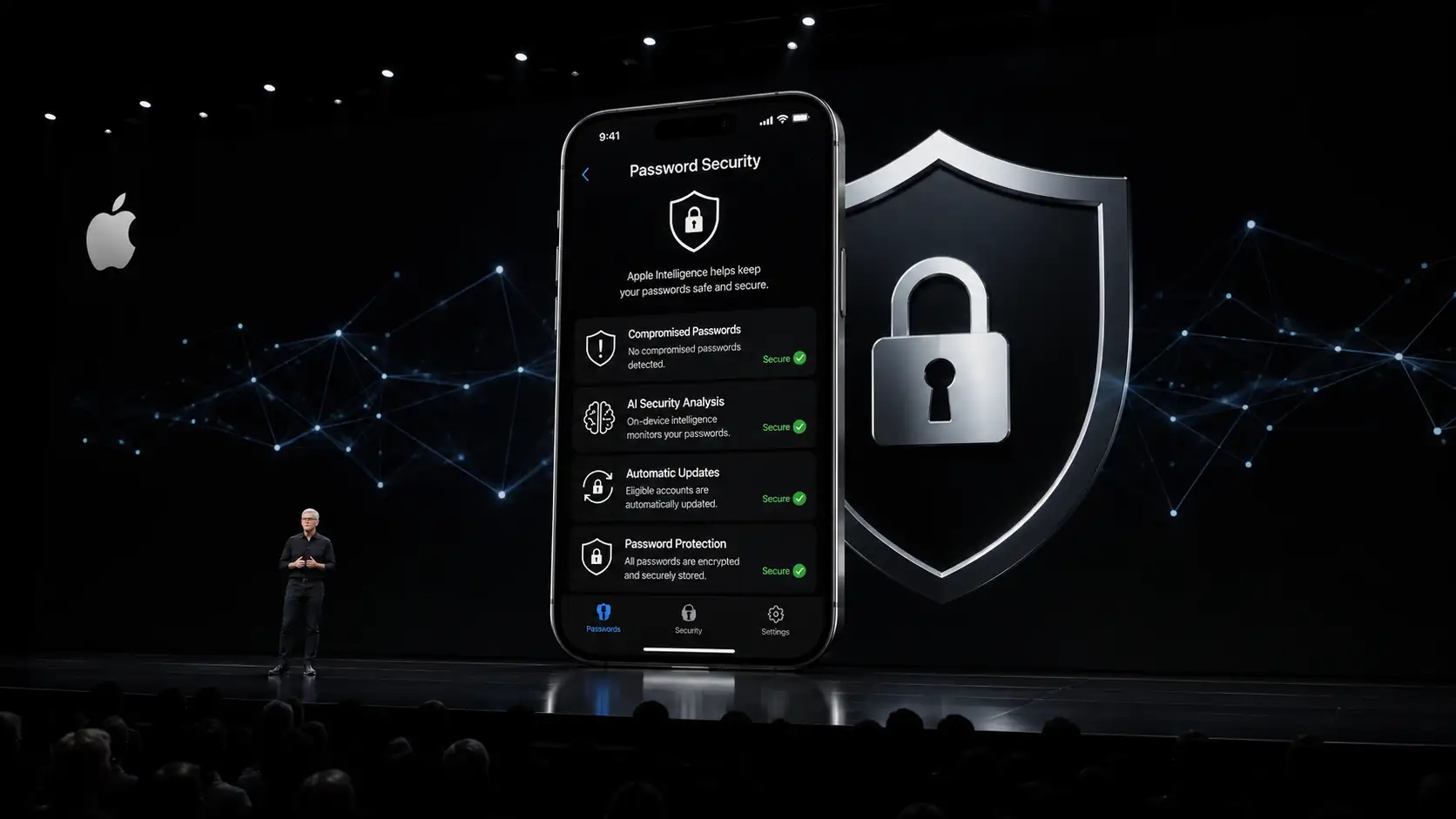 Apple WWDC keynote stage
What is Apple Intelligence?
Apple's Next-Generation AI Platform
Apple Intelligence is the company's on-device AI framework, deeply integrated across iPhone, iPad, and Mac. It is not a single model or a single app. It is an architecture, a set of AI capabilities embedded into the operating system, that can understand context, take actions, and do so while keeping your data private.
The core philosophy behind Apple Intelligence is that your personal data should never leave your device unless absolutely necessary. Most processing happens on the chip inside your phone or laptop. For heavier tasks that require more computational power, Apple routes requests to its Private Cloud Compute infrastructure, where Apple silicon servers process your data without storing it or exposing it, not even to Apple itself.
What makes this relevant to password security is the combination of context awareness and automation. Apple Intelligence can understand that a flagged password belongs to a specific account, connect to Safari to navigate that site, complete a login, and update credentials, all while maintaining the privacy protections that Apple has built into its AI stack.
Key Technologies Behind Apple Intelligence
The system relies on several layers working together. Foundation Models, large AI models developed by Apple in collaboration with Google's Gemini architecture, handle complex reasoning and task execution. Machine learning handles pattern recognition and risk assessment. Context awareness allows the AI to understand what account needs attention and what steps are needed. The Automation Engine executes those steps through Safari in a sandboxed, verifiable way. And Private Cloud Compute handles the portions of the task that require server-side processing, with strict privacy guarantees at every step.
What Does Agentic AI Mean?
Understanding Agentic AI in Plain Terms
Here is a concept that gets thrown around a lot in tech circles without much explanation. Agentic AI simply means AI that takes action, not just AI that responds to questions.
Traditional AI tools, the chatbots, and the autocomplete features work reactively. You ask; it answers. You type, and it completes. Nothing happens unless you initiate it. Agentic AI works differently. It monitors for conditions, makes decisions based on what it finds, executes a sequence of steps, and reports back. It acts more like a capable assistant than a simple search box.
How Agentic AI Works in the Password Context
In Apple's implementation, the process follows a clear sequence. First, the system detects that a stored password is compromised or weak, using Apple's privacy-preserving breach monitoring service. Then it analyzes the risk level and determines whether the account qualifies for automated remediation. It plans the steps needed to update the credential on that specific website. It executes those steps through Safari, navigating to the account settings page, signing in, requesting a password change, and substituting a strong, randomly generated credential. Finally, it verifies the change was accepted and saves the new password into your Passwords app.
Craig Federighi, Apple's senior vice president of software engineering, described this during the WWDC 2026 keynote as finding the right balance between user control and automated action. The key is that you initiate the process. You give permission. The AI does the labor.
Why Agentic AI Matters for Cybersecurity
The reason this is significant is not the technology itself. It is the human problem the technology is solving. Security researchers have known for years that warning users about compromised passwords does not reliably lead to users fixing those passwords. The friction is too high. The motivation drains away. Apple's agentic approach removes the friction entirely, which is where most security advice goes to die.
Why Passwords Are Still a Major Security Problem
The Current Password Crisis
Consider these numbers for a moment. A study analyzing 19.03 billion leaked passwords found that 94% of them were reused or duplicated across multiple services. Verizon's 2025 Data Breach Investigations Report found that stolen credentials were the initial access vector in 22% of all confirmed breaches. Akamai has reported approximately 193 billion credential stuffing attempts per year globally. These are not edge cases. This is the normal state of password security right now.
The average person reuses the same password 14 times across different accounts. About 78% of people globally admit to reusing passwords. Nearly 73% use the same password for both personal and work accounts. And 44% of internet users rarely or never change their passwords, even after being notified of a breach.
Why Users Ignore Security Best Practices
The honest answer is not stupidity or laziness. It is friction and volume. Most people manage dozens, sometimes hundreds, of online accounts. Changing a password on a single website can involve finding the settings page, passing a verification step, generating something you can actually remember, and updating any connected apps. Multiply that by 40 compromised accounts and you understand why that notification gets swiped away.
Security advice has consistently overestimated the willingness of normal people to engage in tedious manual tasks. Apple's approach acknowledges this honestly. The feature exists specifically because security warnings alone do not work.
The Real Cost of Weak Passwords
The consequences are not abstract. Stolen credentials account for 80% of hacking-related corporate breaches. A 2025 mega-leak exposed around 16 billion credentials from major platforms, and that data immediately became fuel for automated attack tools. When your bank password is the same as your email password and your email password was in a breach three years ago, the attacker does not need to be clever. They just need a list and a bot.
Weak and reused passwords are not just a personal inconvenience. They are an organizational liability, a compliance risk, and an entry point for threats that affect everyone on a network.
Understanding Compromised Passwords
What is a Compromised Password?
A compromised password is any credential that has been exposed to unauthorized parties, regardless of whether you know about it yet. This can mean your password appeared in a data breach dump posted on the dark web. It can mean your credentials were captured by an infostealer malware infection on a device you used. It can mean a phishing email tricked you into entering your login details on a fake site. It can also mean the website storing your password used inadequate security and its database was stolen.
The tricky part is that most people find out their password was compromised long after the fact. The average time between a breach occurring and being discovered is measured in weeks or months. During that window, your credentials may already be circulating among threat actors and automated attack tools.
How Passwords Get Exposed
Data breaches are the most obvious vector. Major platforms have suffered significant breaches, exposing hundreds of millions of credentials at a time. But the infostealer malware ecosystem is equally dangerous and far less visible. Malware families like LummaC2, RedLine, and Vidar silently harvest saved browser credentials and session tokens from infected devices, sending them to command-and-control servers without any obvious signs of compromise. Phishing attacks remain effective because they exploit human trust rather than technical vulnerabilities.
Apple's existing breach monitoring feature uses privacy-preserving cryptographic techniques to check your saved passwords against a database of known leaked credentials without ever revealing your actual passwords to Apple. The new agentic feature builds directly on this detection capability and converts it from a notification into an action.
How Credential Stuffing Attacks Work
What Is Credential Stuffing?
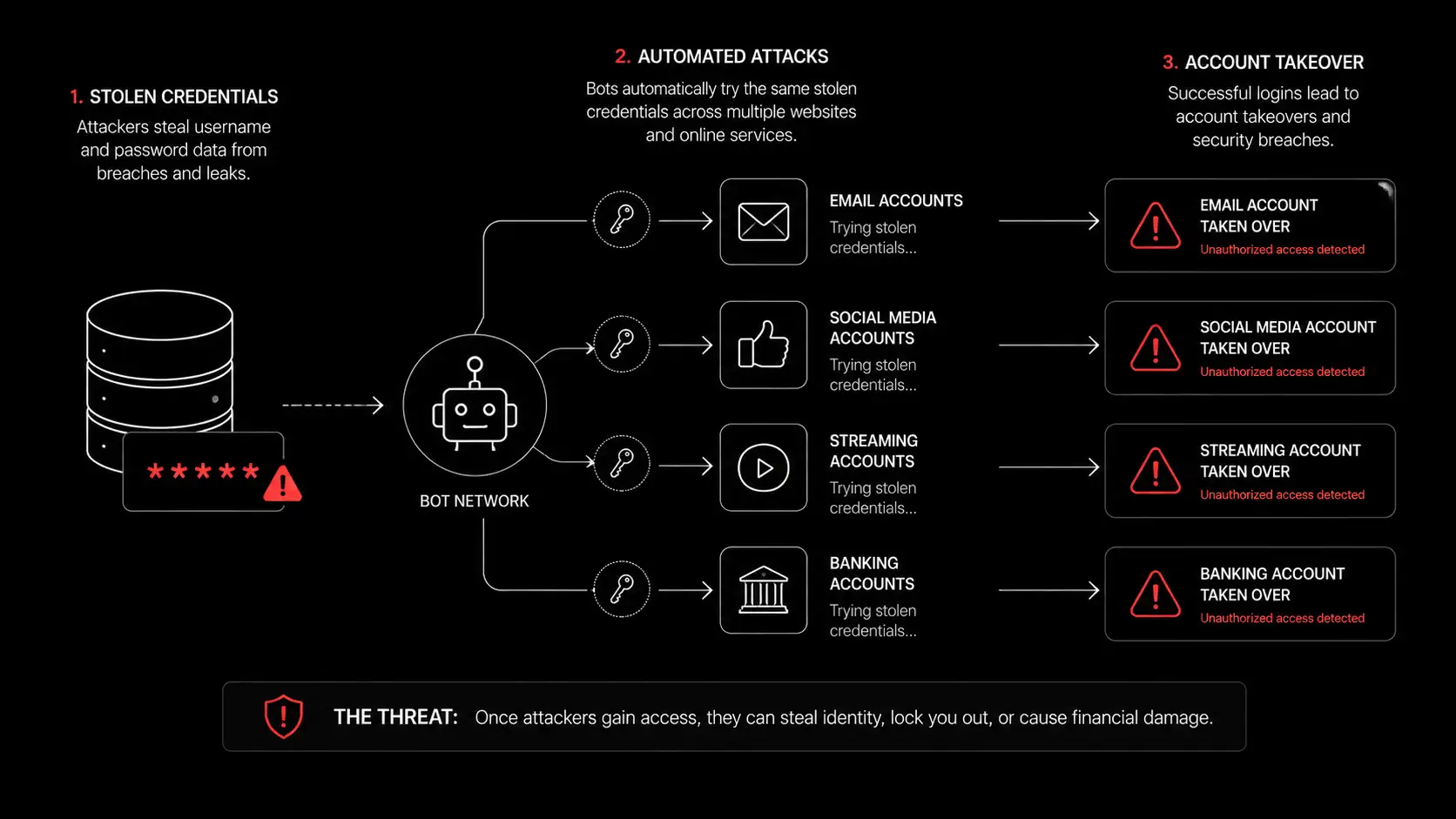
Credential stuffing is the automated process of testing stolen username and password pairs across multiple services to find accounts where the same credentials were reused. It is not hacking in the traditional sense. It does not involve cracking encryption or finding vulnerabilities in code. It simply exploits the reality that people reuse passwords.
Step-by-Step Attack Process
The process starts with an attacker obtaining a credential list, which may come from a purchased dark web database, a recent breach, or output from infostealer malware. Automated tools then test those credentials against target services, email providers, banks, e-commerce platforms, and streaming services at scale. When a match is found, the account is flagged for takeover, monetization, or resale.
Verizon's 2025 DBIR found that credential stuffing accounted for 19% of all authentication attempts at single sign-on providers on a median daily basis. That figure represents only what gets through to authentication endpoints after upstream filtering removes the most obvious traffic.
Why Password Reuse Fuels These Attacks
The economics are straightforward. If 94% of leaked passwords are reused somewhere else, even an old breach has enormous ongoing value for attackers. A credential list from a forum breach five years ago might still unlock accounts at financial services companies today, because people never changed those passwords and reused them everywhere.
This is precisely the problem Apple is targeting. The goal is not just to change one password. It is to close the window that stays open for years while users procrastinate on remediation.
Vulnerability management platforms and dark web monitoring services have long tried to alert organizations to these threats. But detection without remediation leaves the actual risk in place. Apple's approach integrates both.
How Apple's Agentic Password Manager Works
Password Monitoring and Risk Detection
The process begins in the background, running silently as part of the Passwords app's existing security scanning. Apple's system checks your stored credentials against its breach database using a method called secure private set intersection, a cryptographic technique that allows comparison without exposing the actual passwords to Apple's servers.
When a match is found, the credential is flagged with a risk rating. Weak passwords, those that are short, commonly used, or predictable, are identified through local analysis on your device. Reused passwords are tracked across your saved accounts. Compromised passwords are identified through the breach monitoring process.
How the Automated Change Process Works
Here is where the agentic behavior begins. Once you grant permission with a tap, Safari opens in the background and navigates to the affected website using your saved credentials. It signs into your account, locates the password change section, generates a cryptographically strong random password, submits the change, and confirms the update. The new password is immediately saved back to your Passwords app and synced via iCloud Keychain.
A Live Activity notification keeps you informed of progress, so the process is transparent even while running automatically. You can monitor it, pause it, or cancel it.
Apple confirmed this feature works for "eligible" websites, meaning sites that support standard password change flows. Websites with unusual navigation, CAPTCHAs, or non-standard account flows may not be fully supported at launch.
Strong Password Generation
The passwords Apple generates are not just random strings. They are designed to meet the requirements of the specific website, including correct length, required character types, and no disallowed characters, while being genuinely unpredictable. They are generated locally on your device using the Secure Enclave, Apple's dedicated hardware security chip, ensuring the new credential is never exposed during generation.
Apple Foundation Models Explained
What Are Foundation Models?
Foundation models are large-scale AI models trained on vast datasets that can be adapted to perform a wide range of tasks. Apple has developed its own proprietary foundation models, building them with its privacy-first philosophy at the core. At WWDC 2026, Apple revealed it had collaborated with Google, using Gemini model outputs to fine-tune its own Apple Intelligence models.
These models power natural language understanding, task execution, and context reasoning across Apple Intelligence features. For the password manager, the foundation models handle the reasoning needed to navigate unfamiliar website interfaces, interpret account settings pages, and determine the correct sequence of actions needed to update a credential.
Why Foundation Models Matter for Password Security Automation
Traditional password manager automation relied on rigid scripts, pre-defined sequences tied to specific websites. These break easily when websites update their interface. Foundation model-powered navigation is more flexible. The AI interprets the page content semantically and determines the appropriate action based on context, much like a human would. This makes the feature significantly more robust across the wide variety of websites users have accounts on.
What is Private Cloud Compute?
Apple's Privacy-Centric Cloud Architecture
Private Cloud Compute, or PCC, is Apple's answer to a genuine tension in AI: cloud-based AI is more powerful than on-device AI, but cloud-based processing traditionally means your data travels to a server and potentially gets stored, accessed, or logged.
Apple's solution is to build cloud infrastructure from its own silicon and its own hardened operating system, designed specifically to make server-side processing as private as on-device processing. Apple describes the system as stateless computation; your data arrives, gets processed, and is cryptographically erased. No one, including Apple employees, can access it.
At WWDC 2026, Apple expanded PCC to run on Google Cloud and NVIDIA infrastructure as well, extending its privacy commitments to third-party data centers for the first time.
Security Benefits for Password Operations
For password-related operations, PCC means that if the AI requires server-side processing for complex navigation tasks, that processing happens without storing or exposing your credentials. Independent security researchers can verify this through Apple's published attestation mechanisms. The system uses Secure Boot, Trusted Execution Monitor, and cryptographic attestation to ensure only verified code runs on PCC servers.
This architecture is meaningfully different from traditional cloud-based password managers, where your vault typically sits on a vendor's servers. Apple's approach keeps the vault on your device and only routes task execution to the cloud when needed, under strict technical constraints.
On-Device AI vs. Cloud-Based AI
Understanding the Difference
Most AI features you encounter today run on remote servers. You send a request, it travels across the internet to a data center, gets processed, and returns an answer. This model offers flexibility and raw computational power, but it means your data is in transit and on someone else's hardware.
On-device AI runs entirely on the chip in your phone or laptop. It has access to your personal data because it is already there, your photos, messages, and saved passwords, without that data ever being uploaded anywhere. The tradeoff has historically been capability, since on-device models are smaller and less powerful than server-based ones.
Apple's Hybrid Strategy
Apple's approach with Apple Intelligence is a hybrid. Simple tasks run entirely on your device using Apple's on-device models. Tasks that require more processing power are routed to Private Cloud Compute. The decision about which path to take happens automatically based on the complexity of the request.
For password operations, the breach detection and password generation happen on-device. The website navigation, which requires more complex reasoning, may involve PCC. Either way, your credentials are protected through the same privacy architecture.
This hybrid model is genuinely different from competitors. Google Password Manager, for example, stores credentials in Google's cloud infrastructure. 1Password uses a cloud-based vault with strong encryption but remains server-dependent. Bitwarden offers both cloud and self-hosted options. Apple's approach embeds credential security into the device architecture itself, with cloud processing available as a private extension rather than a dependency.
How Apple Compares to Other Password Managers
Feature Comparison
What Makes Apple Different
|
Feature |
Apple Passwords |
Google Password Manager |
Password |
Bitwarden |
|
Automatic password change |
Yes (iOS 27) |
Partial (Chrome, limited) |
No |
No |
|
On-device storage |
Yes |
No (cloud) |
No (cloud) |
Optional |
|
Breach monitoring |
Yes |
Yes |
Yes |
Yes |
|
AI-powered navigation |
Yes |
Partial |
No |
No |
|
Cross-platform |
Apple ecosystem |
All browsers |
All platforms |
All platforms |
|
Open source |
No |
No |
No |
Yes |
|
Privacy Cloud |
Private Cloud Compute |
Google Cloud |
AWS |
Self-hosted option |
The honest answer is that no other password manager currently automates the full password-change process in the same way. Google Chrome announced an automated password change feature at Google I/O 2025 that allows single-click password updates on participating websites, but the feature requires website opt-in and does not use AI to navigate non-standard flows. Apple's approach is broader; it uses AI to reason about website interfaces rather than relying on pre-registered site support.
For enterprise and managed device environments, this also raises questions about how the feature interacts with mobile device management policies. Organizations using endpoint security and mobile security platforms should evaluate whether automated credential changes align with their authentication governance frameworks before iOS 27 rolls out to managed fleets.
Privacy and Security Concerns
Questions Security Researchers Are Asking
The cybersecurity community's response to this feature has been cautiously positive with real reservations. The concern is not that Apple built something irresponsible. It is that the phrase "AI agent with access to your passwords" is one that warrants careful scrutiny regardless of the vendor.
Researcher Kyle Reddoch, writing on his security blog, noted that Apple's existing Password Monitoring feature uses privacy-preserving techniques to compare credentials against breach lists without revealing passwords to Apple. The new feature builds on that foundation. But there is, as he points out, an important line between detecting a risky password and autonomously changing the credential that controls access to someone's account.
Potential Risks and Safeguards
The key safeguard is the user consent requirement. The process does not run silently on its own initiative. You see what accounts are being flagged, and you initiate the automated change with an explicit tap. The Live Activity display means you can monitor or interrupt the process at any time.
Website compatibility is a genuine current limitation. Sites that use CAPTCHAs, multi-step verification flows, non-standard account pages, or unusual authentication mechanisms may not be supported at launch. Apple acknowledges this. The feature works for "eligible" accounts, and the range of eligible sites will expand over time.
The automation risk, that an AI agent navigating account settings could make an unintended change or get caught in a loop, is real and worth monitoring as real-world testing continues beyond developer beta. This is a genuinely new category of functionality, and the edge cases will surface through use.
Enterprise and Business Security Impact
Why Businesses Should Pay Attention
For IT and security teams, this feature introduces something new: an operating system that autonomously modifies user credentials on third-party services. In consumer contexts, this is mostly positive. In managed enterprise environments, the implications depend heavily on what accounts are stored in the personal Passwords app on corporate devices.
Organizations that manage authentication through enterprise single sign-on, directory services, or privileged access management platforms should review how personal password managers on company devices interact with those systems. The potential benefits, reduced credential-related incidents, and fewer phishing-enabled takeovers are real. The governance questions are equally real.
Businesses that have invested in security compliance frameworks, vulnerability management programs, or cyber resilience assessment processes should add this feature to their iOS 27 evaluation checklist.
The Future of Passwords and Passkeys
Why Passwords Are Being Replaced
Apple has been vocal about its long-term vision, and it does not involve passwords existing forever. Passkeys, the FIDO2-based authentication standard that uses public-key cryptography tied to device biometrics, are the destination. Passkeys cannot be phished, cannot be stuffed, and cannot be breached in the traditional sense because there is no secret string to steal.
Major platforms like Google have reached 800 million passkey-enabled accounts. Apple has supported passkeys since iOS 16. The challenge is adoption speed. Billions of existing accounts still rely on passwords, and many websites have not yet implemented passkey support.
Apple's automatic password change feature is best understood as a bridge. It makes the current password ecosystem safer while the industry completes its transition to passwordless authentication. The agentic password manager reduces the risk of old-format credentials by keeping them strong and current, buying time for the broader shift to passkeys.
Industry Adoption Trends
The momentum is real. The FIDO Alliance reports accelerating passkey adoption across consumer and enterprise platforms. Apple, Google, and Microsoft have all committed to the standard. What remains is time and the long tail of smaller services that have not yet made the switch.
In the meantime, automated password hygiene is not a consolation prize. It is a meaningful reduction in real attack surface.
What Security Experts Think
Industry Reactions
The response from the security community has largely acknowledged that Apple is solving a genuine problem. Researchers who spend time on incident response and dark web monitoring consistently encounter accounts that were compromised months or years before the owner realized it, precisely because no one acted on the breach notification.
The concern is not whether the feature is useful. It is whether agentic systems accessing authentication credentials at scale create new attack surfaces. If an attacker could somehow compromise the agentic process itself, interfering with Safari's navigation during a password change, the consequences could be worse than the problem being solved.
Apple's response to this concern is architectural: the process runs within the Secure Enclave's protected environment, uses cryptographic attestation to verify the integrity of the PCC servers involved, and requires user-initiated permission. Independent security researchers can verify these guarantees through Apple's published attestation infrastructure.
Limitations of Apple's Agentic Password Manager
Current Limitations Worth Knowing
No feature this ambitious launches fully formed. The most significant current limitation is website compatibility. Not every site will be supported at launch, particularly those with:
CAPTCHA challenges during login or password change flows
Multi-step or non-standard account verification requirements
Legacy authentication systems not built to modern web standards
Unusual page layouts that the AI cannot reliably interpret
Enterprise systems, banking platforms with strong authentication requirements, and government portals are likely to present challenges. Apple will expand compatibility over time as the underlying models improve and more websites update their authentication flows to meet current standards.
The feature is also tied to Apple's ecosystem. If your accounts are scattered across browsers on Windows, Android, or Linux machines, the Passwords app will not help you there. This is an Apple-first solution for Apple-first users.
The Future of AI-Powered Cybersecurity
Beyond Password Management
What Apple demonstrated at WWDC 2026 is a small window into a larger shift. Agentic AI in security is not going to stop at passwords. The same architectural approach, AI that monitors, decides, and acts on behalf of the user, applies to certificate management, phishing link detection, suspicious login intervention, and eventually to the kind of autonomous response capabilities that are currently the domain of enterprise extended detection and response platforms.
Consumer devices are beginning to incorporate threat response capabilities that were, until recently, available only through dedicated security tools used by enterprise security teams. The gap between consumer security and enterprise security is narrowing, driven by the same AI infrastructure.
Incident response, digital forensic investigation, and AI-driven red teaming are moving closer to the device level as foundation models become capable enough to reason about security events in real time.
Expert Recommendations from Hoplon Infosec:
Organizations preparing for iOS 27 should conduct a pre-deployment review of which accounts are stored on employee devices and whether automated credential changes could affect enterprise authentication systems. Pair this feature with dark web monitoring to ensure breach detection is continuous, not reactive. For businesses that have not yet implemented vulnerability management or attack surface management programs, this is a good moment to evaluate your credential exposure baseline before automated remediations begin changing the picture.
Consumers should enable the Passwords app's Security Recommendations view today, understand which accounts are flagged, and plan to use the automatic change feature on personal accounts when iOS 27 releases. At the same time, prioritize migrating high-value accounts, email, banking, and healthcare to passkeys wherever the option exists.
Penetration Testing Services: evaluate how well your authentication systems hold up under real attack conditions
Dark Web Monitoring: Detect compromised credentials before attackers exploit them.
Vulnerability Management: build a systematic process for identifying and remediating credential risks
Attack Surface Management: Understand your full credential exposure across services
Mobile Security and Threat Defense: secure the devices where Apple Intelligence will run this feature
Incident Response and Recovery: Plan for what happens when automated remediations do not go as expected
Cyber Resilience Assessment: Measure your organization's readiness for the changing authentication landscape.
Conclusion
Apple's decision to make devices that can automatically change compromised passwords is not a gimmick. It addresses one of the most persistent, well-documented, and frustratingly human problems in cybersecurity: people do not fix passwords they have been told to fix.
The feature is technically sophisticated, grounded in genuine security research, and designed with privacy protections that hold up to scrutiny. It is also appropriately limited at launch: eligible websites only, user consent required, and transparent process display. That is the right way to release something this consequential.
The focus keyword to remember here is simple: Apple automatically changes compromised passwords. That capability, arriving with iOS 27, means one less thing you have to remember to do and one fewer window attackers can count on staying open.
For individuals, the advice is clear: update to iOS 27 when it launches, enable the feature, and let the Passwords app work through your security recommendations. For businesses, the advice is equally direct: evaluate now, understand the implications for your managed device environments, and talk to your security team before the rollout.
Passwords are not disappearing this year. But they are getting harder to exploit. That is worth something.
Key Takeaways
Apple announced automatic, AI-powered password changes at WWDC 2026, launching with iOS 27.
The feature uses Apple Intelligence and Safari to navigate websites and update credentials autonomously after a single user tap
Privacy protections include on-device processing and private cloud compute, with no credential storage on Apple servers.
The biggest limitation at launch is website compatibility; not every site is supported.
This is a bridge feature: the long-term direction is passkeys, not better passwords.
Businesses should evaluate how this interacts with enterprise authentication systems before the iOS 27 rollout.
Author: Hoplon Infosec Editorial Team Published: June 9, 2026 Last Updated: June 9, 2026



-20260925120840.webp&w=3840&q=75)

-20260918120903.webp&w=3840&q=75)