Crypto Clipper Malware: Inside the Silent Swap Attack
ByMohammed Talukder
Published30 Jun, 2026
Mohammed Talukder30 Jun, 2026
Content Summary:This article walks through a dangerous new form of crypto clipper malware called Silent Swap, uncovered by McAfee Labs. It hides inside a fake browser extension named Google Notes, watches your clipboard, and swaps your crypto wallet address the moment you paste it. We also cover EtherHiding, a clever way of hiding command servers inside the blockchain itself, and a related case involving fake VPN extensions caught stealing far more than just wallet addresses. By the end you will have a clear checklist for spotting these threats and a set of practical steps to protect yourself.
Topic
Quick Summary
Campaign Name
Silent Swap, named by McAfee Labs
Delivery Method
Unsigned .NET and Golang installers
Disguise
Fake "Google Notes" Chromium extension
Core Trick
Clipboard monitoring and wallet address swapping
Innovation
EtherHiding, blockchain based command server hiding
Browsers Affected
Chrome, Edge, Brave, Vivaldi
Related Threat
Fake "VPN Go" extensions stealing passwords and seed phrases
Worst Hit Region
India, with victims also in the US, Brazil, Indonesia, Spain
Most of us who deal with crypto in any form, whether trading, holding, or building something on chain, know one uncomfortable truth. Once a transaction goes through, there is no undo button. That single fact is exactly what a new wave of malware is built to exploit, and the most talked about example right now goes by the name Silent Swap.
What Silent Swap actually does
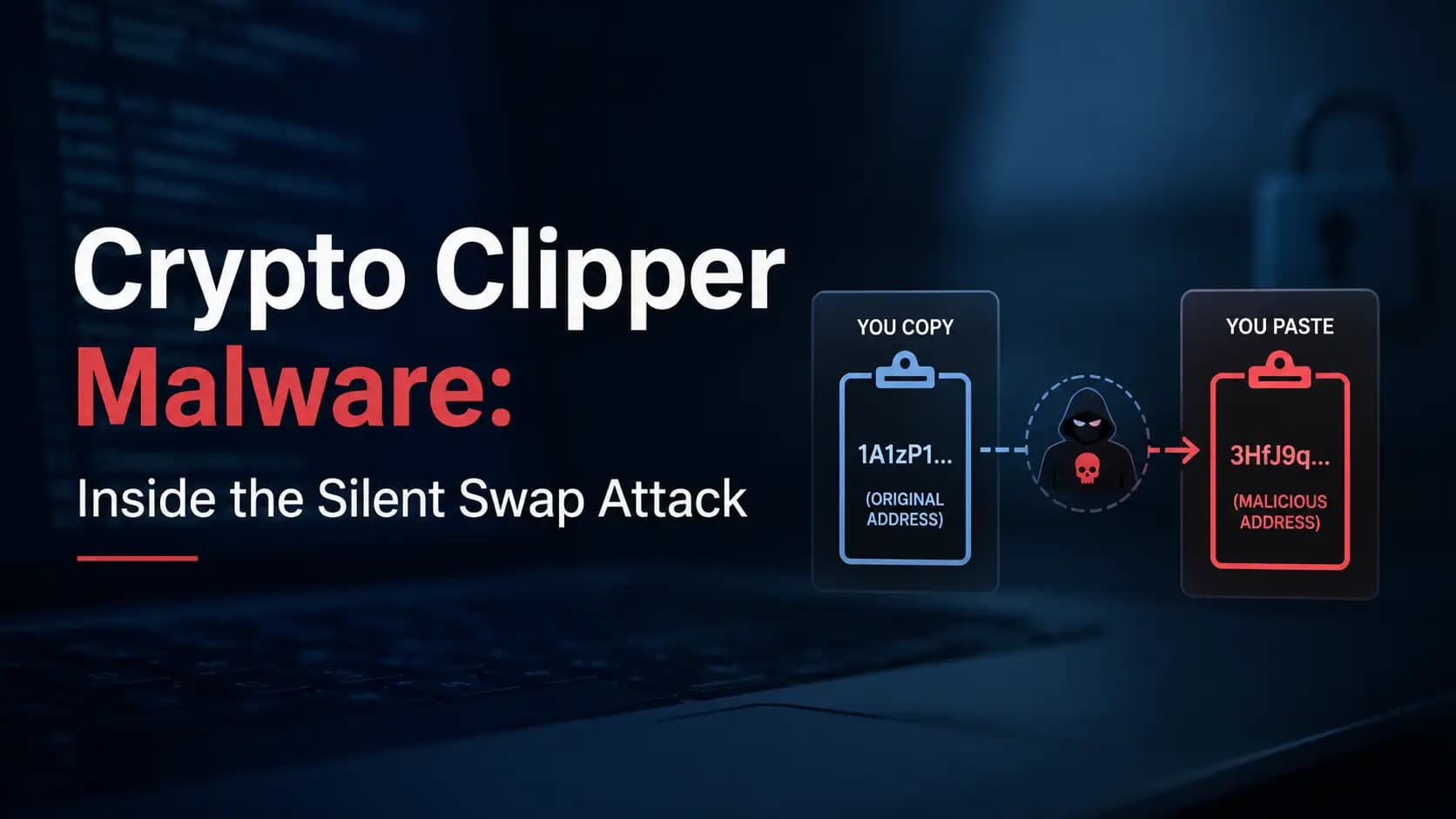
Researchers at McAfee Labs gave this campaign its name after digging into a pattern they kept seeing across infected machines. The idea behind it is simple and brutal at the same time. You copy a wallet address to send funds, but somewhere in the background, malware has already replaced it with an address that belongs to the attacker. You paste, you confirm, and your money is gone before you even realize anything was wrong.
The infection starts with installers that are not digitally signed, built in both dotNET and Golang. One of them, named BaseZipInstaller, pulls down a ZIP file that contains a fake browser extension dressed up as something called Google Notes. It sounds harmless enough, like a simple note taking tool, but what it actually does has nothing to do with notes at all.
How the infection spreads, step by step
Step
What Happens
Technical Detail
1
Installer runs
Unsigned dotNET or Golang installer executes
2
Browser scan
Finds every Chromium based browser on the system
3
Process killed
Forces running browser processes to shut down
4
File tampering
Modifies the Secure Preferences and Preferences files
5
Extension loads
Loads without needing approval from any web store
6
Self deletion
Installer wipes itself, removing the evidence trail
Once it is sitting inside your browser, the extension asks for three permissions that should immediately raise an eyebrow. Clipboard access, access to all URLs, and your browsing history. A note taking app has no business asking for any of that, and this mismatch between what something claims to be and what it actually wants is one of the clearest warning signs in this entire campaign.
Beating the browser's own security checks
This is where things get genuinely interesting from a technical standpoint. Chromium based browsers normally store a hash or HMAC value next to sensitive settings files specifically to detect tampering. If someone messes with those files without permission, the browser is supposed to notice. But this malware does something clever. After it edits the Secure Preferences file, it recalculates that hash value itself and writes the new one in, so the browser has no reason to suspect anything happened.
There is one condition that has to be met for this to work though, and that is developer mode being switched on. Newer browser versions keep this off by default, so attackers rely on social engineering to talk victims into turning it on themselves. In Brave and Opera specifically, the malware has been seen trying to enable developer mode programmatically on its own. The browsers confirmed to be affected so far are Chrome, Edge, Brave, and Vivaldi.
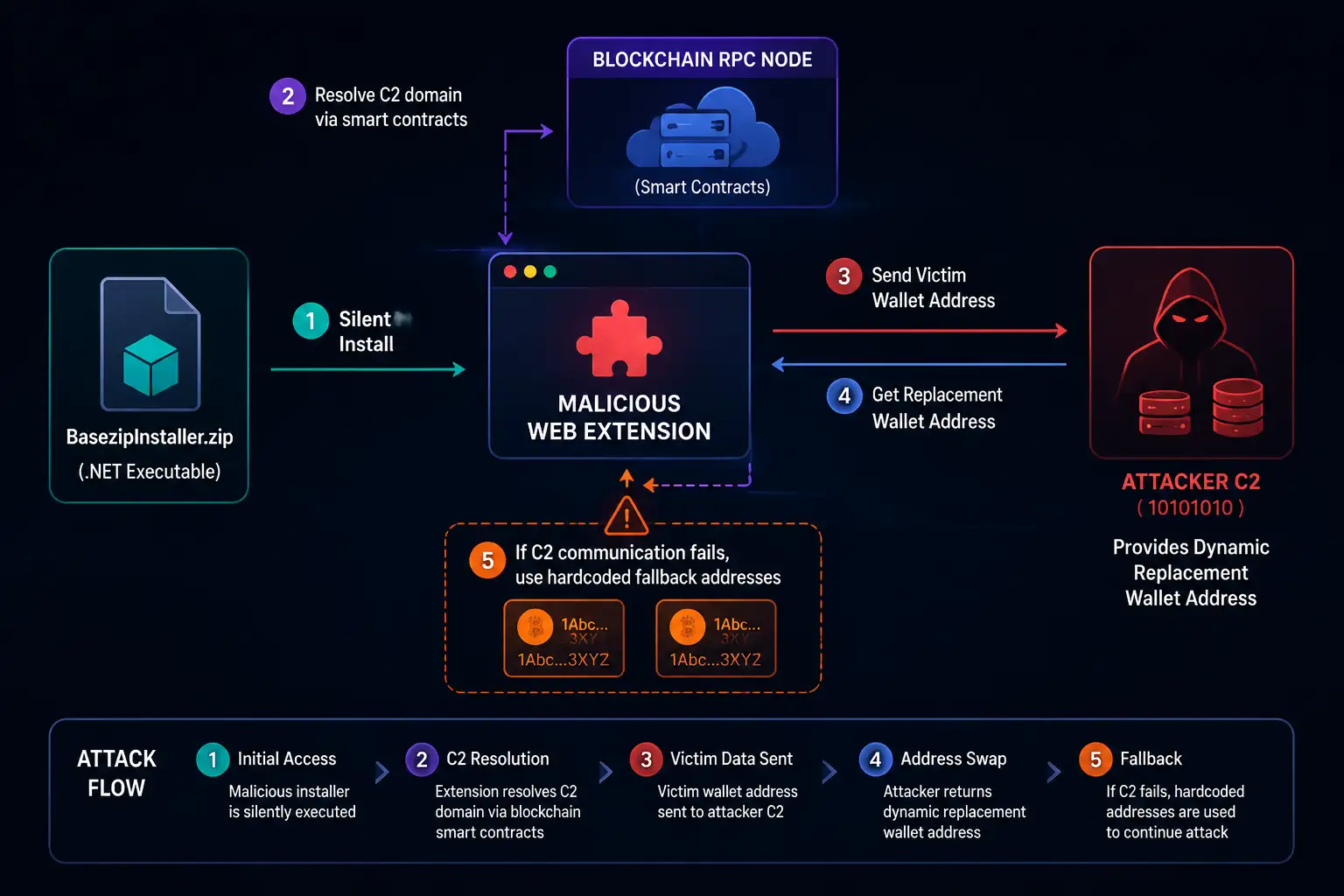
Malware attack flow
EtherHiding, turning the blockchain into a hideout
The most original part of this whole operation is a technique called EtherHiding. Most malware relies on a fixed command and control server address, and once security teams find it, they can block it and effectively cripple the operation. Silent Swap sidesteps that entirely by using the blockchain itself as what researchers describe as a dead drop resolver.
In practice, the malware checks in with a smart contract to find out where the current command server lives. If the attacker wants to move infrastructure, there is no need to push out a new version of the malware at all. They simply update a value inside that smart contract, and every infected machine automatically points to the new location. Since blockchains are decentralized and nobody can simply switch them off, shutting down this kind of infrastructure becomes extremely difficult.
How a wallet address actually gets swapped
Every wallet address you copy gets quietly sent to the attacker's backend server first. That server responds with a replacement address, and that is what ends up sitting in your clipboard instead of the one you actually copied. If for some reason the backend does not respond, the malware falls back to a hard coded address that was baked in ahead of time, so the attack never just stops working.
What stands out here is how consistent the mapping is. Copy the same original address more than once and you will get the same replacement every time, which tells researchers this is a deterministic, one to one system maintained on the server side.
Cryptocurrency
Mapping Type
Note
Bitcoin (BTC)
Unique address per victim
One to one mapping confirmed
Ethereum (ETH)
Unique address per victim
Same original always returns same replacement
Bitcoin Cash
Unique address per victim
Maintained server side
Ripple (XRP)
Unique address per victim
Follows the same pattern
Dash
Unique address per victim
Follows the same pattern
Solana (SOL)
Single fixed attacker address
Found holding a balance of $1,902.45
It is worth noting that Solana behaves differently from the rest. Every victim's Solana address gets redirected to the exact same wallet, while the other currencies each get their own unique replacement.
Where the victims are
Telemetry data shows infections spread across the globe, but India has seen the highest concentration of victims by a noticeable margin. Beyond that, significant numbers have also been reported in the United States, Brazil, Indonesia, and Spain.
A connection to an earlier campaign
McAfee's researchers noticed overlapping technical fingerprints between Silent Swap and an earlier operation known as CountLoader, which also distributed a crypto clipper. That overlap is strong enough that researchers believe the same threat actor may be behind both efforts.
A second case, fake VPN extensions stealing far more
Around the same time, a separate security firm called Socket uncovered something equally troubling. Researchers Kirill Boychenko and Kush Pandya found two browser extensions, both going by the name VPN Go: Free VPN, one listed on the Chrome Web Store and the other on Firefox Add-ons. What makes this especially concerning is that both were sitting on official, trusted marketplaces rather than some shady third party site.
These extensions genuinely function as free VPN tools, complete with working proxy features, which makes them feel legitimate. Underneath that, though, both contain clipboard stealing code that runs constantly, watching everything you copy and sending it straight to attacker controlled servers. The scope here goes well beyond wallet addresses. Passwords, authentication codes, API keys, OAuth tokens, and seed phrases are all fair game.
Silent Swap versus VPN Go, side by side
Factor
Silent Swap
VPN Go Fake Extension
Disguise
Google Notes utility
Free VPN tool
Distribution
Unsigned dotNET or Golang installer
Official Chrome and Firefox stores
Core function
Wallet address clipper
Broader clipboard theft
Data stolen
Crypto wallet addresses
Passwords, OTP codes, API keys, seed phrases, wallet addresses
Persistence
Tampered Secure Preferences file
Store approved extension status
Command method
EtherHiding via blockchain
Direct attacker infrastructure
Why crypto theft is evolving this fast
Put these two cases side by side and a clear pattern emerges. Attackers used to rely on a single static wallet address for every victim. Now they are generating unique addresses per victim on the server side. Command servers used to sit at fixed domains that could be blocked relatively quickly. Now they are hidden behind blockchain lookups that can be rotated with a single transaction. None of this happened by accident. It reflects a deliberate move toward attacks that scale better and survive takedown attempts far longer than before.
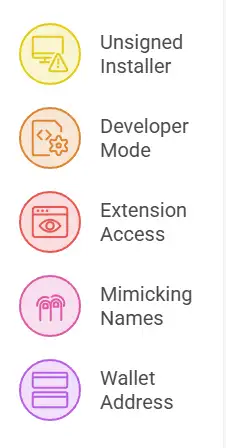
A quick checklist to spot the warning signs
Check whether you recently installed software from an unsigned installer
Notice if your browser is suddenly asking you to turn on developer mode
Look closely at any extension requesting clipboard access, all URL access, or browsing history
Pay attention to extension names that mimic familiar tools, like Google Notes or VPN Go
Always double check a pasted wallet address against the original before sending any crypto
Practical steps to protect yourself and your organization
Personal awareness goes a long way, but it is not the whole answer. Before installing any extension, take a moment to verify who actually published it. Never enable developer mode just because some instruction online told you to. Treat any extension asking for clipboard access with real suspicion. Before every crypto transaction, manually compare the first and last few characters of the wallet address. Where possible, use a hardware wallet that forces you to confirm the address directly on its own screen. And make it a habit to regularly check chrome://extensions to see exactly what is installed on your system.
Organizations dealing with this kind of threat need more than individual vigilance. A solid endpoint security setup helps catch malicious extensions like this one before they ever take hold. Since employees increasingly browse from phones too, paying attention to mobile security has become just as important as securing desktops.
Stolen wallet addresses and credentials from campaigns like this often surface later through dark web monitoring, so regular scanning is worth the investment. If an unsigned installer or suspicious extension does turn up on company systems, bringing in an incident response team quickly can stop the damage from spreading further.
Running regular attack surface management helps surface the kind of blind spots that attackers love to exploit, the ones that rarely get noticed during routine checks. And because so much of this activity now ties back to smart contracts and blockchain infrastructure, anyone building in the Web3 space should seriously consider a web3 security audit before launching anything publicly.
For organizations that want a broader picture of where they stand, a cyber resilience assessment is a practical way to find gaps in current defenses before attackers do.
For more breakdowns of emerging threats like this one, our blog covers new campaigns as they surface.
Frequently Asked Questions
How does clipper malware actually work
It watches your clipboard in the background, and the moment you copy a wallet address, it silently replaces it with an attacker controlled one, so you end up sending funds somewhere you never intended.
Is it safe to use free VPN extensions
Not always. The VPN Go case shows that even extensions sitting on official stores can be malicious. Always check reviews, requested permissions, and the developer's track record before installing anything.
What is EtherHiding and why is it dangerous
It is a method where attackers use the blockchain to hide the location of their command server. Since nobody controls a blockchain on their own, this kind of infrastructure is nearly impossible to take down through normal means.
How can you tell if a browser extension is malicious
If a simple tool suddenly wants clipboard access, browsing history, or permission to read every website you visit, treat that as a red flag. Also check who built it, how long it has been listed, and what reviews say.
If my wallet address gets swapped and funds are sent away, can I get them back
Unfortunately almost never, because blockchain transactions cannot be reversed once confirmed. That is exactly why double checking the address before hitting send matters so much.
Why is Solana mapped differently from other cryptocurrencies in this campaign
Researchers observed that every Solana address gets redirected to one single fixed attacker wallet, unlike other currencies which each get a unique address per victim. The exact reason is not confirmed, though it may simply reflect a limitation in the attacker's current setup.
A final thought
Silent Swap and the VPN Go extensions both point to the same uncomfortable lesson. Danger no longer only comes from sketchy websites or obviously fake downloads. Familiar sounding tools sitting on official, trusted stores can quietly steal the things that matter most, your passwords, your seed phrases, and your crypto. Taking a few extra seconds to verify an extension before installing it, and double checking a wallet address before every transaction, are small habits that can save you from a very large loss.
Microsoft X account hacked in a Clippy crypto scam. Learn what happened, what Microsoft confirmed, the risks involved, and how users can stay protected.
acSync malware abuses public iCloud calendars to deliver macOS payloads. See how the attack works, what it steals, how it persists, and how to respond.
CLOSEDQUORUM malware uses four AI models to vote on attack actions. See how multi-LLM C2 works, what it steals, and how defenders can detect attacks early.





-20260925120840.webp&w=3840&q=75)
