iPhone BootROM Vulnerability: Checkm8 and Usbliter8 Risks
Educational and Responsible Disclosure Notice: This article explains documented security research and defensive measures. It does not provide exploit instructions or malicious code. All security assessments should take place on authorized devices and systems.
What is the iPhone BootROM Vulnerability, and Can It Expose Cryptocurrency Wallets?
Yes, an affected iPhone can face additional security risks, but BootROM access does not automatically expose cryptocurrency keys.
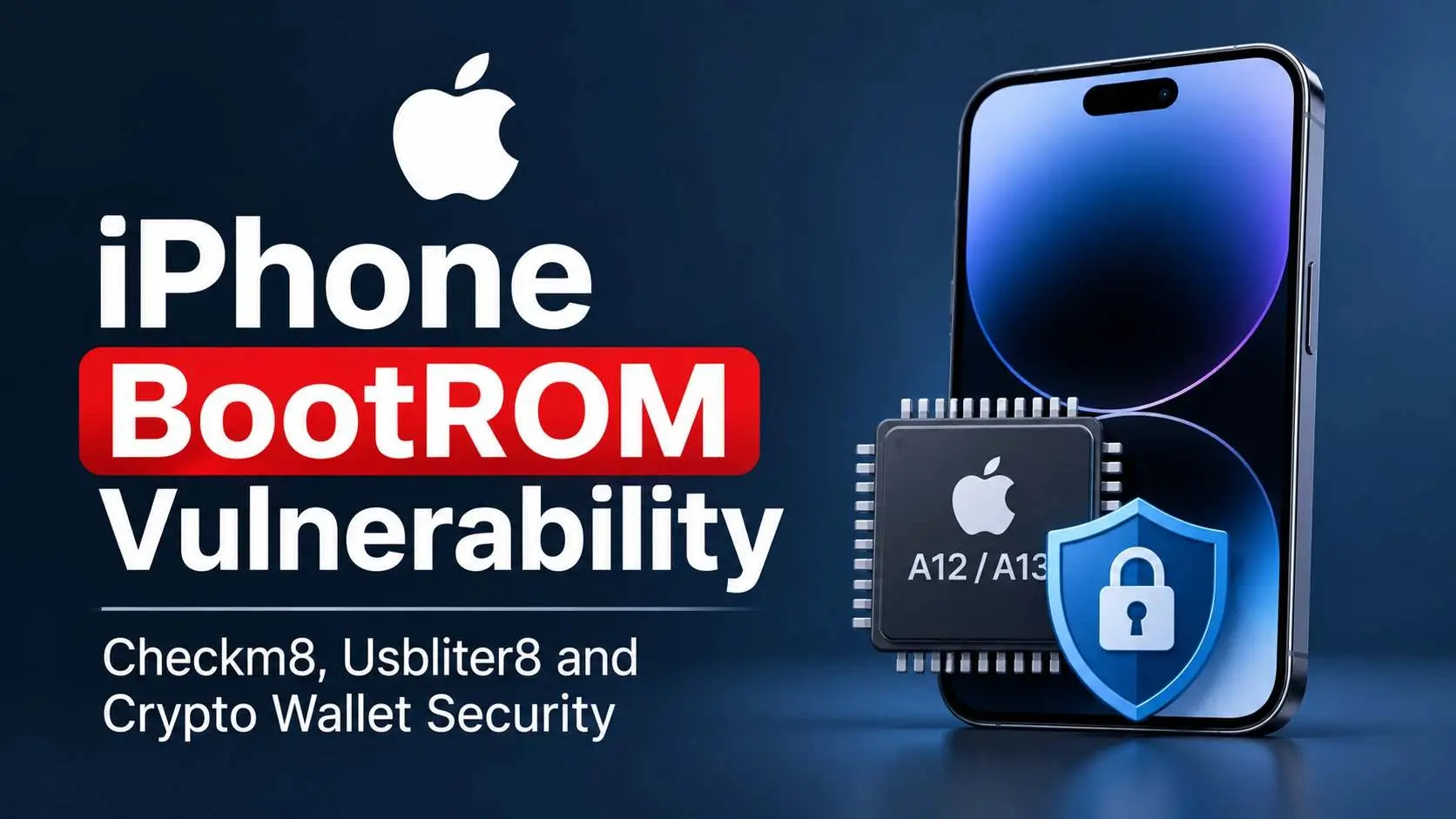
On June 18, 2026, researchers published details of Usbliter8, a hardware-level exploit affecting Apple's A12 and A13 processor families. The research raised concerns about older iPhones, especially devices used to store cryptocurrency recovery phrases.
The earlier Checkm8 exploit affected A5 through A11 processors. Both findings matter because they target the first stage of Apple's secure boot process.
However, physical access remains a major attack requirement. Device encryption and Secure Enclave protections also remain important security barriers.
Key Security Findings
- Checkm8: A BootROM exploit affecting Apple A5 through A11 processors. It became public on September 27, 2019.
- Usbliter8: A separate exploit disclosed on June 18, 2026. It affects A12, A13, S4 and S5 processor families.
- Cryptocurrency risk: Recovery phrases stored in ordinary phone storage may face additional exposure. Neither exploit automatically defeats every encryption or hardware security control.
Table of Contents
- Key Facts and Verified Findings
- Understanding the Apple BootROM
- Checkm8 vs. Usbliter8
- How Usbliter8 Creates a Security Risk
- The Cryptocurrency Wallet Security Connection
- Technical Assessment and Diagnostics
- Remediation and Hardening
- Detection and Security Monitoring
- Industry Standards and Security Controls
- Frequently Asked Questions
- Technical References
Key Facts and Verified Findings
Before examining the technical details, readers need a clear picture of what researchers have confirmed.
|
Security detail |
Verified finding |
|
Checkm8 disclosure |
September 27, 2019 |
|
Checkm8 processor range |
A5 through A11 |
|
Checkm8 CVE |
CVE-2019-8900 |
|
Checkm8 CERT/CC base score |
5.6 |
|
Usbliter8 disclosure |
June 18, 2026 |
|
Usbliter8 processor families |
A12, A13, S4 and S5 |
|
Main attack interface |
Physical USB connection |
|
BootROM patch through iOS |
Not possible |
|
Direct Secure Enclave compromise |
Not established by Usbliter8 |
|
Confirmed widespread wallet theft |
Not established by the cited research |
Sources: CERT/CC, Paradigm Shift research coverage, and independent technical reporting.
Confirmed vs. unconfirmed information
|
Claim |
Evidence status |
|
Checkm8 affects A5 to A11 |
Confirmed |
|
Usbliter8 affects A12 and A13 |
Confirmed |
|
Usbliter8 affects A12X and A12Z through an implemented exploit |
Not confirmed |
|
Both exploit families require physical access |
Confirmed |
|
Usbliter8 directly extracts every wallet's private keys |
Unsupported |
|
These exploits caused widespread cryptocurrency theft |
Unverified |
This distinction prevents a common reporting mistake. A hardware vulnerability creates an attack opportunity, but it does not prove that an attacker successfully stole data.
Understanding the Apple BootROM
What does BootROM actually do?
Every iPhone needs a trusted starting point.
Apple uses a hardware component called BootROM, also known as SecureROM, to establish that starting point. The processor runs this code when the device powers on.
BootROM checks the next stage of the startup process. Each stage verifies the integrity of the following stage before continuing.
Apple calls this design the Secure Boot Chain.
Simplified Apple Secure Boot Process
BootROM
Hardware root of trust
iBoot
Bootloader verification
iOS Kernel
Operating system startup
iOS Services and Applications
User applications and device functions
Illustration based on Apple's documented boot process.
This design makes unauthorized changes harder. An attacker who compromises an early startup stage may undermine trust in later stages.
The problem becomes more serious when the vulnerable code lives inside the processor itself.
Why software updates cannot repair BootROM
Apple stores BootROM inside the processor during manufacturing.
Unlike ordinary software, the original code does not exist as a normal file that an iOS update can replace.
Therefore, Apple cannot rewrite the affected BootROM instructions through a standard software update.
Apple can still improve other security controls through firmware and operating system updates. However, those improvements do not remove the original hardware defect.
This makes hardware replacement the strongest mitigation for devices affected by these specific weaknesses.
Checkm8 vs. Usbliter8
These exploits target different processor generations. Their technical methods also differ.
1. Checkm8: The earlier BootROM exploit
Security researcher axi0mX publicly disclosed Checkm8 on September 27, 2019.
The vulnerability affects Apple's A5 through A11 processor families. That includes iPhones from the iPhone 4S through iPhone X generations.
CERT Coordination Center documented the issue as a SecureROM use-after-free vulnerability. A use-after-free occurs when software continues to handle memory after it has released that memory.
The published exploit uses the USB Device Firmware Upgrade process. It requires physical access and a suitable device state.
CVE information:
- Identifier: CVE-2019-8900
- CERT/CC base score: 5.6
- Vulnerability type: Use-after-free
- Affected processor families: A5 through A11
- Patch status: Cannot be fixed through ordinary software updates
CERT/CC also notes that Checkm8 exploitation does not automatically expose information protected by the Secure Enclave or Touch ID.
2. Usbliter8: The newer hardware-level weakness
On June 18, 2026, Paradigm Shift published its Usbliter8 research.
The exploit targets Apple's A12 and A13 processors. It also covers the S4 and S5 chip families.
The affected iPhone models include:
- iPhone XS
- iPhone XS Max
- iPhone XR
- iPhone 11
- iPhone 11 Pro
- iPhone 11 Pro Max
- iPhone SE (second generation)
Other Apple devices using the affected processor families also fall within the reported scope.
The research also discusses possible A12X and A12Z support. However, the published implementation does not include those variants.
Processor and exploit comparison
|
Processor |
Relevant iPhone generation |
Exploit |
|
A5 |
iPhone 4S |
Checkm8 |
|
A6 |
iPhone 5 |
Checkm8 |
|
A7 |
iPhone 5s |
Checkm8 |
|
A8 |
iPhone 6 series |
Checkm8 |
|
A9 |
iPhone 6s series |
Checkm8 |
|
A10 |
iPhone 7 series |
Checkm8 |
|
A11 |
iPhone 8 and X |
Checkm8 |
|
A12 |
iPhone XS, XS Max and XR |
Usbliter8 |
|
A13 |
iPhone 11 series and SE 2 |
Usbliter8 |
|
A14 and later |
Newer generations |
Not identified as affected by these two exploits |
This table describes the reported scope of these exploit families. It is not a complete Apple vulnerability list.
How Usbliter8 Creates a Security Risk
Understanding the USB controller weakness
Usbliter8 targets the USB controller inside affected Apple processors.
The researchers identified a hardware weakness involving USB packet handling and memory access.
A USB controller handles data exchanged through the physical connection. It also manages memory operations during device startup.
Under the vulnerable conditions, specially formed USB packets can trigger incorrect memory handling. This allows an attacker to reach memory locations that should remain protected.
The result is code execution during an early boot stage.
Why the A13 processor needs separate consideration
The A13 includes Pointer Authentication Codes, known as PAC.
PAC helps protect memory pointers against certain forms of tampering. This adds another barrier to exploitation.
Paradigm Shift reported that its A13 research required additional stages to overcome this protection.
This illustrates an important point: two processors can share a vulnerability while presenting different exploitation challenges.
Does Usbliter8 compromise the Secure Enclave?
This question needs a careful answer.
The published research does not establish a direct compromise of the Secure Enclave through Usbliter8.
Apple designed the Secure Enclave as a separate hardware subsystem. It protects sensitive operations through dedicated security mechanisms and protected memory.
It helps protect cryptographic operations and certain encryption keys.
However, researchers have warned that early boot compromise may create wider opportunities for further attacks.
That possibility does not prove that every Secure Enclave secret becomes accessible.
Security teams must assess the complete attack path before declaring a wallet compromised.
The Cryptocurrency Wallet Security Connection
Why recovery phrases matter
A cryptocurrency wallet relies on cryptographic keys to authorize transactions.
A recovery phrase allows a user to restore access to a wallet. Anyone who obtains the necessary recovery phrase may gain control over the associated funds.
This makes the storage location important.
Consider these examples:
|
Storage method |
Security concern |
|
Ordinary Notes app |
Sensitive information may face exposure if data access is compromised |
|
Screenshot or photograph |
Creates another copy of the recovery phrase |
|
Encrypted wallet storage |
Depends on the encryption and key protection design |
|
Hardware-backed key protection |
Can provide stronger isolation |
|
Properly managed offline backup |
Reduces some online exposure |
The iPhone Crypto Wallet Security risk depends on how the wallet handles its secrets.
A BootROM exploit does not automatically decrypt every file. Nor does it automatically extract private keys from hardware-backed storage.
Why offline storage is not a complete defense
Some users keep older phones disconnected from the internet.
This reduces certain remote attack paths. However, it does not repair hardware vulnerabilities.
Airplane mode does not remove the USB controller. A factory reset does not replace the processor's original BootROM.
Therefore, an offline iPhone should not automatically qualify as secure cryptocurrency storage.
A recent industry warning
On November 1, 2026, Crypto.news reported a warning from OneKey founder Yishi Wang.
The warning concerned the risks of storing recovery phrases on older iPhones affected by Checkm8 and Usbliter8.
It highlighted the difference between disconnecting a device and removing its hardware-level weaknesses.
This is an industry warning, not proof of a widespread wallet theft campaign.
What could an organization lose?
Businesses should assess more than cryptocurrency applications.
An affected device may also contain:
- Business email sessions.
- Authentication tokens.
- Sensitive company documents.
- Password manager data.
- Financial application access.
- Employee credentials.
The actual exposure depends on local storage, encryption, authentication and application design.
For small businesses, a single unmanaged phone can create risks across several business systems.
Technical Assessment and Diagnostics
A responsible security assessment should begin with inventory and evidence collection.
This article does not claim a completed laboratory reproduction. No test device, hardware setup or forensic result was supplied for verification.
The following process provides a safe, non-invasive assessment framework.
1. Build a controlled assessment environment
Record the following information:
|
Component |
Assessment requirement |
|
Test device |
Organization-owned iPhone |
|
Device model |
Exact model identification |
|
Processor |
A-series or S-series identification |
|
iOS version |
Installed software version |
|
USB connection |
Approved host and accessory |
|
Device management |
MDM enrollment status |
|
Wallet application |
Storage and authentication review |
|
Evidence |
Authorized inventory and access records |
Do not attempt to reproduce the exploit on employee devices or production systems.
2. Identify the iPhone model
Open:
Settings → General → About
Record:
- Model name.
- Model number.
- iOS version.
- Serial number in the organization's protected inventory.
Avoid sharing serial numbers in public reports.
For managed fleets, compare these records against the organization's device inventory.
3. Check the USB connection history
Security teams can review approved computer and device-management records.
On macOS, the following read-only command lists connected USB devices:
system_profiler SPUSBDataType
This command reports USB device information. It does not identify a BootROM compromise.

4. Review device management records
Check the MDM console for:
- Device model and OS version.
- Enrollment status.
- Compliance status.
- Last successful device check-in.
- Lost-device reports.
- Approved configuration changes.
Important limitation: Standard MDM telemetry cannot reliably prove that an iPhone has or has not experienced a BootROM exploit.
5. Review wallet data exposure
Document whether the device stores:
- Recovery phrases.
- Private keys.
- Authentication tokens.
- Wallet backups.
- Sensitive application data.
Do not copy recovery phrases into audit reports or monitoring systems.

6. Record the assessment outcome
Use a structured record:
ASSESSMENT: Mobile Device Security
DEVICE: [Verified Model]
PROCESSOR: [Verified Processor]
IOS VERSION: [Installed Version]
EXPLOIT SCOPE: [Checkm8 / Usbliter8 / Unknown]
PHYSICAL CUSTODY: [Reviewed / Pending]
WALLET STORAGE: [Reviewed / Pending]
SECURE STORAGE: [Reviewed / Pending]
FINAL RISK: [Assessment Required]
This is an illustrative assessment template, not actual forensic output.
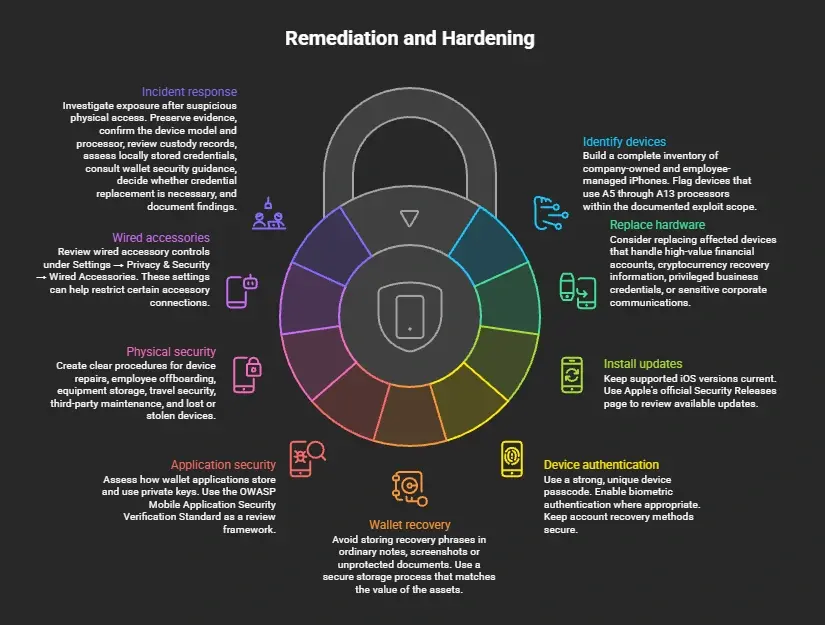
Remediation and Hardening
Organizations should address hardware exposure, sensitive data storage and physical access.
1. Identify affected devices
Build a complete inventory of company-owned and employee-managed iPhones.
Flag devices that use A5 through A13 processors within the documented exploit scope.
Do not rely on the installed iOS version alone.
2. Replace affected hardware used for sensitive operations
Consider replacing affected devices that handle:
- High-value financial accounts.
- Cryptocurrency recovery information.
- Privileged business credentials.
- Sensitive corporate communications.
Moving to hardware outside the documented exploit scope provides the strongest protection against these specific BootROM weaknesses.
Newer hardware still requires normal security maintenance.
3. Install supported security updates
Keep supported iOS versions current.
Updates can fix other security weaknesses, even when they cannot rewrite BootROM.
Use Apple's official Security Releases page to review available updates.
4. Strengthen device authentication
Use a strong, unique device passcode.
Enable biometric authentication where appropriate. Keep account recovery methods secure.
Apple explains how passcodes support its device encryption architecture.
Apple Support
5. Protect wallet recovery information
Avoid storing recovery phrases in ordinary notes, screenshots or unprotected documents.
Use a secure storage process that matches the value of the assets.
Review the wallet provider's documentation before changing key storage or recovery procedures.
6. Review mobile application security
Assess how wallet applications store and use private keys.
Use the OWASP Mobile Application Security Verification Standard as a review framework.
Pay attention to:
- Secure local storage.
- Cryptographic key handling.
- Authentication controls.
- Session management.
- Sensitive data exposure.
7. Strengthen physical device security
Create clear procedures for:
- Device repairs.
- Employee offboarding.
- Equipment storage.
- Travel security.
- Third-party maintenance.
- Lost or stolen devices.
These controls reduce opportunities for unauthorized physical access.
8. Review wired accessory settings
Apple provides controls for wired accessories.
Users can review them under:
Settings → Privacy & Security → Wired Accessories
These settings can help restrict certain accessory connections.
However, they do not repair the BootROM flaw or guarantee protection against Usbliter8.
9. Prepare an incident response plan
If a device containing sensitive wallet information has experienced suspicious physical access, investigate its exposure.
The response team should:
- Preserve relevant evidence.
- Confirm the device model and processor.
- Review device custody records.
- Assess locally stored credentials.
- Consult the relevant wallet security guidance.
- Decide whether credential replacement is necessary.
- Document the findings.
Do not assume that a factory reset proves the device was never compromised.
Mitigation Strategy Comparison
|
Mitigation strategy |
Security benefit |
Performance impact |
Complexity |
|
Hardware replacement |
Avoids these specific hardware flaws |
No ongoing device performance cost |
Medium |
|
iOS updates |
Fixes supported software flaws |
Usually low, varies by release |
Low |
|
Strong passcode |
Protects access to encrypted data |
Minimal |
Low |
|
Secure wallet storage |
Reduces credential exposure |
Depends on implementation |
Medium |
|
Physical access controls |
Limits hands-on attack opportunities |
Minimal |
Medium |
|
MDM inventory |
Improves device visibility |
Low, varies by platform |
Medium |
|
Incident response planning |
Improves recovery and investigation |
No direct device overhead |
Medium |
There is no single control that addresses every risk.
A layered approach gives organizations better protection. NIST SP 800-124 Rev. 2 provides guidance for mobile device security throughout the device lifecycle.
Detection and Security Monitoring
Can a SIEM detect a BootROM exploit?
Not reliably through ordinary iPhone logs alone.
BootROM operates before the standard iOS logging environment starts. This creates a visibility gap for normal endpoint monitoring.
Security teams should combine device inventory, USB access records and physical custody information.
Recommended monitoring priorities
|
Monitoring source |
What to review |
Limitation |
|
MDM |
Device compliance and inventory changes |
Does not prove BootROM integrity |
|
Endpoint logs |
Approved host connections |
Host logs may not identify exploit activity |
|
Physical access logs |
Device access and handovers |
Cannot prove what happened to a device |
|
Incident records |
Lost devices and suspicious repairs |
Depends on complete reporting |
|
Wallet audit records |
Unusual account activity |
Not all wallets provide detailed logs |
Example defensive alert logic
The following is a conceptual SIEM rule, not a validated detection signature.
ALERT NAME:
Unusual USB Access to Sensitive Mobile Device
CONDITIONS:
Device belongs to sensitive asset inventory
AND
Unexpected physical access is reported
AND
USB connection occurs outside approved maintenance
ACTION:
Create security incident
Review device custody
Verify asset identity
Assess credential exposure
Escalate for forensic review
This logic helps identify unusual access patterns.
However, it cannot confirm a successful exploit. Security teams should avoid treating an ordinary USB connection as proof of compromise.
Why Suricata and firewall rules are not suitable fixes
Suricata and network firewalls inspect network traffic.
Usbliter8 targets an early boot process through a physical USB connection. Standard network monitoring cannot reliably inspect or block that hardware-level activity.
Deploying additional deep packet inspection for this specific threat would add overhead without addressing its main attack path.
Physical controls and hardware lifecycle management offer more relevant protection.
Industry Standards and Security Controls
A strong security program should connect this issue to established frameworks.
NIST SP 800-124 Rev. 2
NIST published SP 800-124 Rev. 2 in May 2023.
It covers mobile security across deployment, use and disposal. It also discusses centralized device management and personally owned devices.
Relevant security activities include:
- Device inventory.
- Access control.
- Configuration management.
- Risk assessment.
- Continuous monitoring.
- Device maintenance.
NIST SP 800-53
Organizations can also consider relevant control families.
|
Control |
Defensive application |
|
AC-3 |
Enforce access restrictions |
|
AC-6 |
Apply least privilege |
|
CM-8 |
Maintain hardware inventories |
|
PE-3 |
Control physical access |
|
SI-2 |
Manage applicable software flaws |
These are suggested control mappings. They do not represent an official NIST classification of Usbliter8.
MITRE ATT&CK and OWASP
There is no confirmed, dedicated MITRE ATT&CK technique assigned to Checkm8 or Usbliter8 as specific exploit names.
Do not force a technique ID into the article simply to make it look more technical.
For mobile application reviews, OWASP MASVS provides a more useful framework for assessing storage, authentication and cryptographic protections.
Frequently Asked Questions
1. Which iPhones are affected by Usbliter8?
Usbliter8 affects iPhones using Apple's A12 and A13 processors. These include the iPhone XS, XS Max, XR, iPhone 11 series and second-generation iPhone SE.
2. Can Checkm8 steal cryptocurrency?
Checkm8 provides an early boot code execution capability on affected devices. It does not automatically expose private keys or bypass every Secure Enclave protection.
3. Can Apple fix the iPhone BootROM Vulnerability?
Apple cannot rewrite the original vulnerable BootROM through an ordinary iOS update. Moving to hardware outside the affected processor generations offers the strongest protection against these specific flaws.
4. Does airplane mode protect an old iPhone?
Airplane mode reduces wireless network exposure but does not remove physical USB attack paths. It should not serve as the only security measure for sensitive devices.
Protect the Hardware Before Trusting the Software
Checkm8 and Usbliter8 show that hardware-level weaknesses can remain relevant long after their discovery.
The main concern is not that every older iPhone has already been compromised. The concern is that affected processors contain startup code that ordinary software updates cannot replace.
For businesses, the right response starts with hardware inventory and physical access controls. Teams should also review wallet applications, sensitive data storage and incident response procedures.
A secure device needs more than an updated operating system. It also needs trustworthy hardware and protected credentials.
Organizations that handle sensitive mobile data should include hardware-level risks in their security reviews.
For further technical assessment, see these relevant resources:
Author Bio and Review
Author: Mohammed Talukder is the Co-Founder and CEO of Hoplon InfoSec, with over 16 years of experience in cybersecurity and technology. His expertise includes offensive security, vulnerability management, cyber risk management, and incident response. His professional credentials include CISM, CISA, CEH, and CompTIA PenTest+. He has also received Infosys recognition awards for his professional contributions. He shares practical cybersecurity insights to help organizations strengthen their security posture.
Technical reviewer: Gazi Mahmud, Co-Founder and CIO of Hoplon InfoSec LLC, cybersecurity leader, and CISM & CISA certified professional with expertise in cyber risk management, security governance, compliance, and incident response.