
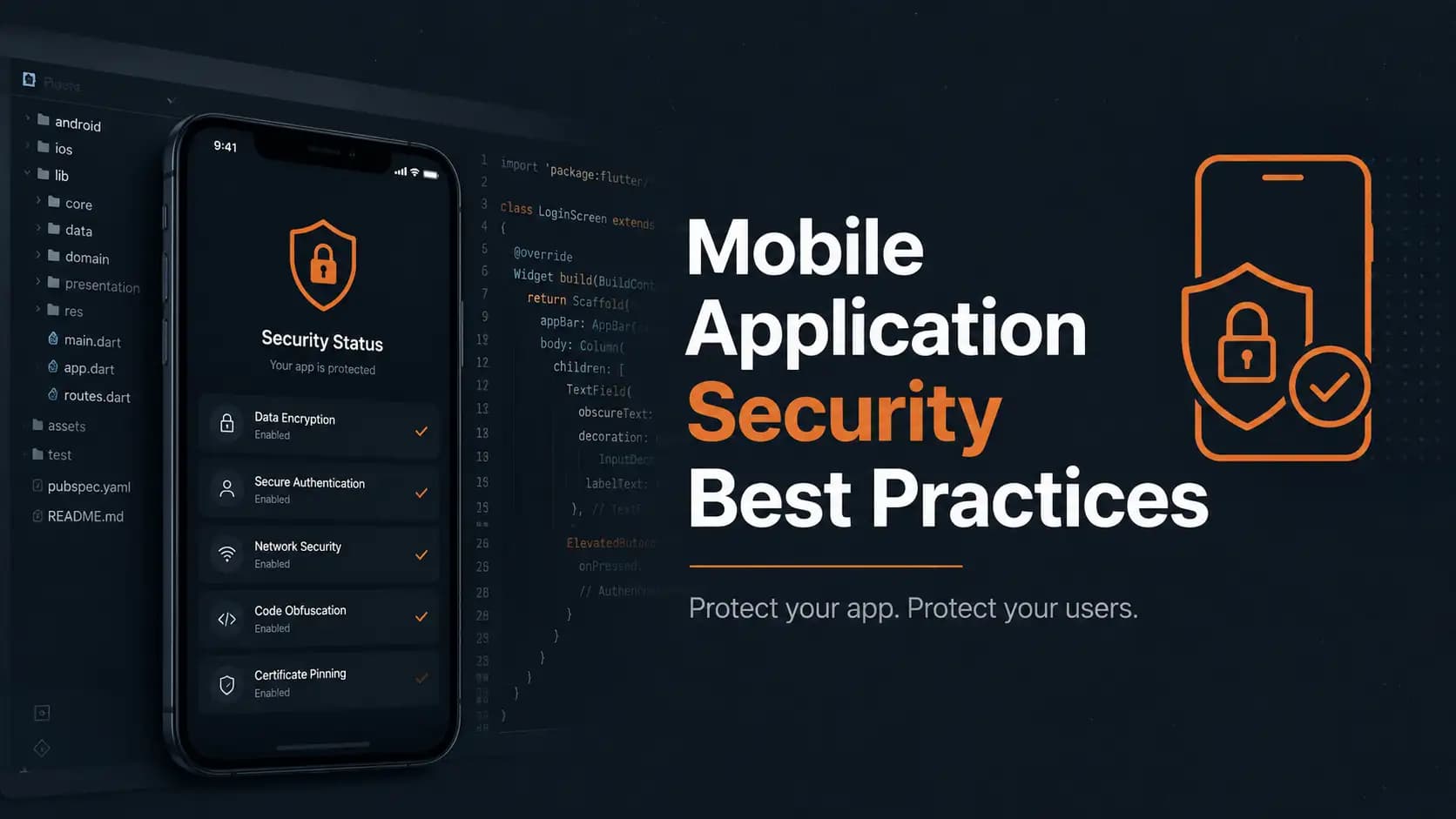
This guide breaks down react native mobile app security in plain language, covering the ten layers every serious app needs, from code obfuscation and certificate pinning to encrypted storage, authentication, session handling, runtime protection, dependency scanning, and penetration testing. It includes real code snippets, a comparison table, official data from IBM, Verizon, Microsoft, and OWASP, and a practical checklist you can start using today.
React Native Mobile App Security: The Complete Guide Every Developer Needs In 2026
I still remember the first time a client called me at eleven at night because their app had been pulled apart by a stranger in under an hour. The attacker did not hack a server or break through a firewall. He simply downloaded the APK, opened it in a free decompiler, and read the API keys sitting in plain text inside the code. That call changed how I think about react native mobile app security forever, and it is the reason this guide exists.
If you are building with React Native, Expo, or a Supabase backend, you are probably moving fast, shipping features, and trusting that the framework handles the hard parts for you. It does not. React Native gives you speed, not safety. Security is something you have to build in layer by layer, the same way a locksmith does not just add one lock to a door and call it done.
According to IBM's 2024 Cost of a Data Breach Report, the average breach now costs a business 4.88 million dollars, and mobile apps are one of the fastest growing entry points because so many teams treat security as an afterthought. This article walks through every layer that actually matters, in plain English, with real code you can copy into your project today.
What you will learn in this guide:
- What react native mobile app security actually means and why it cannot be a single feature
- How code obfuscation, certificate pinning, and encrypted storage protect your app at rest and in transit
- How to set up multi factor authentication, secure sessions, and runtime protection step by step
- How to catch vulnerable dependencies before attackers do, using CVSS scoring to prioritize fixes
- Why penetration testing is the final proof that everything else actually works
Quick Summary Table
| Security Layer | What It Protects | Tool or Method |
|---|---|---|
| Code Obfuscation | Source code and logic | R8 on Android, Strip Symbols on iOS |
| Certificate Pinning | Data in transit | Network Security Config, NSPinnedDomains |
| Encrypted Storage | Tokens and PII on device | react-native-keychain, expo-secure-store |
| Authentication | Account takeover | Supabase Auth TOTP, biometrics |
| API Communication | Request tampering | Request signing, HTTPS enforcement |
| Session Management | Stolen tokens | Short lived JWT, refresh token rotation |
| Runtime Protection | Rooted or jailbroken devices | Jail Monkey, commercial RASP |
| Input Validation | Injection attacks | Zod schema validation |
| Dependency Scanning | Vulnerable packages | npm audit, Snyk, Dependabot |
| Penetration Testing | Everything above, combined | MobSF, Burp Suite, Frida |
What Does Mobile App Security Actually Mean
Mobile app security is not one feature you switch on. It is a mindset that treats every layer of your app, the code, the network, the storage, and the backend, as a place where something could go wrong. A phone can be lost, rooted, or handed to a repair shop with your app still logged in. None of that is under your control, so the app itself has to be built to survive it.
Most teams building with React Native focus their energy on features and design because that is what users see first. Security only becomes visible when it fails, and by then the damage is already public. This is why treating security as a foundation rather than a patch is the single biggest mindset shift a development team can make. A few quick facts worth knowing before you go any further:
- The average data breach cost 4.88 million dollars in 2024, according to IBM
- 68 percent of breaches involve a human element, according to Verizon's DBIR
- Multi factor authentication blocks 99.9 percent of automated account takeover attempts, according to Microsoft
- 84 percent of codebases contain at least one known open source vulnerability, according to Synopsys
Why Does Code Get Stolen So Easily
Every app you ship gets compiled into an APK on Android or an IPA on iOS, and both of those files can be opened by anyone with a free decompiler. Without protection, your class names, your method names, your API endpoints, and sometimes even your hardcoded secrets are sitting there in readable form. Code obfuscation and hardening is the first wall you put up against that.
On Android, a tool called R8 handles this automatically during your release build. You simply add the following to your android/app/build.gradle file.
release { minifyEnabled true shrinkResources true proguardFiles getDefaultProguardFile( 'proguard-android-optimize.txt'), 'proguard-rules.pro' }
R8 renames your classes and methods into meaningless letters, strips out dead code, and shrinks your resources, and in most cases it actually makes your app run faster because of the extra optimization passes. On iOS, you get a similar effect by setting Strip Swift Symbols and Deployment Postprocessing to Yes inside your Xcode release build settings. A few habits that separate a clean obfuscation setup from a broken one:
- Always save the mapping.txt file R8 generates, or your crash reports become unreadable gibberish
- Only apply aggressive obfuscation to release builds, never to debug builds
- Profile your release build after enabling it, since rare edge cases can add overhead
How Do You Block A Man In The Middle Attack
Certificate pinning hardcodes your server's public key inside the app, so the app refuses to trust any certificate authority except the one you specifically told it to trust. Even if an attacker manages to compromise a certificate authority somewhere in the chain, your app will not fall for it.
The key detail most tutorials skip is that you should pin the public key, not the certificate itself. Certificates expire and get reissued all the time, but the underlying public key usually stays stable, so pinning the key means your app will not suddenly stop working the next time your certificate renews. On Android you configure this through a network_security_config.xml file referenced in your AndroidManifest.xml, and on iOS you add your domain and key hashes under NSPinnedDomains in your Info.plist. Before you implement it, keep these rules in mind:
- Pin the public key instead of the certificate, since keys stay stable across renewals
- Always include a backup pin so you can rotate without forcing an app update
- Test on real networks before release, since a misconfigured pin blocks all traffic
Is certificate pinning necessary for every app? Not always. It adds the most value for apps handling money, health data, or login tokens. For lower risk apps, strong HTTPS configuration alone can be enough, so weigh the ongoing maintenance of pin rotation against your actual threat model.
Where Do Most Mobile Data Breaches Actually Start
Here is a statistic that should make every developer pause. Verizon's 2024 Data Breach Investigations Report found that 68 percent of breaches involved a human element, and a huge share of those trace back to stolen credentials sitting somewhere they should never have been stored in the first place, like plain text inside AsyncStorage or an unencrypted SQLite database.
The fix is straightforward once you know it exists. Use react-native-keychain to push sensitive values into the phone's hardware backed secure enclave, which on iOS means Keychain Services and on Android means the Android Keystore.
import * as Keychain from 'react-native-keychain';
await Keychain.setGenericPassword('user', token); const creds = await Keychain.getGenericPassword();
For larger offline datasets, SQLCipher gives you transparent 256 bit AES encryption without changing how your queries work. Quick rules to follow for encrypted local storage:
- Never hardcode a key inside your source code, generate it at runtime instead
- Encrypt everything sensitive, not just passwords, including session tokens and PII
- Use SQLCipher for offline databases and react-native-keychain for individual secrets
How Do You Set Up Multi Factor Authentication For A Mobile App
Passwords alone fail constantly, and Microsoft has published research showing that multi factor authentication blocks 99.9 percent of automated account compromise attempts. That single statistic is probably the strongest argument for adding a second factor that exists in mobile app security today.
If your backend runs on Supabase, you can enable TOTP based multi factor authentication directly through Supabase Auth's built in support, and pair it with expo-local-authentication or react-native-biometrics for Face ID or fingerprint verification. A short checklist for getting this right:
- Skip SMS based codes when possible, since SIM swapping makes them unreliable
- Use a TOTP app like Google Authenticator or Authy instead
- Provide backup recovery codes during enrollment for users who lose their phone
- Require re-authentication for sensitive actions like password changes or payments
How Do You Secure API Communication In A Mobile App
HTTPS is the bare minimum for API communication, not the finish line. Real protection means every request carries proof that it came from your app and was not tampered with along the way. OWASP's Mobile Application Security project lists insecure communication as one of the most common mobile risks year after year, which tells you how often teams stop at HTTPS and call it done.
A practical approach is to set up an Axios interceptor that automatically attaches an auth token to every outgoing request, then layer request signing on top of it by adding a cryptographic hash of the request body and timestamp to each call. Your server can then verify that the request is genuine. Rules worth locking in early:
- Validate timestamps server side and reject requests older than five minutes
- Rotate API keys and tokens on a fixed schedule to limit damage from a leak
- Enforce HTTPS on every endpoint with no exceptions, ever
Why Are Sessions Often The Weakest Link In A Mobile App
A stolen session token is functionally identical to a stolen password, so session management deserves just as much attention as login itself. The pattern that works well in practice is a short lived JWT access token, usually valid for fifteen to sixty minutes, paired with a longer lived refresh token stored in the device's secure enclave.
import * as SecureStore from 'expo-secure-store';
await SecureStore.setItemAsync('refreshToken', token); const stored = await SecureStore.getItemAsync('refreshToken');
The detail that separates a good implementation from a great one is refresh token rotation. Every time a refresh token gets exchanged for a new access token, you issue a brand new refresh token and invalidate the old one immediately, so a replayed stolen token gets rejected on sight. Three habits worth building into every app:
- Rotate refresh tokens on every use so stolen tokens are useless after one replay
- Set an absolute session limit and force re-authentication after twenty four hours
- Clear everything on logout, both server side tokens and cached device data
How Does Runtime Protection Catch Threats While The App Is Running
Obfuscation and encryption protect your app before it runs, but Runtime Application Self Protection, usually shortened to RASP, watches the app while it is actually running on someone's phone. It can detect jailbreak or root access, debugging attempts, and live code injection in real time.
import JailMonkey from 'react-native-jail-monkey';
if (JailMonkey.isJailBroken()) { // Limit sensitive features on compromised devices }
The honest truth here is that client side checks like this can be bypassed by a determined attacker using tools like Frida, so treat this as a deterrent and a monitoring signal, never as your only line of defense. For apps handling payments or sensitive medical data, commercial options like Zimperium zDefend or Promon Shield add deeper checks. What matters most in practice:
- Degrade gracefully on a compromised device instead of crashing the whole app
- Disable payments and data export features rather than blocking the app entirely
- Log every detection event so you understand real attack patterns over time
How Do You Stop Injection Attacks In A React Native App
Every piece of data entering your app, whether from a form, an API response, or a deep link, is a potential attack vector, and this is where SQL injection and cross site scripting attacks find their opening. Client side validation is great for user experience, giving instant feedback as someone types, but it can always be bypassed, so the real defense has to live on the server.
import { z } from 'zod';
const profileSchema = z.object({ username: z.string().min(3).max(20).regex(/^[a-zA-Z0-9_]+$/), email: z.string().email(), });
const result = profileSchema.safeParse(await req.json()); if (!result.success) return new Response('Invalid input', { status: 400 });
Whitelisting what good data looks like and rejecting everything else works far better than trying to blacklist every possible bad input, because blacklists always miss edge cases someone eventually finds. If you are working with Supabase, its client library and Postgres functions already handle query escaping, so avoid building raw SQL strings by hand. Also remember to HTML encode any data before rendering it inside a WebView, since that is a common place XSS sneaks in.
How Do You Catch Vulnerable Dependencies Before Attackers Do
A typical React Native project pulls in hundreds of npm packages without anyone reading through each one, and Synopsys research found that 84 percent of codebases contain at least one known open source vulnerability. That means the weakest link in your app might not be code you wrote at all.
Running npm audit and npm audit fix is a good starting habit, but for continuous protection you want Snyk or GitHub Dependabot wired directly into your repository, opening pull requests automatically whenever a vulnerable dependency shows up. When you triage these alerts, use the CVSS score to decide what gets fixed first:
- Critical, score 9.0 and above, fix the same day
- High, score 7.0 to 8.9, fix within the current sprint
- Medium, score 4.0 to 6.9, schedule for the next release
- Low, below 4.0, track it but do not block a release over it
Running npx depcheck every so often to remove packages you no longer use also shrinks your overall attack surface, and committing your lockfile ensures every build uses the exact same dependency versions so nothing sneaks in through a surprise transitive update.
How Do You Test Mobile App Security Before Someone Else Does
Automated scanners are good at catching known patterns, but they consistently miss business logic flaws and creative attack chains that only a human tester would think to try. This is where penetration testing earns its place in the process, and OWASP's Mobile Application Security Verification Standard gives you a structured checklist for exactly what to test.
A practical stack for a React Native app usually includes MobSF for static analysis of your APK or IPA, Burp Suite Professional for intercepting and manipulating live API traffic, and Frida for runtime instrumentation that hooks into the running app to test whether your server side checks actually hold up. A simple testing rhythm to follow:
- Run static analysis in your CI pipeline on every single build
- Schedule a full manual penetration test at least once a quarter
- Always test again before any major release, not just on a fixed calendar
If your team does not have this expertise in house, working with a dedicated mobile application security testing partner can save you months of guesswork, and pairing that with ongoing vulnerability management keeps new issues from piling up unnoticed between tests.
Frequently Asked Questions
What is the single most important mobile app security practice?
There is no one answer because security works in layers, but if you can only do one thing, encrypt your local storage using the platform's secure enclave. Stolen credentials from insecure storage remain one of the most common ways mobile apps get breached.
How do I secure API keys in a React Native app?
Never hardcode them in your JavaScript source, since they can be pulled out of the bundle in minutes. Keep them server side and let your app request them through authenticated calls, using react-native-keychain or expo-secure-store for anything that must live on the device.
Is certificate pinning necessary for every app?
Not always. It adds the most value for apps handling money, health data, or login tokens. For lower risk apps, strong HTTPS configuration alone can be enough, so weigh the ongoing maintenance of pin rotation against your actual threat model.
How often should I test my app's security?
Run automated static analysis on every build, schedule manual penetration testing at least quarterly, and let dependency scanners like Dependabot or Snyk monitor your packages continuously in the background.
Does code obfuscation slow the app down?
Usually the opposite happens. Tools like R8 remove dead code and optimize as they obfuscate, so most apps run the same or faster, though it is always worth profiling your release build just to confirm nothing unexpected changed.
Building React Native Mobile App Security Right From The Start
Security is not something you bolt onto a finished app the week before launch. It is a foundation you lay from day one, starting with encrypted storage, strong authentication, and server side validation, then layering on obfuscation, certificate pinning, dependency scanning, and regular testing as the app matures. Skip even one of these and you leave a gap that a patient attacker will eventually find, the same way that developer I mentioned at the start found out the hard way.
Before you close this guide, run through this final checklist:
- Encrypted storage and secure enclave usage for every token and credential
- Certificate pinning on any endpoint touching money, health data, or logins
- TOTP or biometric multi factor authentication with backup recovery codes
- Short lived JWTs with refresh token rotation and full logout cleanup
- Continuous dependency scanning tied to CVSS based prioritization
- A quarterly penetration test covering static, dynamic, and runtime layers
If your team is building something that handles real user data, it is worth getting a second set of eyes on it. A proper penetration testing engagement paired with ongoing mobile security and threat defense monitoring catches the things a busy engineering team misses when they are focused on shipping the next feature. It is also worth running a gap assessment against a framework like security compliance so you know exactly where your app stands before you launch. Reach out to a team that lives and breathes application security before your app goes live, not after.





