
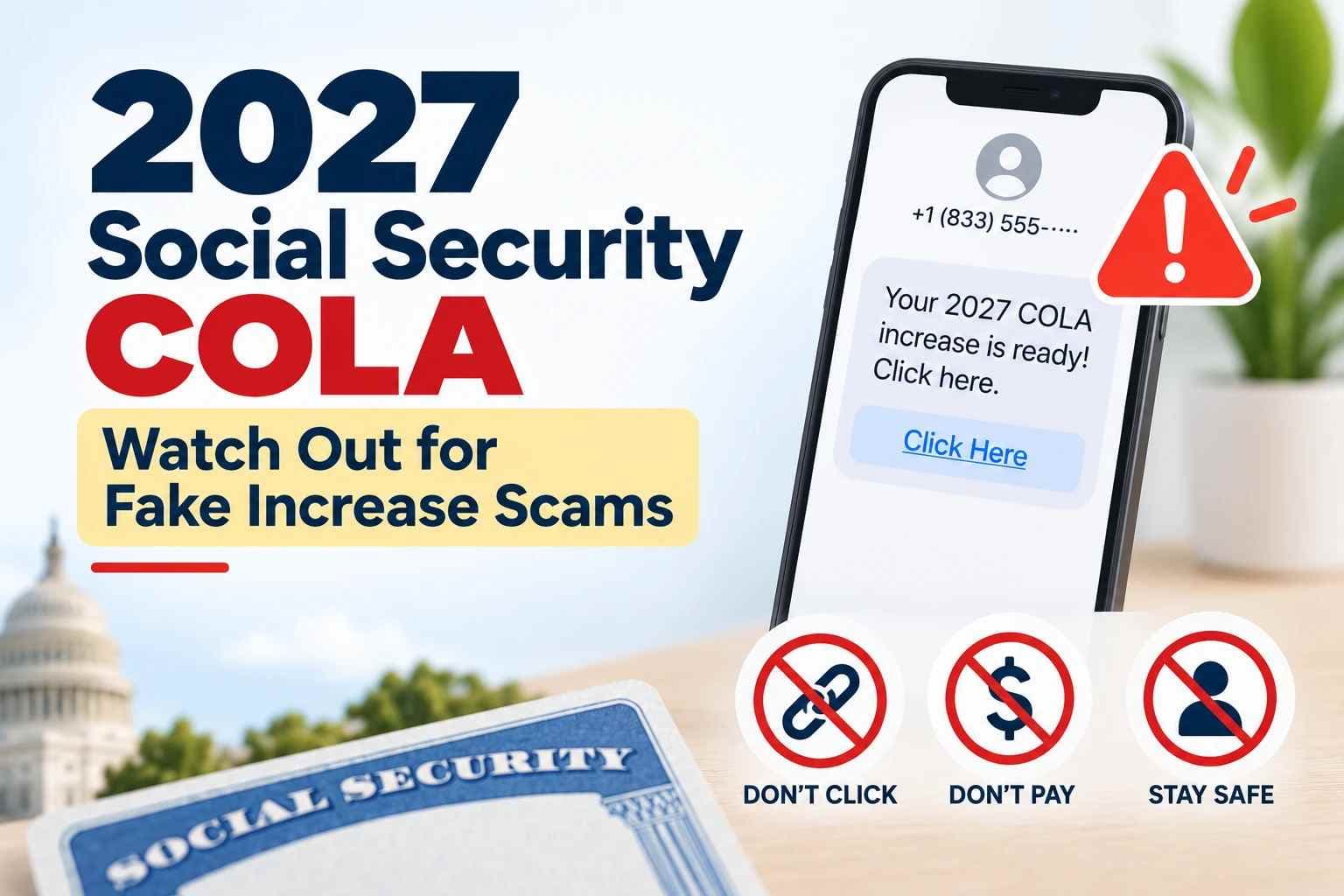
2027 Social Security COLA: Watch Out for Fake Benefit Increase Scams
Scammers may use interest in the 2027 Social Security COLA to impersonate SSA through phishing emails, texts, spoofed calls, fake websites, and bogus benefit-increase claims. Learn the key security red flags, how to verify suspicious messages, and what to do if your information is exposed.
Interest in the 2027 Social Security cost-of-living adjustment is growing, but the official increase has not yet been announced. The Social Security Administration says the next COLA will be announced in October 2026.
That waiting period can also create an opportunity for government-impersonation scams.
The Social Security Administration warns that criminals may claim they need personal information or payment to “activate” a cost-of-living adjustment or another benefit increase. Scammers may contact people through email, text messages, phone calls, social media, fake websites, physical letters, or other communications while pretending to represent SSA, the Office of the Inspector General, or another government agency.
Some impersonators may even use the real name of a government employee, send official-looking documents or credential images, or refer to genuine government programs to make a fraudulent request appear more convincing.
For beneficiaries, the security message is simple: a legitimate Social Security COLA does not require you to respond to an unsolicited link, pay a fee, or provide sensitive information to activate your increase.
Important context: This article does not claim that authorities have identified a distinct nationwide “2027 COLA scam outbreak.” It explains documented Social Security and COLA-related impersonation tactics that people should recognize as interest in the 2027 adjustment increases.
Key Takeaways
- The official 2027 Social Security COLA has not yet been announced.
- SSA says its next COLA announcement will come in October 2026.
- Scammers have previously used fake benefit increases and COLA activation claims to steal personal or financial information.
- Fake SSA communications can arrive through email, SMS, calls, social media, websites, physical letters, or other channels.
- Scammers may use real employee names, fake credentials, spoofed phone numbers, or official-looking documents to appear legitimate.
- Requests for payment, banking information, passwords, or other sensitive data to “activate” a COLA are major warning signs.
- Requests for secrecy, threats involving arrest or bank accounts, or instructions to move money should be treated as serious red flags.
- Always verify Social Security information independently through an official ssa.gov website rather than through a link or phone number in an unexpected message.
What is the 2027 Social Security COLA?
COLA stands for cost-of-living adjustment. Social Security uses the annual adjustment to help Social Security and Supplemental Security Income benefits keep pace with inflation.
The adjustment is based on changes in the Consumer Price Index for Urban Wage Earners and Clerical Workers, or CPI-W, which is calculated by the U.S. Bureau of Labor Statistics. SSA compares third-quarter CPI-W data when determining the annual adjustment.
As of September 18, 2026, SSA's current COLA information still identifies the 2.8% increase for 2026 as the latest official COLA. SSA states that the next COLA will be announced in October 2026.
The Bureau of Labor Statistics is scheduled to publish September 2026 CPI data on October 14, 2026, at 8:30 a.m. Eastern Time.
Until SSA announces the new adjustment, percentages presented as the 2027 COLA should be treated as estimates rather than the official benefit increase.
For cybersecurity purposes, however, the exact percentage is not the biggest concern. The security risk comes from criminals using public interest in the upcoming increase as a believable social-engineering lure.
Why COLA Creates a Social-Engineering Opportunity
Social engineering works by exploiting trust, familiarity, fear, urgency, expectation, or the promise of a reward.
A Social Security COLA can provide several of those elements at once.
Beneficiaries may already expect to hear about:
- a new benefit amount;
- an upcoming COLA announcement;
- a mailed notice;
- changes to monthly payments;
- their personal Social Security account.
A fraudulent message built around one of those themes may therefore appear believable at first glance.
An attacker does not necessarily need to invent an unusual story. Instead, the scam can attach a malicious request to a real event that people are already waiting for.
For example, a suspicious message might claim that a beneficiary must “verify” an account before receiving a benefit increase.
Another could claim that banking information has to be updated before a new payment amount can take effect.
SSA has specifically identified claims that personal information or payment is needed to activate a COLA or other benefit increase as a scam red flag.
Government impersonation scams also frequently follow a recognizable psychological pattern: the scammer pretends to represent a trusted organization, presents either a problem or a supposed benefit, pressures the victim to act quickly, and then directs the victim toward a specific payment or disclosure of sensitive information.
Understanding that pattern can help users recognize a scam even when the wording, delivery method, or visual appearance changes.
How Fake COLA Scams May Reach Victims
Social Security impersonation is not limited to one communication channel.
SSA warns that scammers may contact people using phone calls, emails, text messages, social media, websites, physical letters, and other forms of communication.
The technology may vary, but the objective is often similar: convince the victim to trust the message and take an action that benefits the attacker.
1. Phishing Emails
A phishing email can imitate a government notice and claim that a recipient needs to review an upcoming benefit increase.
Possible warning signs include:
- an unexpected request to log in;
- a button asking you to “activate” benefits;
- requests for an SSN or banking information;
- an attachment you were not expecting;
- pressure to respond immediately;
- a web address that does not lead to an official government domain.
SSA advises people to ignore suspicious communications and avoid clicking unexpected links or attachments.
A professionally written email is not proof that it is genuine.
Modern scammers can copy logos, formatting, government terminology, signatures, and other visual elements from legitimate organizations.
They may also use the real names of government employees or attach images of supposed badges, credentials, notices, or official documents in an attempt to create trust.
Federal law enforcement will not send photographs of credentials or badges as a way to demand payment, according to SSA's scam guidance.
2. SMS and Smishing Messages
Text-message phishing, commonly called smishing, can be particularly effective because messages are short and often designed to trigger an immediate response.
A fraudulent text might claim:
- “Your Social Security increase is pending.”
- “Verify your account to receive your new benefit.”
- “Your payment information must be updated.”
- “Your COLA notice is ready. Review it now.”
These are examples of the type of lure a scammer could use, not confirmed messages from a specific 2027 campaign.
The security risk begins when the recipient follows an untrusted link or provides information to an unknown sender.
Scammers may also send pictures of supposed government credentials, badges, or documents through text messages. Official-looking imagery should never be treated as sufficient proof that a sender is legitimate.
For a deeper look at SMS-based credential theft, see Hoplon Infosec's guide to smishing attacks.
3. Fake Phone Calls and Caller-ID Spoofing
A caller may claim to work for Social Security and use government terminology to sound convincing.
Do not assume that caller ID proves who is calling.
SSA warns that scammers may spoof official government phone numbers and even numbers associated with law enforcement agencies.
Suspicious callers may also:
- pressure you to make an immediate decision;
- claim your Social Security number will be suspended;
- threaten legal action or arrest;
- threaten to seize or restrict access to your bank account;
- demand money;
- tell you to move funds to a supposedly “safe” or “protected” account;
- request personal information;
- demand that you keep the conversation secret;
- claim they are transferring you to law enforcement or another government official who can supposedly protect your money or prevent arrest.
SSA's July 2026 warning also says a legitimate company or another agency cannot directly transfer a phone call to SSA or its Office of the Inspector General.
If someone says you are being “transferred” directly from a private company, police department, financial institution, or another organization to SSA or SSA OIG, independently verify the call instead of trusting the transfer.
4. Fake SSA Websites and Login Pages
A fake website can be designed to resemble an official government portal.
Attackers may copy:
- logos;
- fonts;
- page layouts;
- colors;
- terminology;
- login forms;
- government-style notices.
The visual appearance of a site should therefore never be your only verification method.
SSA identifies links to websites that do not end in .gov as one warning sign of government impersonation. (
When checking Social Security information, it is safer to open a new browser window and navigate independently to the official SSA website instead of following a link from an unexpected message.
5. Fake Social Media Accounts
Scammers may create accounts that imitate Social Security, SSA OIG, or government officials.
They can reuse official-looking images, names, colors, or terminology to make the account look authentic.
SSA says it will never ask for sensitive or personal information through social media, email, or text message.
Warning signs of an impersonation account may include:
- a very low follower count;
- an incorrect or unusual account handle;
- spelling, punctuation, or formatting inconsistencies;
- links that do not lead to a .gov website;
- requests for sensitive personal information;
- requests for money;
- attempts to charge for government forms or services that are normally free.
Users can compare a suspicious profile with the official social media accounts listed by SSA rather than trusting the profile's name, logo, or profile picture alone.
6. Physical Letters and Official-Looking Documents
Not every impersonation scam is digital.
SSA warns that criminals may also send physical letters while pretending to represent Social Security or another government agency.
A printed letter can appear convincing because scammers may reproduce official-looking colors, terminology, signatures, government names, case numbers, or document layouts.
The same verification rule applies: do not trust a communication only because it arrived by mail.
If a letter unexpectedly demands payment, sensitive information, immediate action, or a transfer of money, verify the request independently through an official SSA contact channel.
7. In-Person Cash or Asset Collection
Some government impersonation schemes can move beyond phone calls or online communication.
SSA warns that scammers may arrange to meet victims in person or send someone to collect cash, gold bars, precious metals, or other assets.
A supposed government representative arriving to collect cash, gold, or valuables should be treated as an extreme warning sign.
Do not hand assets to an unknown person based on instructions from an unsolicited call or message.
8. Relationship-Building and Long-Term Manipulation
Not every scam begins with immediate pressure.
SSA notes that some criminals may build a relationship over time, including friendship or romantic trust, before eventually introducing an investment, trading opportunity, financial emergency, or request involving money.
This tactic is broader than COLA fraud, but it illustrates an important security principle: trust built over time does not automatically prove that an online contact is legitimate.
A request involving Social Security information, banking details, government payments, or investment transfers should still be independently verified.
-20260918174923.webp&w=1080&q=75 "2027 Social Security COLA")
AI Can Make Impersonation More Convincing
SSA also warns that scammers are using artificial intelligence as an additional tool to deceive people.
AI can make some fraudulent communications appear more polished by helping criminals generate convincing text, images, or other content.
For users, this changes an important assumption:
Poor grammar is no longer a reliable requirement for identifying a scam.
A message may be professionally written and still be fraudulent.
Instead of judging a message primarily by writing quality, focus on:
- who sent it;
- where links lead;
- what information is requested;
- whether payment is demanded;
- whether the communication creates unusual urgency;
- whether the claim can be independently verified through SSA.
How Scammers Impersonate Social Security
Government impersonation attacks usually rely on psychology before technology.
Common tactics documented by SSA include:
Authority
The attacker claims to represent Social Security, the government, law enforcement, or another trusted organization.
The attacker may even use the real name of a government employee in an attempt to appear legitimate.
Urgency
The victim is told to act immediately.
That urgency is designed to reduce the time available to verify the request.
Fear
A scammer may threaten account suspension, arrest, legal action, seizure of funds, lost benefits, or other financial consequences.
Reward
Instead of threatening the victim, a scammer may promise additional money or a benefit increase.
Secrecy
Some scammers tell victims not to discuss the situation with family members, banks, police, financial advisers, or other people.
A demand for secrecy is a major warning sign because outside verification can expose the fraud.
Payment Pressure
SSA warns about requests involving gift cards, prepaid debit cards, wire transfers, cryptocurrency, precious metals, or cash.
Protected Account Claims
A scammer may claim that your current bank account is at risk and tell you to transfer money to a supposedly secure or government-protected account.
Do not move money based on an unsolicited government impersonation call.
Official-Looking Documents
Scammers may send images of badges, credentials, letters, or other documents intended to create trust.
SSA warns that government employees will not send photographs of credentials or badges to demand payment.
These are social-engineering techniques: the attacker tries to manipulate the victim's decision-making rather than relying only on a technical vulnerability.

What Information Could Be at Risk?
A fraudulent Social Security message may attempt to obtain information useful for identity theft, financial fraud, or account compromise.
Potential targets include:
- Social Security numbers;
- dates of birth;
- names and addresses;
- bank-account information;
- payment-card information;
- usernames;
- passwords;
- authentication codes;
- other personally identifiable information.
SSA OIG warned in August 2026 that people should not provide SSNs, personal information, or bank-account details to unexpected contacts.
Information that appears harmless in isolation can also become more dangerous when combined with data from other sources.
Potential Security Impact
A successful Social Security impersonation scam can lead to several types of harm depending on what the victim shares or does.
Identity Theft
An exposed Social Security number and other personal information can increase identity-theft risk.
Account Takeover
If a victim provides valid login credentials, an attacker may attempt to access the corresponding account.
Financial Fraud
Banking or payment information may be abused for fraudulent transactions or further scams.
Credential Theft
A password collected through a fake login page may create risk beyond one account if the same password has been reused elsewhere.
Malware Risk
SSA OIG has previously warned that fake Social Security communications may attempt to direct victims to malicious websites or cause malware to be downloaded to a device.
Clicking a suspicious link alone does not prove that a device has been compromised. The level of risk depends on what happened afterward, including whether information was submitted or software was downloaded or executed.
Security Red Flags to Watch For
A suspicious message does not need to contain every warning sign.
Even one unusual request can justify independent verification.
Look carefully for:
- requests to “activate” a COLA;
- demands for payment to receive an increase;
- requests for your SSN;
- requests for banking information;
- unexpected login links;
- suspicious or shortened URLs;
- domains that do not match the official agency;
- unsolicited attachments;
- threats of arrest;
- threats of legal action;
- threats to seize or freeze a bank account;
- claims that your Social Security number will be suspended;
- requests for gift cards or cryptocurrency;
- requests for wire transfers;
- requests involving cash, precious metals, or gold bars;
- instructions to move money for “protection”;
- offers to send someone to collect money or valuables;
- demands for secrecy;
- extreme urgency;
- unexpected social-media messages;
- unfamiliar sender addresses;
- use of government employee names as supposed proof of legitimacy;
- images of badges or credentials sent to pressure you;
- claims that you are being transferred directly to law enforcement or SSA;
- payment requests for government forms or services that should normally be free.
Poor spelling can be a red flag, but correct spelling should not be treated as proof that a message is legitimate.
Scammers can produce polished messages too, and AI may make fraudulent messages more convincing.
What Social Security Will Not Ask You to Do for a COLA
The strongest security distinction in this topic is the difference between a real benefit adjustment and a request to “activate” one.
SSA specifically warns about criminals who claim they need personal information or payment to activate a COLA or other benefit increase.
You should therefore be highly suspicious of an unexpected message asking you to:
- pay a COLA activation fee;
- provide your bank credentials;
- submit your Social Security number through an unsolicited link;
- send gift cards or cryptocurrency;
- wire money;
- send cash or precious metals;
- move money into a protected account;
- reveal passwords or authentication codes;
- keep the situation secret;
- hand cash, gold, or valuables to someone in person;
- act immediately to avoid losing your increase.
SSA has also warned that criminals may promise a benefit increase in exchange for payment.
How to Verify a Social Security Message Safely
The safest verification process separates the suspicious communication from the verification channel.
Step 1: Stop Interacting With the Message
Do not immediately reply, click, download, send money, or call the number supplied by the sender.
If the communication creates fear or extreme urgency, deliberately slow the interaction down.
Discussing the situation with someone you trust can also help identify manipulation that may be difficult to recognize while under pressure.
Step 2: Check the Full Web Address
Do not judge a link only by the visible words.
Government impersonation sites may use names that look similar to the real organization.
Step 3: Navigate to SSA Independently
Instead of clicking the message, open a new browser window and manually access the official Social Security website.
Step 4: Check Your Personal Account Through the Official Site
SSA recommends using a personal my Social Security account to securely review benefit and account information.
Step 5: Contact SSA Independently
If the message still appears important, obtain the agency's contact information from the official website rather than using contact details supplied by the suspicious sender.
SSA OIG advises people who receive unexpected requests for personal or banking information to hang up and contact Social Security directly.
Step 6: Verify Social Media Accounts
If the message came through social media, compare the account against the official Social Security social media accounts listed on SSA's website.
Do not rely only on:
- profile pictures;
- logos;
- government names;
- blue-style branding;
- follower claims;
- screenshots of supposed credentials.
Step 7: Do Not Let Secrecy Prevent Verification
A legitimate government matter should not require you to hide a payment or financial transfer from trusted family members, your bank, or law enforcement.
If someone tells you not to speak with anyone else, treat that as a warning sign and independently verify the claim.

Verifying Social Security Messages Safely
How to Protect Yourself Before a Scam Arrives
Security is easier when protective measures are already in place.
Use Strong, Unique Passwords
Do not reuse the same password across important accounts.
A password manager can make unique passwords easier to maintain.
Enable Multi-Factor Authentication Where Available
Multi-factor authentication can add another barrier if a password is exposed.
It should not, however, be treated as permission to enter authentication codes into suspicious websites.
Keep Devices and Browsers Updated
Software updates can fix known security vulnerabilities that may otherwise increase the impact of malicious websites or downloaded files.
Inspect the Address Bar
Before entering sensitive information, verify that you are actually on the intended website.
Avoid Acting Under Pressure
Urgency is a classic social-engineering technique.
An unexpected government message should become more suspicious when it tells you that you have only minutes to respond.
Talk to Someone You Trust
If a caller or message creates a strong emotional reaction, pause before making a financial decision.
Scammers benefit when victims are isolated and pressured.
A trusted family member, financial institution, IT professional, or other reliable person may notice warning signs that are easier to miss under stress.
Secure Your Personal Social Security Account
SSA recommends creating or accessing a personal my Social Security account to help secure and monitor your information. SSA says users can receive alerts if someone tries to change their address or direct deposit without authorization.
What to Do If You Clicked a Suspicious SSA Link
First, stop interacting with the page.
A single click does not automatically mean an account or device has been compromised, so the next steps should depend on what happened.
If You Only Opened the Page
Close it.
Check whether anything was downloaded unexpectedly.
Keep your browser and security software updated.
If You Entered a Password
Go directly to the legitimate service and change the exposed password.
If that password was reused elsewhere, change it on those accounts as well.
Enable multi-factor authentication where available.
FTC guidance similarly recommends changing a compromised password and enabling two-factor authentication when login credentials have been given to a scammer.
If You Downloaded or Ran a File
Stop opening additional files from the same source.
Update your security software and perform an appropriate security scan.
For a work device, report the event promptly to your IT or security team.
Hoplon Infosec has a separate incident-response guide for users who have clicked on a phishing link.
What to Do If You Shared Your Social Security Number
If a scammer obtained your SSN or other identity information, the situation becomes an identity-protection issue rather than only a phishing incident.
SSA recommends using a personal my Social Security account, notifying the major credit bureaus about potential fraud, and visiting IdentityTheft.gov for an identity-theft recovery plan.
The Federal Trade Commission also recommends IdentityTheft.gov when an SSN has been misused or when identity theft has occurred.
Depending on the circumstances, consider a credit freeze or fraud alert.
The FTC says a credit freeze can make it harder for an identity thief to open new credit accounts in your name. Credit freezes are free, do not affect your credit score, and remain in place until you remove them.
If banking information was exposed, contact your financial institution through a trusted channel and monitor the account for unauthorized activity.
What to Do If a Scammer Already Took Your Money
If money, cash, cryptocurrency, gift cards, precious metals, or other assets have already been transferred, stop communicating with the scammer.
Do not send additional money because the person claims it is needed to:
- recover the first payment;
- unlock your account;
- cancel an arrest warrant;
- protect your remaining funds;
- pay taxes or processing fees;
- complete a supposed refund.
Block the scammer's phone number, email address, or social media account where appropriate.
Contact the relevant bank, payment service, card provider, cryptocurrency platform, or other financial institution as quickly as possible using independently verified contact information.
If physical cash, gold, or other assets were taken, consider reporting the crime to your local police department in addition to filing the appropriate federal scam reports.
Follow FTC recovery guidance based on the payment method used, because available recovery options can differ depending on whether money was sent through a bank transfer, payment card, wire service, gift card, cryptocurrency, or another method.
How to Report a Social Security Impersonation Scam
Social Security-related scams can be reported to the Social Security Administration Office of the Inspector General.
SSA OIG says scam reports help authorities identify trends, refine anti-scam strategies, warn others, and take action against criminals.
The OIG specifically accepts reports involving suspicious calls, letters, texts, or emails from people pretending to represent Social Security or promising a benefit increase in exchange for payment.
Identity theft can also be reported through the Federal Trade Commission's IdentityTheft.gov service.
People who have already lost money or property may also need to contact their financial institution and local law enforcement, depending on what occurred.
The FTC provides scam-reporting assistance and consumer guidance in multiple languages, which may be useful for people who are more comfortable receiving help in a language other than English.
The scale of impersonation fraud makes these precautions important. FTC data published in June 2026 showed that consumers reported $3.5 billion in losses to imposter scams during 2025, including about $920 million in reported losses to government impersonators.
Those figures cover government impersonation broadly; they are not statistics for Social Security COLA scams specifically.
Reporting also helps agencies identify changing tactics and warn other potential victims.
60-Second Social Security Scam Security Checklist
Before trusting a message about the 2027 COLA, ask:
Was I expecting this communication?
Is it asking me to click an unsolicited link?
Is someone asking for my SSN, banking information, password, or authentication code?
Am I being asked to pay to receive or activate a benefit increase?
Does the website actually belong to the U.S. government?
Is the sender creating fear or extreme urgency?
Am I being told to keep the situation secret?
Is someone asking me to move money to a “safe” or “protected” account?
Is someone asking for gift cards, cryptocurrency, cash, gold, or precious metals?
Has someone offered to collect money or valuables in person?
Is a government employee name or credential image being used as the main proof that the message is legitimate?
Can I independently verify the information through SSA.gov?
Am I relying on contact information supplied by the same suspicious sender?
If something does not feel right, stop interacting and verify the claim independently.
Frequently Asked Questions
Has the 2027 Social Security COLA been officially announced?
No. As of September 18, 2026, SSA still lists the 2026 COLA as its latest adjustment and says the next COLA will be announced in October 2026.
When will the next COLA be announced?
SSA says it will announce the next COLA in October 2026. BLS is scheduled to release September 2026 CPI data on October 14, 2026.
Do I need to activate my Social Security COLA?
Be suspicious of anyone who says you must provide information or payment to activate a COLA. SSA explicitly identifies that claim as a scam tactic.
Will Social Security ask for my banking information by email or text?
SSA says it will never ask for sensitive or personal information through social media, email, or text messages.
Can scammers spoof an SSA phone number?
Yes. SSA warns that scammers can spoof official government phone numbers. Caller ID alone should not be used to verify a caller's identity.
Can a scammer use a real government employee's name?
Yes. SSA warns that impersonators may use the real names of government employees to make fraudulent communications appear legitimate. A real employee name does not prove that the caller, email, account, or document is genuine.
Can SSA or law enforcement ask me to keep a payment secret?
A demand for secrecy should be treated as a serious warning sign. SSA lists secrecy and pressure tactics among behaviors associated with government impersonation scams.
Will a government employee come to collect cash or gold?
SSA warns that scammers may arrange in-person pickups of cash, gold bars, or other assets. An unsolicited request to hand valuables to someone claiming to represent the government should be independently verified and treated with extreme caution.
Can AI be used in Social Security scams?
SSA warns that scammers are using AI as an additional tactic to deceive people. This is another reason not to rely only on grammar, appearance, or polished writing when deciding whether a message is genuine.
Is every message mentioning the 2027 COLA a scam?
No. Legitimate news reports and official government communications can discuss the COLA. The warning signs are the sender, communication channel, requested action, destination link, and whether the message asks for money or sensitive information.
What if I clicked a suspicious link but entered nothing?
A click by itself does not prove that your account or device was compromised. Stop interacting with the site, check for unexpected downloads, and take additional action based on what actually occurred.
What should I do if I gave a scammer my password?
Change the password through the legitimate service, change it anywhere else it was reused, and enable multi-factor authentication where supported.
What should I do if my Social Security number was exposed?
Use official SSA and FTC identity-theft guidance. Depending on the circumstances, this may include monitoring your Social Security account, reporting identity theft, placing a fraud alert, or freezing your credit.
What should I do if I already sent money to a scammer?
Stop communicating with the scammer and contact the financial institution or payment provider involved as soon as possible. Depending on how the money was transferred, additional recovery options may be available. If money or physical assets were stolen, consider reporting the crime to local law enforcement as well.
Where should I report a Social Security scam?
Report suspected Social Security impersonation scams to the Social Security Administration Office of the Inspector General. Identity theft can also be reported through IdentityTheft.gov.
Final Security Takeaway
The 2027 Social Security COLA is a legitimate upcoming benefit adjustment, but that does not make every email, text, phone call, website, social media message, or letter about it legitimate.
SSA has already documented criminals using fake benefit increases and COLA activation claims to obtain money and sensitive information.
Attackers may also use spoofed numbers, real employee names, fake credentials, social media accounts, physical letters, AI-assisted content, secrecy demands, threats involving bank accounts, or even attempts to collect cash and precious metals in person.
The safest response to an unexpected message is not to follow its instructions immediately.
Do not use an unsolicited link to activate a COLA. Do not pay a fee to receive a benefit increase. Do not provide passwords, banking details, authentication codes, or your Social Security number to an unexpected contact. Do not move money to a supposedly protected account, and do not hand cash, gold, or valuables to someone based on an unsolicited government impersonation message.
Instead, leave the message and verify the information independently through an official Social Security channel.
If a scammer has already obtained money or personal information, stop communication, secure the affected accounts, contact the appropriate financial institution, report the incident through official channels, and use identity-theft recovery resources when necessary.
For attackers, urgency, authority, secrecy, and trust are advantages.
For defenders, independent verification is.





