
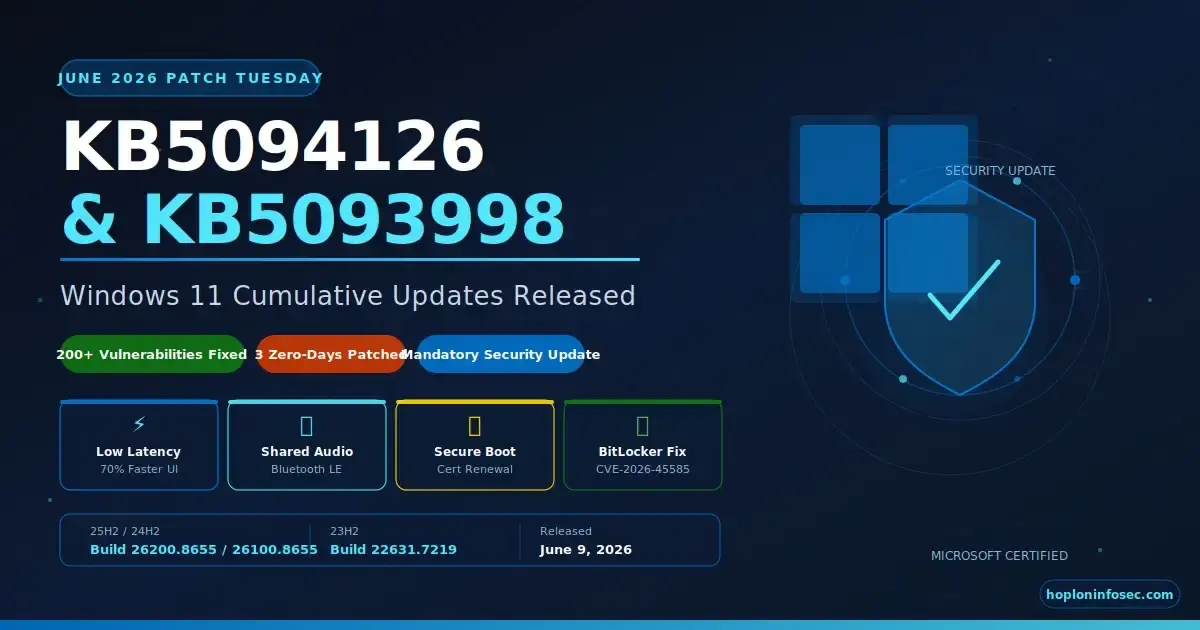
What exactly did Microsoft push to your Windows 11 machine on June 9, 2026, and should you care? Yes, a lot, actually.
Microsoft released the Windows 11 KB5094126 and KB5093998 June 2026 updates as part of its monthly Patch Tuesday cycle, and these are not your average security housekeepings. It addresses more than 200 vulnerabilities, resolves three zero-day exploits that were previously exposed, and introduces several genuinely useful new features that most users will notice right away. If you are on Windows 11 version 24H2 or 25H2, KB5094126 is yours. If you are still running 23H2, KB5093998 is what you get.
This guide covers every angle: what changed, what got fixed, how to install it, what to do if it breaks, and why certain parts of this update deserve your full attention even if you have been quietly ignoring Windows Update for weeks.
Quick Summary: KB5094126 & KB5093998 at a Glance
Before we delve deeper, here's a brief overview for those who need the essential information quickly.
|
Update |
Applies To |
New Build Number |
Release Date |
|
KB5094126 |
Windows 11 25H2 / 24H2 |
26200.8655 / 26100.8655 |
June 9, 2026 |
|
KB5093998 |
Windows 11 23H2 |
22631.7219 |
June 9, 2026 |
Both updates are mandatory. This is not an optional quality rollup or a preview update you can defer indefinitely. These are June 2026 Patch Tuesday security patches, which means they carry fixes for active vulnerabilities, some of which were publicly disclosed before Microsoft finished patching them.
This update is also the sixth Patch Tuesday of 2026 and, honestly, one of the more substantial ones. There is a lot underneath the surface of what looks like a routine monthly drop.
 What is new in the Windows 11 KB5094126 and KB5093998 June 2026 update
Let me walk you through the features that actually matter, not just the ones that sound impressive in a changelog.
Low Latency Profile: Your Start Menu Finally Feels Snappy
This one surprised me. The Low Latency Profile is a technique Microsoft introduced in KB5094126 where Windows temporarily spikes the CPU to its maximum frequency for a brief burst whenever you open core UI elements. We are talking about the Start menu, Search, Action Center, and the taskbar flyouts.
The result is that system flyouts can open up to 70% faster, and core apps can launch up to 40% quicker compared to the same hardware running the previous build.
Think about how many times you have clicked the Start button and waited half a second for it to animate open. Or how Search sometimes hiccups before the box even appears. The Low Latency Profile directly targets that frustration. It does not permanently run the CPU hot; the spike is brief and targeted, so battery life should not take a noticeable hit for most users.
Shared Audio via Bluetooth LE: Two People, One PC
This is one of the more genuinely creative features Microsoft has shipped in a while. Shared Audio allows two people to connect separate Bluetooth headphones or earbuds to the same Windows 11 PC and listen to the same audio simultaneously.
The technology runs on Bluetooth LE Audio, the low-energy Bluetooth specification that became mainstream in recent years. You can enable it straight from the Quick Settings panel in the taskbar, assuming both connected audio devices support LE Audio. It is a small thing, but imagine watching a movie together on a laptop in a cafe or someone sharing a music track with a friend across a desk. No splitters, no adapters, no third-party apps.
Multi-App Camera Support: Your Webcam for Everyone at Once
Before this update, if you had Zoom open and then tried to open another app using your webcam, say, a streaming tool or a second video call client, you would hit a wall. Windows locked the camera to one process at a time.
KB5094126 changes that. You can now stream a single webcam feed to multiple applications simultaneously. For anyone running dual-purpose setups, streaming alongside video conferencing, or doing content creation while on calls, this is a meaningful quality-of-life improvement.
Task Manager Now Sees Your NPU
If you have a Copilot+ PC or any modern device with a dedicated neural processing unit, Task Manager now gives you proper visibility into what that chip is doing.
Previously, the NPU was essentially invisible in Task Manager, you had no idea if it was sitting idle or being hammered. The June 2026 update improves NPU monitoring and displays usage data in the Performance section. For developers and IT admins troubleshooting AI-heavy workloads, this is genuinely useful diagnostic information that was simply missing before.
File Explorer Gets More Useful Archive Support
File Explorer now supports a broader set of archive formats natively including UUE, CPIO, XAR, and NuGet packages (.nupkg). These join the existing zip, 7z, and tar support added in previous versions.
More practically useful: Windows now remembers your view and sort preferences for specific folders like Downloads and Documents even when external applications launch File Explorer directly to those locations. If you have spent time setting downloads to sort by date and then watched it reset every time a browser opened a folder, this fix is for you.
Secure Boot Certificate Rollout: The Update Nobody Is Talking About Enough
This one deserves its own section, and most tech coverage has buried it under the flashier feature announcements.
Microsoft began rolling out updated Secure Boot certificates through this June 2026 cumulative update to replace the original certificates from 2011 that are expiring later this month. Secure Boot is the firmware-level protection that prevents unauthorized operating systems or bootloaders from running during startup. The 2011 certificates that underpin this system are hitting their end-of-life, and Microsoft has been carefully phasing in replacements.
The rollout is deliberately phased and signal-driven. Your device will only receive the new certificates after it demonstrates sufficient successful update signals. Installing KB5094126 does not guarantee your machine has completed the Secure Boot certificate transition. Enterprise administrators in particular should not assume a single update deployment closes this loop. The vulnerability management process here requires monitoring the certificate rollout separately from the update deployment itself.
BitLocker Recovery Fix: Devices No Longer Getting Stuck at Boot
A persistent annoyance that appeared after previous updates was causing certain devices to enter BitLocker recovery mode during normal restarts, particularly after boot file updates. This meant users had to enter their BitLocker recovery key just to access their own machine, which ranged from inconvenient to actually disruptive in enterprise environments.
KB5094126 improves startup reliability post-boot-file-update so devices start normally without triggering BitLocker recovery unnecessarily. If your organization has been fielding helpdesk tickets about unexpected BitLocker prompts, this update should quiet those down significantly.
-(1)-20260610090926.webp)
Other Notable Fixes
Several smaller but meaningful improvements arrived in the same package. Windows Hello authentication has been optimized for reliability. The SSDP (Simple Service Discovery Protocol) notification service received fixes to prevent it from becoming unresponsive an issue that was quietly breaking network device discovery on some machines. USB, HID devices, and sensor reliability also saw attention. The "Reset This PC" functionality was updated for improved stability.
Security Fixes: What Vulnerabilities Are Patched in June 2026?
Here is where the Patch Tuesday importance really shows up. The June 2026 update patches over 200 security flaws across the Windows ecosystem.
Three Zero-Day Vulnerabilities Closed
Three of the patched vulnerabilities were publicly disclosed before Microsoft shipped the fix, which is the category security professionals watch most closely. A publicly disclosed vulnerability means the attack surface is known, even if active exploitation has not been confirmed by Microsoft. The window between public disclosure and patch availability is exactly when opportunistic attackers tend to move.
One of the most significant fixes in KB5094126 addresses CVE-2026-45585, a BitLocker security bypass vulnerability that has been nicknamed "YellowKey" in security researcher circles. The exploit path used the Windows Recovery Environment to bypass BitLocker device encryption, potentially allowing an attacker with physical or remote access to a recovery context to read encrypted drive contents. Microsoft confirmed public disclosure but stated it has not yet observed active exploitation in the wild. Either way, this is the kind of vulnerability that warrants immediate patching, especially in organizations handling sensitive data, healthcare records, or financial information where endpoint security protection is critical.
The broader 200-plus vulnerability list spans privilege escalation paths, remote code execution vectors, information disclosure bugs, and denial-of-service conditions across multiple Windows components. For a detailed breakdown by severity, the Microsoft Security Update Guide for June 2026 is the authoritative reference.
Virtualization Crash Fix: HYPERVISOR_ERROR and KMODE_EXCEPTION
A significant regression fix also landed in this update. After the May 2026 cumulative update (KB5089573), some devices, particularly those running virtualization workloads, were experiencing stop errors during system restarts or virtual machine operations. The errors showed up as HYPERVISOR_ERROR (bug check code 0x20001) and KMODE_EXCEPTION_NOT_HANDLED (0x1E).
These kinds of stop errors in virtualized environments can be catastrophic in production settings. If your organization runs Hyper-V, WSL2, or third-party virtualization tools, and you deferred the May update to avoid disruption, the June update effectively packages the same security improvements while also resolving the crash. This is a rare case where waiting for the next monthly update was actually the right call for certain environments.
KB5093998: What Windows 11 23H2 Users Actually Get
If your machine is running Windows 11 version 23H2, you are not getting KB5094126. Your June 2026 Patch Tuesday update is KB5093998, and it moves your build number to 22631.7219.
The security fixes are largely the same; Microsoft keeps the security patch content consistent across supported versions. What differs is the new feature set. Most of the user-facing additions in KB5094126, Shared Audio, the Low Latency Profile, and Multi-App Camera support and NPU visibility in Task Manager are tied to the 24H2 and 25H2 codebase. Windows 11 23H2 users receive security hardening and stability improvements, but not the full feature payload.
One important note for 23H2 users: this version is moving toward its end of support. Windows 11 version 24H2 Home and Pro editions reach their own end of updates on October 13, 2026. For 23H2, the timeline is even shorter. If you have not already planned an upgrade path to 24H2 or 25H2, now is the time to start. Staying on an unsupported build means future Patch Tuesdays will eventually stop arriving, and your attack surface management will grow with every month you.
How to Install KB5094126 and KB5093998: Step by Step
Most users will receive these updates automatically. But if your machine has been paused, deferred, or managed by policy, here is how to get it manually.
Method 1: Windows Update (Recommended for Home Users)
Open Settings from the Start menu. Navigate to Windows Update. Click Check for Updates. If KB5094126 or KB5093998 appears in the list, click Download and Install. Restart when prompted.
For users who want to receive updates faster before they roll out broadly, go to Advanced Options inside Windows Update and enable "Get the latest updates as soon as they're available." This setting opts you into the earlier wave of the staged rollout.
Method 2: Manual Download from Microsoft Update Catalog
Go to catalog.update.microsoft.com and search for KB5094126 or KB5093998. Download the package that matches your device architecture x64 for most modern PCs and ARM64 for Surface Pro X and similar devices. Run the downloaded .msu file and follow the installation prompts. Restart your machine after installation completes.
This method is useful when Windows Update is not functioning correctly, or when you need to deploy the update to a machine without internet access.
Method 3: Enterprise Deployment via SCCM, Intune, or WSUS
For enterprise environments, the process depends on your management platform. In SCCM, open the Software Library, navigate to Software Updates, and run Synchronize Software Updates. Once the sync completes, search for the June 2026 KB number, select the update, and deploy it to your required device collections. Monitor deployment status through the built-in reporting dashboards.
For Microsoft Intune, the update should surface automatically in Windows Update for Business policies if your ring configuration allows June 2026 updates. You can also force deploy via the Expedite Windows Security Updates feature in Intune for critical security scenarios. Organizations using Windows Server Update Services follow a similar synchronization and approval workflow.
The Secure Boot certificate rollout deserves special attention in enterprise deployments. Administrators should confirm that individual devices are receiving the certificate updates, not just the cumulative update package. These are handled through separate device targeting signals, and a single deployment policy does not guarantee both are delivered together.
KB5094126 Installation Errors and How to Fix Them
Not every installation goes smoothly. These are the most common failure points and what to do about them.
Error 0x80073701 usually indicates a component store corruption. Open Command Prompt as administrator and run the following:
DISM /Online /Cleanup-Image /RestoreHealth
Wait for that to complete, then run:
sfc /scannow
Restart your machine and try the update again. This resolves the issue in the majority of cases.
Error 0x800f0922 typically means either the System Reserved partition is running out of space, or there is a VPN or proxy connection interfering with the download. Disconnect any VPN before running Windows Update, and if the issue persists, check your system reserved partition size through Disk Management.
For general update failures, the built-in Windows Update Troubleshooter under Settings > System > Troubleshoot > Other Troubleshooters is a reasonable first step. It clears the software distribution folder and resets Windows Update components automatically.
One thing to understand about the Secure Boot certificate piece: if your device does not immediately receive all the Secure Boot changes after installing KB5094126, that is by design. The rollout is phased. Microsoft uses device readiness signals to determine when a machine is eligible for the next stage. Manually forcing a catalog installation bypasses some of this logic, which is why the Windows Forum community has correctly noted that admins should treat the cumulative update deployment and the Secure Boot certificate rollout as separate processes requiring separate monitoring.
Should You Install KB5094126 Right Now?
Let me give you a direct answer instead of the usual "it depends."
Yes, install it. For home users and small business environments, there is no good reason to delay. The zero-day patches alone justify immediate installation. CVE-2026-45585 and the other publicly disclosed vulnerabilities represent real exposure that grows with every day you stay unpatched. The cyber threat intelligence community tracks these disclosure windows closely, and threat actors do too.
The new features are genuinely useful, not just marketing talking points. Low Latency Profile, Shared Audio, and Multi-App Camera are all things you will notice and appreciate in daily use.
For enterprise environments, the calculus is slightly more careful. The virtualization crash fix in this update is important, but enterprises should still test against their specific application stack before broad deployment. The Secure Boot certificate phasing requires separate tracking. And organizations running specific line-of-business applications on 23H2 hardware should have a concrete 24H2 migration timeline in place before this fall. A proper cyber resilience assessment for your environment can help prioritize which systems need immediate patching versus staged rollouts.
The risk of not installing outweighs the risk of installing for virtually every scenario.
Expert Recommendations
For Home Users: Open Windows Update today. Enable "Get the latest updates as soon as they're available" so you are not in the last wave of staged rollouts. Restart fully after installation.
For IT Administrators: Deploy KB5094126 and KB5093998 through your standard change management process but treat the Secure Boot certificate rollout as a separate item requiring monitoring. Track CVE-2026-45585 remediation explicitly in your vulnerability tracking system. Ensure 23H2 devices have an upgrade timeline before Q4 2026.
For Security Teams: The YellowKey (CVE-2026-45585) vulnerability should be verified as remediated across your endpoint inventory. Devices in recovery environments or with unusual BitLocker configurations should be validated separately. If your organization uses extended detection and response (XDR), verify your detection rules cover the HYPERVISOR_ERROR stop codes from the pre-patch regression window.
Frequently Asked Questions
What is KB5094126? KB5094126 is the June 2026 Patch Tuesday cumulative update for Windows 11 versions 24H2 and 25H2. Released on June 9, 2026, it updates the OS to build 26100.8655 (24H2) and 26200.8655 (25H2). It includes security fixes for over 200 vulnerabilities, including three zero-days; performance improvements like the Low Latency Profile; and new features, including Shared Audio via Bluetooth LE and Multi-App Camera support.
Is the KB5094126/KB5093998 June 2026 update mandatory? Yes. Both KB5094126 and KB5093998 are mandatory Patch Tuesday security updates. They carry fixes for publicly disclosed vulnerabilities, which means Microsoft classifies them as required for all supported Windows 11 versions. Deferring them increases your exposure to the patched attack vectors.
What is the Low Latency Profile in Windows 11? The Low Latency Profile is a performance technique introduced in KB5094126 that briefly spikes the CPU to maximum frequency when you interact with core UI elements like the Start menu, Action Center, and Search. The result is system flyouts that open up to 70% faster and apps that launch up to 40% quicker compared to previous builds, without permanent battery or thermal impact.
Does KB5094126 apply to Windows 11 23H2? No. Windows 11 23H2 receives KB5093998 instead, which updates those devices to build 22631.7219. KB5093998 delivers the same security patches as KB5094126 but does not include the new feature additions like Shared Audio and Low Latency Profile, which are specific to the 24H2 and 25H2 code branches.
How do I fix a KB5094126 install error? For error 0x80073701, run DISM /Online /Cleanup-Image /RestoreHealth followed by SFC /Scannow in an elevated command prompt and then retry. For error 0x800f0922, disconnect any VPN before running Windows Update and check that your system reserved partition has available space. The Windows Update Troubleshooter under Settings > Troubleshoot handles most common failures automatically.
Related Updates You Should Know About
This June 2026 release sits within a broader update ecosystem worth understanding.
Windows 10 KB5094127 was released the same day as the Windows 11 updates and is the extended security update for Windows 10 users still in the paid ESU program. It addresses the same June 2026 vulnerabilities and adds new Secure Boot certificate monitoring capabilities through a new Group Policy setting that controls whether Secure Boot service data is transmitted to Microsoft.
Windows 11 26H1 KB5095051 is a separate update for the 26H1 preview branch that primarily backports the Shared Audio over Bluetooth LE feature and brings some of the Patch Tuesday security fixes to early adopters.
The May 2026 updates KB5089549 and KB5089573 are the predecessors that established the baseline the June release builds on. KB5089573 was the source of the HYPERVISOR_ERROR regression that the June update resolves, so if you are seeing virtualization crashes post-May update, the June package specifically addresses that.
Understanding the update chain matters for incident response and recovery scenarios where you need to trace when a system behavior changed and which patch introduced or resolved it.
Update Now, Not Later
The Windows 11 KB5094126 and KB5093998 June 2026 updates are not the kinds of updates you bookmark to deal with on the weekend. The combination of publicly disclosed zero-days, a BitLocker bypass vulnerability with a research community nickname, and over 200 total fixes means the risk calculation is straightforward. Every unpatched day after a Patch Tuesday release is a day where the attack surface is known and your defenses are not current.
For most people, this is a simple Windows Update check and a restart. For IT teams, it requires deliberate handling of the Secure Boot certificate phasing and a clear migration plan for 23H2 devices heading into the second half of 2026. For security professionals, CVE-2026-45585 is the one to verify as remediated across your entire endpoint inventory.
Open Windows Update, check for the Windows 11 KB5094126 and KB5093998 June 2026 updates, and install them. Then restart. That is genuinely the right call here.
Key Takeaways
KB5094126 (24H2/25H2) and KB5093998 (23H2) are mandatory June 2026 Patch Tuesday security updates released June 9, 2026.
Over 200 vulnerabilities are patched, including three zero-days and the BitLocker bypass CVE-2026-45585 (Yellow Key).
New features in KB5094126 include Low Latency Profile (faster UI), Shared Audio via Bluetooth LE, Multi-App Camera, and improved NPU visibility in Task Manager.
The Secure Boot certificate rollout is phased separately from the cumulative update and requires independent monitoring in enterprise environments.
23H2 users receive security fixes but not the full feature set; plan upgrades to 24H2 before end-of-support deadlines.
Install for home users: immediately. Enterprise: follow change management but prioritize the BitLocker vulnerability remediation.
For enterprise security guidance, vulnerability management support, or endpoint hardening reviews related to the June 2026 Patch Tuesday updates, the Hoplon InfoSec team provides security on demand and vulnerability management services tailored to your environment.
Published: June 10, 2026 | Last Updated: June 10, 2026 | Author: Hoplon InfoSec Research Team




-20260925120840.webp&w=3840&q=75)
