Lazarus Exploits Windows AFD.sys Zero-Day to Deploy FudModule
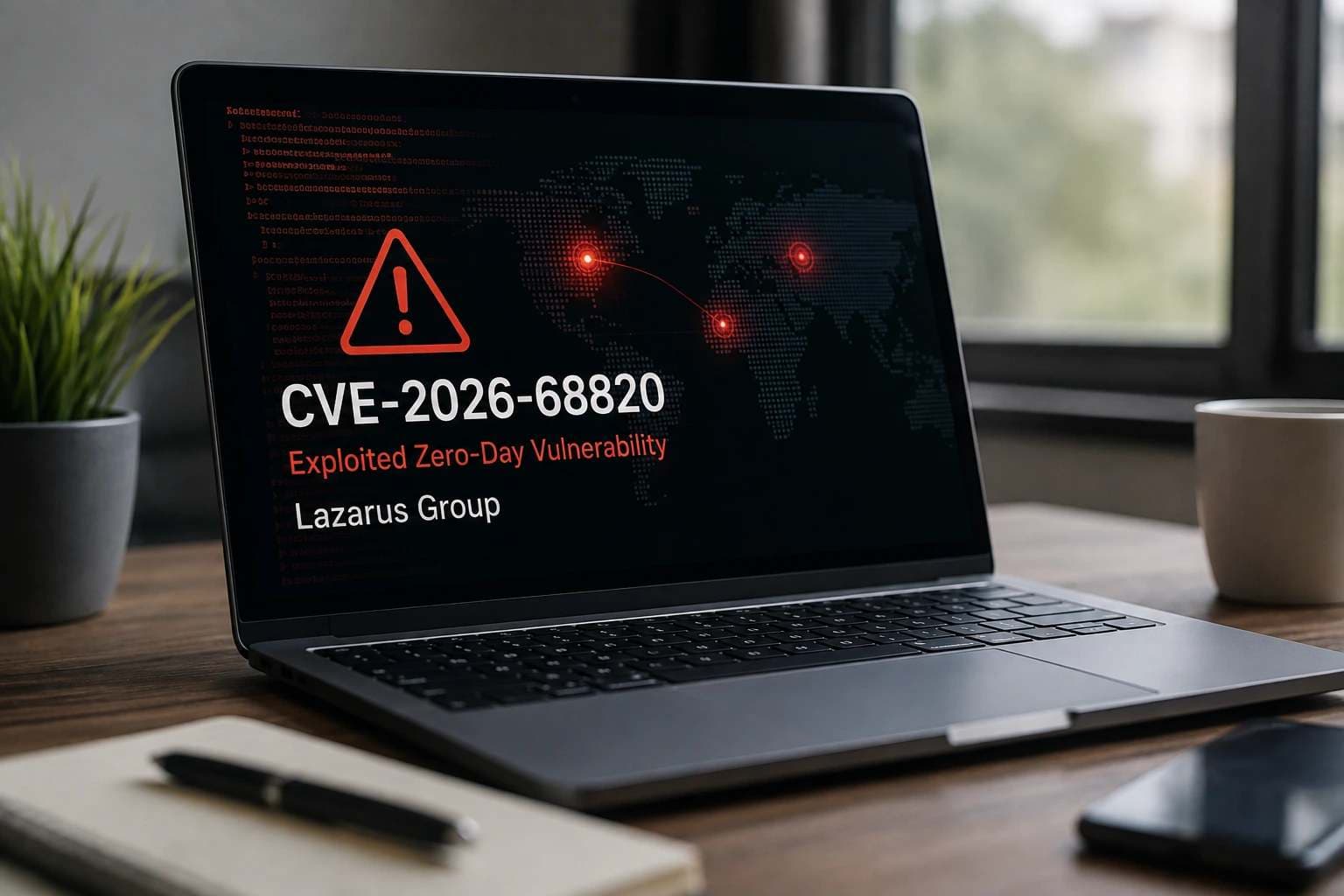
North Korea-linked Lazarus Group has used a Windows zero-day flaw to gain SYSTEM-level access and run a new version of its FudModule rootkit. The flaw, tracked as CVE-2026-68820, is found in the Windows AFD.sys driver and was used during the latest Operation Dream Job attacks. Check Point Research found the exploit while studying attacks against defense, aerospace, and aviation organizations.
Microsoft fixed the flaw on August 11, 2026, as part of its August Patch Tuesday updates. CISA has also added the flaw to its Known Exploited Vulnerabilities Catalog because it has been used in real attacks.
What is CVE-2026-68820?
CVE-2026-68820 is a local privilege escalation flaw in the Windows Ancillary Function Driver, better known as AFD.sys. This driver is part of the Windows kernel and helps Windows handle network sockets. A local privilege escalation flaw does not normally give an attacker the first way into a computer.
The attacker must already be able to run code on the machine, then use the flaw to gain a much higher level of access. In the attacks studied by Check Point, Lazarus used CVE-2026-68820 to reach SYSTEM, one of the highest access levels in Windows.
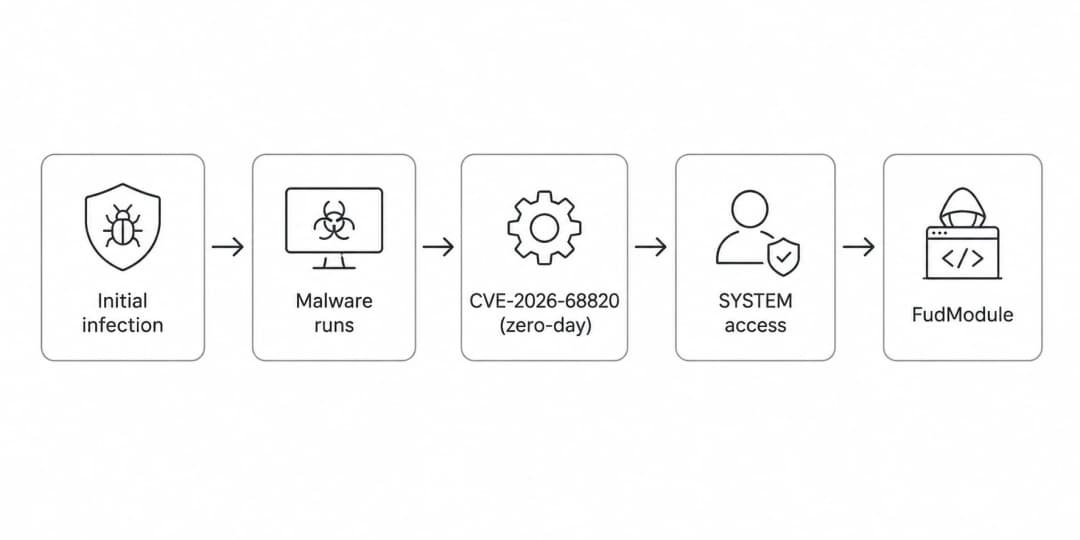
That difference matters if you are trying to understand the risk. The zero-day was not used as a direct attack from the internet against an untouched Windows PC. Lazarus first got malicious code running on the victim's computer through its wider attack chain. CVE-2026-68820 was then used to raise that access to SYSTEM and run FudModule with much more control over Windows.
CVE-2026-68820 Attack Flow
How the AFD.sys Zero-Day Works
Check Point did not publish the full exploit code, but it explained the main cause of the flaw. AFD.sys keeps information about the state of each network socket. Under certain conditions, more than one part of the driver can work on the same socket state at the same time without proper control between them. This creates what security researchers call a race condition.
If the timing is right, one part of the driver can try to use memory after another part has already released it. This is called a use-after-free bug. Lazarus' exploit uses this memory problem to gain the ability to read and write kernel memory. It then uses that access to raise its rights to SYSTEM.
The process can be shown in a simple form:
Several socket actions at the same time → Race condition → Use-after-free → Kernel memory read/write → SYSTEM access
The Zero-Day Was Used Before Microsoft Patched It
Check Point tested the exploit on a fully patched Windows 11 system and found that it targeted a separate flaw that had not been publicly documented at that time. The researchers said the vulnerability had been used in Operation Dream Job attacks since at least early July 2026.
The exploit file studied by Check Point was named Afd4Eop12_x64.dll. Its compiler timestamp was July 7, 2026, at 22:07:44 UTC. A compiler timestamp alone does not prove when an attack took place, but Check Point also had evidence that the flaw was already being used in real attacks by early July.
Microsoft Patch and Disclosure Timeline
Check Point reported the flaw to Microsoft before publishing its research. Microsoft later confirmed the bug, gave it a CVE number, and released the security fix in August.
July 28, 2026: Check Point reported the flaw to the Microsoft Security Response Center.
July 31, 2026: Microsoft confirmed the bug.
August 5, 2026: Microsoft assigned CVE-2026-68820.
August 11, 2026: Microsoft released the fix through Patch Tuesday.
CISA added CVE-2026-68820 to its Known Exploited Vulnerabilities Catalog on August 11. CISA lists it as a Microsoft Windows Ancillary Function Driver for WinSock use-after-free vulnerability that has been used in attacks.
Which Windows Builds Did This FudModule Version Target?
The FudModule sample studied by Check Point checks for Windows 11 build 26100, version 24H2, as its minimum supported version. It also has direct support for build 26200, version 25H2. Check Point said this FudModule version targets these newer Windows builds.
These build numbers describe the targeting found inside the FudModule version that Check Point studied. They should not be treated as a complete list of every Windows product affected by CVE-2026-68820. Microsoft remains the source for the official security update information for the vulnerability.
The Attack is Part of Operation Dream Job
Check Point has been tracking this wave of Operation Dream Job since early 2026. The campaign is linked to the DPRK-linked Lazarus Group and has targeted organizations around the world, with a strong focus on defense companies. Aerospace and aviation organizations were also among the targets.
Check Point saw activity in Europe, India, and South America. Successful targeting was seen in Western Europe, including France and Germany, while activity also reached Brazil. The defense targets included organizations working with military technology such as surveillance sensors, drones, and robotics.
At least one compromised organization based in France was later used in spear-phishing attacks against other targets. Check Point confirmed that the organization had already been compromised before its infrastructure or identity was used in those later attacks.
Operation Dream Job Victim Locations
Fake Job Offers Are Used as the Lure
Operation Dream Job uses job offers as a way to get targets to open or download malicious files. In the latest campaign, attackers used job-related lures linked to well-known companies in the defense, aerospace, and aviation fields.
Check Point did not confirm exactly how the attackers first contacted victims in this campaign. Its report says that the exact approach method remains unclear. Because of that, LinkedIn, messaging apps, or any other contact method should not be described as confirmed for this specific wave.
Lazarus Used Two Infection Chains
Check Point found two separate infection chains during its study. Both were active during the campaign. One used DLL sideloading and MISTPEN, while the other used a changed PDF viewer called SecurityPDF to run the Troy backdoor.
The two chains use different delivery methods, but both start with job-related lures. They also show that Lazarus was using more than one way to compromise targets during the same campaign.
Infection Chain 1: DLL Sideloading
In the first chain, the victim downloads an encrypted ZIP file. The archive contains a legitimate, digitally signed PDF viewer, a malicious DLL, and an encrypted payload that uses a PDF file extension.
When the user opens the signed PDF viewer, a malicious file named libmupdf.dll is loaded through DLL sideloading. DLL sideloading happens when a trusted program loads a malicious DLL from a location where it expects to find a normal library file.
The malicious DLL shows a normal-looking PDF to the victim while it also extracts, decrypts, and runs another payload directly in memory. One decoy found by Check Point was made to look like a Lockheed Martin job description.
The hidden payload is MISTPEN, a small downloader that becomes the next part of the attack.
Lazarus Two Infection Chains
MISTPEN Downloads More Malware Through OneDrive
MISTPEN runs in memory and uses the Microsoft Graph API to work with files stored in attacker-controlled OneDrive accounts. It can download more PE DLL files and load them directly into memory.
Files moved through OneDrive are protected with AES encryption, with separate keys used for uploads and downloads. MISTPEN also acts as the communication link for several smaller modules. Those modules carry out their tasks and pass the collected information back to MISTPEN.
GetInfoPlugin Collects Basic System Details
One module, called GetInfoPlugin, collects basic information about the infected computer. It records the domain or workgroup, computer name, current user name, Windows version, and Windows build number.
The module then gives this information back to MISTPEN. Check Point said these system checks were used before the attackers moved to later stages of the attack.
PvPlugin Collects Running Process Details
A second module called PvPlugin collects the same system details and adds a list of running processes. For each process, it can collect the PID, parent PID, creation time, domain, user, and process name.
This gives the attacker a view of what is running on the computer before more malware is delivered.
OneScreenCapture Takes Desktop Screenshots
OneScreenCapture records the current Windows desktop. It can capture the full virtual desktop, including all connected monitors.
The module turns the captured image into JPEG format and then Base64-encodes it before returning the data to MISTPEN.
MISTPEN Adds Persistence Before Running the Zero-Day
After the target has been checked, MISTPEN receives another module that installs malware on disk. This allows MISTPEN to start again after the computer reboots.
Once that persistence is in place, MISTPEN loads a local privilege escalation loader in memory. That loader is used to fetch and run the exploit that leads to CVE-2026-68820 and FudModule.
The LPE Loader Uses Extra Encryption
The local privilege escalation loader uses MISTPEN's Microsoft Graph connection to communicate with the attacker's system. On top of MISTPEN's AES protection, the loader protects its own data with GOST-CBC encryption and a random 16-byte session key.
Check Point documented four stages in the loader: host fingerprinting, key exchange, session-key generation, and delivery of the privilege escalation payload. During the key stage, it uses Kyber/ML-KEM to create new key material. The encrypted payload is then downloaded, decrypted, and run directly in memory.
The payload delivered at this stage is FudModule.
FudModule Uses CVE-2026-68820 to Reach SYSTEM
FudModule uses the AFD.sys zero-day to raise its access to SYSTEM. In the attack seen by Check Point, it then injected another copy of MISTPEN into a SYSTEM process.
This lets MISTPEN continue running with higher rights. Check Point also reported that FudModule removes or changes several Windows security and logging features that EDR products can use to watch system activity.
FudModule v3.1 Removes Security Telemetry
Check Point compared the new FudModule with FudModule v3, which was reported in 2024. Much of its code used after exploitation remains similar to that earlier version.
The rootkit can remove process, thread, and image notification callbacks. It can also affect object and registry callbacks, remove minifilters, stop the NT Kernel Logger, and stop crash-dump collection. These parts of Windows can provide information to security and monitoring tools.
FudModule Contains a 94-Entry ETW Kill List
The new FudModule contains a hardcoded list of 94 ETW provider GUIDs. Check Point found that these entries match the first 94 entries from a 95-entry FudModule v3 list published by Gen Digital, in the same order.
ETW, or Event Tracing for Windows, records many types of Windows events that monitoring and security tools can use. FudModule targets these providers as part of its effort to reduce security visibility on the infected computer.
The Dedicated Defender Stage Is Gone
Older FudModule v3 samples had a separate stage that targeted Microsoft Defender's MsMpEng.exe monitoring. Check Point did not find that active stage in the executable code of the new version.
The string SuspendDefender passed. is still present in the sample, but it is no longer linked to active executable code. Check Point said Microsoft Defender is instead affected through the rootkit's general security-product suppression code.
FudModule Adds Smart App Control Tampering
Check Point also found a Smart App Control change that had not been documented in publicly studied FudModule versions through v3.
Inside a SYSTEM-level msiexec.exe process, the rootkit sets VerifiedAndReputablePolicyState to zero and calls a Windows system function that reloads the code integrity policy. This is the technical behavior directly documented by Check Point.
Exploit Flow and Post-Exploitation Actions
ForestTiger Is Delivered at the End of the First Chain
The final backdoor delivered by MISTPEN in the first infection chain is ForestTiger. Check Point describes ForestTiger as a documented malware family linked to Lazarus.
Once installed, ForestTiger gives the attacker remote access to the compromised computer.
Infection Chain 2 Uses SecurityPDF
The second infection chain was seen by Check Point in July 2026. Victims received fake job offers that copied the identity of privacy technology company Enveil and were told to download an encrypted ZIP file.
The ZIP contained two main files: SecurityPDF, a changed PDF viewer, and a crafted PDF file. Check Point found no evidence that Enveil itself had been compromised. The attackers were copying the company's name and identity.
SecurityPDF Is a Changed MuPDF Viewer
SecurityPDF is based on the open-source MuPDF framework. Lazarus changed the parts of the program that open PDFs through the File → Open option and through drag-and-drop.
When a PDF is opened, SecurityPDF checks for a special marker inside the file. If that marker exists, it takes out the hidden payload and decrypts it with the single-byte XOR key 0x39.
The program then saves the decrypted executable as:
%TEMP%\new.exe
and starts it as a child process.
new.exe then loads a DLL containing the Troy backdoor directly into memory.
Fake Enveil Websites Appeared in Search Results
Check Point found at least three websites that copied Enveil and offered the trojanized SecurityPDF viewer. Some of the sites ranked high in search results, and some appeared as the top result for related searches.
Check Point did not directly see how the attackers connected these fake websites with the phishing messages. Because that part was not observed, the exact website-to-phishing delivery path should not be presented as confirmed.
Troy is a New 17-Command Backdoor
Check Point named the newly found backdoor Troy. It is a 64-bit remote access tool delivered as a DLL and supports 17 commands from the attacker.
Its commands cover drive listing, folder listing, process creation, file and folder deletion, file upload and download, ZIP-based file collection, command execution, DLL injection into another process, process killing, sleep settings, configuration changes, and process listing.
Troy can hold details for three command-and-control servers. When it starts, it checks those servers in order and uses the first one that gives the expected CONNECTED response.
After the connection is approved, Troy collects the user profile path, account name, Windows version, local IPv4 address, and current working directory before registering the infected machine.
Troy's 17 Supported Commands
Command
What it does
WAIT
Keeps the session alive
DRIVES
Lists mounted drives
`LIST
`
`OPEN
[args]`
`DELETE
`
ZIPDOWNLOAD
Compresses data and uploads it
DOWNLOAD
Sends a file from the victim to the attacker
UPLOAD
Writes an attacker-supplied file to the victim
CMD
Runs a command and returns its output
mem
Loads a DLL into another process
pk
Ends a process
sleep
Pauses the malware for a set time
DEFAULTSLEEP
Uses the saved sleep time
GET_CONFIG
Reads stored settings
SET_CONFIG
Changes stored settings
pvd
Lists processes with command lines
pv
Lists processes without command lines
These commands are taken from Check Point's technical analysis of Troy.
Lazarus Used Compromised Websites for Command and Control
Check Point found that Lazarus was using compromised web servers as part of its command-and-control, or C2, setup. C2 is the system attackers use to send instructions to malware and receive data back.
The campaign used compromised Roundcube, WordPress, and PrestaShop systems. Check Point found a new PHP web shell called RelayShell on this infrastructure.
Roundcube Servers Were Linked to CVE-2025-49113
Most of the Roundcube servers studied by Check Point were running versions affected by CVE-2025-49113. This is a PHP object deserialization flaw that can lead to remote code execution, but exploitation requires valid Roundcube login details.
Check Point also found leaked user names and passwords linked to some compromised webmail systems on the dark web. The researchers assessed that Lazarus may have used those details before exploiting CVE-2025-49113, but the report does not present that exact path as directly observed fact.
RelayShell Turns Compromised Servers Into Relay Points
RelayShell is a PHP web shell first documented by Check Point in this campaign. Instead of acting only as a normal web shell for running commands, it can act as a relay between the attacker and an infected computer.
It has two modes, which Check Point calls Victim mode and Operator mode. The mode is chosen by the password sent in an HTTP POST request.
In Victim mode, RelayShell creates a PHP session and reads a hidden configuration that contains a backbone URL and a unique ID for the server. In Operator mode, it can manage sessions, check connections, upload or remove files, and retrieve logs.
RelayShell Uses Files to Pass Messages
RelayShell uses temporary files on the compromised server to pass messages between the victim side and operator side. The files follow the pattern:
<session_id><object>.log
One file is used for one side of the communication and another for the other side. The send and receive commands write and read this data, creating a two-way channel through the compromised web server.
Check Point also saw the attackers access RelayShell through shared VPN services, including ExpressVPN.
Researchers found 17 unique identifiers linked to RelayShell infrastructure. Check Point said these identifiers suggest that at least 17 compromised servers were likely used as relay points, but it could not identify every affected server.
Because Check Point presents the server count as an estimate based on those identifiers, it should not be described as a confirmed final number of compromised servers.
Full Attack Chain at a Glance
What Windows Users and Security Teams Should Do
Microsoft released the CVE-2026-68820 fix on August 11, 2026. If the Microsoft security update applies to your Windows systems, installing that update closes the flaw used in this attack.
CISA has placed CVE-2026-68820 in its Known Exploited Vulnerabilities Catalog because the vulnerability has been used in real attacks. Security teams can also use the hashes, domains, and IP addresses published by Check Point when checking systems and network logs for signs linked to this campaign.
Published Indicators of Compromise
Check Point published file hashes for the DLL loaders, MISTPEN, ForestTiger, FudModule, PDF payloads, SecurityPDF, Troy, and RelayShell. It also listed domains and IP addresses linked to SecurityPDF websites and Troy C2 infrastructure.
All of the indicators above were published by Check Point Research with its Operation Dream Job report.
Hoplon Infosec Security Guidance
At Hoplon Infosec, we reviewed the technical findings published by Check Point Research, Microsoft, and CISA on CVE-2026-68820 and the Lazarus attack chain.
The flaw affects Windows AFD.sys and was used after initial compromise to gain SYSTEM-level access and run FudModule. Microsoft fixed the issue on August 11, 2026, and CISA added it to its Known Exploited Vulnerabilities Catalog.
Based on these verified findings, we recommend:
Apply the Microsoft security update for CVE-2026-68820.
Check endpoints and logs against the IOCs published by Check Point.
Review suspicious libmupdf.dll, SecurityPDF, %TEMP%\new.exe, and unusual SYSTEM-level activity.
Look for signs of MISTPEN, FudModule, Troy, ForestTiger, and RelayShell.
Review unusual Microsoft Graph, OneDrive, and known campaign infrastructure activity with proper context.
Investigate job-themed ZIP files, PDF viewers, and recruitment documents, especially in defense, aerospace, and aviation environments.
A single IOC does not confirm a full compromise. Security teams should confirm findings with endpoint, network, and log evidence before taking action.
Expert name: Dr. Gazi Mahmud Role:Co-Founder & Chief Information Officer (CIO), Hoplon InfoSec
Relevant expertise:Cyber risk management, security governance, compliance, and incident response.
PHP Security Vulnerabilities:PHP2Shell flaws are patched, but another RCE risk remains in some setups. See affected versions and fixes. Check your server.
SBI data breach claim: A group alleges access to 375,000 accounts and 2,722 PDF files. Here is what is verified, what remains unknown,and how to respond.

Operation Dream Job Victim Locations

Exploit Flow and Post-Exploitation Actions