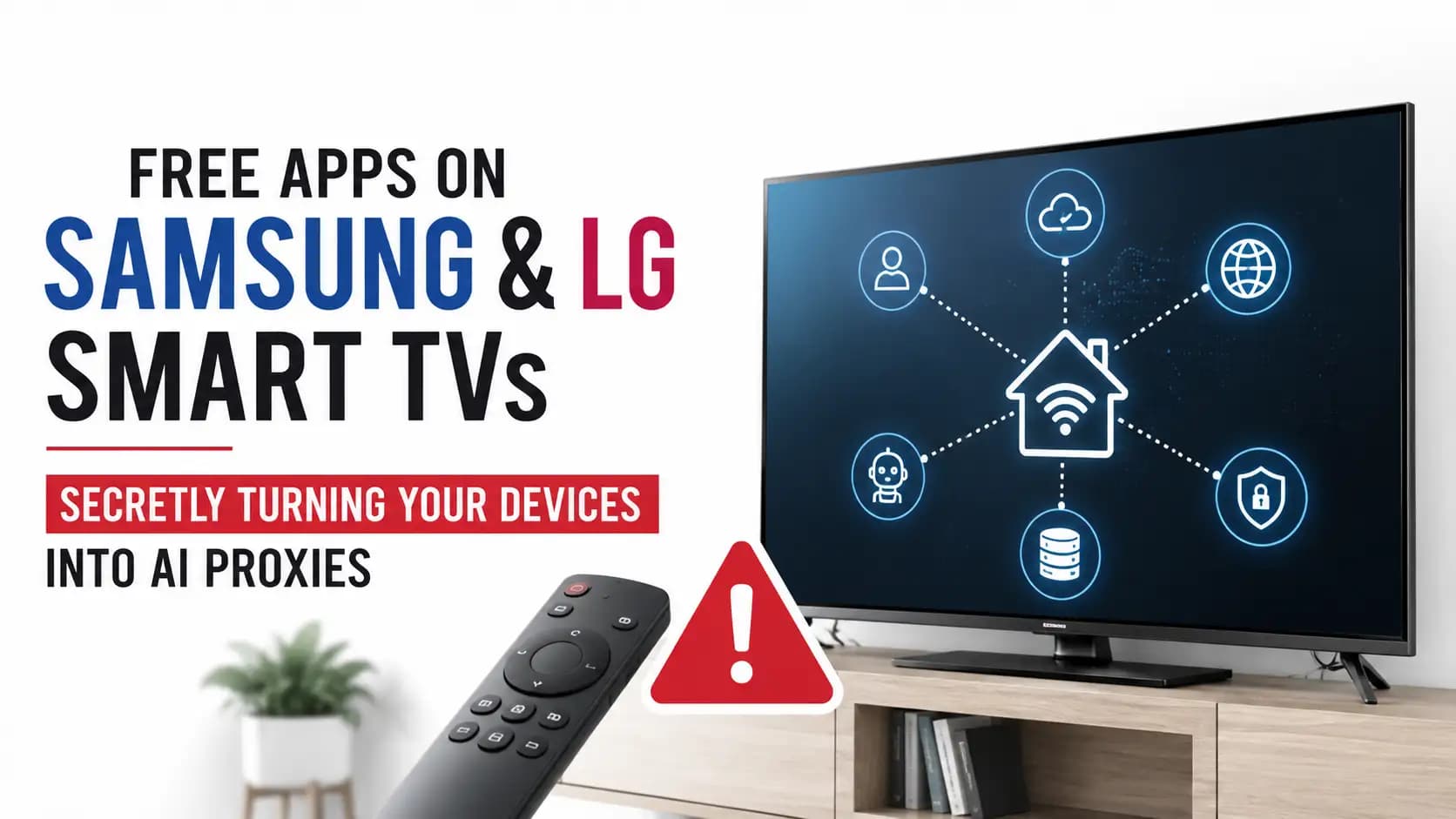
Smart TV AI Proxy Network Exposed on Samsung & LG TVs
ByGazi Mahmud
Published06 Jun, 2026
Gazi Mahmud06 Jun, 2026
Could your smart TV be helping scrape the web for AI training?
Yes, according to recent research published in June 2026 by Include
Security, some free apps on Samsung, LG, Roku, and other connected TV platforms
may enroll devices into a smart TV AI proxy network through a commercial SDK
linked to Bright Data. The issue matters because a smart TV is
not just a screen anymore. It is a networked device that sits inside your home,
stays connected to Wi-Fi, and often runs apps long after you stop thinking
about them.
The main concern is not that every Samsung or LG TV is infected. That would
be misleading. The concern is more specific: certain free smart TV apps may
include a software development kit, known as an SDK, that can route third-party
web traffic through a user’s home internet connection. In simple words, your TV
may become an exit point for someone else’s web requests.
This is where the Smart TV AI Proxy Network issue becomes important for
homeowners, IT teams, privacy-conscious users, and security analysts. It
connects three big trends: free app monetization, residential proxy networks,
and the growing demand for public web data used by AI systems.
What is a Smart TV AI Proxy Network?
A Smart TV AI Proxy Network is a network where connected TVs or similar
devices are used as residential proxy nodes. A residential proxy is an internet
connection that appears to come from a real home user instead of a data center.
Companies use these networks for web scraping, market research, price
comparison, ad verification, and in some cases, data collection connected to AI
training workflows.
Think of it like this. If a company sends thousands of web requests from one
data center, many websites may block that traffic. But if the requests appear
to come from normal home internet connections across many countries and cities,
they look more natural. That is why residential IP addresses are valuable.
The uncomfortable part is consent. Bright Data says its SDK is based on user
opt-in and ethical data practices. Researchers and critics argue that consent
screens on TVs can be hard to understand, easy to skip, and sometimes buried
inside remote-control navigation. A user may think they are accepting app
terms, while the deeper effect is that their device can join a proxy network.
This is not a traditional malware story with a named ransomware gang or a
CVE. There is no confirmed CVE ID for this research at the time of writing. It
is more of a privacy, transparency, and connected device security issue. That
makes it tricky, because something can be technically disclosed in a consent
flow and still feel unclear to the average person using a TV remote from the
couch.
What happened?
Include Security reported that free apps on connected TV platforms may
include Bright Data’s SDK. Bright Data is a data collection and proxy company
that markets a large residential proxy network. The research says the SDK can
turn a device into a proxy exit node, meaning traffic from paying customers may
be routed through the user’s home internet connection.
The platforms mentioned in public reporting include Samsung Tizen, LG webOS,
Roku, and other major smart TV ecosystems. The exact risk depends on which app
is installed, whether that app contains the SDK, how consent is presented, and
whether the device is allowed to relay traffic.
According to the research, smart TVs are attractive because they are usually
plugged in, connected to Wi-Fi, rarely monitored, and often ignored from a
security management point of view. A phone may have mobile device management,
security apps, and user attention. A living room TV usually does not.
That difference is the heart of the Smart TV AI Proxy Network concern. The
device is trusted because it feels harmless. But from a network perspective, it
is still a computer with an internet connection.
Key findings at a glance
Finding
Why It Matters
Bright Data SDK found in partner app ecosystems
Apps may enable proxy-style traffic routing through user
devices.
Connected TVs are always online
They can relay traffic even when users are not actively
managing them.
Research mentions up to 200 GB monthly Wi-Fi relay
configuration
This could affect bandwidth usage and home network
visibility.
Traffic indicators include brdtnet.com and luminatinet.com
domains
Security teams can use these as detection and blocking
signals.
Consent is a central debate
The legal and ethical question is whether users truly
understand what they accept.
How the Smart TV
AI Proxy Network works
The process starts with a free app. A user installs a casual game, streaming
utility, or entertainment app on a smart TV. That app may contain a third-party
SDK. An SDK is a ready-made software component developers add to their app for
features like ads, analytics, monetization, or network services.
In this case, the SDK can connect the device to Bright Data’s proxy
infrastructure. Once active, the device may receive instructions from a control
server and relay web requests through the user’s internet connection. To the
website being accessed, the request appears to come from a normal residential
IP address.
A simple flow looks like this:
·User installs a free smart TV app.
·The app includes a third-party proxy SDK.
·The SDK presents or relies on a consent flow.
·The device connects to proxy infrastructure.
·Third-party web requests may route through the
user’s home connection.
·The device becomes part of a residential proxy
network.
For a non-technical reader, imagine your home address being used as a return
address for someone else’s package. You may not see the package contents, but
the outside world sees your address involved in the delivery. That is why
residential proxy networks raise trust and accountability questions.
Why Samsung, LG, and Roku users should care
Samsung Smart TV Security and LG Smart TV Security often focus on updates,
app permissions, account safety, and privacy settings. This research adds
another layer: the business model of free smart TV apps. The risk is not only
whether the app steals data. The risk is also whether the app uses your device
resources in ways you did not clearly understand.
Roku users are also part of the wider connected TV conversation because Roku
channels and similar app ecosystems are built around third-party distribution.
Some platforms have reportedly restricted or banned background proxy SDK behavior,
while Samsung and LG have remained central to public discussion because their
TV platforms are still mentioned in relation to Bright SDK support.
For most households, the concern is practical. Could this slow down
streaming? Could it use bandwidth? Could it create strange traffic on the home
network? Could a user’s residential IP address be linked to scraping activity
they did not personally perform? These are reasonable questions.
For businesses, the concern is bigger. Many offices, hotels, schools, retail
spaces, and meeting rooms use smart TVs. Those TVs often sit on the same
network as other devices. If they are not segmented, monitored, or updated,
they become part of the broader attack surface.
Why free smart TV apps use this model
People often ask how free smart TV apps make money. The answer is usually
advertising, analytics, data partnerships, subscriptions, or some form of
alternative monetization. A proxy SDK offers another option: the app developer
may earn revenue by letting a third-party network use idle device resources.
From a developer’s point of view, this can sound attractive. Users get a
free app. The developer earns money. The proxy company gets residential IP
capacity. The problem starts when users do not understand the trade. A consent
screen may exist, but if it is vague, buried, or difficult to read on a TV
interface, the consent may not feel meaningful.
This is why the phrase “free TV apps privacy risk” is becoming more
important. Free does not always mean harmless. Sometimes the payment is
attention. Sometimes it is data. Sometimes it may be bandwidth or device
participation in a commercial network.
Technical details security teams should know
Public reporting around this research mentions several network indicators.
The SDK reportedly opens persistent WebSocket connections to Bright
Data-related infrastructure. A WebSocket is a long-lived connection between a
device and a server. It is often used for real-time communication.
Researchers highlighted domains such as the following:
·proxyjs.brdtnet.com
·proxyjs.luminatinet.com
·clientsdk.bright-sdk.com
The luminatinet.com
reference matters because Bright Data was formerly known as Luminati Networks.
For defenders, traffic to brdtnet.com
or luminatinet.com from a
smart TV or mobile app can be a useful investigation point. It does not
automatically prove abuse, but it is unusual enough to review.
The research also describes mobile-specific behavior, including VPN bypass
techniques on iOS through direct interface binding. That technical detail is
more relevant to mobile apps than televisions, but it shows why SDK-level
traffic can be difficult to inspect with normal user tools.
Security teams should avoid overclaiming. At this time, this is not a known
ransomware campaign, not a botnet in the criminal sense, and not a publicly
assigned CVE vulnerability. It is a commercial SDK and consent-based proxy
model under security and privacy scrutiny.
Privacy risks for consumers
The first privacy risk is the residential IP address. Your IP address can
reveal your general location, internet provider, and household network
reputation. If scraping traffic exits through your connection, your IP may
appear in logs on third-party websites.
The second concern is smart TV data collection. Smart TVs already collect
usage data through ads, analytics, viewing behavior, crash logs, and app
telemetry. Adding proxy behavior makes the privacy picture harder for users to
understand.
The third concern is transparency. A user may not know whether an app is
using a proxy SDK, how much bandwidth it may consume, or how to turn it off. In
a normal mobile app, permissions are already confusing. On a TV, the problem is
worse because the interface is slower and people rarely read long terms with a
remote.
This is where “are smart TV apps spying on users” becomes a complicated
question. Proxy traffic does not necessarily mean the app is reading your
private files or watching your screen. But it does mean the device may be doing
something network-related that the user did not expect. That alone is a serious
smart TV privacy risk issue.
Security risks for homes and organizations
The main security risk is visibility. Most people do not monitor outbound
traffic from a TV. If a laptop suddenly sends strange traffic, someone may
notice. If a TV does it at 2 a.m., almost nobody checks.
There is also the issue of network reputation. If a website sees scraping
traffic from your home IP, it may rate-limit or block that IP. In rare cases,
repeated abuse from a residential IP can trigger account verification, CAPTCHA
challenges, or ISP warnings. The average user may never connect that problem to
a free TV app.
For organizations, connected TV security should be treated like IoT
security. Put TVs on a separate network. Limit what they can reach. Block
unnecessary outbound destinations. Keep firmware updated. Review installed
apps. These steps are not dramatic, but they work.
If your organization manages many smart displays, consider a broader attack
surface management review. A smart TV in a lobby may not look
important, but it is still a managed asset if it touches the network.
Real-world example: what this could look like at home
Imagine a family installs a free game app on an LG TV. The app is fun,
simple, and rarely used after the first week. The TV stays connected to Wi-Fi
in standby mode. Nobody opens the app again, but the app or SDK may still have
background behavior depending on platform rules and configuration.
A few weeks later, the household notices slower streaming during peak hours.
Maybe nothing obvious happens. Maybe the internet bill is unchanged. Maybe the
router logs show unfamiliar domains, but nobody checks those logs anyway.
Now imagine the same pattern across thousands or millions of devices. That is
the power of a smart TV AI proxy network. One TV is not the story. Scale is the
story.
How to check if your smart TV may be affected
You do not need to panic or throw away your TV. Start with a basic app
audit. Open the app list and remove free apps you no longer use. Pay special
attention to games, screen savers, utility apps, and unknown streaming
channels.
Next, review Samsung TV Privacy Settings or LG TV Privacy Settings. The
exact menu changes by model and region, but look for advertising ID, personalized
ads, viewing information services, diagnostics, and data-sharing controls.
If your router supports DNS logs, check whether your TV contacts unusual
domains. Home users can use tools like Pi-hole, NextDNS, or router-level
parental control logs. Security teams can use DNS filtering, firewall logs, EDR
telemetry where available, and network detection tools.
For deeper testing, organizations can run a controlled packet capture from a
segmented TV network. This is where IoT
and embedded security practices become useful, because smart TVs
behave more like embedded computers than simple appliances.
How to block known Bright Data SDK traffic
Based on public research, users and defenders can block known domains at the
DNS or firewall level. This may prevent affected devices from joining the proxy
relay infrastructure. However, domains can change, so treat this as one layer
of defense, not a permanent cure.
Suggested DNS blocks include:
·proxyjs.brdtnet.com
·proxyjs.luminatinet.com
·clientsdk.bright-sdk.com
For TLS filtering, security teams can watch for SNI patterns involving brdtnet.com, luminatinet.com, and luminati.io. In managed mobile
environments, teams may also scan for SDK-related binary symbols reported by
researchers, such as BrdWebSocketFacade and BrdNetwork. DNSResolver.
This is not accurate. The issue appears linked to specific apps and SDK
integrations. A Samsung, LG, or Roku device is not automatically part of a
smart TV AI proxy network just because it is connected to the internet.
Misconception 2: This is the same as malware.
Not exactly. Malware usually involves unauthorized harmful code. This case
is more about consent, transparency, device resource use, and commercial proxy
behavior. That does not make it harmless, but it is important to describe it
correctly.
Misconception 3: A VPN always protects you.
Not always. Researchers described cases where SDK traffic may bind directly
to a physical network interface on mobile devices. For smart TVs, VPN coverage
depends on the router, app, and network design. A VPN is useful, but it is not
magic.
Misconception 4: Free apps are always safe if they are in an app
store.
App store approval reduces some risk, but it does not remove all risk.
Third-party SDKs can create privacy and network behavior that users never
expected. This is why smart TV cybersecurity needs to include app reviews, not
just firmware updates.
Hoplon Insight: Treat smart TVs like IoT endpoints,
not entertainment-only devices. The safest approach is simple: remove unused
apps, segment TVs from sensitive devices, block known proxy SDK domains, and
review outbound DNS traffic regularly.
Start with the basics. Delete apps you do not use. Update your TV firmware.
Turn off unnecessary data sharing. Review privacy settings. Restart your router
after applying DNS blocks. These steps are simple, but they reduce exposure.
For a home network, consider putting smart TVs and IoT devices on a guest
network. Your laptops, work devices, NAS systems, and personal phones should
not sit on the same flat network as every TV, camera, speaker, and streaming
stick.
For organizations, document every connected display. Know the model, platform,
location, network segment, and installed apps. If that sounds boring, good.
Security often improves through boring inventory work before it improves
through expensive tools.
Broader security lesson: the TV is now part of the data economy
The Smart TV AI Proxy Network story is not only about one SDK or one
company. It shows how the modern internet turns quiet devices into economic
assets. Phones, TVs, routers, browsers, apps, extensions, and games all sit
inside a market where attention, data, bandwidth, and location can be
monetized.
The AI angle makes this bigger. Training and operating AI systems requires
large amounts of web data. Websites are responding with bot defenses. Data
companies then seek residential IP routes that look more human. Smart TVs
become attractive because they are stable, distributed, and often ignored.
This does not mean every data collection company is malicious. It does mean
users need better transparency, clearer consent, and stronger platform rules. A
consent screen should not be a puzzle hidden behind arrow-key navigation.
This article explains what the Smart TV AI proxy network issue is; how free
apps may enroll Samsung, LG, and Roku devices into residential proxy
infrastructure; and why the topic matters for privacy, bandwidth, and connected
TV security. It also covers known indicators, user protection steps, enterprise
monitoring guidance, and broader lessons about free app monetization in the AI
data economy.
Conclusion
The Smart TV AI Proxy Network issue shows how ordinary living room devices
can become part of a much larger data economy. A free app may look small, but
the SDK inside it can change how your device behaves on the network.
The best takeaway is simple. Review your apps, monitor your network, block
suspicious proxy domains, and treat smart TVs as real connected endpoints. For
businesses, include TVs and other connected displays in security reviews before
they become invisible weak spots.
If your organization needs help reviewing connected TV risks, IoT exposure,
or unusual network activity, Hoplon Infosec can support assessment, monitoring,
detection, and response with a practical security-first approach.
PHP Security Vulnerabilities:PHP2Shell flaws are patched, but another RCE risk remains in some setups. See affected versions and fixes. Check your server.
SBI data breach claim: A group alleges access to 375,000 accounts and 2,722 PDF files. Here is what is verified, what remains unknown,and how to respond.
Ledger hardware wallet spy chip investigation: What Ledger confirmed, how an implant may expose recovery phrases, and what affected owners should do next.
Apple macOS Full Disk Access AI agents face tighter controls. Learn 7 critical privacy risks, Apple's changes, and what Mac users should do to stay secure.