
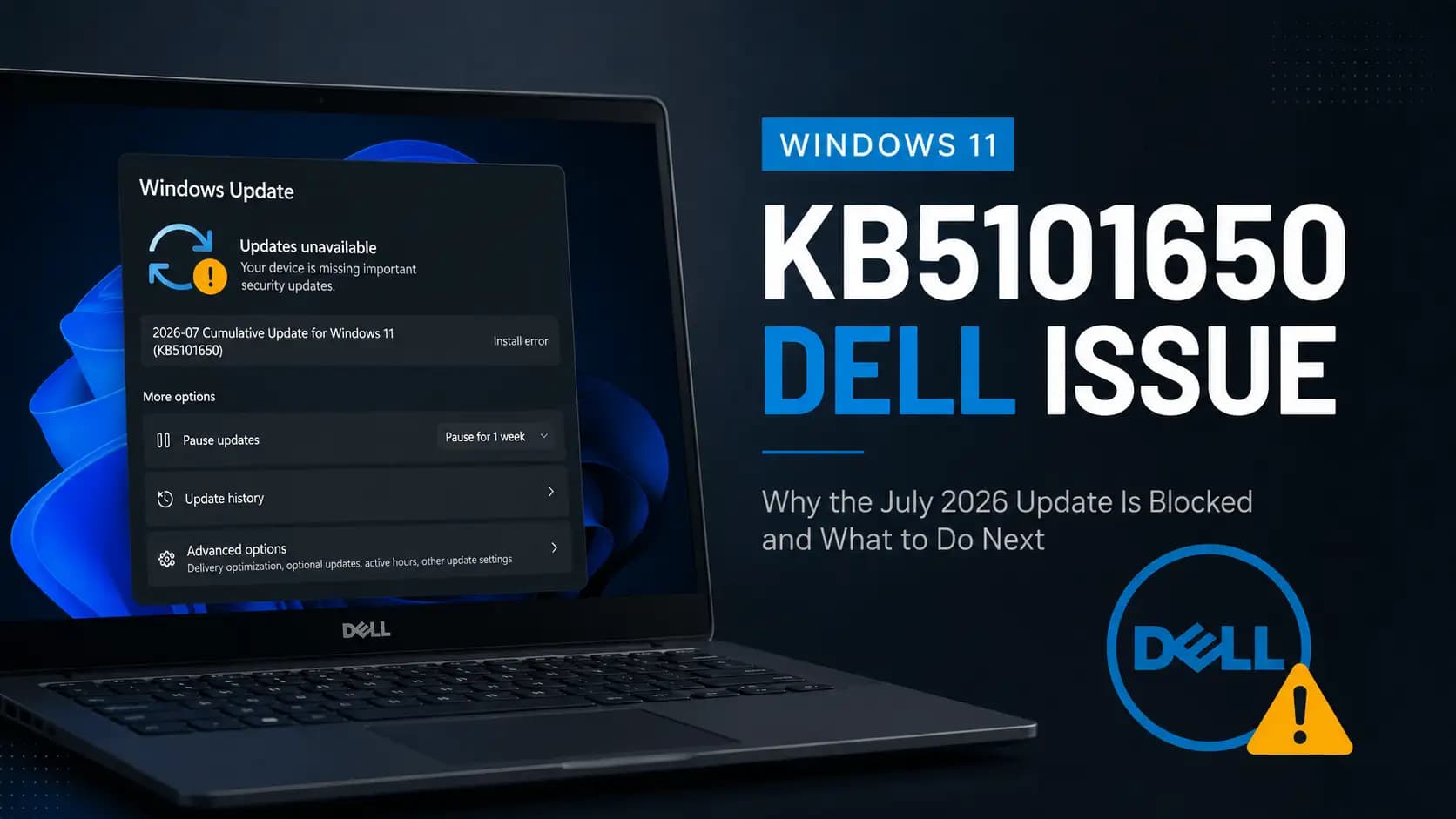
If your Dell laptop suddenly refuses to take the latest Windows update, you are not imagining things and your PC is not broken. The Windows 11 KB5101650 Dell issue is a real, officially confirmed problem, and Microsoft made the decision to hold this update back on purpose rather than let it cause trouble. That single fact changes everything about how you should react to it.
Instead of chasing a phantom bug or reinstalling Windows out of panic, you just need to understand what happened, why it happened, and what your next move should be. This guide walks through the whole story in plain language, from the technical root cause to the exact steps you can run today to check your own machine.
Here is the short version before we go deep. Microsoft paused the July 14, 2026 security update KB5101650 on a limited set of Intel based Dell PCs because it conflicts with a driver called the Intel Innovation Platform Framework Processor Participant. That conflict can cause unexpected shutdowns, overheating, poor performance, and faster battery drain. Microsoft and Dell are working on a fix together, and until it ships, affected devices simply will not be offered the update.
| Content Summary | Detail |
|---|---|
| Affected update | KB5101650, released July 14, 2026 |
| Root cause update | KB5095093, the June 23, 2026 preview update |
| Affected Windows versions | Windows 11 24H2 and 25H2 |
| Affected hardware | A limited number of Intel based Dell devices |
| Conflicting components | New Windows USB-C Connection Manager interface and Intel Innovation Platform Framework Processor Participant driver |
| Main symptoms | Unexpected shutdown, overheating, battery drain, sluggish performance |
| Visible warning sign | Yellow exclamation mark in Device Manager |
| Current status | Update withheld from affected devices, fix expected soon |
| Is this a security vulnerability | No, this is a hardware driver compatibility issue, not a CVE |
What is the Windows 11 KB5101650 Dell Issue
KB5101650 is the mandatory July 2026 Patch Tuesday cumulative update for Windows 11, version 24H2 and 25H2. It is a big one too, since it closes out a long list of security vulnerabilities that Microsoft patches every month. Under normal circumstances, every eligible PC would receive this update automatically through Windows Update. What makes this month different is that Microsoft discovered, through testing done by Dell, that a specific group of Intel powered Dell computers reacts badly to a change buried inside this release.
That reaction is not random or occasional. It traces back to a driver called the Intel Innovation Platform Framework Processor Participant, which is a core system level component responsible for managing how the processor handles power, temperature, and performance. When this driver runs into a conflict, it does not just throw a small error and move on. It can knock the whole thermal and power management system off balance, and that is exactly why Microsoft chose caution over speed here.

Why Microsoft Blocked KB5101650 on Some Dell PCs
According to Microsoft's own release health documentation, the issue was reported by Dell during testing and was identified as an incompatibility between the Intel driver and the new Windows USB-C Connection Manager interface that was introduced in the June 23, 2026 preview update. Microsoft's exact wording is that affected devices can potentially experience unexpected shutdowns, poor performance, increased heat, and battery drain.
Rather than let every Dell owner discover this the hard way, Microsoft is temporarily withholding KB5101650 from machines that match the affected hardware and driver profile, while it works alongside Dell on a resolution that Microsoft says is planned for the coming days.
This is what security professionals call a safeguard hold, and it is a fairly common practice. Windows Update quietly checks the hardware ID, driver version, and OEM model of your machine against a list of known problem combinations. If your PC matches one, the update server simply does not offer you that release, even though the update itself has already been published and is installing fine on millions of other computers. Your PC will often show as up to date, which confuses a lot of people, but that message just means nothing else is currently being withheld from you.
The Timeline Behind This Story
This did not start on July 14. The trouble actually began quietly a few weeks earlier. On June 23, 2026, Microsoft released KB5095093 as an optional, non mandatory preview update, the kind that early adopters and IT testers install to preview upcoming changes before they become mandatory. Buried inside that preview was the new Windows USB-C Connection Manager interface. During internal testing on that build, Dell discovered that certain systems using the Intel Innovation Platform Framework Processor Participant driver started throwing a yellow warning in Device Manager, and some of those systems began showing thermal and power symptoms.
Because Windows updates are cumulative, whatever ships in a preview release eventually gets folded into the next mandatory security update. That is precisely what happened here. When KB5101650 arrived on July 14, 2026 as the mandatory July Patch Tuesday release, it carried the same USB-C Connection Manager change forward, which meant the same conflict was now baked into a security update that almost every Windows 11 PC needs. Microsoft responded within the same window by updating its known issue documentation and activating the safeguard hold on the matching Dell configurations, and that hold remains active while a permanent fix is developed.
The Technical Root Cause, Explained Simply
You do not need a computer science degree to understand this, so let us break it into plain pieces. Modern laptops constantly juggle two things behind the scenes, power delivery and thermal management. The Intel Innovation Platform Framework is Intel's platform level system for handling exactly that, working closely with something called Dynamic Tuning Technology to keep your CPU running at the right temperature and power draw for whatever you are doing at the moment.
The Processor Participant is one piece inside that framework, and its job is to expose real time processor information such as temperature and power state so Windows and the firmware can make smart decisions.
Separately, Windows introduced a refreshed USB-C Connection Manager, which is the software layer responsible for handling everything that happens over a USB-C port, including cable orientation, power negotiation, and alternate display modes. On most systems these two things never even interact directly.
But on this specific slice of Dell hardware, the new interface and the older Intel driver do not agree on how to hand off certain information, and that mismatch is enough to disrupt the power and thermal policy chain. When that chain breaks down, the processor can end up running hotter than it should, drawing more power than necessary, or in worse cases, triggering a protective shutdown when the system senses it is overheating.
Common Symptoms of the Windows 11 KB5101650 Dell Issue
- Unexpected shutdown with no warning, sometimes during normal use
- Chassis and keyboard area becoming unusually hot
- Fan running loud and constant even during light tasks
- Battery draining much faster than your usual pattern
- Noticeable slowdown or CPU throttling under load
- A yellow exclamation mark next to Intel Innovation Platform Framework Processor Participant in Device Manager
- KB5101650 simply not appearing in Windows Update even after checking repeatedly
Not every affected device shows all of these at once. Some users only notice the yellow warning icon in Device Manager with no visible performance change, while others deal with genuine overheating and shutdown problems. If you are only seeing the icon and nothing else feels wrong, there is no need to panic, but it is worth keeping an eye on temperature and battery behavior over the next few days.

Which Dell PCs Are Affected
This is the part where honesty matters more than a satisfying answer. Neither Microsoft nor Dell has published a specific model list, and there is a good reason to be cautious about anyone online who claims to have the full list already. What we do know for certain is that the issue is limited to Intel based Dell systems, running Windows 11 24H2 or 25H2, that have the Intel Innovation Platform Framework Processor Participant driver installed.
MD based Dell machines are outside the confirmed scope, as are non Dell PCs entirely, along with systems still running Windows 11 23H2. If Windows Update is still offering you KB5101650 normally, that is actually a good sign, since it likely means Microsoft's compatibility check has already determined your specific configuration is not affected.
How to Check If Your Dell PC Is Affected
- Open Device Manager, expand System devices, and look for Intel Innovation Platform Framework Processor Participant
- Check whether that entry shows a yellow exclamation mark or a driver status other than working properly
- Go to Settings, then Windows Update, and see whether KB5101650 has installed or is missing despite the page saying you are up to date
- Open Settings, System, About, and confirm you are running Windows 11 24H2 or 25H2
- Watch your battery percentage and chassis temperature over a normal working session to see if anything feels off compared to before
What to Do If You Have Not Received the Update
The most important advice here is also the simplest one to follow, which is to leave it alone. Do not download KB5101650 manually from the Microsoft Update Catalog, and do not try to force it through DISM or registry tricks to bypass the safeguard hold. Microsoft built that hold specifically to protect your hardware, and installing the update manually while the underlying driver conflict is still unresolved could genuinely put your system into the exact overheating and shutdown scenario Microsoft is trying to prevent.
Your security patches are not permanently lost either, since the hold is temporary and Microsoft will resume offering the update automatically once a fix is validated for your configuration.
While you wait, it is worth checking Dell Support or Dell SupportAssist periodically for a revised Intel Innovation Platform Framework driver, since that is one of the more likely paths Microsoft and Dell will use to close this gap. Keeping Windows Update itself enabled, rather than pausing it entirely, ensures you still receive unrelated fixes and future updates the moment they become available.
What to Do If KB5101650 is Already Installed
- Back up your important files first, before making any other changes
- Check Dell Support or Dell Command Update for a newer Intel Innovation Platform Framework or Dynamic Tuning Technology driver and install the Dell provided version rather than a generic Intel package
- Restart the machine and recheck Device Manager to see if the warning icon has cleared
- Run a Dell SupportAssist hardware and thermal scan to rule out an unrelated hardware fault
- If shutdowns or heat problems continue after trying the driver update, consider rolling back the update through Settings, Windows Update, Update history, Uninstall updates, only as a temporary step
- Understand that rolling back KB5101650 also removes this month's security fixes, so treat it as short term protection rather than a permanent solution
Does Pausing This Update Create a Security Risk
This is a fair question, since KB5101650 does not just deal with driver behavior, it also closes out a large batch of vulnerabilities that Microsoft patches every month as part of its regular security compliance cycle. If your Dell device is one of the ones being held back, it technically remains on last month's security baseline until the fix arrives, so it is not the moment to relax your other defenses.
This is exactly the kind of scenario where solid vulnerability management practices matter, since knowing precisely which systems in your environment are behind on patches lets you apply compensating controls instead of just hoping nothing goes wrong in the meantime.
Guidance for IT Administrators and Businesses
If you manage a fleet of Dell laptops, the smartest move is not to fight the safeguard hold, but to work with it. Build an inventory of your Dell devices by manufacturer, model, BIOS version, Windows build, and installed Intel Innovation Platform Framework driver version, then use that data to create a targeted exclusion group inside Intune, Windows Update for Business, or WSUS rather than pushing KB5101650 across your entire fleet blindly.
On premises tools in particular can accidentally force an update through that the consumer safeguard would otherwise block, so double check your deployment rings before approving anything broadly. Strong endpoint security protection combined with careful patch sequencing will keep your organization covered while this specific Dell and Intel conflict gets resolved upstream.
Myth vs Fact
There is a lot of noise online already about this issue, so it helps to separate what is confirmed from what people are simply assuming. The claim that every single Dell PC is affected is false, since Microsoft has been clear that this touches only a limited number of Intel based configurations.
The idea that KB5101650 itself is broken or corrupted is also inaccurate, because the update installs correctly everywhere it is offered, and Microsoft is simply choosing not to offer it to machines that would react badly. Another myth worth clearing up is that this qualifies as a security vulnerability with its own CVE identifier, which it does not, since this is purely a hardware driver compatibility problem rather than an exploitable flaw.
Frequently Asked Questions
Is the Windows 11 KB5101650 Dell issue dangerous to my hardware?
Microsoft has not confirmed permanent hardware damage, but repeated overheating and shutdown events are not something to ignore for long periods, so it is worth addressing promptly rather than living with it.
Why is KB5101650 missing from my Dell laptop even though it says I am up to date?
That message usually just means nothing else is currently being withheld, and a safeguard hold on KB5101650 specifically does not always change that overall status message.
Can I just download KB5101650 manually from the Microsoft Update Catalog?
You technically can, but doing so bypasses the exact protection Microsoft put in place, so it is not recommended until the underlying driver conflict is resolved.
Will updating my Intel driver alone fix this?
A Dell approved revision of the Intel Innovation Platform Framework driver is one of the most likely fixes, but Microsoft has not confirmed the exact form the final resolution will take.
When will Microsoft release a permanent fix?
Microsoft has only said it plans to release a resolution for affected devices in the coming days, without committing to an exact date.
Final Takeaway
The Windows 11 KB5101650 Dell issue is a good reminder of how tightly connected modern hardware and software really are, where a single interface change deep inside Windows can ripple all the way down to how your processor manages heat. The good news is that Microsoft caught this before it reached every affected device, and the safeguard hold, while inconvenient, is doing exactly what it was designed to do.
If your device is impacted, be patient, keep your Dell drivers current, back up your data, and let the official fix arrive rather than forcing a manual install. For businesses that want to stay ahead of patch related disruptions like this one across an entire device fleet, working with a team that handles attack surface management and ongoing patch risk visibility can turn a stressful surprise like this into a routine, well handled update cycle.
References
Microsoft Support, July 14 2026 KB5101650 release notes,
Microsoft Learn, Windows 11 25H2 known issues and notifications,
Microsoft Learn, Windows 11 24H2 known issues and notifications





